-
-

Reviewer2
-
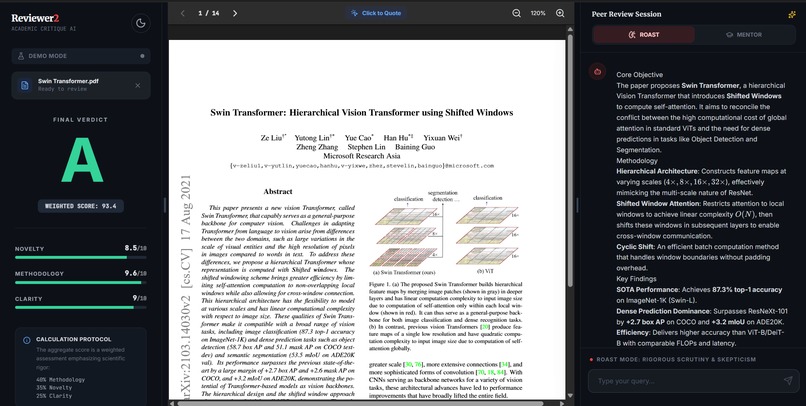
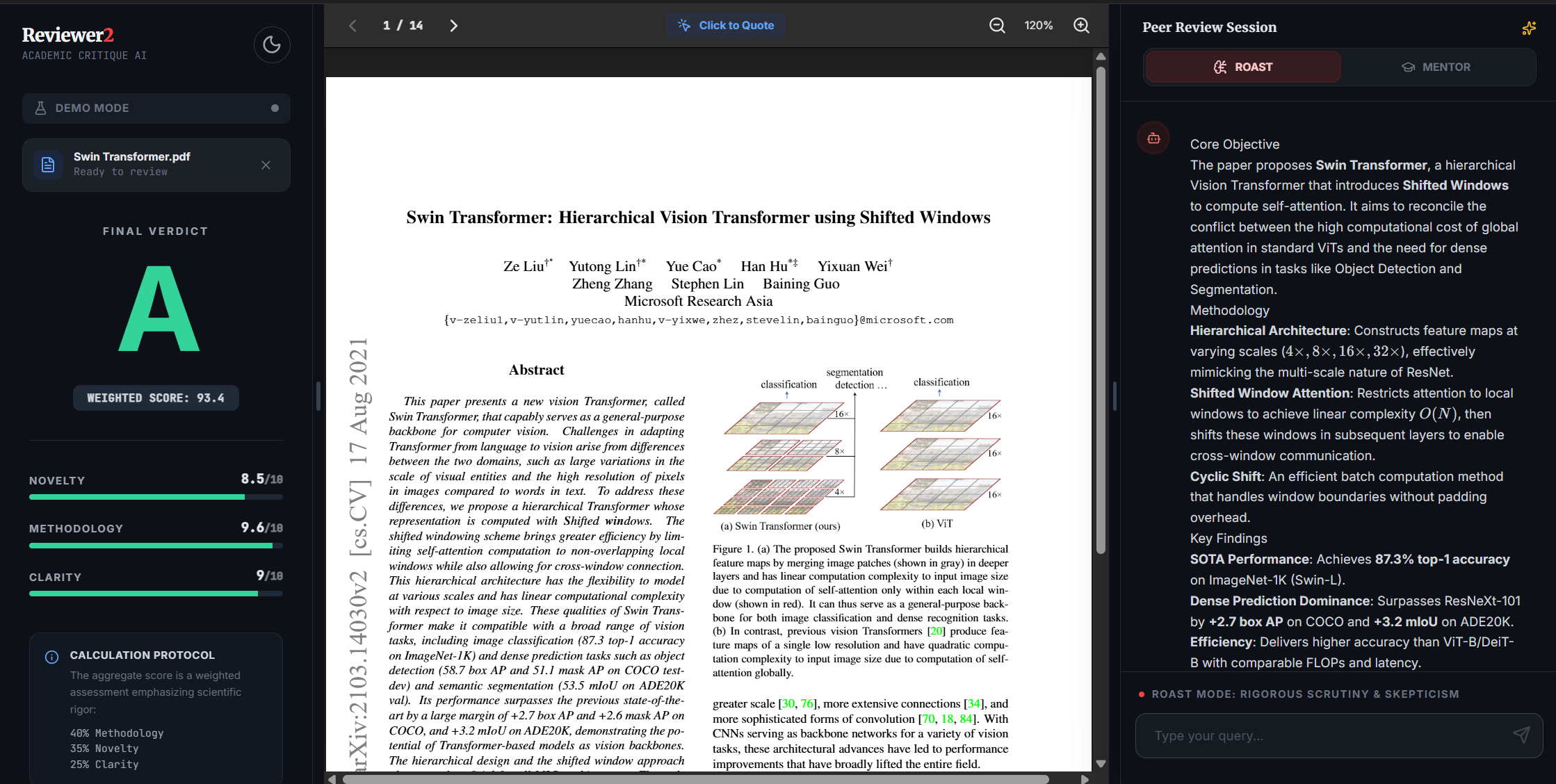
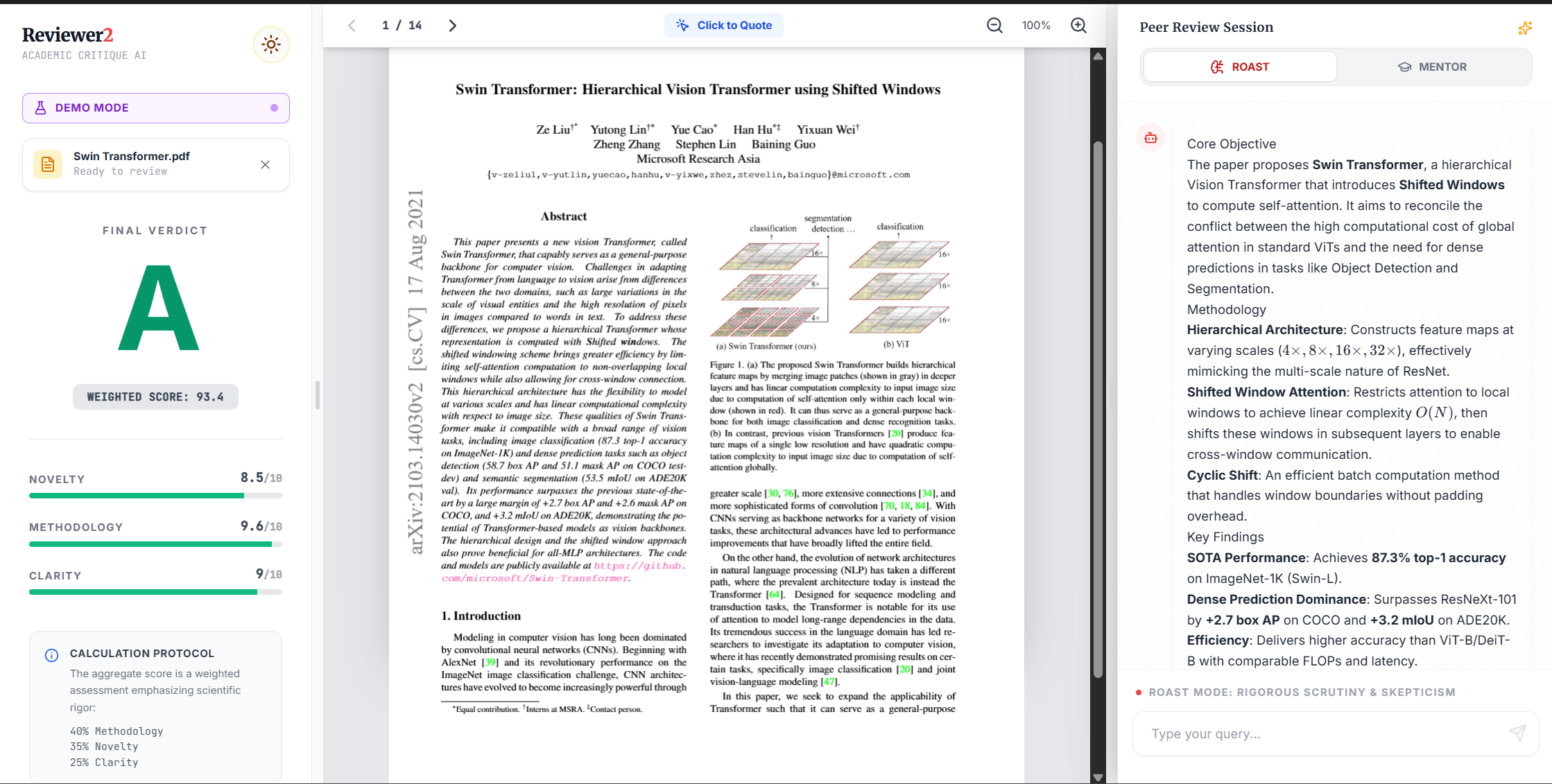
Dark Theme (Defult)
-
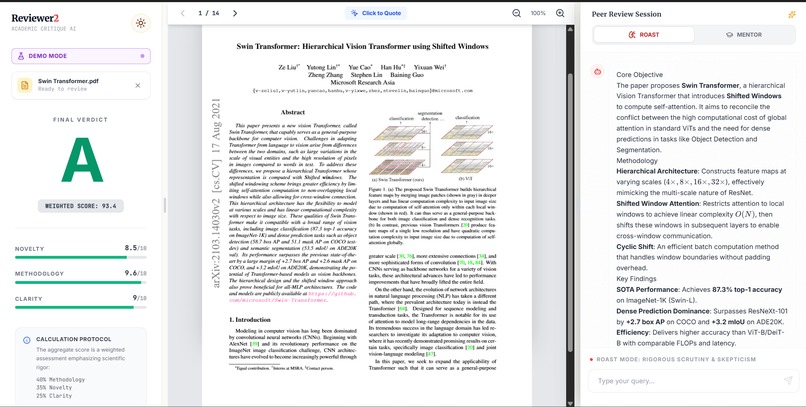
Light Theme
-
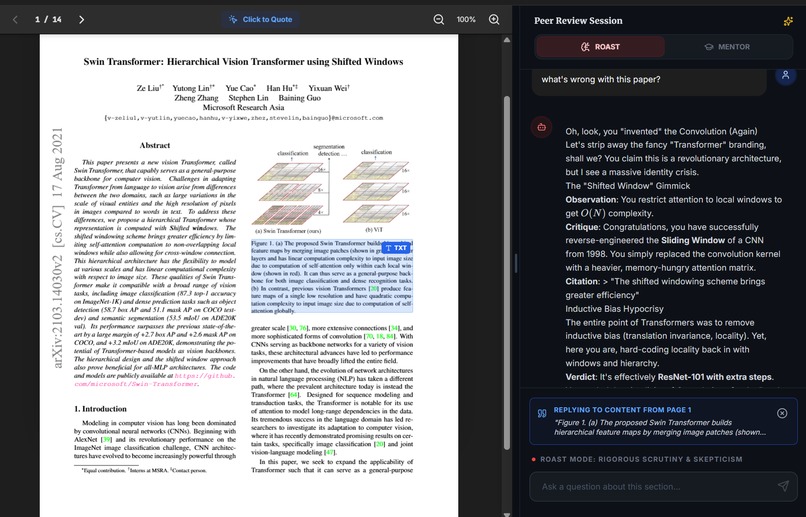
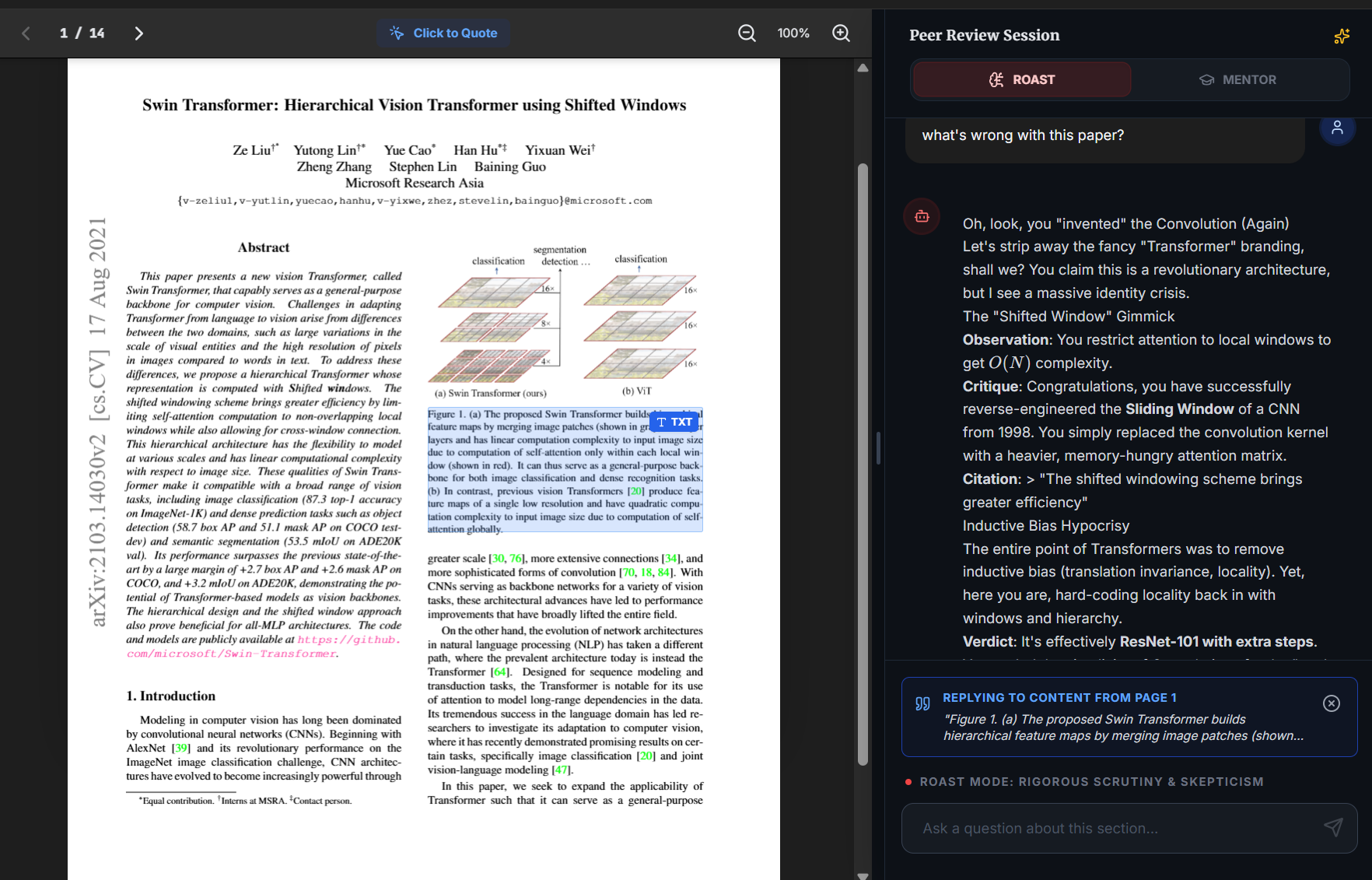
Click to Quote
-
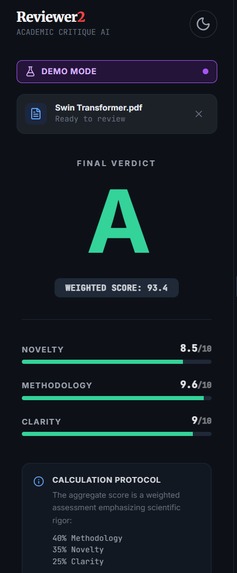
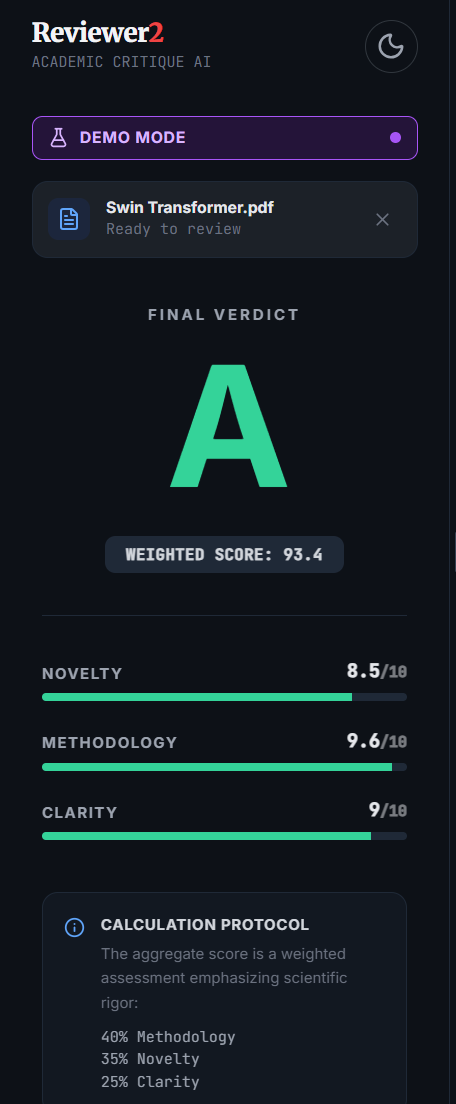
Grades Dashboard
-
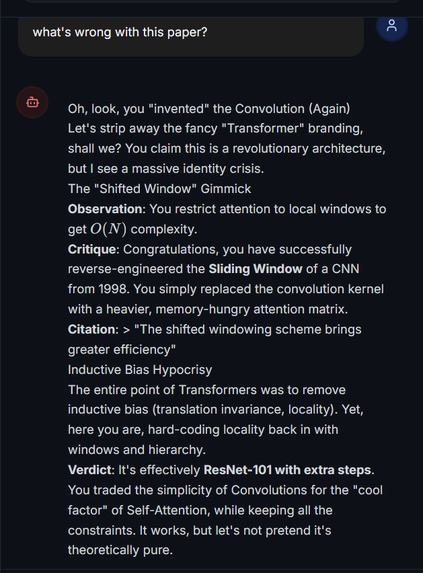
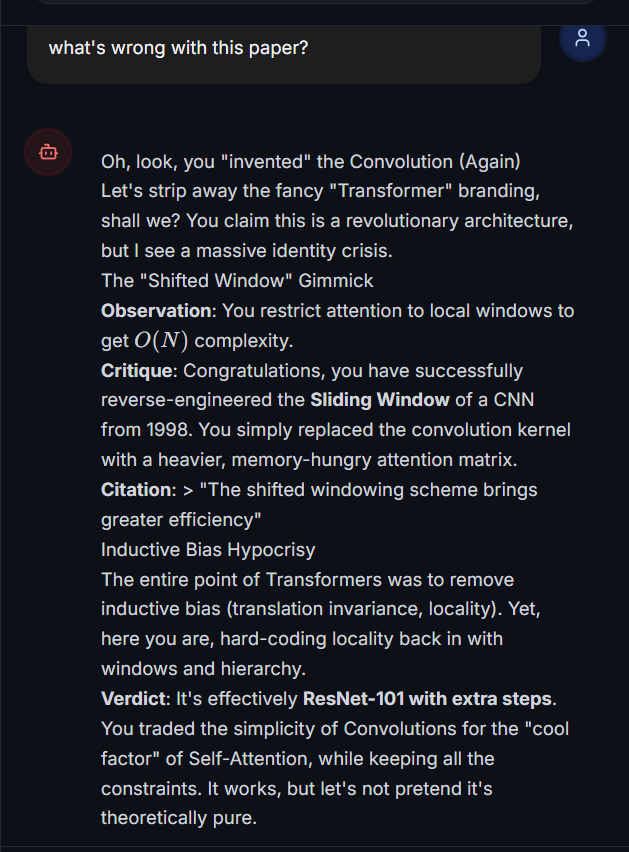
Roast Mode's Style
-
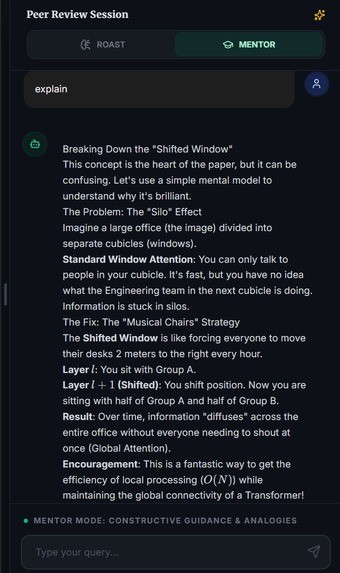
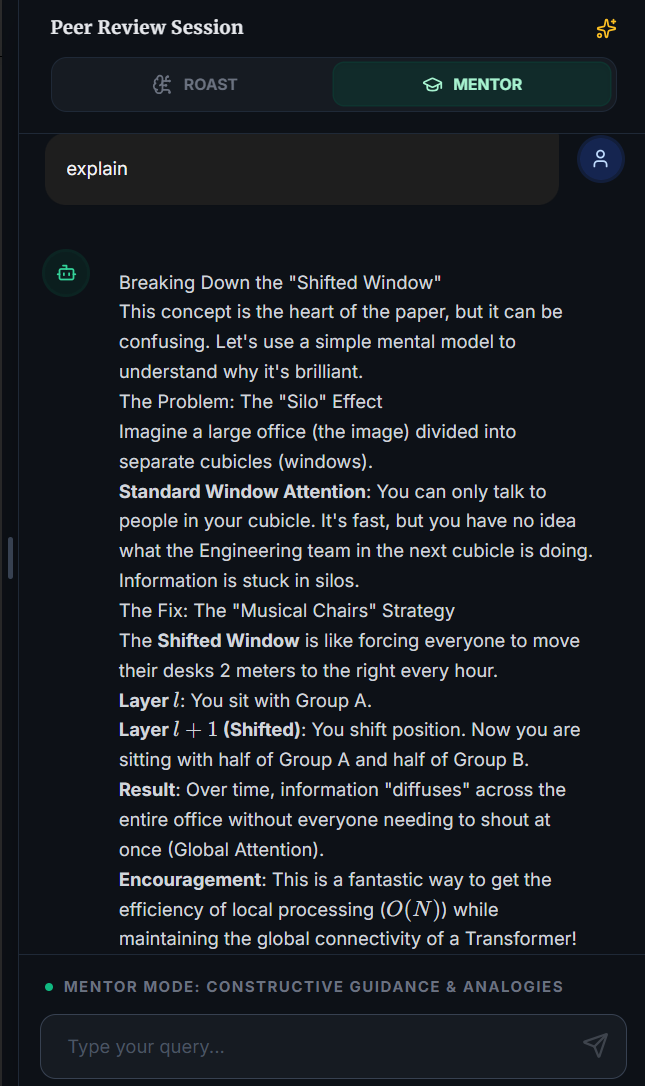
Mentor Mode's Style
Inspiration
"Reviewer 2" is a universal meme in academia—the anonymous peer reviewer who is inexplicably harsh, nitpicky, and impossible to please. We've all been there: waiting months for feedback only to get rejected because "the novelty is insufficient" or "citation [3] is missing."
I wanted to turn this source of anxiety into a tool. What if you could harness that ruthless scrutiny before you submit? What if an AI could roast your paper to perfection?
What it does
Reviewer 2 is an AI-powered academic assistant that reads your research papers (PDF) and provides instant, critical feedback. It features two distinct personas:
- Roast Mode: Embraces the persona of a grumpy tenured professor. It ruthlessly critiques logic gaps, experimental flaws, and novelty claims. It's painful, but it makes your paper bulletproof.
- Mentor Mode: A kind, patient guide that uses analogies to explain complex concepts and suggests constructive improvements.
Key Features:
- Deep Analysis: Assigns deterministic scores for Novelty, Methodology, and Clarity.
- Visual Grounding: Users can click on specific text blocks in the PDF to ask context-aware questions.
- Dual Persona System: Switch instantly between hostile critique and supportive mentoring.
- Markdown & LaTeX Support: Generates mathematically formatted reports ready for copy-pasting.
How I built it
The core is built on Google's Gemini 3 Flash API.
- The "Thinking" Engine: I utilize Gemini's
thinkingConfigto allocate a specific token budget for reasoning. This allows the model to "think" about the paper's logical structure before generating a critique, resulting in much deeper insights than standard LLM responses. - Structured Output: I use
responseSchemato force Gemini to output strictly typed JSON for the scoring metrics (Novelty, Methodology, Clarity), ensuring consistent grading every time. - Complex PDF Parsing: Instead of just dumping raw text, I built a custom geometric analysis engine using
pdfjs-dist. It calculates coordinate buckets to correctly reconstruct multi-column academic layouts (like IEEE/ACM formats) into a linear reading order. - Frontend: Built with React 19, TypeScript, and Tailwind CSS. The UI features a custom split-pane layout with a dark/light mode that mimics the aesthetic of modern code editors and e-readers.
Challenges I ran into
- First-Time Hackathon & API Limits: As a student developer participating in my very first AI hackathon, managing resources was a huge challenge. The advanced "Thinking" features in Gemini 3 are incredible but consume a lot of tokens. I hit the API rate limits (429 errors) constantly during testing. To ensure I could record a stable video demonstration for the judges without crashing, I actually engineered a dedicated "Demo Mode" that simulates the backend processing.
- PDF Layouts & Segmentation: Parsing academic PDFs is much harder than I anticipated. While I successfully built an algorithm to handle 2-column text, I struggled to precisely distinguish between text paragraphs, images, and data tables. Currently, my system treats everything as text blocks based on geometry. I haven't yet solved the problem of isolating tables or figures as distinct, interactive elements.
- Balancing the "Roast": It was hard to make the AI "mean" without being hallucinating or unhelpful. I tuned the system prompts to ensure that even when roasting, the AI cites specific evidence from the text.
Accomplishments that I'm proud of
- The "Click-to-Quote" Feature: Successfully mapping the visual PDF coordinates back to the text context so users can point at a paragraph and say "Explain this."
- The Persona Switching: It feels like talking to two completely different people, yet they share the same context.
- Perseverance: Despite the API quota issues and the complexity of PDF parsing, I built a functional, polished interface that solves a real problem.
What I learned
- Gemini's Reasoning Capabilities: I learned that giving the model a "thinking budget" significantly improves its ability to find subtle logical contradictions in research text compared to zero-shot prompting.
- Frontend-Backend Synergy: Handling streaming responses while maintaining UI responsiveness required careful state management.
What's next for Reviewer 2
- Better Document Segmentation: I want to move beyond geometric heuristics and use a Vision Language Model (VLM) to perform true Layout Analysis, allowing us to treat Images and Tables as distinct, interactive blocks.
- Figure Analysis: Once I solve segmentation, I want to use Gemini's multimodal capabilities to critique charts and graphs directly.
- Overleaf Integration: Imagine a Chrome extension that roasts your LaTeX code as you type.
Built With
- google-gemini-api-(gemini-3-flash)
- google-search-tool
- katex
- lucide-react
- pdf.js
- react-markdown
- tailwind-css
- typescript


Log in or sign up for Devpost to join the conversation.