-
-
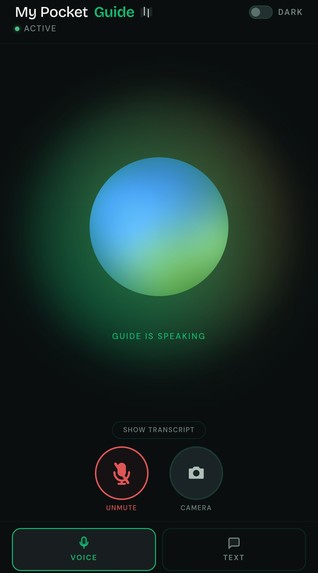
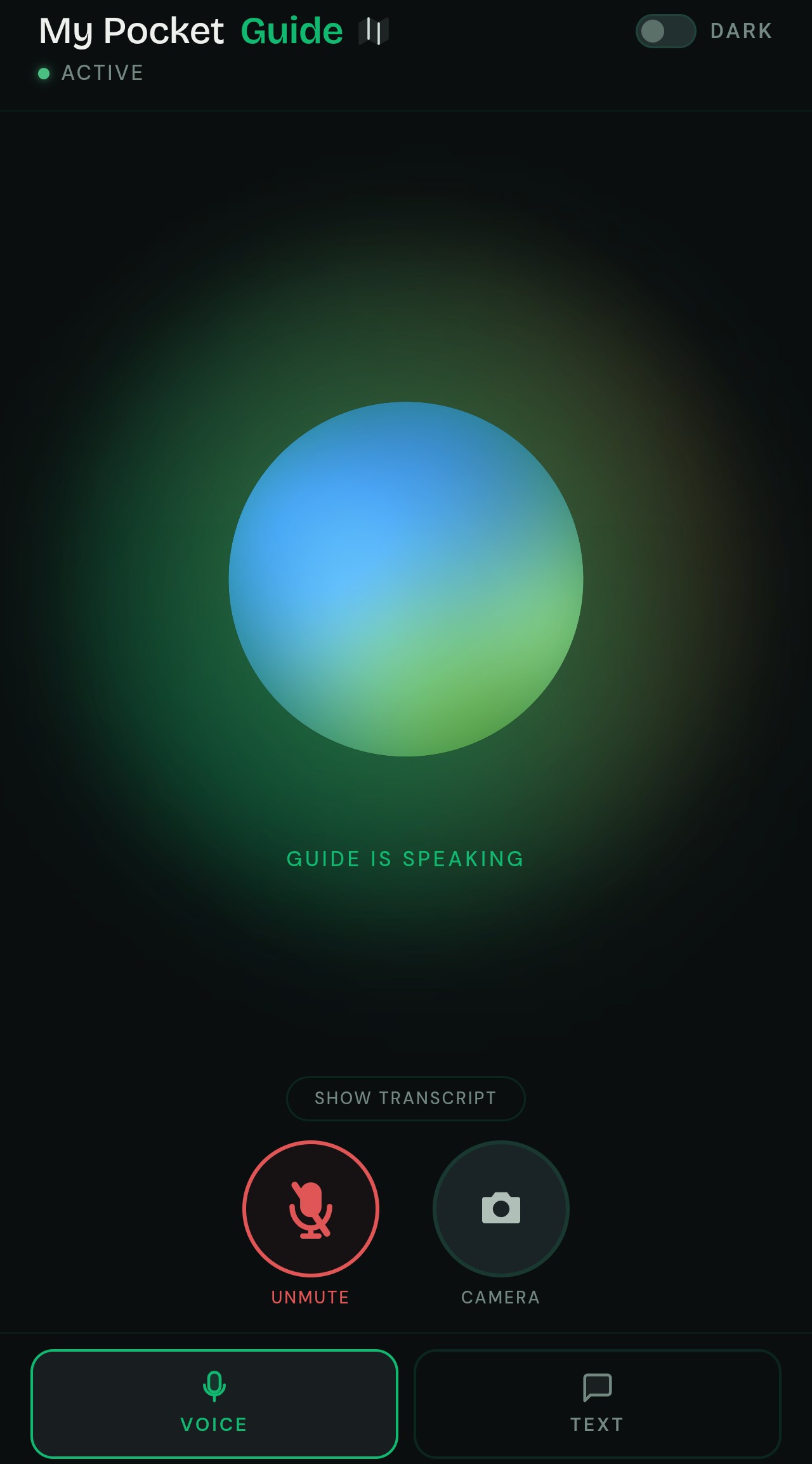
Voice Interaction Mode
-
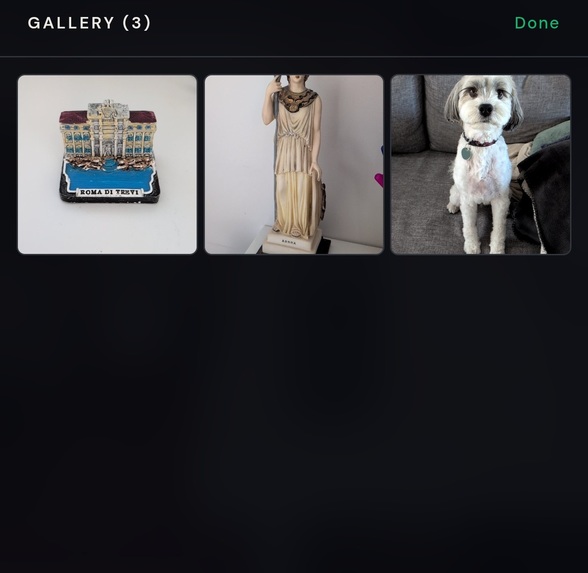
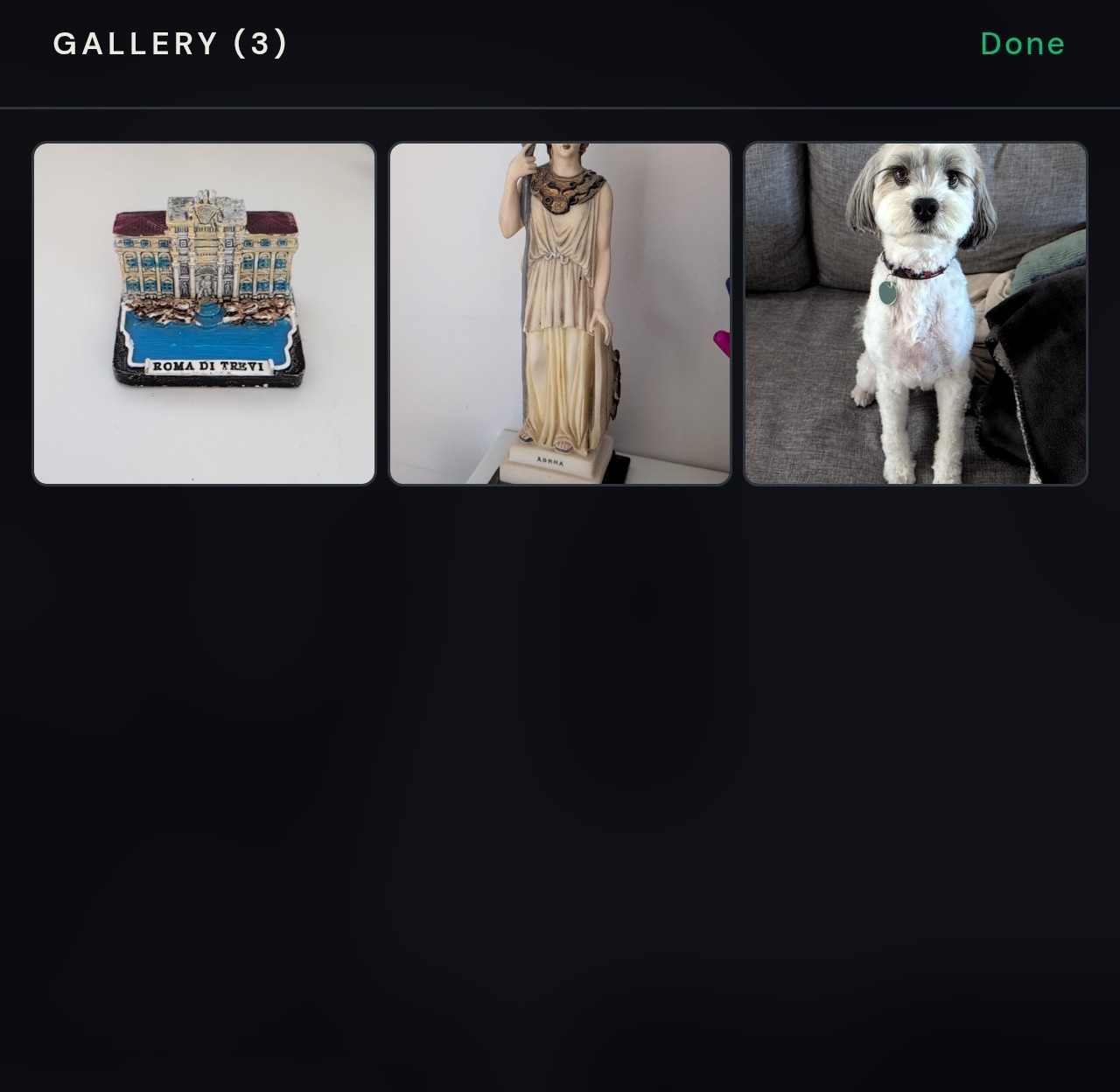
Gallery
-
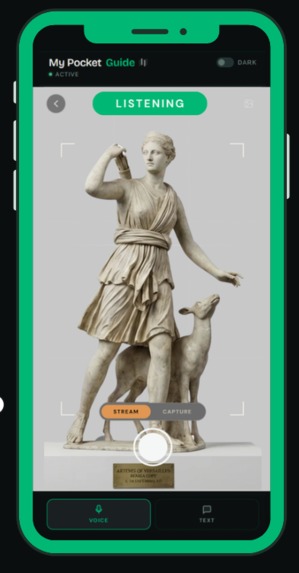
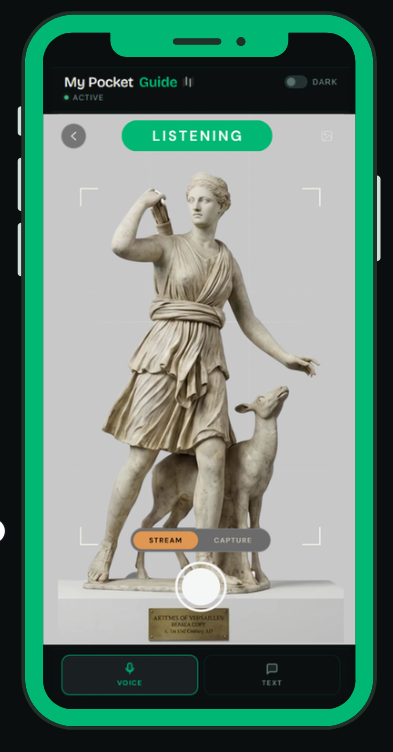
Streaming Video
-
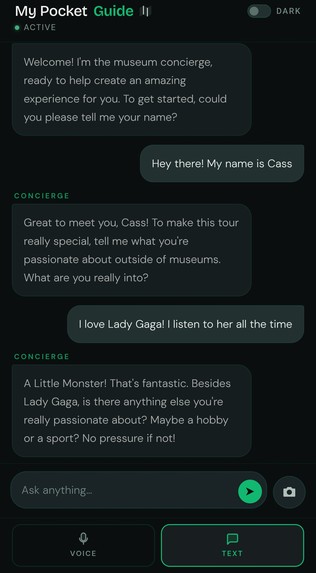
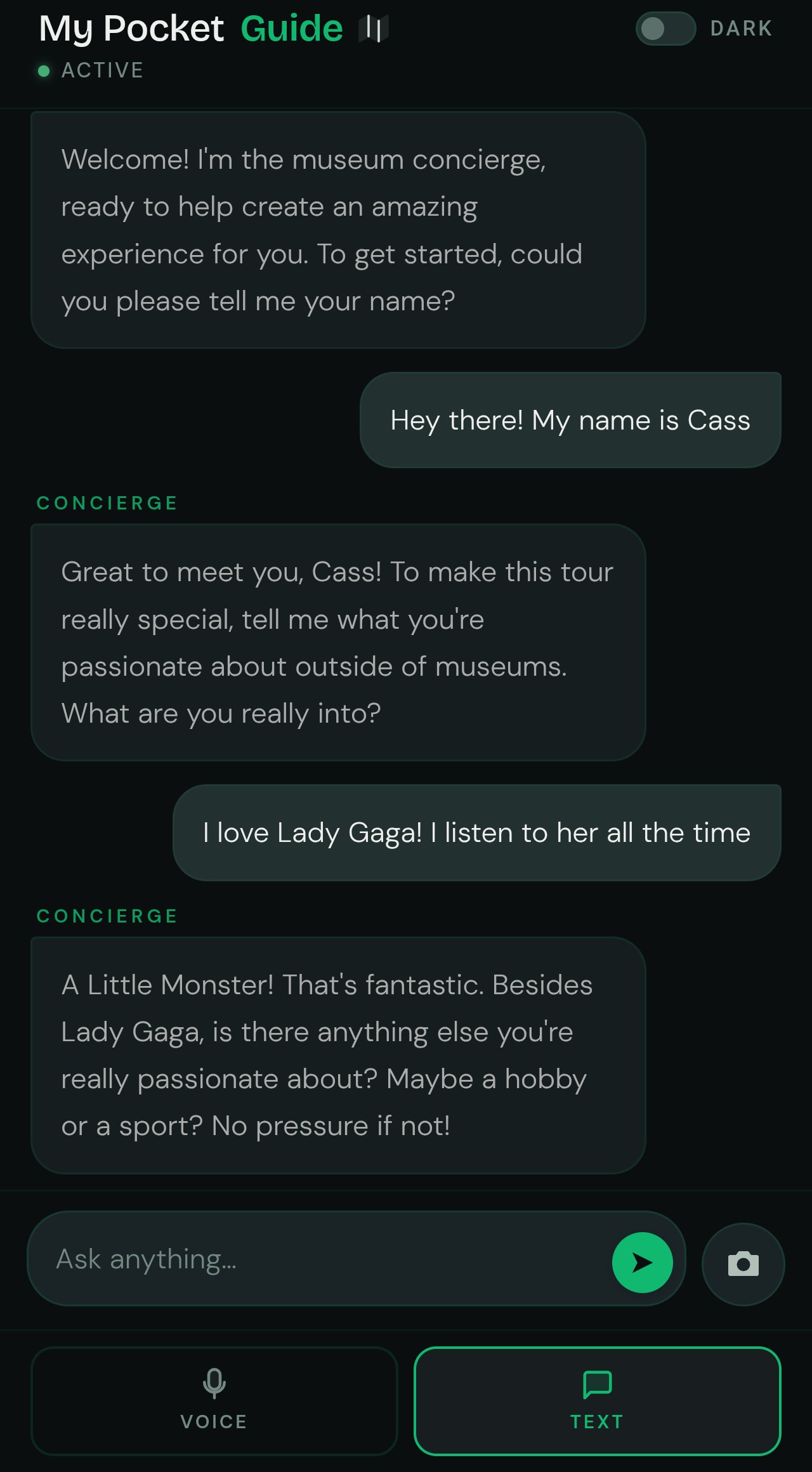
Chat Interaction Mode
-
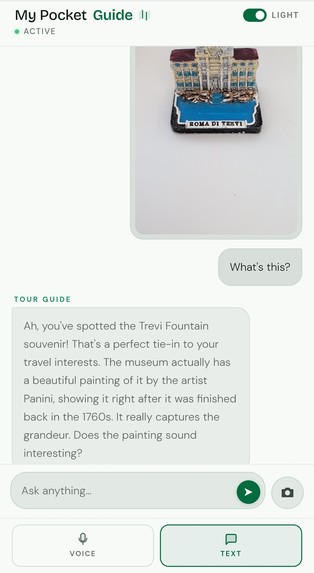
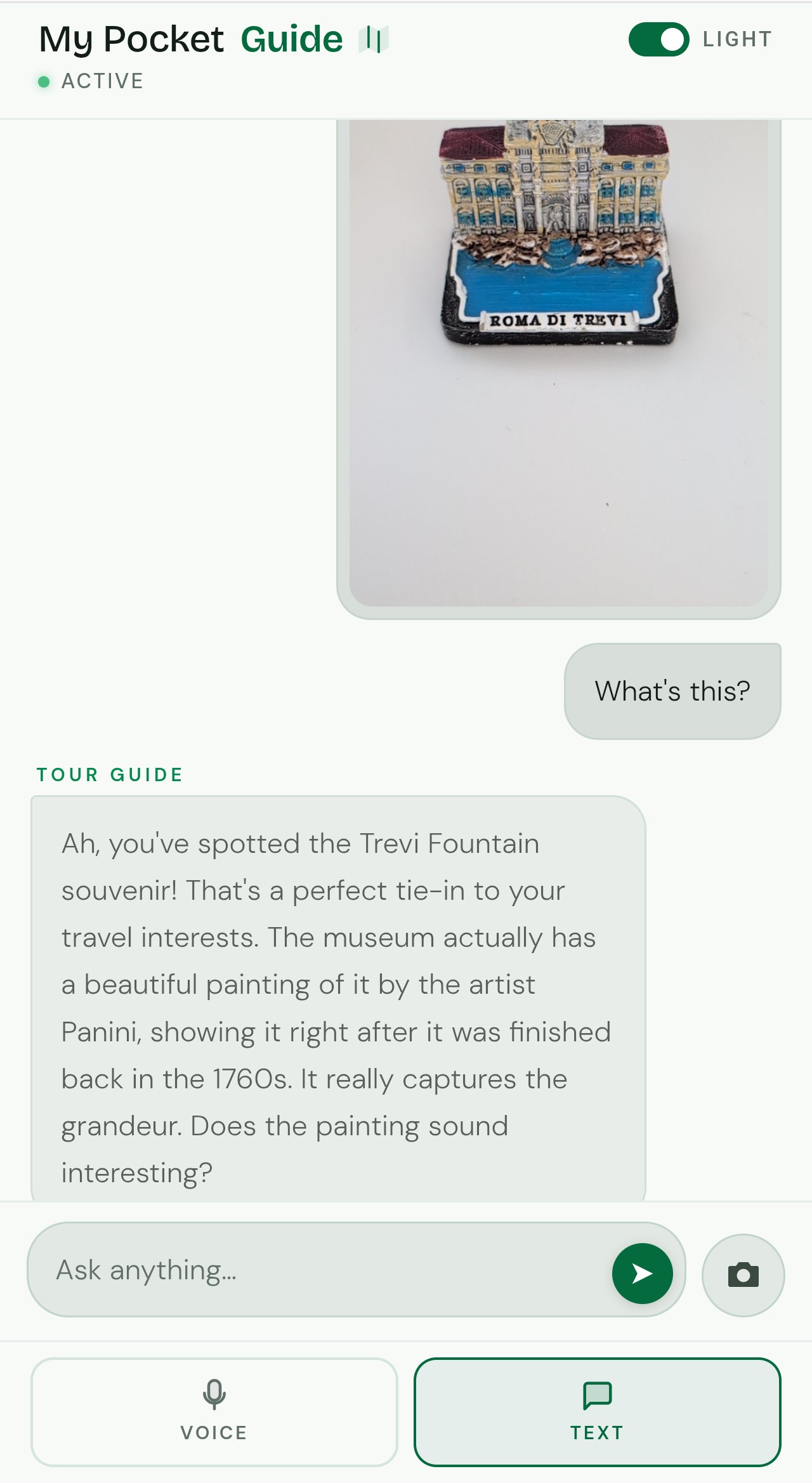
Light Mode
Important Links
- Try it Live
- Exhibit Gallery
- Key Features
- Architecture Diagram
- Google Cloud Services Used
- Spin-Up Instructions
- Findings & Learnings
- Third-Party Integrations
- Deployment Proof
- Demo Video
- Blog Post
- Source Code
Inspiration
I kept hearing the same thing from people in the museum industry: visitor engagement is dropping and they have no idea why. The collections are world-class, but everyone gets the same placard and the same audio guide. A ten-year-old gamer and a marine biologist read the same paragraph about a blue whale. Neither feels like the museum was made for them.
The curiosity is there. The way in isn't. People drift through rooms, glance at things, and leave without a story to tell anyone. Museums want to fix this, but they don't have the tools to make every visit feel personal, and they can't justify rebuilding their entire visitor experience from scratch.
I wanted to build something that changes how each person experiences a museum. Not by changing the museum itself, but by giving every visitor their own guide who already knows what they care about. What if a tour guide knew you were obsessed with Lady Gaga before you walked up to the Mona Lisa, and could tell you how da Vinci's painting technique is basically the visual equivalent of layering vocals in a pop production? That kind of connection, spoken aloud in real time, without you having to read anything.
What it does
My Pocket Guide is a personal AI tour guide that lives in your phone's browser. No app download, no sign-up. You open a web page, have a quick voice conversation about who you are and what you're into, then walk up to any exhibit and point your camera at it.
The app has two characters. First you meet Charon, the concierge. Charon's job is to get to know you through natural conversation, not "select your interests from a list" but an actual chat. Charon captures specific things about you (not "I like science" but "I play bass guitar and I'm obsessed with Lady Gaga"). Once Charon has your profile, you're handed off to Puck, the tour guide, who has a completely different voice and personality.
From there, you just explore. Point your camera at an exhibit and Puck will:
- See what you're looking at through your phone camera in real time
- Look up verified facts about that exhibit from a knowledge base of 17 exhibits across five themed galleries
- Build a personalised narration that connects the exhibit to your specific interests, spoken aloud
You can interrupt Puck mid-sentence, ask follow-up questions, or change the subject entirely. It's a real conversation, not a recording.
The five galleries cover everything from prehistoric earth (Hope the Blue Whale, Dippy the Diplodocus) to ancient Greece (the Caryatid, the Antikythera Mechanism) to space (Apollo 11, the Hubble Telescope) to ocean depths (the Giant Squid, the Megalodon Jaw) to art history (the Mona Lisa, Andy Warhol's Marilyn Monroe). Same exhibits, completely different stories depending on who's listening.
Your session persists too. If your connection drops or you close the browser and come back, your profile and conversation history are still there.
How I built it
When a visitor opens the app, their phone connects to a server running on Google Cloud. That server manages a two-way stream: the visitor's voice and camera frames flow in, and the guide's spoken narration flows back out.
Two AI agents run the experience. Charon (the concierge) handles the intro conversation and builds your visitor profile. Once that's done, Charon hands you off to Puck (the tour guide), who takes over with a different voice. Both agents are powered by Google's Gemini model, which can handle voice, vision, and text all at the same time in a single live connection. That's what makes the experience feel like a real conversation rather than a series of requests and responses.
When Puck sees an exhibit through your camera, it checks a knowledge base containing verified facts about all 17 exhibits. Every narration is grounded in real information, not made up. The knowledge base includes not just historical and scientific content, but also visual descriptions of each exhibit (what it looks like, what visitors typically call it, its size and colour) so the agent can match what it sees through the camera to the right exhibit file.
The tools are built to handle failure gracefully. The RAG search retries on transient errors with backoff, and the exhibit identification uses a four-stage fuzzy matching strategy (exact match, keyword alias, substring, word-overlap scoring) so the agent can recognise exhibits even when the visitor uses informal names like "the big thumb" instead of "Really Good by Shrigley."
Everything runs on Google Cloud. The server is on Cloud Run, visitor sessions are stored in Cloud SQL (a managed database), and the exhibit knowledge lives in Vertex AI RAG Engine. Deployment is automated: every time I push code, GitHub Actions builds and deploys it without any manual steps.
The frontend is a single web page that works on any phone browser. It handles the microphone, the camera, and audio playback, all without needing an app install.
Challenges I ran into
Chrome on Android records audio at the wrong speed and doesn't tell you. I set up the microphone to record at 16kHz, which is what the AI model expects. Chrome on Android ignored that and recorded at 48kHz instead, with no error or warning. The result was garbled, pitch-shifted audio that sounded like a chipmunk. This only happens on real phones, not on desktop browser emulators, so it took a while to track down. The fix was detecting the actual recording speed at runtime and converting the audio before sending it.
Nobody could tell what the app was doing. Early versions had no visual feedback. Users didn't know if the agent was listening, if the camera was streaming, or if silence meant the agent was thinking or the connection had died. I added a listening strip with a waveform animation, a "Streaming" pill over the camera view, and an animated orb that changes between idle, listening, and speaking states. Once people could see what the app was doing at every moment, the experience made sense.
The agent couldn't recognise exhibits from the camera alone. My knowledge base originally only had historical and scientific facts about each exhibit. That's useful for narration, but it didn't help the agent figure out what it was looking at. I had to add visual descriptions to every exhibit file: keywords, common names visitors use ("the big thumb", "the whale skeleton"), and physical details like size, colour, and material. After that, exhibit recognition went from coin-flip to reliable.
Accomplishments I'm proud of
My day job is as a Salesforce consultant specialising in Agentforce. I'd never touched Google Cloud, Gemini, or any of the tools I used in this project before the hackathon started. I wanted to understand how Google approaches AI agents compared to what I work with every day, and I figured the best way to learn was to build something real under deadline pressure rather than just reading documentation.
The fact that it actually works end-to-end, that someone can open a browser on their phone, have a voice conversation with a concierge, get handed off to a tour guide with a different personality, point their camera at an exhibit, and hear a narration built around their specific interests, all running on infrastructure I learned from scratch, is something I'm genuinely proud of.
The personalisation quality surprised me. When the concierge captures something specific like "I'm a massive Lady Gaga fan and I love cooking," the tour guide makes connections I wouldn't have thought of myself. Andy Warhol's Marilyn Monroe becomes a conversation about how Gaga's Fame Monster did the same thing Warhol did: turn a real person into a repeatable icon. The model is more creative when you don't give it scripted examples to copy.
What I learned
This was my first time building with Google's AI products. I learned how Google ADK (Agent Development Kit) manages multiple AI agents, how they hand off conversations to each other, and how they share information about a visitor between them. I learned how Gemini Live API handles voice, vision, and text all at the same time in a single live connection, which is a very different experience from the typical "send a message, wait for a reply" pattern. I learned how Vertex AI RAG Engine lets you give an AI agent a knowledge base of verified facts so it doesn't make things up. And I learned how Cloud Run and Cloud SQL work together to host and persist everything on Google Cloud.
What's next for My Pocket Guide
Logged-in experience with saved history. Right now every visit starts fresh. I want returning visitors to pick up where they left off, with their profile, past conversations, and favourite exhibits saved to their account.
Native mobile app. The browser version works, but a native Android and iOS app would give better control over audio (no more workarounds for Chrome's microphone behaviour) and allow offline access to exhibit information.
Real museum support with location guidance. Integration with indoor maps so the guide can direct you to the next exhibit, tell you where the nearest bathroom is, or suggest a route through the museum based on your interests and how much time you have.
Personalised recommendations. Based on what you've seen and what you responded to most, the guide could suggest what to see next in the current museum or recommend other museums and exhibitions you'd enjoy.
Real-life guide mode. A human museum guide runs their tour through the app. They speak, and visitors hear them through the app on their own phones, which solves the problem of noisy environments. But each visitor still gets the personalised AI layer on top: after the human guide talks about an exhibit, Puck can add a quiet aside connecting it to that specific visitor's interests. The human guide and the AI guide working together.
Multilanguage support. The AI model already supports multiple languages. Extending the experience so visitors can speak and listen in their own language would open museums up to a much wider audience without the museum having to produce separate audio guides for each language.
Bonus Contributions
Publishing a Piece of Content: Museums Are Losing Their Visitors. I Built an AI Tour Guide to Win Them Back.
Automated Cloud Deployment: Deployment is fully automated. Every time I push code to the main branch, a GitHub Actions pipeline builds and deploys the app to Cloud Run without any manual steps. See deploy.sh and .github/workflows/deploy.yml.
Google Developer Group Membership: g.dev/casspapadopoulos
Built With
- bidi-streaming
- cloud-run
- cloud-sql
- fastapi
- gemini-live-2.5-flash
- github-actions
- google-adk
- postgresql
- python
- recaptcha
- vertex-ai


Log in or sign up for Devpost to join the conversation.