-
-
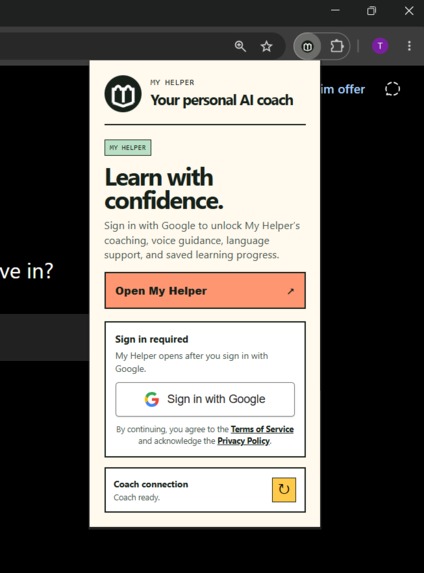
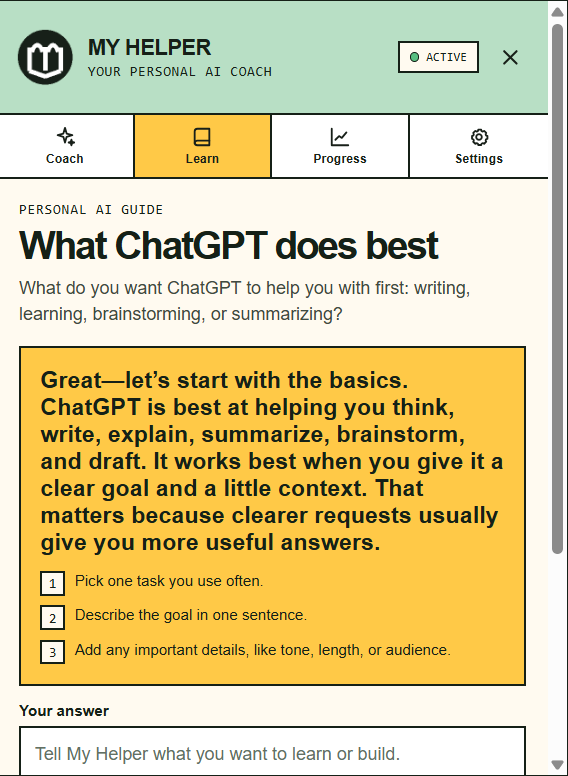
My Helper extension
-
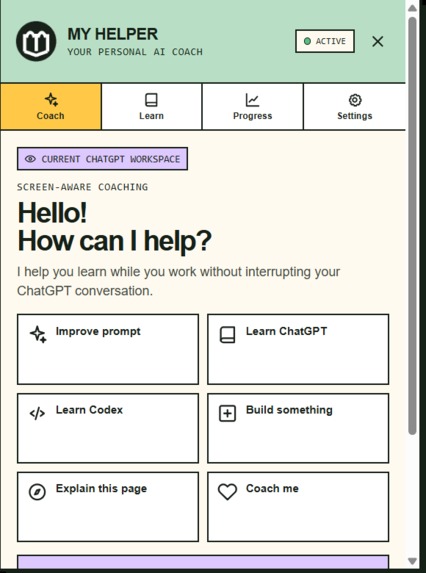
Choose how you want to learn
-
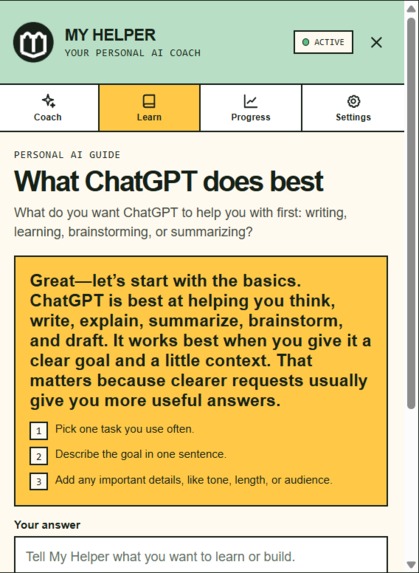
Learn through practical coaching
-
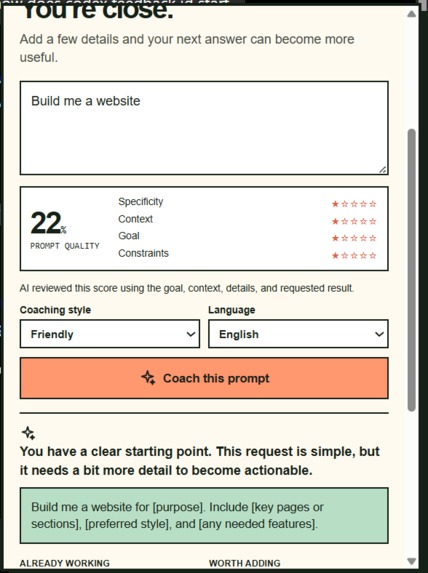
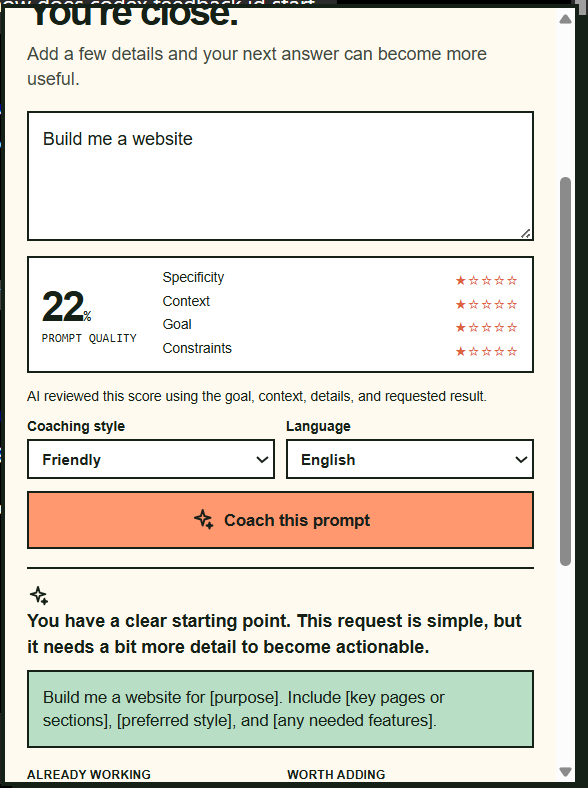
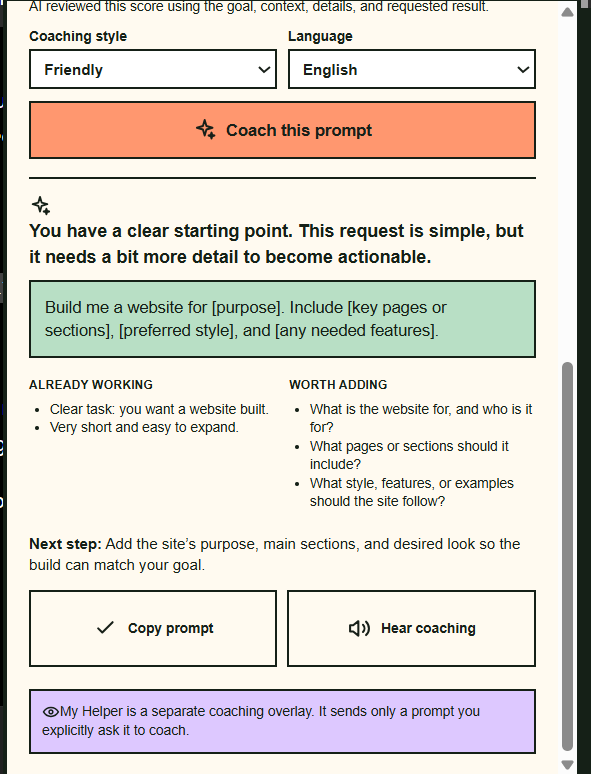
Get a clearer prompt
-
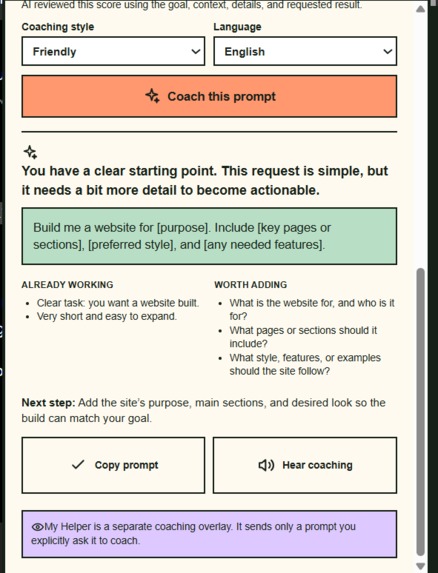
Feedback
-
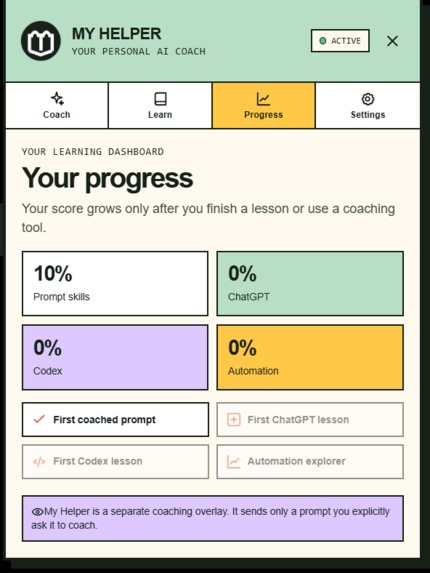
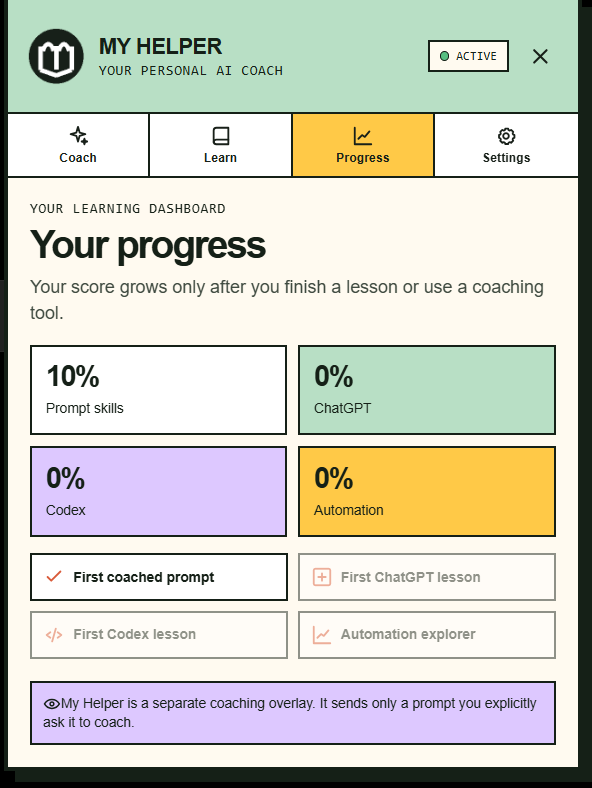
Progress
-
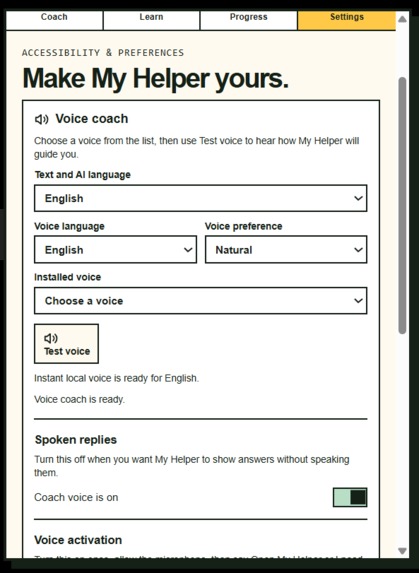
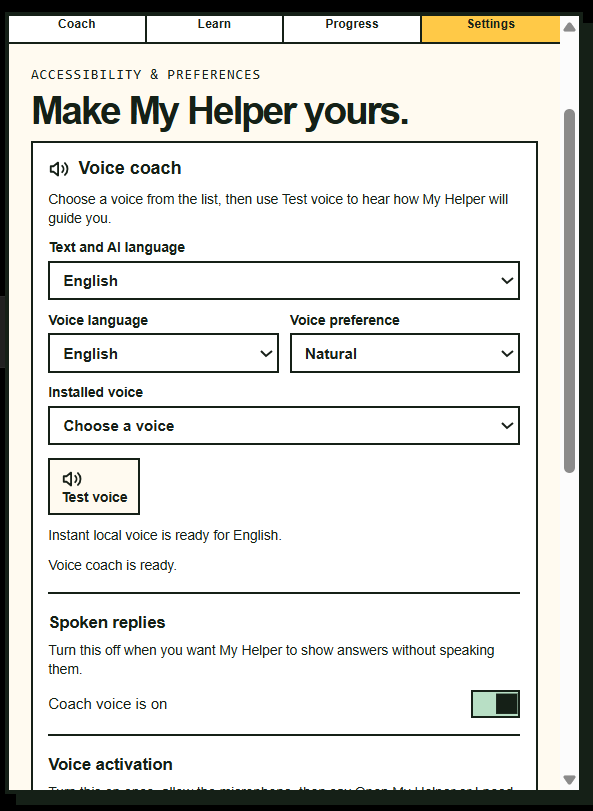
Setting's
-
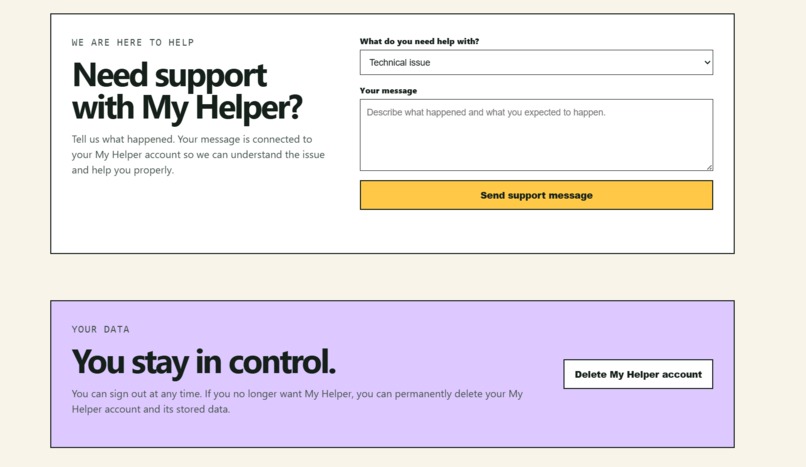
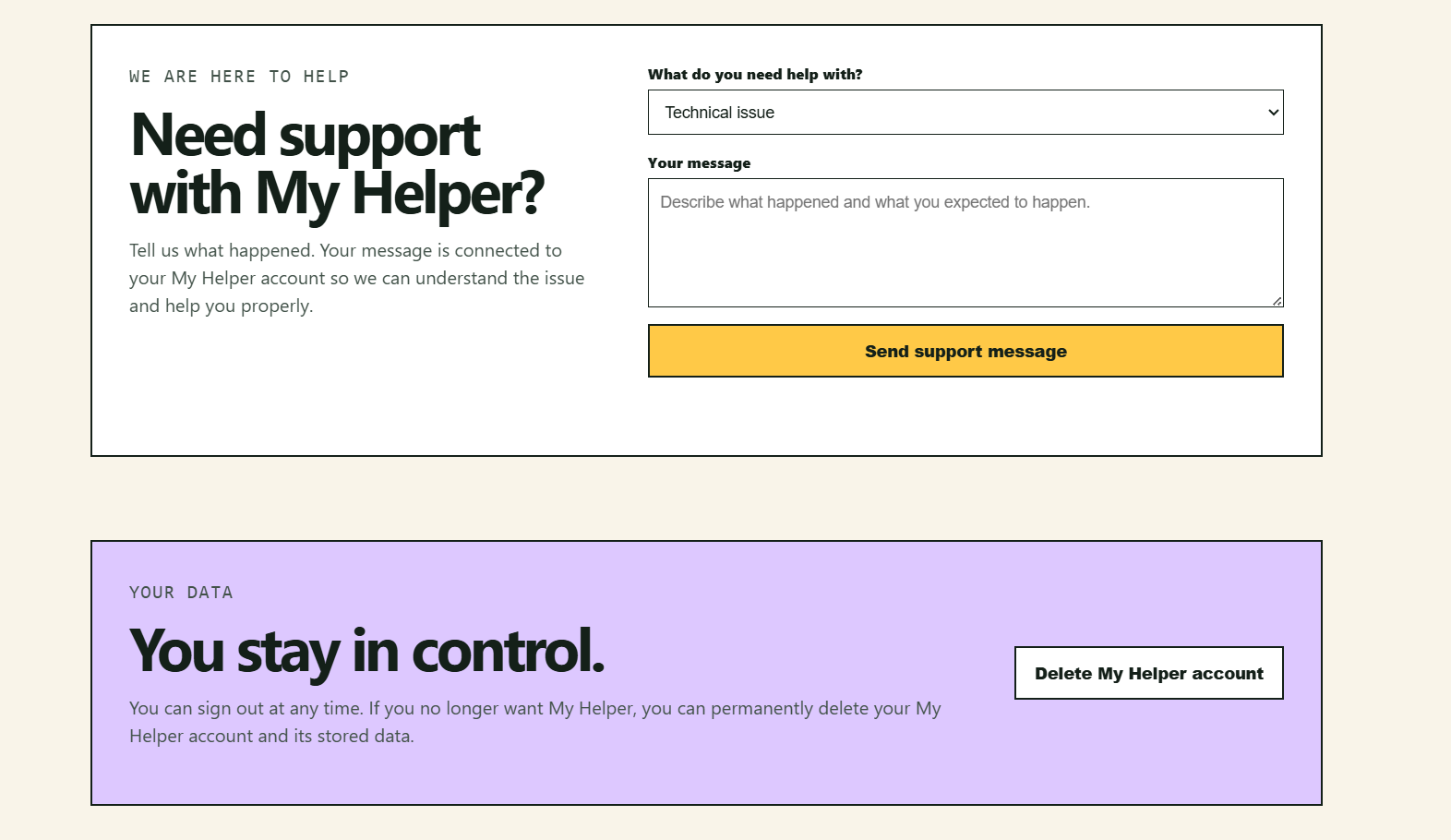
You are in control
-
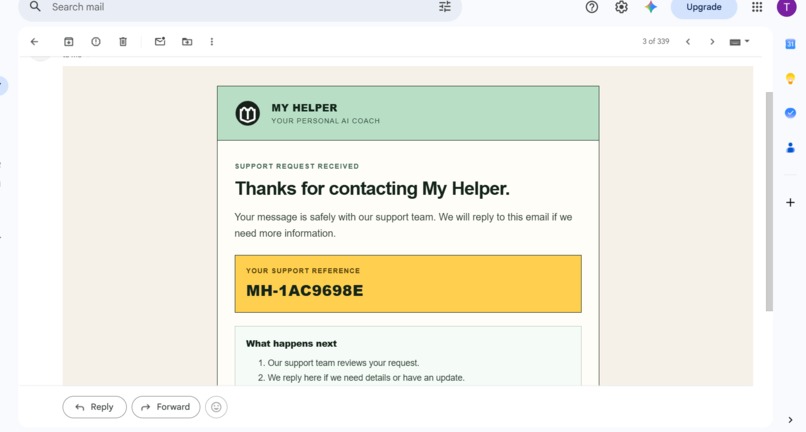
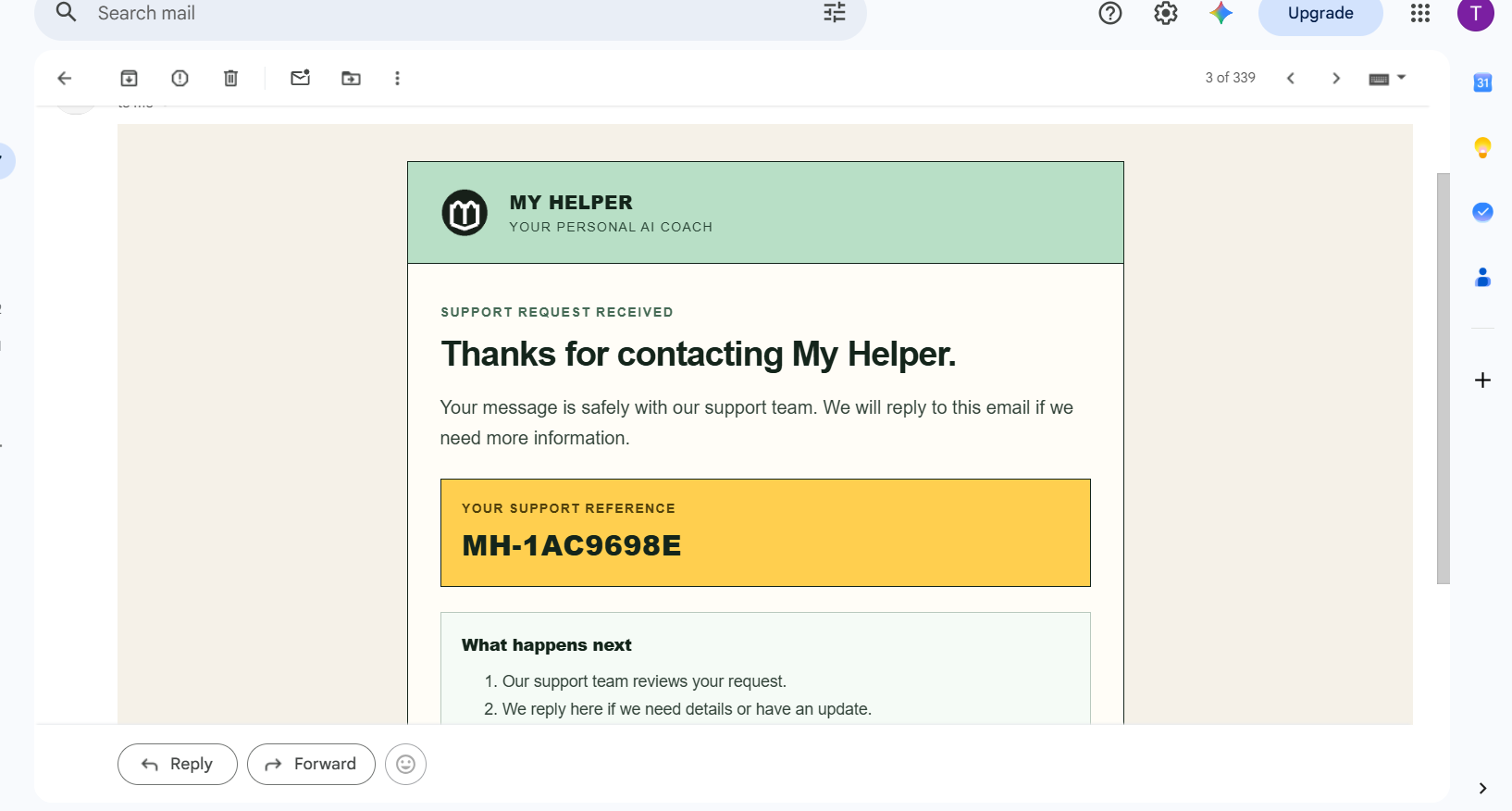
When a user sends a support message, they receive an automatic confirmation email letting them know it has been received.
-
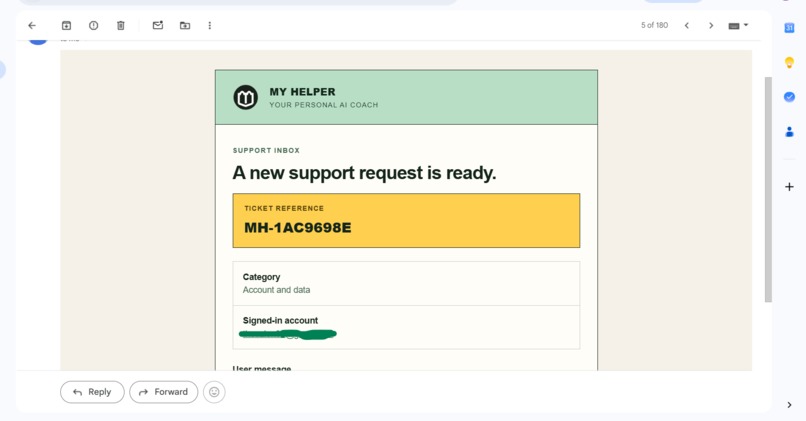
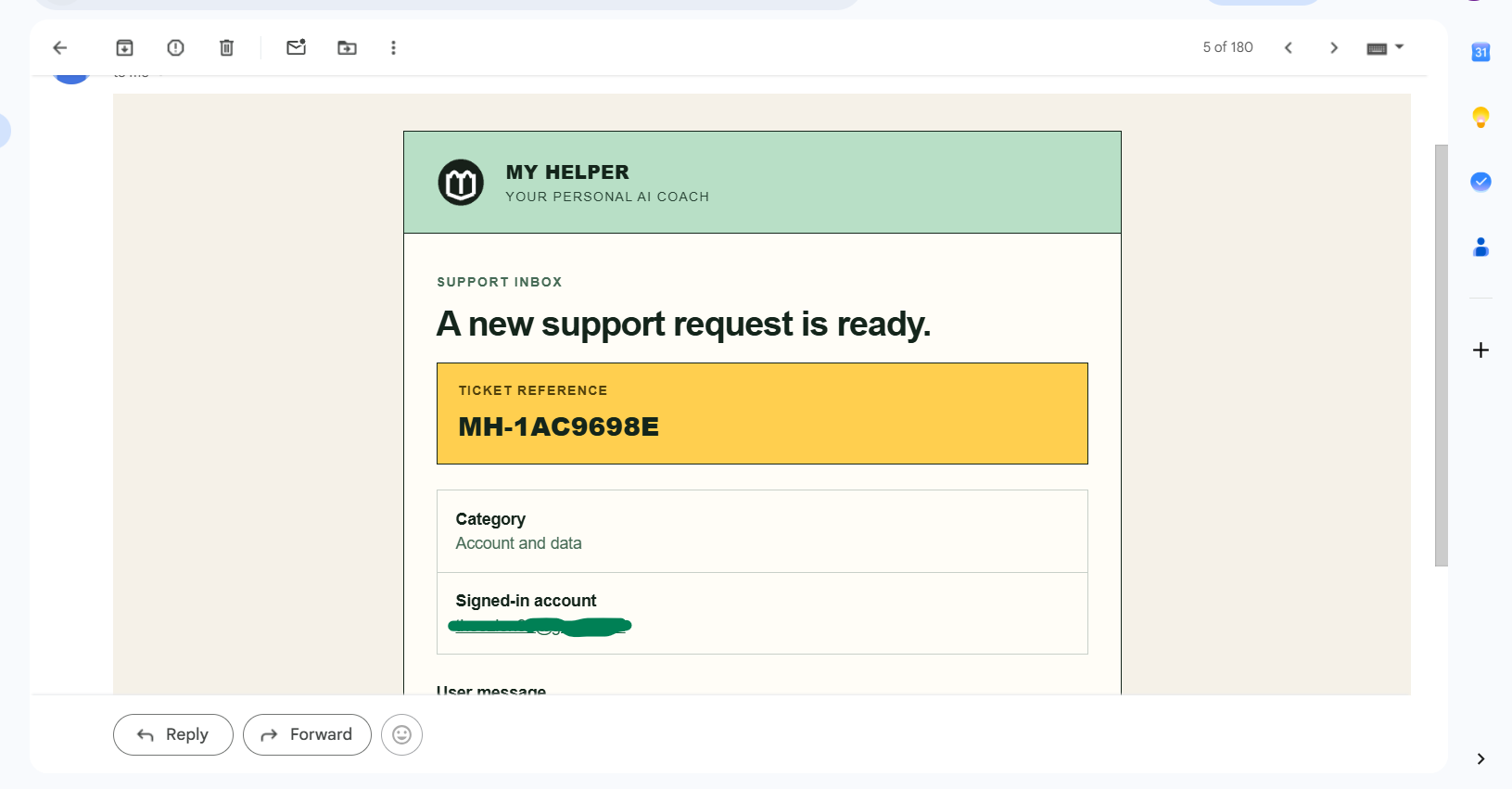
This is the email the user sent, and it was received by the team.
The Inspiration
The inspiration came from my own personal experience. There have been times when I was trying to find a feature or control, or understand how it works. Most of the time, I would either ask ChatGPT or Google it. That got me thinking: why not have something that can actually guide or coach users? Not only that, it could also highlight features and explain what they do. That is where actually the idea for My Helper came from, personal AI coach for ChatGPT and Codex.
Some people don't really know how to use ChatGPT or Codex. They can find it difficult to go through the documentation, and they also don't know what some features do or how to use them.
What I Built
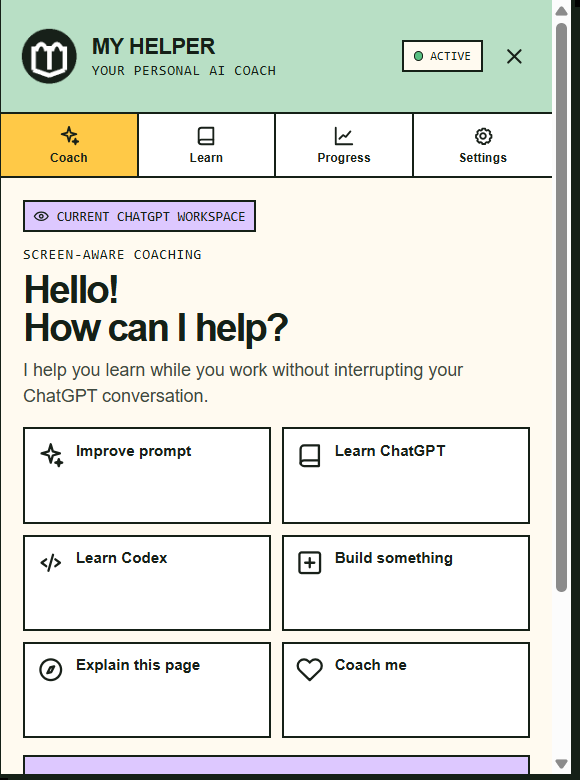
I built My Helper to help people learn how to use ChatGPT and Codex. It teaches and coaches users while they are using them. It supports different languages, text, and voice.
One special thing about My Helper is that it can highlight the ChatGPT feature a user asks about so they can easily find it. It also explains what each feature does, and it coaches users on how to write better prompts by rating and giving feedback on the prompts they write.
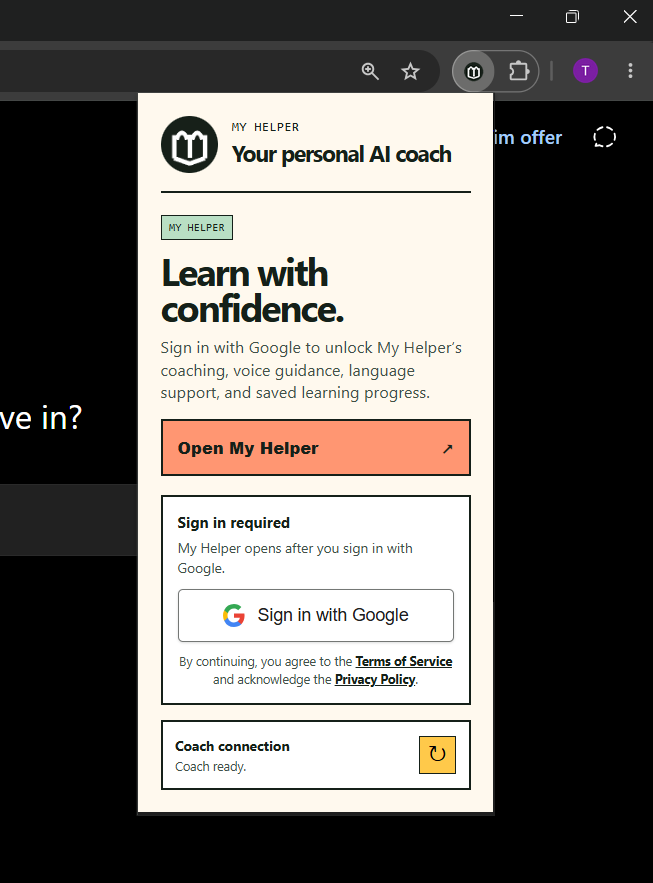
Users can also sign in with Google to save their preferences and learning progress. They can send support messages and delete their account whenever they want.
How I Built My Helper
- Planned the idea, features, user flow, and architecture with Codex and GPT 5.6.
- Built My Helper as a Chrome Extension using Manifest V3.
- Created the floating My Helper bubble, coaching panel, settings, prompt coach, guided learning, and accessibility features.
- Used a content script so My Helper can appear directly on ChatGPT pages.
- Added feature highlighting so users can ask where a feature is, My Helper highlights it, and explains what it does.
- Built a Node.js backend and deployed it on Render.
- Connected OpenRouter for live AI coaching, prompt reviews, translations, and page explanations.
- Used openai/gpt-5.4-mini through OpenRouter as the live model to reduce testing costs.
- Used GPT 5.6 through Codex to build, debug, improve, and prepare the project.
- Added Supabase for Google sign in, saved preferences, learning progress, support messages, and account deletion.
- Added support messages with automatic email confirmation.
- Added text language, voice language, browser voice support, and optional cloud voice support.
- Tested the extension on ChatGPT pages and used Codex to fix highlighting, language switching, sign in, voice settings, and the movable My Helper bubble.
- Prepared everything needed for the Chrome Web Store, including screenshots, privacy information, packaging.
Chrome Web Store Listing
I have submitted the My Helper extension for Chrome Web Store listing, and it is currently under review.
How GPT-5.6 and Codex Helped Me Build My Helper
GPT-5.6 and Codex helped me build My Helper from the beginning to the end.
Codex was involved throughout the development of My Helper. It helped me build the Chrome extension, the floating My Helper bubble, coaching panel, prompt coaching, page explanations, voice settings, language settings, account pages, support form, privacy pages, and the backend.
It also helped me fix many problems while building, including:
- Fixing broken extension errors.
- Improving feature highlighting so My Helper can point to visible controls.
- Fixing language switching and translations.
- Fixing voice settings and speech issues.
- Fixing the movable My Helper bubble.
- Adding Google sign in with Supabase.
- Adding saved user preferences and learning progress.
- Adding account deletion.
- Adding support messages and automatic email replies.
- Preparing the Chrome Web Store files, privacy information, and project architecture, a lot more.
Right from the beginning, I wanted My Helper to be different. Instead of creating another chatbot, I wanted to build something that could actually coach people while they use ChatGPT and Codex.
I also wanted it to highlight the feature a user is asking about, explain what it does, and help them learn as they use it.
GPT 5.6 was used through Codex to help me build, improve, debug, and prepare the project. The live project uses OpenRouter with openai/gpt-5.4-mini to reduce API costs.
What I Learnt
I learnt how to use some really cool features in Codex. My favourite one was being able to upload my project folder and give Codex permission to make changes directly. It made my work much easier.
I also learnt that Codex can continue fixing your code in a new chat. All I have to do is upload the same project folder I was working on in the previous chat and ask it to continue fixing.
Before this project, I never really knew the process of creating a Chrome extension. Through building My Helper, I learnt the process, the requirements, and how everything comes together.
I also learnt how automatic feature highlighting and voice responses work.
The Challenges I Faced While Working on This Project
One thing that really pained me was that I couldn't afford enough API credit to use GPT 5.6. Since I was constantly testing the project to make sure everything was working properly, I knew using GPT 5.6 would quickly exhaust the little credit I had. Because of that, I used openai/gpt-5.4-mini through OpenRouter for testing to reduce the cost, while GPT 5.6 was used through Codex to help me build and improve the project.
Another challenge was voice support for different languages. Some languages don't have good browser voices installed, so I had to test different voice options and make My Helper use the available voices first.
I also faced several issues with the extension, including highlighting, language switching, Google sign in, account deletion, and other bugs.
The fallback feature for voice languages that are not available locally is currently not working because I don't have OpenAI API credit.
I really want to appreciate the OpenAI team for this wonderful opportunity.
It has been such a great experience working on this project, and I can't wait to build more projects using GPT-5.6 and Codex. Thank you for creating such amazing tools and for giving developers like me the opportunity to learn, build, and bring my ideas to life.
Built With
- chrome
- codex
- extension
- gpt-5.6
- javascript
- node.js
- oauth
- openrouter
- render
- supabase

Log in or sign up for Devpost to join the conversation.