-
-
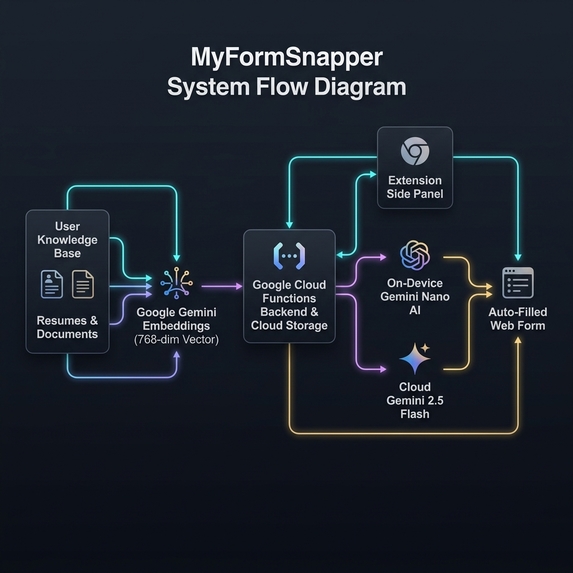
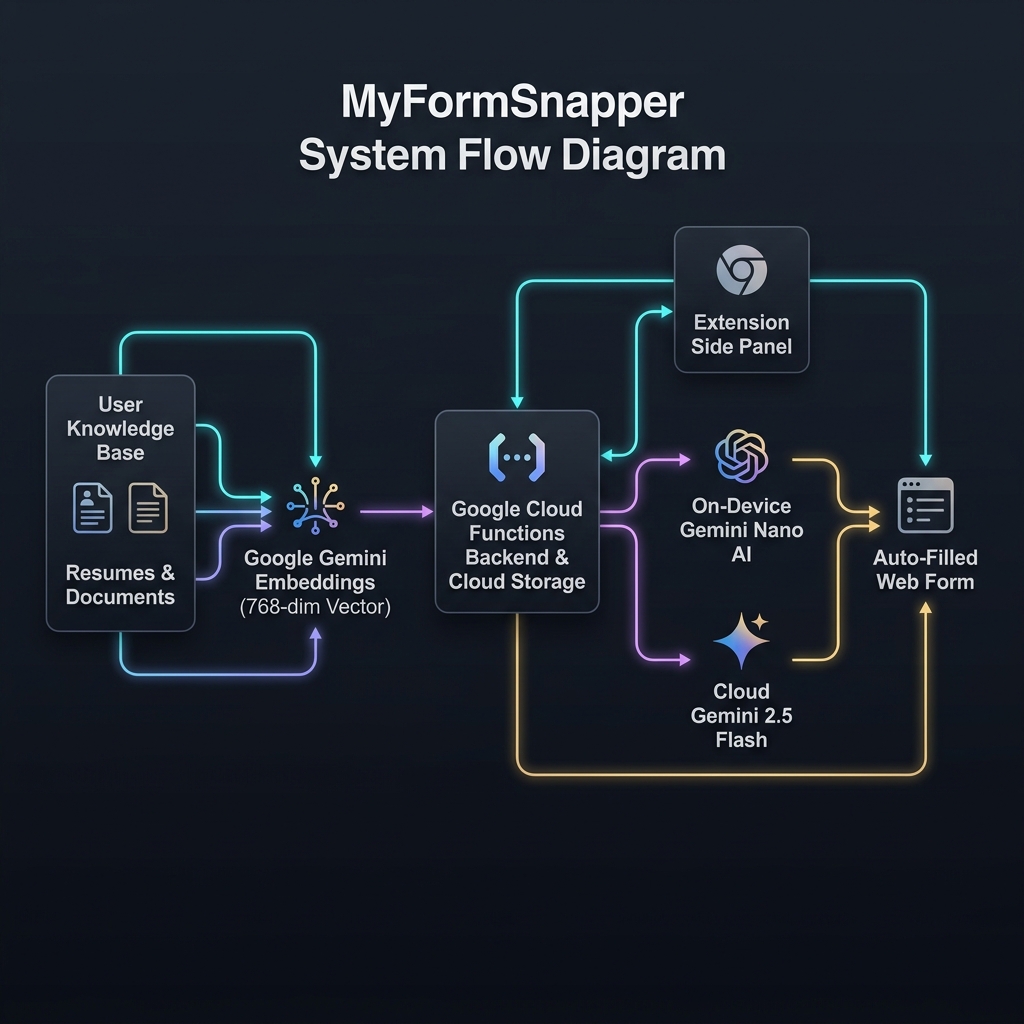
System Architecture & How It Works Diagram
-
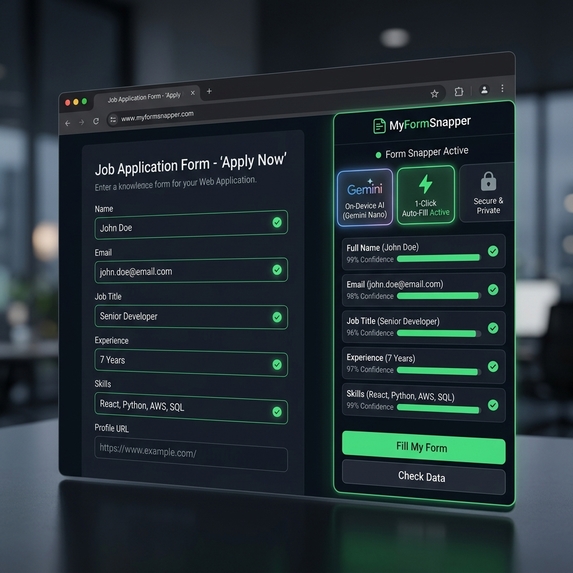
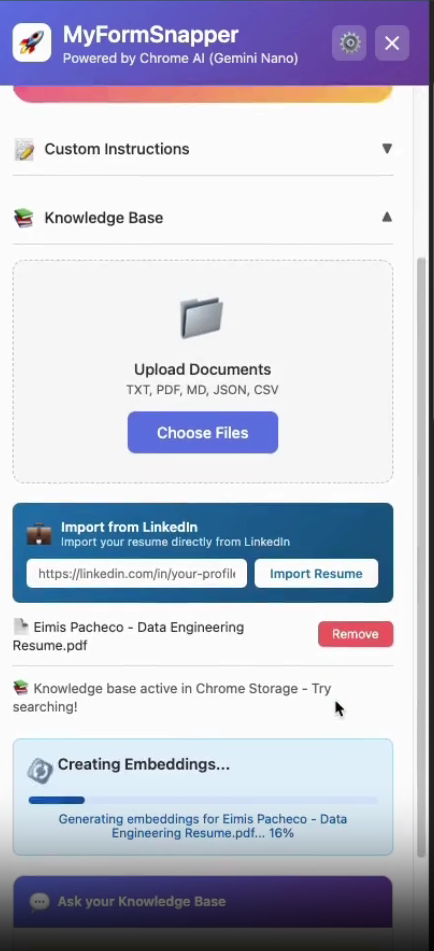
Feature Photo 1: Smart Form Auto-Fill UI & Hybrid AI Routing
-
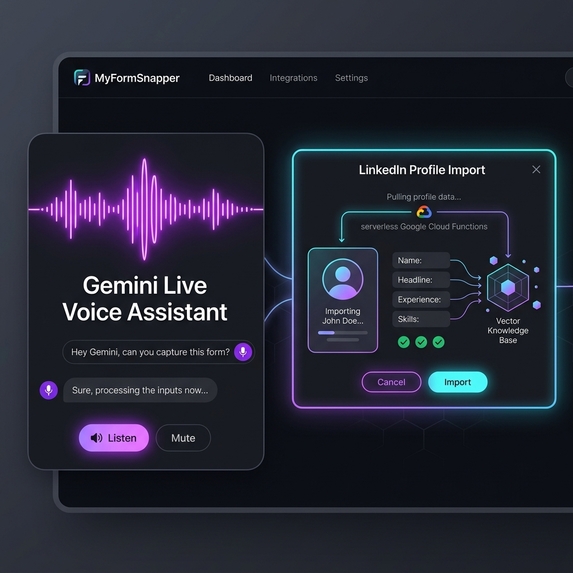
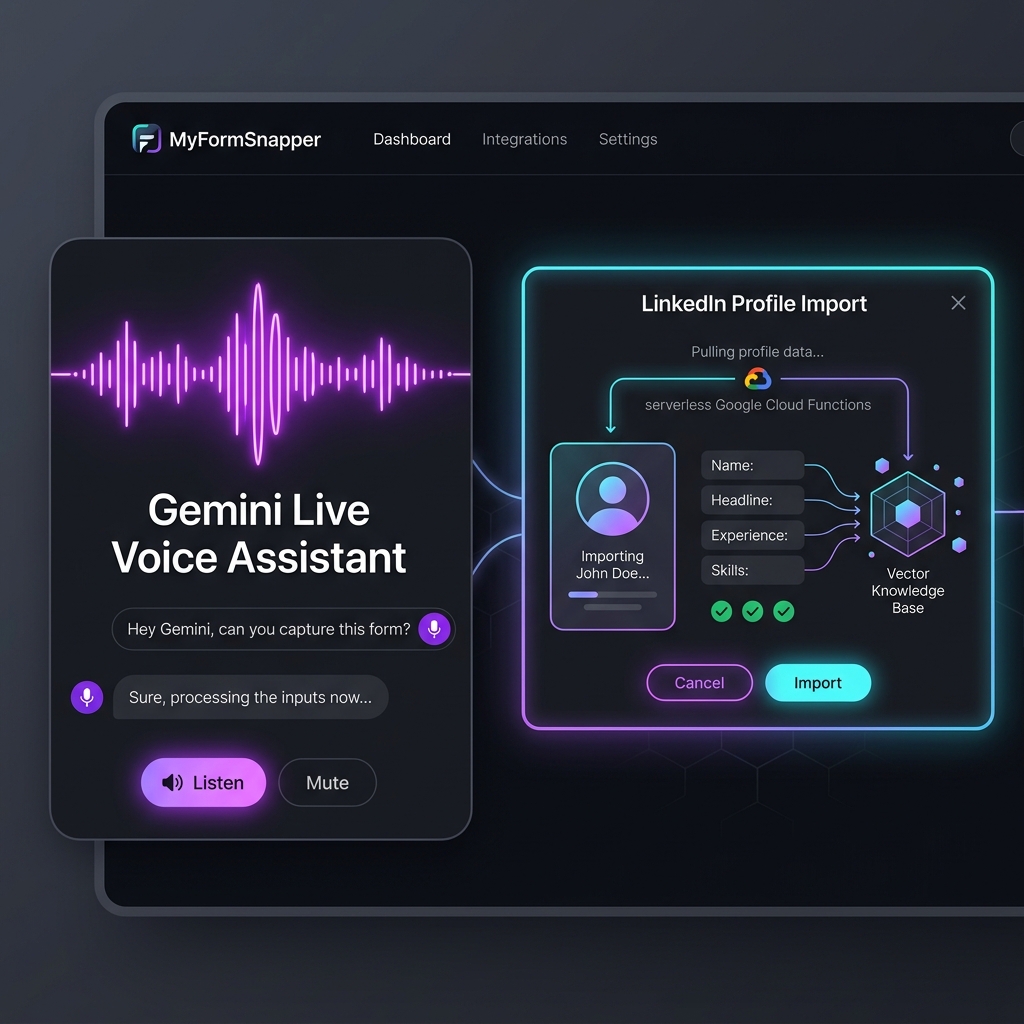
Feature Photo 2: Gemini Live Voice Assistant & LinkedIn Import
-

Inspiration
I was frustrated by the repetitive task of filling out countless online forms—job applications, conference registrations, hackathon signups—all asking for the same information I've entered hundreds of times before. I realized that by combining Chrome's built-in Gemini Nano AI, Google Cloud Functions, and Firebase AI Logic SDK, I could eliminate this tedious workflow entirely.
The idea behind MyFormSnapper was simple yet powerful: what if your browser could intelligently understand web forms and auto-fill them from your personal knowledge base in sub-second time, while keeping sensitive data on-device when possible?
What it does
MyFormSnapper is an intelligent Chrome extension that automatically analyzes and populates complex web forms using your personal knowledge base (resumes, portfolios, LinkedIn profiles).
Key Features:
- ⚡ Hybrid AI Inference Engine: Uses Chrome Gemini Nano (on-device, private, instant) for standard forms, and automatically routes to Google Gemini 2.5 Flash for complex, multi-page forms.
- 🎙️ Conversational Voice Assistant: Built using the Google Gemini Live Voice API to allow hands-free form filling via real-time bi-directional audio.
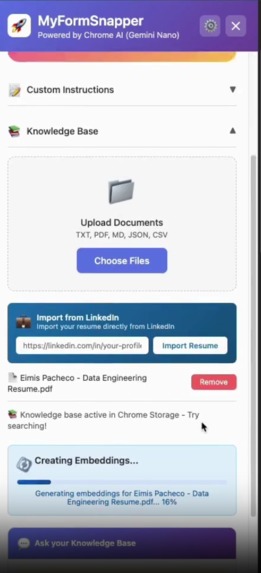
- 🧠 Vector Search Knowledge Base: Matches document sections using 768-dimensional Google Gemini Embeddings so varied form prompts (e.g. "Work History" vs "Prior Experience") map accurately.
- ☁️ Google Cloud Storage Integration: Uses serverless Cloud Functions to store unlimited document embeddings in Cloud Storage with multi-device sync.
- 💼 LinkedIn Profile Import: One-click import to instantly build your personal form-filling knowledge base.
How I built it
- Frontend / Extension (Manifest V3): Built using modern JavaScript, HTML5, Vanilla CSS, and Webpack.
- On-Device AI: Integrated Chrome's built-in Language Model API (
Gemini Nano) viaFirebase AI Logic SDK. - Serverless Backend: Developed 4 Google Cloud Functions (Python 3.11 Gen2) deployed in
us-central1for handling document chunk vector embedding storage, retrieval, deletion, and profile scraping. - Vector Storage: Leveraged
Google Cloud Storageto persist user embedding chunks (save-embeddingsandretrieve-embeddings).
Challenges I ran into
- DOM Form Field Parsing: Standardizing form field detection across arbitrary websites (handling hidden inputs, ARIA labels, shadow DOM elements, and custom Web Components).
- Hybrid AI Fallback Logic: Designing a seamless failover system from Chrome Gemini Nano to Cloud Gemini 2.5 Flash when on-device model parameters or context limits are exceeded.
- Bi-directional Audio Streaming: Implementing real-time audio chunk processing for the Gemini Live API inside a Manifest V3 background service worker.
Accomplishments that I'm proud of
- Successfully creating a working hybrid AI system that balances privacy (on-device processing) with high accuracy (cloud AI fallback).
- Deploying 4 production-grade serverless Google Cloud Functions on GCP.
- Building a multi-modal extension that accepts voice input, text files, and LinkedIn profile data seamlessly.
What I learned
- Deep hands-on experience with Chrome's built-in Gemini Nano APIs & Webpack extensions.
- Architecting serverless Google Cloud infrastructure with Python 3.11 functions and Google Cloud Storage buckets.
- Handling vector embedding similarity search directly within browser extension runtimes.
What's next for MyFormSnapper
- Adding support for automatic PDF form filling.
- Expanding multi-language form field auto-translation.
- One-click auto-submit mode with user safety confidence scoring.
Built With
- chrome
- css3
- firebase-ai-logic
- gemini-live-api
- gemini-nano
- google-cloud
- google-cloud-functions
- html5
- javascript
- node.js
- python
- webpack

Log in or sign up for Devpost to join the conversation.