-
my-forge-app
Inspiration
As part of my day-to-day work, I often noticed repetitive tasks and missing features in Confluence that could be streamlined or improved through customization. This inspired me to build a Forge app that extends Confluence's functionality to address real user pain points. The goal was to make knowledge sharing smoother and more intuitive within our organization.
What it does
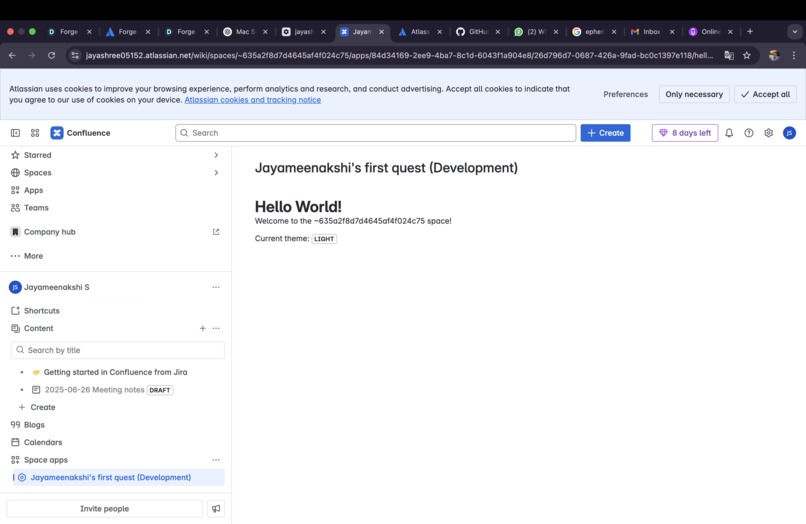
This app displays a personalized greeting to the currently logged-in user along with contextual information about their Confluence environment.
How we built it
I used Atlassian Forge as the development platform due to its secure, scalable, and cloud-first approach. The app was built using:
Forge UI Kit for the frontend.
Forge Functions for backend logic.
Confluence REST API to interact with page content and metadata.
Custom permissions to ensure appropriate data access.
The development process included designing the UI layout, handling authentication, and integrating.
Challenges we ran into
Debugging in Forge was initially tricky due to limited real-time feedback during development.
Understanding how permission scopes work and ensuring the app had the right access without being overly permissive took some trial and error.
Designing a user-friendly interface with the limited components in Forge UI Kit required creative workarounds.
What we learned
Deepened my understanding of Atlassian's Forge platform and its deployment pipeline
Learned how to integrate Forge with Confluence APIs effectively
Gained experience in handling app authentication scopes and manifest configuration.


Log in or sign up for Devpost to join the conversation.