Inspiration
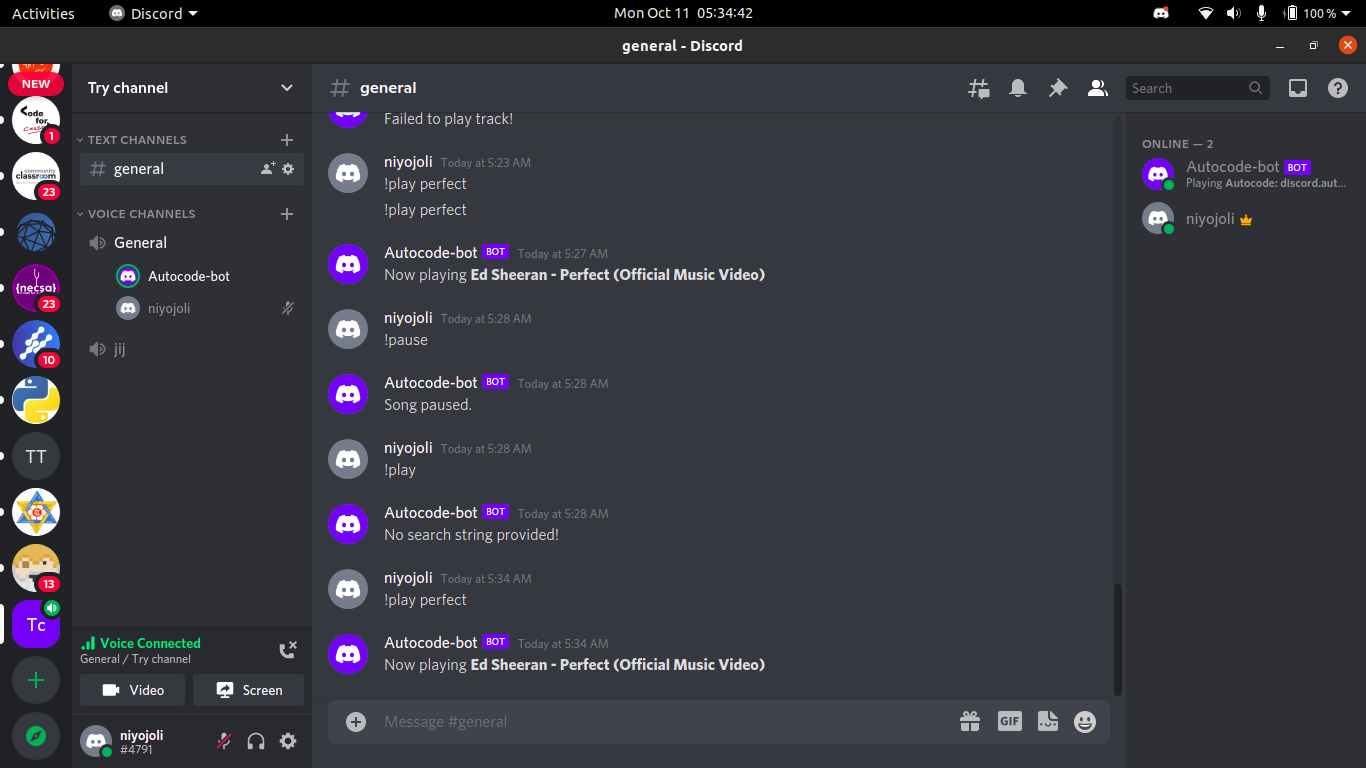
Since groovy was banned from discord but we need another alternative way to listen music and chill in discord. So, I under the instruction of Nathan from MLH decided to create our own very first discord bot using AutoCode to play the music.
What it does
It uses two APIs: Youtube API and Discord API. Discord API to interact with our discord channel as a discord bot. Here interact means to see the new message on any discord server, to play the music on the voice channel, etc. And it uses Youtube API to interact with Youtube to search for the music in youtube and play it in the discord using discord API as mentioned above.
How we built it
We built it during the Local Hack Day: Learn session with Nathan. It was my very first discord bot. So, I took this blog from AutoCode itself as a reference. In summary, we went through the following steps;
- First, we created a discord application from discord developer portal,
- Then, we created a new project on Autocode and set the trigger source as Discord,
- We used
ytdl-coreandyt-searchpackages. These packages consists of Youtube APIs so that we can use them to search for the music and play it in our discord server. - Then we created a play command. What we did here was when the message starting with
!playlike!play <search-query>is received in the channel, it explodes the message into two parts first is!playitself and second is the<search-query>for music. It uses the package of Youtube as mentioned above and utilizes Youtube API to search for the music and plays the music in the voice channel. - Similarly, other commands like !stop, !pause were also created.
- Finally, the bot was tested and published.
Challenges we ran into
Since, this was my very first bot. The first challenge was finding the resources to get started with Autocode. This challenge was solved from Nathan from MLH as he gave a quick intro to the Autocode which was very helpful. Similarly, the next challenge was connecting all those APIs together for which blogs from Autocode were helpful and further more challenges were solved from discussion on live streaming on twitch by MLH.
Accomplishments that we're proud of
I am proud that I made my very first discord bot and now I can customize it from head to toe to personalize it as I like and as I prefer.
What we learned
Through this project I learned how can I make discord bot, how to use Autocode, how to use APIs and packages to make some awesome project very easily.
What's next for My Discord Bot
Next, I will be making a spreadsheet which contains my list of preffered music. Then, I would use another API to get the data from the spreadsheet and play even more personalized music.
Built With
- autocode

Log in or sign up for Devpost to join the conversation.