Inspiration
As a Software Engineering student passionate about backend development, I realized that having a strong online presence is crucial in today's tech industry. The DevOne Hackathon 2025 provided the perfect opportunity to create a portfolio that not only showcases my technical skills but also reflects my personality and professional journey. I was inspired by the idea of building something that serves as both a learning experience and a digital business card that potential employers and collaborators could easily access and navigate.
What it does
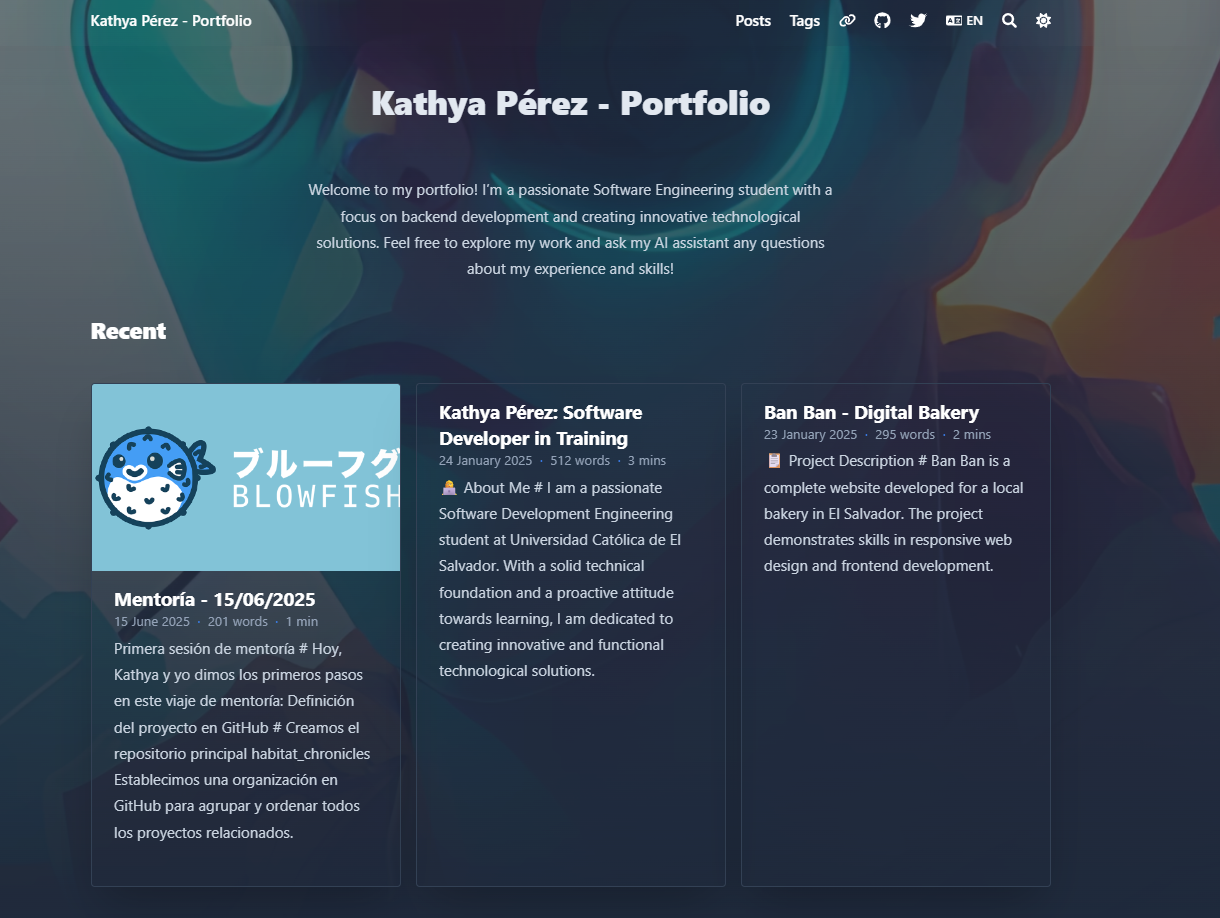
My Developer Portfolio is a modern, responsive website that serves as my professional digital presence. It showcases my journey as a Software Engineering student with a focus on backend development. The portfolio includes:
- Personal Introduction: Welcome section with my professional background and AI assistant integration
- Project Gallery: Interactive showcase of my development work and technical projects
- Skills & Technologies: Visual representation of my technical stack and proficiencies
- Professional Experience: Timeline of my learning journey and achievements
- Contact Information: Multiple ways for potential employers and collaborators to reach me
- Responsive Design: Seamless experience across desktop, tablet, and mobile devices
How we built it
Technology Stack: -HTML5: Semantic markup for accessibility and SEO optimization -CSS3: Modern styling with Flexbox and Grid for responsive layouts -JavaScript: Interactive functionality and dynamic content management -GitHub Pages: Deployment platform for reliable hosting
Development Approach:
- Research & Planning: Analyzed successful developer portfolios and defined project requirements
- Wireframing: Created mobile-first wireframes to establish layout structure
- Design System: Established consistent typography, colors, and spacing guidelines
- Component Development: Built reusable components for consistent design language
- Content Strategy: Organized information architecture for optimal user flow
- Testing & Optimization: Cross-browser testing and performance optimization
- Deployment: Configured GitHub Pages with custom domain setup
Key Technical Decisions:
- Mobile-first responsive design approach
- Semantic HTML for accessibility compliance
- CSS Grid for complex layouts, Flexbox for component-level alignment
- Vanilla JavaScript for lightweight, fast-loading interactions
Challenges we ran into
- Performance Optimization: Balancing visual appeal with loading speed required careful consideration of image sizes, CSS efficiency, and JavaScript execution.
- Content Organization: Determining the right amount of information to display without overwhelming visitors while still showcasing technical depth proved difficult.
- Professional vs. Personal Balance: Finding the right tone that showcases personality while maintaining professional credibility for potential employers.
Accomplishments that we're proud of
- First complete portfolio website built from scratch
- Significant improvement in CSS Grid and Flexbox mastery
- Enhanced understanding of user experience principles
- Gained confidence in presenting technical work professionally
What we learned
Technical Skills: Advanced CSS: Mastered CSS Grid, Flexbox, and responsive design patterns JavaScript Proficiency: Improved DOM manipulation and event handling Performance Optimization: Learned image optimization, CSS minification, and lazy loading techniques Git Workflow: Enhanced version control practices and GitHub Pages deployment
Design & UX: Design Thinking: Understanding user needs and translating them into intuitive interfaces Typography: Importance of readable fonts and proper text hierarchy Color Theory: How to create professional color schemes that enhance readability Information Architecture: Organizing content for maximum impact and usability
Professional Development: Personal Branding: How to present technical skills in a compelling narrative Content Strategy: Writing compelling copy that showcases abilities without overwhelming Portfolio Best Practices: What makes a developer portfolio stand out to employers Industry Standards: Current expectations for professional web presence.
What's next for My Developer Portfolio
CMS Integration: Allow for easy content updates without code changes Multi-language Support: Spanish language option for broader accessibility Advanced Features: Search functionality, filtering for projects, and dynamic content loading Community Features: Integration with GitHub API for live repository updates


Log in or sign up for Devpost to join the conversation.