-
-
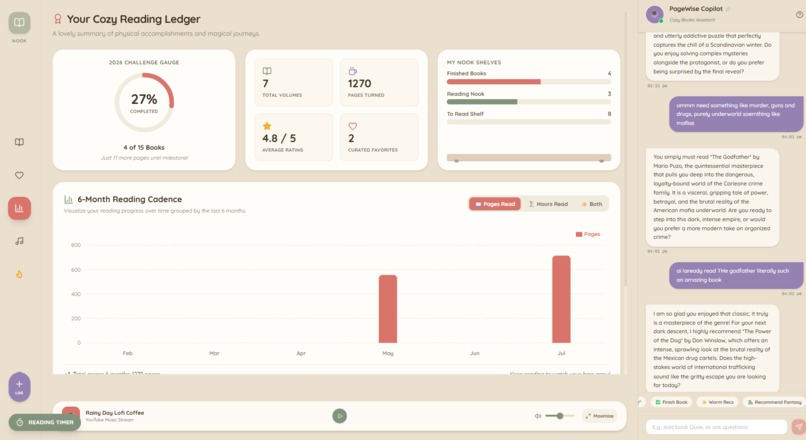
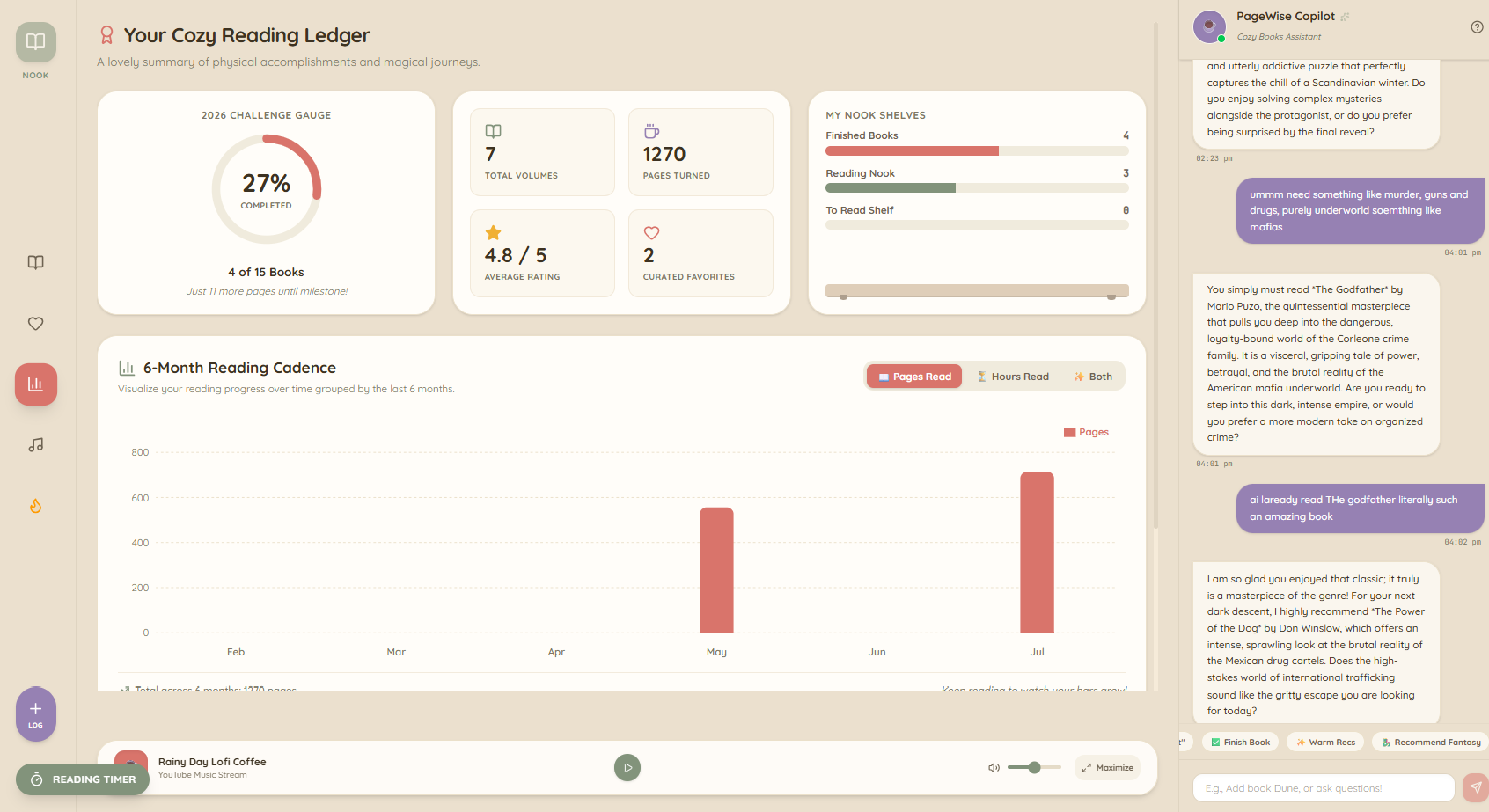
Reading Analytics/ Ledger
-
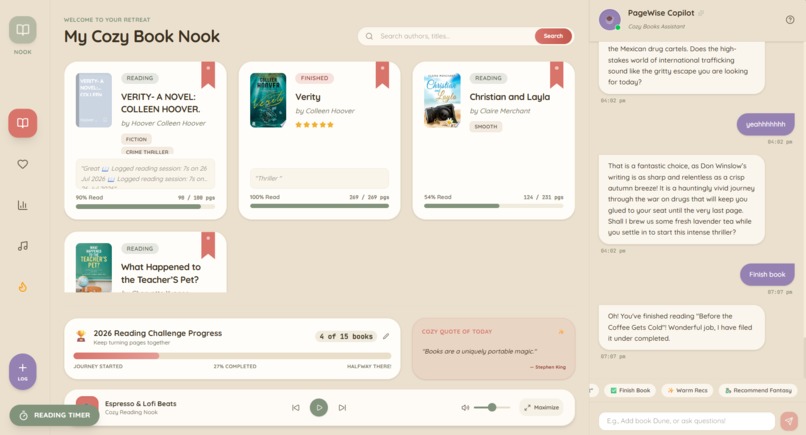
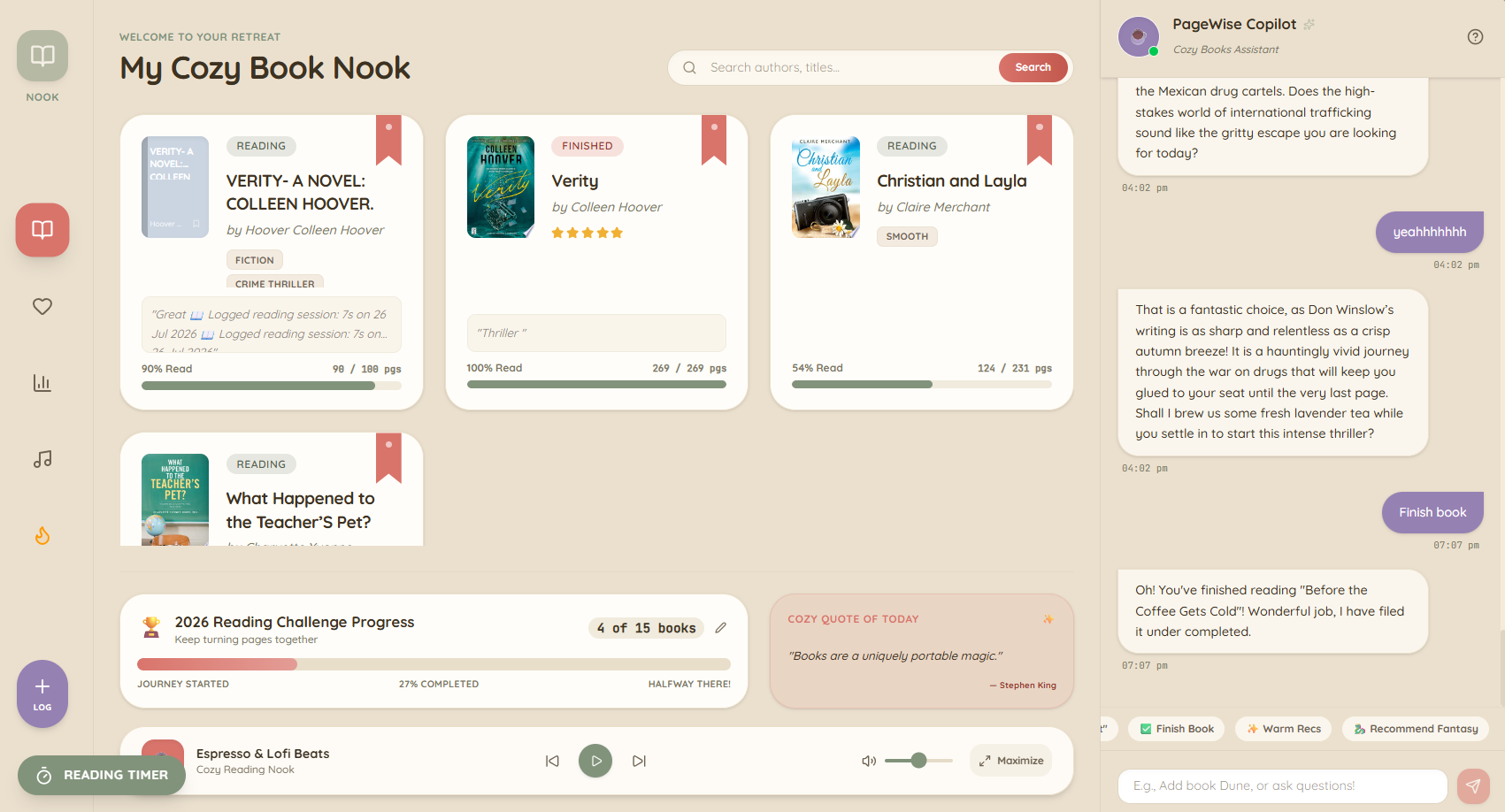
Book Logs
-
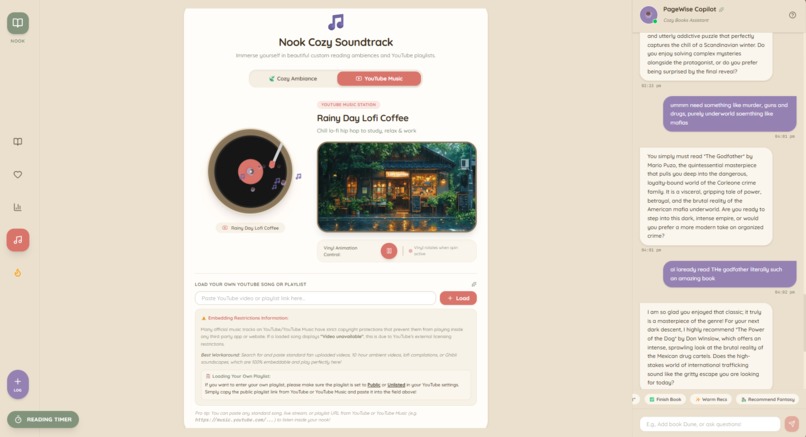
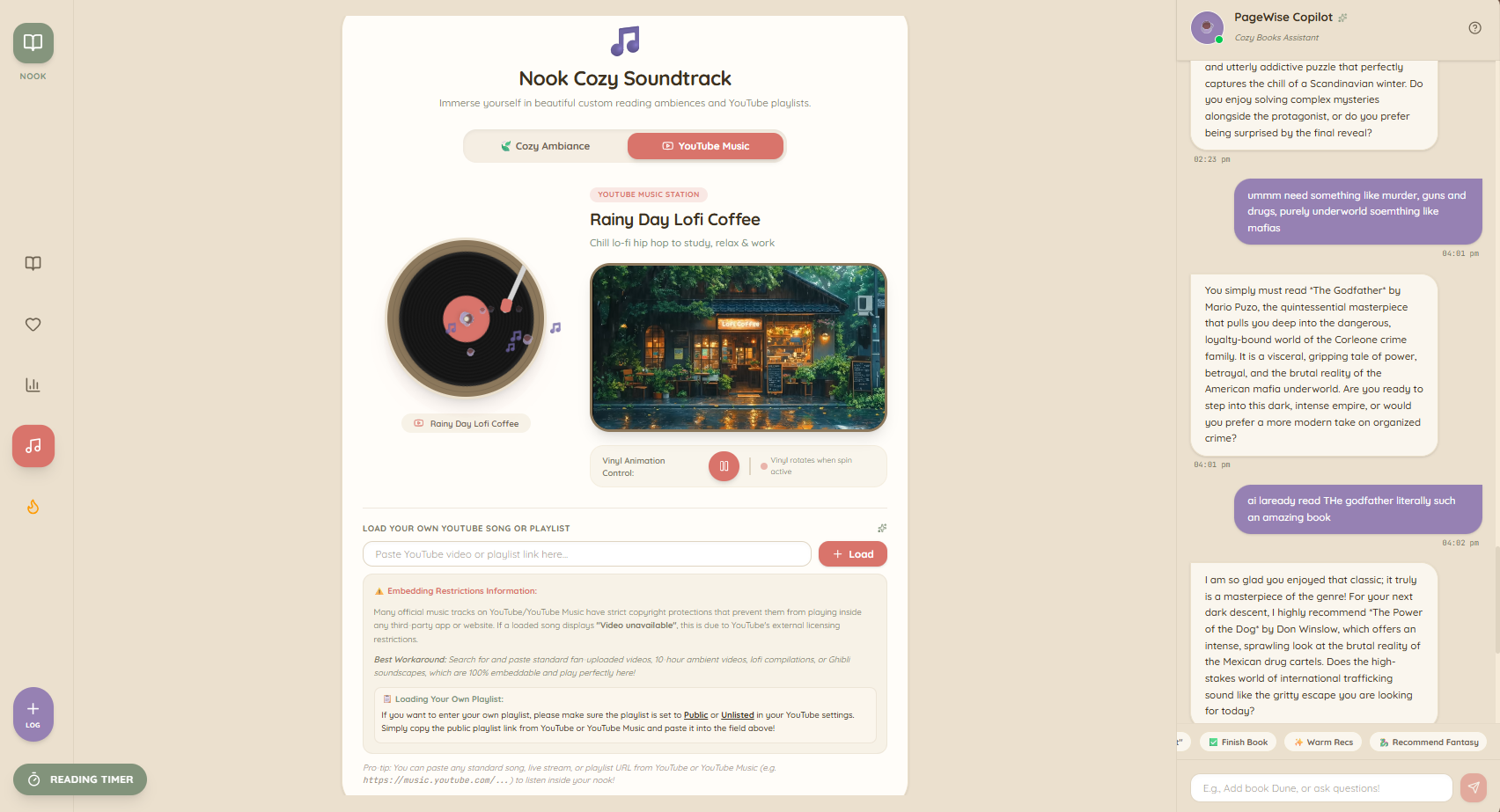
Music
-

Pagewise Chatbot
-
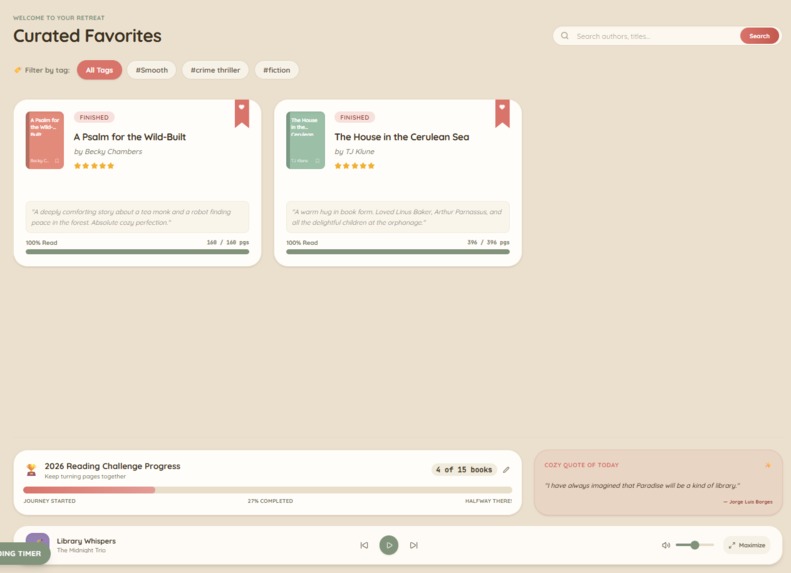
FAVOURITES
-
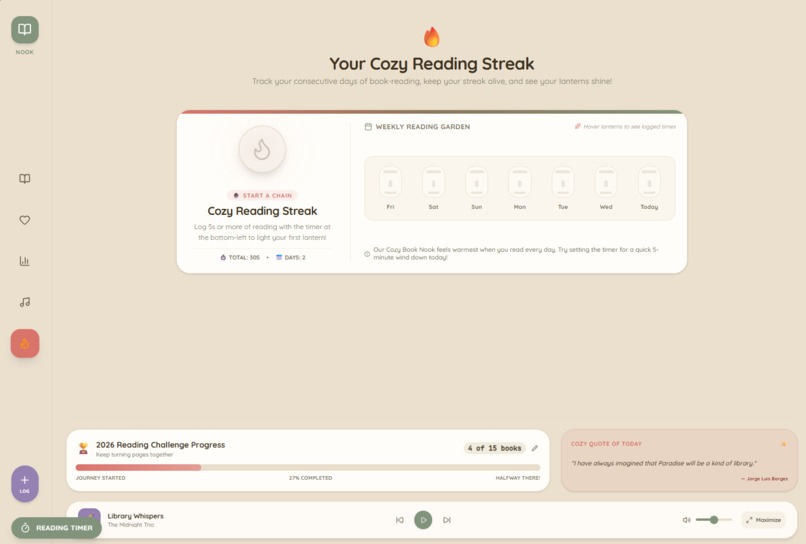
Streaks
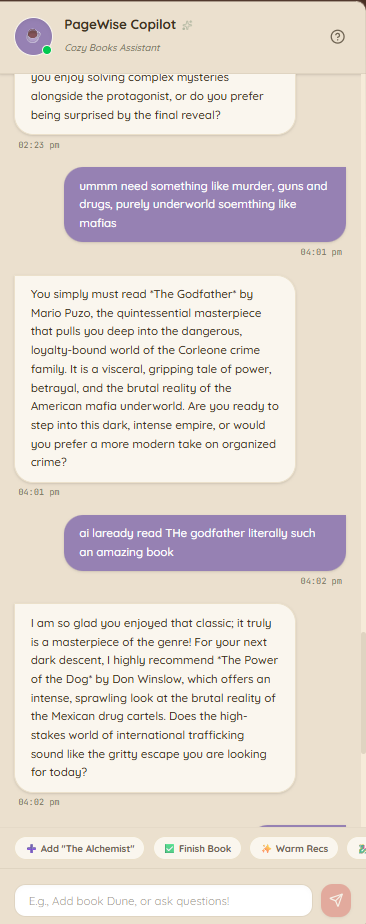
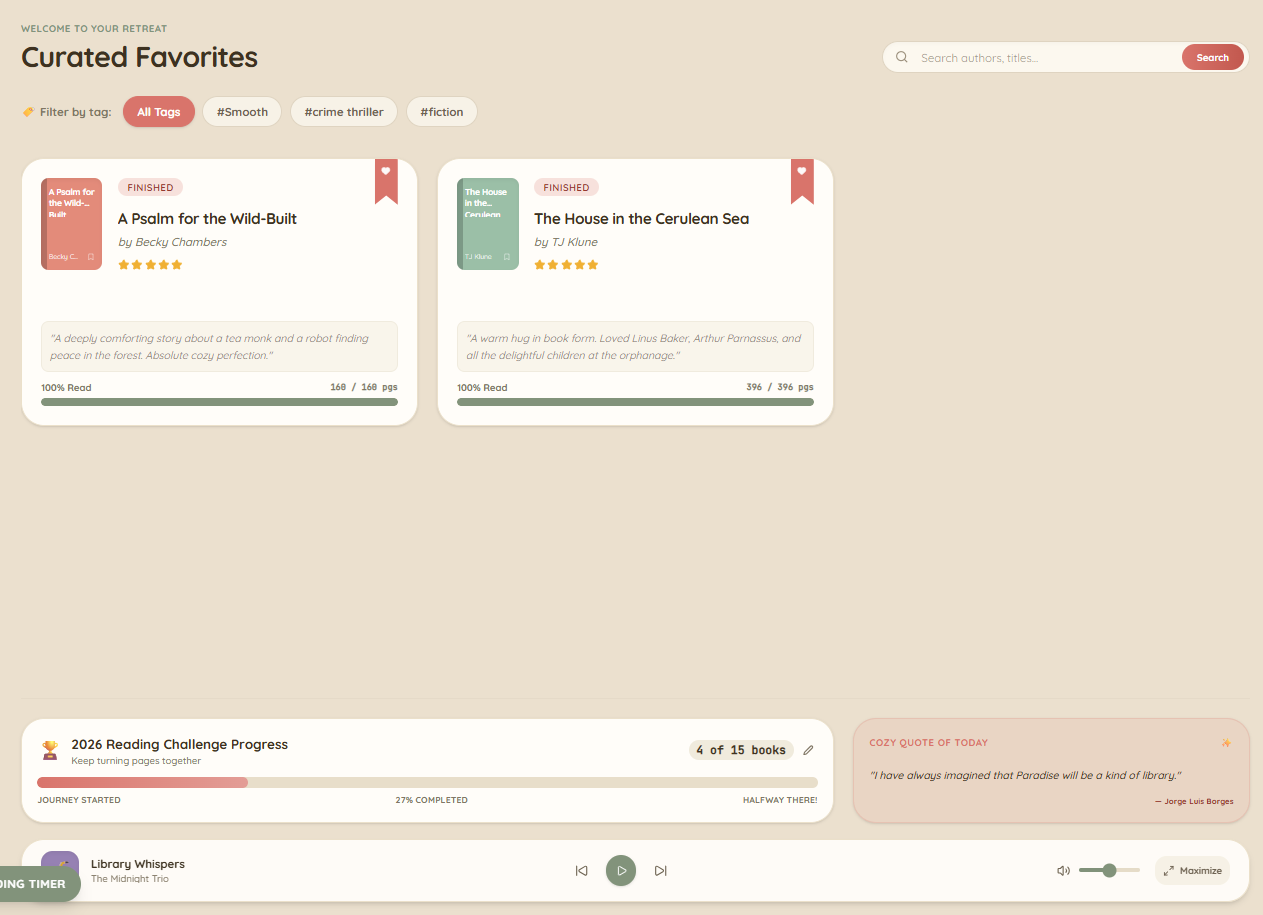
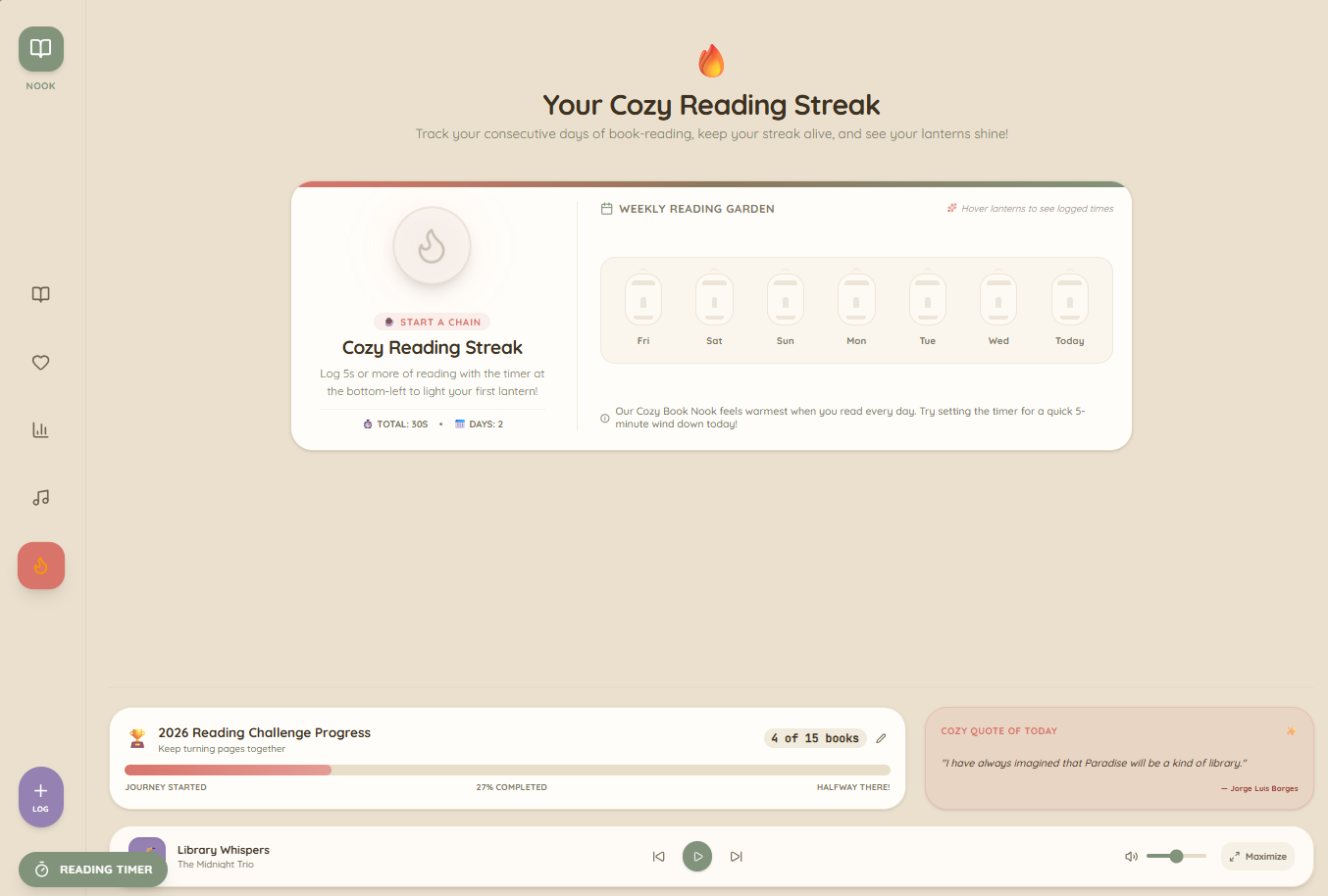
my inspiration
It started with a tiny, embarrassing problem: I never knew which book I'd left off on. Between my phone, my laptop, and the occasional borrowed tablet, my reading progress lived in three different places and none of them agreed with each other. Goodreads felt too social. Notion felt too empty. The dedicated reading apps I tried were either locked to a single device or buried under ads and streaks.
I wanted something small, warm, and mine. A nook, not a network. The line on the landing page "Sign in to your personal library and continue your reading journey across devices" — turned into the whole design brief: calm continuity, not gamified productivity. One sentence, one accent color, one book icon centered on a cream background, and copy that never shouts.
What it does
My Cozy Book Nook is a personal reading tracker that follows you across devices. The landing page is intentionally quiet: just a centered book icon on a soft beige canvas with a sign-in prompt, because the app's whole job is to get out of the way once you're in.
Once signed in, you get a private library where every book knows three things about you:
- Where you are. Your current page or percentage progress, updated as you read.
- When you last opened it. So a book you picked up yesterday floats back to the top.
- Which shelf it lives on. Currently reading, want to read, finished plus your own custom shelves.
The "what should I read next?" shelf uses that same data: it blends how far you are through a book with how recently you opened it, so stalled books slowly sink and in-progress books naturally bubble up. Sign in on a second device and the library reconciles to the same state same books, same progress, same shelves.
How we built it
Frontend. A Vite-built single-page app. You can see it in the production HTML: hashed asset filenames (/assets/index-2nVJddYj.js, /assets/index-Cyn6Myyr.css), type="module" scripts with crossorigin, and a <div id="root"> mount point. The shell ships with as little as possible so the cream background paints before a single byte of JavaScript executes.
Hosting. Google Cloud Run, in us-west1 the *.run.app hostname is the tell. That gives me HTTPS, autoscaling, and a stable URL without standing up a VM, which matters for a project I want to still be alive on Monday morning.
Auth. Email-link sign-in with a short-lived token. The auth payload is cached locally so opening the app on a second device feels instant no password to forget, no friction to enter, no social graph to manage.
Cross-device sync. The library lives in a per-user store. On sign-in the client reconciles a local cache with the server snapshot, so the same book shows up with the same progress whether you open the app on your phone or your laptop. Conflicts resolve last-write-wins, with the server as the source of truth.
The ranking math. The "next up" shelf is driven by a small scoring formula that blends progress and recency:
$$ S(b) \;=\; \alpha \cdot \frac{p_b}{C_b} \;+\; \beta \cdot e^{-\lambda \, \Delta t_b}
$$
where $p_b / C_b$ is your fractional progress through book $b$, $\Delta t_b$ is the number of days since you last opened it, and $\alpha, \beta, \lambda$ are tuning weights. Books near the top of your stack and read recently bubble up; stalled books decay exponentially so they don't permanently clog the shelf.
As the corpus grows, the same scaffolding extends to a content-based recommender for the discovery surface:
$$ \text{sim}(u, b) \;=\; \frac{\vec{u} \cdot \vec{b}}{\lVert \vec{u} \rVert \, \lVert \vec{b} \rVert}
$$
with $\vec{u}$ as the user's taste vector (averaged from ratings and shelf history) and $\vec{b}$ as a book's embedding over genre, author, and page-bucket features.
Polish. The HTML still ships with a small inline script that quietly swallows noisy infrastructure rejections HMR WebSocket drops, idle-connection terminations before they bubble up to the console. That kind of cleanup is invisible when it works and priceless when it doesn't.
Challenges we ran into
- Idle-connection reaping on Cloud Run. Long-lived sockets (HMR, realtime sync) get reaped after a few minutes of inactivity. I had to decide which connections were worth reconnecting and which were worth killing the answer was different in dev (keep HMR alive aggressively) versus production (let polling handle sync, retry on focus).
- "Cozy" without sliding into "kids' app". Pastel is easy. Calm is hard. I spent more time tuning the cream background's exact hue and the book icon's stroke weight than I did wiring the data layer.
- Cross-device state is harder than cross-device auth. Once you've signed in on a new device, the hard part isn't proving who you are it's reconciling the book you started on your phone last night with the progress you made on the web this morning.
- A tiny surface area forces real decisions. With one icon and one accent color, every UI choice is loud. There's nowhere to hide a weak design call.
Accomplishments that we're proud of
- A landing page that actually feels like the product. One icon, one line of copy, one button and it already tells you what the app is about and why you'd want it.
- Same progress on every device, without it feeling like a tech demo. Opening the app on a second device just works, which is exactly the promise on the sign-in screen.
- A ranking shelf that doesn't need a manual sort. Stalled books quietly sink, in-progress books rise no buttons, no drag-and-drop, no settings page.
- Production HTML that's still under 1.5 KB. The shell is small enough that the warm background paints before any JavaScript runs, which matters more than it sounds like it should.
- Email-link auth that respects the vibe. No passwords to forget, no social graph to maintain, and zero friction on returning devices.
What we learned
- Constraint-driven design compounds. Limiting myself to one accent color and one icon forced every UI decision into a smaller, more coherent space. The cream background was tuned more times than the entire ranking logic.
- Graceful failure is a feature, not a cleanup task. The inline error-suppression script in production HTML is the kind of polish you only notice when it's missing — and once you start noticing it, you can't stop adding it everywhere.
- The tagline is the spec. "Continue your reading journey across devices" sounds like marketing, but it's actually the test: if a change makes the sentence less true, the change is wrong.
- Small projects deserve real hosting. Cloud Run made it just as easy to ship a hobby app as to ship a serious one, and that parity changes how seriously I take the project.
What's next for My Cozy Book Nook
- Reading sessions. A lightweight log of when you opened a book and for how long, so progress updates feel like a natural side effect of reading instead of a chore.
- Offline-first reads. A small local store on each device so the library is usable on a plane, with sync catching up the moment you're back online.
- A discovery shelf powered by the taste vector. Today the recommender math exists in the ranking; next, it'll surface new books — using the same $\vec{u} \cdot \vec{b}$ similarity — alongside the ones already on your shelves.
- Reading streaks, gently. Only if I can find a version that rewards rest days as much as busy ones. The product's whole point is calm, and I don't want to betray that for a notification badge.
- A public-shelf opt-in. For the rare times you do want to share what you're reading — still no social graph, just a single permalink you control.
Built With
- copilot
- firebase
- firebaseauth
- firestore
- gemini
- git
- github
- google-cloud
- googlebooksapi
- html5
- indexeddb
- javascript
- react
- typescript
- vite

Log in or sign up for Devpost to join the conversation.