Inspiration
The inspiration for this project comes from observing a specific bottleneck in modern professional workflows. In 2026, most knowledge workers and engineers use Artificial Intelligence to help generate content, analyze data, or write code. However, while the AI can process information instantly, the human user is still restricted by a manual, repetitive process called Context Assembly.
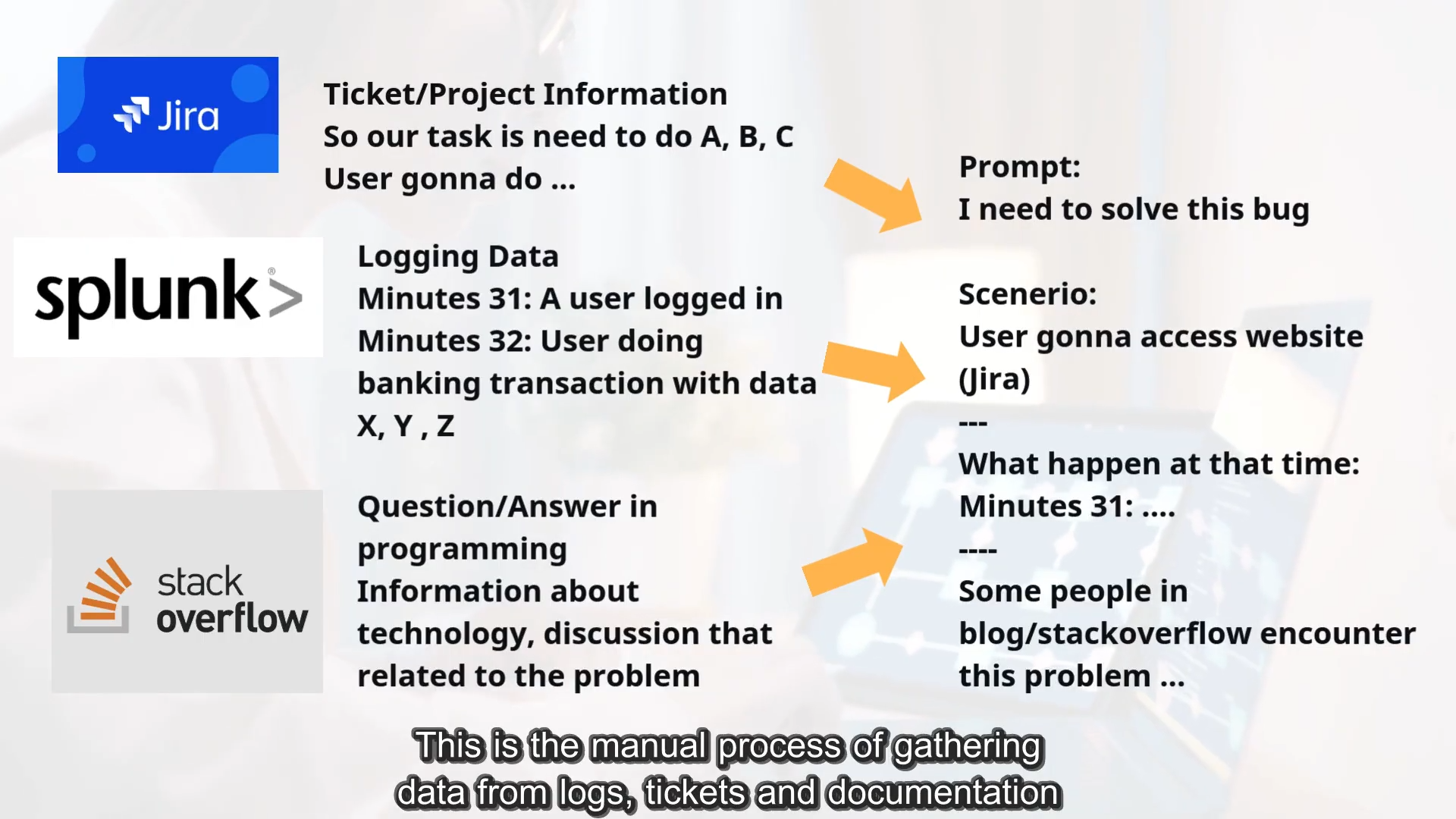
To get a high-quality result from an AI, a user must provide it with relevant data such as error logs from a server, project requirements from a task manager like Jira, and technical documentation from a browser. Currently, this requires the user to manually switch between dozens of open tabs, highlight text, copy it, switch to the AI interface, and paste it. This cycle repeats for every piece of information needed.
We observed a significant disparity in how different professionals use hardware. In creative fields such as film editing, music production, or graphic design, specialized consoles, mixers, and physical dials are industry standards used to manage complex data streams and increase productivity. However, software developers and data analysts have traditionally remained restricted to a standard mouse and keyboard.
While AI software has become highly advanced, the physical interface has not kept pace. Currently, developers are forced to use their own mental memory to track which information is in which browser tab or what was previously saved to a volatile clipboard. We realized that by bringing the physical control to the development workflow, we could solve the problem of managing the multiple data sources required for AI prompts.
The Problem: The Traditional Debugging Workflow
To understand the need for this project, consider a standard debugging task. A developer identifies a bug and must perform the following manual steps:
- Jira: Navigate to a ticket to copy the ID and read the requirements.
- Cloud Console (AWS): Switch tabs to find and copy the specific server instance IP address.
- Logs (Splunk): Switch to another tool to search for logs using that IP.
- Communication (Slack): If credentials or context are missing, they must search through chat history to find a past discussion.
Throughout this process, the system clipboard becomes a "messy stack." If the developer copies a log, they lose the Jira ID they copied 30 seconds ago. They must constantly navigate back and forth, re-copying data and manually extracting meaningful fragments so the AI can process them. This leads to the developer losing focus on the actual problem because they are exhausted by the data movement.
The Vision: How the Project Will Be Built
We are proposing a hardware-software integration that uses the Logitech MX Master 4 and the MX Creative Console as a dedicated physical management system for this data.
1. Data Capture Phase
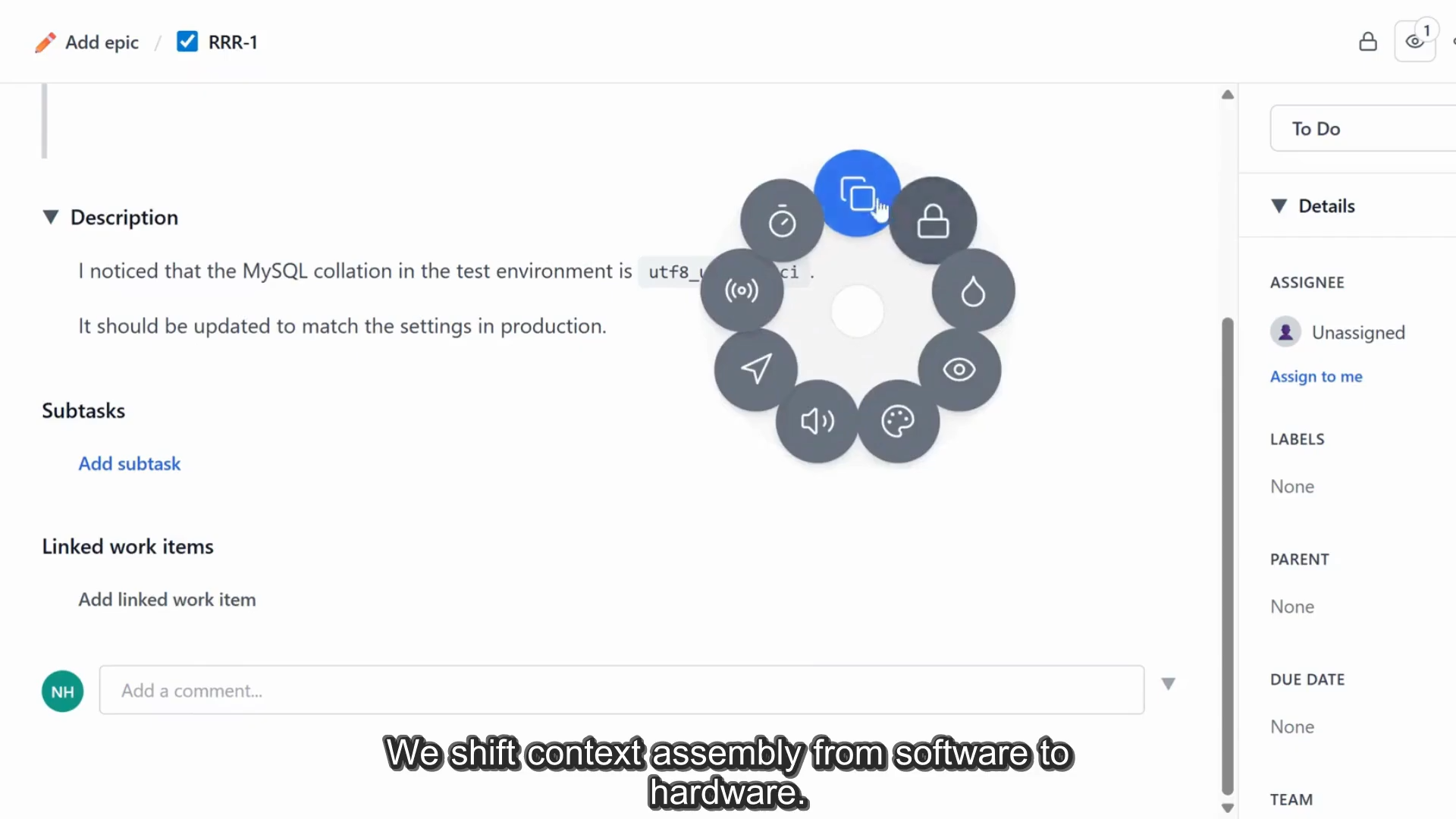
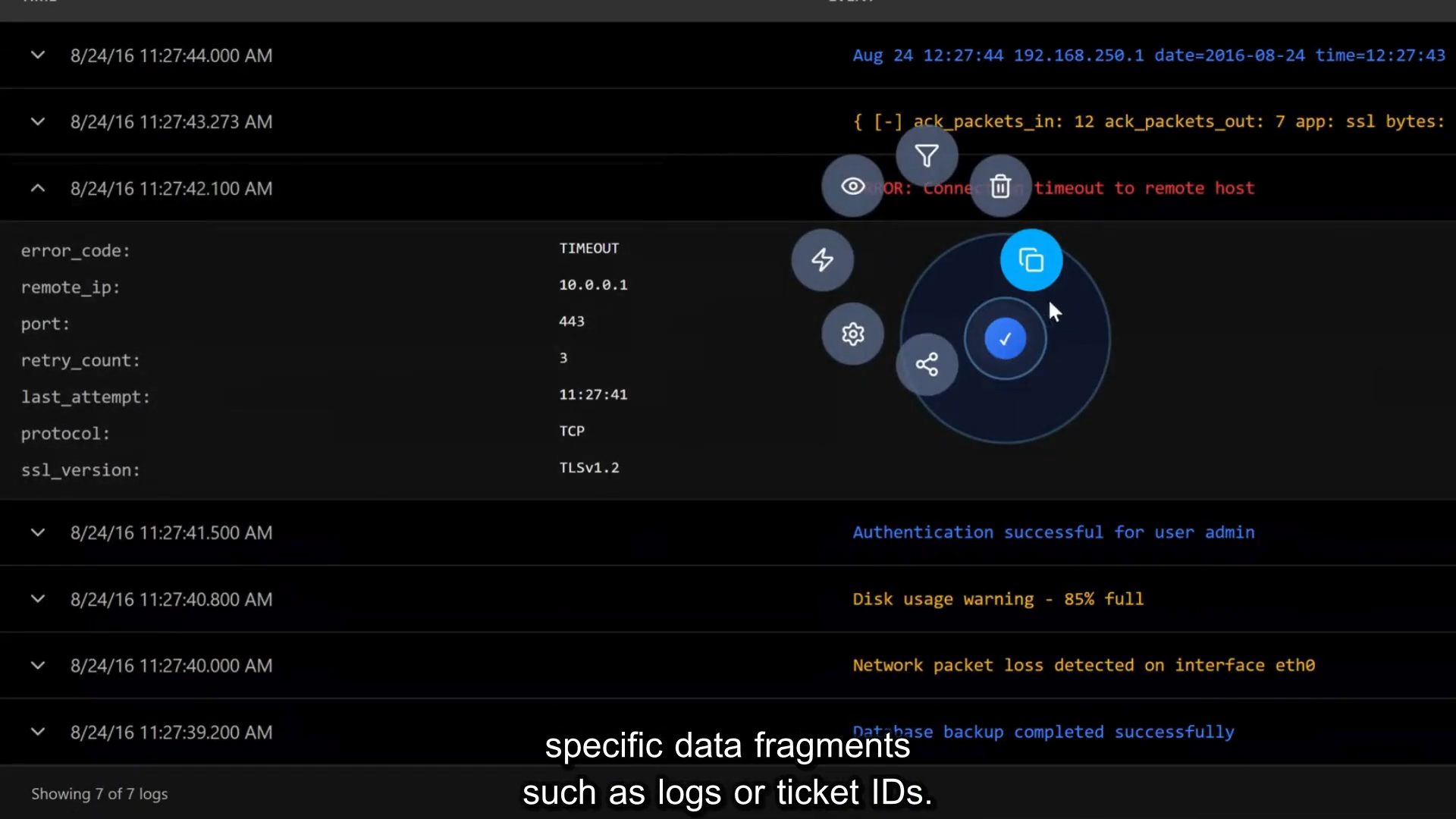
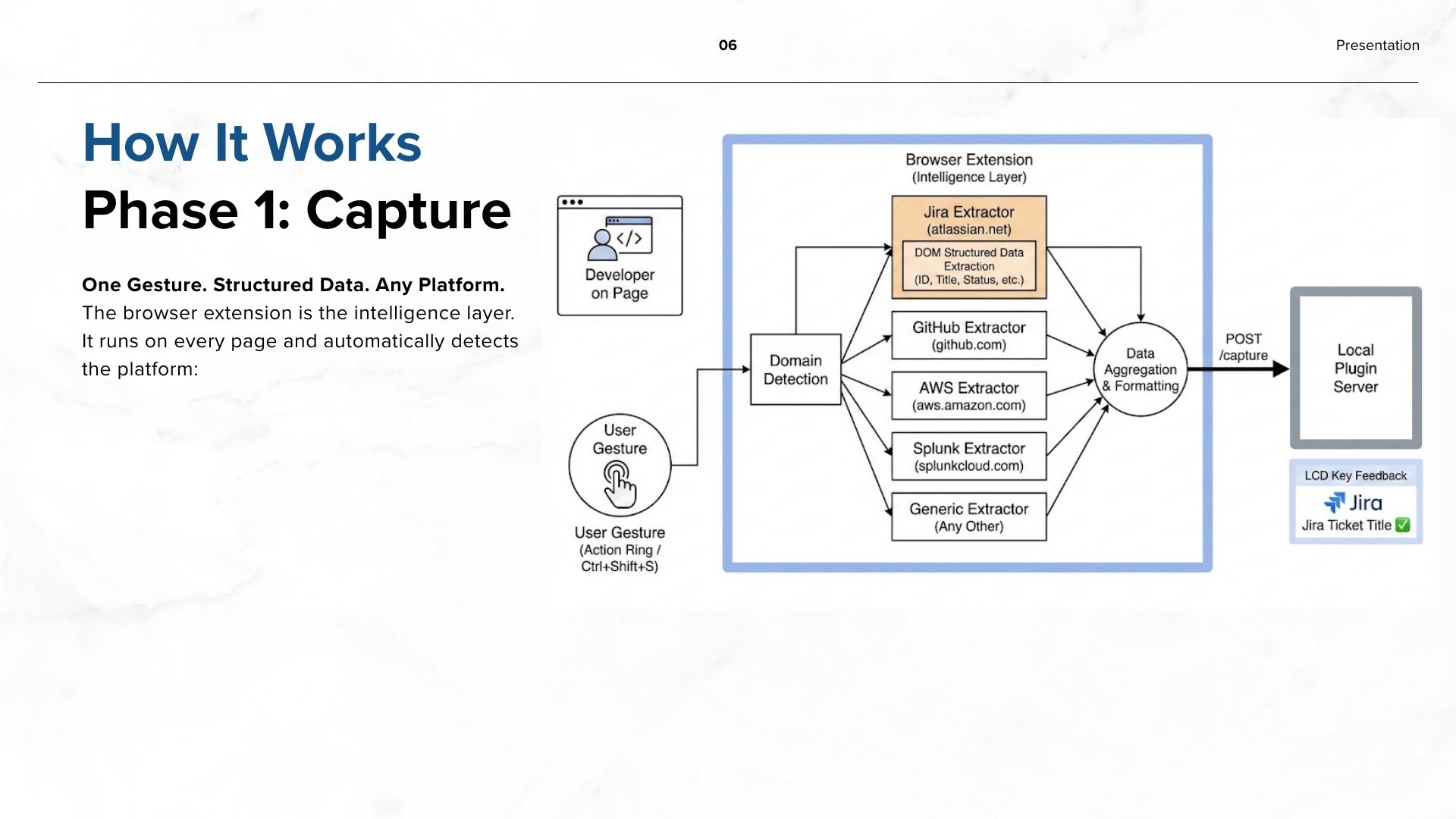
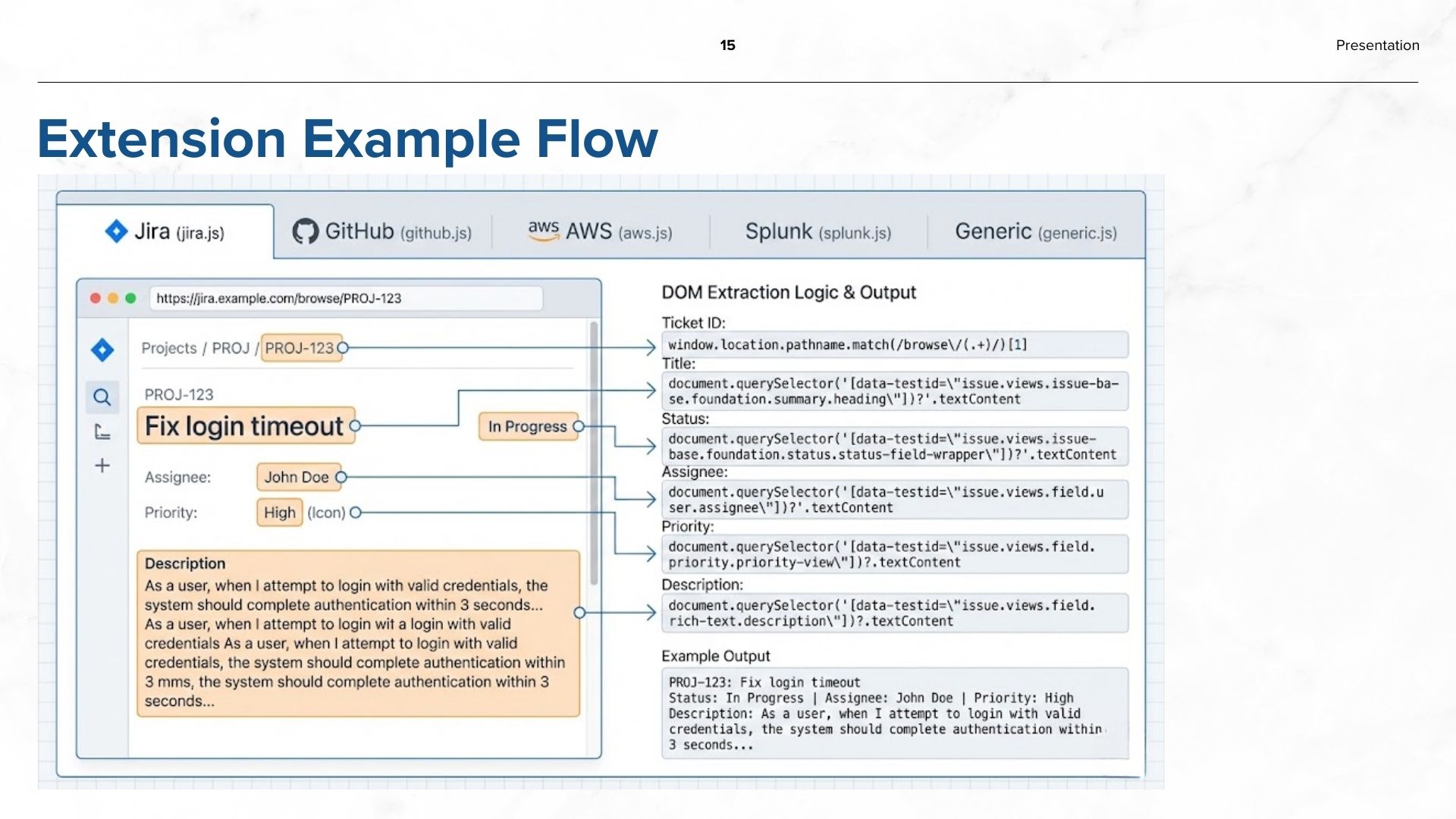
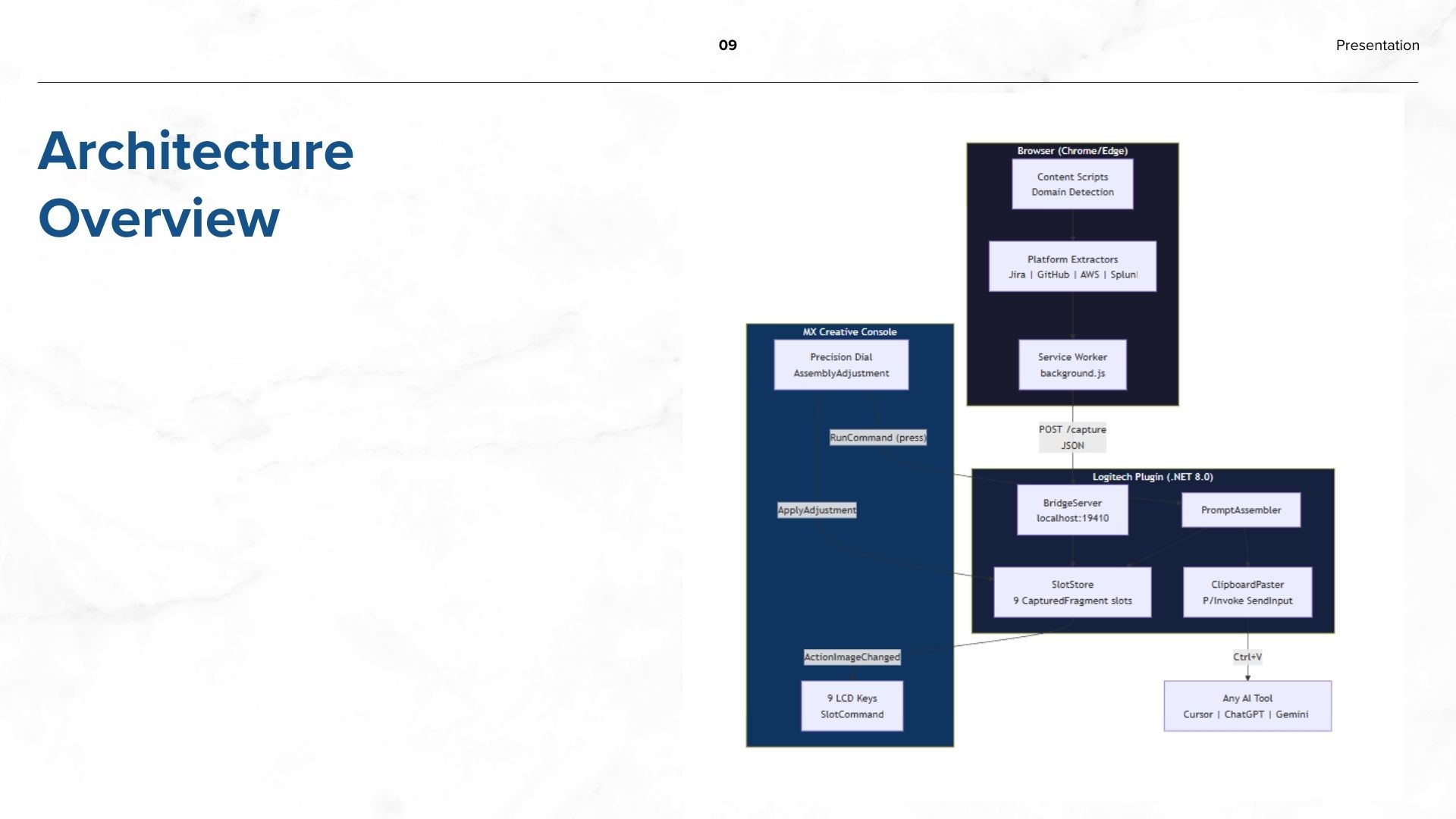
Instead of relying on standard, text-only copy-paste commands, the MX Master 4 Action Ring acts as an intelligent capture trigger. A dedicated browser extension serves as the integration layer — it automatically detects which platform the user is viewing (Jira, AWS, GitHub, Splunk, or any other web-based tool) by recognizing the domain, and extracts structured data directly from the page.
Rather than just highlighting and copying text, a gesture on the Action Ring triggers the browser extension's capture shortcut, which can instantly "grab" the last 100 lines of an error log, a specific Ticket ID, or a Deployment Status. Because the capture logic lives in the browser extension, the system can support any web-based platform without requiring individual API integrations.
2. Physical Storage and Visualization
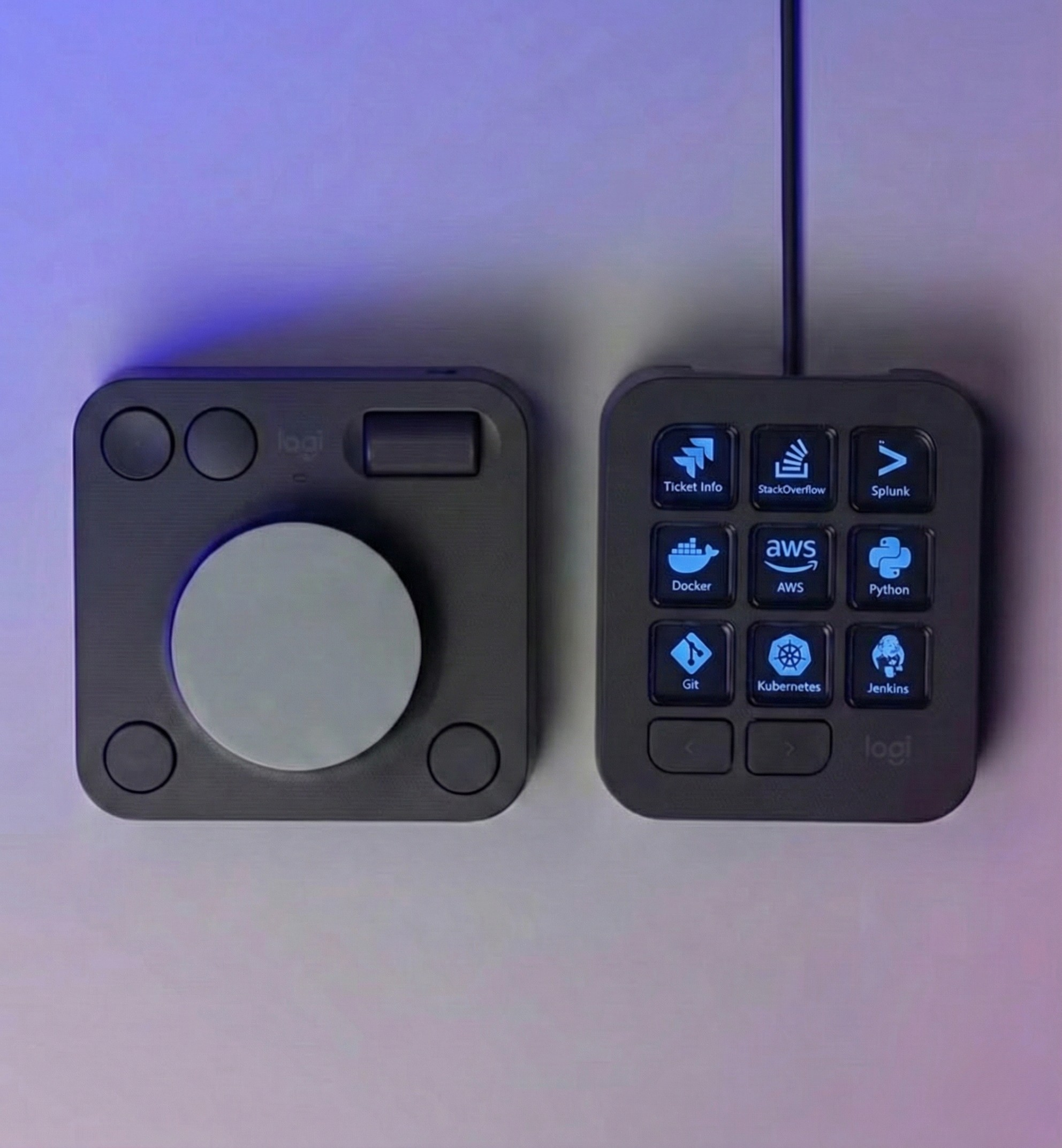
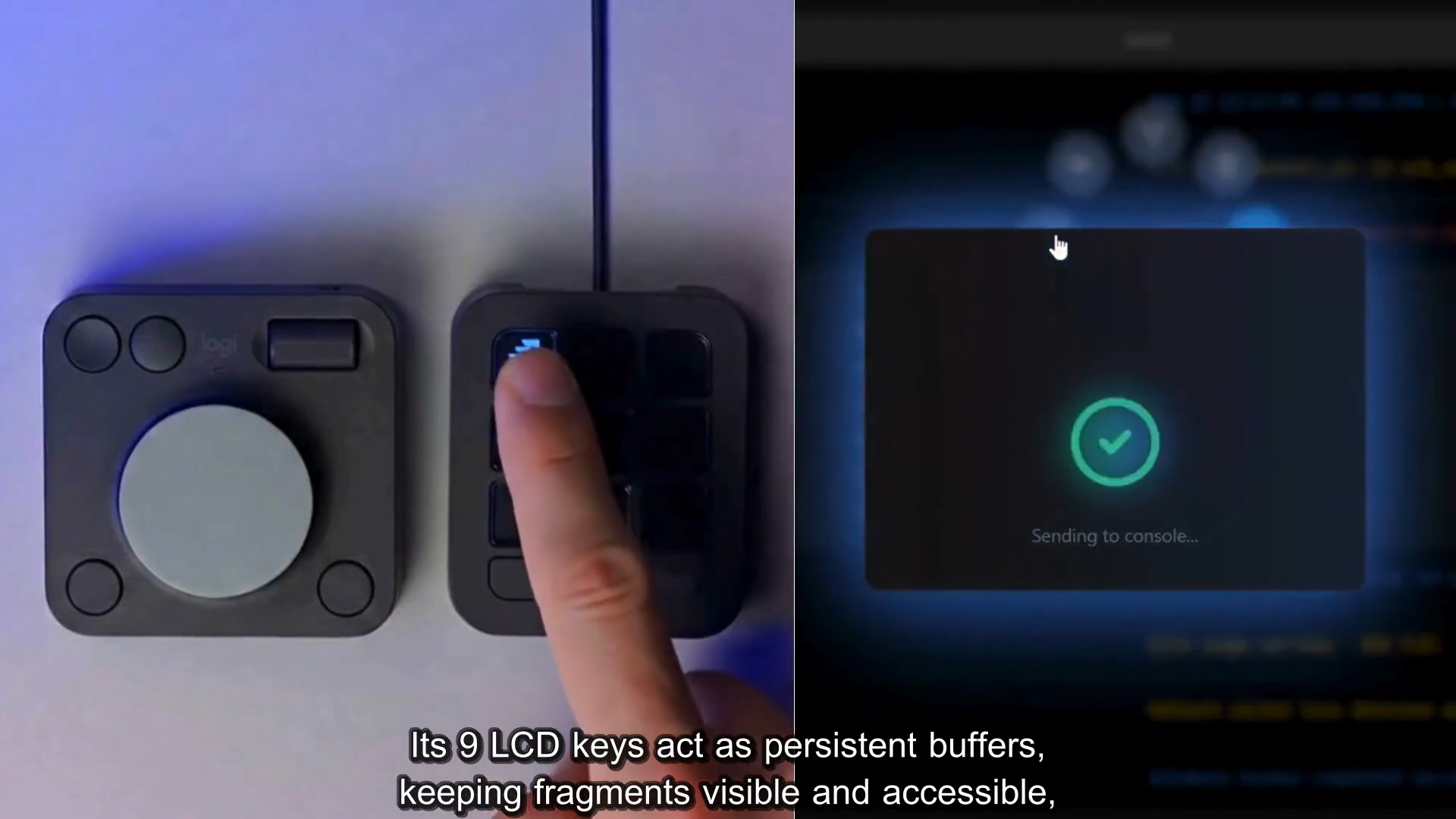
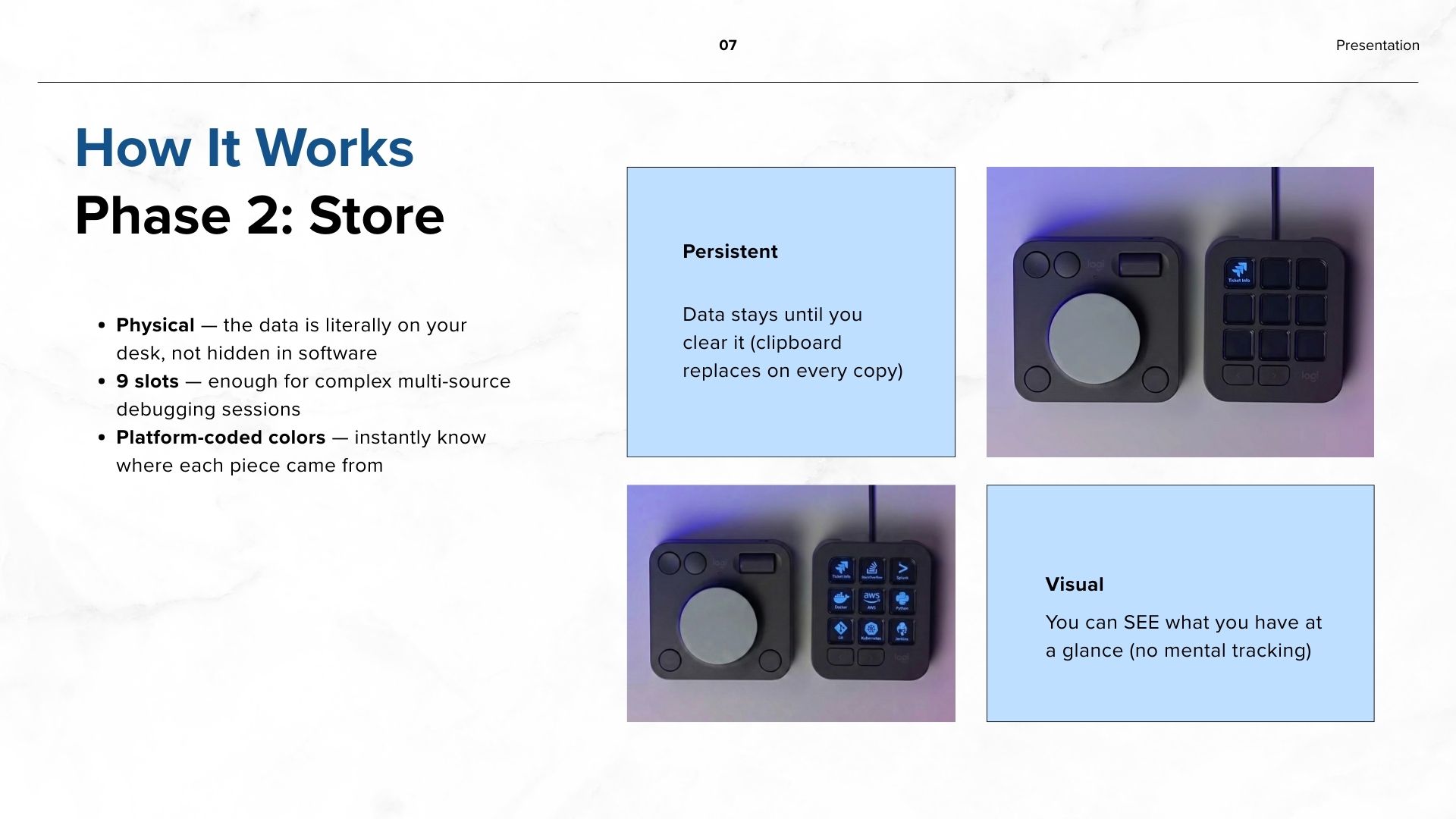
The captured data fragments will be sent from the browser extension to the MX Creative Console plugin via a local communication channel. The 9 LCD Keys on the keypad will act as physical slots for this data.
- If you capture a log file, a small icon appears on Key 1.
- If you capture a project requirement, it appears on Key 2.
This allows the user to close their browser tabs and clear their screen while the information remains visible and accessible on the hardware.
3. The Assembly Phase
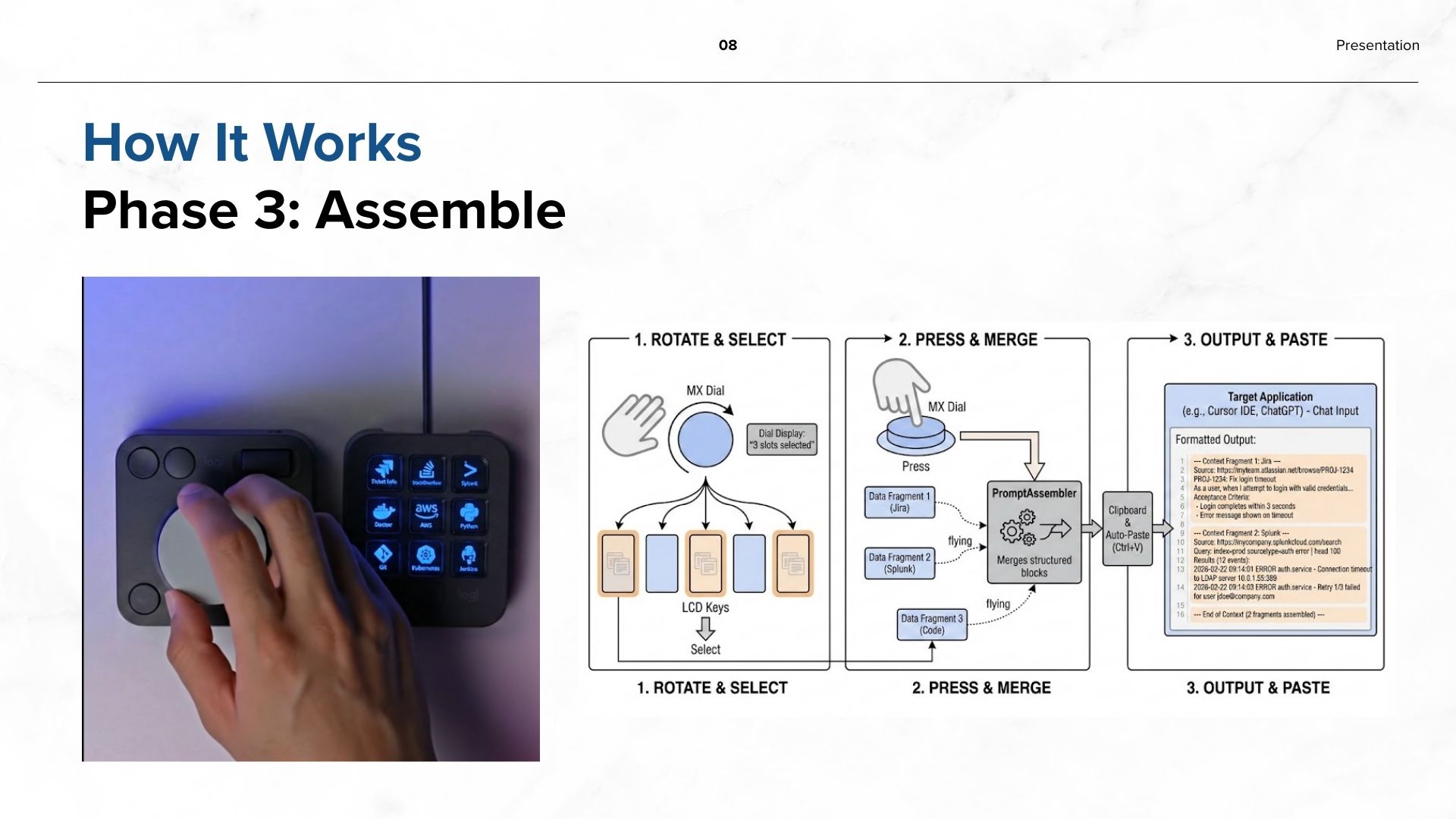
To send the information to the AI, the user will use the MX Dial. Rotating the dial allows the user to select which "slots" (Key 1, Key 2, etc.) they want to combine. Pressing the dial will automatically merge these different pieces of data into a single, organized message, place it on the clipboard, and paste it directly into whatever AI tool is currently focused — whether that is Cursor, Windsurf, ChatGPT in a browser, or any other AI interface. This approach is dynamic and tool-agnostic, working with any text input the user chooses.
Projected Challenges
- Cross-Platform Data Sync: We must ensure that text captured in a web browser is formatted correctly when it is sent to a coding environment or a document editor.
- Browser Extension Architecture: The extension must reliably detect a wide range of web platforms by domain and extract meaningful, structured data from each one.
- DOM Maintenance: Each platform has a different DOM structure, so maintaining robust extractors that work across platform UI updates will require ongoing attention.
- Local Communication: The communication between the browser extension and the MX Creative Console plugin must remain fast and reliable through a local HTTP bridge.
Workflow Comparison
| Step | Traditional Workflow (The Struggle) | MX Context Orchestrator (The Solution) |
|---|---|---|
| Data Retrieval | Manually searching Jira, AWS, and Slack; losing credentials or IPs. | Action Ring triggers the browser extension, which detects the platform and extracts IDs, logs, and credentials instantly. |
| Context Storage | Volatile clipboard manager; "last-in, first-out" logic that hides previous data. | 9 Persistent LCD keys provide a visual "storage rack" for all gathered data. |
| Mental Load | "Mental Mapping"—remembering which tab held the specific error log. | "Physical Mapping"—the data is physically sitting on the desk on a specific button. |
| AI Assembly | Manual "Ctrl+V" of multiple fragments; fixing formatting errors. | The MX Dial merges selected hardware slots into one clean, AI-ready prompt and pastes it into the focused tool. |
Built With
- action
- console
- creative
- logitech
- mx
- ring
- sdk


Log in or sign up for Devpost to join the conversation.