-
-
Thumbnail Poster
-
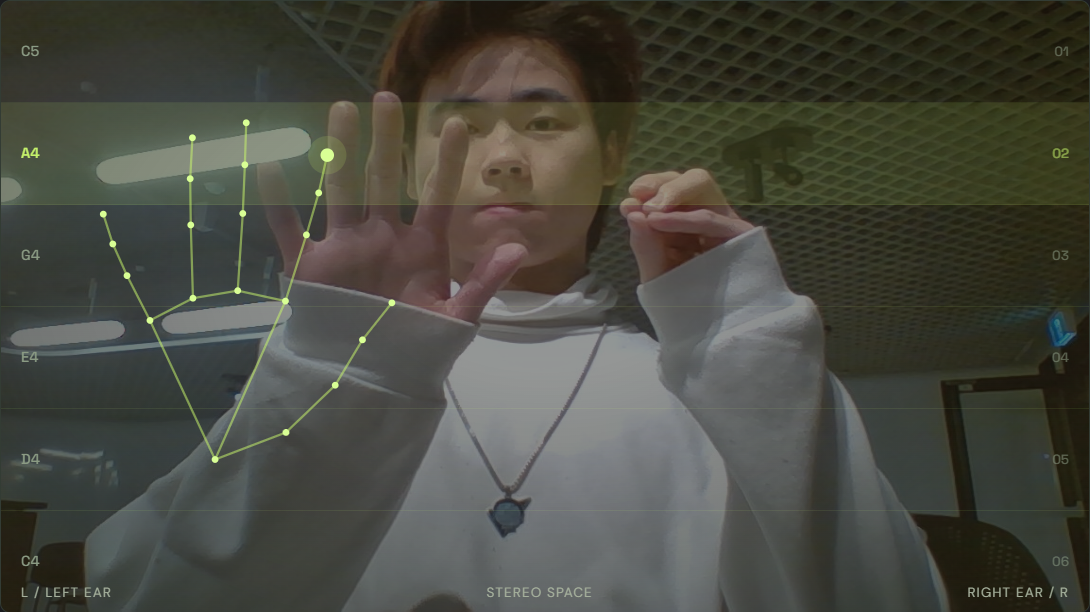
Two Hand Multi Instrument play
-
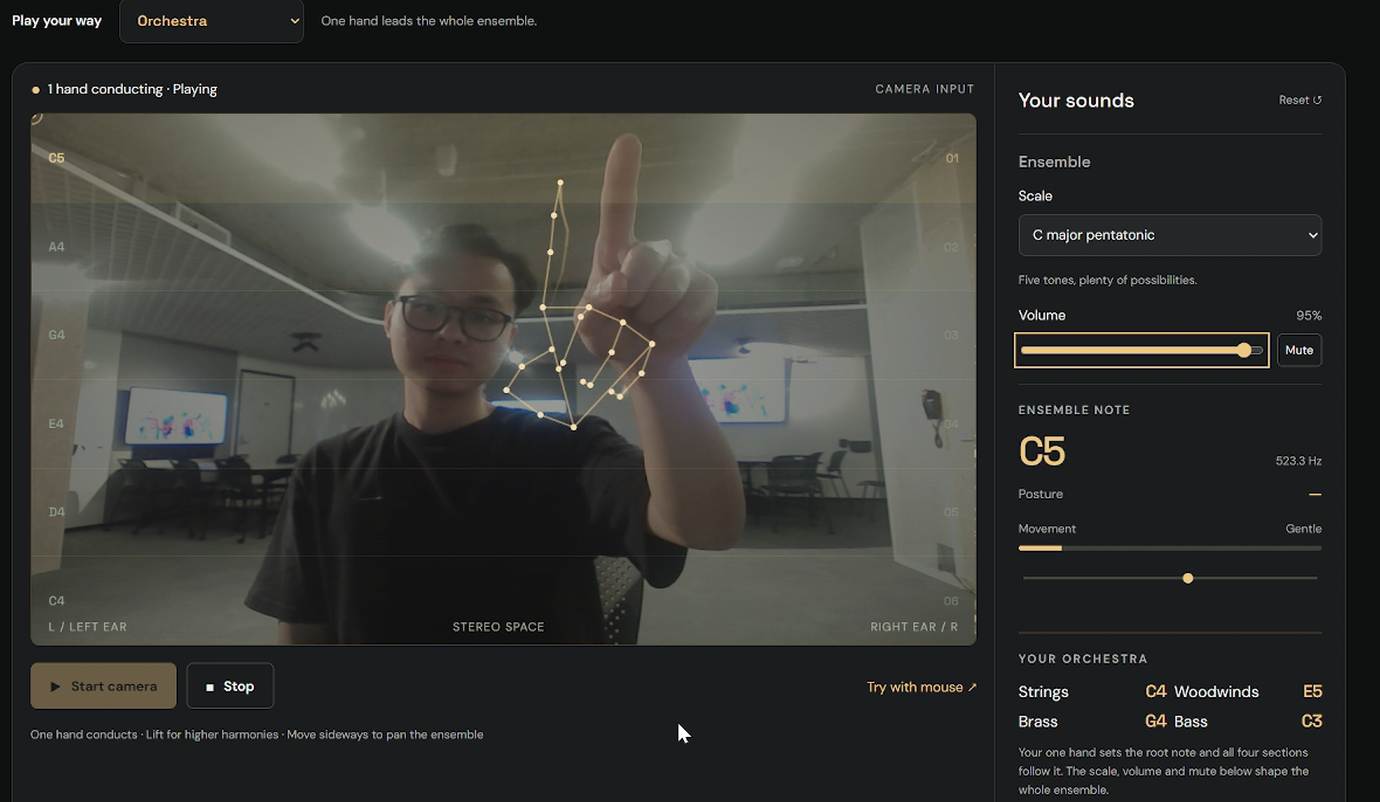
One hand play
-
Orchestra play
-
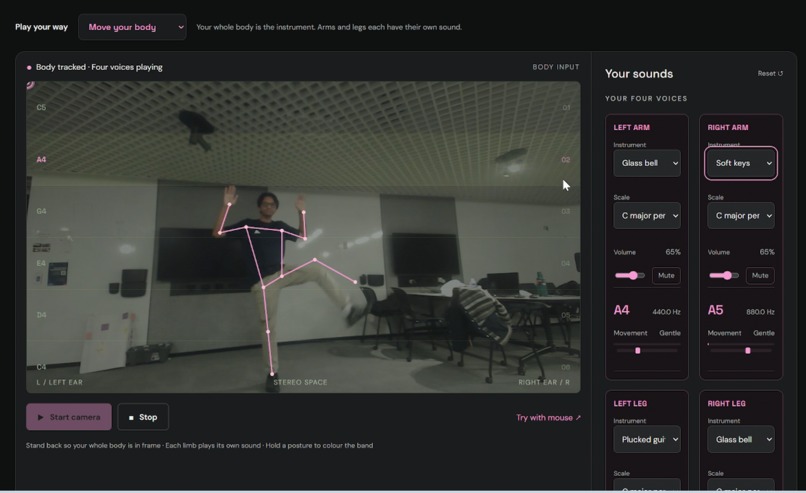
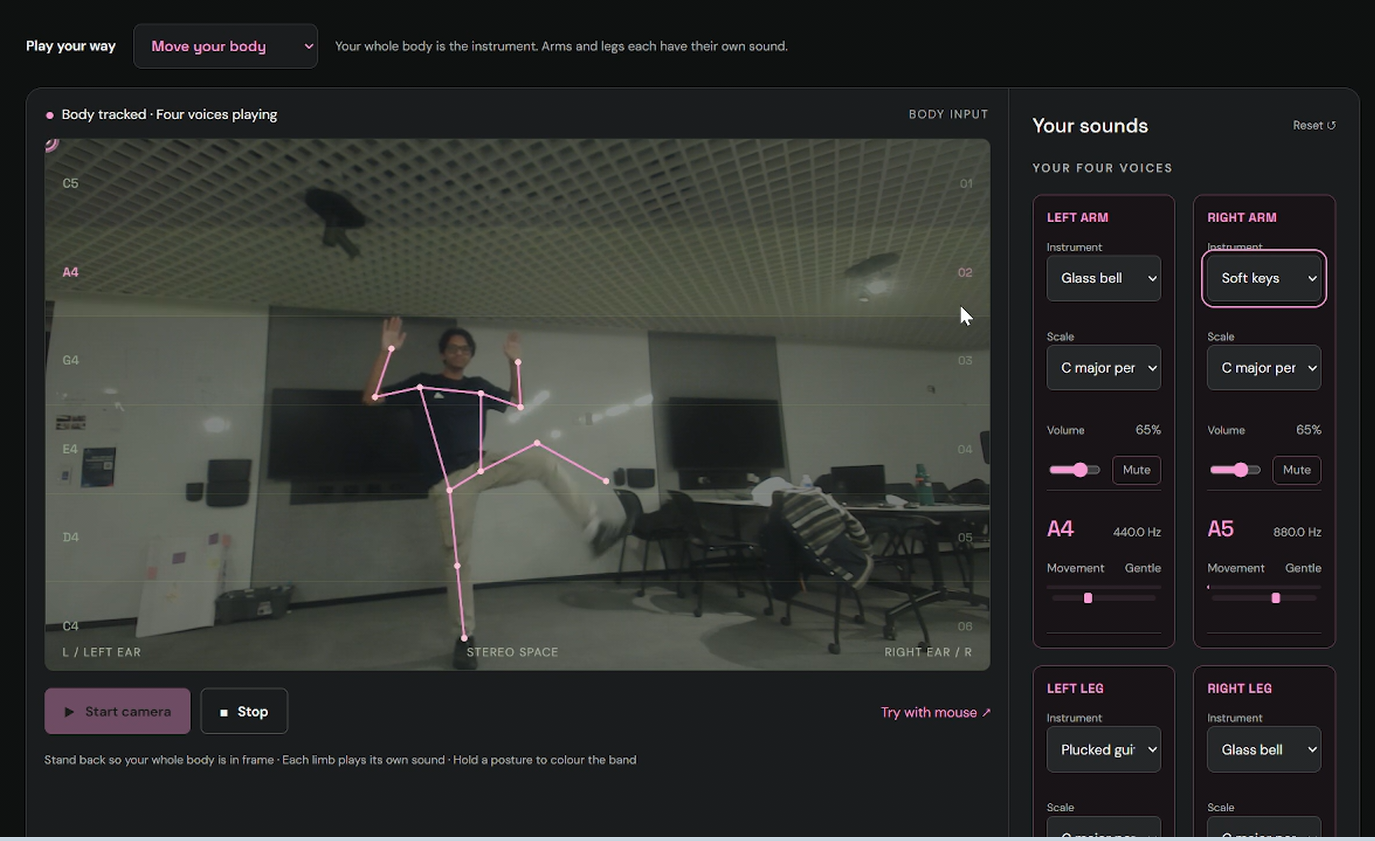
Dance Mode Move your body
-
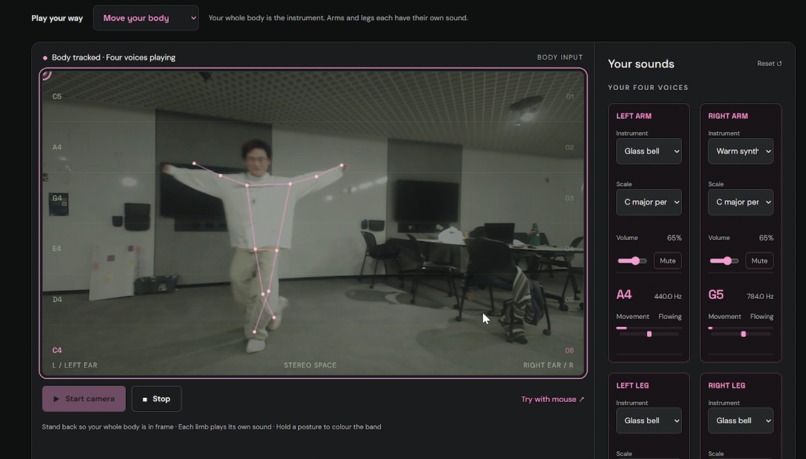
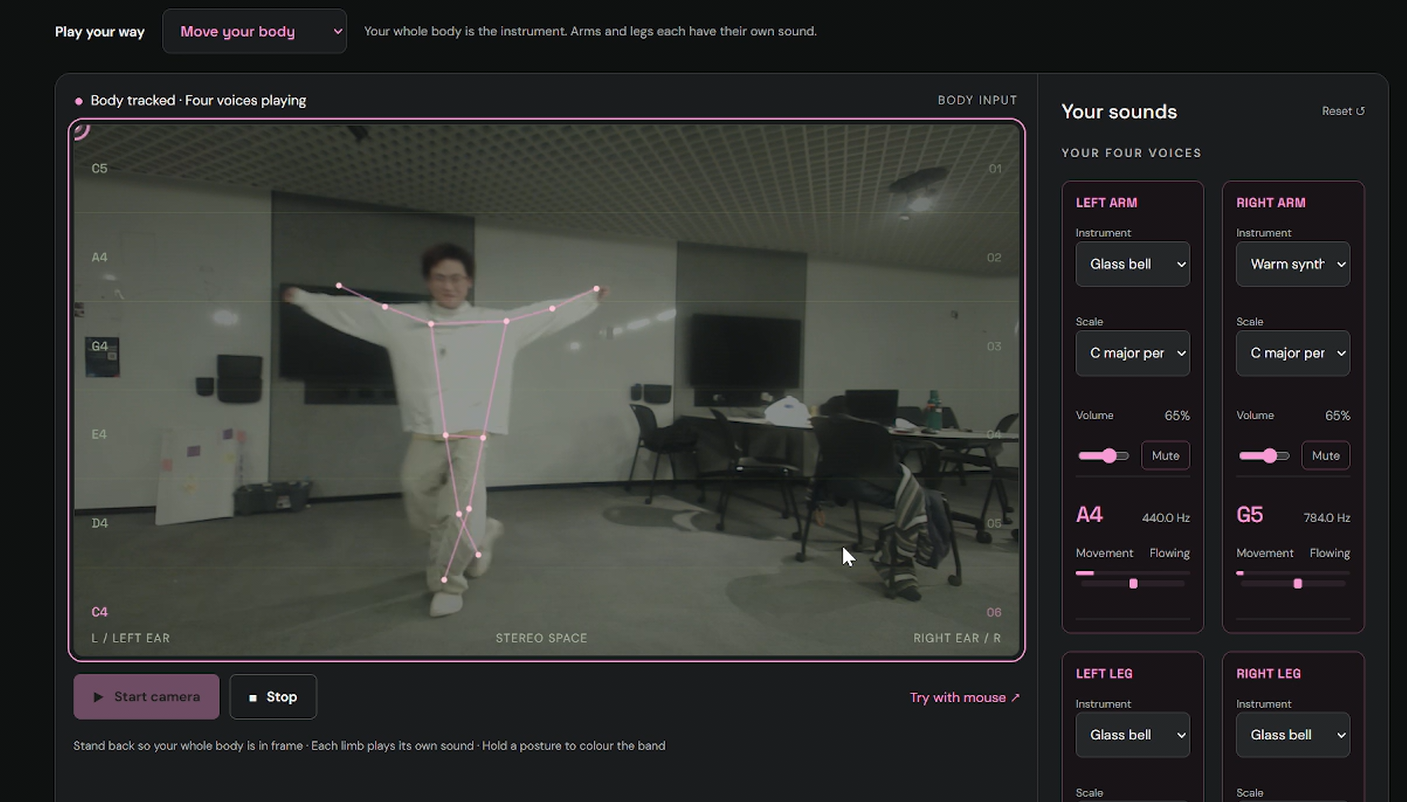
Dance Mode Move your body
Inspiration
Not everyone wants to invest time and money into buying an instrument. So how do you test whether you want to learn to play a musical instrument or see if music is something fun for you.
Muvesic maps physical space and movement to turn it into music. The MVP of this project aims to let beginners explore the world of music without investing time or effort. All they need is a laptop and webcam and they can map their hand/finger movements to produce the sound of different instruments.
What it does
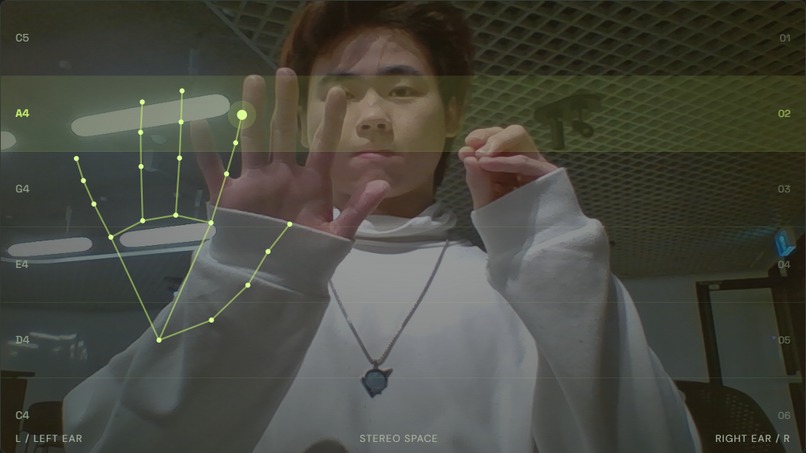
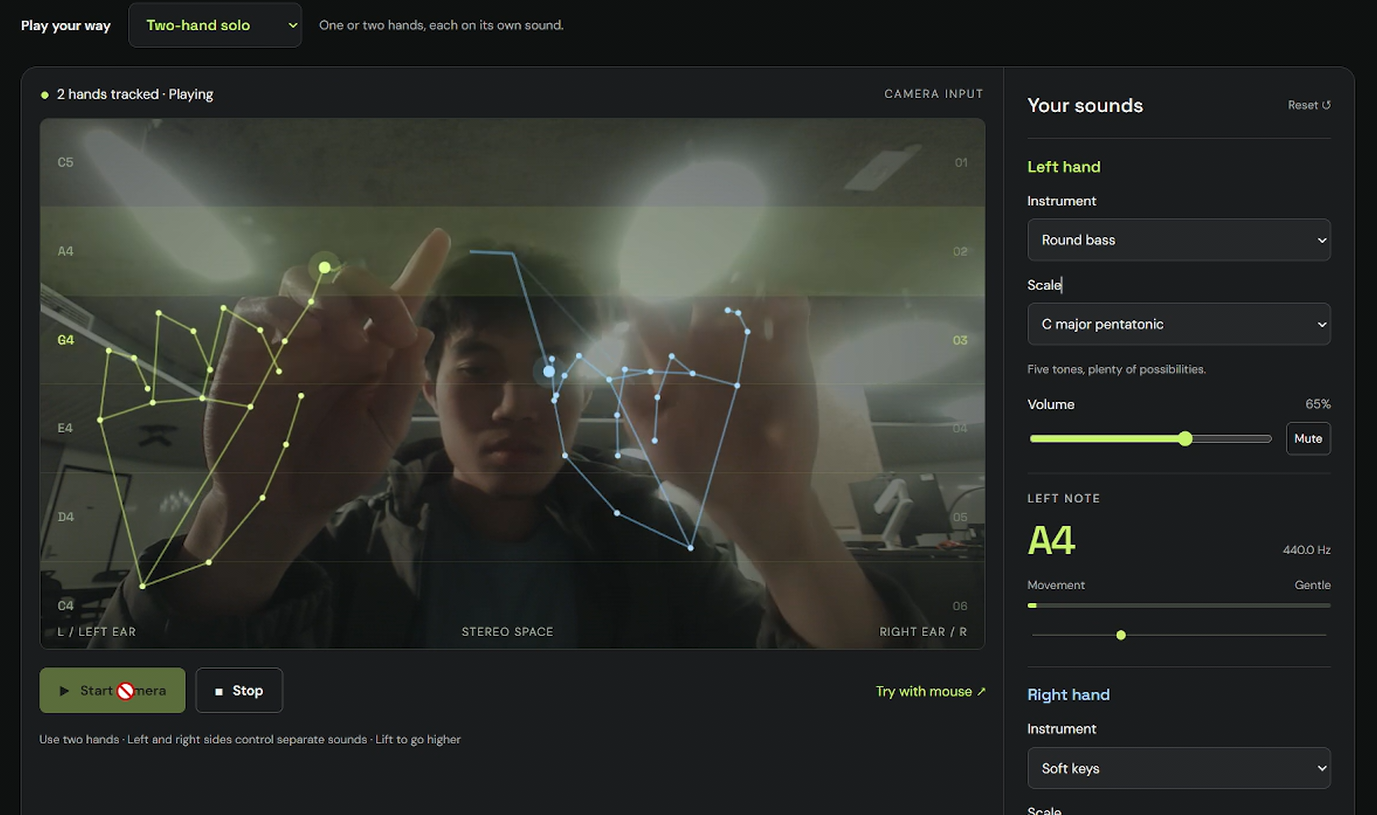
Muvesic turns hand movement into music. The webcam tracks your hands and fingers, then maps their position to musical notes on the screen.
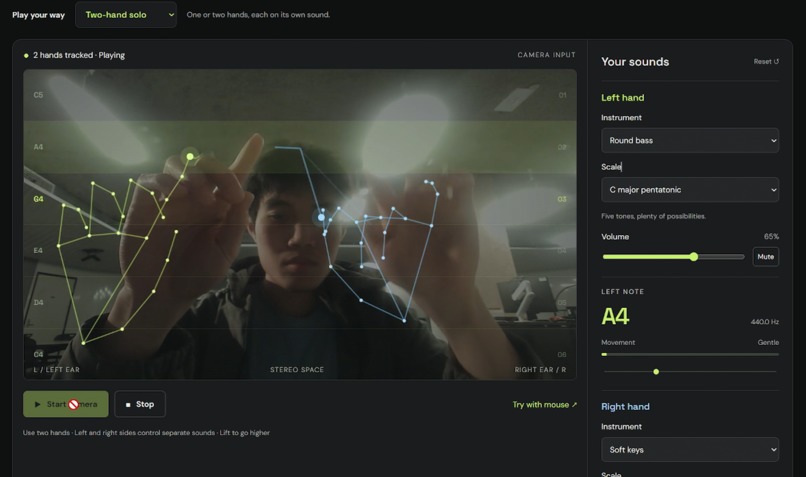
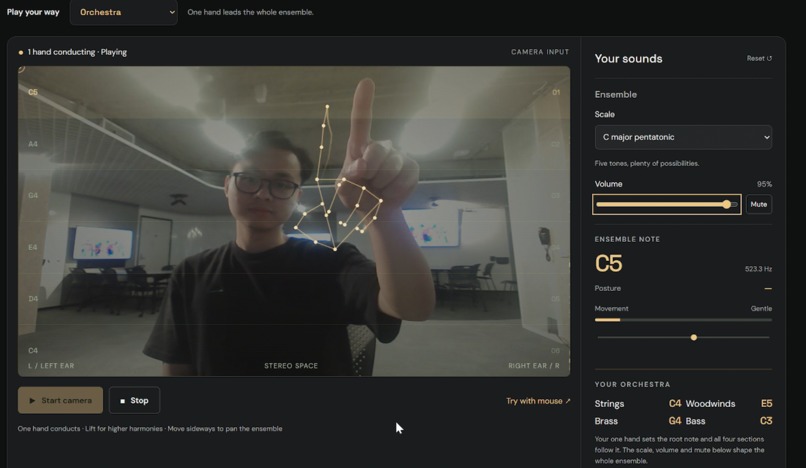
You can choose different instruments, such as soft keys, warm synth, glass bell, guitar, bass, and violin. In one-finger mode, only your index finger plays notes. In orchestra mode, you can conduct all instruments in a harmony way. In dance mode, the music will change based on your either slow or crazy movement.
When using two hands, each hand can control its own sound. If you close one hand, that hand stops playing, while the other hand can still keep making music.
How we built it
We built Muvesic as a browser-based web app using JavaScript, HTML, CSS, webcam hand tracking, and the Web Audio API.
The hand tracker detects fingertip positions, and our app maps those positions into note lanes. When a finger moves into a new lane, it triggers a sound instead of repeating the same note nonstop. We also added instrument selection, one or two hand or orchestra or dance modes, and gesture-based stopping when fingers close together.
Challenges we ran into
The biggest challenge was making hand control feel musical instead of noisy. If every small movement triggered a note, the sound quickly became messy.
We had to track fingers independently, prevent repeated triggers, and make sure multiple fingers in the same lane did not play the same note again and again.
Adding Dance Mode made this even more challenging. In this mode, the user is not just moving fingers carefully, but moving more freely with their whole body. We had to think about how to turn larger movements into music without making the sound messy or overwhelming.
Accomplishments that we're proud of
We are proud that Muvesic works with only a webcam and browser. Users do not need extra hardware or music experience to start experimenting. And we added multiple instruments and play modes to have fun.
We are also proud of adding Dance Mode because it made the project feel more energetic and creative. Instead of only “playing” music, users can move with the music and perform it. Most importantly, we created an approachable music experience that lets beginners explore sound through movement.
What we learned
We learned a lot about connecting webcam tracking with real-time audio. Tracking movement is one part, but turning that movement into something that feels musical is much harder.
We also learned how important interaction tuning is. Sensitivity, gesture detection, and timing can completely change the user experience. And we learned how to work efficiently within limited time.
This project helped us improve our JavaScript, audio programming, debugging, and teamwork skills.
What's next for Muvesic
In the next updates, we are aiming to add an additional feature where we guide users on how to play a song of their choice by playing a game of following pre-determined body gestures to make the perfect rythm.
Additionally, we also plan on adding a feature where we can create cool moves of dance combos for the uploaded song for users to vibe with.
Finally, we plan to let multiple users jam together with different instruments and create a fabulous musical and magical concert !
Built With
- canva-api
- chatgpt
- codex
- css3
- hand-landmarks
- html5
- javascript
- mediapipe
- node.js

