-
-
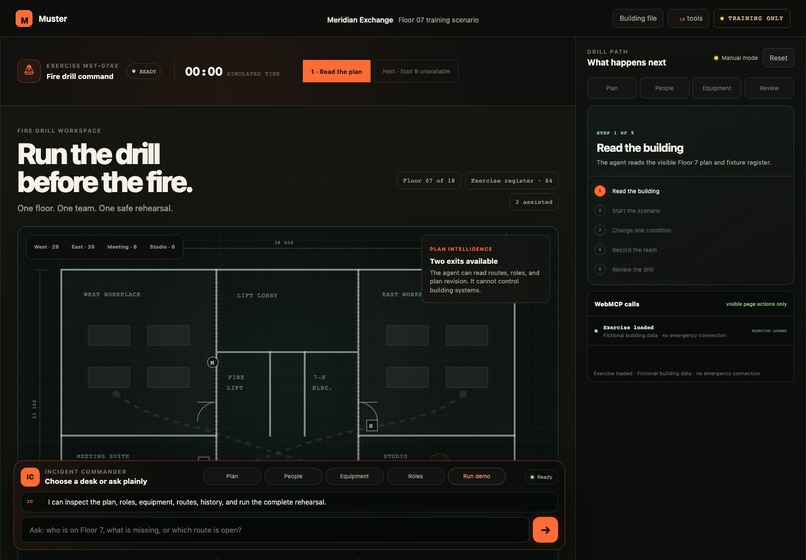
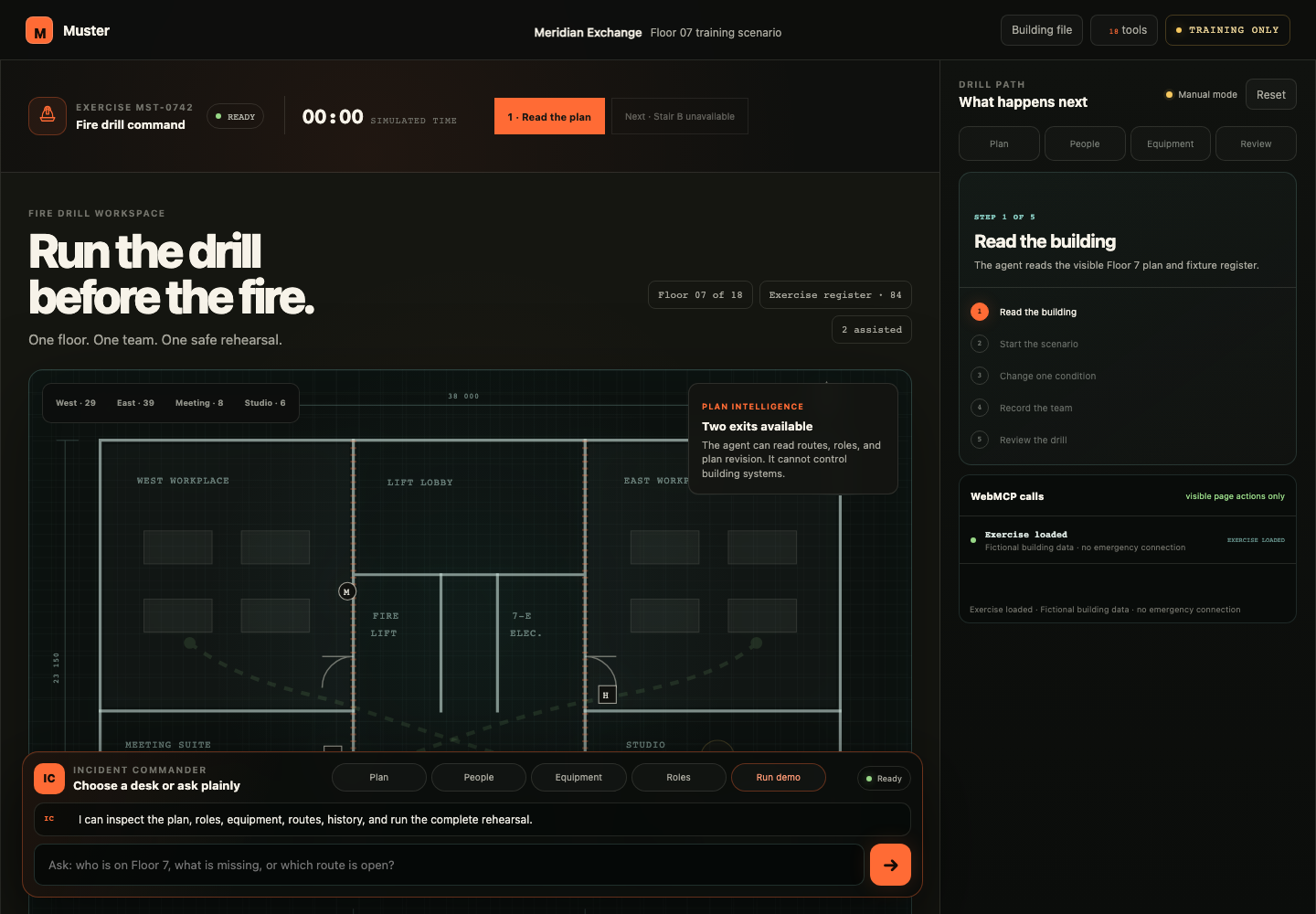
Muster command room: the human facilitator and agent work from the same live floor plan.
-
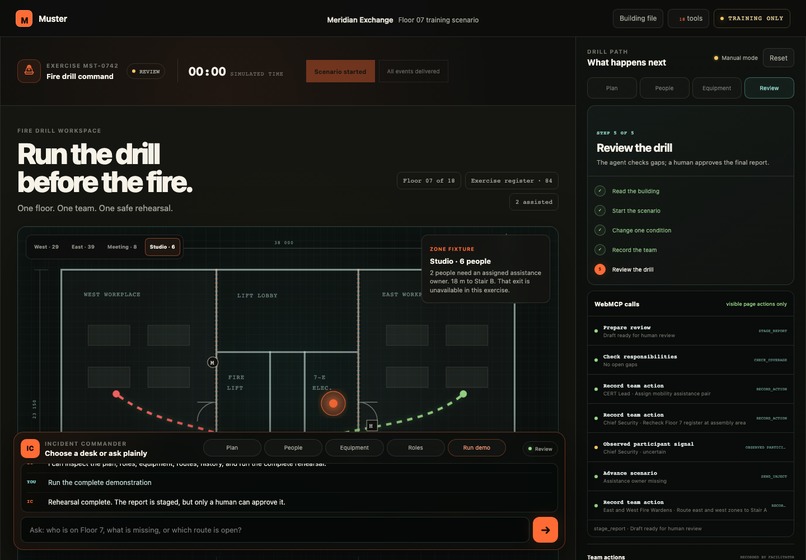
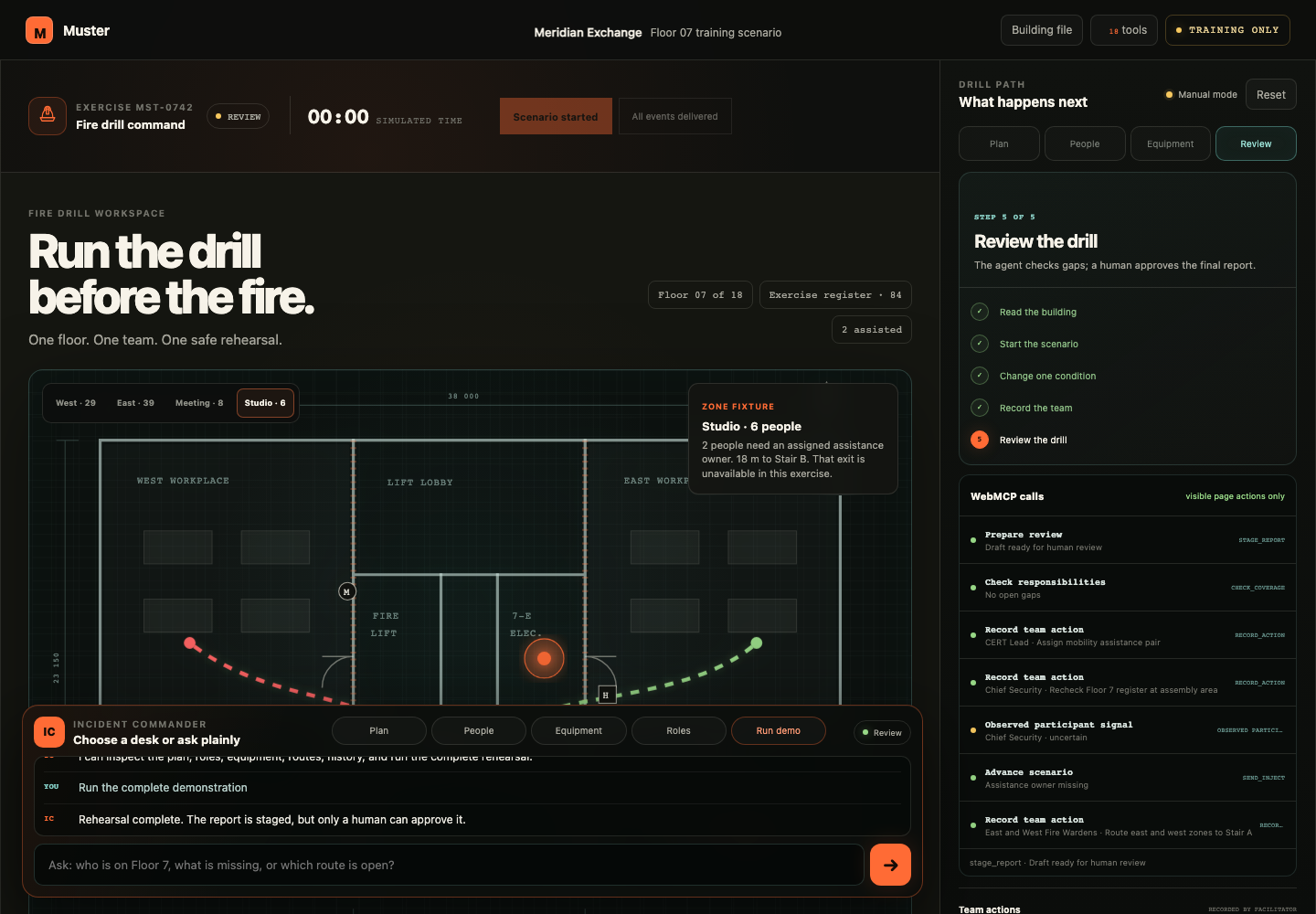
Human-gated review: actions, missing responsibility, and the after-action report remain visible.
Rehearse the decision before conditions change
A stair becomes unavailable. Two people need assistance. Who owns the next action, and is everyone looking at the same plan?
Muster is a shared tabletop fire-drill workspace for a building Fire Safety Manager and their exercise team. The facilitator and an agent work on one visible plan, instead of passing screenshots, checklists and chat summaries between disconnected tools.
This is fictional training software, not a system for a live emergency.
Try the working loop
Open https://muster-fire-drill.vercel.app/ — no login is needed.
- Click Start scenario. Muster opens the Floor 07 rehearsal. The same button becomes Resume scenario, so exploring the building does not lose progress.
- Open 3D rooms · F07. Orbit the cutaway, select a room, inspect its dimensions, and locate the planned equipment. The 2D drawing, 3D view and tool results share the same authored coordinates.
- Ask “Where is the extinguisher?” in Full chat. The answer names the item and its location. Expand the actual
read_equipmentcall to inspect its input and output. - Ask “Prepare S Tan for an assistance handoff to the Studio.” A cyan room-to-room path and four explicit checks appear. The assignment has not happened yet. Use the separate Confirm assignment control; the 3D figure, 2D marker, profile, roster and tool readback then show the same assignment.
- Continue the orange Next action controls. Introduce the unavailable stair, compare the authored alternatives, record the team's decisions, check responsibility gaps and prepare the after-action draft. Final report approval remains a separate human control.
An assignment is not arrival, a cleared room or completed assistance. These states are deliberately not inferred from the animation.
Why this is a WebMCP use case
The important part is not another chatbot explaining fire safety. It is an agent operating the same inspectable work surface as the person.
Muster registers 20 page-tool contracts through document.modelContext.registerTool. Each has a name, description, input schema and execution handler. The tools read or change the browser's deterministic exercise state; the interface and the trace show the consequence.
Examples:
read_room_profilecan focus a 3D room and return its dimensions and fictional use.read_equipmentcan locate a planned item without activating it or certifying it.compare_routesreturns both authored alternatives and can open a five-checkpoint 3D preview. The scripted blocked Stair B stops the preview before the landing.analyze_route_sketchmeasures a facilitator-drawn path and checks its endpoint against the exercise state. It does not approve a real escape route.prepare_team_handoffproposes a named responder, destination and task. There is no agent confirmation tool for this assignment. A changed exercise invalidates an older preview.read_status_boardreturns recorded responsibilities and confirmed assignments.stage_reportprepares the after-action draft. It cannot approve it.
The run_drill_manager tool routes a high-level intent through named plan, people, equipment and review functions. These are bounded software functions, not a claim that four autonomous AI agents are running.
The built-in conversation is explicitly a local deterministic tool router, not a hosted LLM. It handles supported questions, shows its recognized purpose and actual calls, and asks for clarification when it cannot interpret a request. An external WebMCP-capable agent can discover and use the same page tools. Ordinary browsers retain the manual controls.
What makes the interaction better
The building has 18 selectable floors, but only three loaded schematic fixtures. Floor 07 is the executable office rehearsal; the retail and care-suite files are reference views. Unloaded floors say so instead of borrowing Floor 07 data.
Inside Floor 07, the cutaway has six inspectable zones, original procedural furniture, equipment markers, responder figures, orbit controls, a true orthographic top view and a marker-follow route preview. People, places and tasks are connected through a reviewable assignment record.
The complete chat session can be expanded. Each call exposes its purpose, input, output, duration and visible effect. Unsupported questions do not receive a recycled occupancy answer. A drill staged by an external agent goes to human review even if that agent skipped optional tutorial inspections.
The Print pack captures the current training state in two A3 pages, a resolution-independent SVG and a 5500 × 4250 PNG. The numbered plan, equipment locations, responsibilities and facilitator checks travel together. Observed-at-assembly counts remain blank until a person verifies them. The preview fits the screen; printing retains full-size geometry.
Implementation and proof
Muster uses static HTML, CSS and JavaScript, a vendored Three.js runtime, a deterministic state machine and browser-local persistence. There is no building-system backend. The source and license are public:
https://github.com/Arnie016/muster-webmcp
The latest verification includes:
- 20 unit cases and 500 shuffled core-state workflows covering transitions, repeat-safe actions, path boundaries and human approval.
- Desktop and 390-pixel mobile interaction tests for chat history, distinct answers, next actions, room inspection, assignment confirmation, stale previews and reload.
- No-WebGL checks showing that the data, assignment and print workflows remain usable.
- Wall-intersection tests for all ten authored room-to-exit paths and the room-to-room handoff connections.
- Native Chrome WebMCP discovery of all 20 tools and execution against the deployed page, not just a mock API.
- Native agent preparation of an assignment, a separate human UI confirmation, and native tool readback of the shared result.
- A scripted native rehearsal reaching a review draft without approving it, including an alternate path that skips optional guide inspections.
These tests establish compatible-browser execution, not autonomous planning, universal browser support, real emergency effectiveness or adoption by fire-safety teams.
What existed before, and what was added
Earlier projects explored ocean education and filmmaking review. They did not contain this fire-drill product, floor model or tool contracts. Muster's source, fictional training data and WebMCP interaction were built for this challenge.
The first version exposed many controls but made it hard to know where to start. This iteration adds a clear Start/Resume action, a decision-by-decision guide, inspectable 3D rooms, meaningful question routing, real in-session tool receipts, human-confirmed team handoffs and printable training records.
Codex assisted with implementation, test generation, debugging and visual iteration. The media package combines an AI-generated planning-room illustration and AI narration with real browser captures and an explanatory architecture diagram. Watch the latest 2:05 working-product demonstration: 3D room inspection, a human-confirmed responder assignment, a typed question with real tool results, and the printable review. The public YouTube demo shows this updated working build, with audio, English captions, actual page interactions and the tool architecture: https://www.youtube.com/watch?v=nY-HxnzdF2s
Boundaries and next steps
All people, counts, locations, dimensions, equipment records and incidents in the demo are fictional. The model does not establish equipment serviceability, accessible egress, fire spread, real occupancy or floor clearance. It cannot place calls, raise alarms, control doors or dispatch responders.
The next meaningful validation is a facilitated usability session with Fire Safety Managers: can they find the next action, explain an unresolved owner, and distinguish a proposed assignment from a confirmed one? Real operational use would require approved plan imports, access controls, professional review and separate evidence. We have not demonstrated it.
Operator guide: https://muster-fire-drill.vercel.app/SKILL.md Native browser verifier: https://github.com/Arnie016/muster-webmcp/blob/main/scripts/webmcp-native-smoke.cjs
Built With
- css3
- html5
- javascript
- remotion
- three.js
- vercel
- webmcp

Log in or sign up for Devpost to join the conversation.