Inspiration
I recently started taking a lot of interest in music production. I found the whole process quite difficult to understand as someone with no previous music knowledge. Concepts of chord progression and music theory alone are intimidating and complex to begin with, adding on learning different instruments and that would be enough to stop anyone from learning. Taking those personal experiences, I decided to make MusicCraft, for anyone trying to learning music production from the very beginning like me.
What it does
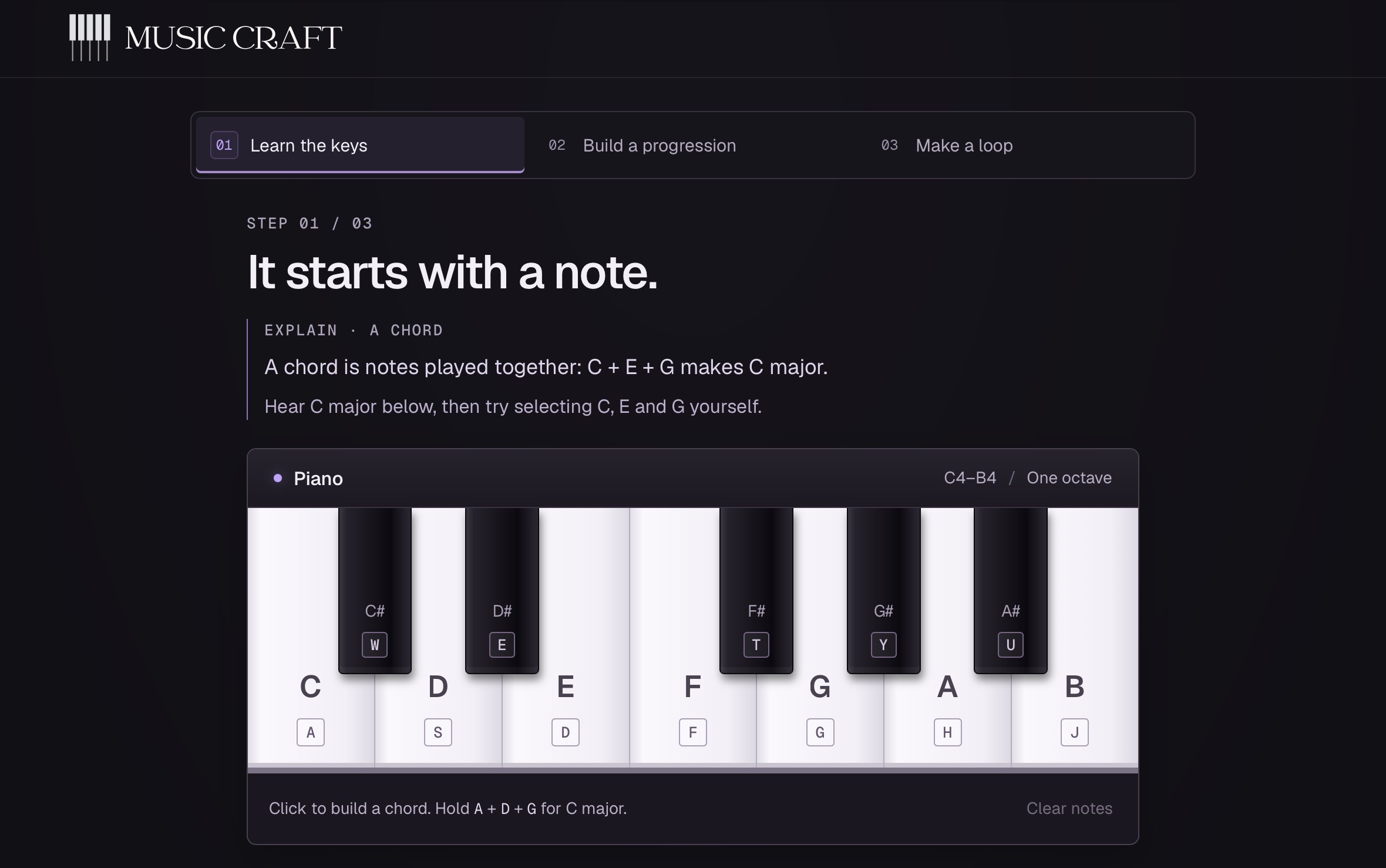
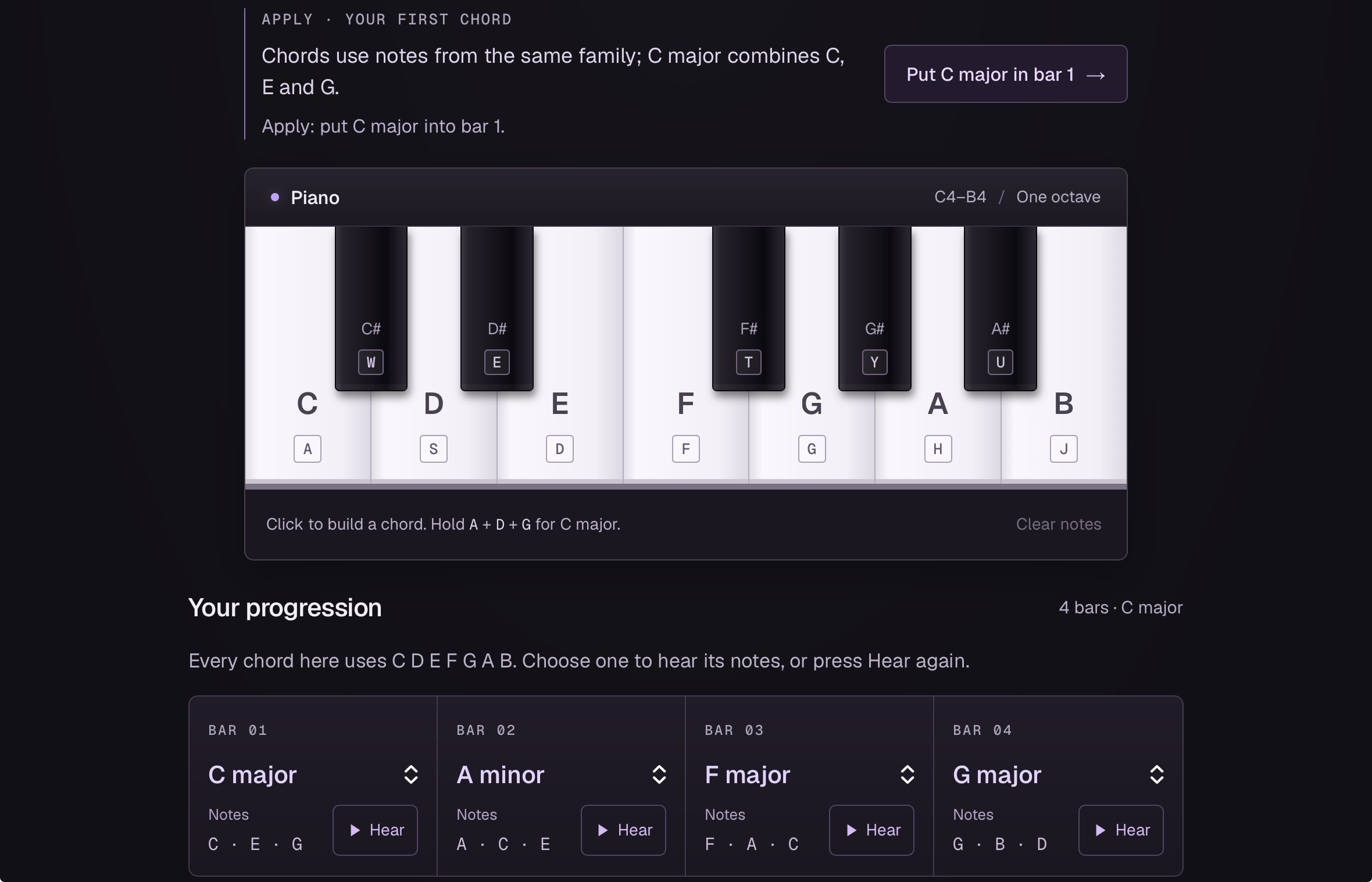
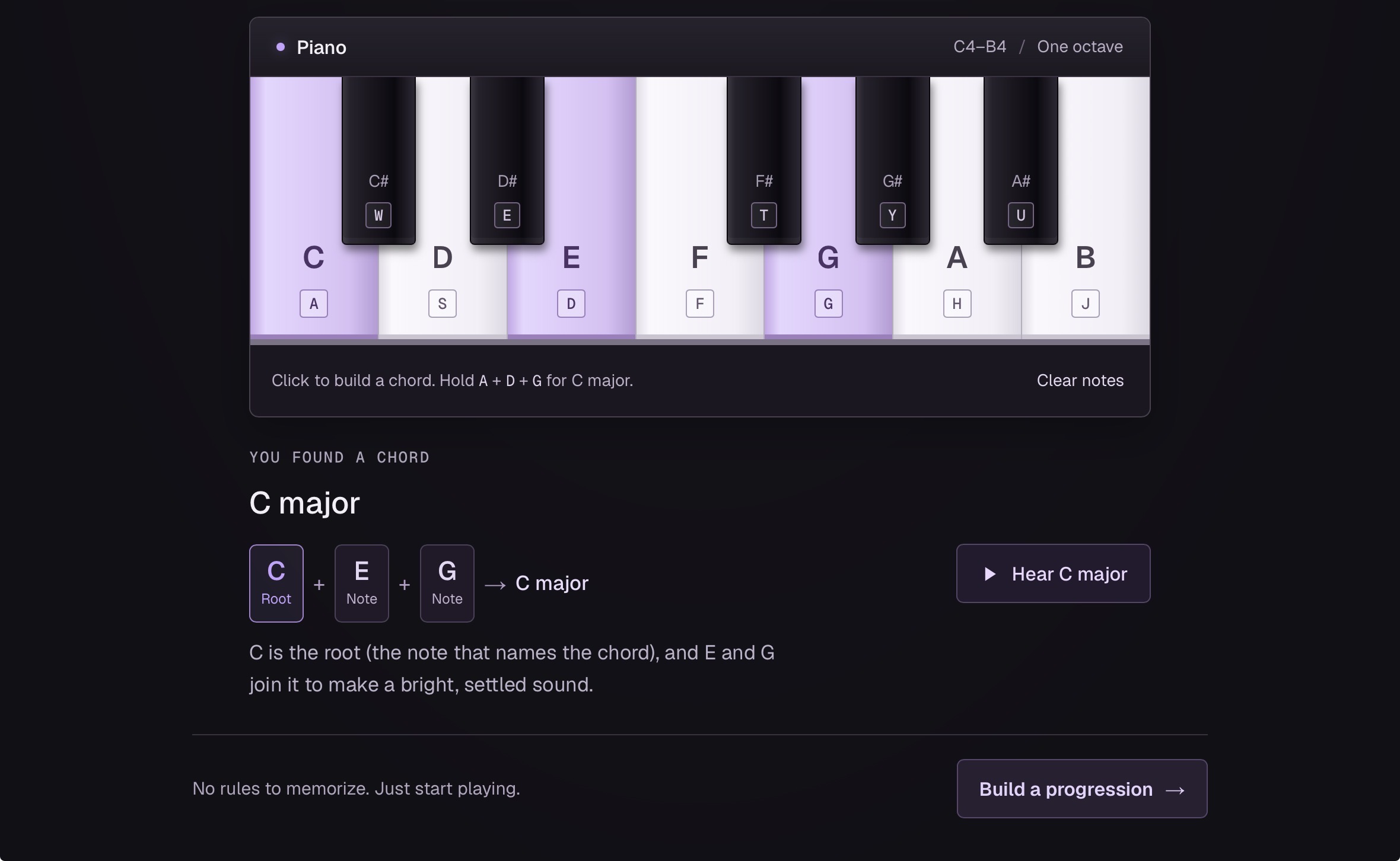
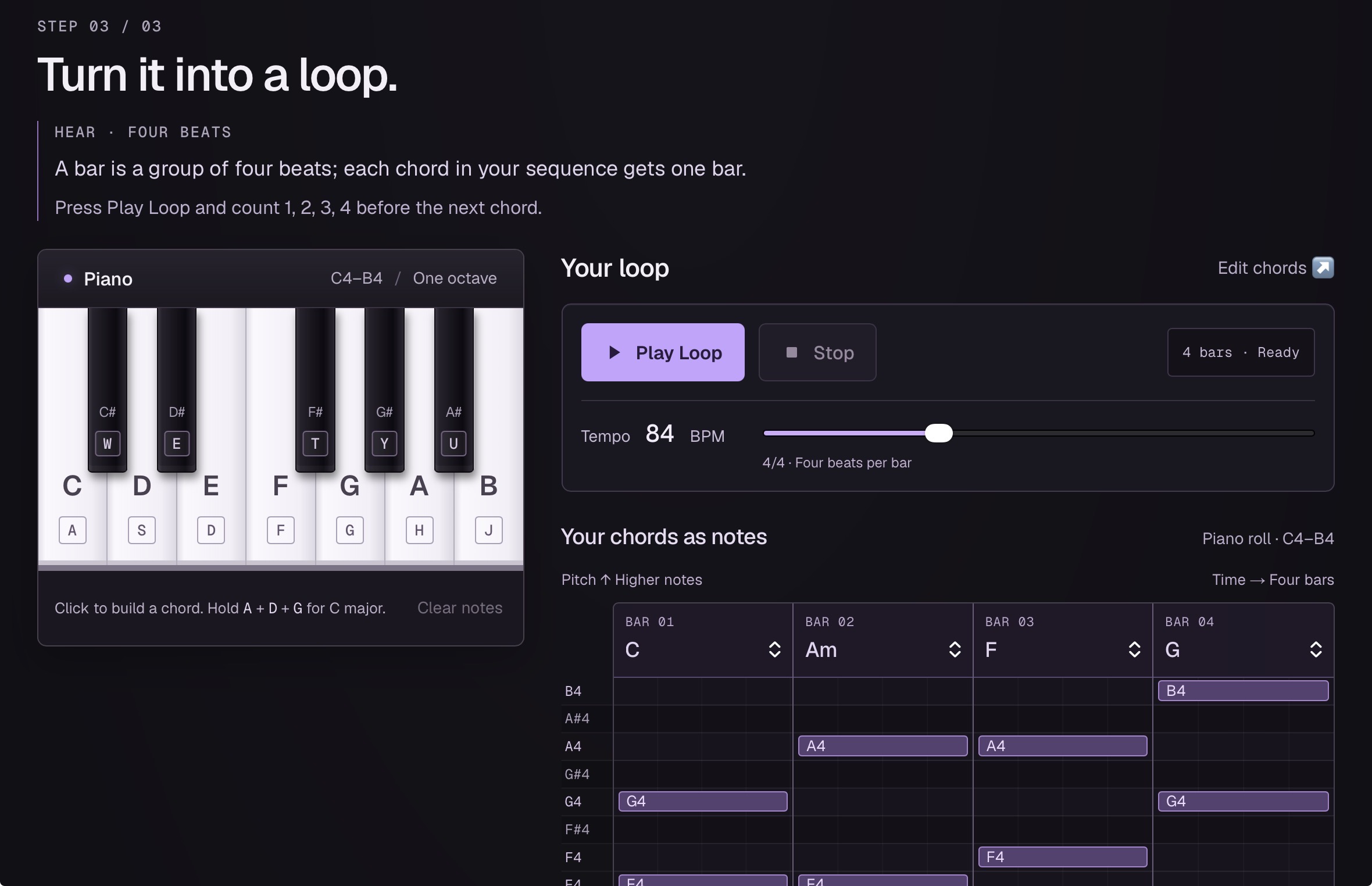
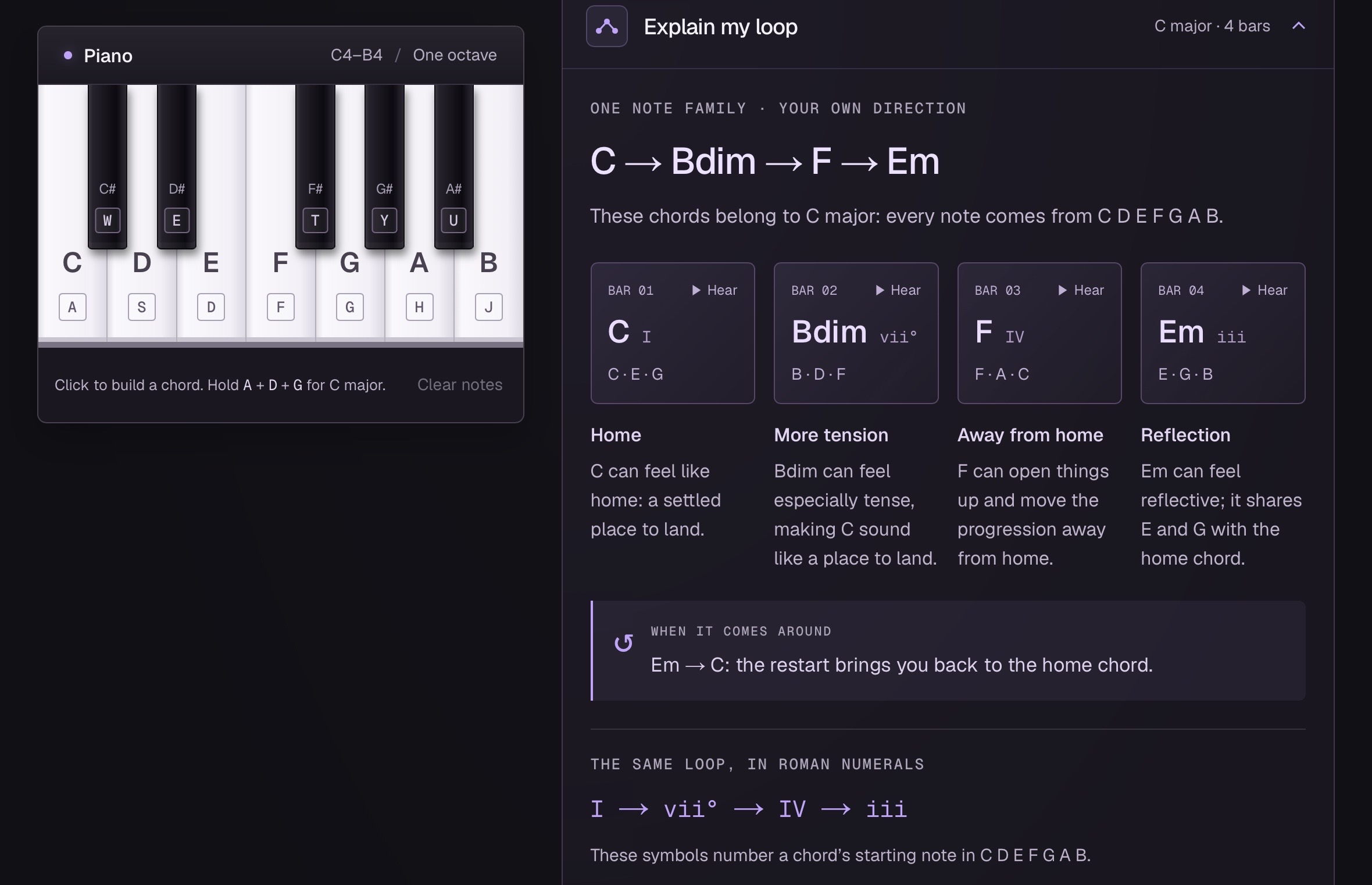
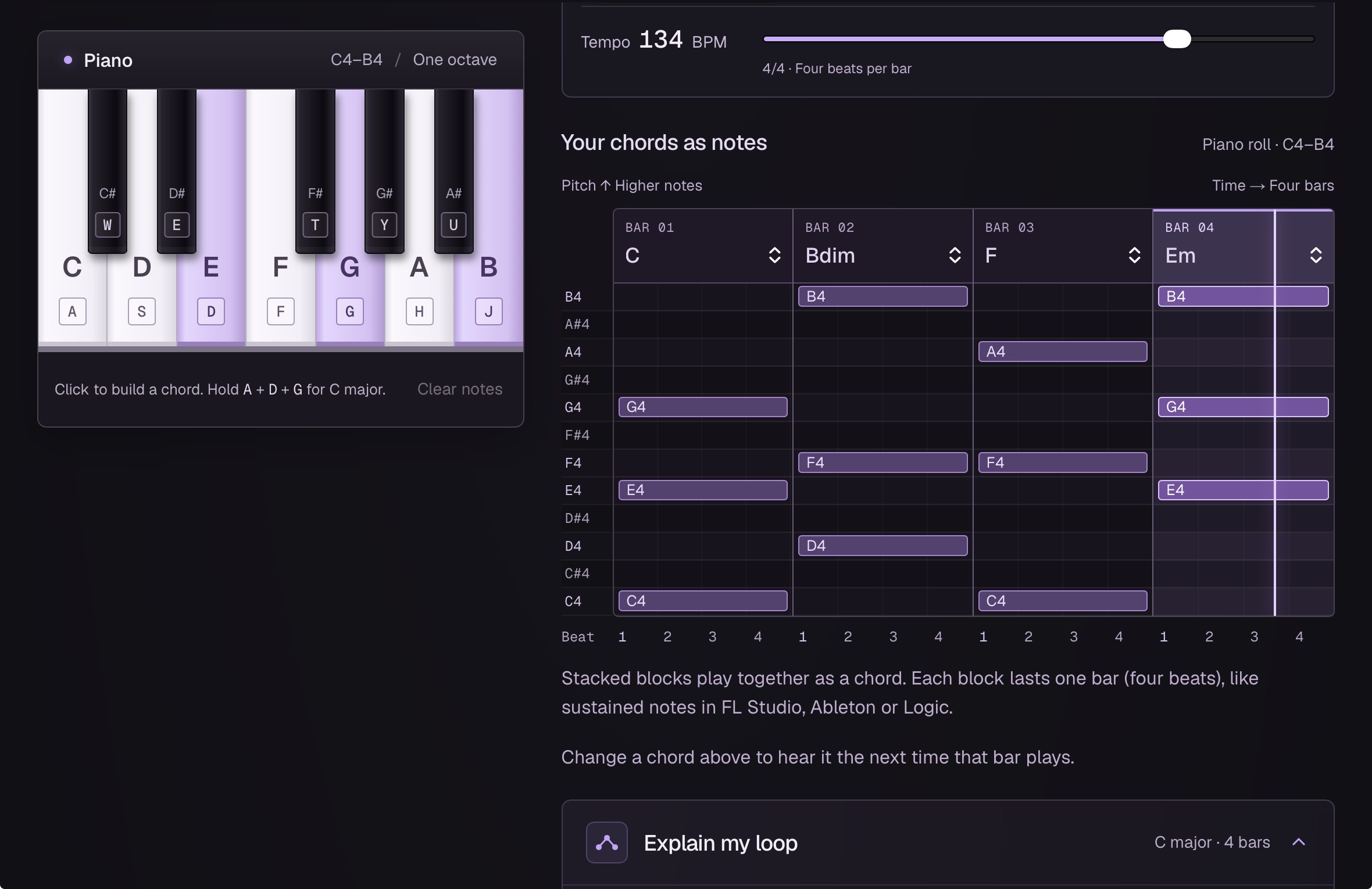
The web-app gives you access to a piano limited to a single octave. Limiting to a single octave helps the learner to focus more on learning where each note is without the overwhelming presence of a whole piano. There are prompts asking the user to play certain keys which eventually is explained as a chord. MusicCraft follows the process of learning, trying, explaining and trying again. Step 1 itself encourages user to try find more chords before entering step 2 which discusses about chord progression and why some specific chords with other chords. Music is best conveyed as emotions and this app takes the same approach. Step 3 is asking user to freestyle and enjoy learning using a loop. User can choose 4 chords to loop however they want and at any tempo they want, this helps them understand how a melody is produced. These are the basics of music theory and music production, and the app teaches you these fundamentals in a practical method instead of just theoretic. It also has the standard MIDI visualizer which helps the user learn the MIDI system and apply it in music production softwares like FL Studio, Logic Pro and Ableton.
How we built it
I built MusicCraft as a web-app using Next.js, React, TypeScript and Tailwind CSS. It is hosted on Vercel. React handles all the interactive parts of the page, from buttons to the piano, while Tailwind handles the styling and responsive layout. The app doesn’t have an intense back-end, it is mostly client-side. There are no account system or databases involved. When the user clicks a piano key, the app stores that note in its current state and uses browser audio to play the correct pitch. Each musical note can be represented by a MIDI note number, this makes it easy to convert a note such as C, A, or G into the correct pitch. For chord recognition, the app looks at the notes the user has selected and compares the distance between those notes against the known chord patterns. The looping system takes the selected BPM and calculates how long each beat and bar should last. In our model, one bar contains fours beats. For example, at 120 BPM the math would be the following: 1 beat = 0.5 seconds 1 bar = 4 beats 1 bar = 2 seconds.
Challenges we ran into
Since this was my first ever solo hackathon, I had to learn and implement React, which I had previously never used. React fit the interactive piano much better so it was the best option. I spent a lot of time learning fixing errors made on my part. Another big challenge was the piano audio. Originally, I was trying to use pre-recorded piano note sounds but they would have a lot of delay and inconsistency, after some research I was able to switch to using waveforms to represent sounds as vibrations and with the addition of harmonics, it became a synthesized piano note. This route was very touch to find and work on but made the whole app a lot better.
Accomplishments that we're proud of
I am really proud of achieving a successful version of piano note sounds using waveforms, harmonics and envelope. This was the hardest challenge faced but also had the most fruitful reward. This also allows me to add more instruments in the future and recreate their audio was waveforms too. I am also very proud of the UI and overall design of the web-app. I think it has a simple design which is key for beginners to not be overwhelmed but has these key features like “Explain my loop”, sticky css with the piano, clean text and intuitive playback capability.
What we learned
I learned that as a solo hacker, you really need to manage time well. Having an ambitious idea shouldn’t be the stopping point, but not planning it out well or procrastinating is most definitely the end point. Along with that, learning new mechanisms and features like Next.js and waveforms, it has given me more ideas and has upgraded my capability of doing better in the future.
What's next for MusicCraft
I would like to add more instruments to the web-app, I think every individual should have the option to learn whatever instrument they prefer, from my research, a lot of the music theory aspects do remain the same. I would like to add a feature where in the final loop, they would need to use their newly acquired skills to make an actual production with more than two instruments. I would also like to add an AI aspect to this project. Right now, Music Craft guides everyone through fundamentals provided. The next step would be integration with AI and making it adaptive learning. With this integration, it would track the notes being played, the chords being learnt and the aspects where the user struggles, all of these would help it build a bigger picture and recommend the user what they should learn next, without actually requiring any direct communication like an AI chatbot.
Built With
- css
- javascript
- next.js
- react
- tailwind
- typescript
- vercel


Log in or sign up for Devpost to join the conversation.