-
-
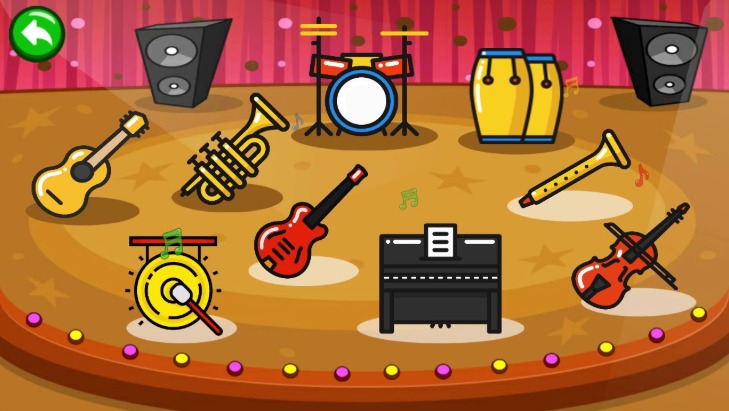
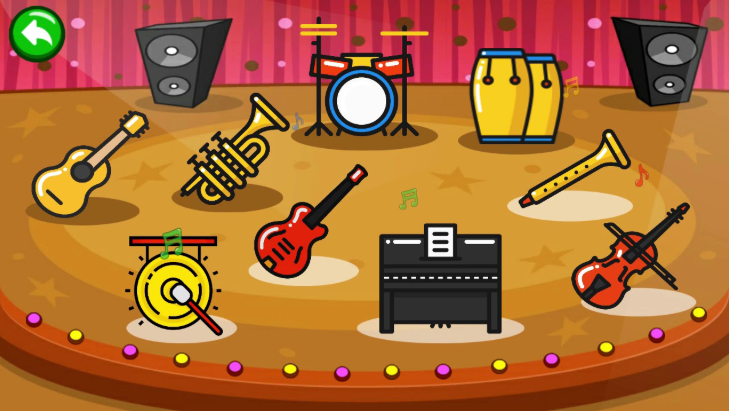
musical instrument
About the Interactive Music Website Project Inspiration The idea for this interactive music website was sparked by a passion for music and a desire to make it accessible to everyone, regardless of their musical background. Growing up, I was fascinated by how instruments could evoke emotions, but learning them often felt intimidating. I wanted to create a platform where anyone could pick up a virtual instrument and play instantly, wrapped in a visually captivating experience. The colorful UI was inspired by synesthesia, where music and colors intertwine, aiming to make every note a vibrant, multisensory moment. This project is about breaking barriers to creativity and inviting users to explore music in a fun, finger-friendly way. What I Learned Building this project was a deep dive into web development and audio processing, teaching me valuable technical and creative skills:
Web Audio API: I learned how to manipulate audio in real-time using JavaScript’s Web Audio API, handling note playback, volume control, and low-latency sound generation. React and Component Design: Creating reusable React components for each instrument’s interface improved my understanding of state management and modular UI development. Tailwind CSS: I mastered Tailwind’s utility-first approach to craft a responsive, colorful design efficiently, balancing aesthetics with accessibility. Animations: Implementing animations with CSS transitions and Framer Motion taught me how to enhance UX without sacrificing performance. Accessibility: I gained insights into WCAG 2.1 standards, ensuring high-contrast colors and keyboard navigation for inclusivity. Project Planning: Writing the SRS honed my ability to define clear requirements and prioritize features, bridging the gap between vision and execution.
Beyond technical skills, I learned the importance of user-centered design, iterating based on imagined user feedback to make the interface intuitive and engaging. How I Built the Project The project was built as a single-page web application using modern web technologies, with a focus on a colorful, interactive UI. Here’s how it came together:
Planning and Design:
Drafted the SRS to outline features, UI requirements, and technical constraints. Created mockups for the instrument selection screen and individual instrument interfaces, emphasizing vibrant gradients and animations. Chose a color palette with pastel and neon tones (e.g., #FF6B6B, #4ECDC4) to evoke energy and creativity.
Frontend Development:
Used React (via CDN) to build dynamic components for instrument selection, play interfaces, and sound controls. Styled with Tailwind CSS for responsive layouts and rapid prototyping, ensuring the app worked on desktops and mobile devices. Added animations using Framer Motion for hover effects, key highlights, and particle bursts when notes were played.
Audio Implementation:
Integrated Web Audio API to handle audio playback, mapping mouse clicks or touch inputs to specific instrument sounds. Sourced high-quality audio samples (e.g., WAV files) for piano, guitar, drums, violin, and flute, covering a range of notes. Implemented volume control with a gradient-filled slider and a mute/unmute button.
Testing and Refinement:
Tested audio latency to ensure responsiveness (<50ms delay). Validated cross-device compatibility using browser dev tools for iPhone, iPad, and desktop screens. Ensured animations ran at 60 FPS and colors met accessibility standards.
The result is a browser-based app where users can select from five instruments, play them with clicks or taps, and enjoy a visually rich experience with smooth transitions and real-time feedback. Challenges Faced Building this project wasn’t without hurdles, but each challenge was a chance to grow:
Audio Latency: Early versions had noticeable delays in sound playback, especially on mobile devices. I optimized by preloading audio samples and fine-tuning Web Audio API settings, achieving a responsive feel. Balancing Visuals and Performance: The colorful animations initially caused lag on lower-end devices. I simplified some particle effects and used CSS transitions over JavaScript where possible to maintain 60 FPS. Responsive Design: Ensuring the instrument interfaces (e.g., piano keys, drum pads) were usable on small screens was tricky. I used Tailwind’s responsive classes and touch-optimized controls to address this. Accessibility: Meeting WCAG standards required rethinking color choices and adding keyboard navigation, which was time-consuming but critical for inclusivity. Instrument Variety: Simulating realistic sounds for diverse instruments like violin (sustained notes) versus drums (short hits) required different audio handling logic, which I solved by customizing Web Audio API nodes for each instrument.
These challenges pushed me to research, iterate, and think creatively, resulting in a more polished and robust application. Conclusion This interactive music website is a celebration of creativity, blending music, color, and technology to create a joyful experience. From ideation to execution, the journey taught me how to marry technical precision with artistic flair. I’m proud of the vibrant UI, intuitive gameplay, and the potential it has to spark musical curiosity in users. Moving forward, I’d love to add more instruments, record functionality, and even a collaborative mode for users to jam together. This project is just the beginning of exploring how technology can make music accessible and fun for all.
Built With
- css
- html
- jason
- javascript
- ts
- tsx

Log in or sign up for Devpost to join the conversation.