-
-
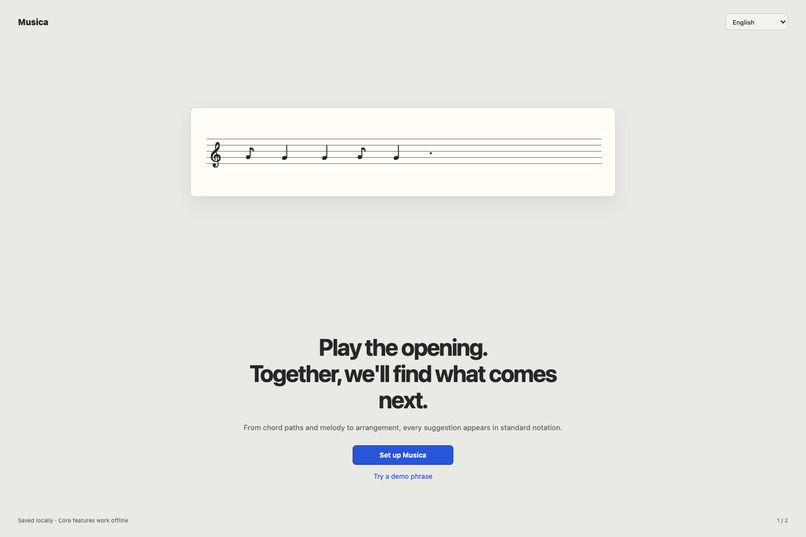
1. welcome
-
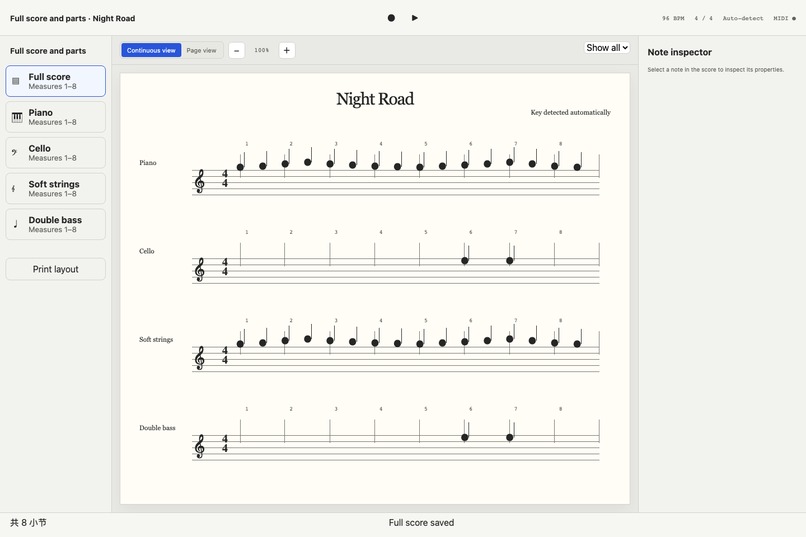
7. full-score
-
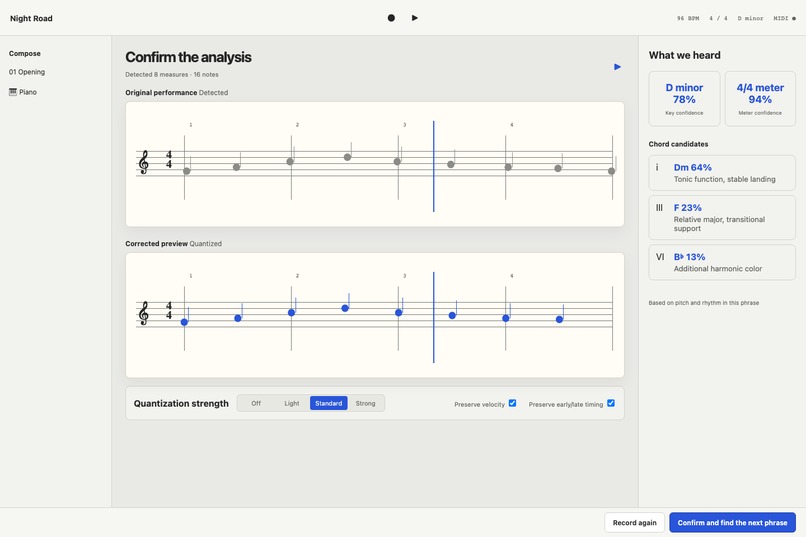
3. analysis
-
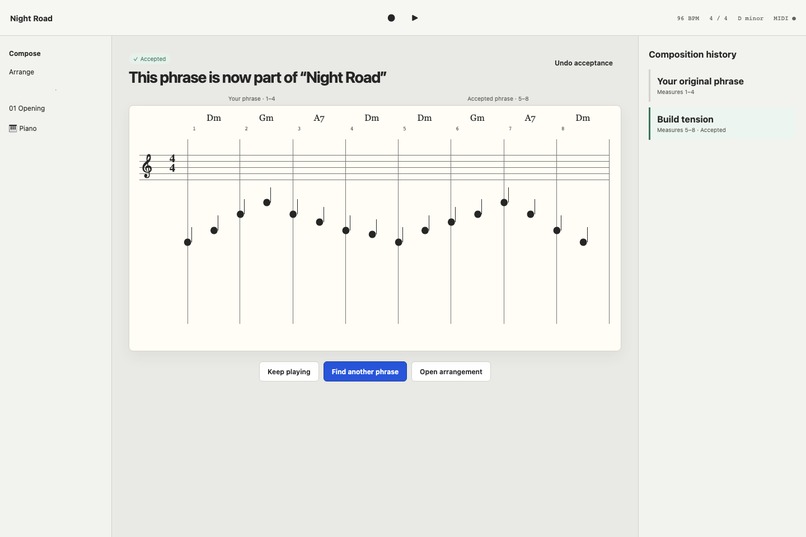
5. accepted-phrase
-
2. live-midi
-
6. arrangement
-
8. export
-
4. next-chord
Inspiration
I can play the piano, but composing has always felt like a different language. When I improvise a promising opening, the hardest question is not “How can I make a variation?” It is “What should I play next?”—especially which chord should come next and how a melody can naturally continue over it.
Traditional composition study is valuable, but it takes time before theory becomes instinctive. Note-letter recipes and emotion-to-chord charts create another translation step between an idea and the keyboard. I wanted a tool that meets pianists where they already think: through touch, sound, and standard notation.
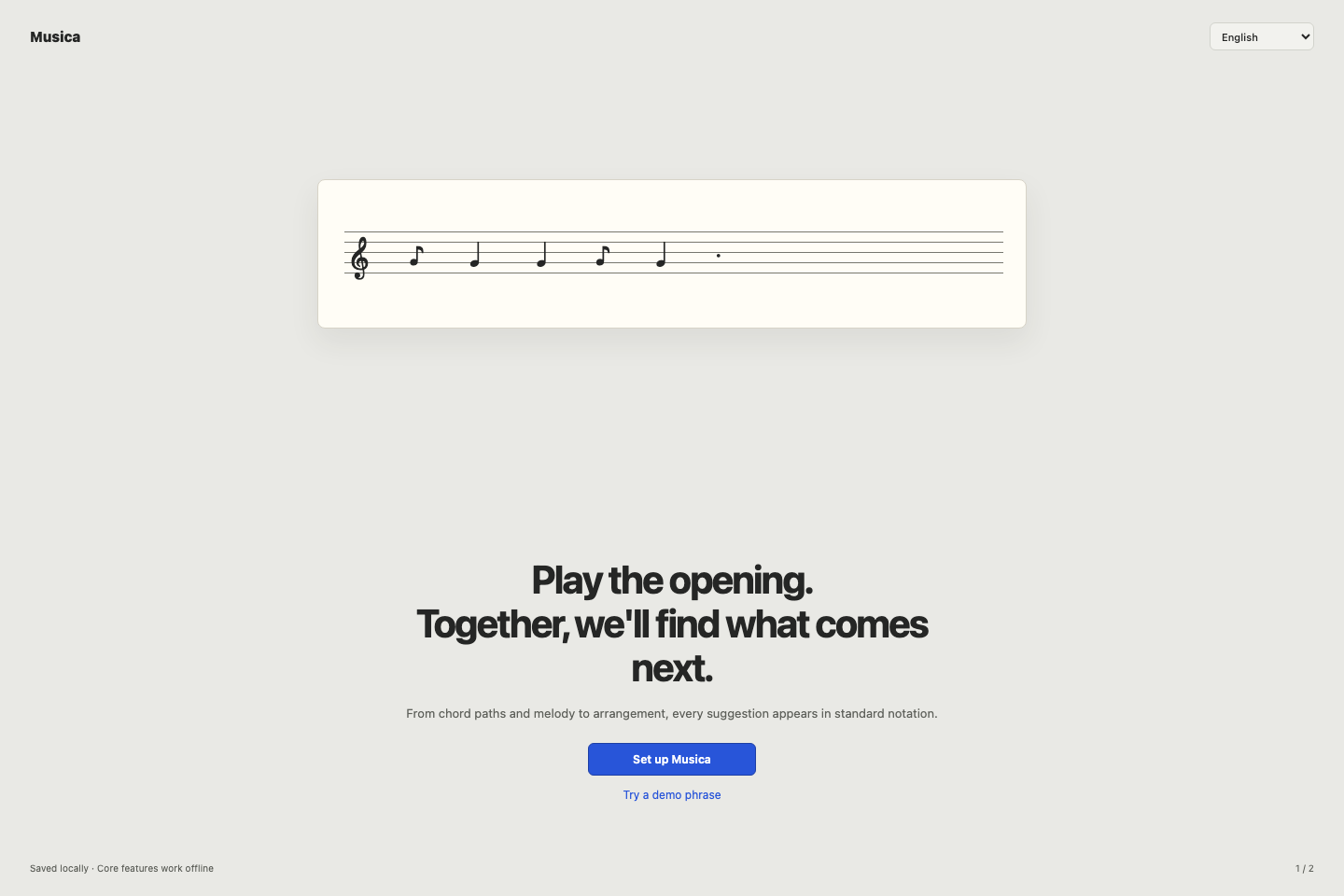
That became Musica: a macOS composition copilot that listens to the beginning of a phrase, writes it as a score, and proposes understandable ways forward.
What it does
Musica turns a short performance into an editable composition workflow:
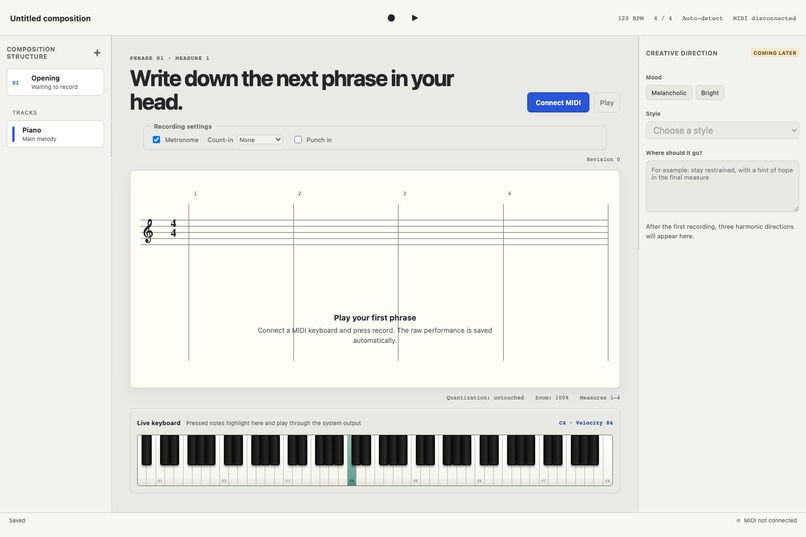
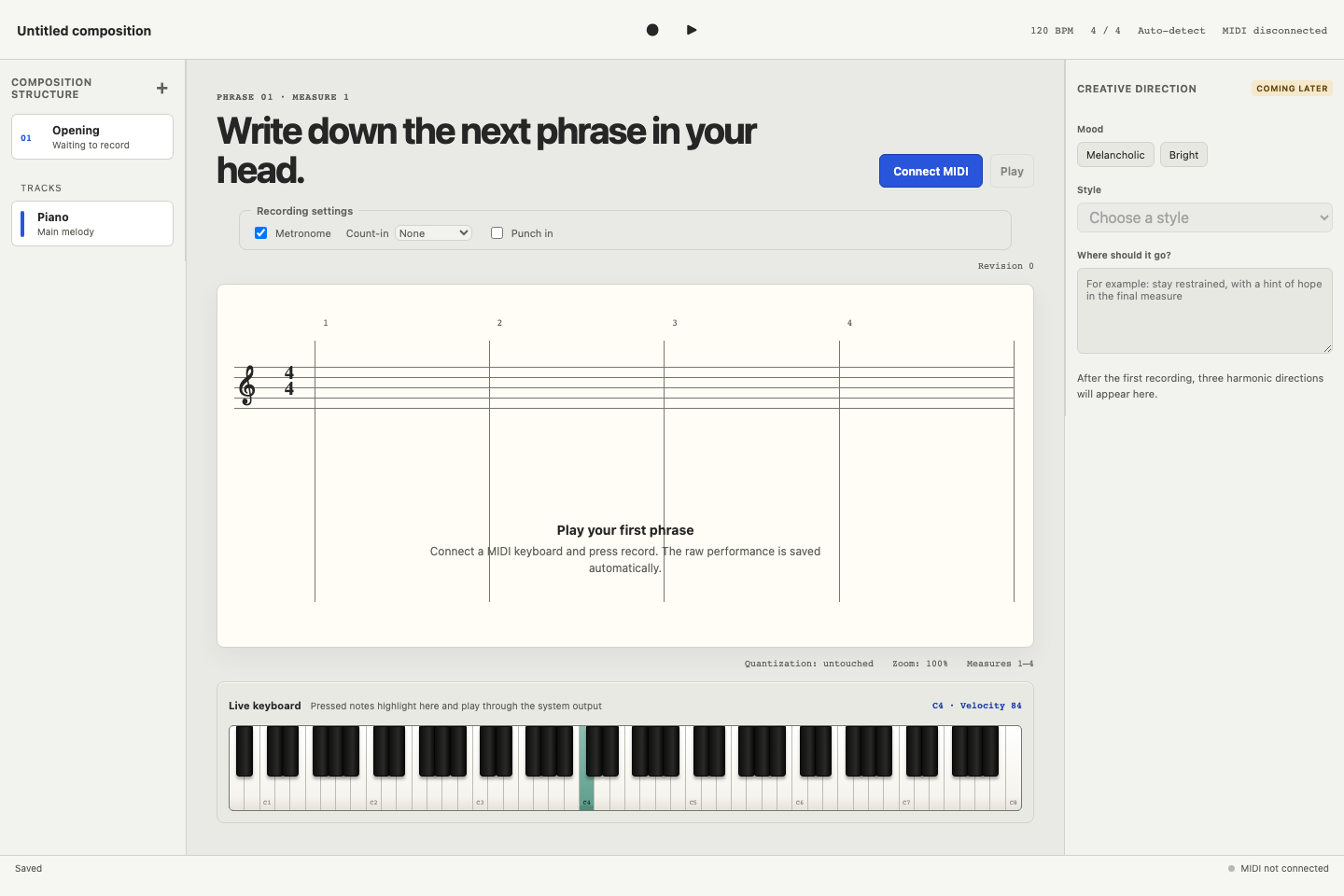
- Connect a MIDI keyboard and play an opening phrase. Musica captures note on/off events, velocity, timing, and sustain pedal data while showing a live 88-key keyboard and low-latency monitoring.
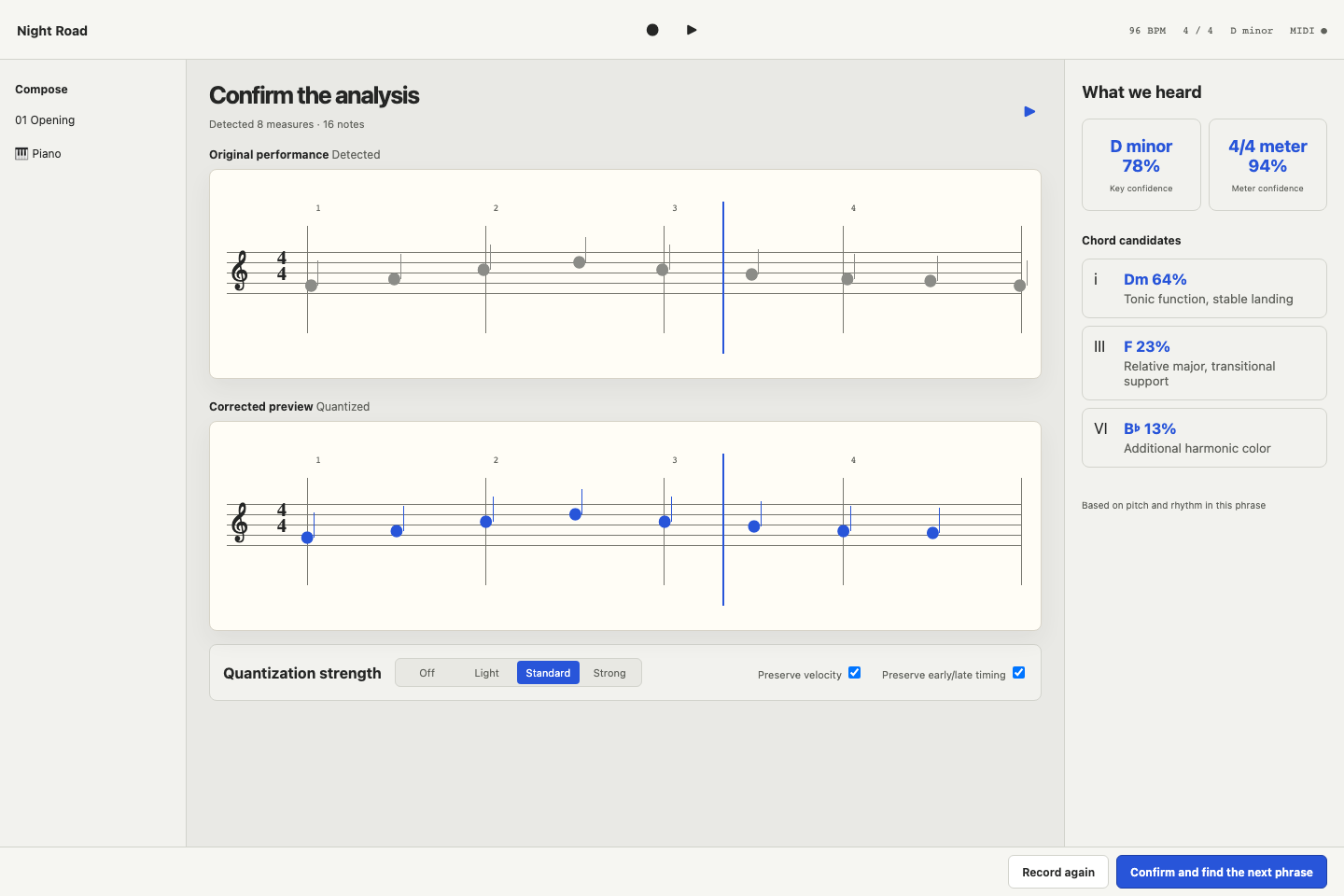
- Review the phrase as standard staff notation. Musica keeps the raw performance and creates a separately quantized version, so cleaning up the score does not erase the original timing.
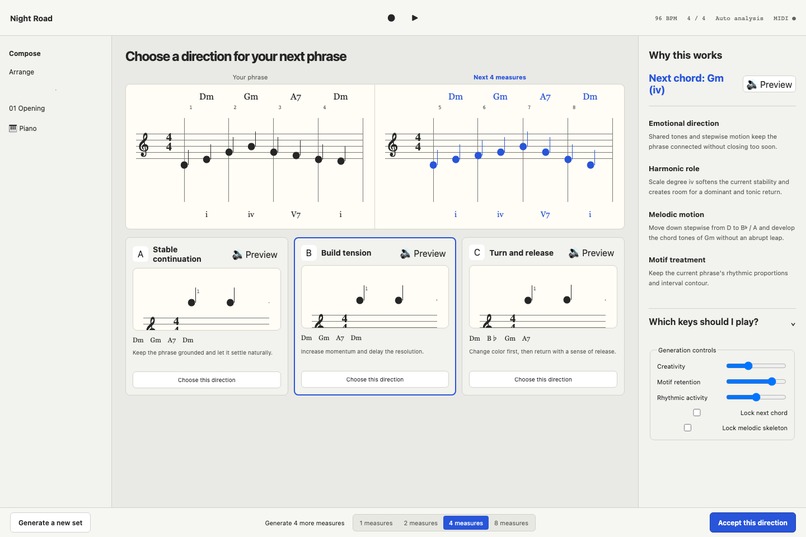
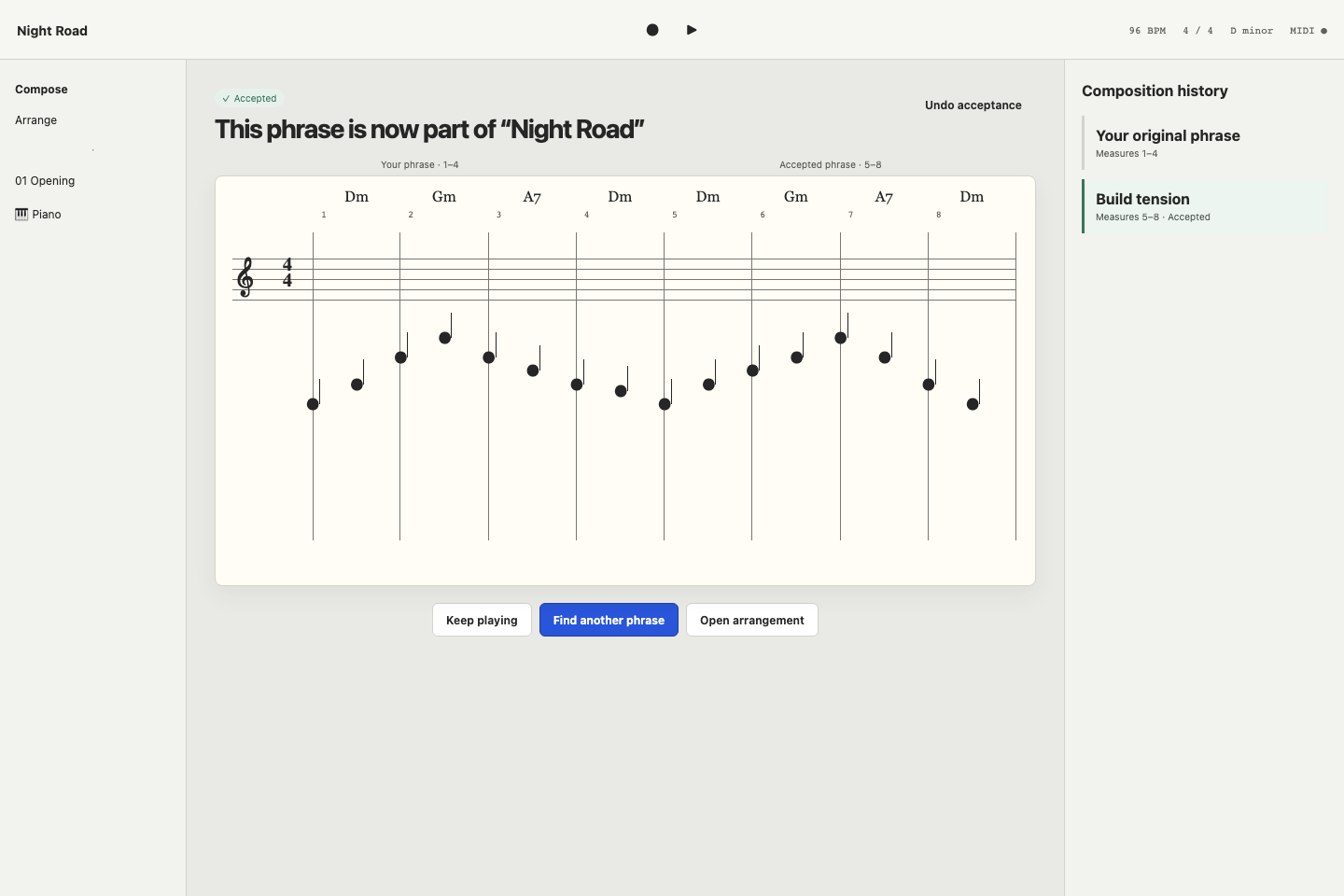
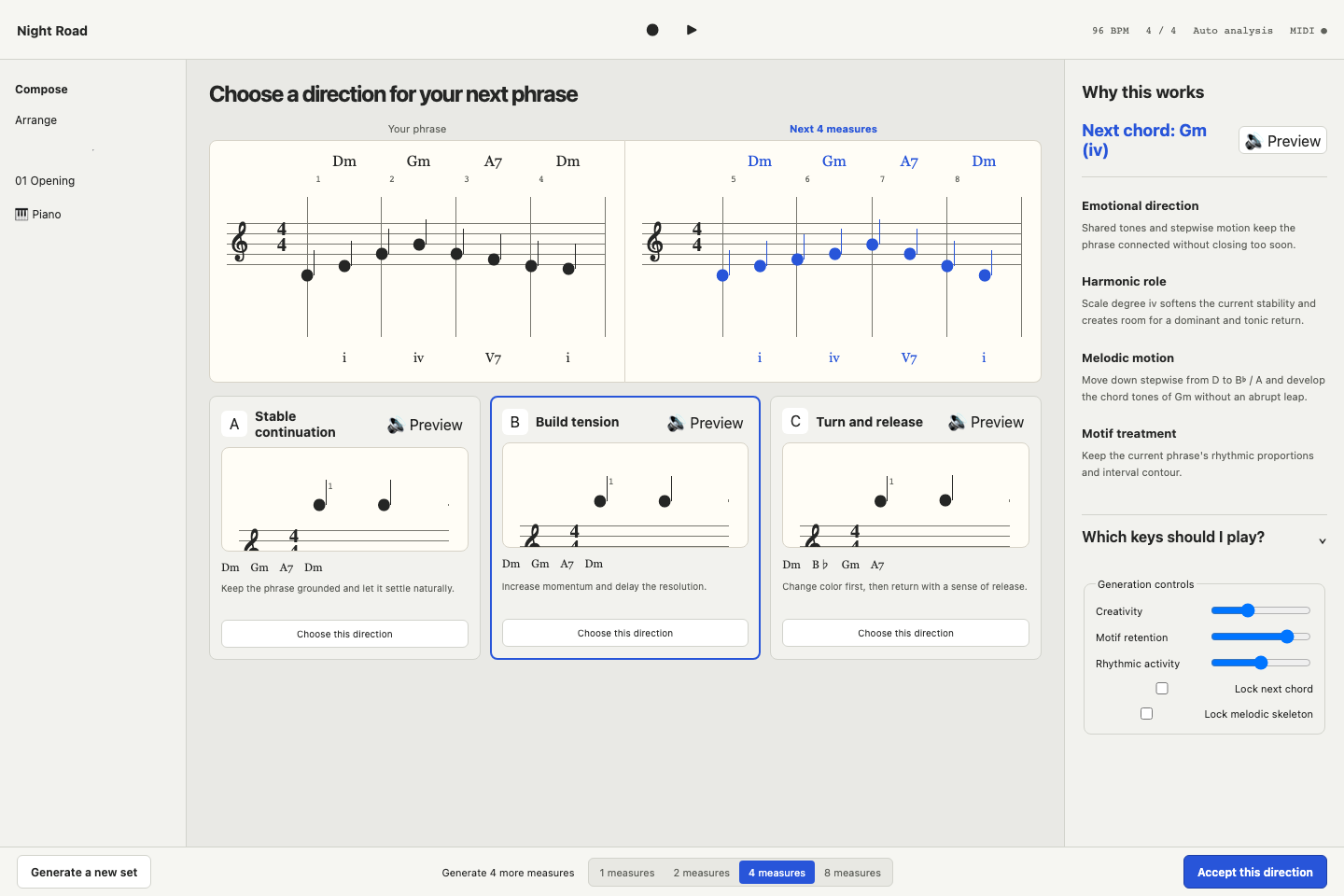
- See the musical context: detected key, meter, current harmony, phrase shape, and—most importantly—the next chord.
- Compare three playable continuations: a stable continuation, a tension-building route, and a turn-and-release route. Each option includes a chord path, a motif-aware melody, decorative notes, and a plain-language explanation.
- Audition a candidate, accept it, edit individual notes, or lock the harmony or melodic skeleton and generate another set.
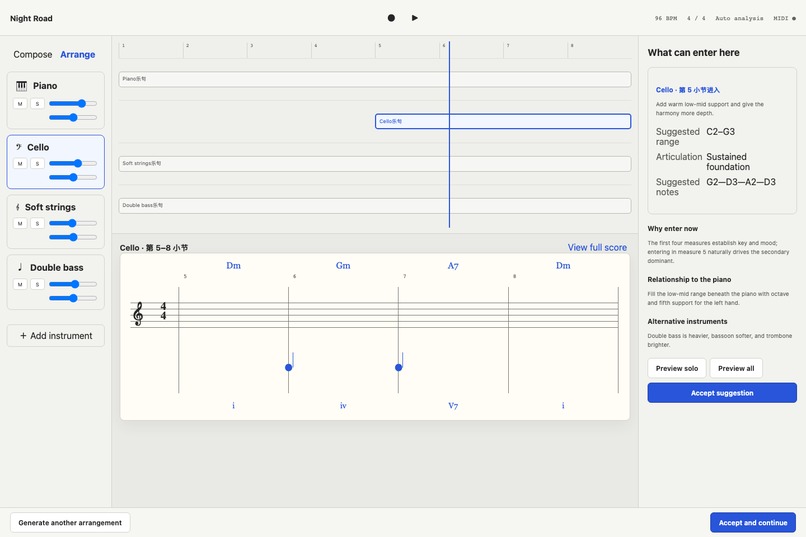
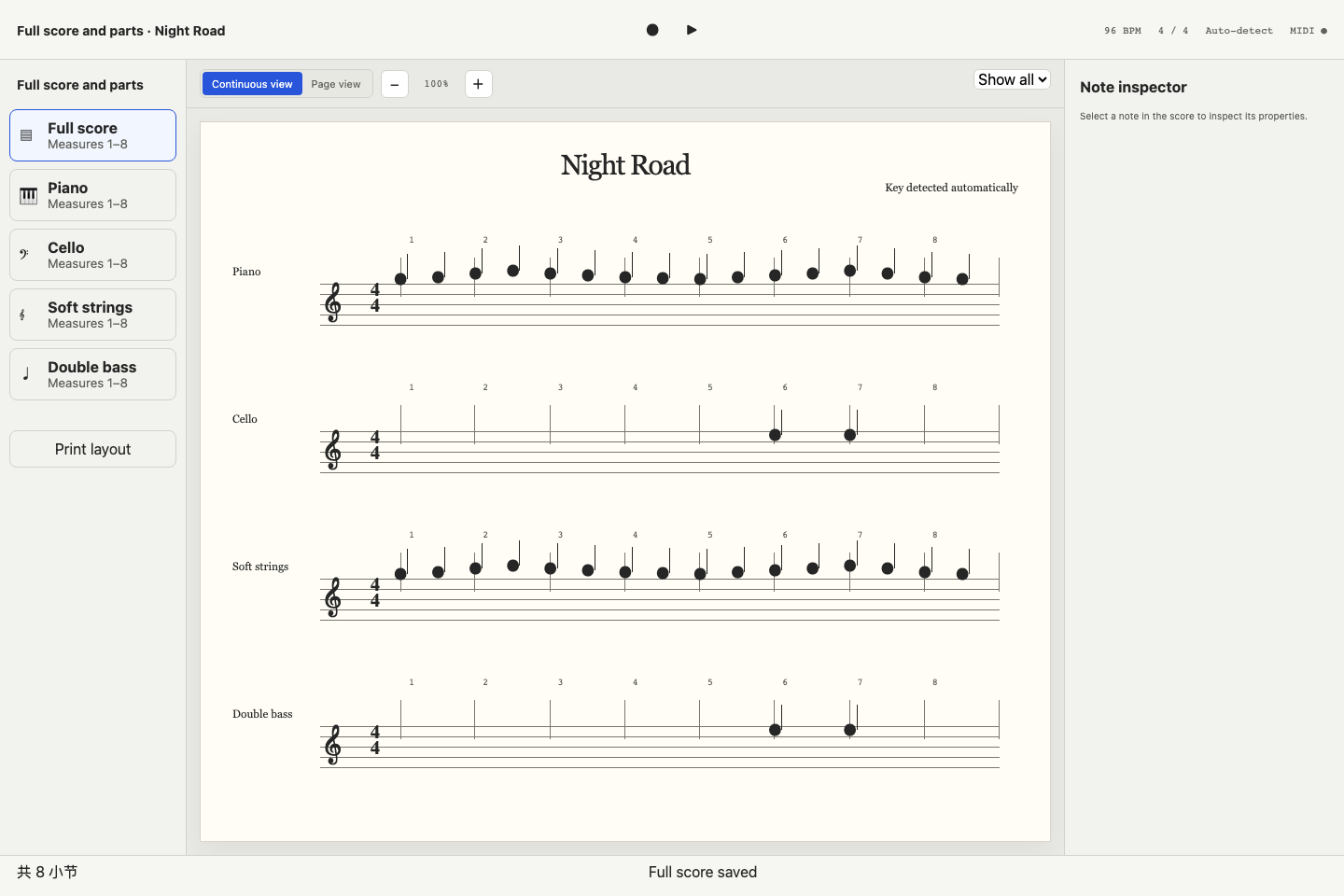
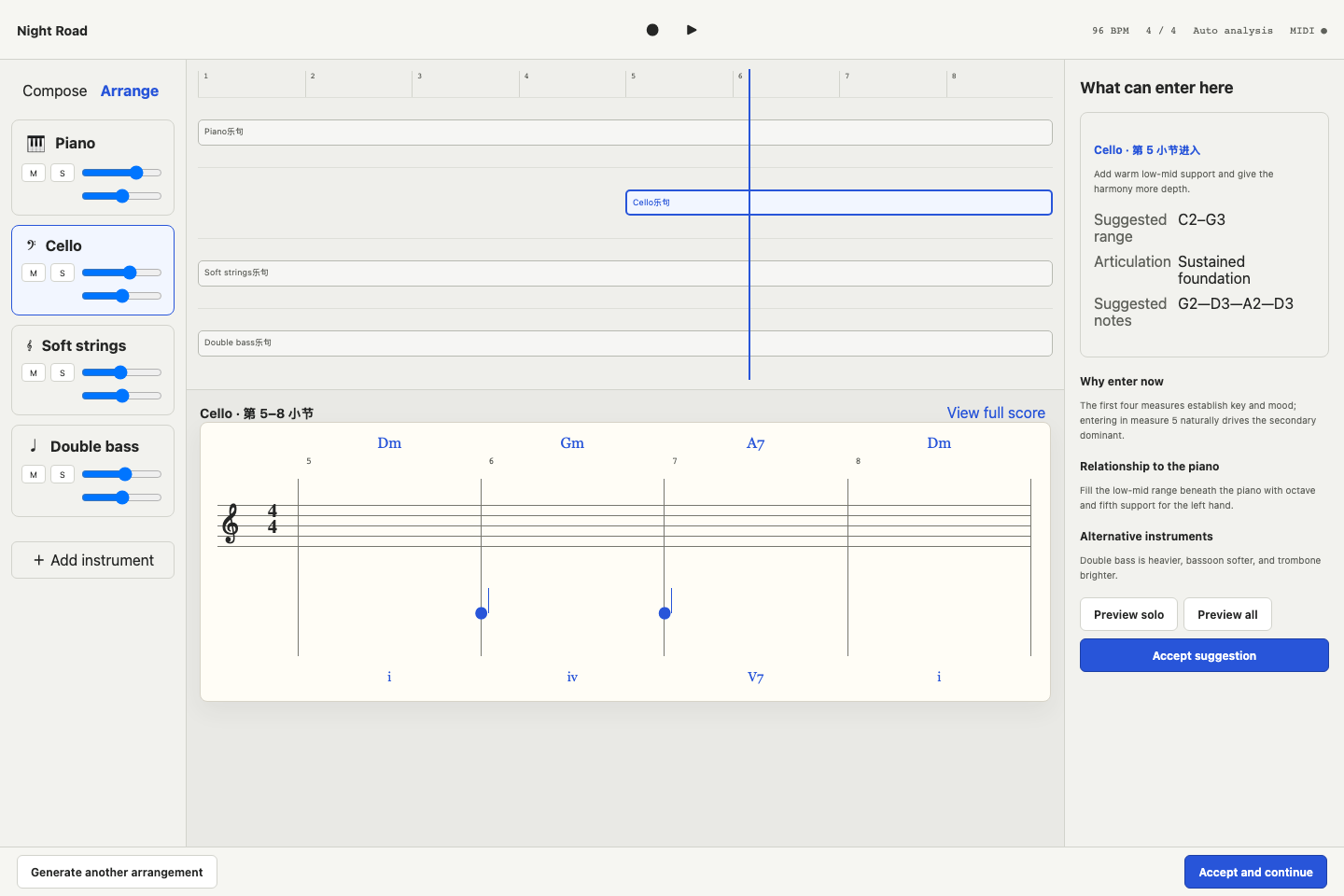
- Add arrangement suggestions for bass, cello, flute, and drums. Each suggestion specifies when the instrument enters, what it plays, its range and articulation, and why it helps.
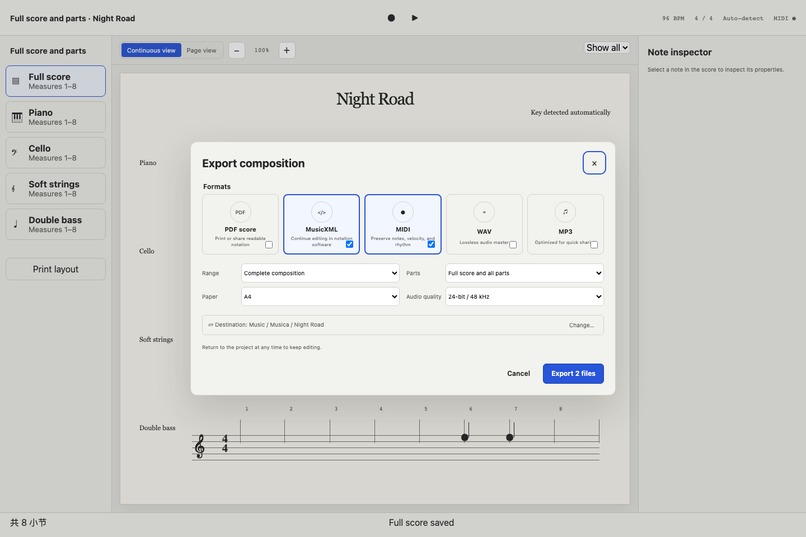
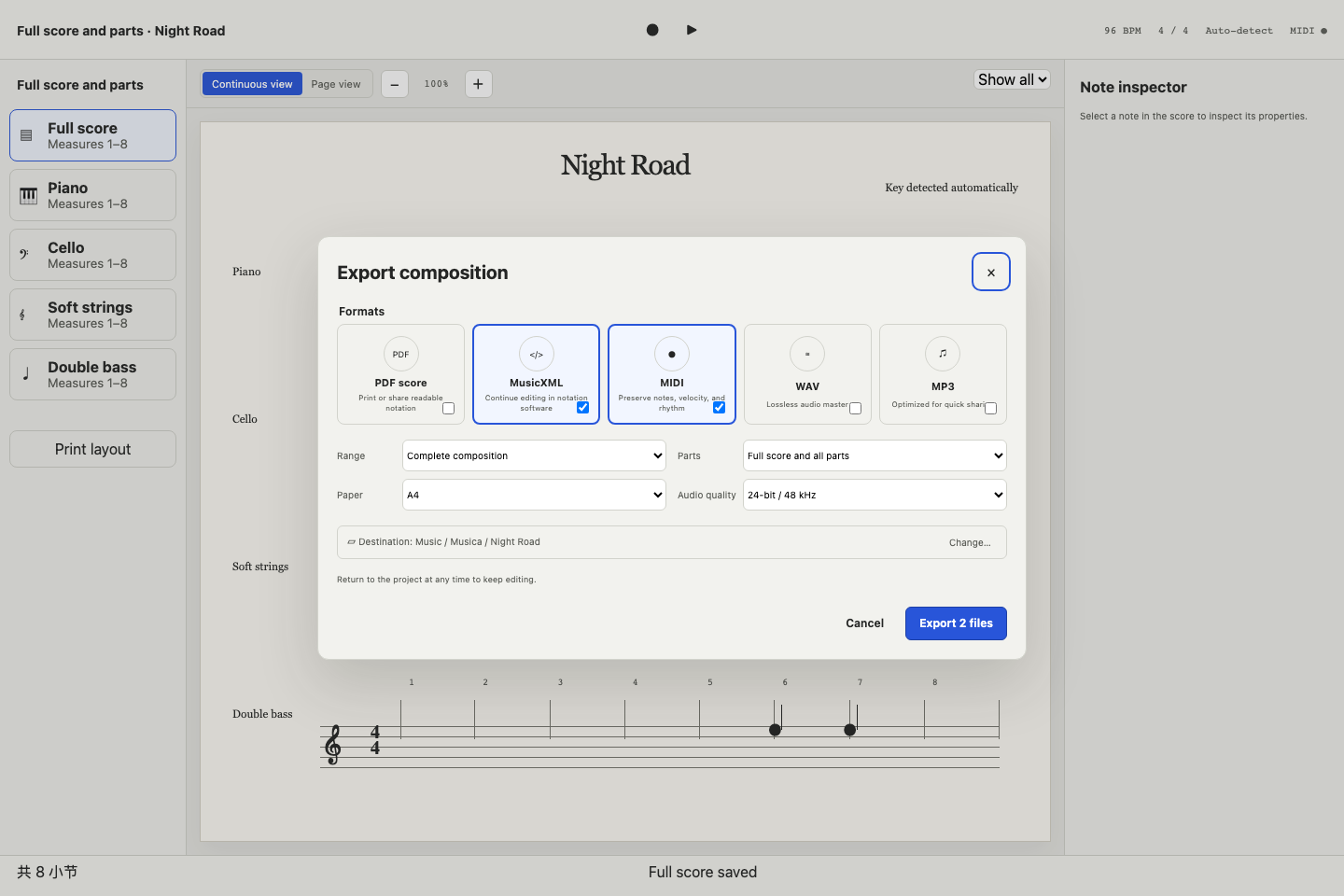
- Play the full arrangement and export MusicXML, multitrack MIDI, WAV, or MP3.
The score is the primary interface. “Which keys should I press?” remains available as a supporting view, but it never replaces notation.
How I built it
Musica is a local-first desktop application built with Tauri 2. The interface uses React and TypeScript, while Rust handles the timing-sensitive and file-oriented work.
On macOS, the Rust layer connects to CoreMIDI through midir and forwards normalized MIDI events to the webview. A recording session preserves raw events and pedal state, then an adaptive quantizer creates an editable phrase at eighth-note, sixteenth-note, or triplet resolution. Projects, candidate sets, accepted phrases, arrangements, mixer state, and undo/redo history are stored locally in SQLite.
The composition engine is deterministic and explainable rather than a black box. It extracts interval contour, rhythmic ratios, rests, density, and cadence shape from the performed motif. It combines those features with harmonic rules to construct three intentionally different routes, score their playability, and explain the next chord and melodic decorations.
Verovio renders MusicXML as staff notation. Playback uses built-in synthesized instrument patches, so the app does not require a SoundFont. The same project and mixer state feed the MusicXML, Format 1 MIDI, stereo WAV, and MP3 exporters, which keeps preview and export aligned.
Challenges I faced
The first challenge was preserving the feel of a performance without producing unreadable notation. Treating raw timing and quantized timing as two related representations let Musica clean the page while keeping the source intact.
Real-time MIDI crossed several boundaries: CoreMIDI, Rust, Tauri events, React state, and Web Audio. Note-off behavior, repeated notes, velocity, and sustain pedal all had to agree before the keyboard animation and monitor sounded believable.
Generating three candidates was also harder than producing three different note lists. Each route needed a clear musical intention, a useful next chord, a relationship to the original motif, and enough separation that choosing between them felt meaningful.
Finally, an end-to-end music application has many definitions of “the current piece.” The notation editor, playback engine, arrangement, mixer, persistence layer, and four exporters all need the same answer. I built project-level state and tests around that invariant instead of letting each feature maintain a private copy.
What I learned
I learned that creative assistance earns trust through explanation. “Here is another melody” is much less useful than “move to this chord, keep this contour, and use this passing tone to create tension.”
I also learned that timing is not noise. The same hesitation can be expressive in playback and distracting on a page, so performance data and notation data should not be forced into one representation.
Most importantly, the smallest useful unit of help was not a complete generated song. It was a confident next musical decision that the pianist could see, hear, understand, and change.
Accomplishments that I am proud of
- A complete local loop from MIDI performance to notation, continuation, arrangement, playback, editing, and export.
- A next-chord-first interface that supports musical learning instead of hiding the decision.
- Persistent project history, including undo/redo, candidate choices, arrangement, and mixer settings across restarts.
- Distinct built-in instrument sounds and four export formats without requiring external sample libraries.
- Automated unit, integration, accessibility, and end-to-end tests for the composition workflow.
What's next for Musica
Next, I want to add microphone and audio-file transcription for pianists without MIDI hardware, richer instrument articulations, Apple signing and notarization, and optional collaboration. I also want to explore an opt-in learned model for broader stylistic suggestions while keeping the current explainable local engine as a dependable baseline.


Log in or sign up for Devpost to join the conversation.