Inspiration
At Postal, we help artists store and share their music with people across the music industry. Some of the artists we work with have catalogs of more than a thousand tracks, built up over many years.
When a new music brief comes in, finding the right tracks can take a lot of time. Artists often have to search through their catalog and rely on memory to remember which songs might fit. And with so much music, it’s easy for great tracks to be forgotten.
We wanted to make that process easier and faster: help artists find strong matches for a brief, save time going through their catalog, and maybe even rediscover a track they had completely forgotten about.
What it does
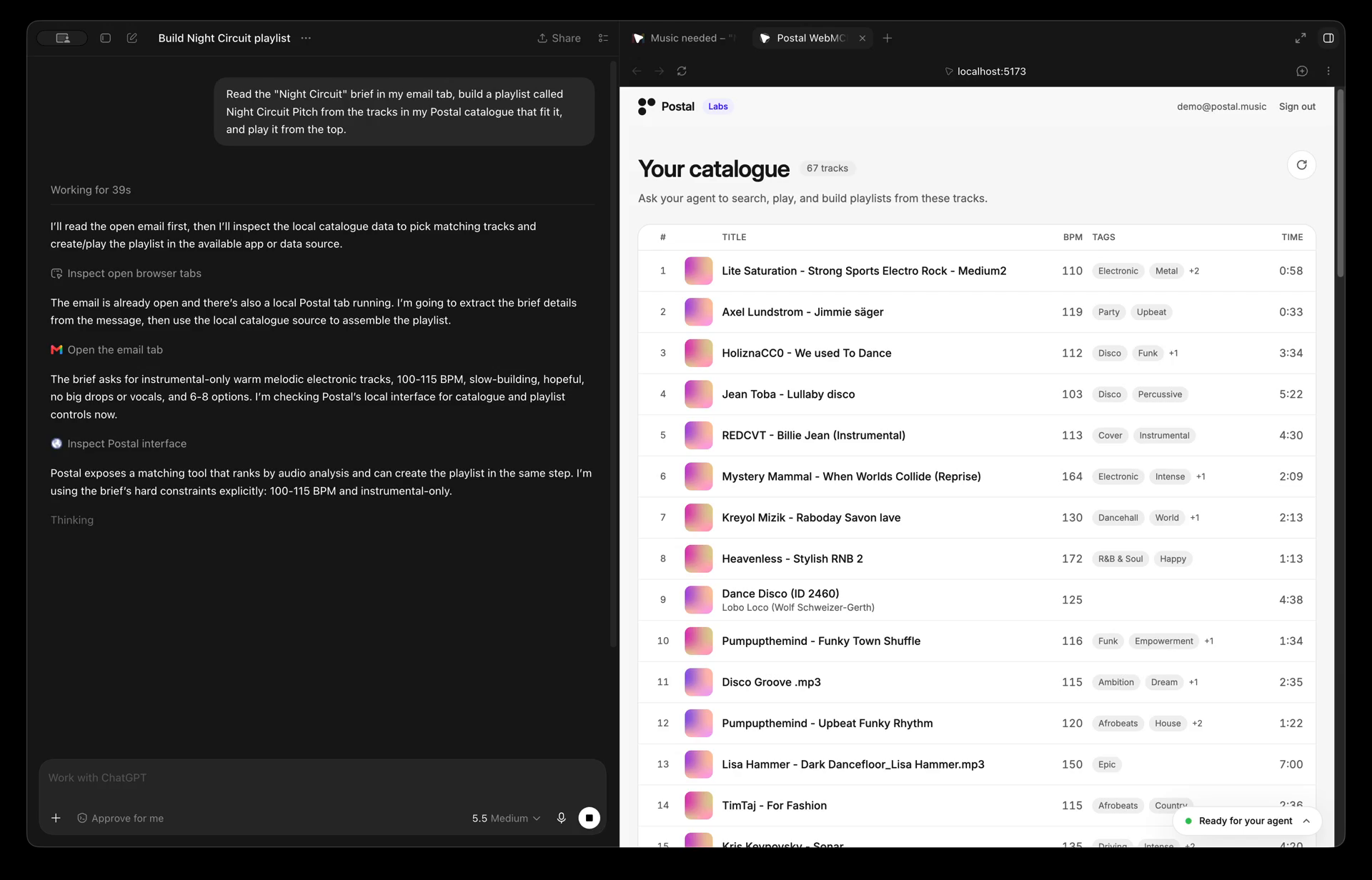
Music Catalog Scout hands your agent tools over your signed-in Postal catalogue through WebMCP. There is no chat box on the page. You talk to the agent where you already do, in ChatGPT's browser or Gemini in Chrome, and the page shows what it did.
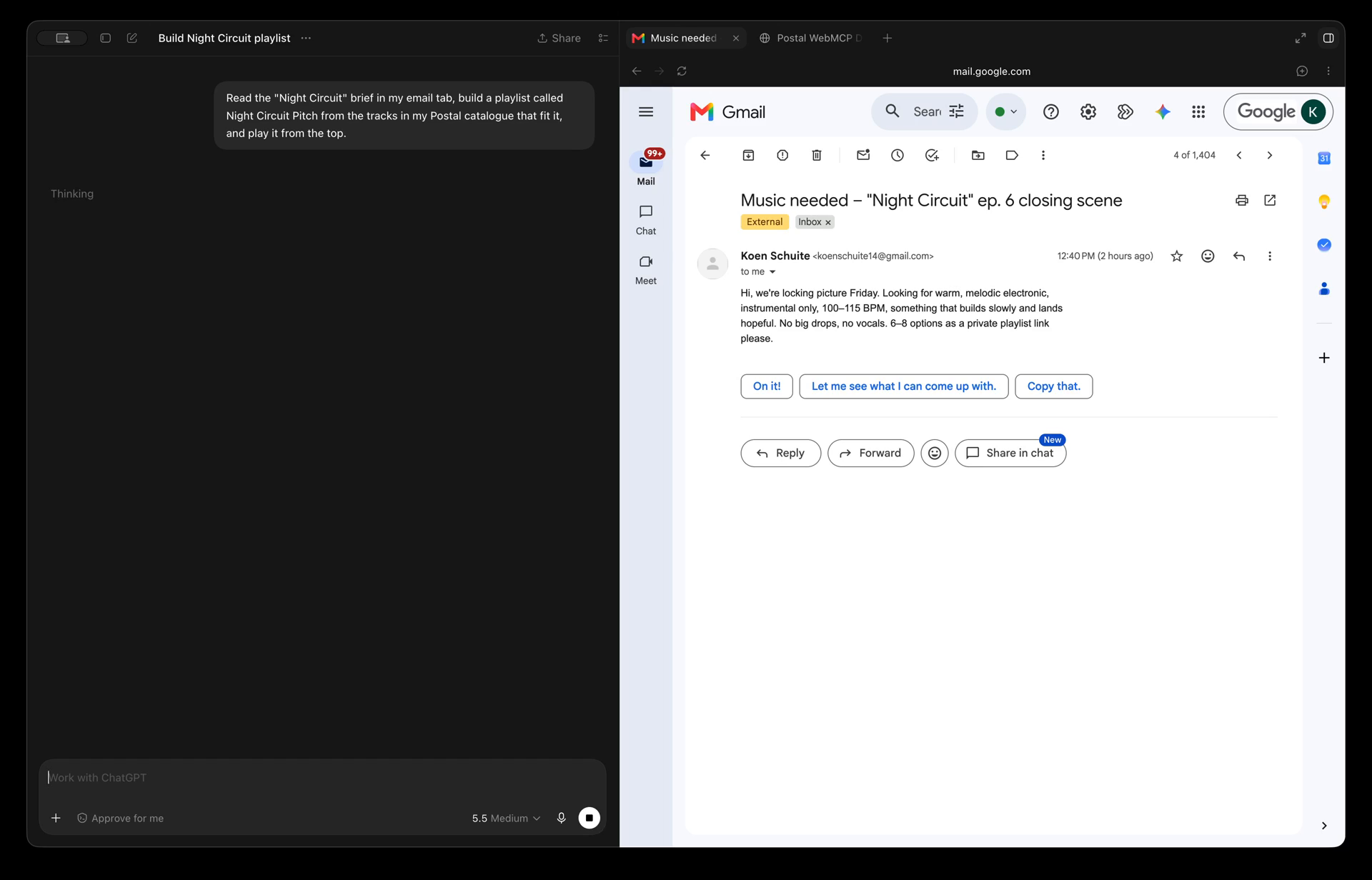
A brief arrives. An email, a Notion page, a PDF, or just "draft me a playlist I can pitch to Rihanna." The agent reads it wherever it lives and breaks it into what to search for: mood, tempo, vocals or not.
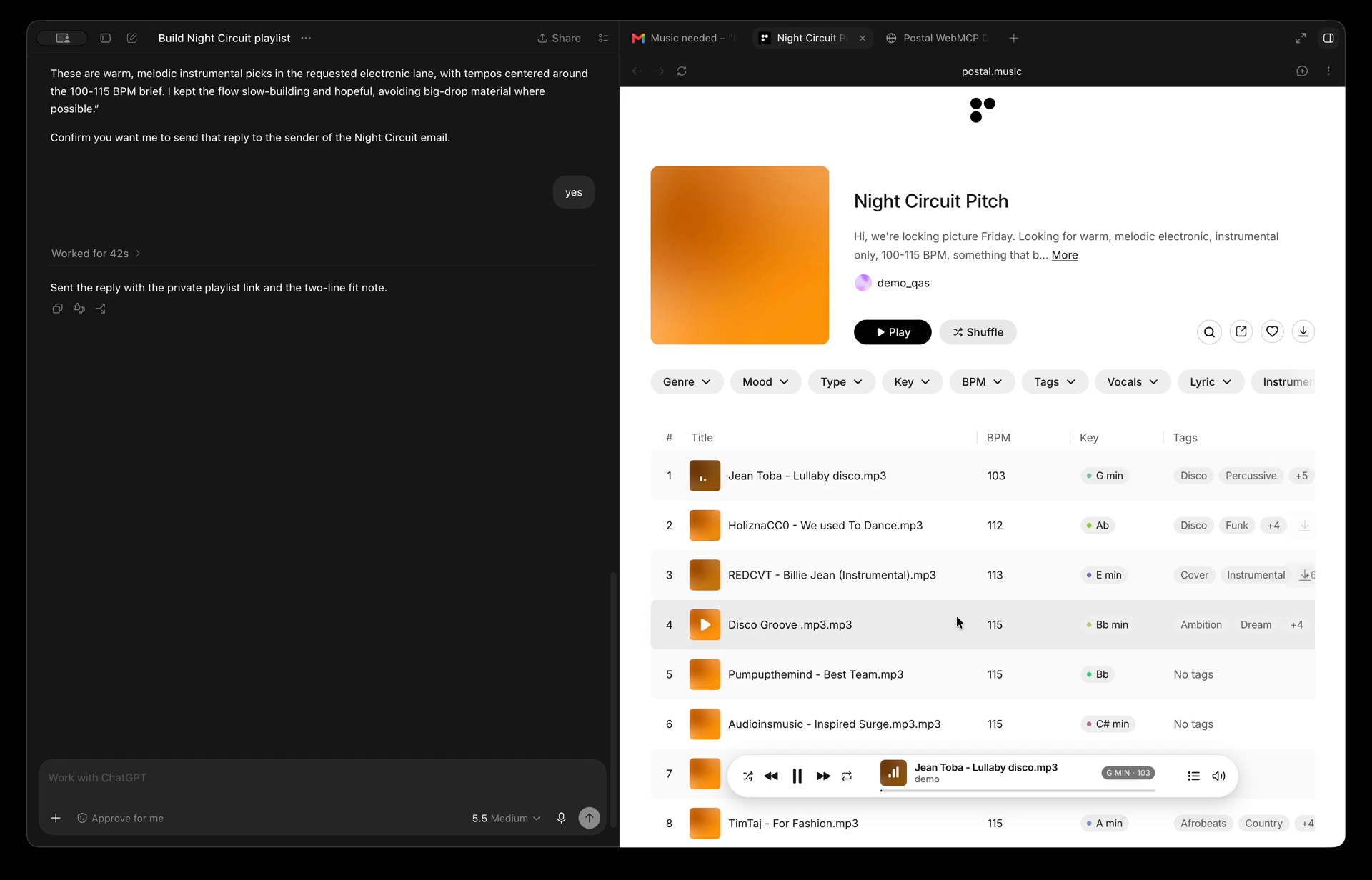
It searches your catalogue. Your own thousand tracks, ranks it and gives you back a list of potential tracks for the playlist.
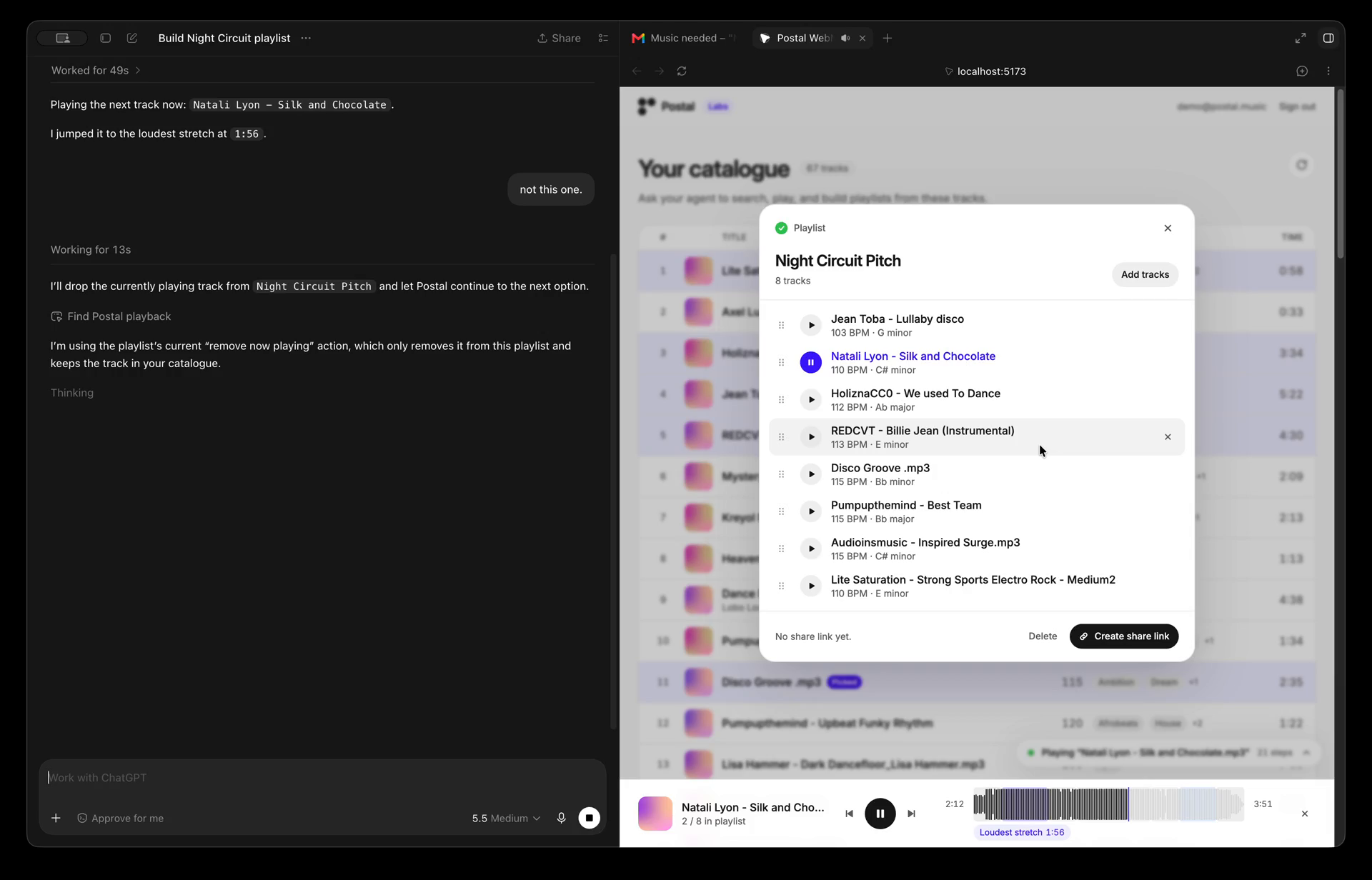
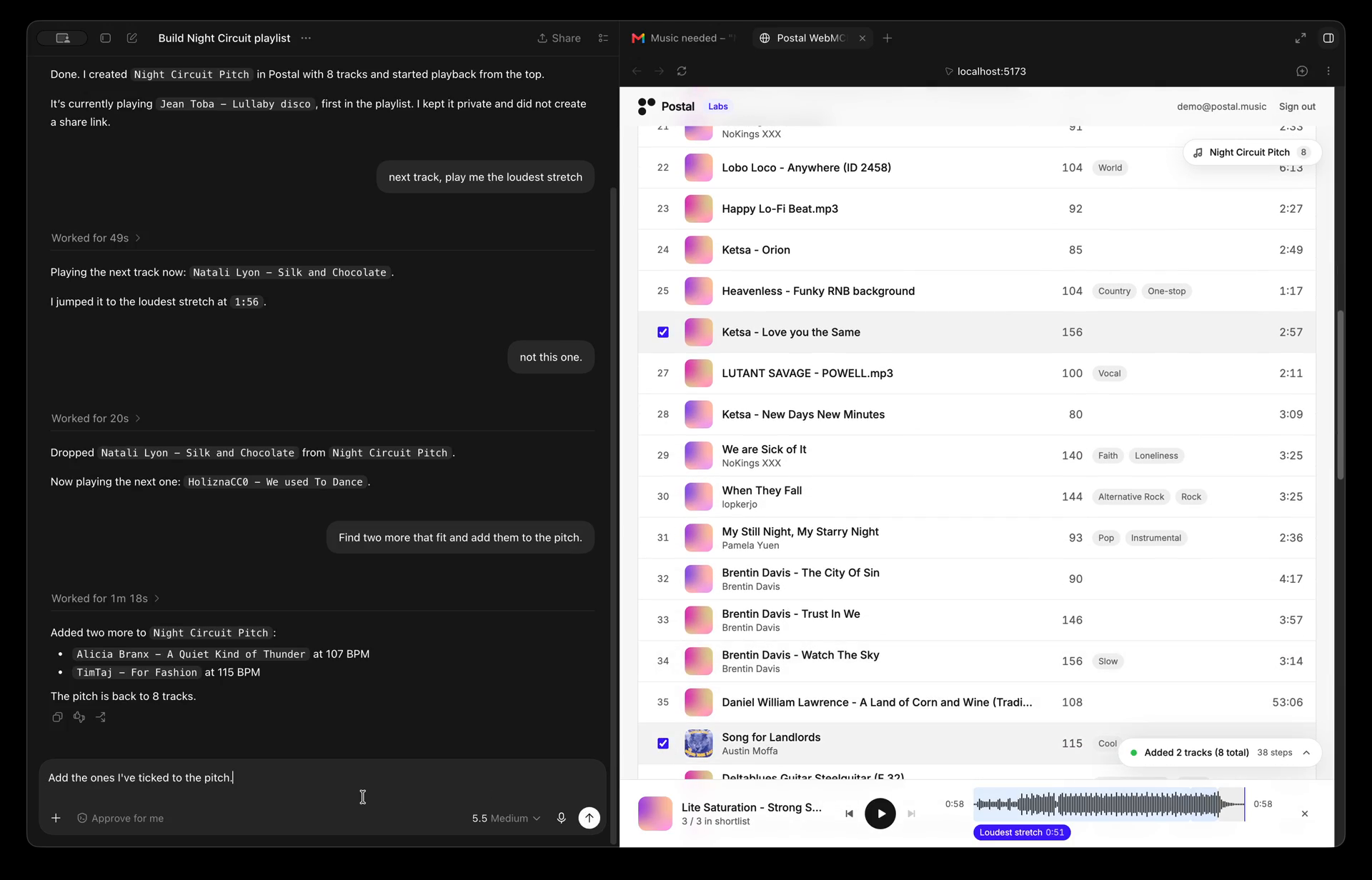
You decide by ear. Untick the one that is too fast. Ask for something closer to the third pick. Tick a forgotten track and say "add the ones I selected". Say "not this one" while it plays, and the next one is already on.
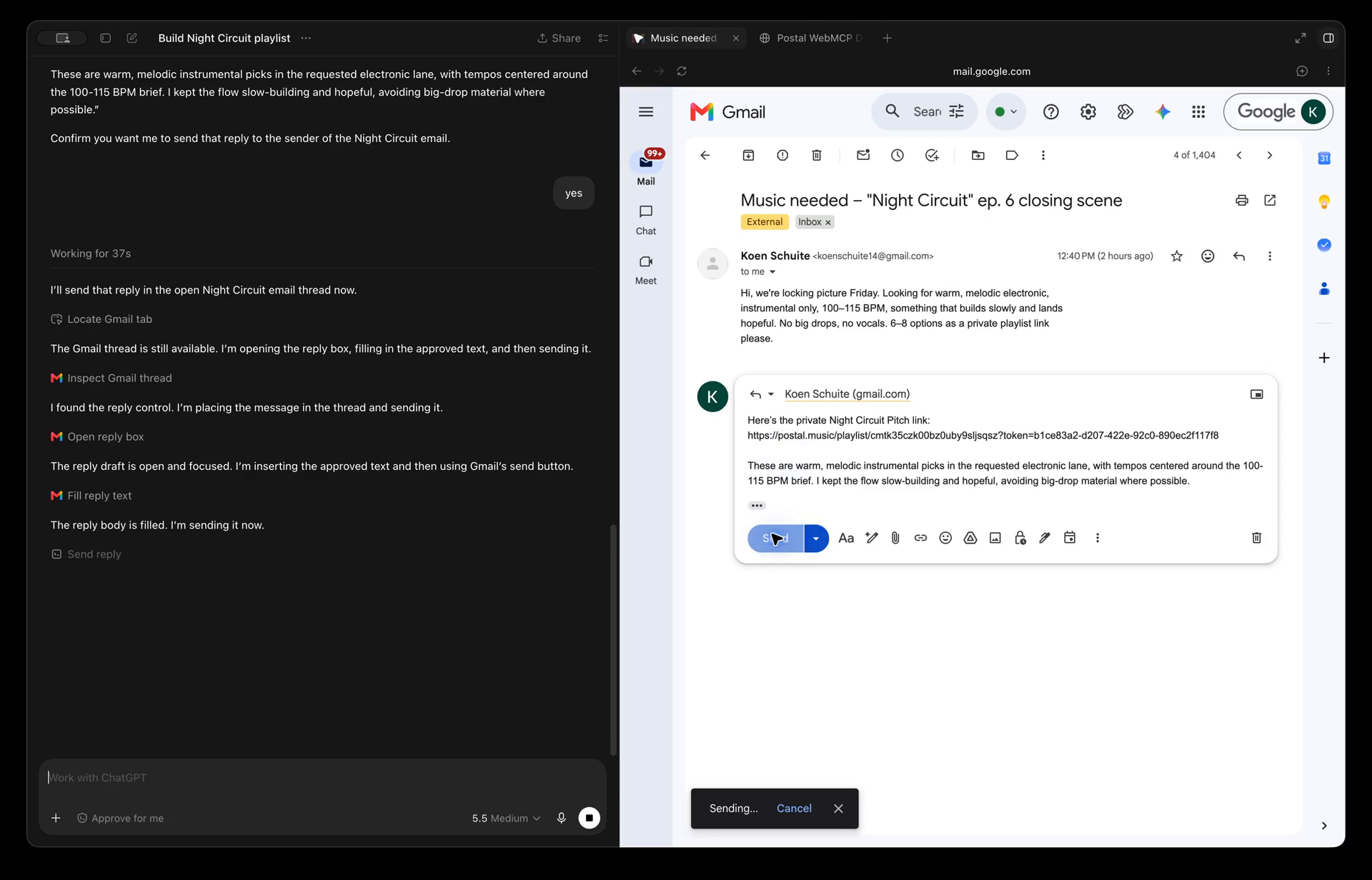
The agent ships it. It creates the playlist, mints a private share link, and drafts the reply in the tab the brief came from.
Every tool call streams into a small activity box in the corner. Share links and deletes stop for your approval. You validate the result by listening, not by reading the agent's claim.
How we built it
We started small. Postal already has an API, so we took the three calls an artist uses most on the platform, listing tracks, searching them, and creating a playlist, and rebuilt them in a fresh single-page interface. That page became our testing ground for WebMCP: a place where we could register tools against the browser, point an agent at it, and see what happened.
The first thing we asked for was the obvious one. "Build a playlist of my latest five tracks and give me the link." Search, create, add, share. Three tool calls later the link was in the corner of the page. It worked, and it was a little underwhelming, because halfway through we realised that everything we had just done could be done with a normal server-side MCP integration. Nothing about it needed the browser.
So we changed the question. Instead of asking what an agent could do on our site, we asked what could only be done because the agent and the person were looking at the same page.
The first answer was sound. Music is validated by ear, not by reading metadata, so we added a player to the page: a fixed bottom bar with Postal's waveform, section bands, and highlight markers such as "Best Hook" and "Biggest Lift". Now the agent could play a track, jump to the drop, or start a whole playlist from the top, and the owner could hear the result rather than trust a summary of it. Every call streamed into a small activity box in the corner so they could watch the work happen.
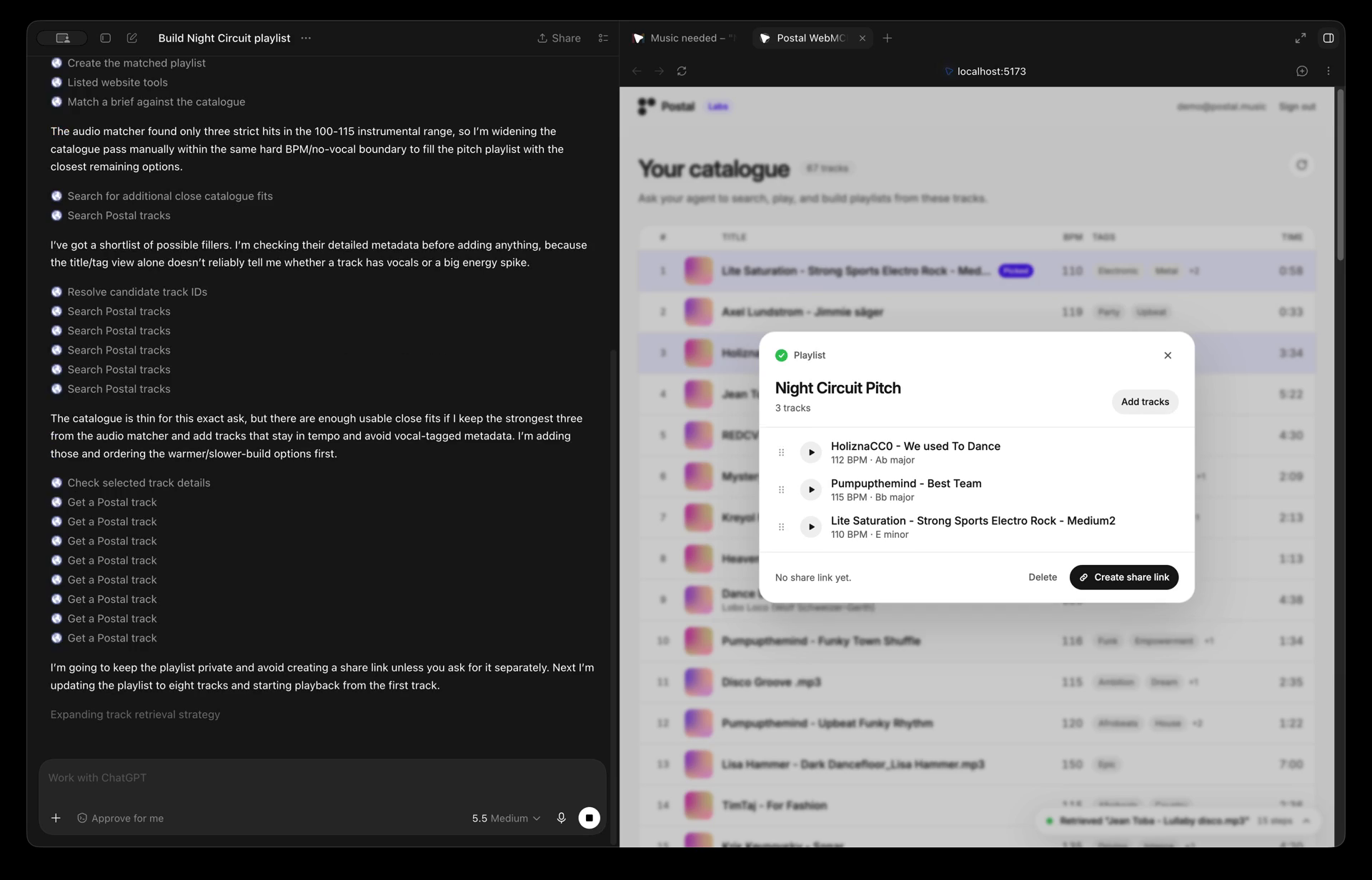
The second answer was the brief. Sync requests arrive in email, Notion, Disco, wherever the client happens to write. Because the tools live in the page, an agent can read the brief in one tab and hand its text to our page in another, where Postal's audio analysis ranks the catalogue against it with a one-line reason per pick. Two services that never integrated, glued together by the agent in the browser. That gave us the set of tools that is always on.
Always on (14)
| Tool | What it does |
|---|---|
search_tracks |
Search the signed-in library by title, artist, genre or tags. No query returns newest uploads first. Also resolves a title to a track id. |
get_track |
Structured metadata for one track. |
list_playlists |
List the user's playlists, newest first, optionally filtered by name. Used to find an existing playlist id. |
get_brief |
Read the text of a PDF brief dropped onto the page. |
match_brief |
Rank the catalogue against a brief's text, each pick with a one-sentence reason. Infers hard constraints like BPM range and "instrumental only". Can create the playlist in the same call. |
control_playback |
Drive the page's player: play a track or a whole playlist, pause, next, previous, or seek to a time or a named section such as the drop or hook. |
create_playlist |
Create a private playlist, optionally filled with track ids in one call. |
update_playlist |
Rename a playlist or change its description. |
add_tracks_to_playlist |
Add tracks by id to a playlist. |
remove_tracks_from_playlist |
Remove tracks by id. Tracks stay in the library. |
reorder_playlist |
Replace the playlist's full playing order. |
delete_playlist |
Delete a playlist and its share link. Every agent call stops for the owner's approval. |
create_share_link |
Create or rotate an unlisted share link for a playlist. Returns the link, never sends it. Gated behind approval unless auto-approve is on. |
get_selected_tracks |
Read the tracks the owner has ticked in the catalogue. Its description is rewritten live to name the current selection. |
Then came the part we are most excited about. Once the owner was listening, the natural things to say were "not this one", "the one playing", "the ones I ticked". None of those map to a track id. They map to what is on screen right now.
Rather than building one large API for an AI assistant and hoping it can infer the situation, we let the page tell the agent what is happening. When a track starts playing, new actions appear. When the playlist dialog opens, tools that act on that playlist show up, and they need no id because the page already knows which one is open. When the owner changes their selection, the description of the selection tool is rewritten to name the tracks. When the dialog closes or the music stops, those tools disappear again.
Contextual (up to 5)
| Tool | Appears when | What it does |
|---|---|---|
remove_from_open_playlist |
Playlist dialog is open | Remove tracks from that playlist without needing its id. |
reorder_open_playlist |
Playlist dialog is open | Set the order of that playlist without needing its id. |
create_playlist_from_shortlist |
Brief shortlist panel is on screen | Build a playlist from only the picks the owner kept ticked. |
get_now_playing |
Audio is playing | Return the playing track, its position, and its sections and highlights. Resolves "this one" and "play me the drop". |
remove_now_playing |
The playing track is in the current playlist | Drop the playing track from the playlist and auto-advance to the next. Resolves "not this one". |
Two rules held the whole thing together. No tool accepts a user id, so the agent can only act as whoever is signed in and looking at the page. And the buttons on the page call the same tool functions the agent does, so a human click and an agent call land in the same activity log with the same audit trail.
By the end, WebMCP had stopped being a way for an agent to control a website. It had become a shared interface where the application, the person, and the agent continuously exchange context, and where each of them can see what the other two just did.
Challenges we ran into
Deciding what the agent should know, and when. Music discovery is subjective. Metadata can say a track is instrumental at 108 BPM, but not whether it feels right for a brief. We had to draw the line between what the agent decides and what the owner decides, and keep the owner's ear as the final call.
Tools that follow the screen. We wanted the agent to understand what the user is doing without drowning it in tools or leaking context it does not need. Registering tools only while a playlist is open or a track is playing gave us that, but it meant working out how to add, rewrite, and remove tools live, with no spec for updating one in place.
Agents that could not see the tools. Chrome ships WebMCP natively, but most agents we tried run in an isolated world or can only read page text. One guessed tracks from the table instead of calling anything. We ended up building three doors into the same tools: native WebMCP, a manifest plus message bridge, and a URL-based fallback.
Keeping the page alive while the agent works. A multi-step workflow has to feel natural while the owner keeps clicking, listening, and ticking tracks at the same time. The activity box, the approval gates, and routing human clicks through the same tools as agent calls were all answers to that.
Accomplishments that we're proud of
The full loop works. A brief in one tab, a ranked shortlist with reasons in another, the owner auditions, and the agent ships a private link. Two services that never integrated, glued together in the browser.
Tools that only a page can offer. "What is playing right now" and "not this one" exist because the agent and the owner share a screen. A server MCP cannot know either.
Listening is part of the loop. The owner plays a track, hears it, and reacts. "Drop this one", "something closer to the third pick", "add the ones I ticked". The agent adjusts the playlist from what was just heard and what is selected on screen, not from metadata alone.
What we learned
The biggest thing we learned is that giving an agent more tools isn’t necessarily what makes it more useful.
At the start, we were thinking about WebMCP as just another way to expose tools to an AI agent. But once we started experimenting, we saw a much bigger opportunity in how the agent can interact with the live state of the UI.
By combining tools with what the user is currently playing, selecting, or looking at, we could create a much more natural and interactive experience. The user doesn’t always have to explain the context in words — the interface itself can provide it.
That pushed us to think beyond simply “what can the agent automate?” and instead ask, “how can the agent and the UI work together to create a better user experience?”
For us, that is where WebMCP became much more interesting.
What's next for Music Catalog Scout
This prototype focuses on responding to a single music brief, but we see a much broader opportunity.
The next step is to take what we built during the hackathon, refine it, and integrate the first version into Postal. That means thinking carefully about how the agent experience fits naturally into the existing product, which UI elements should become part of the workflow, and where we can optimise our API calls and tool design.
The goal is not just to add an AI feature, but to introduce a new way of working inside Postal where the interface and the agent support each other. We want to keep experimenting with that interaction and see how far we can push it in real music workflows.
Built With
- cloudflare
- openai
- react
- webmcp

Log in or sign up for Devpost to join the conversation.