-
-
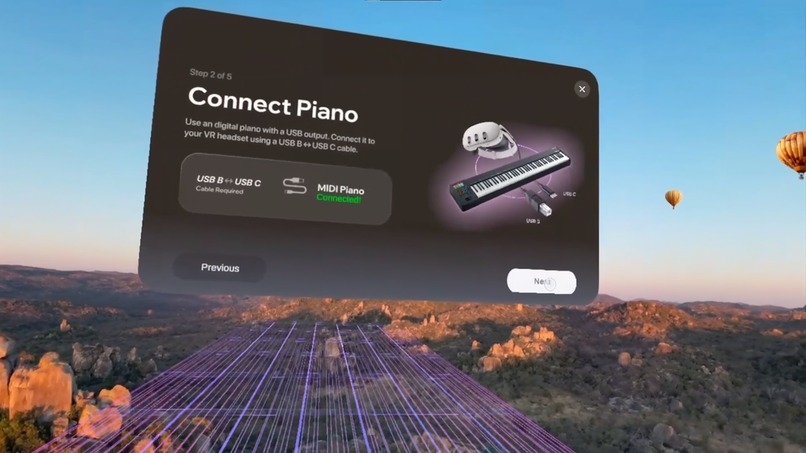
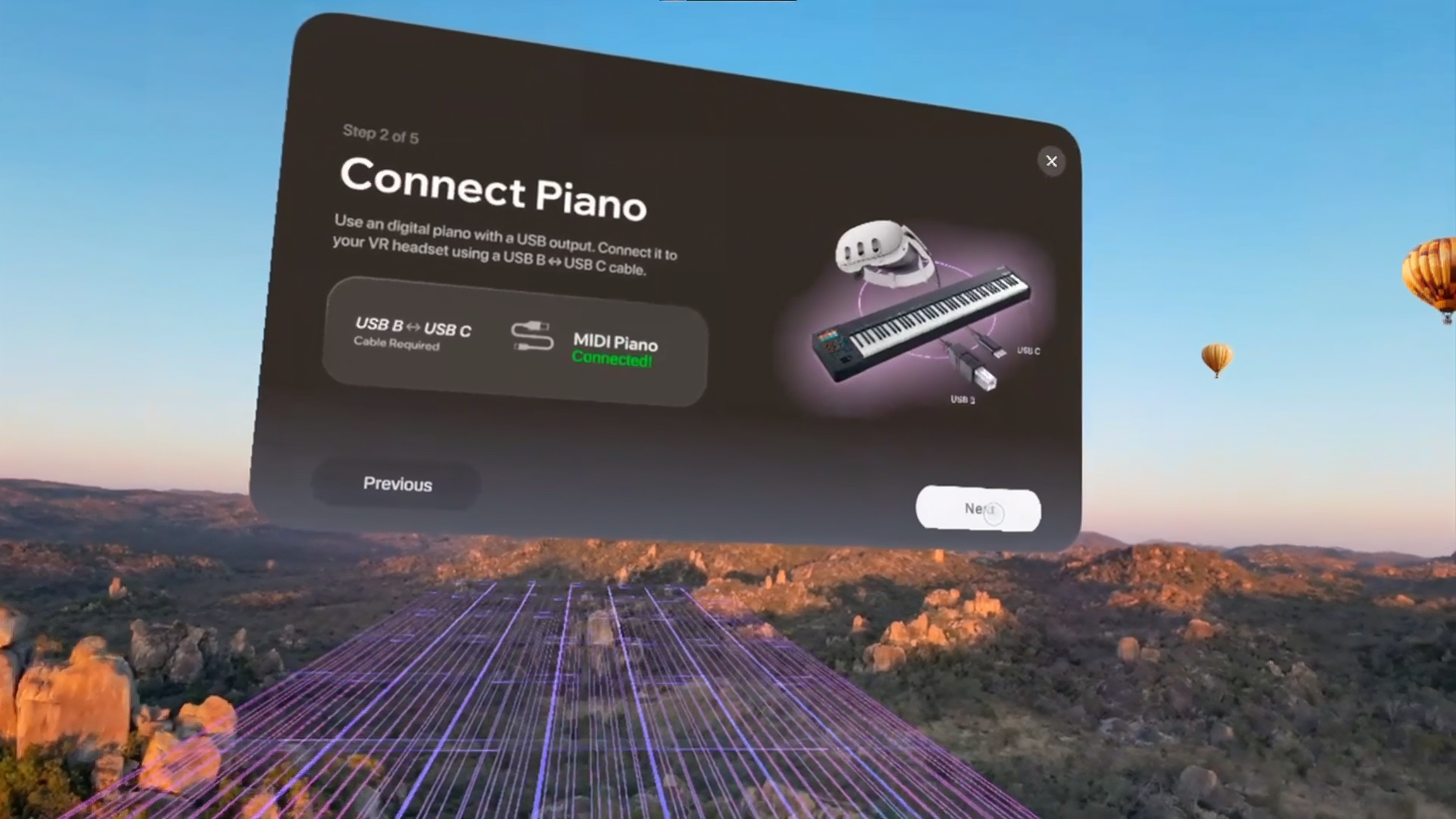
Connecting piano via USB - calibration
-
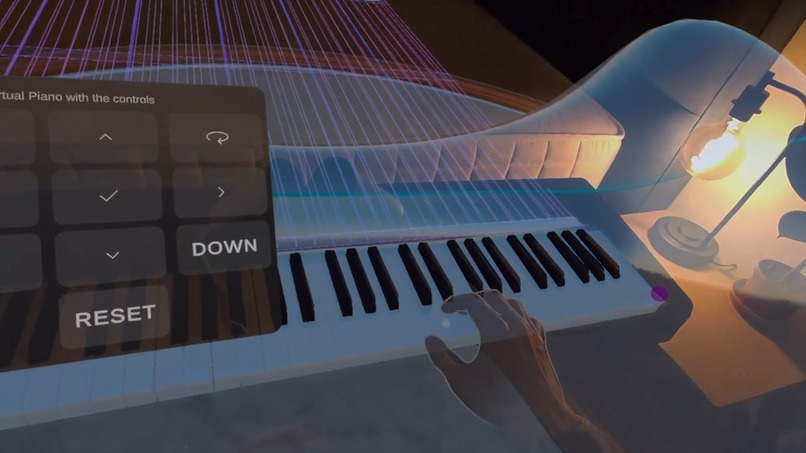
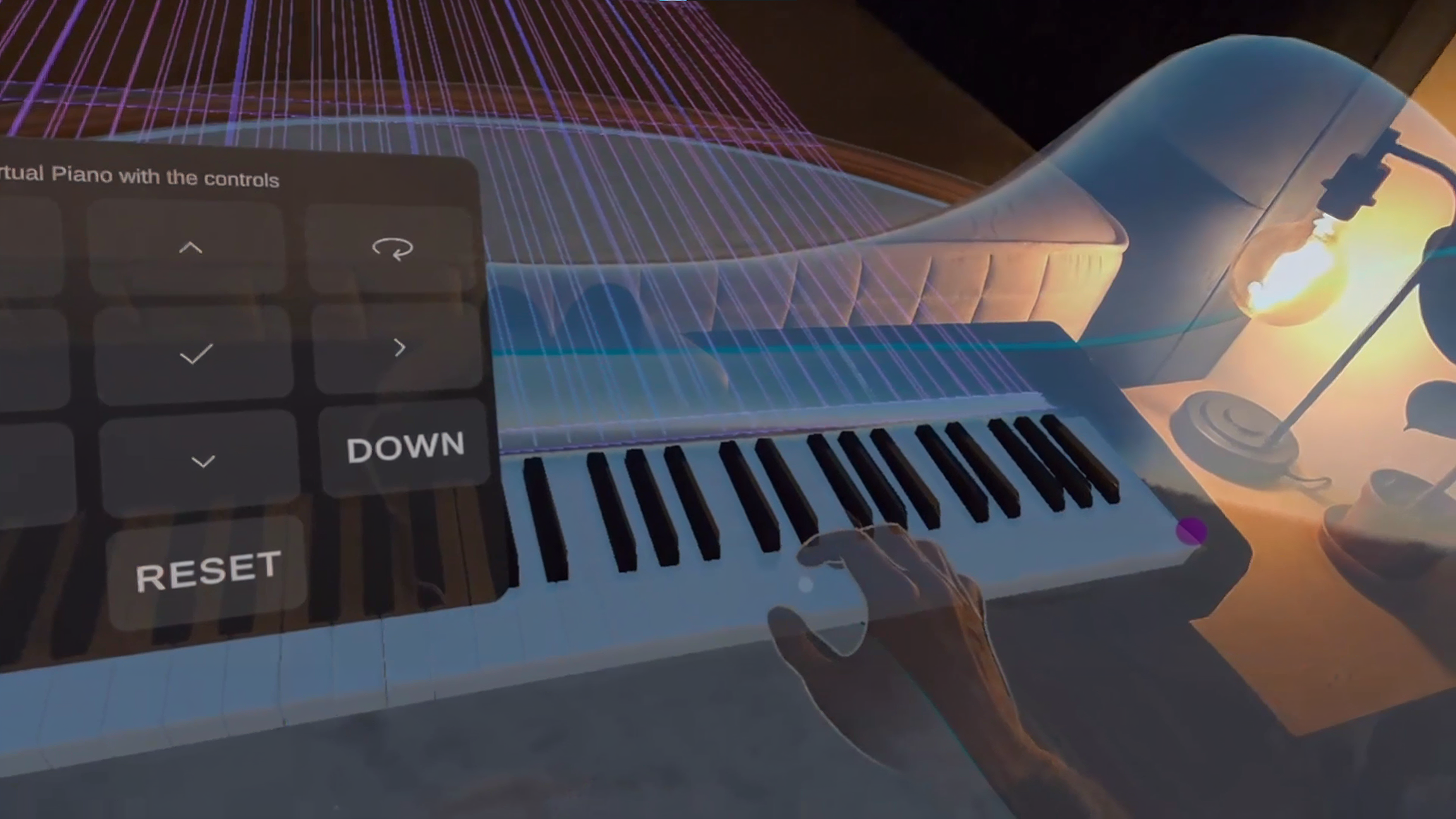
Syncing the real piano with the virtual piano by pressing the lowest and highest keys
-
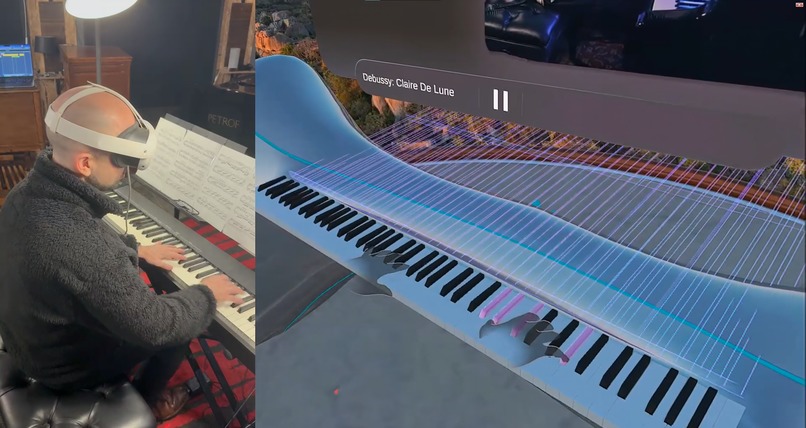
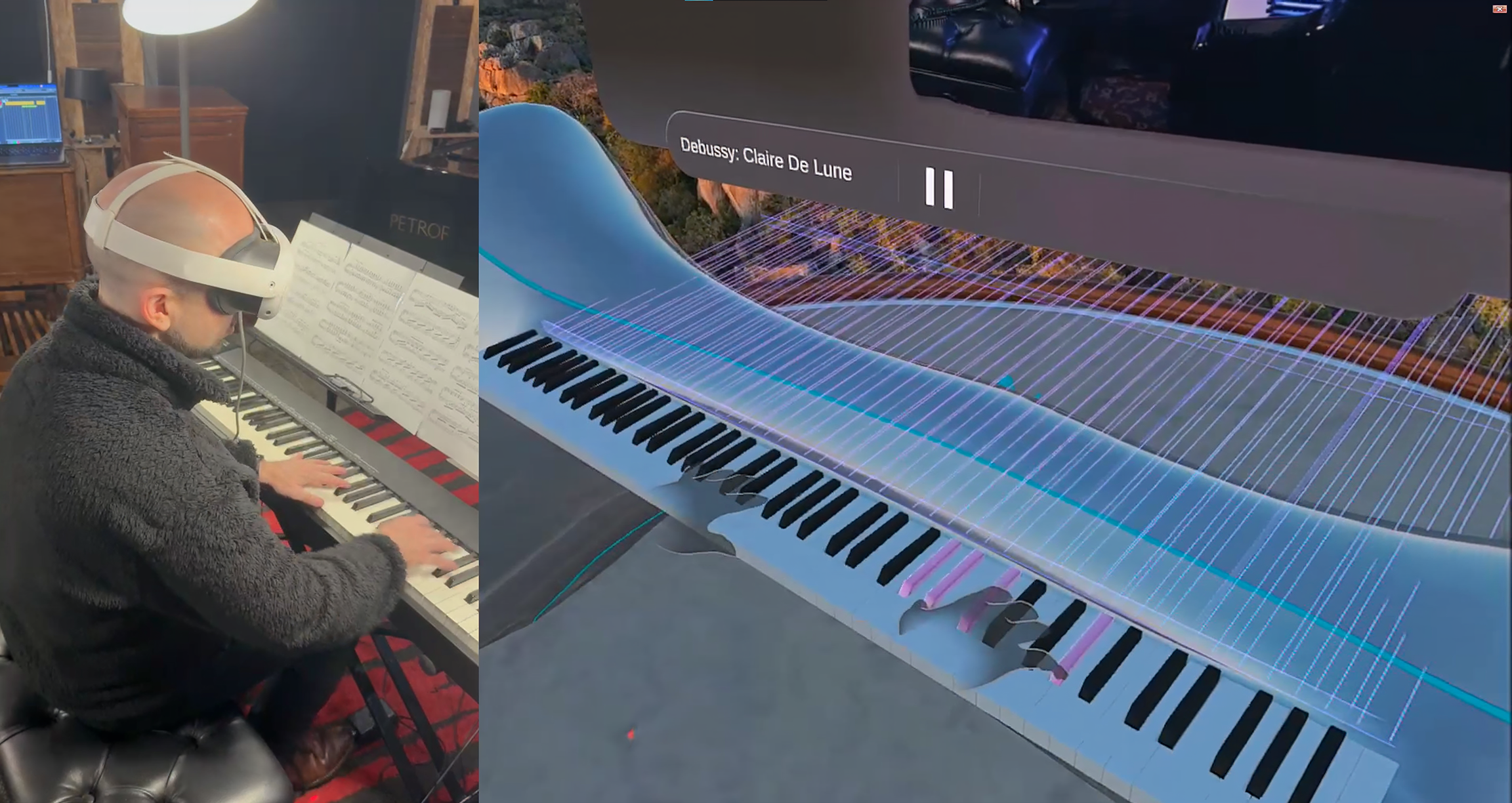
Showcase of piano lesson with real life comparison
-
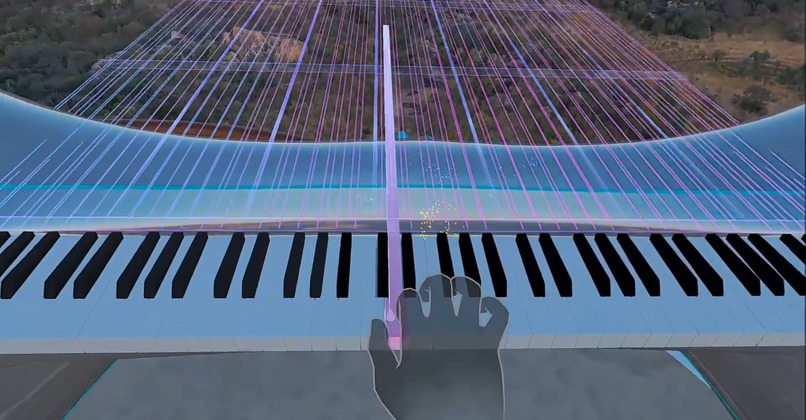
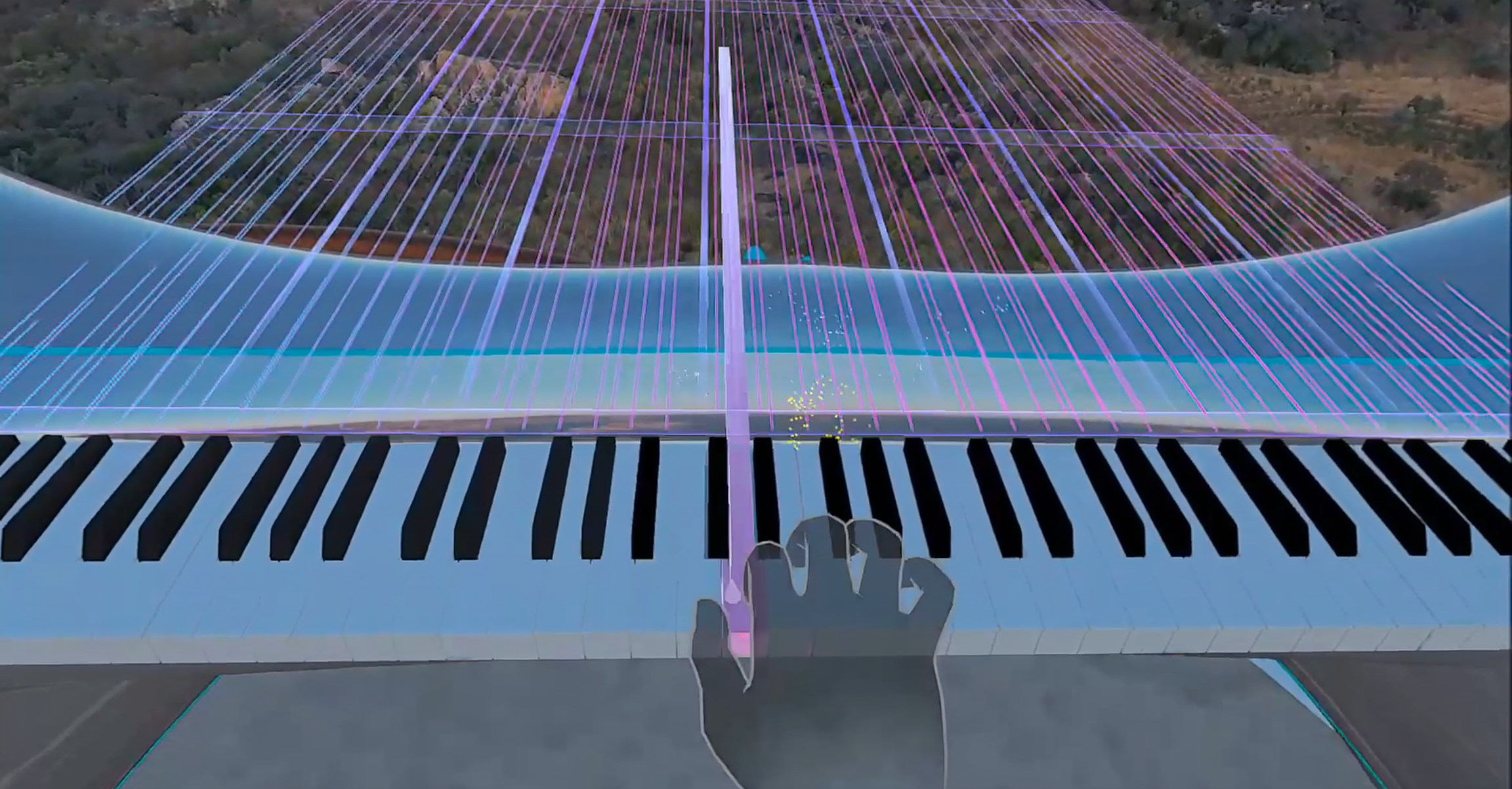
Piano playing during the lesson
-
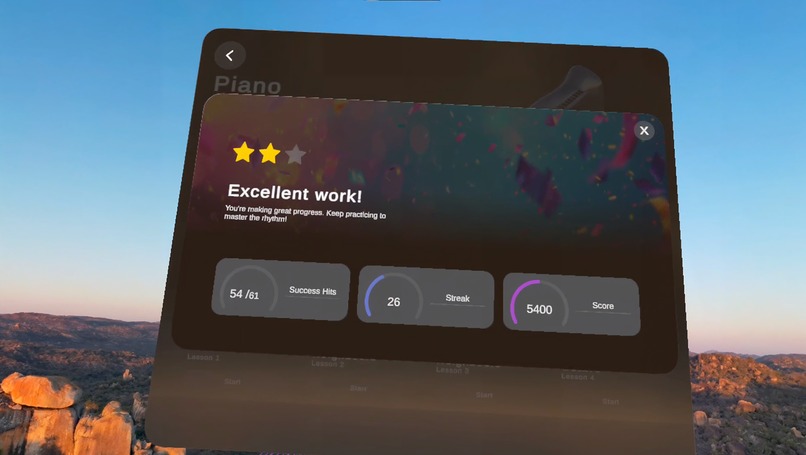
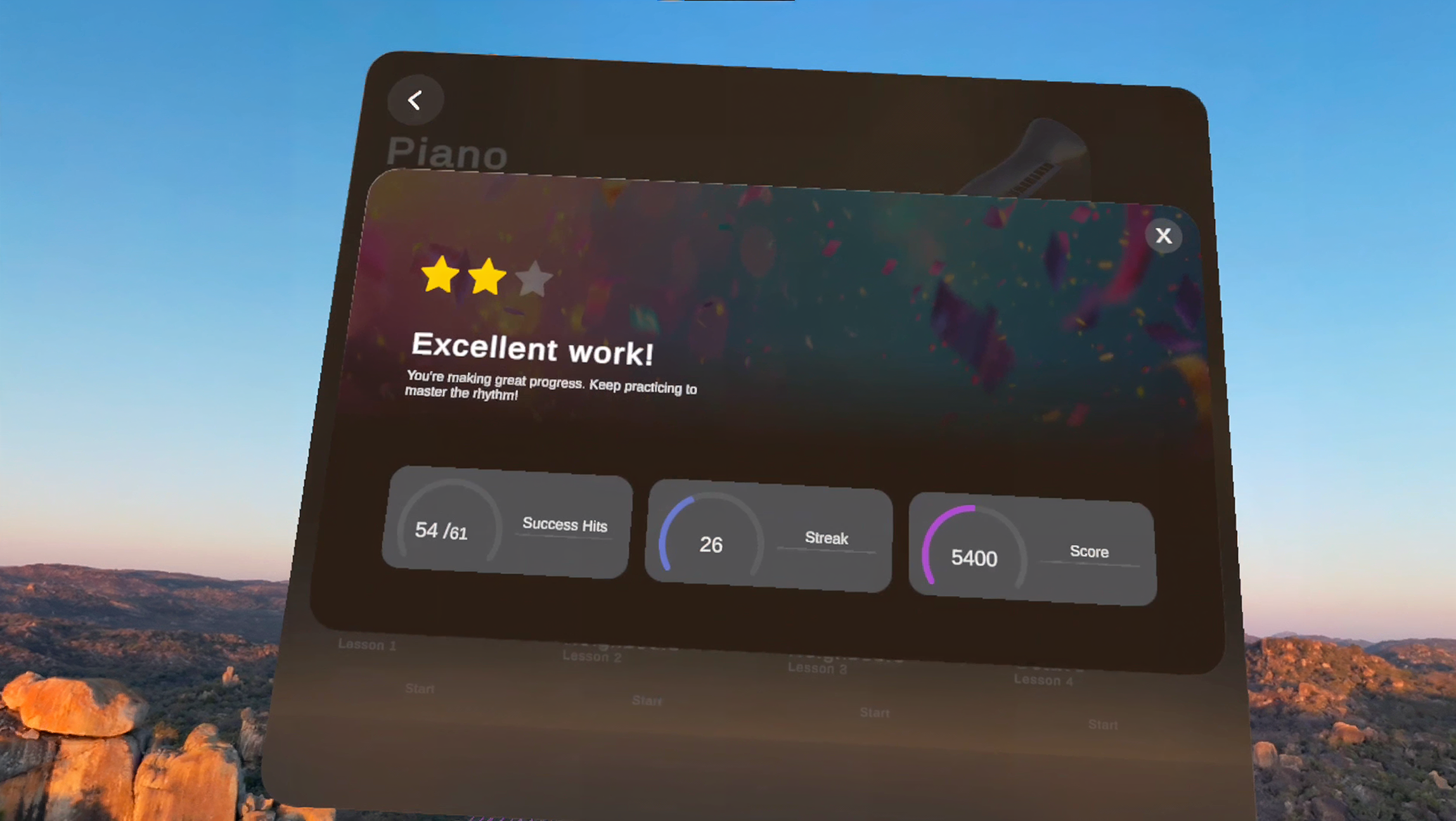
Results screen summarizing user's performance
-
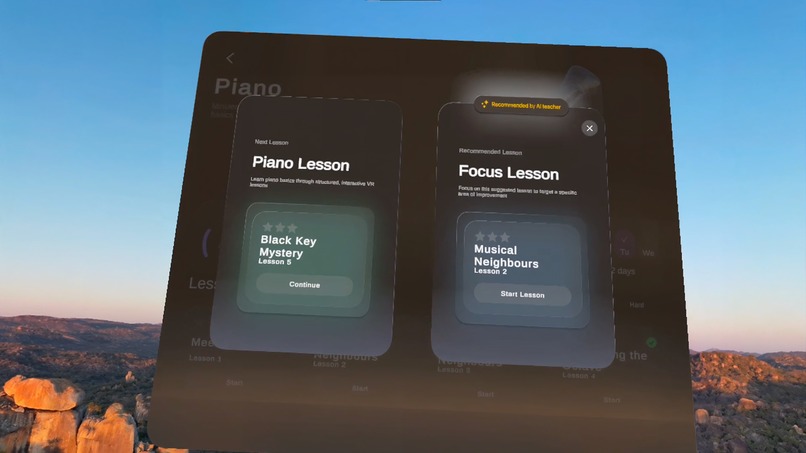
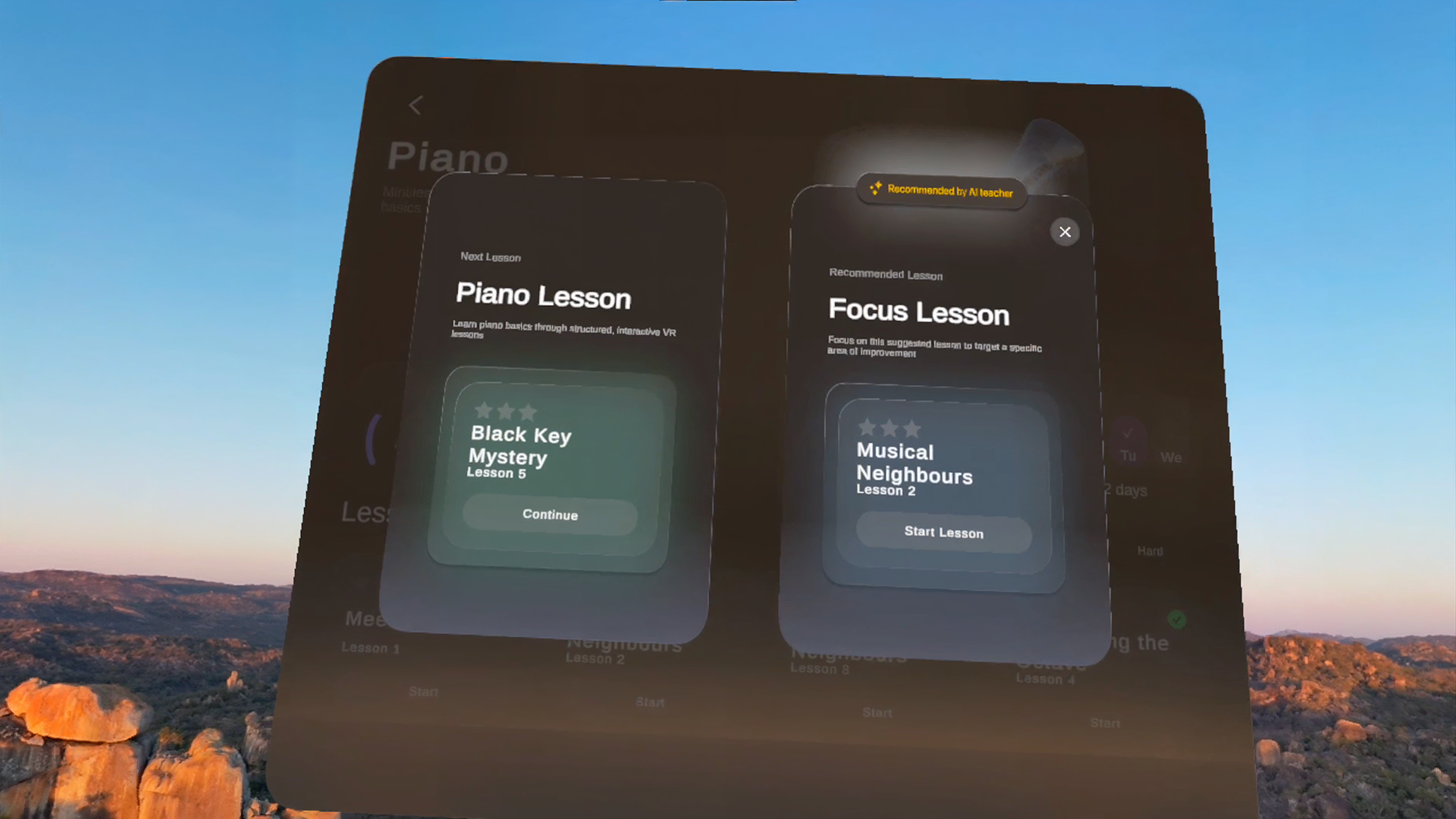
After lesson screen with personalized recommendation for next lesson with AI.
Inspiration
Most beginners who try to learn an instrument on flat screens quit within the first year. 2D videos and apps can’t teach posture, depth, or finger position, so practice feels abstract and frustrating. Museverse turns practice into an immersive ritual that lives where people already love to play - inside their Quest headset and physical space.
What it does
Museverse is an XR music school for Quest. Learners step into 3D practice rooms, pick up virtual or real instruments, and follow gamified, AI-assisted lessons with instant visual and audio feedback. The initial curriculum covers 36 short lessons across three difficulty levels (Easy, Medium, Hard) designed for real habit-building.
For this competition we added a new mixed reality piano path on top of the existing modes. If the user owns a keyboard, Museverse calibrates the real piano in passthrough, aligns a 3D overlay, and launches an introductory copying lesson (internally “Lesson 0”). A transparent ghost hand of our professional pianist plays the phrase while the learner plays at the same time, trying to mimic the movement with their own hand on the real keys. Both hands are visible so timing and positioning feel natural.
After the exercise, a results screen scores timing and accuracy and an AI teacher recommends the next step from the 36-lesson curriculum. If the user has no physical piano, they can still watch the same sequence as a guided showcase and see the same results and recommendation screens, so the full loop is clear without extra hardware.
How we built it
Museverse is built in Unity using Meta XR SDK, OpenXR, XR Hands and passthrough, targeting Quest 3/3S. We combine hand tracking with our own MIDI and audio pipeline to compare what the learner plays to the reference performance in real time. AI teacher insights and lesson recommendations are powered by cloud APIs, and we use IWSTK/WebXR so recorded performances can also be replayed outside the headset.
Challenges we ran into
The main challenge was making mixed reality piano calibration fast and reliable across many keyboard sizes while keeping the first-time user flow under a minute. We also had to tune hand tracking and visuals so the ghost hand guides the learner without occluding keys or becoming visually noisy.
Accomplishments that we're proud of
During the hackathon we evolved Museverse from a VR-first music app into a full mixed reality piano-learning tool: calibration, simultaneous ghost-and-learner performance, scoring, AI-driven recommendations, and a no-piano spectator path. We also shipped a WebXR playback prototype using IWSTK so the same performances can be shared on the web.
What we learned
We saw how much UX details -clear copy, the “I have / don’t have a piano” branch, and tight result screens - matter for keeping first-time users engaged. We also learned how far we can push Quest hand tracking for real skill assessment when we design around its strengths.
What's next for Museverse
Next we’ll extend beyond the initial 36 piano lessons into a deeper adaptive curriculum with daily streak tools and family/school profiles, then bring the same mixed-reality system to guitar and drums. Our goal is to make Museverse the go-to Lifestyle app for people who want to build real music habits in mixed reality. We also want to experiment further with hand-tracking recording, allowing teachers to build their own in-app experiences for students.
Built With
- burstcompiler
- c#
- il2cpp
- visual-studio


Log in or sign up for Devpost to join the conversation.