-
-
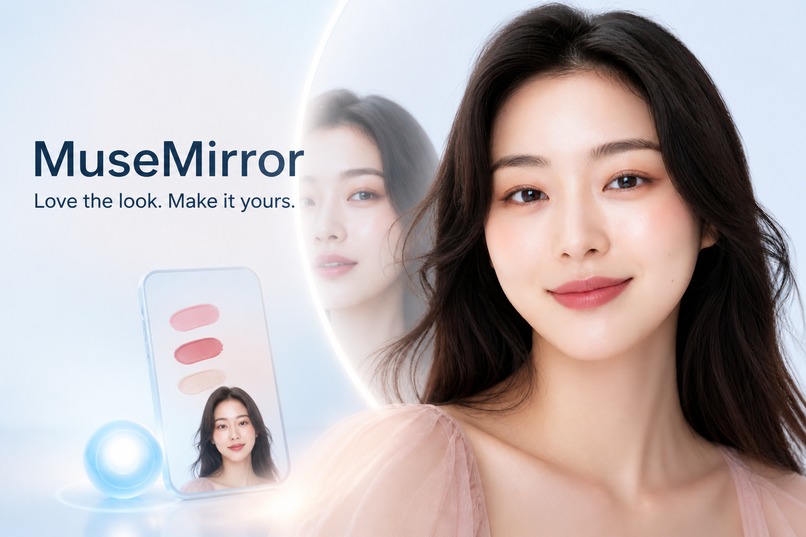
Cover for MuseMirror
-
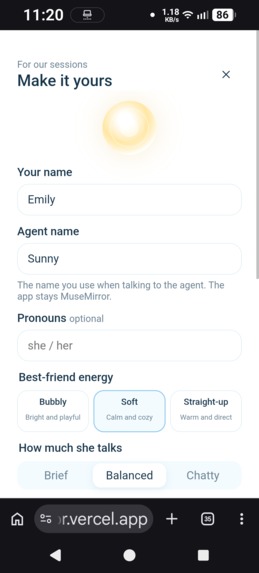
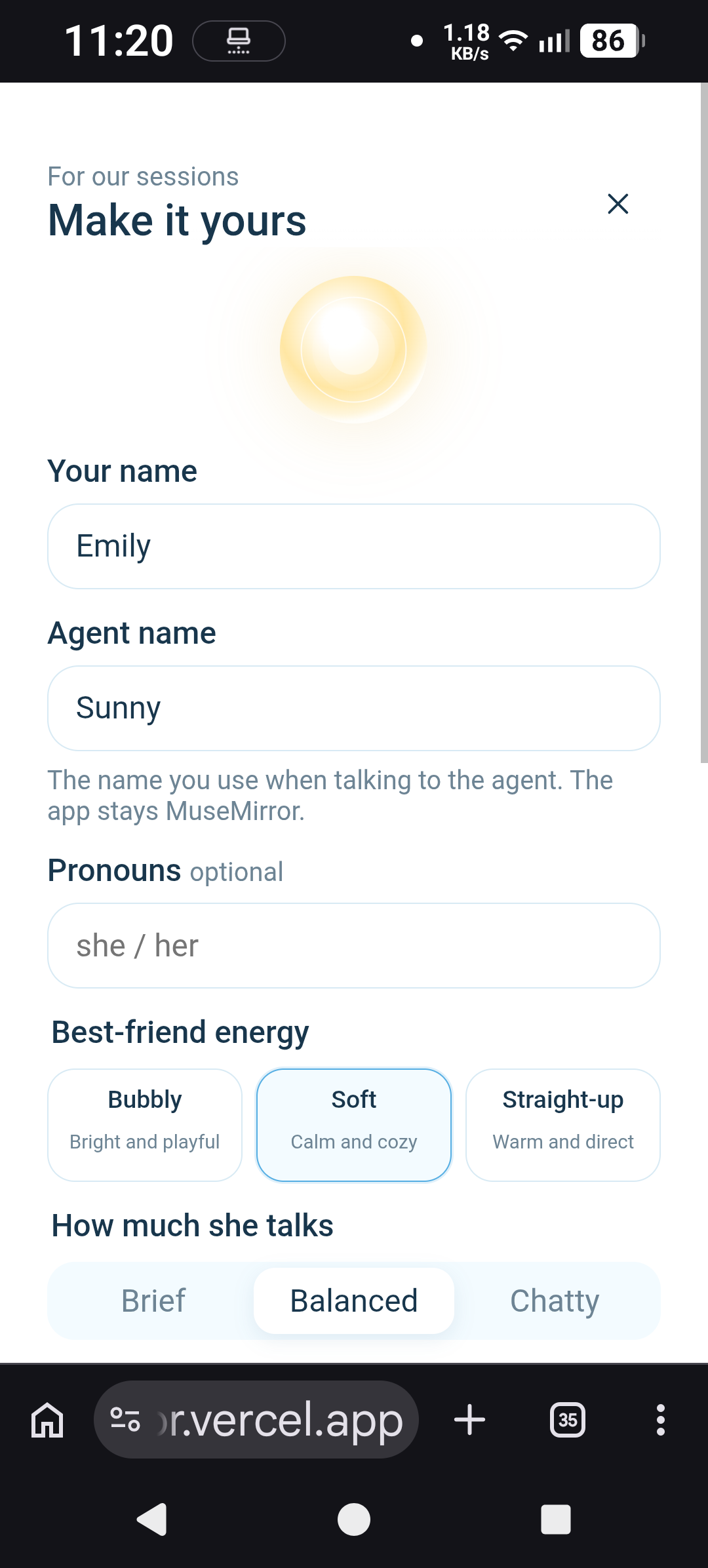
1. user setup-main (the images are labeled to reflect the order of overall user journey)
-
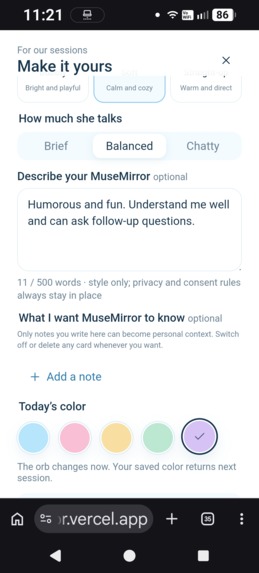
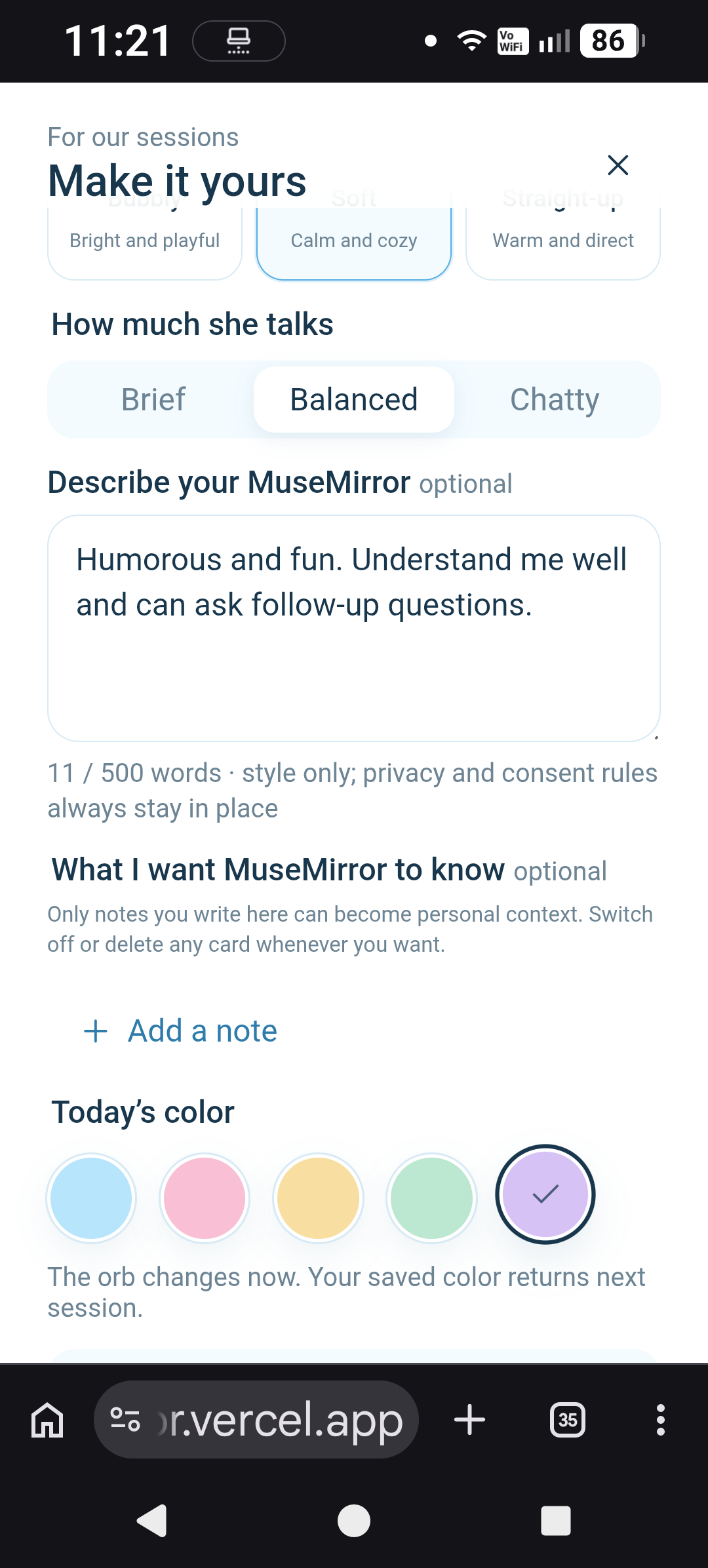
2. user setup-personalization
-
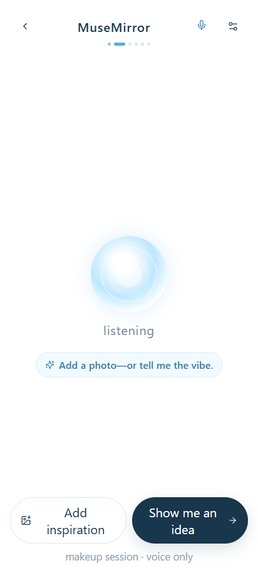
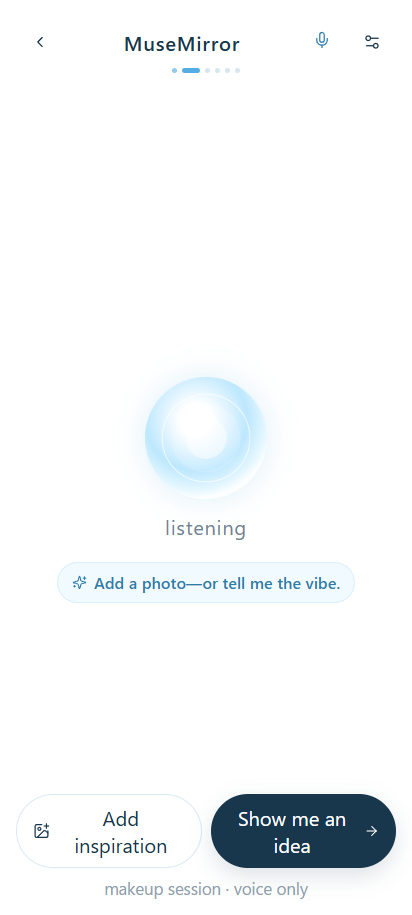
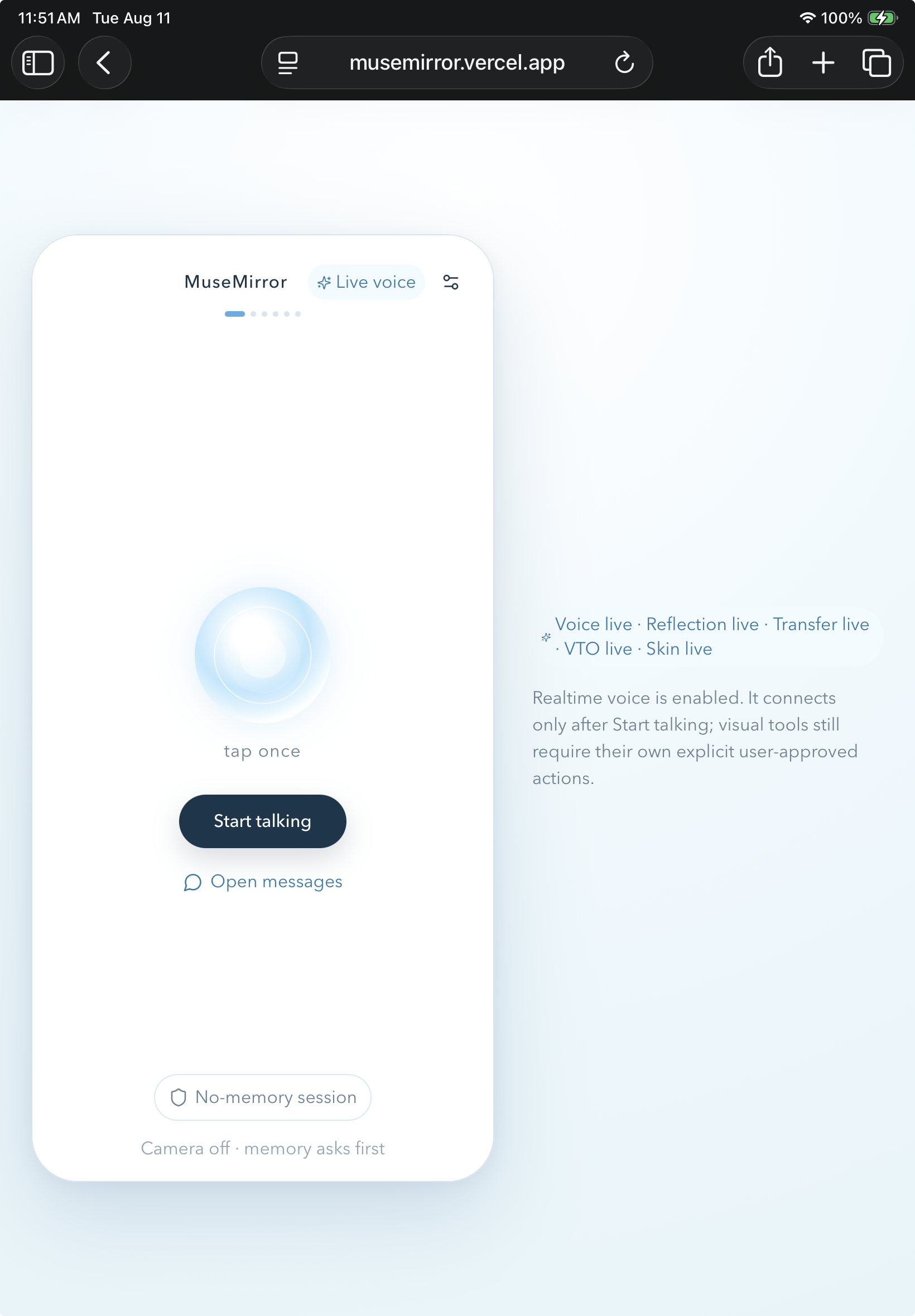
3. session start-entry page (Voice mode activated via openai API)
-
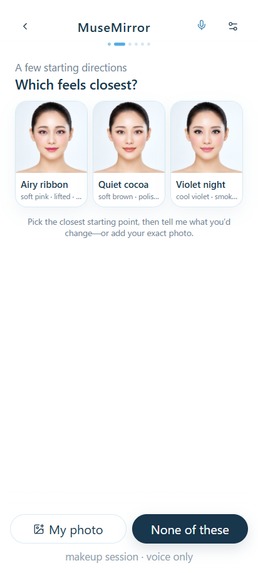
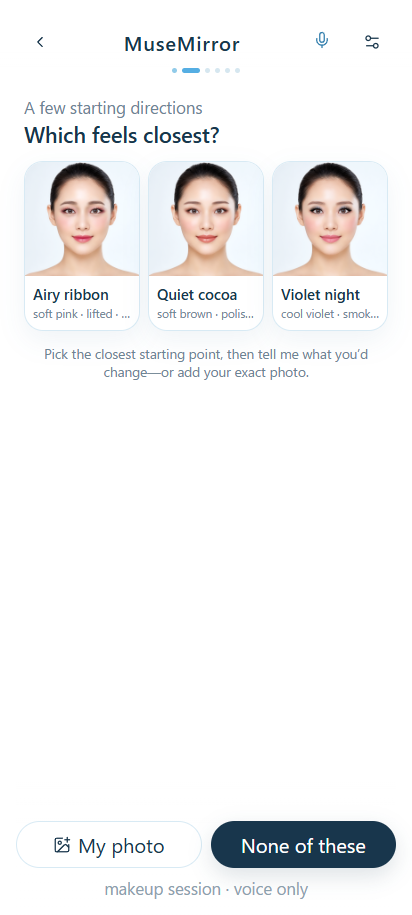
4. selecting a vibe from pre-built makeup samples (there are 5 in the demo)
-
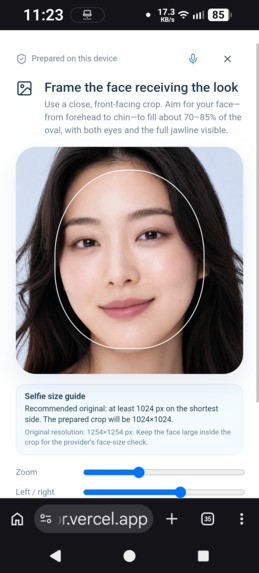
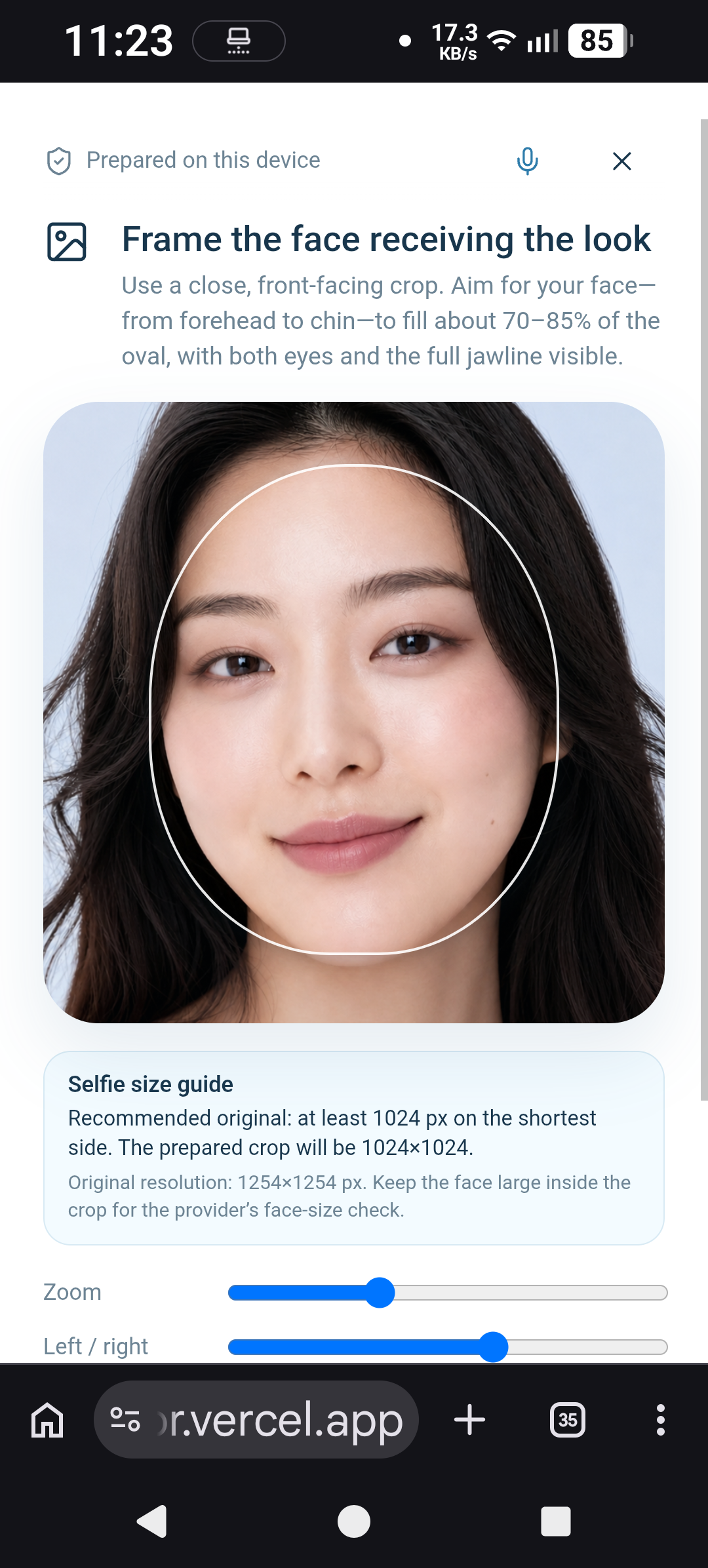
5. user uploading an image from the phone-resize to fit the crop in order to generate makeup transfer in youcam api
-
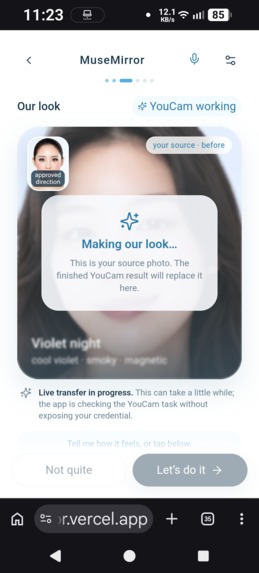
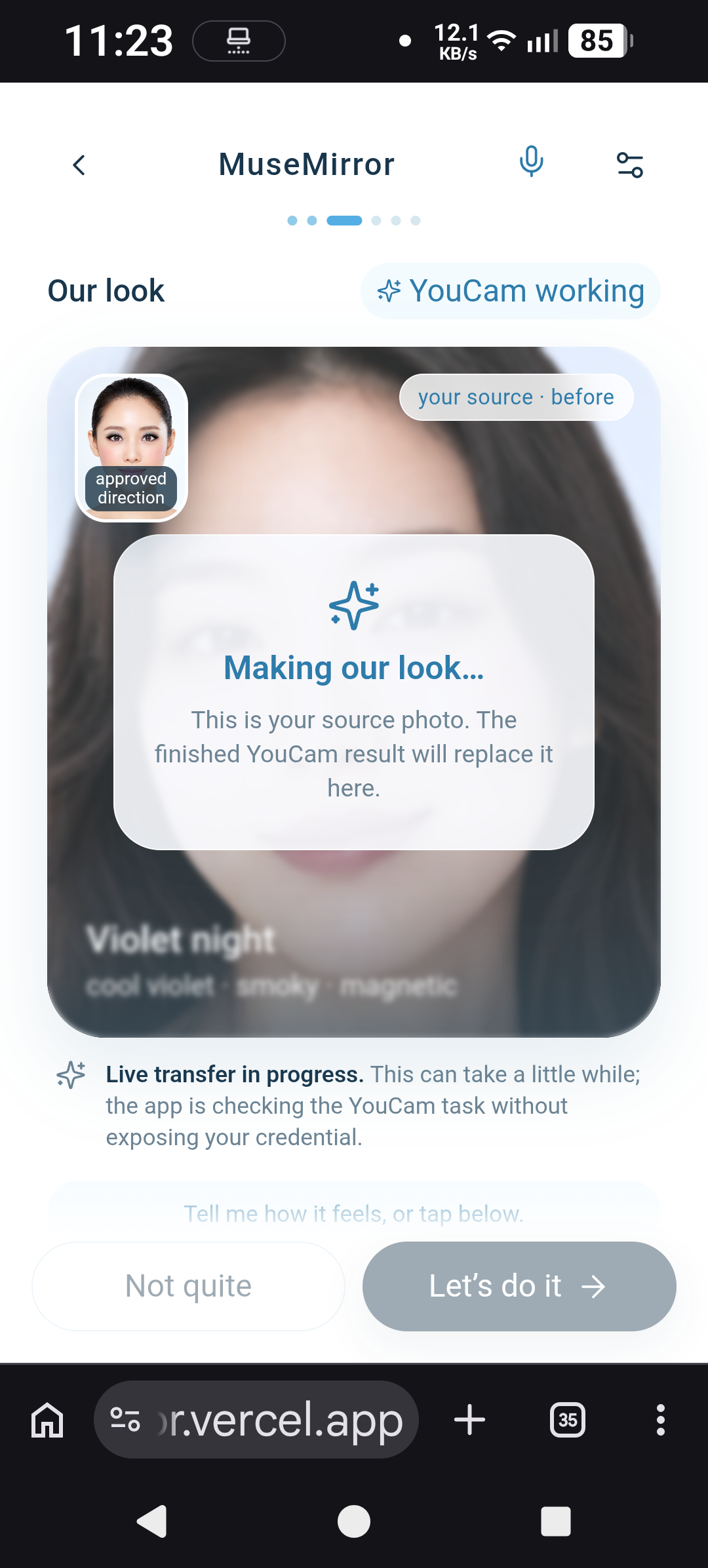
6. youcam api generation in progress
-
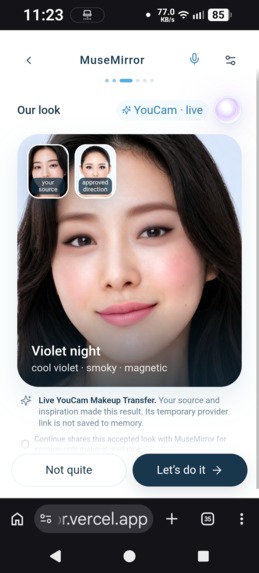
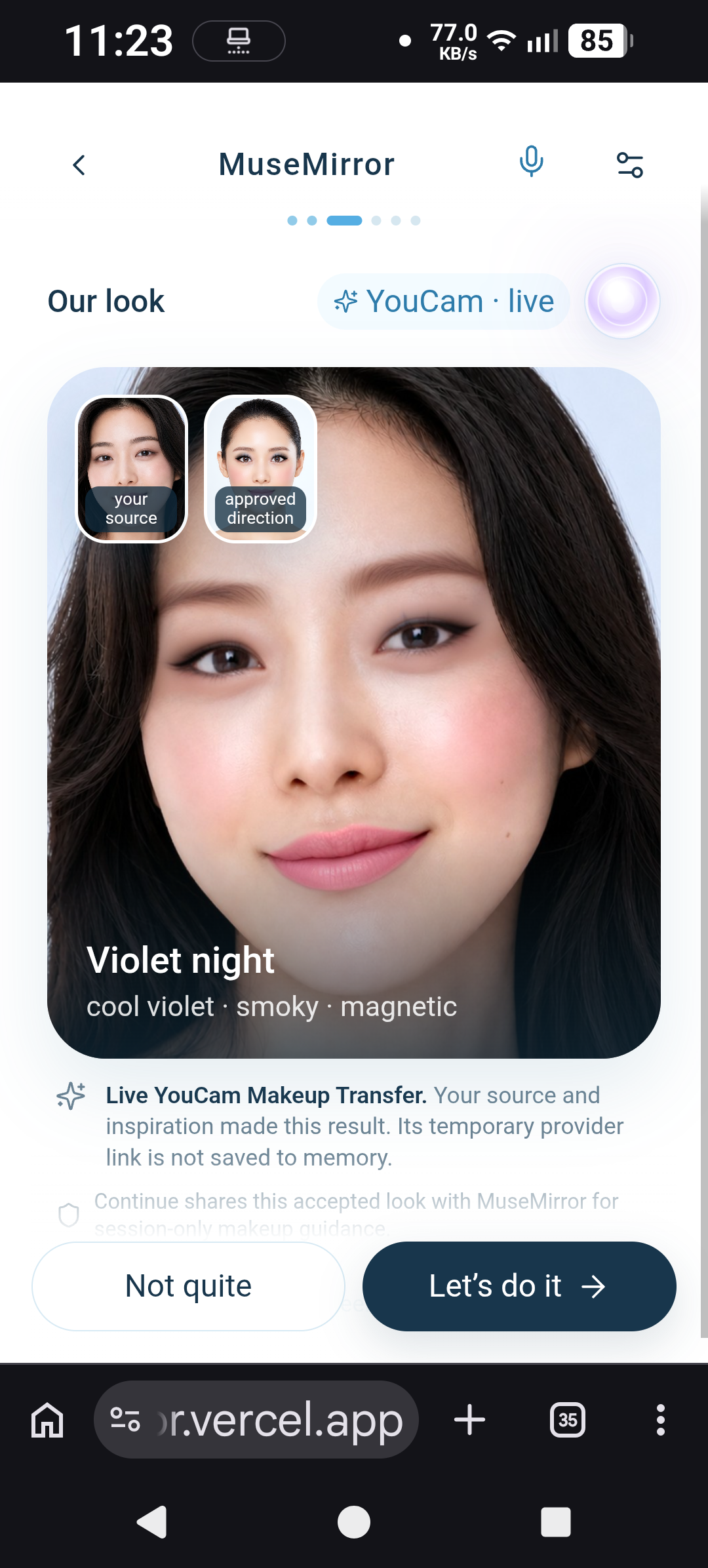
7. youcam api generated image
-
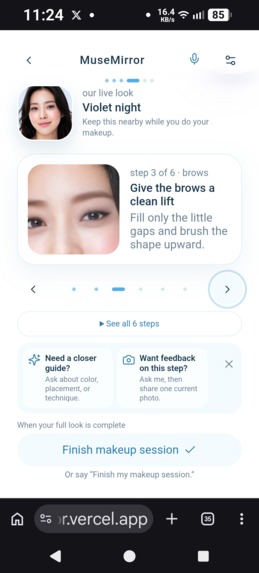
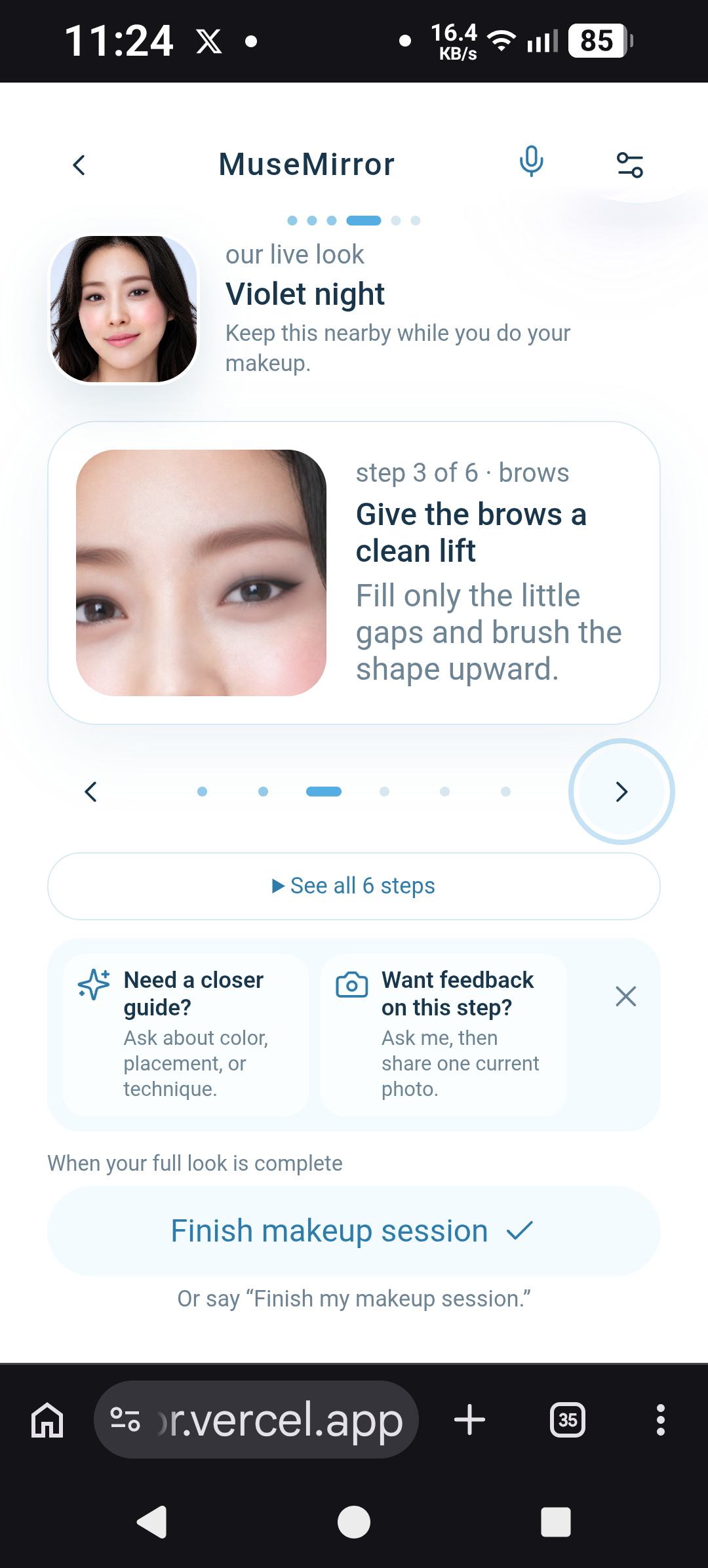
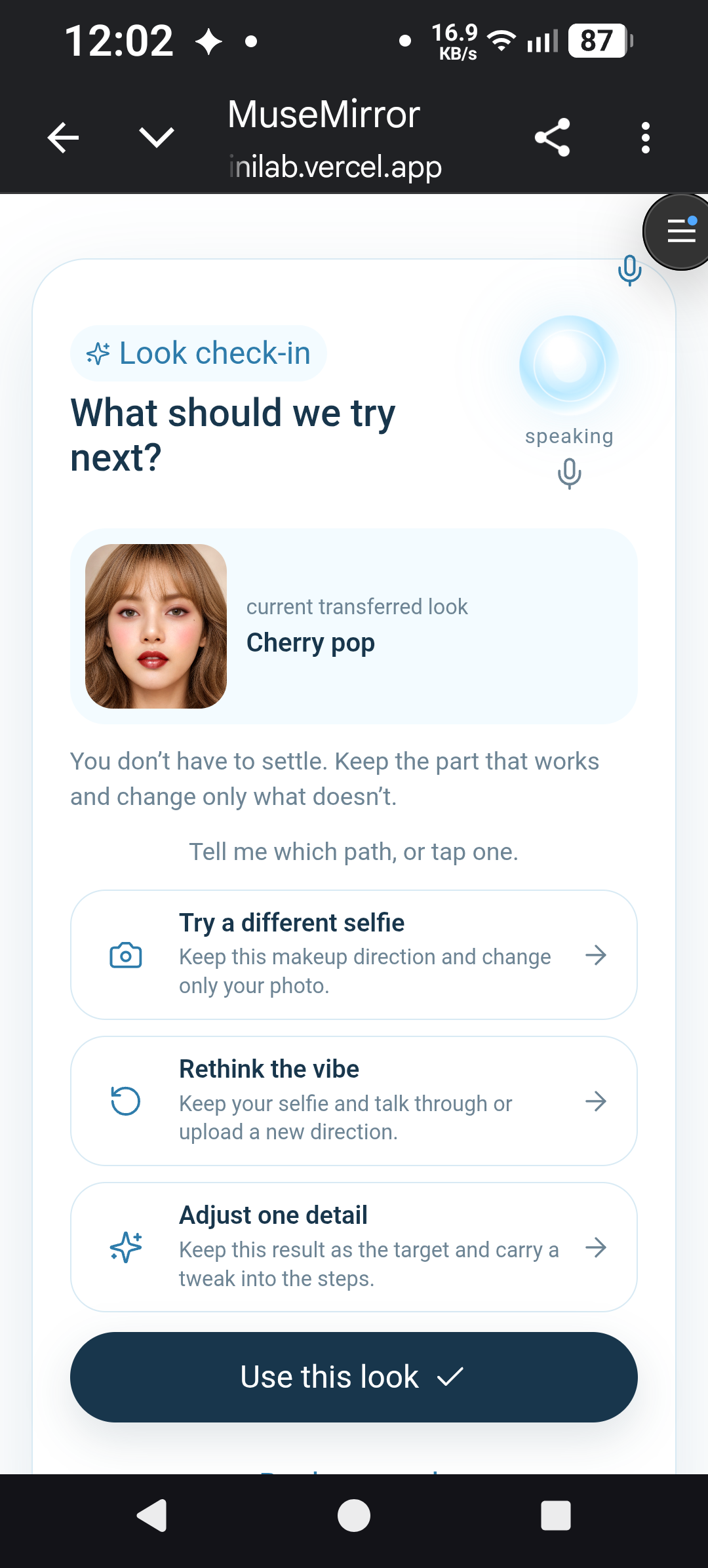
8. makeup session- the user can choose to change certain parts by regeneration and check current look
-
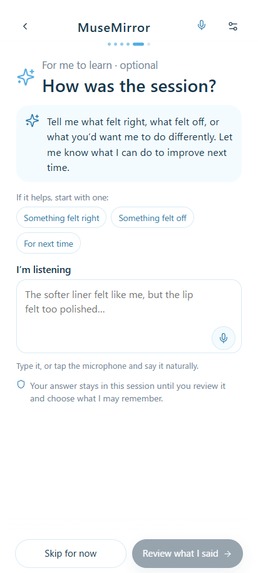
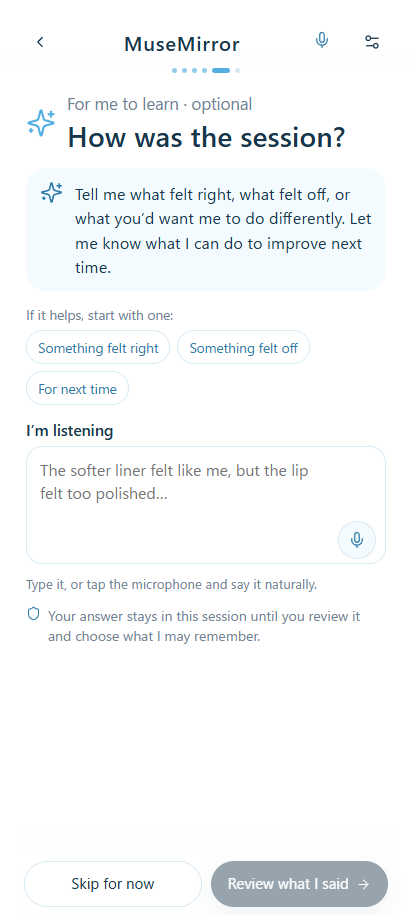
9. end of the makeup session-sharing feedback via voice mode
-
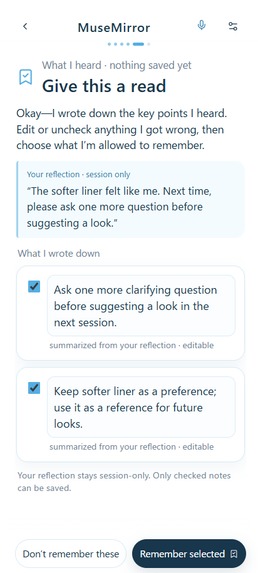
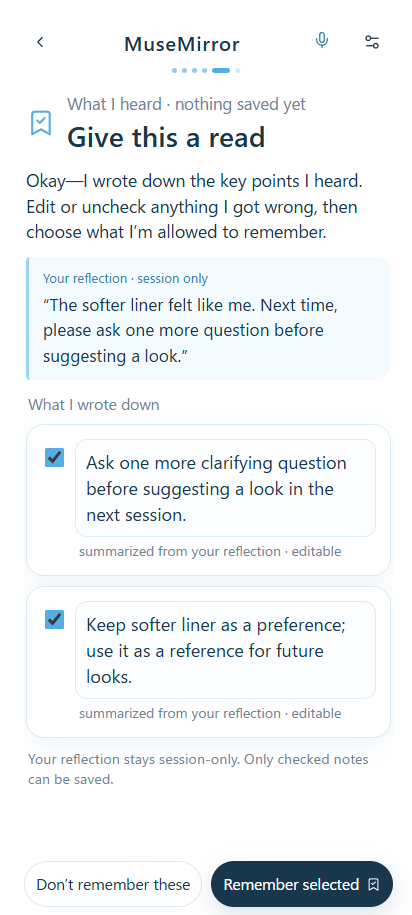
10. review the feedback-user's raw feedback is being summarized in key point with openai API
-
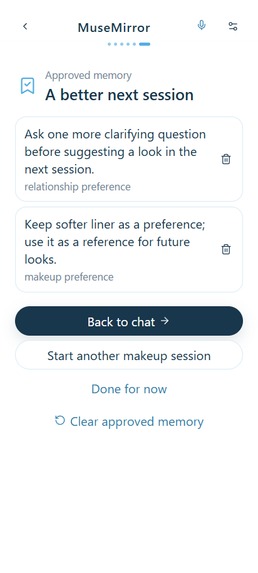
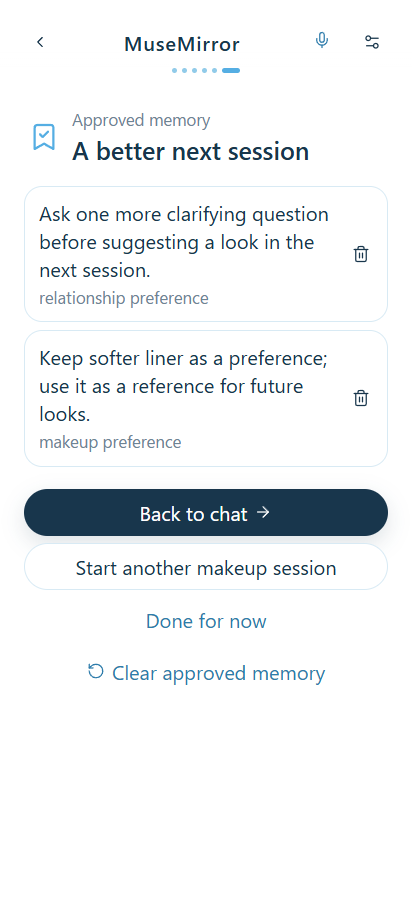
11. save the memory for next session-end of the makeup live session
-
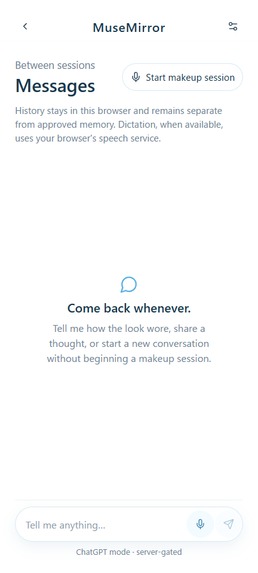
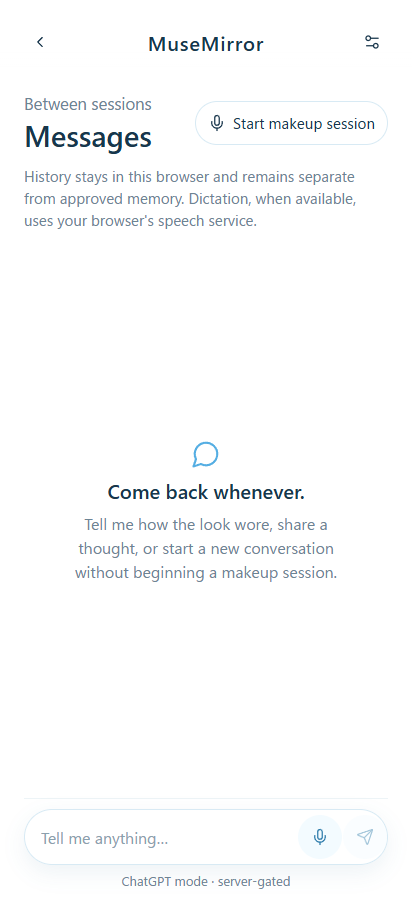
Additional 1: general chat function without starting the makeup session. Talk here may be reflected in future makeup sessions.
-
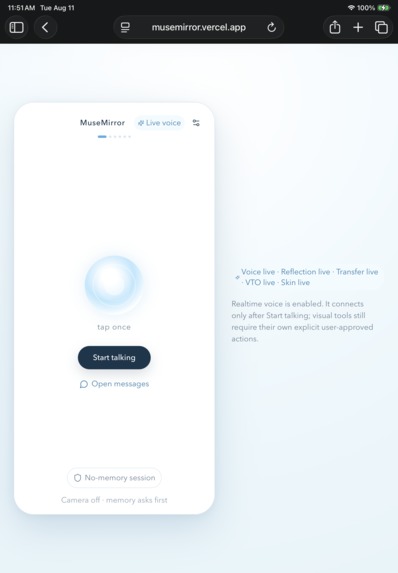
Additional 2: app open in safari on iPad.
-
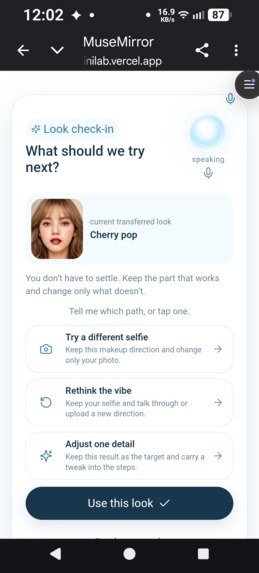
Addition 3: propose alternatives when the user wants a different look than the makeup transformation indicates (regeneration loop)
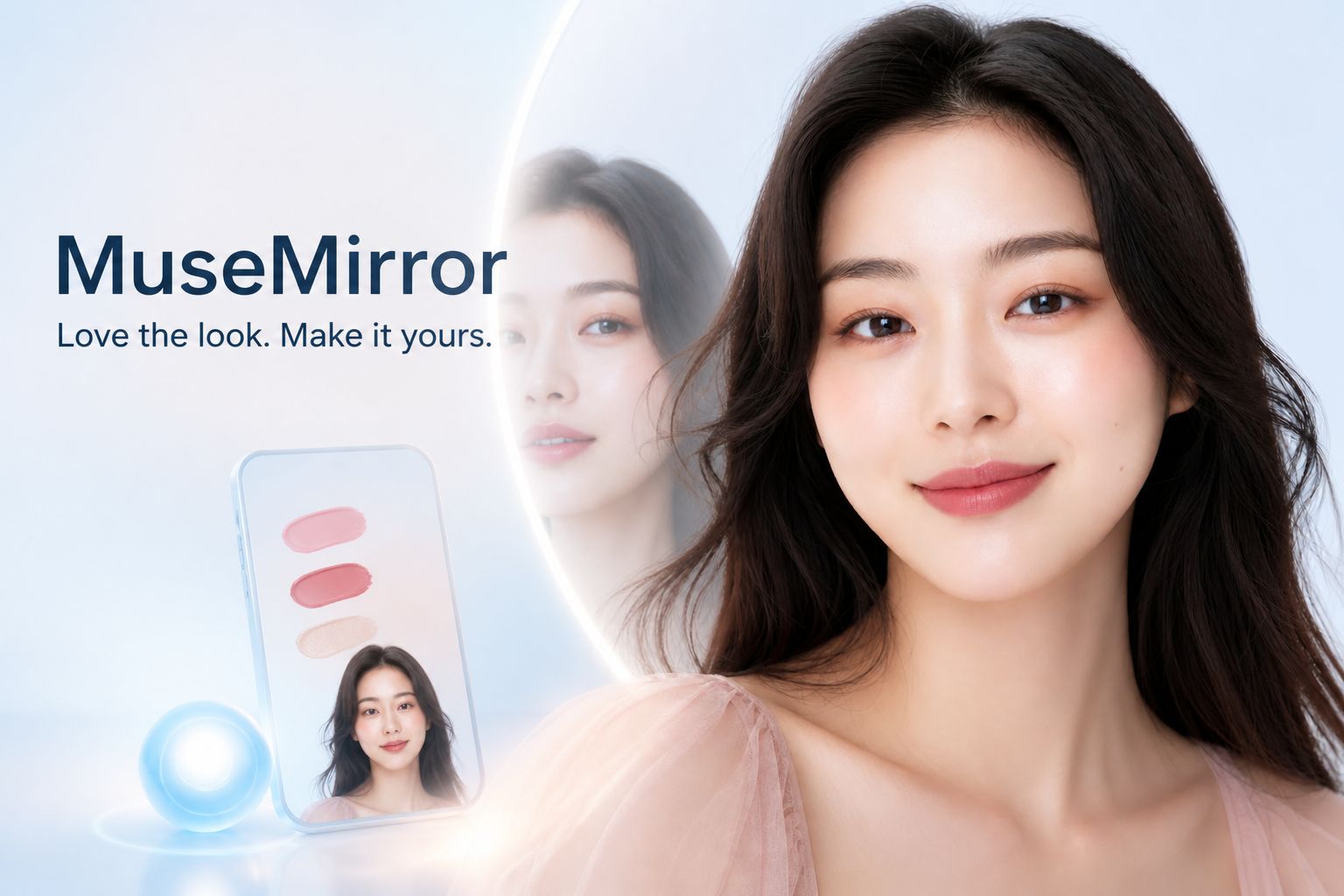
One-line Summary
MuseMirror turns “I love her makeup” into a look she can actually recreate, with YouCam visualization and an AI Best Friend beside her at the mirror.
About the project
The GitHub repository is private, and I have sent a collaborator invitation to [email protected] for judging access.
Inspiration
Everywhere I looked on Instagram, TikTok, and YouTube, I saw makeup on idols, influencers, and models that made me want to feel that cute, polished, and confident too. I saved their looks, studied how the colors were placed, and went to makeup stores to try product after product. I kept hoping I could recreate on my own face what looked effortless on theirs. Too often, I could not. Some techniques were harder than they appeared. Products did not create the same feeling on my face. Sometimes I thought my familiar makeup looked good, then arrived at a networking event and was told it was a little too much for the room. I felt frustrated. I had plenty of inspiration, but no one to help me understand what I loved about a look, what would work with my face and ability, or how I wanted to show up in that particular moment. The search meant more tutorials, more store visits, more trial and error, and more products that never became the answer I hoped they would be. For me, makeup has never been only about looking different. It is one way I reach for confidence. I wanted a companion who could listen, help without judging, stay with me while I tried, and remind me that beauty was not about becoming someone else or proving that I was enough.
So I built MuseMirror.
What it does
MuseMirror helps a woman turn makeup inspiration into something she can actually recreate. She can share a look she loves, describe an occasion, or say how she wants to feel. MuseMirror asks one useful question, helps her choose a direction, and uses YouCam AI Makeup Transfer to show that direction on her own face. The preview is not the finish line. It becomes a shared target. In Mirror Mode, MuseMirror stays with her by voice while she applies the makeup in her physical mirror, one manageable step at a time. She can also choose an optional YouCam Skin Analysis check for gentle preparation suggestions or use YouCam Makeup VTO to preview a supported lip-color change. When she finishes, she can say what worked, what did not, and what she would change. MuseMirror turns that reflection into short, editable notes. Nothing is remembered unless she reviews and saves it. The result is more than a transformed selfie. It is a look she has seen, recreated, adjusted, and made her own, with a companion that can use her approved preferences next time.
Why it matters
MuseMirror solves the part beauty technology often leaves unfinished: helping someone bring a visual result into real life. -describe what she wants without knowing professional makeup terms -see the chosen direction on her own face -use that image as a target while she applies the makeup herself -receive optional skin preparation without diagnosis or flaw scoring -adjust the look while she is getting ready -reflect on what worked and choose what MuseMirror may remember
The immediate value is a clearer, more supported way to get ready, with less guesswork between the inspiration image and the final look. The future retail value starts from the same pain. After a user has chosen and tried a look, she may have a clearer sense of which shades, finishes, and techniques feel right for her. In a future retailer experience, MuseMirror could use only those approved preferences to help her search a catalog she chooses. YouCam would continue to provide the visual technology, while the retailer would own product information and checkout. The current MVP does not include a catalog, retailer connection, cart, checkout, or conversion claims.
How we built it
MuseMirror is a React, TypeScript, and Vite PWA deployed on Vercel. I combined YouCam's visual beauty capabilities with OpenAI's live conversation and structured reflection tools, then built one shared app state so the voice companion and every screen stay grounded in the same moment of the journey.
Perfect Corp. YouCam APIs
- AI Makeup Transfer renders the user-approved inspiration on her prepared selfie and creates the main wearable preview.
- AI Makeup Virtual Try-On previews one of five allowlisted satin lip colors when the user requests a supported change. Skin smoothing, skin color intensity, morphology, and lip-shape alteration remain disabled.
- AI Skin Analysis analyzes moisture and oiliness from a fresh, purpose-specific still and returns bounded evidence for one or two cosmetic preparation suggestions. It is not used for diagnosis, attractiveness scoring, or automatic memory.
I use Skin Analysis deliberately and narrowly. The three YouCam capabilities support one complete getting-ready experience instead of appearing as separate demos.
OpenAI
gpt-realtime-2.1-minimaintains the live voice relationship over WebRTC and requests allowlisted screen actions from current app state.gpt-5-nanopowers between-session Messages and converts optional reflection text into separate structured, editable memory proposals.- Session-only image context lets the companion discuss the user's chosen inspiration, accepted target, or separately consented current-application still without treating those images as persistent memory.
How Codex helped me build it
Codex served as an engineering collaborator throughout the project. It helped me turn the product idea into scoped requirements and technical boundaries, implement provider-neutral services and Vercel bridges, construct fixture-first tests, reconcile real YouCam response shapes, harden WebRTC turn-taking, debug Android camera permissions and mobile scrolling, audit privacy and memory behavior, and prepare the production deployment and documentation. Codex helped me build, but it did not make the product decisions for me. I chose the scope and approved paid provider calls, memory behavior, public deployment, and commits. In the ordinary implementation and automated testing, fixtures and mocked transports were used, so iteration consumed no provider credits for the OpenAI API; only during the final physical tests did I use credits.
Architecture
MuseMirror is a React/TypeScript/Vite PWA deployed on Vercel. The static client handles the experience, local image preparation, consent, app state, and IndexedDB persistence. Vercel Node.js Functions retain permanent OpenAI and YouCam credentials on the server side.
The Makeup Transfer and Skin Analysis bridges create file slots and signed uploads. Makeup VTO instead validates the current accepted-look HTTPS URL and one server-allowlisted lip recipe. All three create asynchronous tasks, use bounded polling, normalize provider responses, and preserve prior state on failure. The OpenAI Realtime route exchanges WebRTC SDP without exposing the API key. Response routes use bounded context and store: false.
The Realtime agent receives authoritative app-state snapshots and may request only allowlisted actions. It cannot silently capture an image, approve a crop, start a billable YouCam operation, change commerce, or save ambiguous memory.
Challenges we ran into
The hardest part was not simply calling an API. It was making the whole experience feel dependable when real people, real photos, mobile browsers, temporary URLs, and asynchronous AI tasks were all involved. One Makeup Transfer task reached the provider and then failed because the inspiration image obscured part of the outer-eye area. Another succeeded, but its usable result URL arrived inside a response shape our first normalizer did not expect. A face-size rejection also showed that provider units may be consumed before a later validation failure. Those moments pushed me to treat photo preparation as part of the product. MuseMirror now gives clearer framing guidance, prepares source and reference uploads locally, normalizes multiple response shapes, avoids blind paid retries, and keeps the user's previous state intact when a provider fails. Continuous voice on a phone was another real challenge. WebRTC speech, camera permissions, visual tools, YouCam processing, playback, and screen transitions all had to agree about what was happening. I addressed this with one conversation coordinator, authoritative screen-state snapshots, allowlisted agent actions, and careful microphone turn-taking so the assistant does not listen to itself. Mobile usability mattered just as much as the AI. Android camera permissions exposed an operating-system overlay issue, and early reflection and memory screens were difficult to scroll while voice was active. I kept testing on a physical phone and adjusted the controls, capture fallbacks, payload limits, and page layouts until the complete route felt calm and readable on a small screen. The final challenge was scope. It was tempting to add hair, clothing, shopping, and many more makeup controls. I chose to finish one honest journey instead. In this MVP, live visual editing is intentionally limited to five satin lip colors. Other makeup requests receive guidance, but MuseMirror does not pretend to render capabilities that are not there.
Accomplishments that we're proud of
I am proud that MuseMirror does not stop when the YouCam result appears. The preview becomes a target the user can follow at her own mirror. The companion stays through application, reflection, and memory review, while the user remains in control of every image and every saved note.
- Three YouCam capabilities work inside one coherent journey: Makeup Transfer, Skin Analysis, and Makeup Virtual Try-On.
- The live companion remains present through Mirror Mode, reflection, memory review, and the final screen.
- Users control their own name, their companion's name and style, whether to use memory, and exactly which reflection points may be remembered.
- Permanent provider keys stay in server-side Vercel Functions, while ordinary development and automated tests use fixtures and mocked transports.
- The current build has 163 passing automated tests, passes a production build, and has completed a full live rehearsal on an Android phone.
- Provider errors are shown honestly. MuseMirror does not silently replace a real result with a fixture or retry a paid task without permission.
Most of all, I am proud that the technology still serves the original feeling behind the project. The user is not asked what is wrong with her face. She is asked how she wants to show up today and how she wants to feel.
What we learned
I learned that image readiness is not a small upload detail. Lighting, face angle, distance, cropping, payload size, and a recoverable failure path can decide whether a beauty AI experience feels magical or frustrating. I also learned that a successful API call is not yet a successful product. The user needs to understand what is happening, what the result means, what she can do next, and what will happen if something fails. Building voice and visuals together taught me that the agent cannot be treated as a separate chatbot. It needs the same current state as the screen, and it should only be able to request actions the user can see and control. Finally, memory feels more trustworthy when the AI does not silently decide what matters. MuseMirror can listen and suggest the key points, but the user remains the person who edits, approves, or rejects what will be remembered.
What's next for MuseMirror
MuseMirror was built with and physically tested on an Android phone using the live Vercel deployment. I also confirmed that the deployment opens in Safari on an iPad. I do not own an iPhone, so I have not physically validated the complete experience on iPhone Safari. That remains a future validation path rather than a compatibility claim for this MVP. Mirror Mode (Makeup application steps process) already allows the user to ask conversational questions about color, placement, and application technique while following the visible steps. A future version could make that coaching more structured and personally grounded: adapting instructions to the user’s experience level, working with the brushes and products she already owns, breaking difficult techniques into interactive micro-steps, and providing clearer checkpoints before moving forward. MuseMirror could also evaluate the consistency of this guidance across a wider range of looks and application situations. It would remain user-paced, and any visual progress feedback would continue to require an explicitly shared current photo rather than continuous camera observation. After the MVP, I could expand visual makeup changes only when each new area has a safe provider mapping and has been checked against real outputs. Hair and apparel could follow later, but each deserves its own intent, quality, consent, and product-value design rather than being attached as another feature. Commerce is a natural future direction because it returns to the frustration that started this project. Women already spend a great deal of time and money trying to find the shade or finish that will create the feeling they imagined. If a user asks for shopping help, MuseMirror could match her accepted look and approved preferences to a retailer catalog she chooses, confirm the exact item with her, and send her to the retailer for checkout. The current MVP does not include a product catalog, retailer connection, cart, checkout, or conversion claims. The larger vision is simple: help someone move from a look she loves to one she can recreate, wear, and still feel like herself in.
Known Limitations
- Lip color is the only live visual-change category. Eye, brow, and cheek requests receive spoken application guidance but no claimed visual modification.
- Mirror Mode can answer conversational questions about color, placement, and technique, but its guidance is based on the accepted look and current application step. It is not yet grounded in a verified inventory of the user’s products and tools or a standardized tutorial library.
- MuseMirror does not continuously observe the user applying makeup. Feedback on current progress requires the user to deliberately share a session-only photo.
- Four non-default lip recipes still require deliberate paid visible-quality review.
- The one-photo applied-makeup feedback flow is implemented, but its live multimodal response still needs final physical quality validation.
- Provider image suitability can fail after task creation; the app does not silently retry or substitute a fixture.
- Hair, apparel, connected commerce, cart synchronization, and checkout are future scope.
- Perfect’s JavaScript Camera Kit is a credible future hardening option for automatic portrait-readiness checks. The current MVP uses its own framing, crop, resolution, payload, and permission safeguards.
- Images are not persistently stored by MuseMirror by default, and approved memory remains local to the browser.
Built With
- codex
- indexeddb
- javascript
- node.js
- openai
- react
- typescript
- vercel
- vite
- webrtc
- youcam

Log in or sign up for Devpost to join the conversation.