Inspiration
Creative ideas rarely begin inside one app.
They begin while browsing photography, collecting visual references, testing prompts, or discovering an image that sparks an entirely new direction. But as creators move between websites and AI tools, the story behind their work is often lost: the original source disappears, licence context is forgotten, successful prompts become buried, and final assets are disconnected from what inspired them.
Bookmarking platforms preserve inspiration. AI generators create media. Cloud drives store finished files.
None of them preserve the complete creative journey.
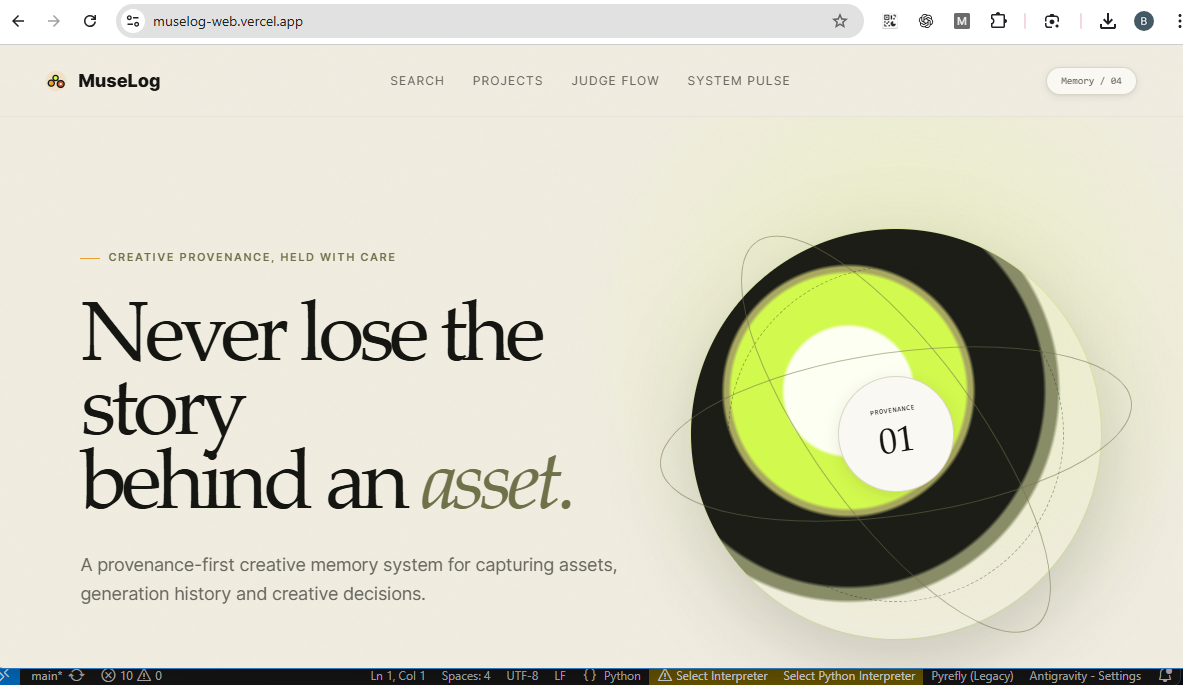
That inspired MuseLog: the creative memory layer that follows creators across the web.
With one right-click, any image can become a Creative Breadcrumb containing its source, creator, recorded licence context, project, notes, timestamp, and cryptographic fingerprint.
Creators can then continue that idea through AI generation while MuseLog preserves the prompt, provider, model, parameters, provenance manifest, and resulting assets.
Pinterest helps creators collect inspiration. MuseLog preserves what that inspiration becomes.
What it does
MuseLog captures, connects, and preserves the complete story behind creative assets.
Capture inspiration from across the web
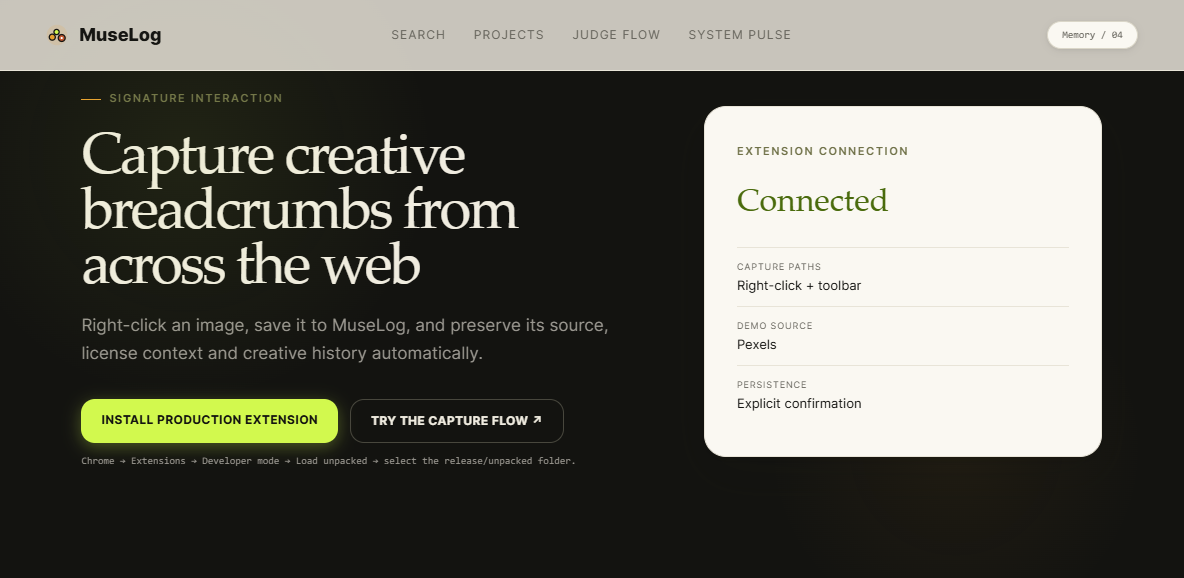
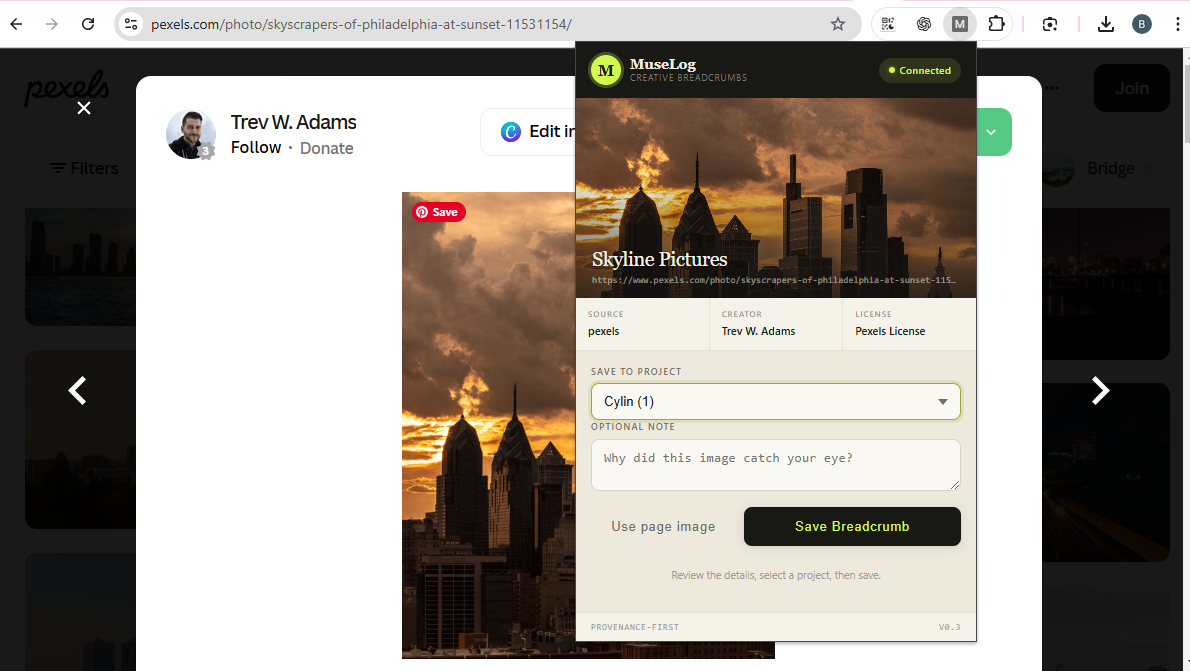
The MuseLog Chrome extension adds an image-specific context-menu action:
Save image to MuseLog
When a creator right-clicks an image, MuseLog captures the exact selected asset and analyses the surrounding page using domain-specific adapters for sources such as Pexels and Unsplash, with a generic image and Open Graph fallback.
The extension extracts available context including:
- Source URL
- Page title
- Creator or photographer
- Source platform
- Recorded licence information
- Capture timestamp
The creator reviews the detected information, selects a project, adds an optional note, and explicitly clicks Save Breadcrumb.
MuseLog then:
- Securely retrieves and validates the image
- Calculates its SHA-256 fingerprint
- Stores it privately in Backblaze B2
- Creates the Asset and Timeline event atomically
- Queues it for Creative Memory indexing
- Returns links to the saved Breadcrumb and project Timeline
The result is immediate: something fleeting on the web becomes part of a durable creative history.
Continue an idea with AI
A captured Breadcrumb can become the inspiration for a new generated asset.
Creators select a reference, enter a prompt, and start a durable image-generation workflow orchestrated through Genblaze.
MuseLog records:
- Original prompt
- Negative prompt
- Provider and model
- Generation parameters
- Inspiration asset
- Genblaze run identifier
- Native Genblaze provenance manifest
- Original generated image
- WebP thumbnail
- SHA-256 hashes
- Generation timestamps
- Complete status and failure history
The generated result remains visibly connected to the Breadcrumb that inspired it.
MuseLog is therefore not simply an image generator or bookmark manager. It records the transformation from discovery to creation.
Replay the creative journey
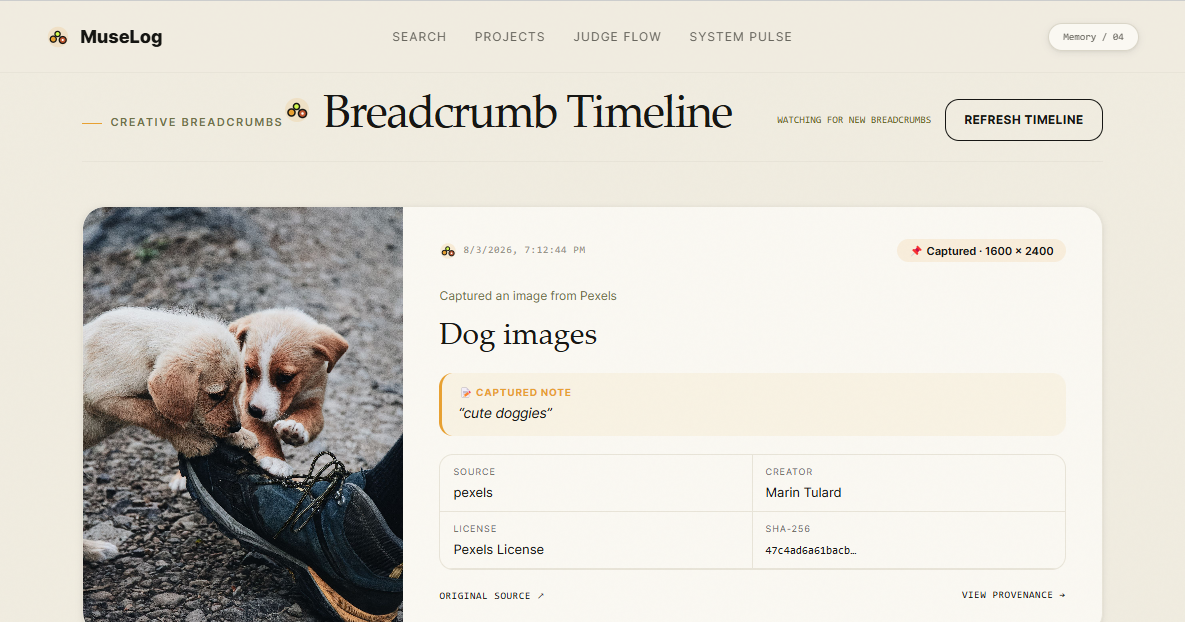
The Creative Timeline displays the major events in a project:
Captured inspiration
        ↓
Added creative context
        ↓
Generated a new interpretation
        ↓
Verified provenance
        ↓
Indexed for Creative Memory Search
Instead of browsing disconnected files, creators can understand how an idea developed over time.
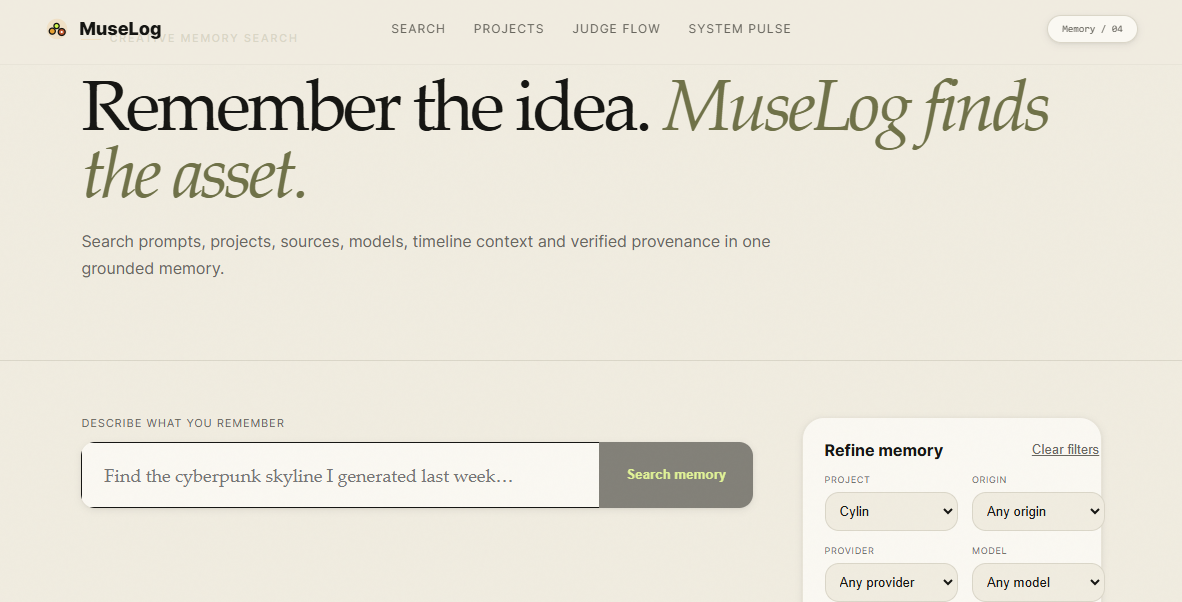
Search by memory
Creative Memory Search lets creators find assets even when they cannot remember filenames.
Example searches include:
- “The rainy city image I generated today”
- “Assets saved from Pexels”
- “Images created with OpenAI”
- “The futuristic building inspired by that concrete reference”
- “Verified generated assets from this project”
Search combines:
- OpenAI text embeddings
- PostgreSQL full-text search
- pgvector cosine similarity
- Project filters
- Date filters
- Origin filters
- Provider and model filters
- Source-platform filters
- Provenance filters
Results explain why each asset matched and link back to its project, source, Timeline, generation run, and provenance.
When semantic embeddings are unavailable, MuseLog automatically falls back to PostgreSQL lexical search instead of failing.
Verify how an asset was created
Generated assets include a provenance view containing:
- Source Breadcrumb
- Prompt and parameters
- Provider and model
- Genblaze pipeline identifier
- Native Genblaze manifest
- Generation steps and timestamps
- Backblaze B2 object paths
- Image and manifest hashes
- Verification status
MuseLog does not only store an image.
It preserves evidence of how that image came to exist.
How we built it
MuseLog is built as an extension-first, production-style creative workflow.
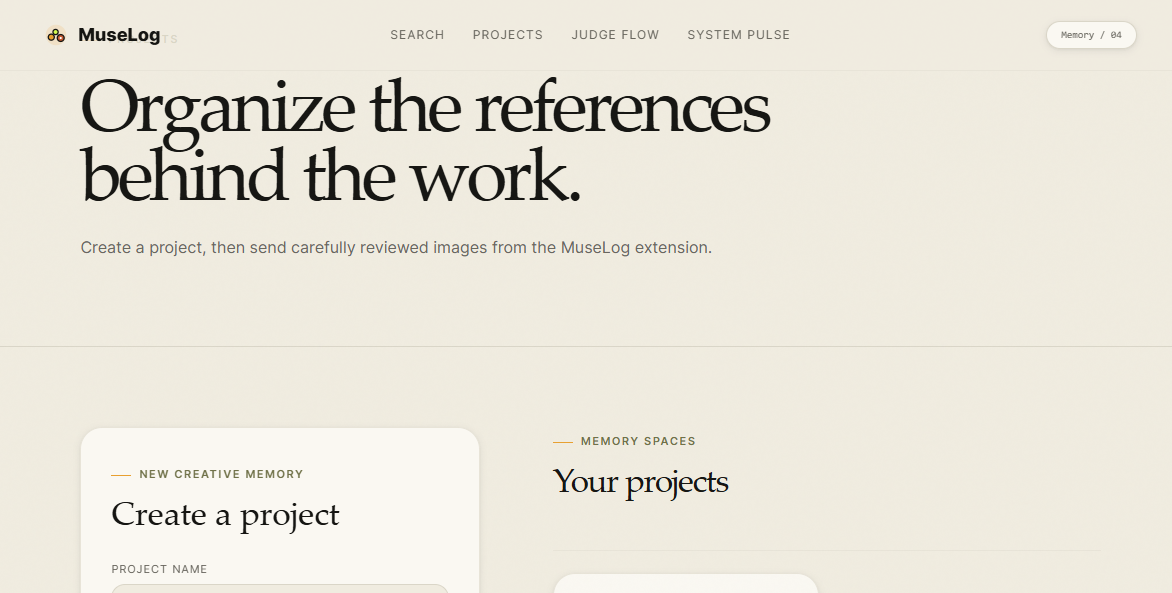
Frontend dashboard
The dashboard uses:
- Next.js App Router
- React
- TypeScript
- Vanilla CSS
- A custom design system with reusable tokens
- Glass-inspired interface elements
- Responsive layouts
- Micro-animations and interactive states
The dashboard provides:
- Project workspaces
- Creative Timelines
- Asset-detail pages
- AI generation
- Generation progress
- Provenance inspection
- Creative Memory Search
- An extension-first Judge walkthrough
The production dashboard is deployed on Vercel.
Chrome extension
MuseLog uses a Chrome Manifest V3 extension written in TypeScript.
Its capture system includes:
- Image-specific context menus
- Exact clicked-image selection
- Pexels DOM adapter
- Unsplash DOM adapter
- Generic image-node detection
- Open Graph metadata fallback
- Explicit confirmation before saving
- Project selection
- Optional creator notes
- Direct links to the saved Breadcrumb and Timeline
The extension uses limited permissions such as:
activeTabscriptingcontextMenus- Restricted storage where required
It does not silently monitor browsing activity or automatically collect images.
FastAPI backend
The API is built with:
- Python 3.11
- FastAPI
- Uvicorn
- SQLAlchemy 2.0 AsyncIO
- Pydantic v2
- asyncpg
The backend handles:
- Project management
- Asset capture
- Timeline persistence
- Remote-image security
- Image validation
- Generation jobs
- Search indexing
- Provenance access
- Private media delivery
- Integration readiness
The API is containerized with Docker and deployed on Railway.
Secure remote-media capture
Remote images are treated as untrusted input.
The capture pipeline includes:
- HTTPS-only enforcement
- Credential-bearing URL rejection
- SSRF protection
- Loopback and private-address blocking
- Link-local and metadata-address blocking
- Redirect revalidation
- Streamed download limits
- JPEG, PNG, and WebP byte validation
- HTML and SVG rejection
- Corrupt-image detection
- Pixel-count protection
- SHA-256 verification
This allows MuseLog to capture web assets without turning its backend into an unrestricted URL downloader.
Genblaze generation pipeline
MuseLog uses Genblaze Core as its generative-media orchestration and provenance engine.
The pipeline supports provider connectors for:
- OpenAI image generation
- GMI Cloud image generation
Live end-to-end generation was verified through OpenAI.
For each generation, Genblaze records:
- Pipeline identity
- Provider connector
- Model
- Prompt
- Parameters
- Timestamps
- Pipeline steps
- Output-artifact information
- Native canonical provenance manifest
MuseLog validates the returned image, preserves its original bytes, creates a 512-pixel WebP thumbnail, calculates hashes, and stores the complete record.
The generation worker runs as a dedicated Railway container process.
Durable PostgreSQL workers
Generation and search indexing run outside HTTP request handlers.
Queued generation jobs are claimed using PostgreSQL row locking:
FOR UPDATE SKIP LOCKED
This prevents multiple workers from processing the same request.
The worker system supports:
- Durable queued jobs
- Atomic claiming
- Bounded retries
- Failure history
- Stale-run recovery
- Safe artifact cleanup
- Graceful shutdown
- Duplicate-processing prevention
A separate indexing worker builds Creative Memory documents and embeddings without delaying successful captures or generations.
Neon PostgreSQL and pgvector
MuseLog uses Neon Serverless PostgreSQL as its system of record.
PostgreSQL stores:
- Projects
- Assets
- Timeline events
- Generation runs
- Prompt and parameter records
- Inspiration relationships
- Search documents
- Embedding states
- Provenance states
- Failure and retry histories
The database connection uses asyncpg with SSL encryption.
The pgvector extension stores 1,536-dimensional OpenAI embeddings for semantic retrieval.
Search combines:
- Exact cosine vector similarity
- PostgreSQL English full-text search
- A GIN lexical index
- Structured metadata filters
- Stable deterministic ranking
SHA-256 document hashes prevent unchanged assets from being embedded repeatedly.
Backblaze B2
Backblaze B2 is MuseLog’s durable private creative-media vault.
It stores:
- Captured reference images
- Generated images
- WebP thumbnails
- Prompt records
- Parameter records
- Native Genblaze manifests
- MuseLog provenance records
Media uses content-addressed paths:
assets/{sha-prefix}/{sha256}/original.{extension}
This allows identical files to share one stored object while remaining separate Breadcrumbs in different projects or Timeline events.
MuseLog uses:
- Private B2 buckets
- S3-compatible access
- Restricted application credentials
- SSE-B2 encryption
- Presigned private retrieval
- SHA-256 metadata
- Content deduplication
- Stored-object hash verification
The web application communicates only with FastAPI. Database, B2, OpenAI, and provider credentials never reach the browser.
Challenges we ran into
Capturing the exact image
Modern webpages may contain thumbnails, background images, responsive variants, Open Graph previews, and dynamically loaded media.
MuseLog needed to save the image the creator actually selected rather than guessing which image represented the page.
We solved this with an image-specific Manifest V3 context-menu event, domain-specific DOM adapters, and an explicit confirmation interface.
Preventing malicious downloads
Allowing remote image URLs introduces SSRF, redirect, decompression, and oversized-file risks.
We built strict URL validation, private-network blocking, streamed limits, redirect revalidation, real-byte image detection, and pixel-count protection before accepting an asset.
Maintaining consistency between PostgreSQL and B2
Generative workflows can fail after uploading one artifact but before completing the associated database transaction.
We designed transaction and cleanup boundaries so that:
- Failed runs remain visible
- Failed runs create no successful Timeline event
- Partial run-specific files are cleaned up
- Shared content-addressed files are not deleted accidentally
- The generated Asset, completed run, and Timeline event commit atomically
Connecting capture and generation
MuseLog initially risked looking like a bookmarking tool with a separate image generator.
We redesigned the experience so generation continues a captured Breadcrumb.
The source image, creator note, prompt, output, Genblaze run, manifest, and Timeline now form one connected creative lineage.
Making search both intelligent and reliable
Semantic search understands vague creative memories but can miss exact project names or providers. Keyword search handles exact terms but struggles with visual concepts.
MuseLog combines both.
Semantic similarity, lexical relevance, structured filters, and a small recency tie-breaker produce explainable results. A lexical fallback keeps search available during embedding-provider outages.
Controlling provider costs
Image generation and embeddings can create unexpected costs during testing.
We added:
- Explicit live-test flags
- Hash-based embedding skipping
- Bounded worker retries
- Deterministic fake providers for automated tests
- Controlled real generation validation
- No automatic repeated billable calls
Accomplishments that we're proud of
We are proud that MuseLog became one connected product rather than a collection of hackathon features.
The complete workflow is:
Browse the web
→ Right-click an image
→ Save a Breadcrumb
→ Store it privately in B2
→ Add it to the Creative Timeline
→ Continue it through AI generation
→ Preserve Genblaze provenance
→ Search for it by memory
→ Inspect its complete creative history
Major accomplishments include:
- A working extension-first Manifest V3 experience
- Exact clicked-image capture
- Pexels, Unsplash, and generic source adapters
- Secure remote-media processing
- Content-addressed B2 storage
- Deduplication with independent project relationships
- Durable PostgreSQL generation workers
- Durable Creative Memory indexing workers
- Real OpenAI generation through Genblaze
- Native Genblaze manifest preservation
- Original-byte and SHA-256 verification
- Source-to-generated-asset lineage
- Hybrid semantic and lexical search
- Graceful lexical fallback
- Automated API, dashboard, extension, security, and worker tests
Most importantly, MuseLog can show not only what a creator made, but where the idea began and how it evolved.
What we learned
We learned that creative provenance is not merely a metadata problem.
Creators do not remember database IDs or storage paths. They remember stories:
- “That photograph I found last week”
- “The prompt that finally worked”
- “The image inspired by the concrete building”
- “The version I generated with OpenAI”
- “The reference I saved from Pexels”
MuseLog therefore needed to model relationships and events, not only files.
We also learned that provenance is most valuable when it is captured during the workflow. Asking creators to reconstruct sources, prompts, parameters, and licence information afterward leads to incomplete records.
The extension captures the beginning of the story.
Genblaze records the transformation.
Backblaze B2 preserves the durable evidence.
PostgreSQL and pgvector make the memory searchable.
We also gained a deeper appreciation for reliable generative-media engineering. Provider calls, remote outputs, workers, object storage, database transactions, retries, and interrupted processes must all be handled carefully to avoid duplicated costs, orphaned assets, or misleading completion states.
What's next for MuseLog
The next stage is to evolve MuseLog from an individual creative-memory system into a collaborative provenance platform for creative teams.
Planned improvements include:
- Team workspaces and permissions
- Comments and approval workflows
- Additional website capture adapters
- Chrome Web Store publication
- More Genblaze providers
- Image-to-image workflows
- Video and audio generation
- Version and variation trees
- Visual creative-lineage graphs
- Client-ready provenance reports
- Rights and licence review workflows
- Multilingual Creative Memory Search
- Large-scale HNSW vector indexing
- Integrations with design tools and digital asset managers
Our long-term vision is for MuseLog to become the system of record for AI-assisted creative work.
From inspiration to generation, MuseLog remembers how every creative asset came to exist.
Built With
- asyncpg
- backblaze-b2
- chrome
- docker
- fastapi
- genblaze
- gmi-cloud
- html
- manifest-v3
- neon
- next.js
- openai-api
- pgvector
- postgresql
- pydantic
- python
- railway
- react
- s3
- sha-256
- sqlalchemy
- typescript
- uvicorn
- vercel

Log in or sign up for Devpost to join the conversation.