-
-
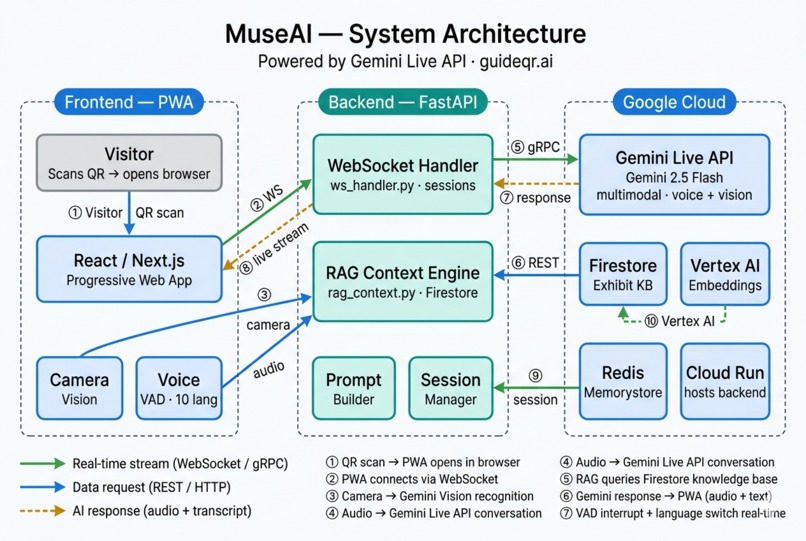
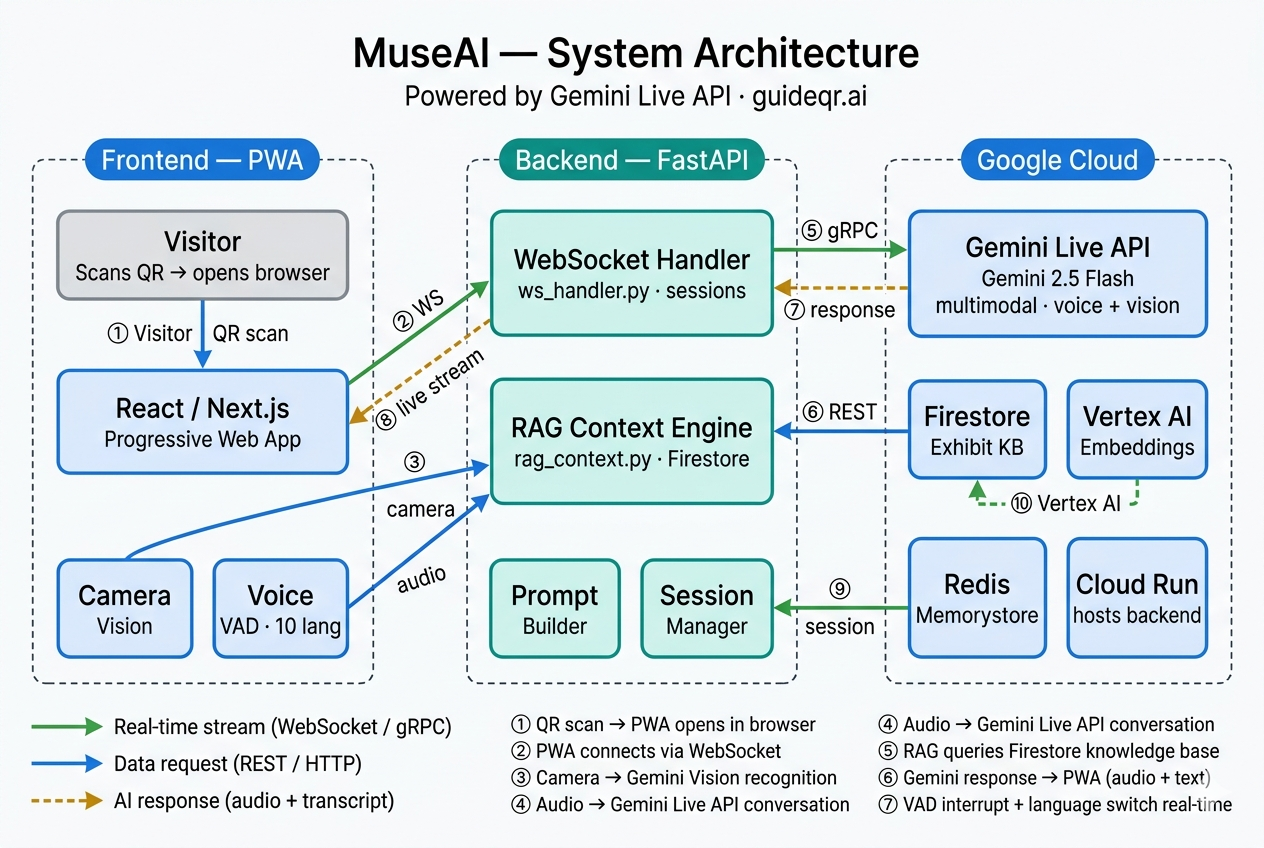
MuseAI Architecture Diagram
-
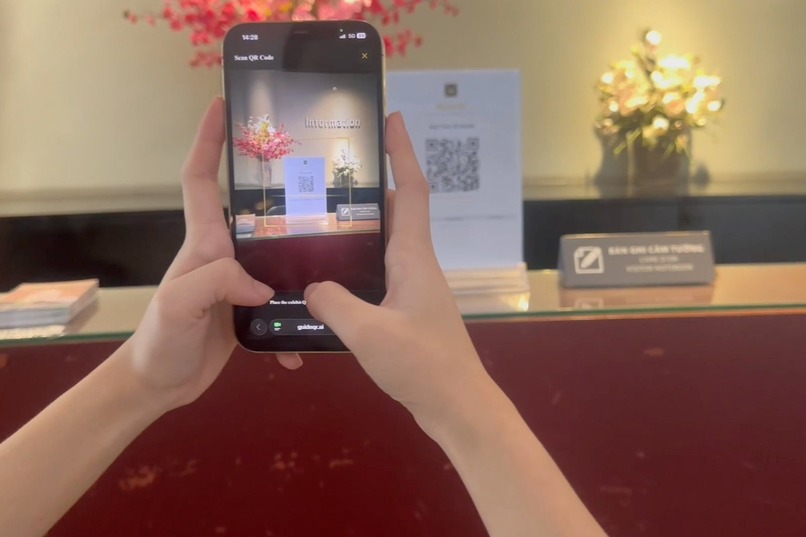
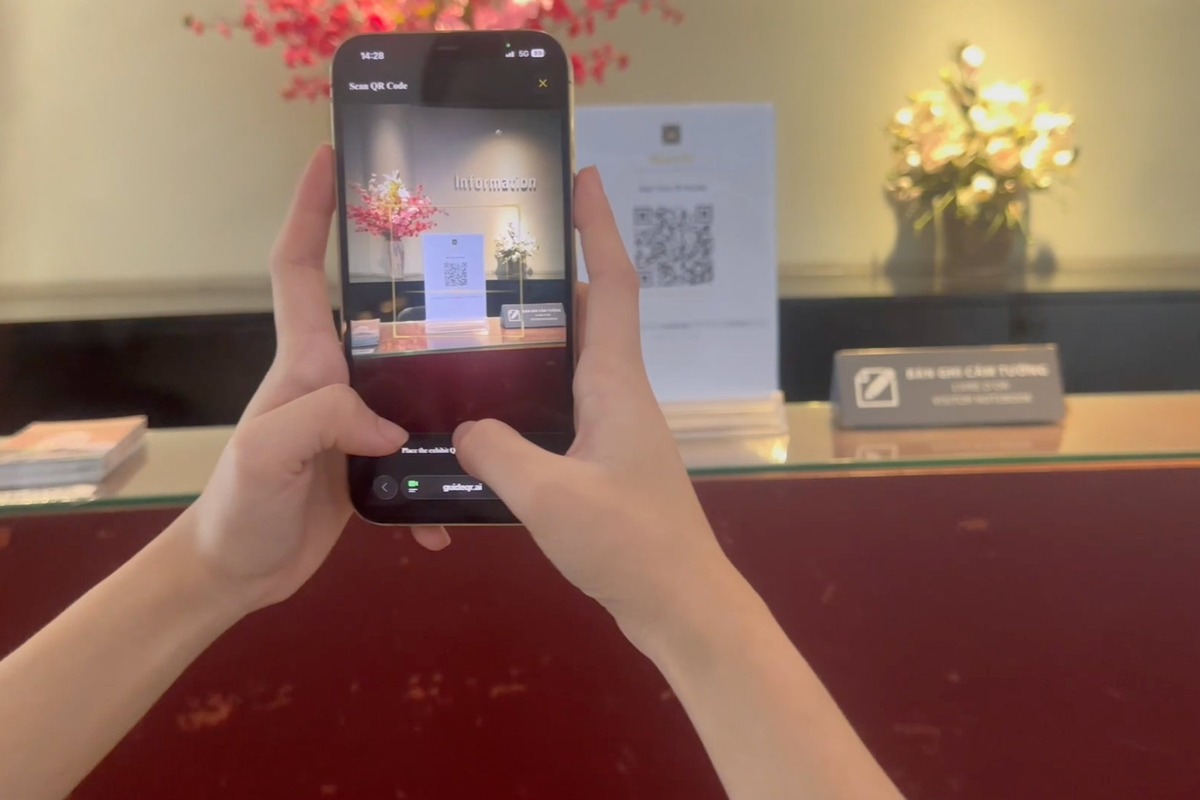
Scan one QR code at the museum entrance — MuseAI opens instantly in Safari. No app download, no account required.
-
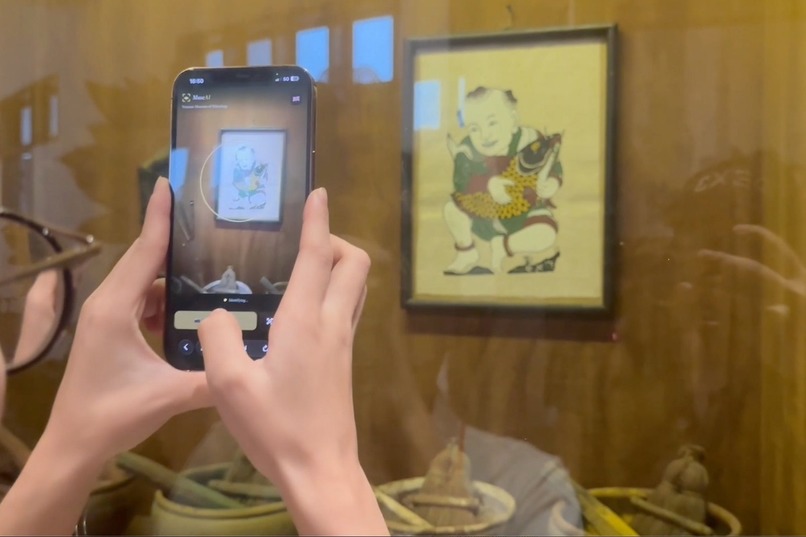
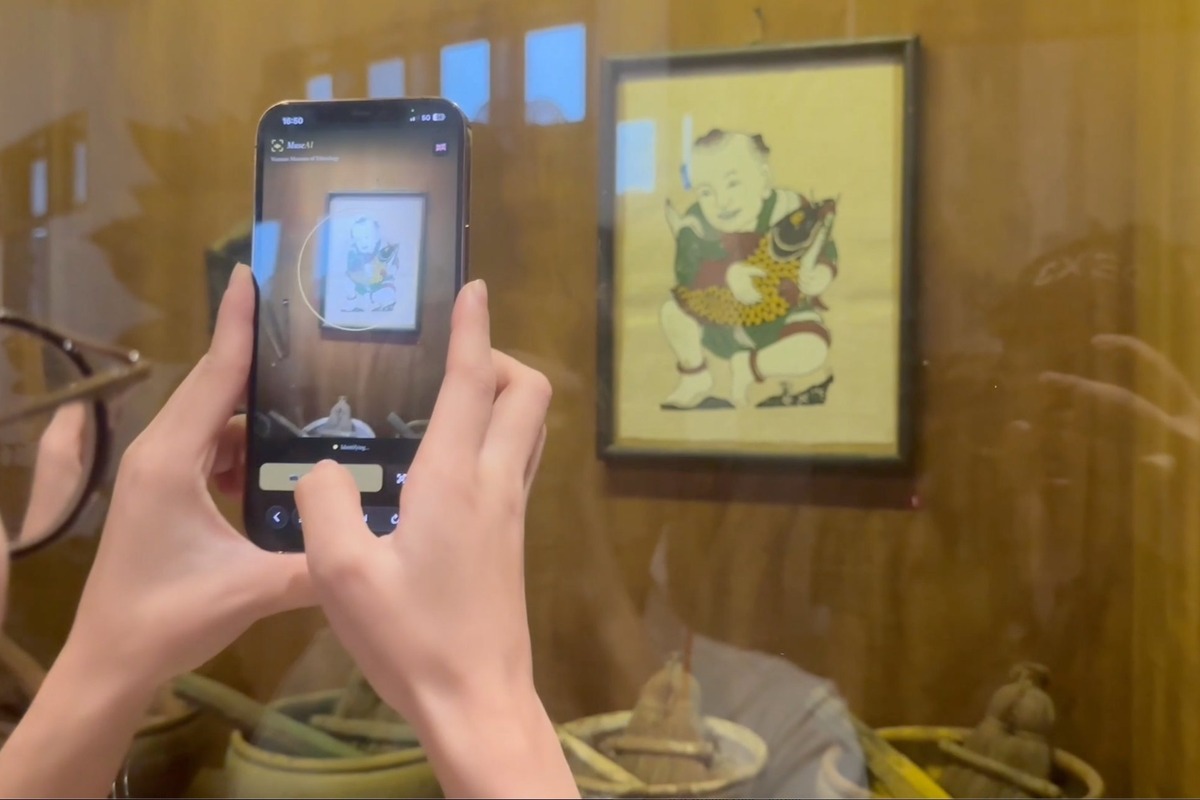
Point your camera at any exhibit — Gemini recognizes it in real time and your AI guide starts talking.
-
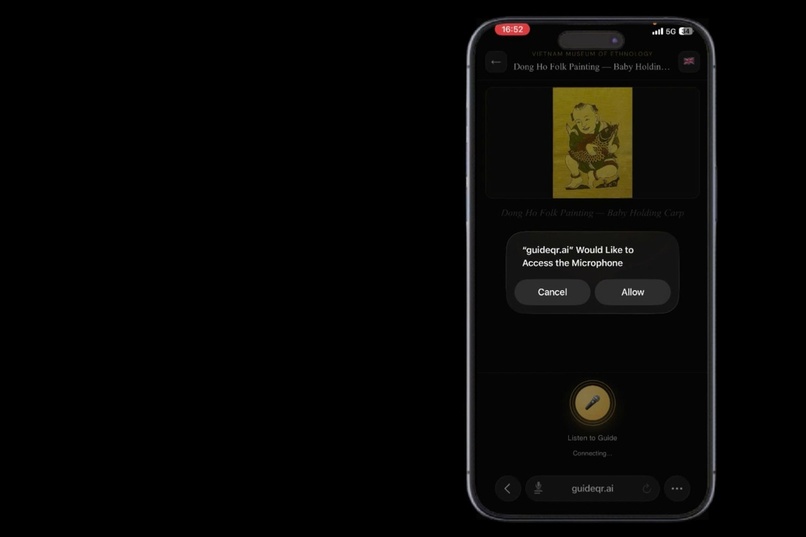
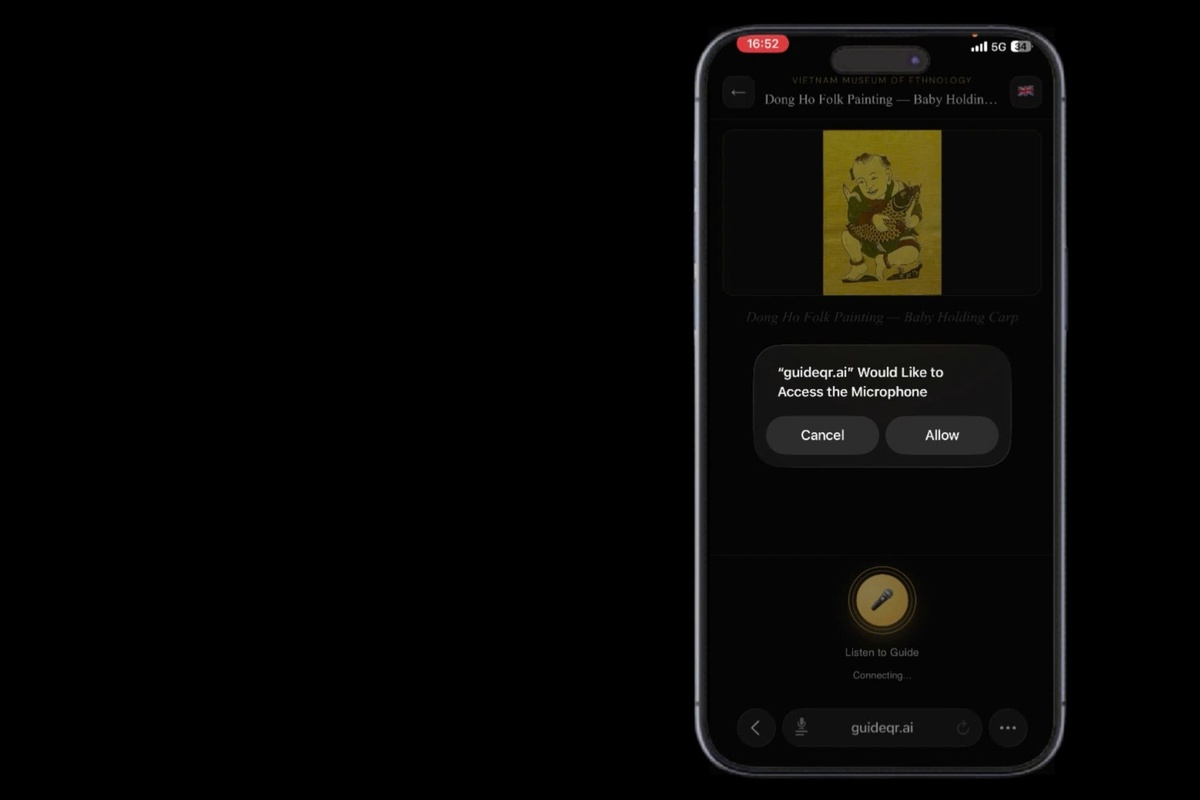
Exhibit recognized, microphone permission requested — the entire setup takes under 3 seconds
Inspiration
Walking through the Vietnam Museum of Ethnology in Hanoi, I noticed something: visitors would stand in front of 500-year-old artifacts, glance at a small label with nothing but a name and a date, then move on. The stories were there — the craftsmanship, the symbolism, the legends — but no one was telling them.
Traditional audio guides are clunky, expensive to produce, and can't answer follow-up questions. Hiring enough multilingual guides is impractical at scale. There had to be a better way.
That question became MuseAI.
What it does
MuseAI is a real-time AI museum guide that runs entirely in the browser — no app to install, no account required. Visitors scan a QR code, point their camera at any exhibit, and start talking.
Core features:
- Camera vision recognition — Gemini identifies the exhibit in under 2 seconds from a live camera feed
- Real-time voice conversation — powered by Gemini Live API, the AI listens, responds, and can be interrupted naturally mid-sentence
- Voice Activity Detection (VAD) — the AI detects the visitor's voice and stops automatically, no button needed
- Multi-turn memory — the AI remembers the full conversation history, so visitors can ask follow-up questions without repeating context
- Seamless language switching — say "switch to English" or start speaking any language mid-conversation and the AI follows immediately
- 10 languages — Vietnamese, English, French, German, Japanese, Korean, Chinese, Arabic, Spanish, Russian
- RAG-grounded answers — the AI only answers from the museum's verified knowledge base, never hallucinating facts about exhibits
How we built it
Frontend: Progressive Web App (Next.js) — runs in Safari and Chrome with no installation. WebSocket streams PCM audio in real-time to the backend.
Backend: FastAPI hosted on Google Cloud Run. The WebSocket handler manages Gemini Live sessions, injects language reminders, handles VAD interrupts, and routes RAG context before each turn.
AI: Gemini 2.5 Flash via the Gemini Live API (Google GenAI SDK). Multimodal inputs: live camera frames for vision recognition + PCM audio stream for voice conversation. Both happen in the same session simultaneously.
Knowledge base: Exhibit content is chunked, embedded with Vertex AI Embeddings, and stored in Firestore. At session start, the RAG engine retrieves the top-k most relevant chunks and injects them into the system prompt.
Infrastructure: Google Cloud Run (backend), Firestore (knowledge base), Redis Memorystore (session state + rate limiting), Vertex AI (embeddings).
System prompt architecture:
The prompt uses a three-layer priority system:
Exhibit override → Museum persona → Fallback template
This allows each museum to define its own AI personality while keeping
per-exhibit customization at the highest priority.
Challenges we faced
1. Interrupt latency
Getting VAD to feel truly instant was harder than expected. The first approach
used a button — but that felt unnatural. We moved to voice-triggered interrupts
using Gemini's built-in activity detection, then tuned the suppress/resume
logic so old audio doesn't bleed into new turns after an interrupt.
2. Language detection without hardcoding
Supporting 10 languages without listing them all in the prompt was a key design
challenge. The solution: instruct Gemini to detect the visitor's language from
speech rather than relying on explicit commands. The system also sends a language
reminder injection before each turn to prevent drift.
3. Grounding without hallucination
Museum facts must be accurate. We built a strict TURN ROUTING policy in the
system prompt that classifies each user turn into three types — social/small-talk,
museum question, or off-topic — and handles each differently. Museum questions
only get answers from CURATED EXHIBIT FACTS. Off-topic requests are politely declined.
4. Mobile browser audio on iOS
iOS Safari has strict audio context policies. We had to carefully manage
AudioContext lifecycle, resume on user gesture, and handle WebSocket reconnection
without losing the Gemini Live session.
5. Conversation feel
Early versions sounded like a textbook being read aloud. We redesigned the
system prompt to enforce a three-part reply structure:
Filler (tone-matched opener) → Answer (2-4 sentences) → Hook (optional)
This made the AI sound like a knowledgeable friend rather than an encyclopedia.
What we learned
- Gemini Live API is genuinely capable of real multimodal, real-time agentic behavior — not just Q&A. The combination of vision + voice + memory in a single session opens up interaction patterns that weren't possible before.
- System prompt design is as important as model capability. The difference between a robotic AI and a natural guide is almost entirely in how you structure the instructions.
- Progressive Web Apps are underrated for emerging-market deployments — no friction, no App Store, works on any device.
What's next
- Expand the knowledge base to cover all exhibits across the museum
- Add support for hearing-impaired visitors (text-only mode)
- Multi-museum deployment with per-museum branding and AI personas
- Visitor analytics dashboard to help museums understand which exhibits generate the most questions
Built With
- fastapi
- gemini-live-api
- genai
- google-cloud-run
- next.js
- python
- vertex-ai


Log in or sign up for Devpost to join the conversation.