Inspiration
I spend a large part of my time learning, coding, experimenting, and building projects. My goal is to become a software engineer and eventually specialize in intelligent physical systems and robotics.
I also live with a significant physical disability, which creates practical challenges in my daily life. That has strongly influenced the way I see technology. Code and algorithms exist to solve problems, so whenever I face a difficulty, my instinct is often to imagine a system that could remove it, simplify it, or make it more accessible.
I enjoy solving my own problems, but I also love building things that make other people’s lives easier. Seeing someone smile because something I created helped them is one of the main reasons I enjoy engineering.
Muse started with my sister. While preparing to move into a new apartment, she saw an Instagram video of a woman using a wardrobe-related application that her husband had built for her. The video only showed the concept briefly, but my sister sent it to me and said, “You could build something like this.”
At first, it remained only an idea. Later that same evening, I discovered OpenAI Build Week and learned that participants would use Codex and GPT-5.6 to build a complete project. I immediately remembered my sister’s suggestion and decided to combine something useful for someone I love with something I genuinely enjoy doing.
I did not want to build only a clothing gallery or a simple list of outfits. I imagined a dedicated physical device mounted near a wardrobe, acting as its digital counterpart.
The idea also connected directly to my own life. A nurse helps me get ready every morning, and depending on the situation, selecting and retrieving clothes can require assistance. With Muse, I can prepare an outfit in advance and simply show the exact garments that should be taken from the wardrobe.
It also helps with another frustrating problem: clothes can get misplaced. A digital wardrobe creates a persistent visual record of what I own, even when the physical item is temporarily difficult to find.
What started as an idea for my sister became a product that could help both of us, while also being useful to many other people.
What it does
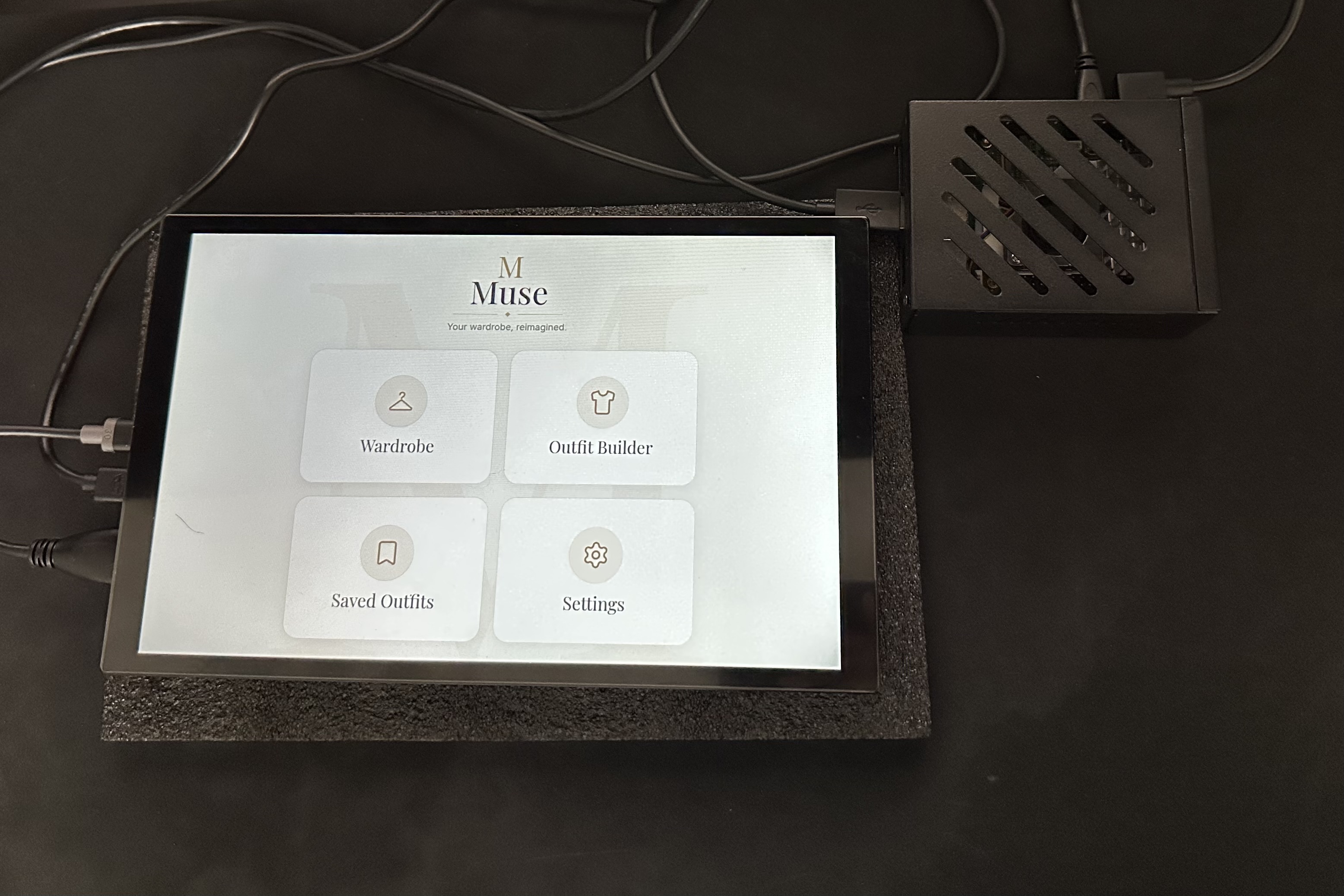
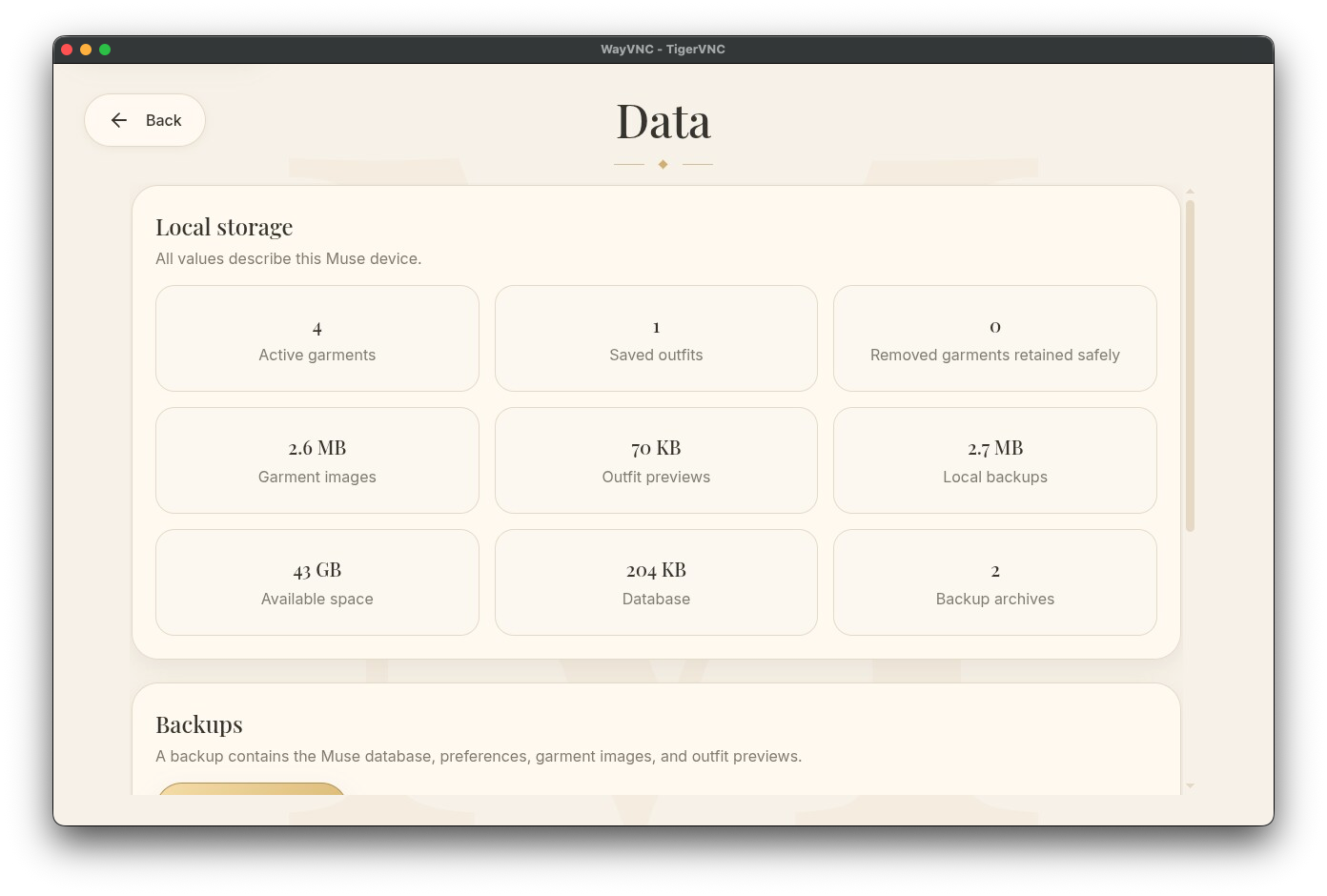
Muse is a local-first smart wardrobe running on a dedicated Raspberry Pi 5 with a touchscreen.
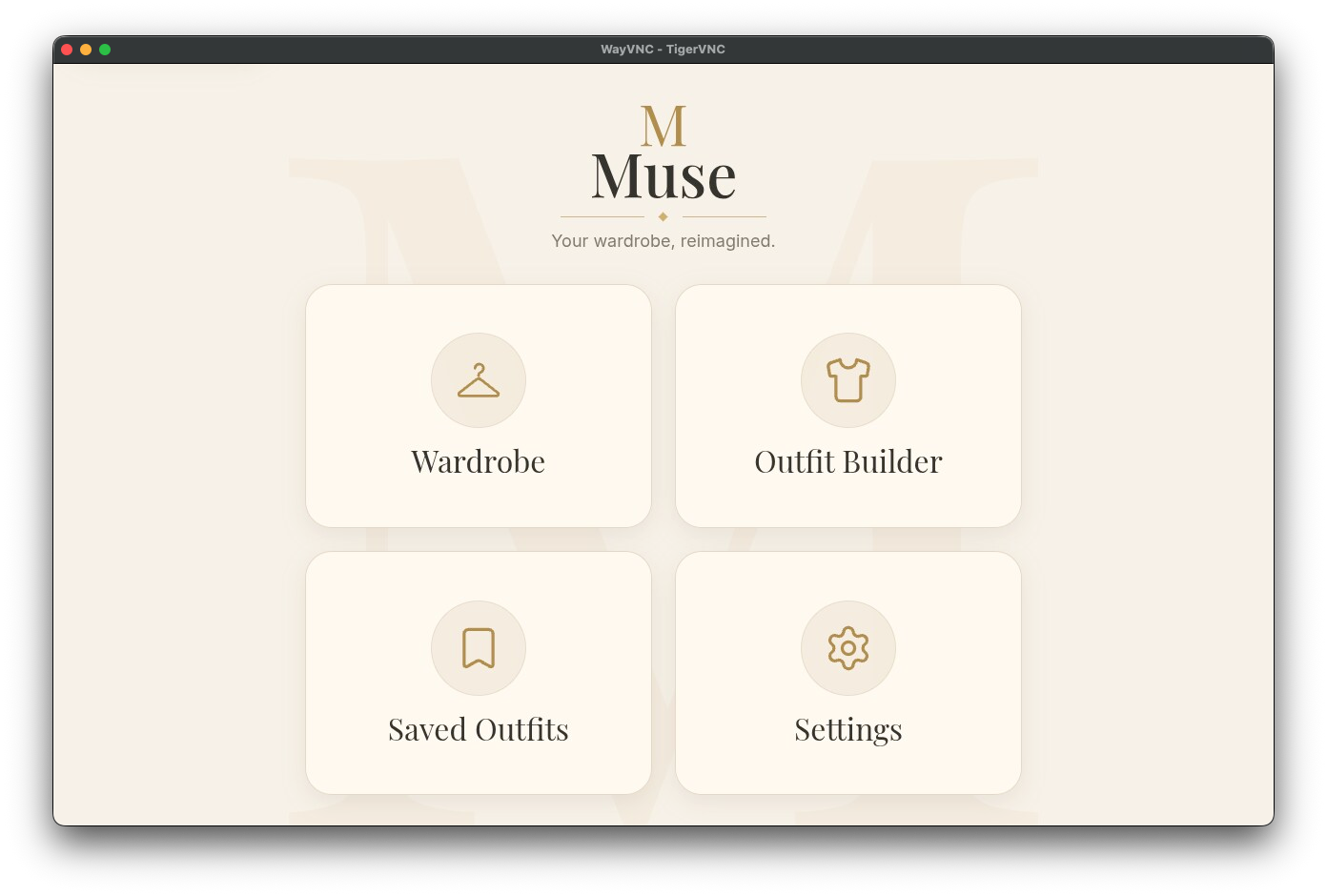
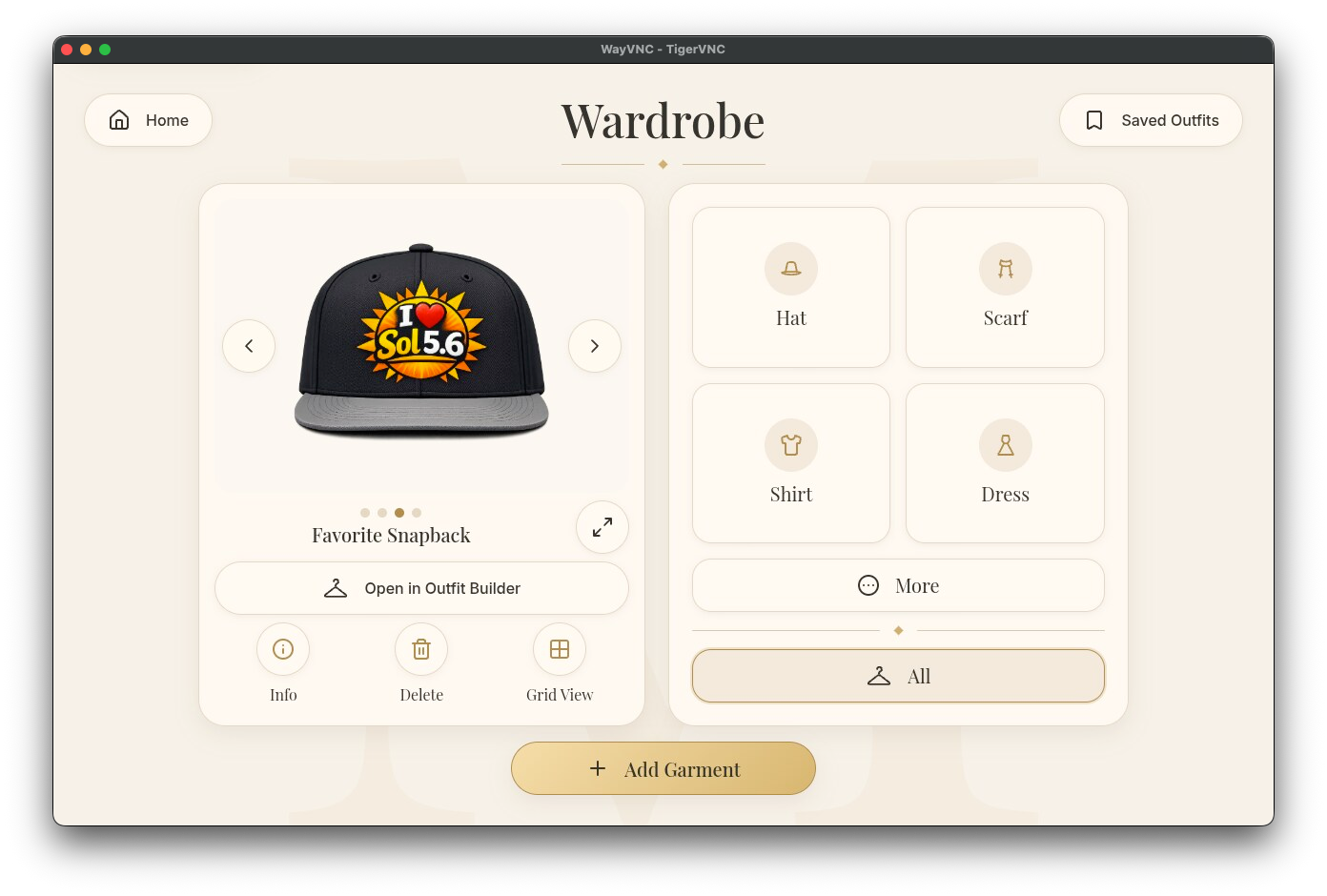
It allows users to create a visual digital version of their physical wardrobe. Garments can be added, organized, viewed, and used to build complete outfits.
The main features include:
- cataloguing garments;
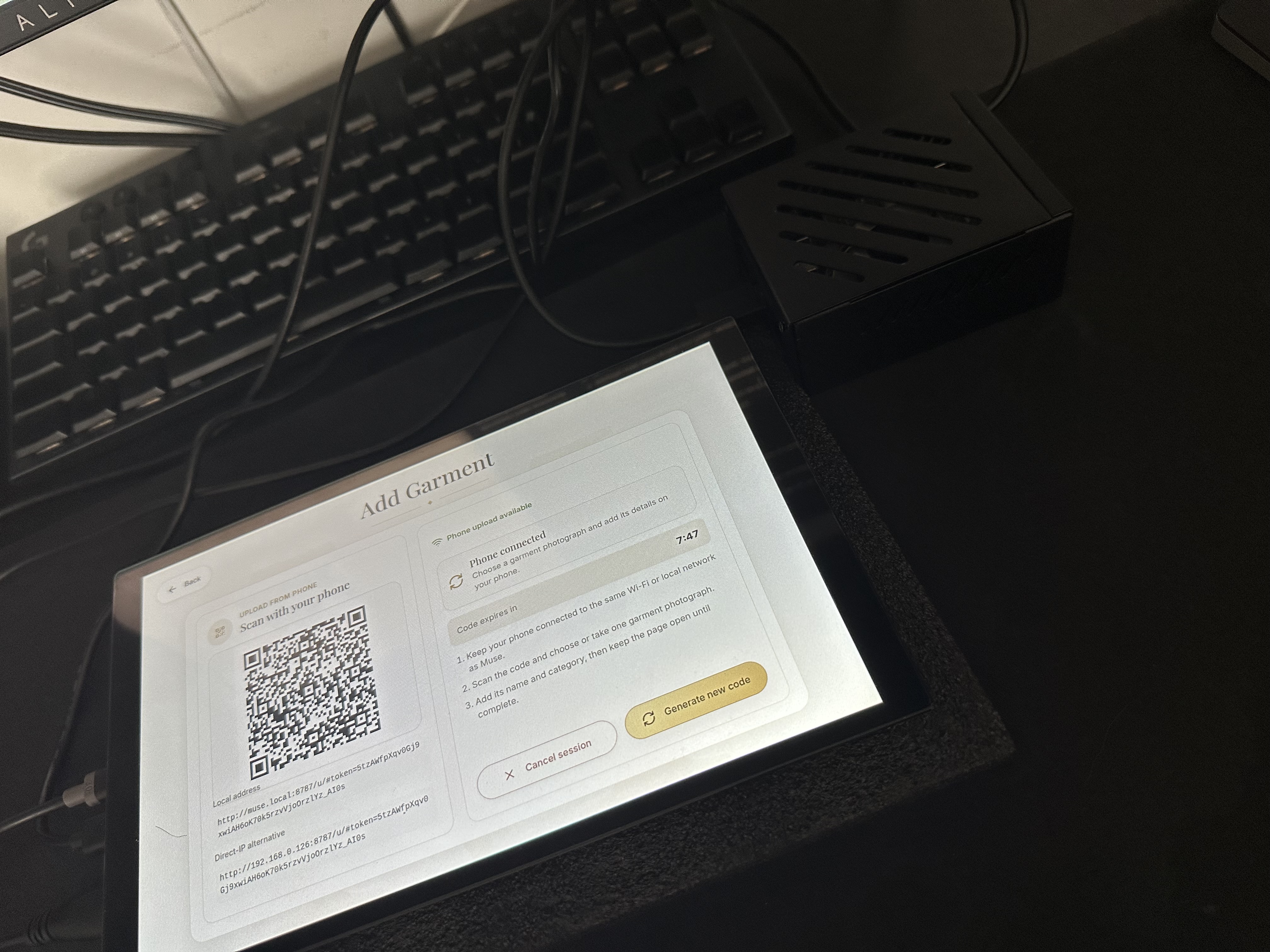
- adding clothing from a phone through a temporary QR code;
- browsing a visual wardrobe;
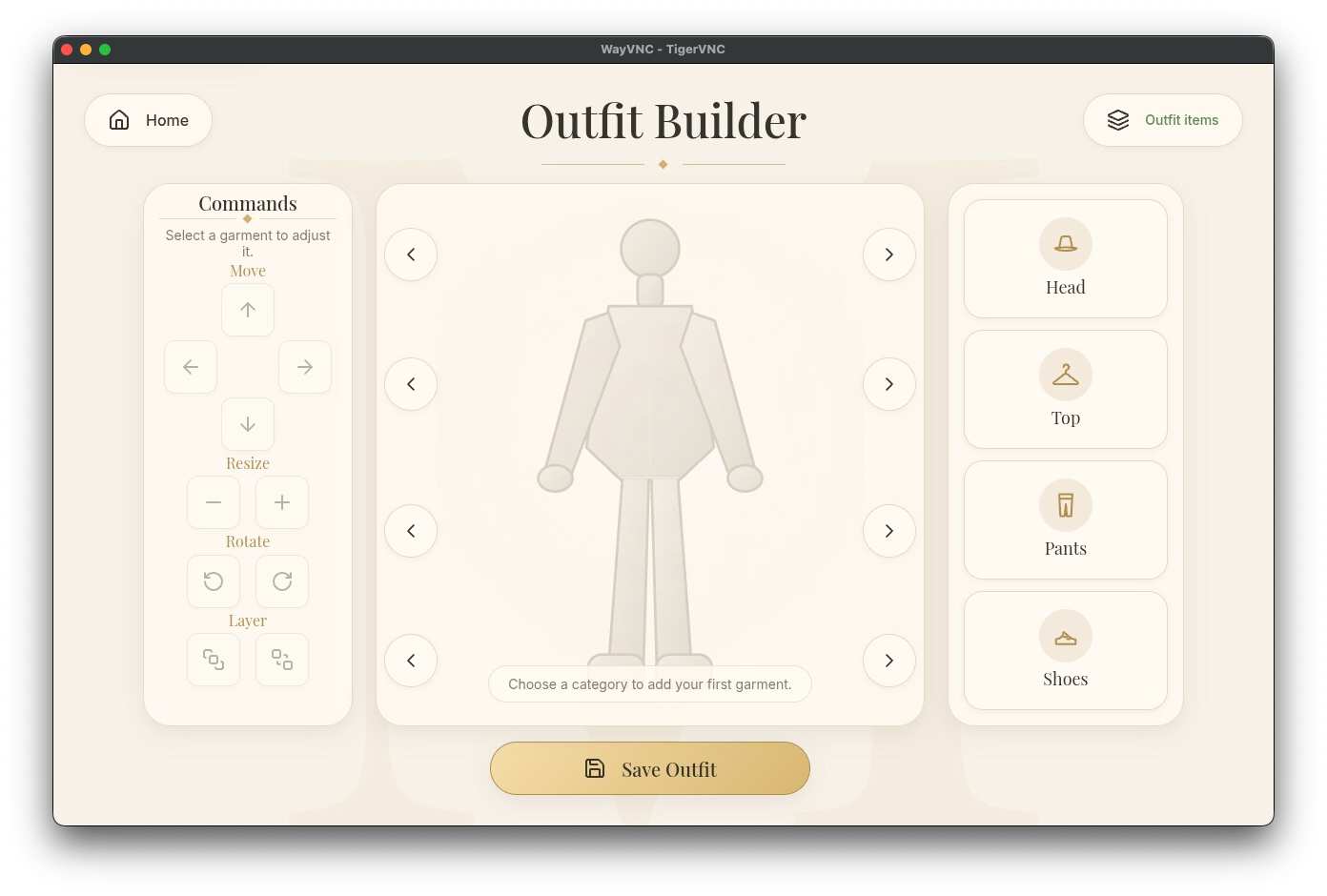
- creating outfits with a drag-and-drop builder;
- positioning, resizing, and layering garments;
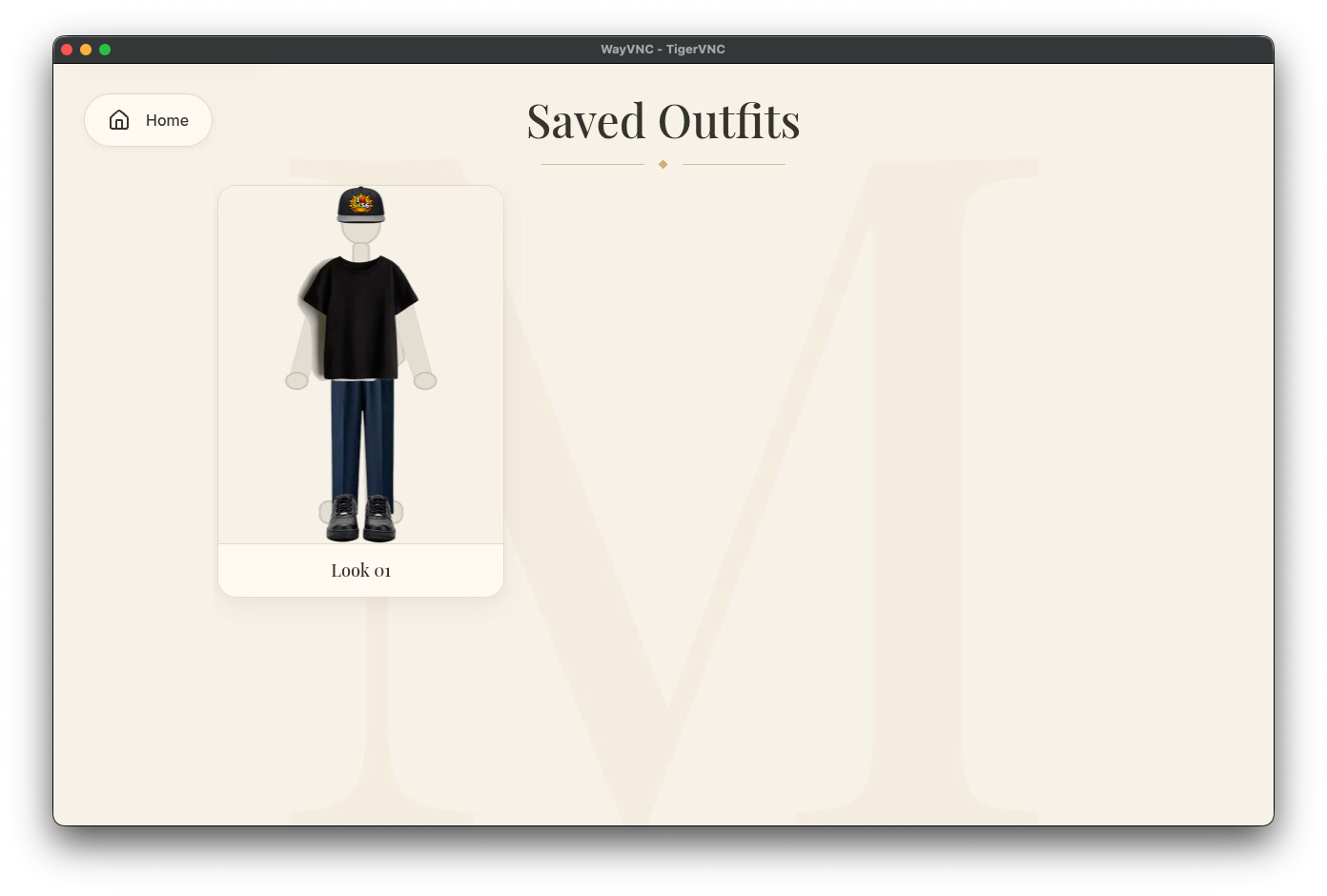
- saving completed outfits;
- reopening saved outfits later;
- managing local data, backups, storage, and device information.
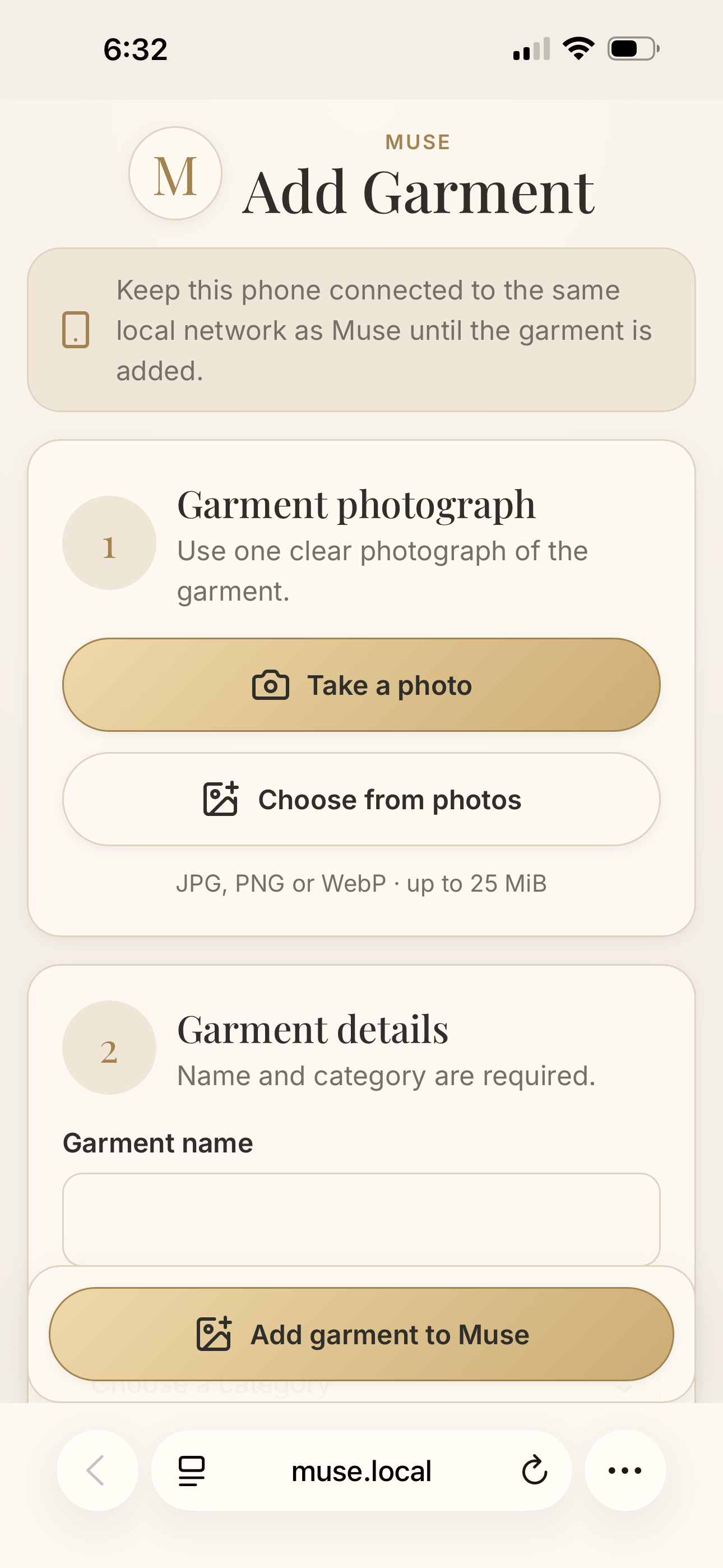
The phone upload workflow happens over the local network. Muse displays a temporary QR code, the user scans it with a phone, selects a garment photo, enters its information, and uploads it directly to the Raspberry Pi. The new garment then appears inside Muse.
Muse is designed as a dedicated appliance rather than an ordinary website opened in a browser. When the Raspberry Pi starts, Muse launches automatically into a full-screen touchscreen interface.
The core wardrobe data is stored locally in SQLite on the device. The main experience does not require a permanent cloud account or remote application server.
For someone receiving help while getting dressed, Muse can also act as a clear visual reference. A saved outfit shows exactly which garments should be retrieved, reducing uncertainty and making communication easier.
How we built it
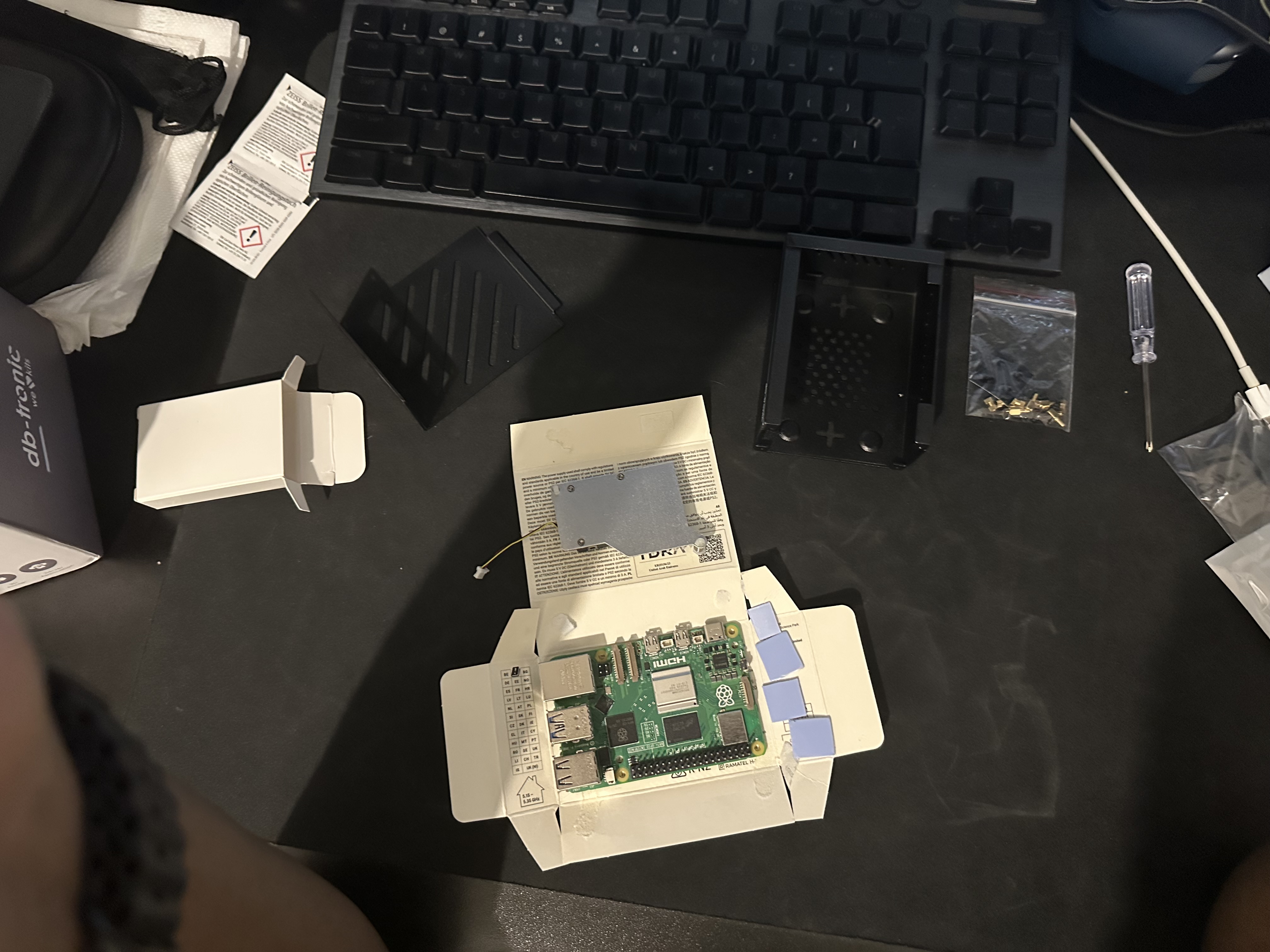
I began by sketching the product, defining the user experience, and deciding what a dedicated wardrobe device should feel like. I then selected the hardware, assembled the Raspberry Pi 5, installed its cooling system, connected the touchscreen, prepared the operating system, and tested the physical components.
Muse uses a React and TypeScript frontend, a FastAPI backend, and a SQLite database.
The Raspberry Pi runs the application through systemd services. Chromium is configured as a full-screen touchscreen kiosk. The main API listens only on the local loopback interface, while a separate restricted listener handles temporary phone uploads over the local network.
The project also includes:
- database migrations with Alembic;
- automated backups and backup verification;
- atomic release directories;
- deployment and activation scripts;
- service hardening;
- health checks;
- frontend and backend tests;
- production browser tests;
- Linux validation through GitHub Actions.
I used Codex throughout the project for architecture, implementation, code review, testing, debugging, deployment, and documentation. GPT-5.6 helped reason across the different layers of the system, including the interface, backend, networking, Chromium, Wayland, systemd, and the physical Raspberry Pi environment.
This was not a one-prompt generation process. I defined the product vision, created the sketches, selected and assembled the hardware, made the design decisions, tested the application on the real device, reproduced failures, inspected the results, and decided what should be changed.
The development process was highly iterative. I tested Muse physically, reported exactly what happened, collected terminal output and logs, and then used Codex to investigate and implement tested corrections.
The final repository contains hundreds of automated tests covering the backend, frontend, outfit builder, phone uploads, backups, database migrations, deployment tooling, kiosk startup, and production workflows.
Challenges we ran into
Almost every part of Muse was new to me.
Before this project, I had mainly worked with software. I had never built a complete physical product using a Raspberry Pi and a bare touchscreen.
I had to learn how to install the operating system, assemble the Raspberry Pi, position thermal pads, install the cooling system, connect power, connect video, connect the touchscreen controller, and verify that every component behaved correctly.
The touchscreen arrived with its electronics exposed at the back, without a protective enclosure. That made even simple actions feel important because every connector, board, and cable had to be handled carefully.
I had assembled a desktop computer before, but this was very different. Desktop hardware usually has standardized mounting points and clearer layouts. With the Raspberry Pi, I was looking at exposed chips and thermal pads of different sizes while trying to understand exactly where everything belonged.
The software deployment introduced an entirely different set of challenges. I had used Linux before, but I had never managed a Linux device remotely from a Mac through SSH at this level.
Muse had to coordinate:
- Linux users and permissions;
- systemd dependencies;
- service sandboxing and hardening;
- Chromium kiosk startup;
- Wayland access;
- private runtime directories;
- local network discovery;
- QR upload sessions;
- database migrations;
- backups;
- release activation;
- automatic startup after reboot.
Several issues appeared only on the real Raspberry Pi.
Chromium initially failed because of Crashpad, keyring behavior, private runtime directories, and restricted access to the Wayland session.
The QR upload system later failed because the backend used socket.if_nameindex() to discover local network interfaces, but the service sandbox did not allow AF_NETLINK.
The most important failure appeared during a real cold boot. Muse depended on /run/muse, but /run is volatile and is cleared during reboot. The directory had previously been created only during installation. On the next boot, systemd attempted to build a protected mount namespace around a path that no longer existed, causing 226/NAMESPACE. The preparation service failed, and every dependent Muse service failed with it.
The earlier automated validation had not reproduced that exact situation because some tests created the directory in advance, while previous physical checks had been warm activations directly after installation.
We corrected the architecture by adding a proper systemd tmpfiles configuration that recreates /run/muse during boot with the required root:muse ownership and 0750 permissions. We also added regression coverage that begins with the directory absent and verifies its creation in a clean Linux environment.
After deploying the corrected release, removing all temporary overrides, and performing a genuine cold boot, the Raspberry Pi started normally and Muse launched automatically with no Muse errors in the current boot journal.
Accomplishments that we're proud of
The accomplishment I am most proud of is that Muse became a real physical product, not only a prototype running on my development computer.
This was my first time building with a Raspberry Pi, my first time using a bare touchscreen, and my first complete physical computing project.
Muse now:
- boots automatically into its touchscreen interface;
- survives a complete cold reboot;
- preserves garments and saved outfits across deployments;
- accepts garment uploads from a phone through a QR code;
- keeps the main API restricted to the device;
- stores its core data locally;
- creates and verifies backups;
- runs through hardened Linux services;
- passes hundreds of automated tests;
- has a reproducible release and deployment process.
I am also proud that we did not stop at temporary fixes. When physical testing revealed problems, we investigated the real cause and integrated permanent corrections into the repository.
For example, the final cold-boot issue could have been hidden by manually recreating /run/muse each time. Instead, we corrected the system architecture, added a proper boot-time producer for the directory, wrote regression tests, rebuilt the release, deployed it, removed the temporary overrides, and verified the result through a real reboot.
I am equally proud that my original sketches and product decisions remained central throughout the process. Codex helped me move much faster, but Muse still reflects the experience I wanted to create and the real-life problems I wanted to solve.
Building something useful for my sister, while also creating something that can help me in my own daily routine, made the project personally meaningful.
What we learned
Muse taught me that building a real product is very different from making an interface work once on a development computer.
A product must survive installation, permissions, service failures, networking conditions, database changes, deployments, and complete reboots. It must protect user data and recover predictably.
I learned how hardware and software affect each other. A configuration that looks correct in source code can still fail because of the physical display session, the Linux boot sequence, a missing volatile directory, or a restricted system capability.
I gained practical experience with:
- Raspberry Pi hardware;
- touchscreen integration;
- Linux administration;
- SSH;
- systemd;
- Chromium kiosk applications;
- Wayland;
- local networking;
- FastAPI;
- React and TypeScript;
- SQLite and Alembic;
- deployment automation;
- release packaging;
- backups;
- service hardening;
- browser and integration testing;
- production debugging.
I also learned how valuable AI-assisted engineering can be when it is used as a collaboration rather than as a replacement for human decisions.
Codex could analyze logs, inspect code, write tests, and propose fixes, but the real device still required observation and judgment from me. The AI could not physically see whether the touchscreen displayed the correct interface, whether a cable was connected properly, whether Muse appeared after reboot, or whether the experience felt right to use.
That collaboration allowed me to attempt something far beyond my previous hardware experience without approaching it completely alone.
One of my secondary-school teachers used LaTeX to create our lessons, gave me some of the first programming books I ever read, and told me that I could go far with code. Completing my first working physical product made me think about those words again.
What's next for Muse
The Build Week version of Muse focuses on creating a reliable local-first digital wardrobe, importing garments from a phone, and visually building and saving outfits.
The next major feature I want to add is weather-aware outfit assistance.
Muse could display the current local temperature and suggest saved outfits that are appropriate for the weather. While creating an outfit, it could also provide small practical notes, such as warning that a top may be too light for the expected temperature or suggesting an additional layer.
The home screen could adapt visually to the season, with different atmospheres for winter, spring, summer, and autumn.
Other future improvements include:
- improved garment background removal;
- better body and outfit visualization;
- automatic software updates with rollback;
- multiple Muse devices and user profiles;
- improved Wi-Fi and display controls;
- custom enclosures;
- a dedicated printed circuit board;
- synchronization options that preserve the local-first architecture;
- support for households and families;
- smarter outfit recommendations based on context, season, weather, and personal preferences.
In the longer term, Muse could move from answering “What is in my wardrobe?” to answering “What should I wear today?”
Muse is my first physical computing product, but it will not be my last.
Built With
- alembic
- chromium
- fastapi
- github-actions
- gpt-5.6
- kiosk
- linux
- local-first
- openai-codex
- playwright
- pytest
- python
- qr-code
- raspberry-pi
- react
- rest-api
- sqlite
- ssh
- systemd
- touchscreen
- typescript
- uvicorn
- vite
- vitest
- wayland

Log in or sign up for Devpost to join the conversation.