-
-
-
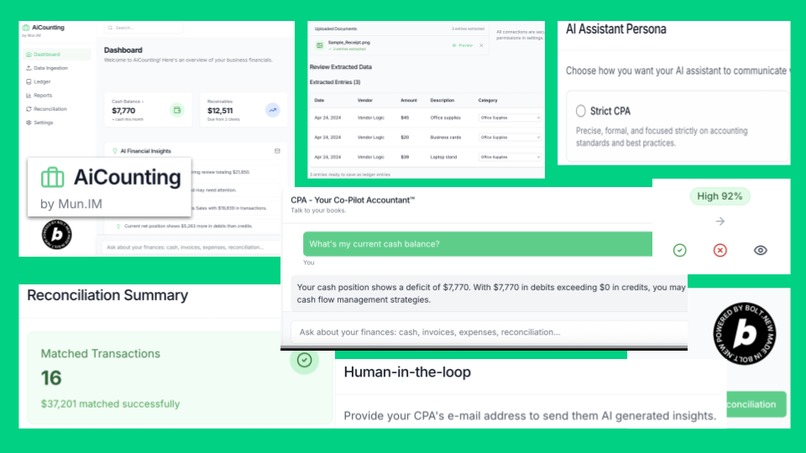
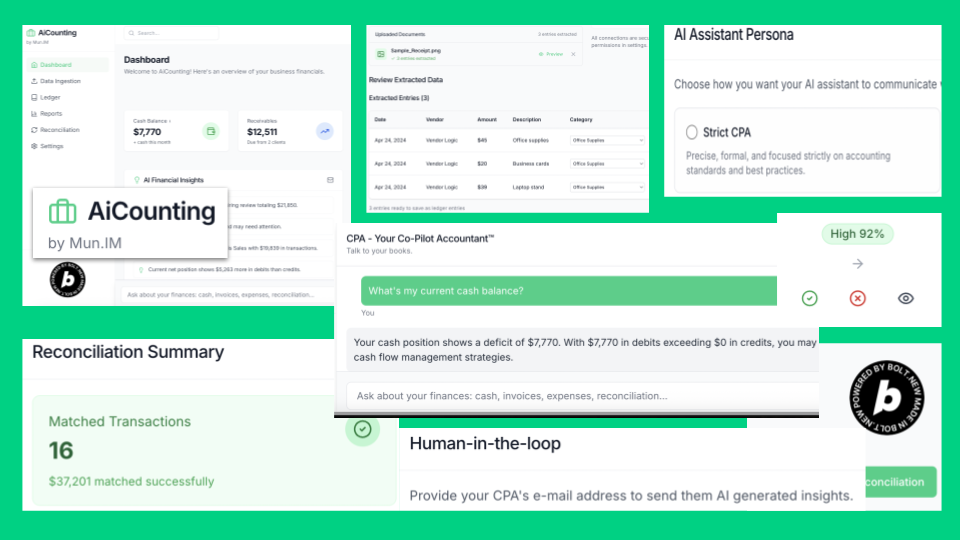
Aicounting-Cover
-
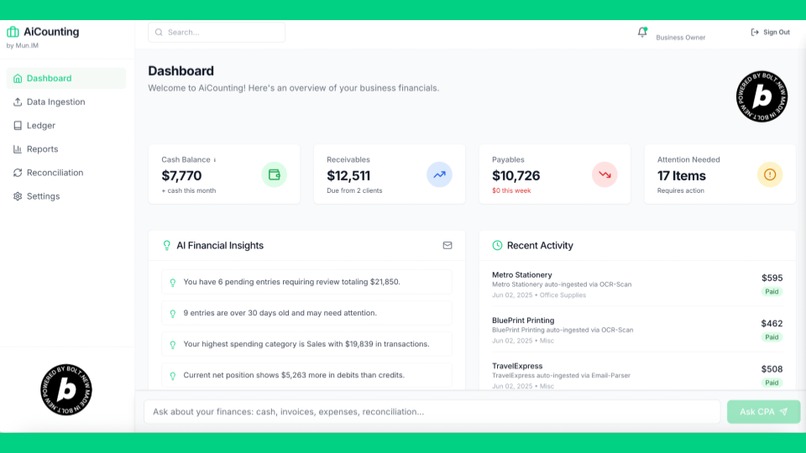
AiCounting-Home
-
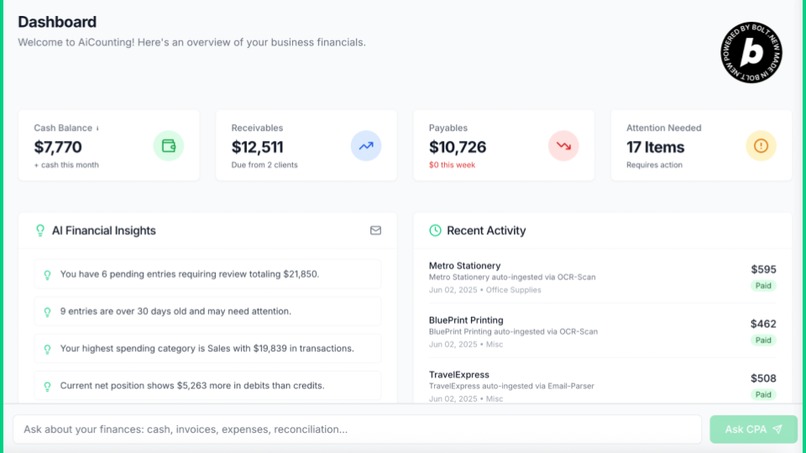
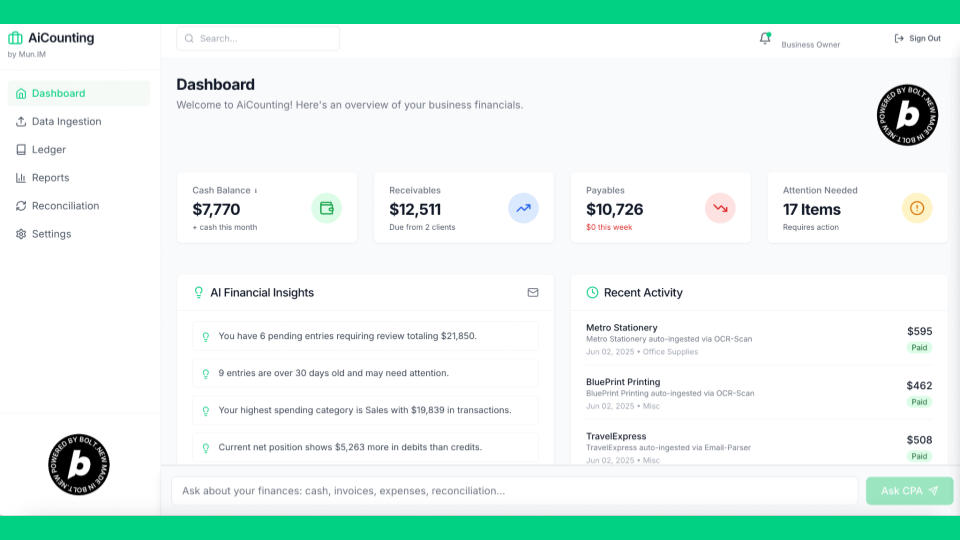
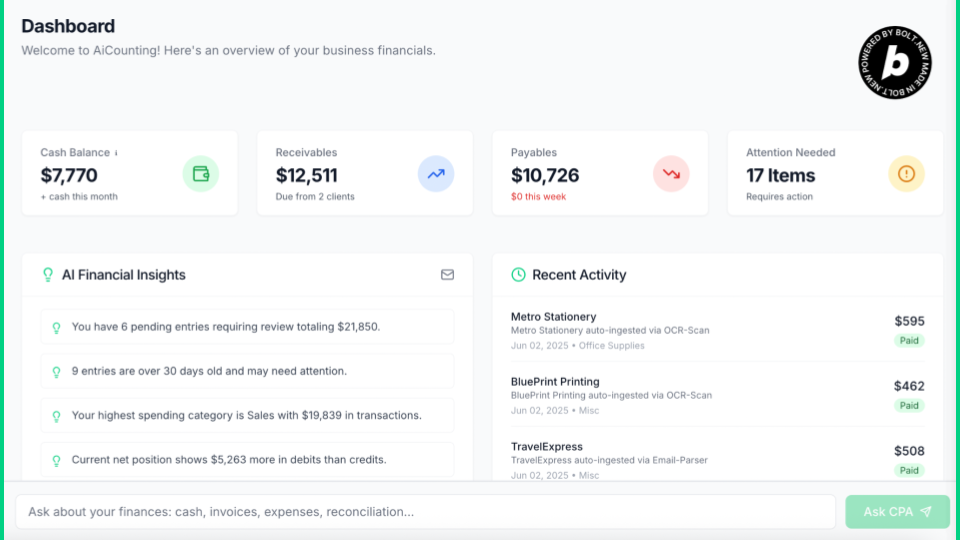
AiCounting-Dashboard
-
-
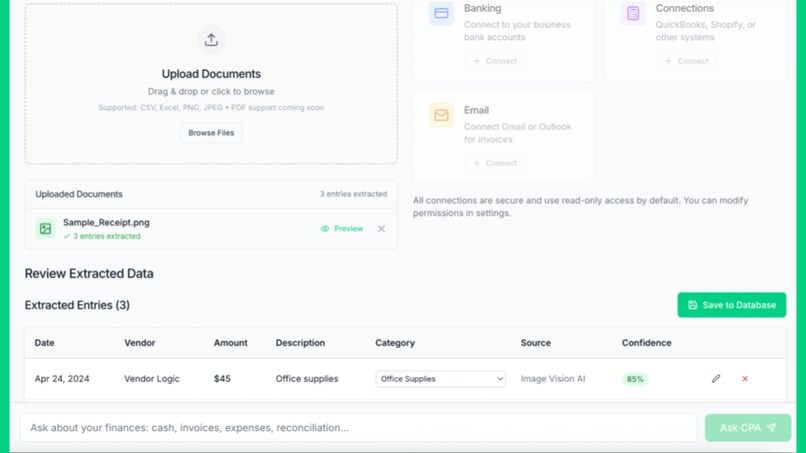
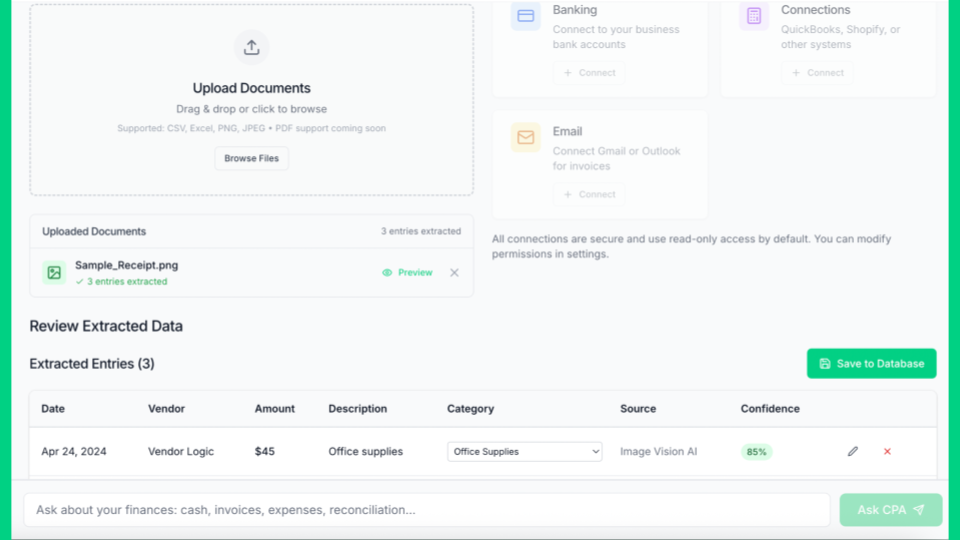
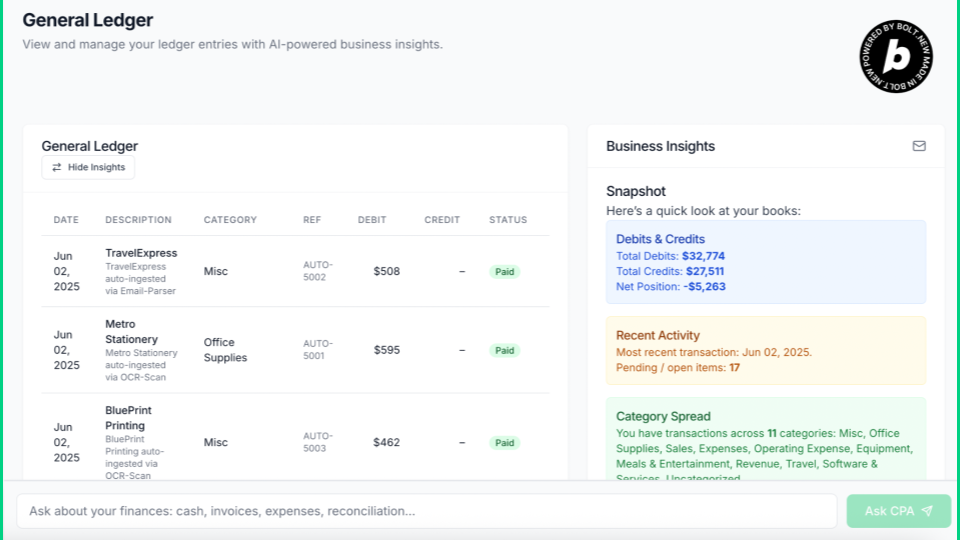
AiCounting-AutomatedLedgerEntries
-
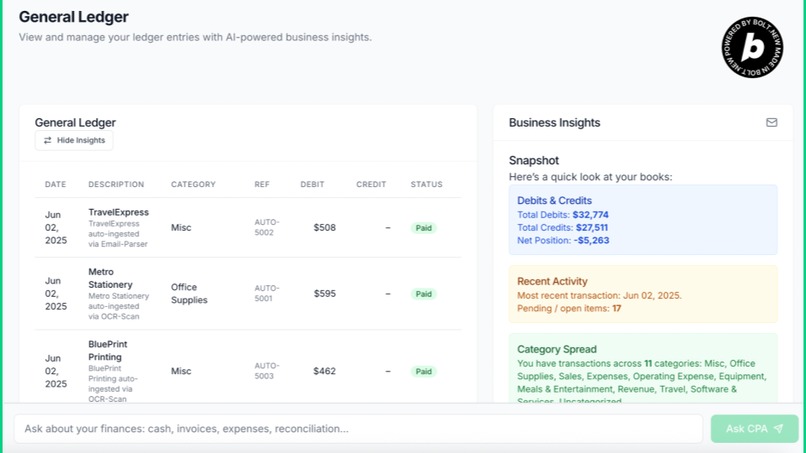
AiCounting-GeneralLedger
-
-
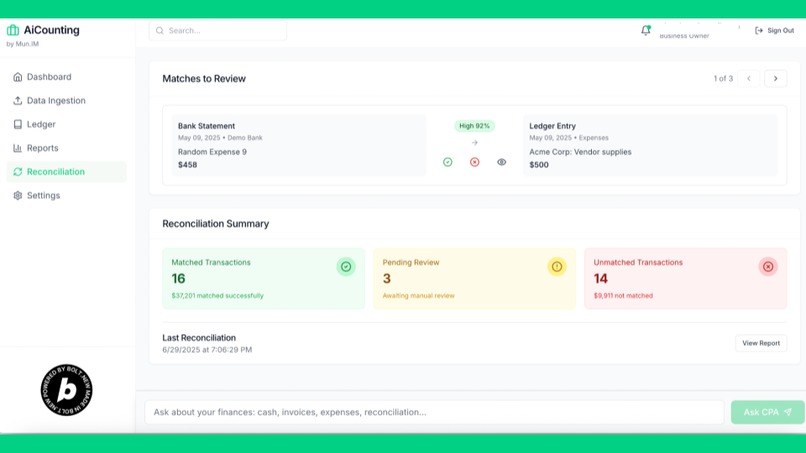
AiCounting-Reconciliation
-
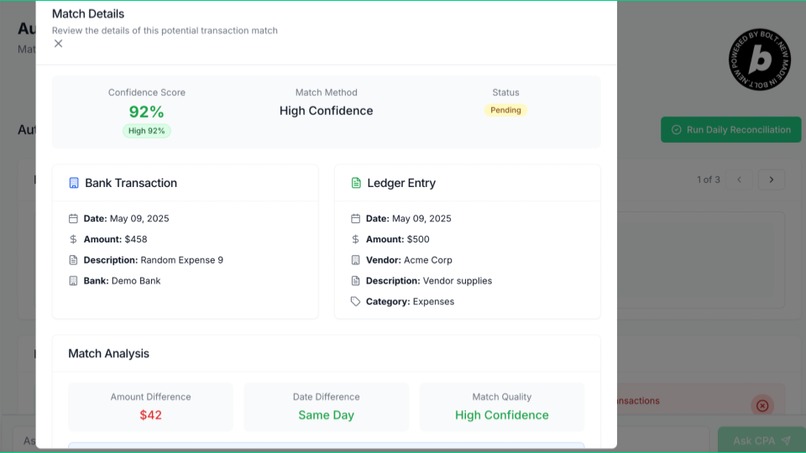
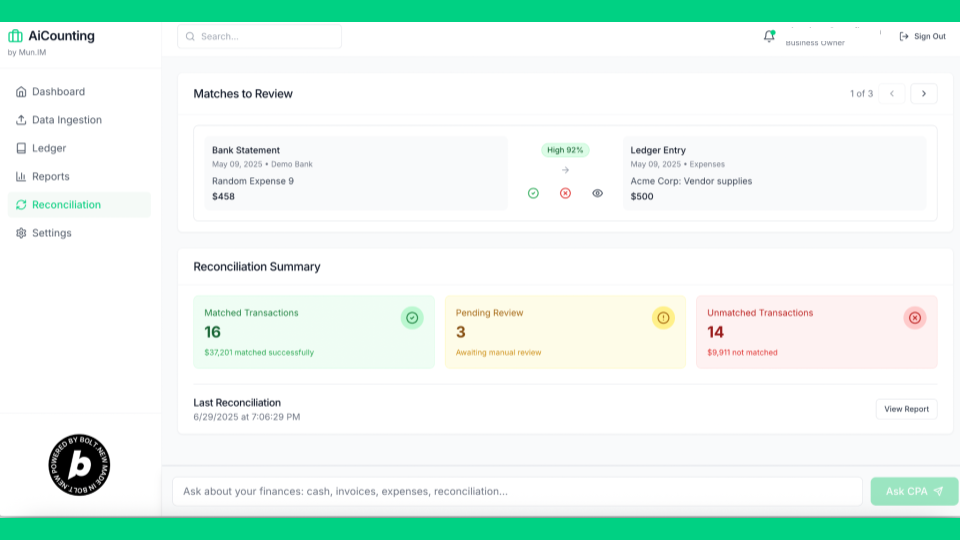
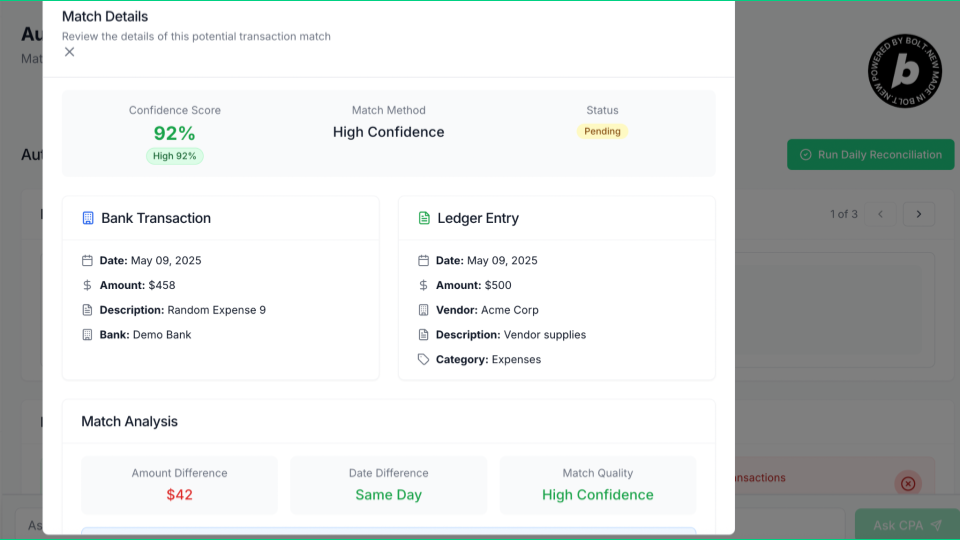
AiCounting-Reconciliation-MatchbyAIAgent
-
-
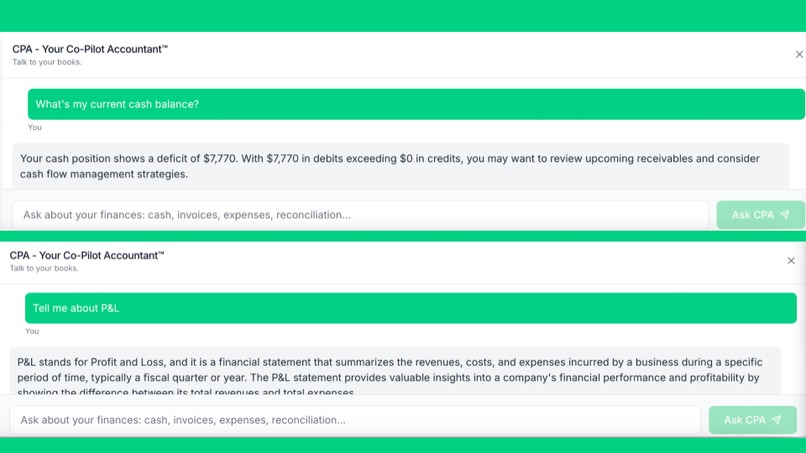
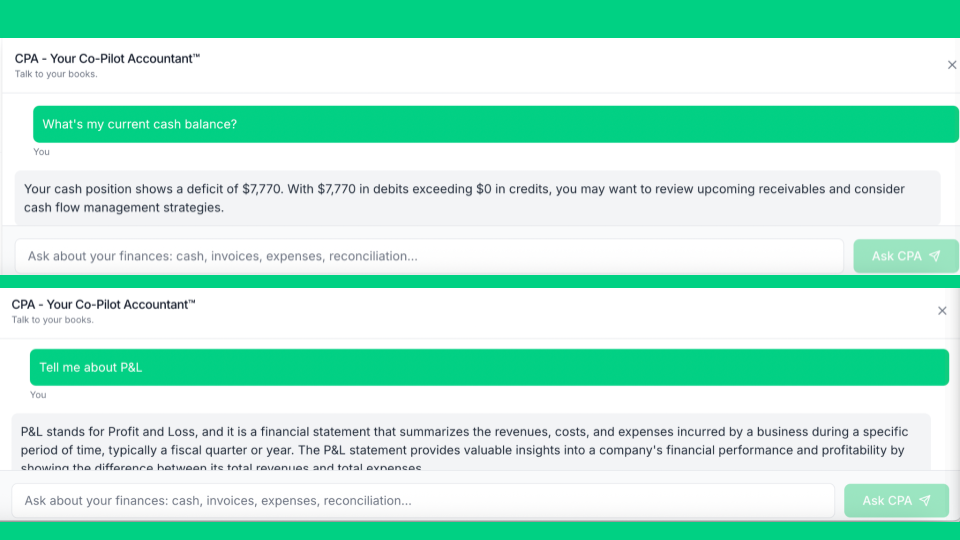
AiCounting-CPA-TalkToYourBooks
-
-
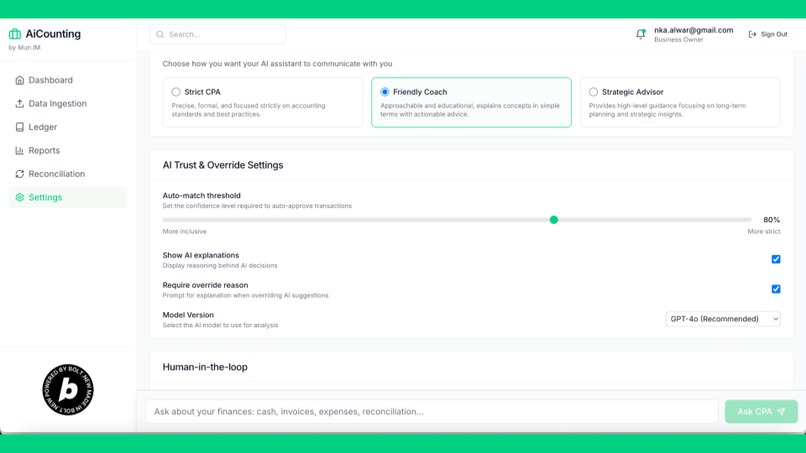
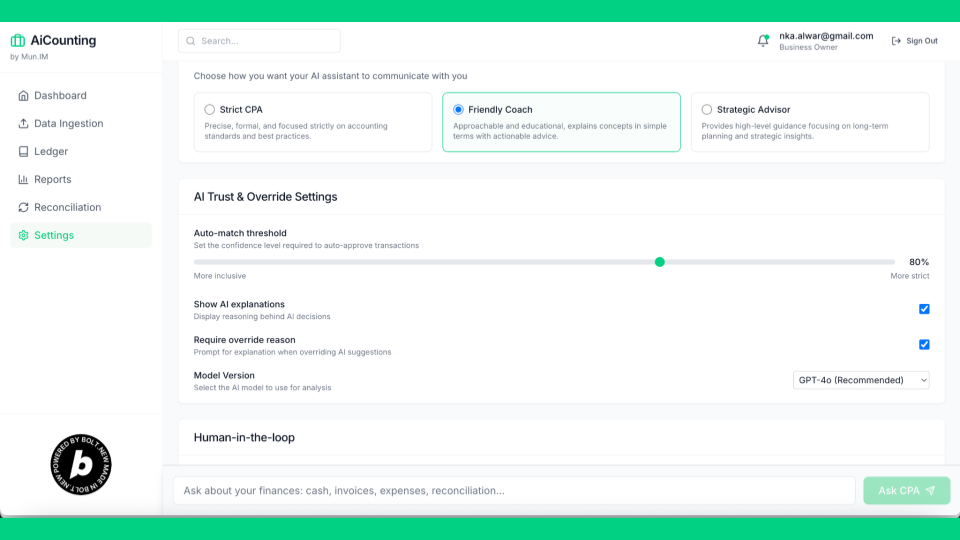
AiCounting-AI Settings
-
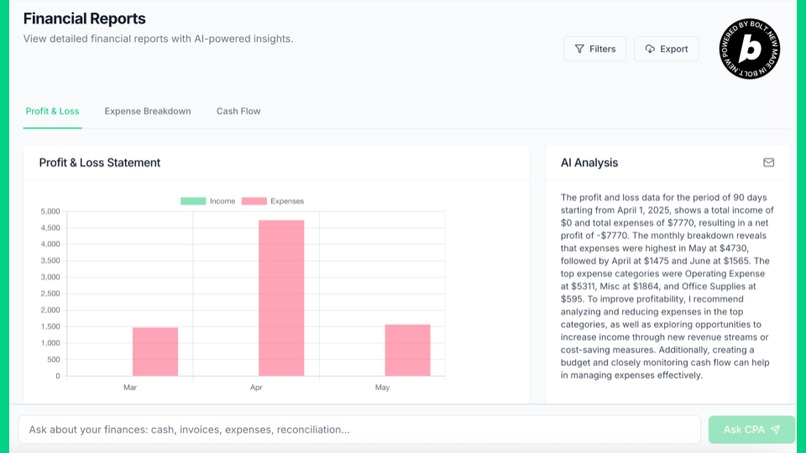
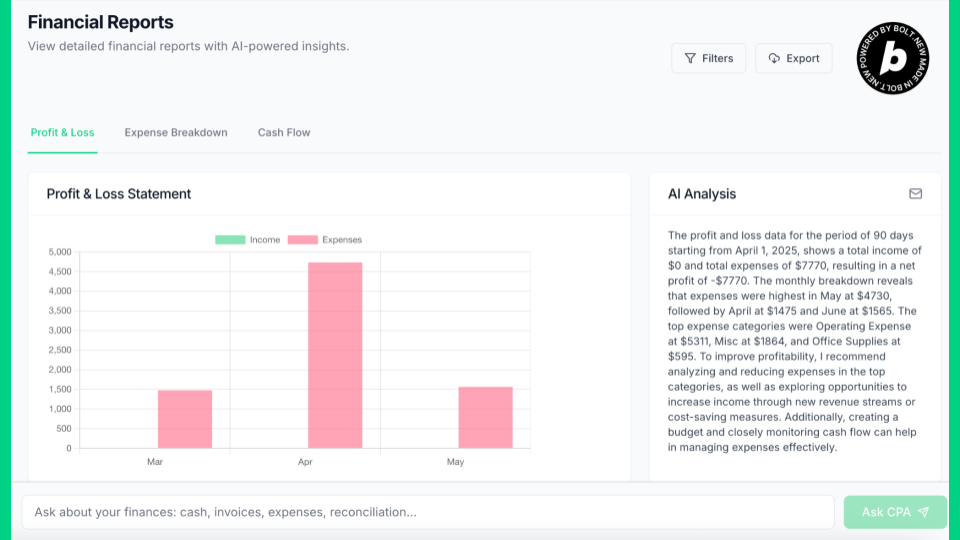
AiCounting-Reports
Inspiration
Every finance-team stand-up I’ve ever joined began with the same pain point: “Why are last week’s books still not closed?” Manual CSV uploads, clunky bank portals, and reconcile-by-spreadsheet workflows drag small businesses down. When we saw how reasoning-grade LLMs can parse documents, classify intent, and draft journal entries, we knew we could flip the script—let AI do 90 % of the drudge work and let humans only approve. That vision of an AI-first, zero-click accounting stack with a friendly Co-Pilot sparked AiCounting.
What it does
- One-step ingestion: Drop a CSV, Excel sheet, invoice PDF, or bank statement image—AiCounting detects the type, extracts the data, and drafts ledger or bank-transaction entries automatically.
- Co-Pilot Accountant: A chat sidebar that explains entries in plain English, flags anomalies (“why is this vendor suddenly 2× higher?”), and answers ad-hoc questions (“show me unreconciled expenses > $500”).
- Continuous reconciliation: Background jobs match ledger lines to bank clears, highlight mismatches, and learn from user corrections.
How we built it
1.Stack: Bolt.new, Supabase (Postgres + storage + auth), OpenAI GPT-4o (vision & chat). 2.Ingestion pipeline: Structured files (CSV/XLSX) parsed client-side, previewed for user confirmation, then bulk-inserted. Unstructured docs (PDF/Image) hit a lightweight OCR/LLM endpoint that classifies as Invoice, Bill, Receipt, or Bank Statement and returns normalized JSON rows. 3.Data layer: Separate ledger_entries and bank_transactions tables keyed to a common account_id, plus a qb_connections table for token storage. 4.Co-Pilot chat: Server-side function streams GPT responses with retrieval-augmented prompts fed by the user’s own ledger data.
Challenges we ran into
1.QuickBooks OAuth flow: The Intuit sandbox has strict redirect-URI matching; one typo cost us an hour of 400 errors. 2.LLM hallucinations: Early OCR prompts produced fictional currency symbols (“₳”). We fixed it with structured JSON schema prompts and token-probability checks. 3.Data mapping edge cases: Bank CSVs sometimes combine debit/credit into one signed column; we wrote heuristics to split them correctly.
Accomplishments that we're proud of
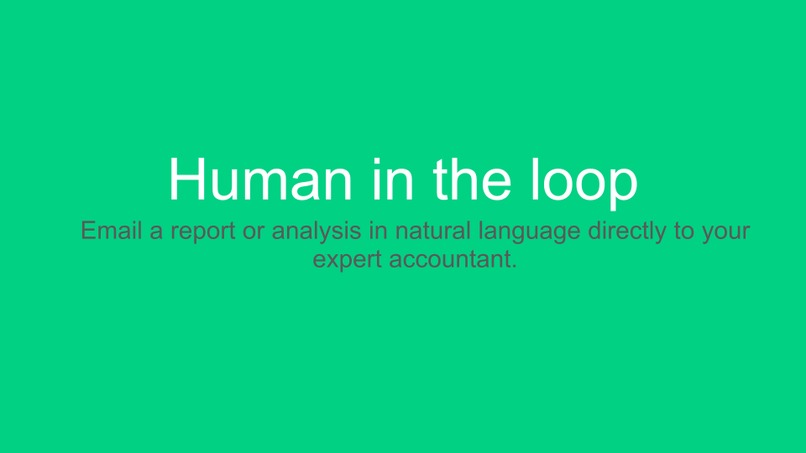
- Human-in-the-loop UX: Editable preview tables let non-technical users correct AI suggestions without leaving the app. 2.Scalable schema: By standing on Supabase’s row-level security and storage, we’re production-ready out of the gate. 3.LLM Knowledge vs Data queries: The CPA (Co-Pilot Accountant) chat is able to distinguish between regular accounting knowledge base question vs a business data specific question.
What we learned
- Users trust AI only when they can inspect and override. Showing the model’s draft before committing was a UX breakthrough.
- Smaller, focused prompts plus domain-specific examples beat giant, generic instructions for extraction reliability.
- Integrations are never just “flip a switch”—even well-documented APIs (hi, QuickBooks!) hide edge cases you only find in real traffic.
- Hackathon timeboxes force ruthless scope discipline; shipping a slim, lovable slice is better than half-finishing ten features.
What's next for AiCounting - Talk to your books.
- Conversational insights: Ask, “Why did travel spend spike last quarter?” and get chart + narrative answers.
- Autopilot mode: Continuous, behind-the-scenes ingestion and reconciliation with Slack/Teams nudges only when human approval is truly needed.
- Cash-flow forecasting: Fine-tune an LLM on historical ledger + external signals (e.g., seasonality) to predict dips before they hit.
- More integrations: Stripe, Shopify, and Plaid for holistic financial visibility.
- Mobile capture: Snap a photo of a receipt; see it appear, categorized, in seconds.
AiCounting is on its way to becoming the voice-activated accountant every small business wishes they had—letting founders talk to their books and get answers, not admin headaches.
Built With
- bolt.new
- supabase


Log in or sign up for Devpost to join the conversation.