-
-
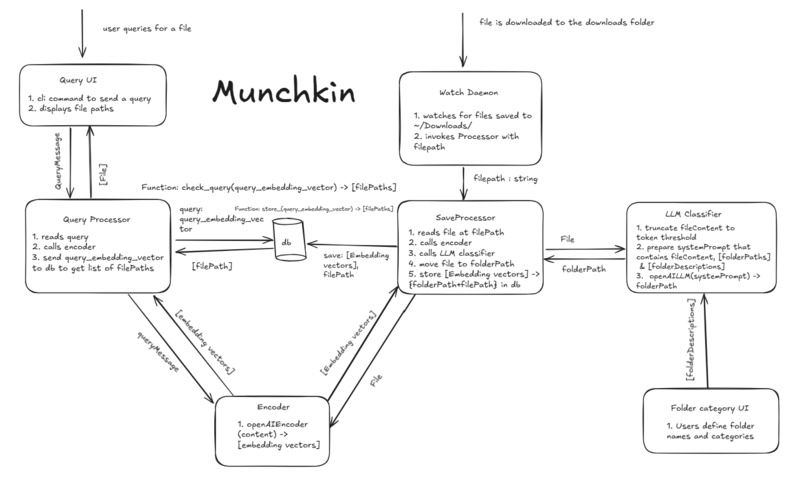
Munchkin's Tasty Pipeline
-
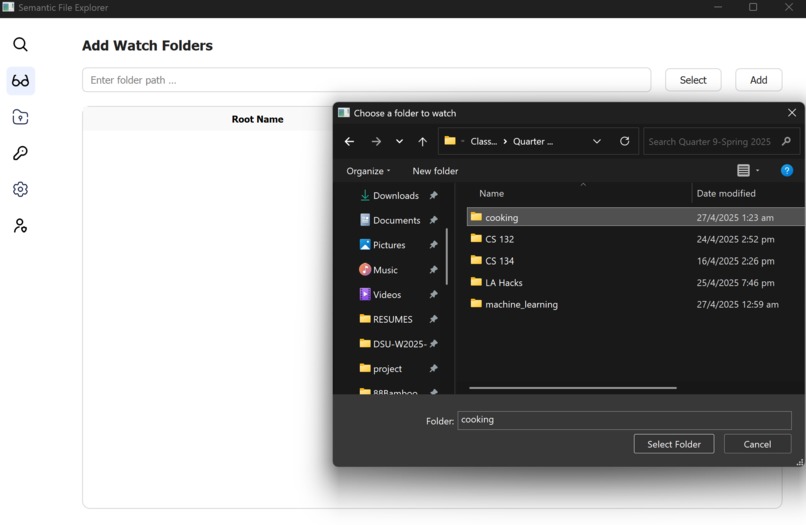
Munchkin's Curious Browser
-
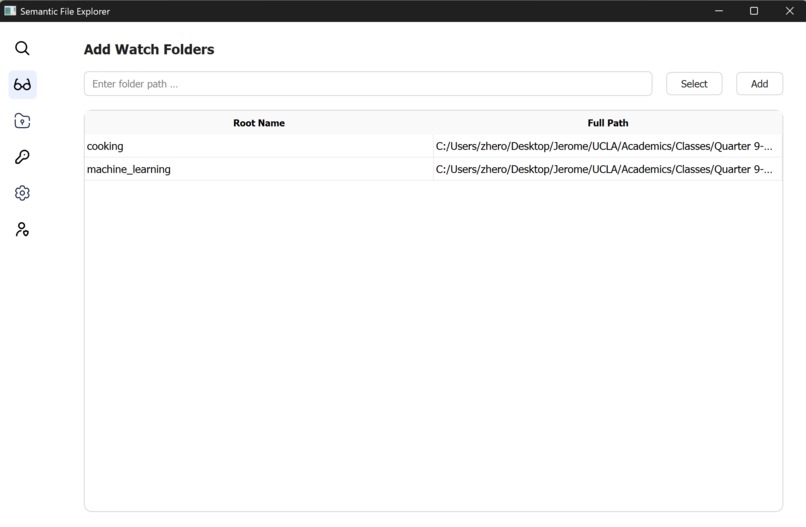
Munchkin's Radar (Watchlist)
-
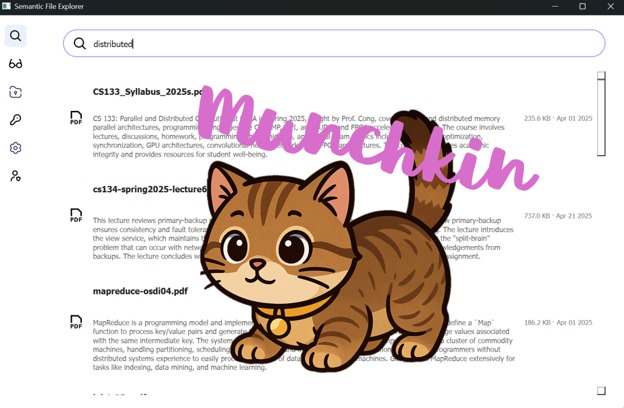
Munchkin's Hunt (Semantic Search)
-
Munchkin's Underbelly (CLI)
Inspiration
In today’s academic jungle, students and educators download torrents of files every day — lecture notes, essays, research papers, cat memes (for stress relief), and more. But when files pile up without order, curiosity turns into chaos. Where's that fishy article you saved a long time ago but whose title you've forgotten? What if I just wanted all my food-related documents in one place?
We wanted to create a companion that’s small, smart, and spirited — an attentive one that we could come home to, that will take a load off our backs. Thus, Munchkin was born: a tireless AI sidekick who watches over your downloads, reads your files, understands what they are, and magically organizes them before you even think to ask. Because a world where your documents find their rightful homes — like kittens curling up into the right box — is a world where learning and creating can truly thrive.
What it does
Munchkin is your pocket-sized AI assistant that:
- Monitors downloads and new files in real time, ever alert like a curious cat.
- Reads and understands documents deeply — not just filenames.
- Predicts smart folders where each file truly belongs (like a cat finding the coziest spot).
- Moves files automatically, keeping your digital workspace neat and focused.
- Indexes everything in a vector database (MongoDB Atlas) for lightning-fast, meaning-based search.
- Lets users query naturally, describing files in plain English to retrieve an entire related lot of files, rather than remembering messy filenames or specific keywords they don't remember any more just for a single one.
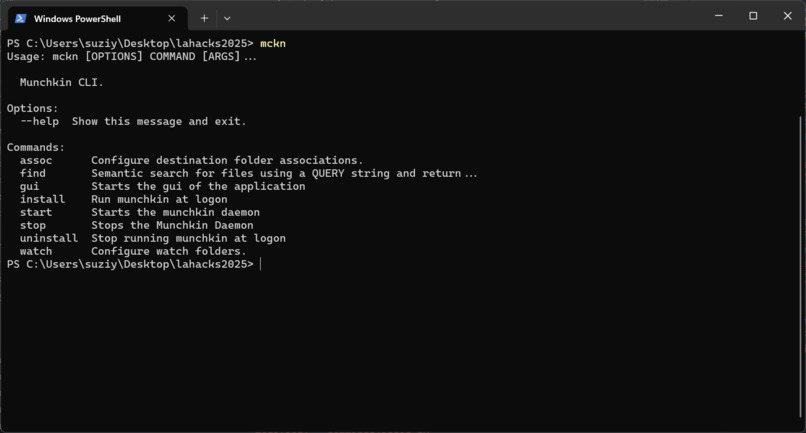
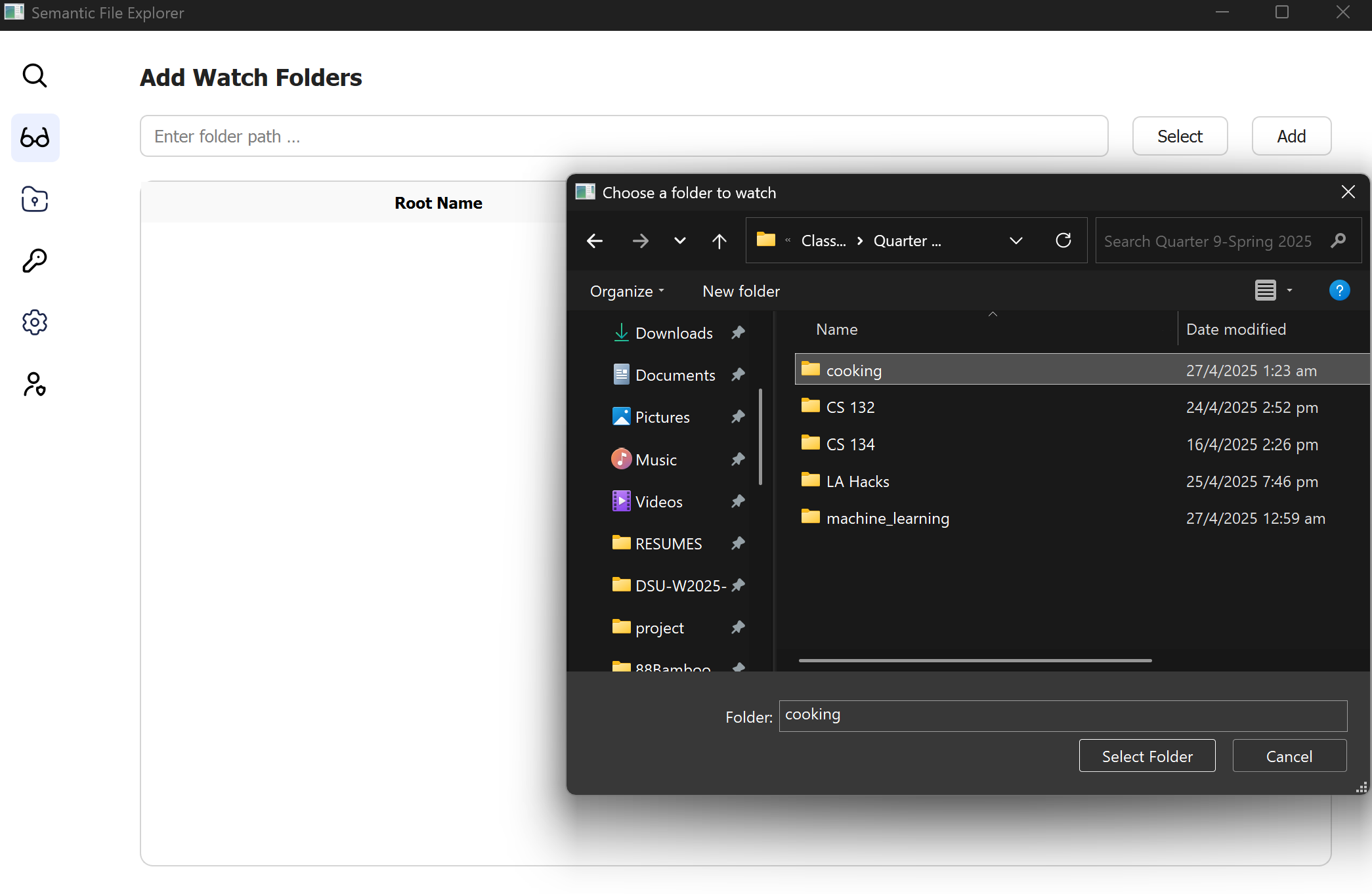
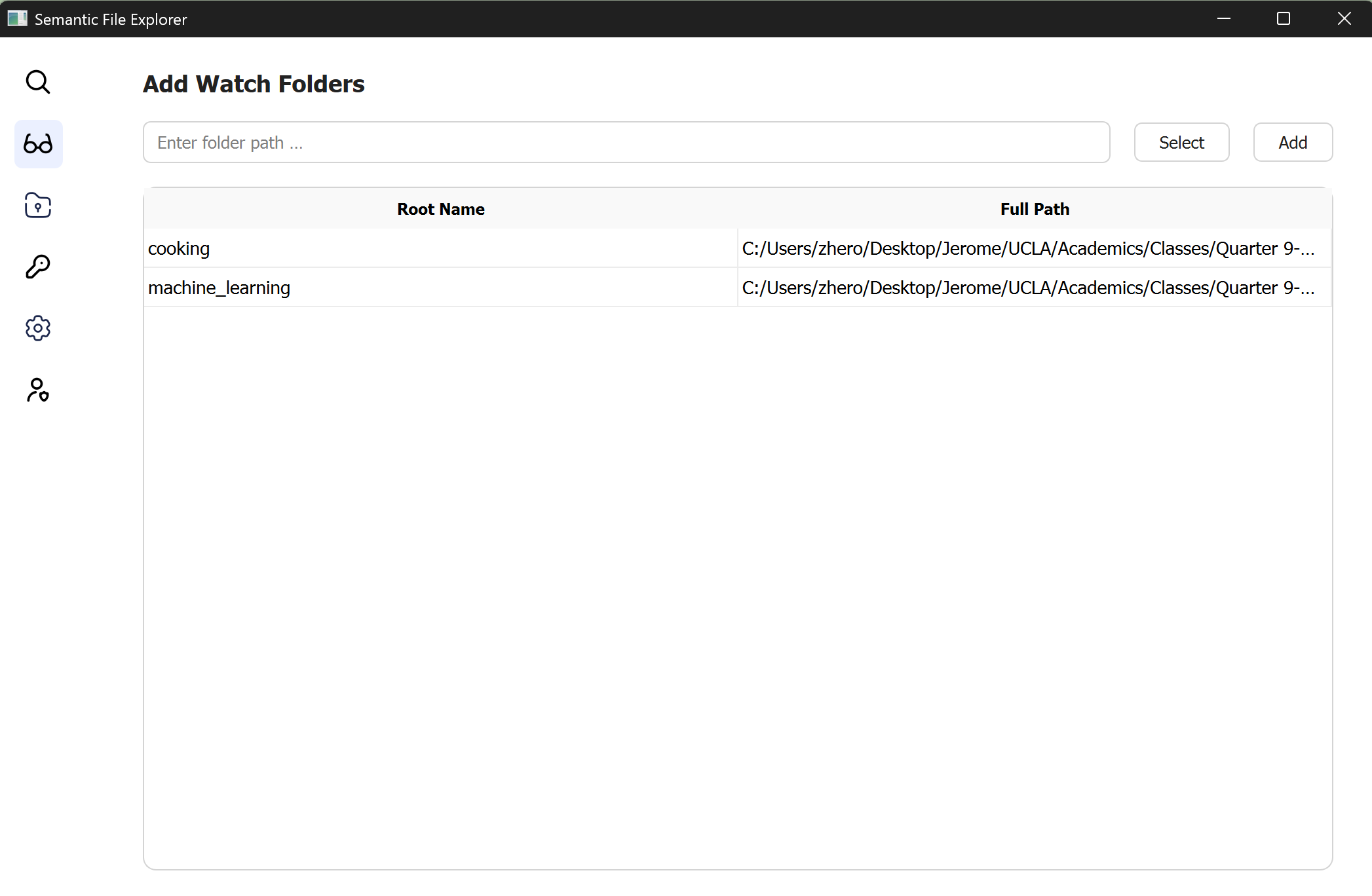
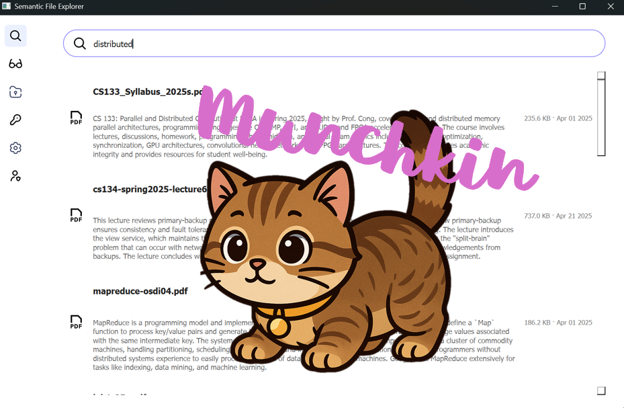
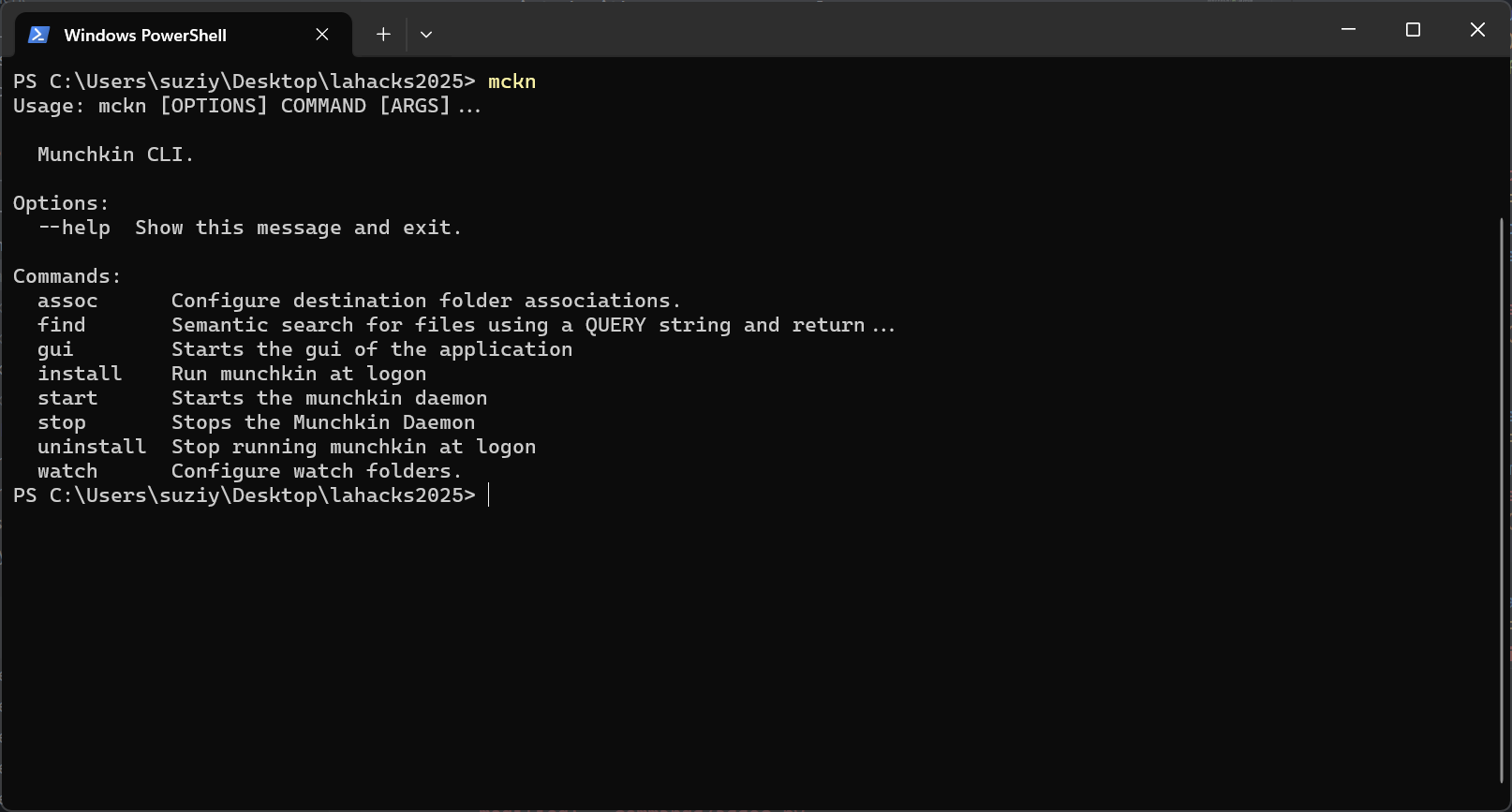
In addition to our frontend interface that allows users to comfortably search for files and add folders to their watchlists (where files will be automatically moved from) and destination lists (where files could be automatically moved to), we also built a CLI that, with the 'mckn' commands, allows users to indicate and add folders that the Munchkin software has access to. (Dangerous places are off-limits to kitty cats.) Upon the user's downloading of new files, Munchkin will exercise its judgement and automatically direct the new files to their most suitable home!
Whether you’re a student buried under class readings, or a developer hunting for that one specific spec sheet, Munchkin’s got your back — organizing your chaos with the elegance and energy of a pussycat chasing a laser pointer.
How we built it
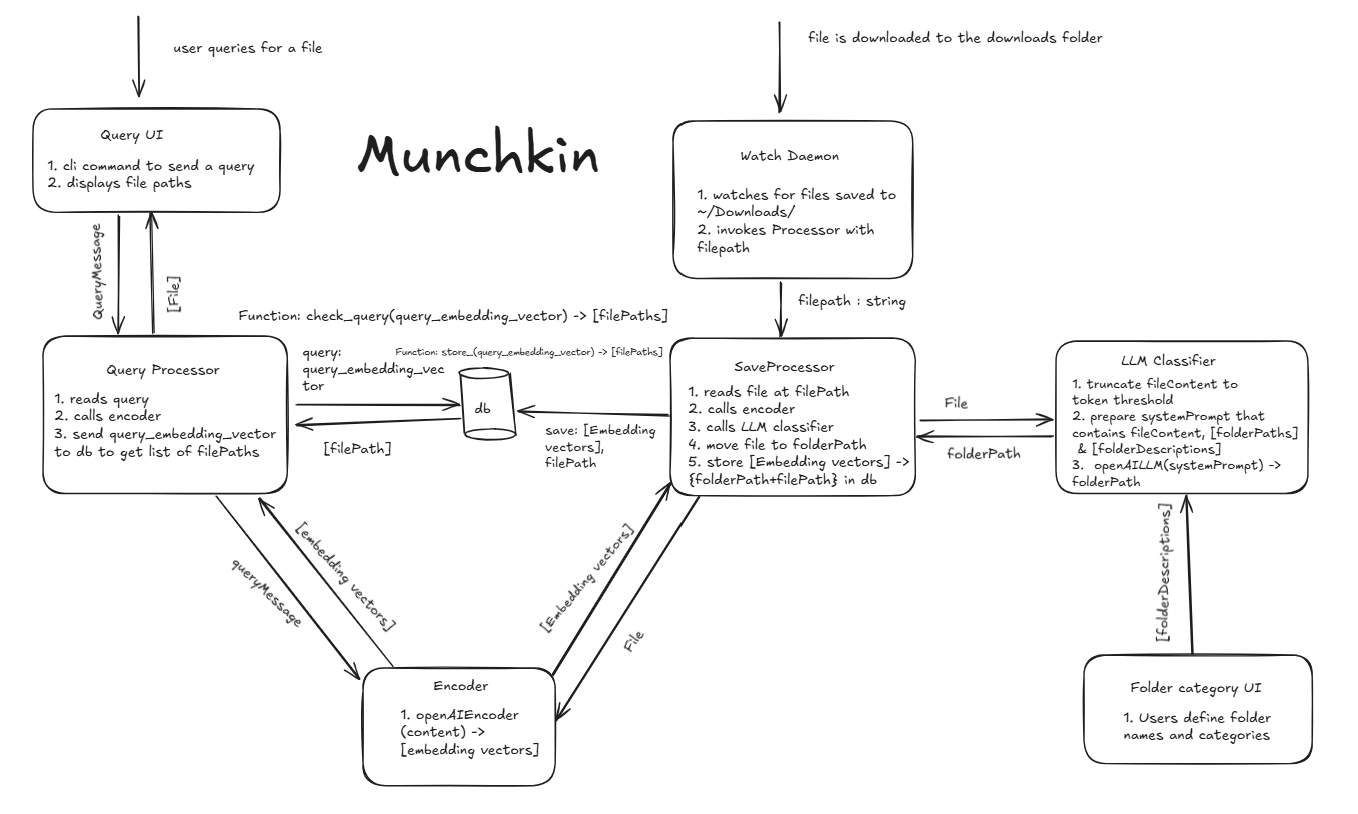
- Download Daemon: A file system watcher that monitors the Downloads folder, on duty 24/7 like a tiny sentry.
- Preprocessor: Extracts clean text from PDFs, DOCX, TXT, and even messy files.
- Dual Encoder: Transforms file content into semantic embeddings using Sentence Transformers — so Munchkin understands meaning, not just words.
- Classifier: A nimble LLM that predicts the best folder for a file based on its semantic "vibe."
- MongoDB Atlas Vector Search: Stores these brainy embeddings for instant semantic lookups.
- Save Processor: Moves files to their rightful homes, because every file deserves a cozy folder.
- Query Processor: Converts user queries into embeddings, fetches matches, and returns search results.
Behind the scenes, Munchkin manages serious AI magic, but upfront, it stays playful, helpful, and invisible — just the way great classroom assistants should be.
Challenges we ran into
- Taming large documents and slicing them into intelligent, searchable "passages" — without losing the forest for the trees.
- Wrangling MongoDB’s vector indexes, tuning similarity scores, and managing real-world retrieval latency.
- Handling cross-platform file movement, because different operating systems like different treats.
- Designing a developer experience that was clean, modular, and Munchkin-sized — small pieces, easy to extend.
- Balancing technical power with a light, delightful user experience that could live happily in the background without barking for attention.
Accomplishments that we're proud of
- Creating a working real-time AI document organizer that feels almost alive.
- Seamlessly integrating semantic search into everyday file workflows.
- Building a system modular enough that even a playful Munchkin could debug it without too much fuss.
- Making an experience that helps students, educators, and developers think more, stress less, and discover faster.
- Keeping the spirit of whimsy and curiosity alive — proving that serious tools don’t have to feel serious all the time.
What we learned
- How to build and tune production-grade semantic search pipelines.
- How to work with MongoDB’s vector search to build fast, real-world retrieval engines.
- How to handle real-time file event monitoring safely and efficiently across OSes.
- How critical chunking, hybrid scoring, and natural query handling are for user happiness.
- How much easier it is to think creatively when your digital space is clean and organized.
- That sometimes, the best tech projects have a little bit of cat-like playfulness woven into their DNA.
What's next for Munchkin
- Developer Mode: Helping devs automatically sort log files, configs, and code snippets intelligently.
- Collaboration Mode: Munchkins that organize shared team folders — perfect for student groups and research labs.
- Mobile App Companion: Letting users search and manage their files on the go, from any device.
- Advanced Accessibility Features: Voice-activated search and intelligent reading support.
- Easter Eggs: Maybe someday Munchkin will actually chase your mouse cursor while fetching your files
At the end of the day, Munchkin’s goal is simple: make digital life lighter, faster, and a little more joyful.


Log in or sign up for Devpost to join the conversation.