-
-

Save money and food with munchi!
-
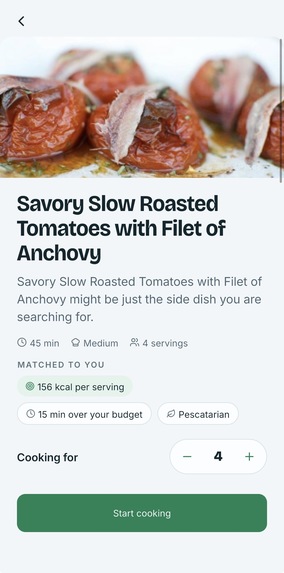
Recipes to your preferances
-
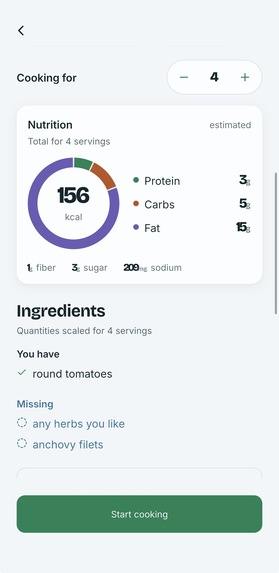
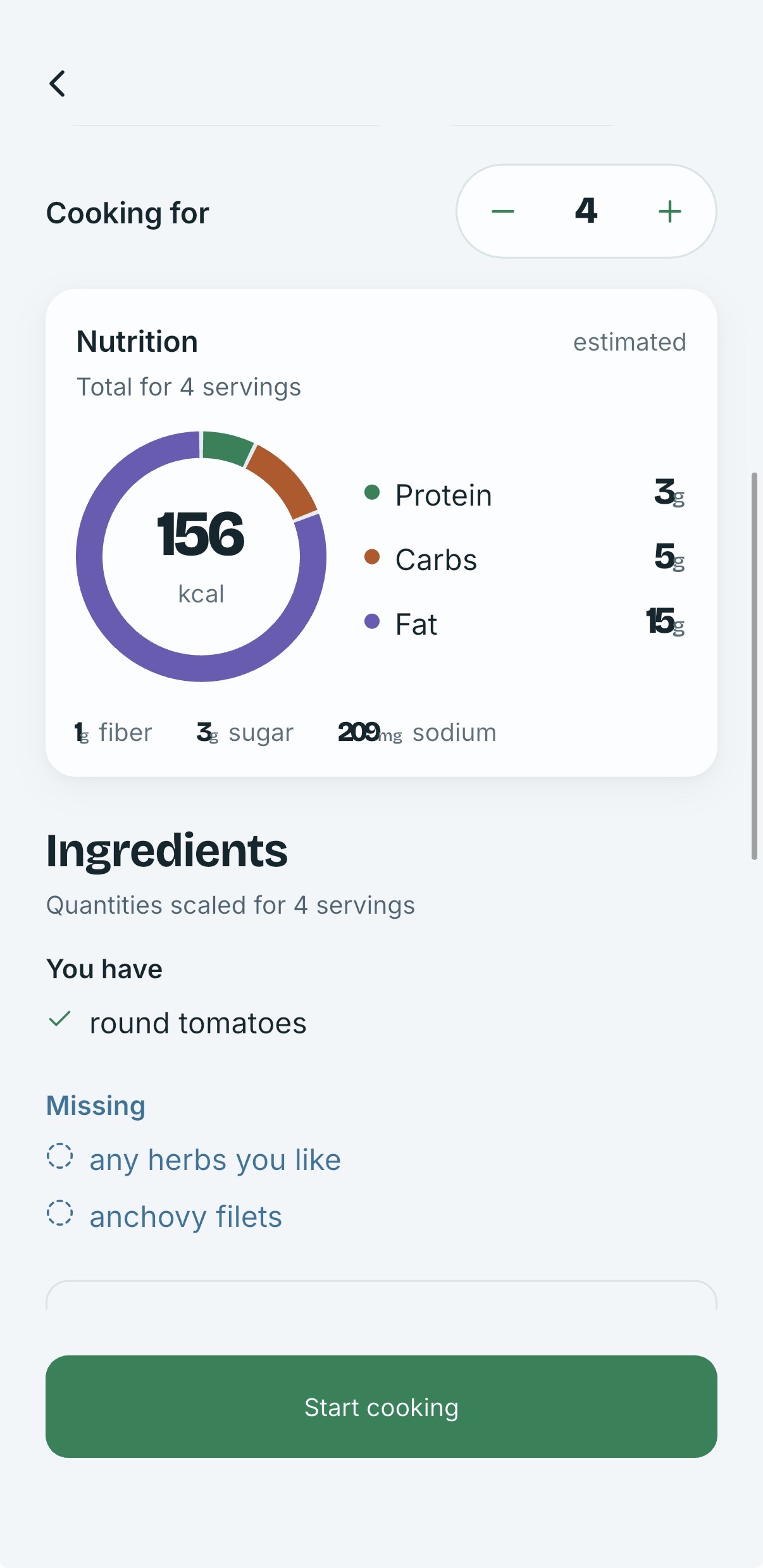
Nutritional macros
-
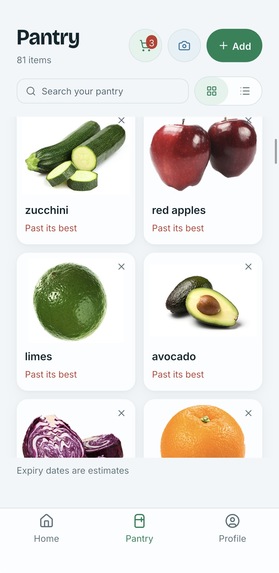
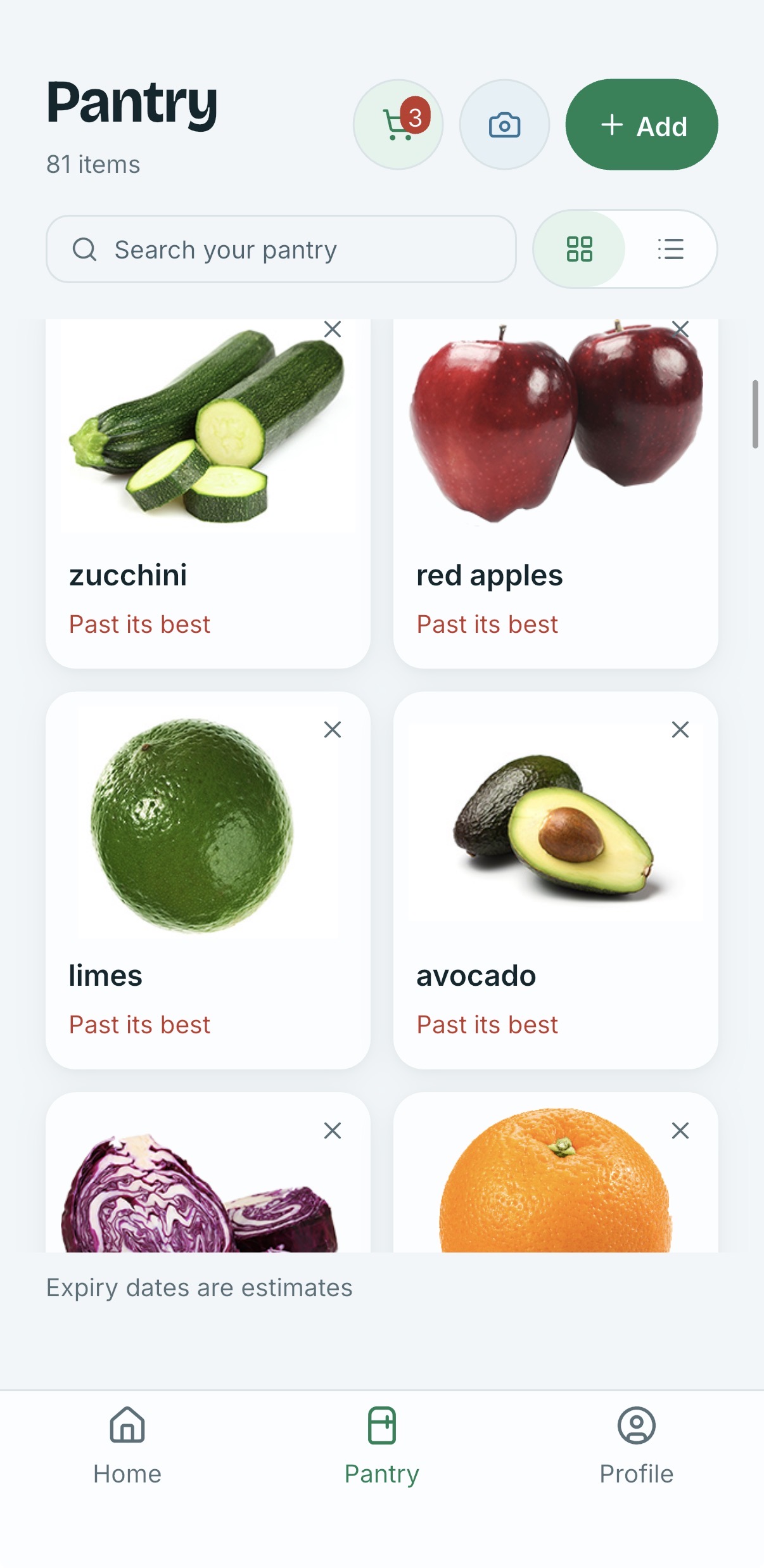
Pantry ingredient inventory
-
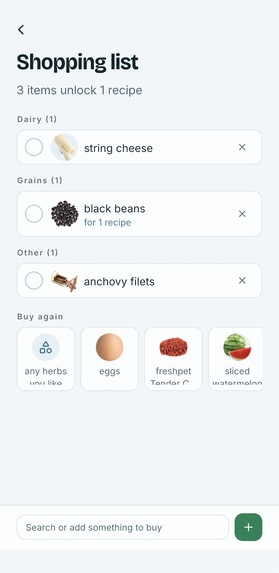
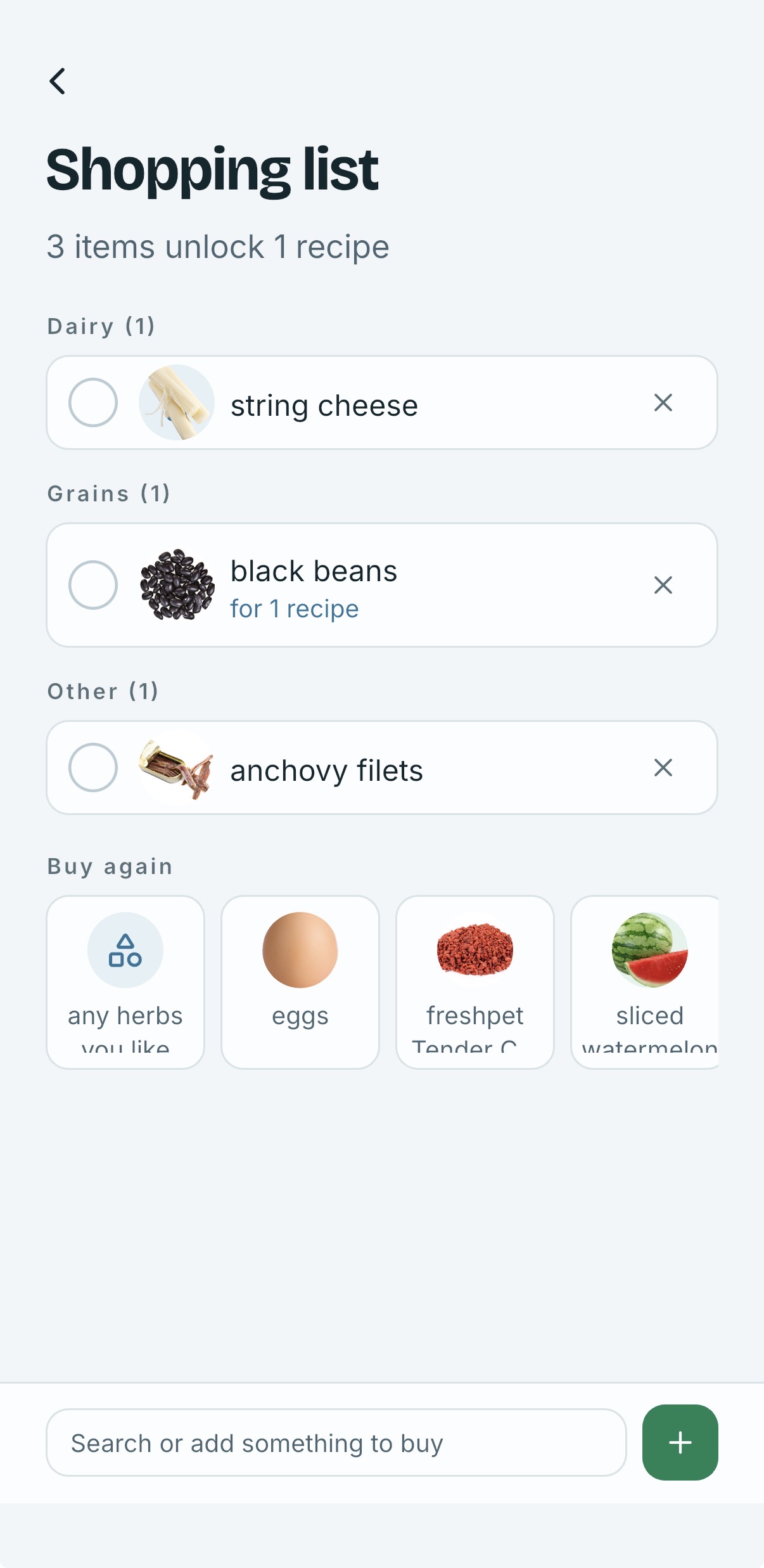
Shopping list
-
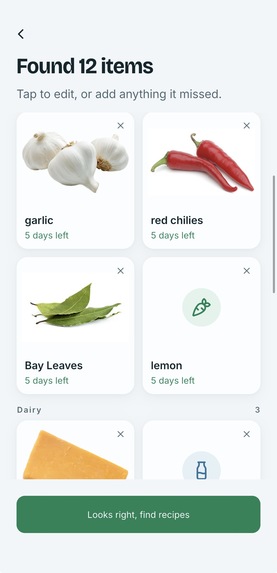
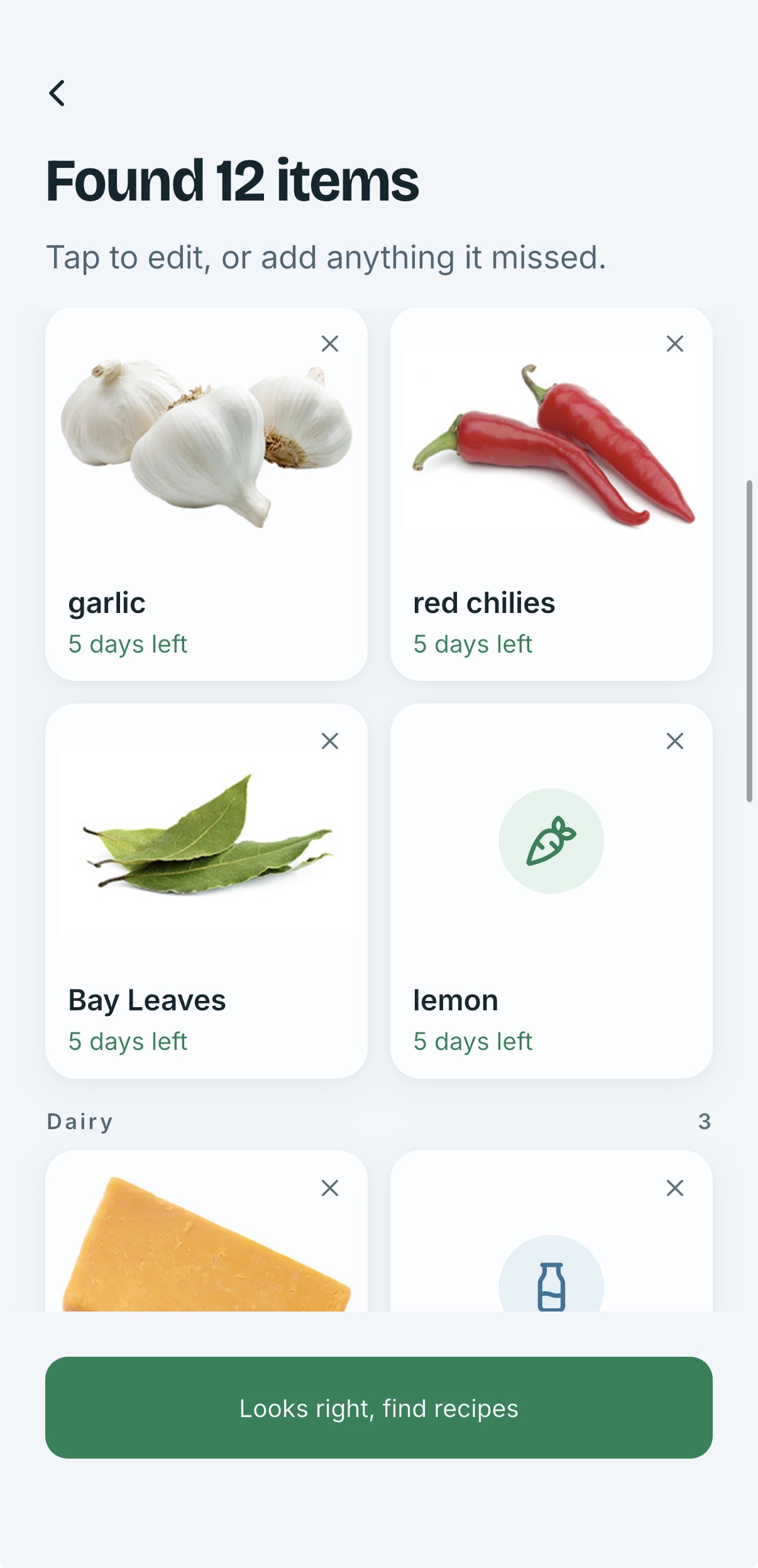
Scanned items found
-
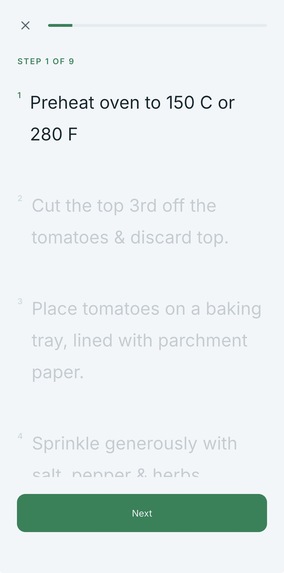
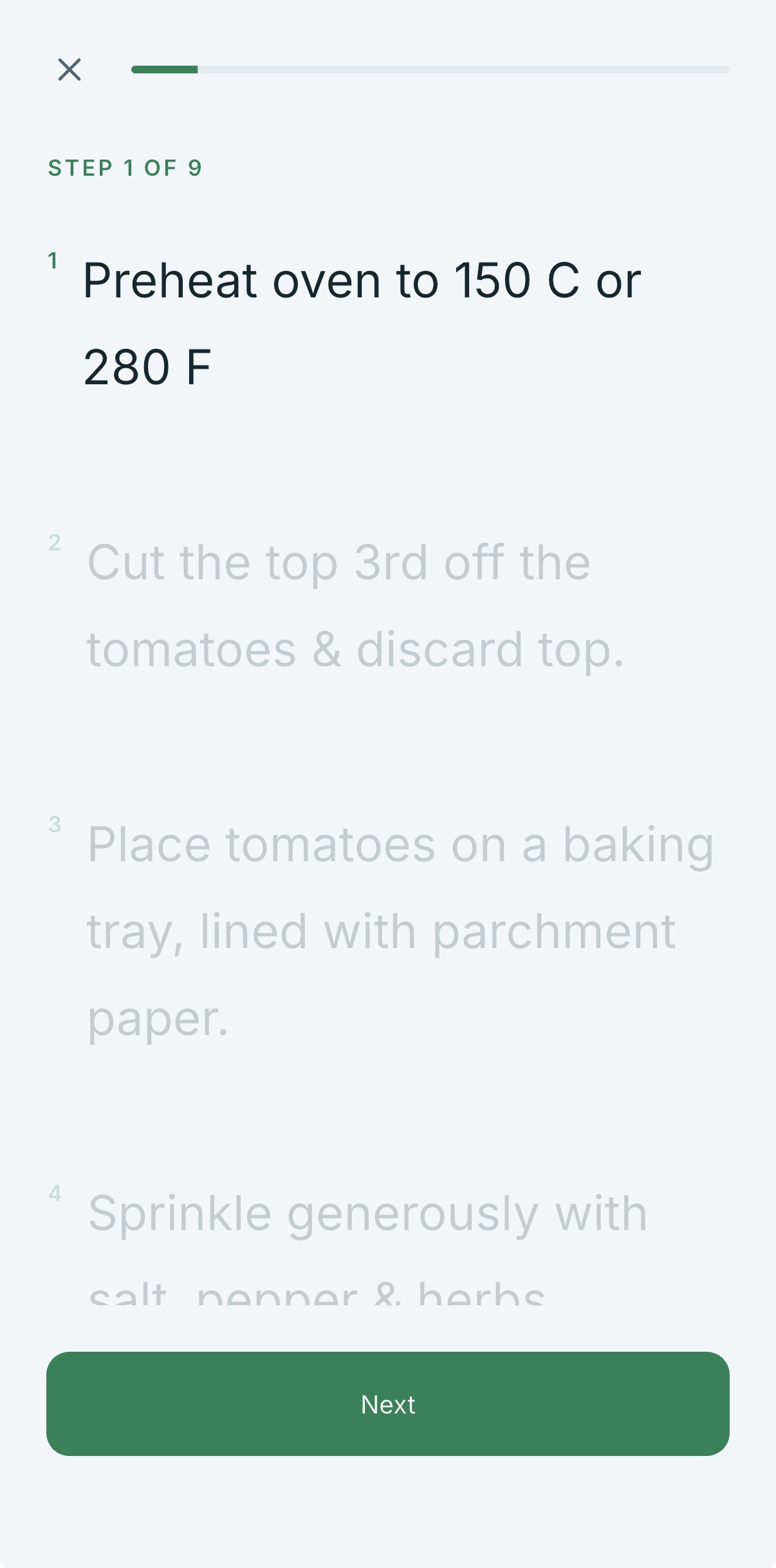
Step by step cook mode
-
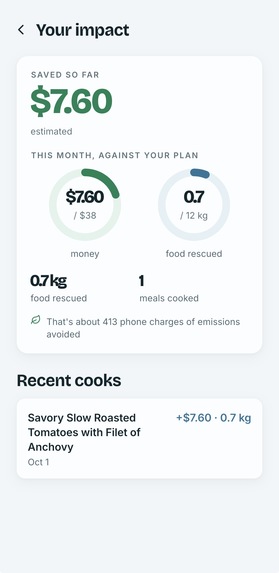
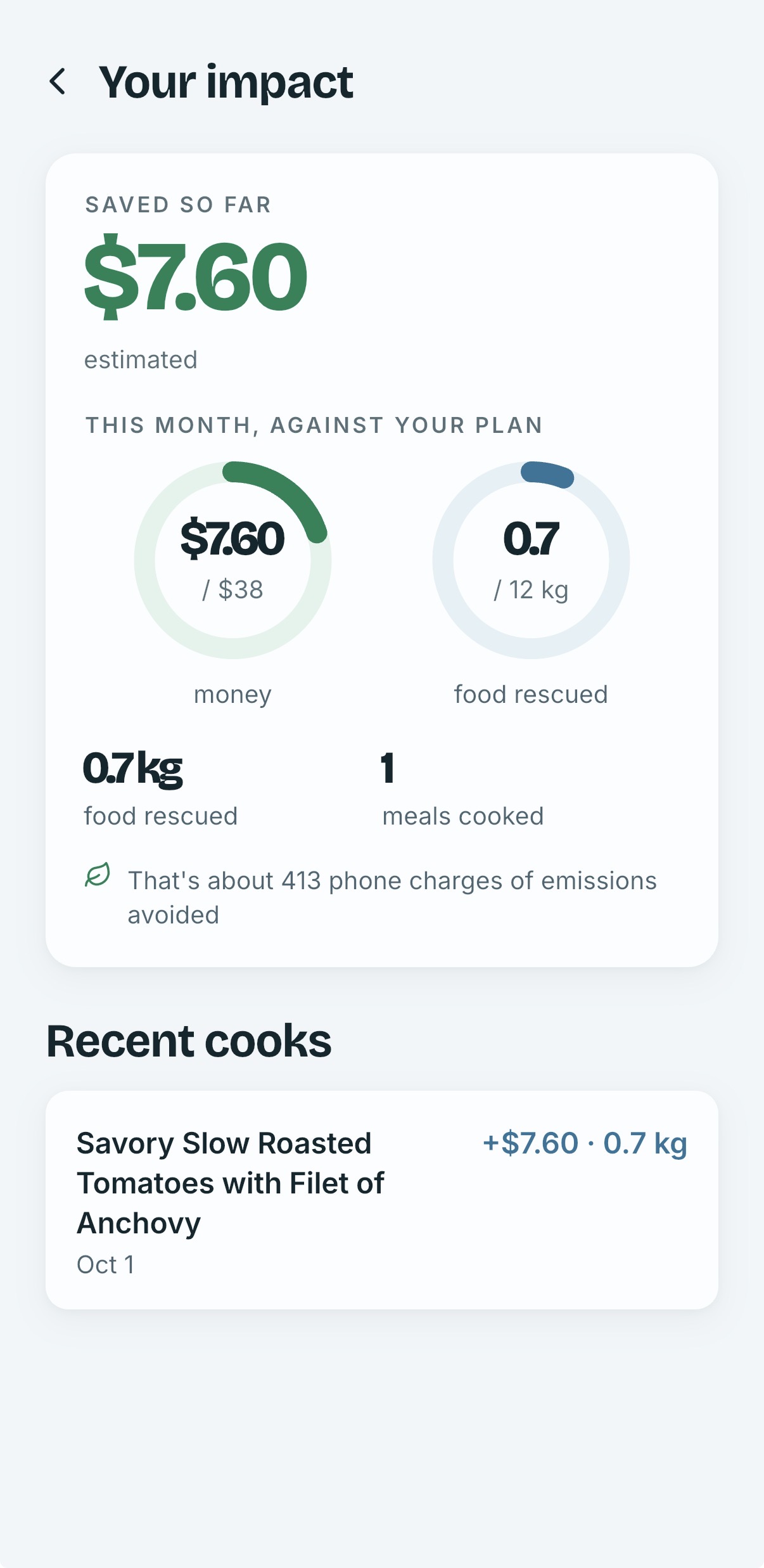
Your impact to the world and money saved

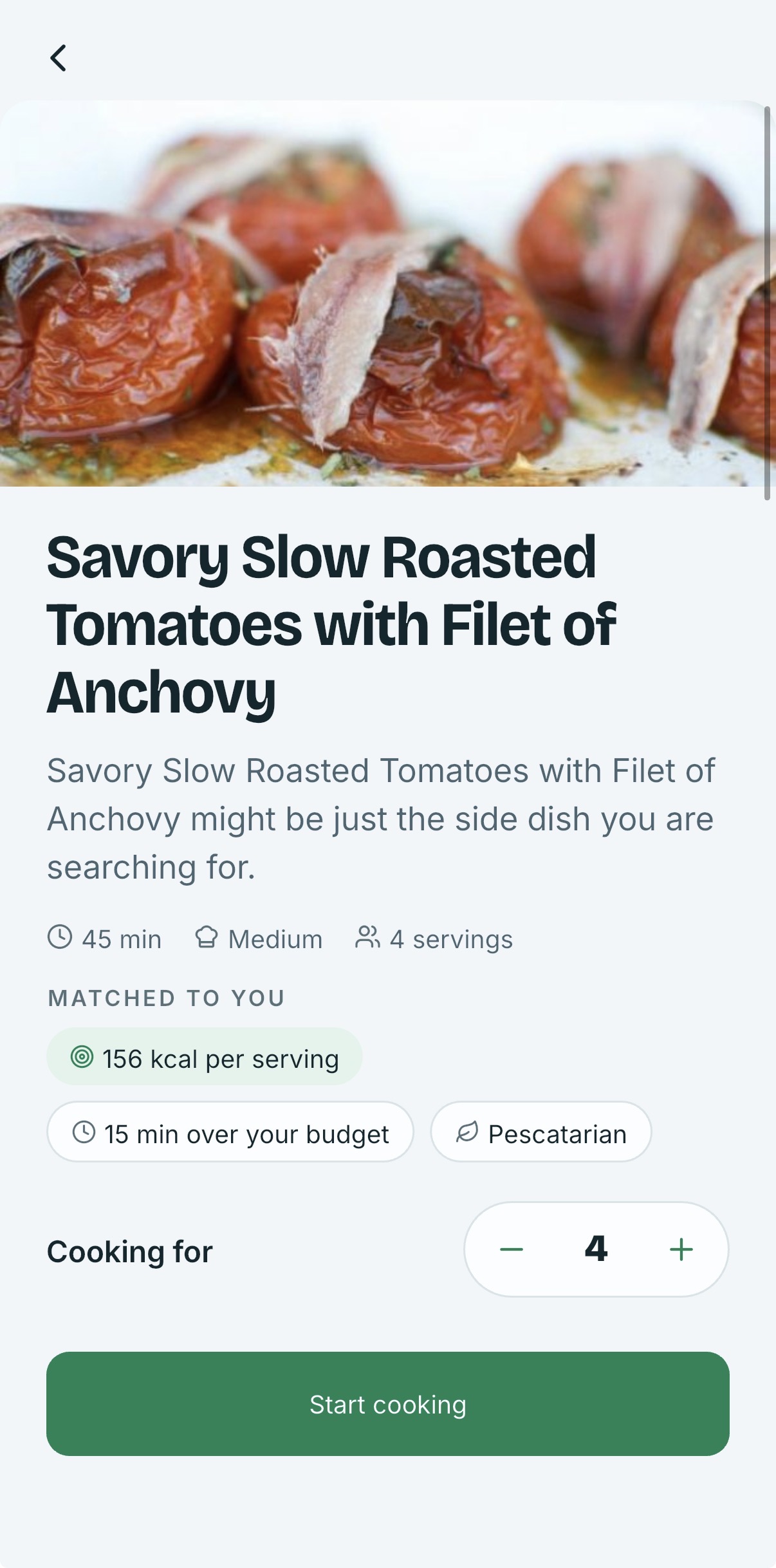
Inspiration
My dev partner and I went into Shipaton 2026 with a long list of app ideas and spent a while arguing them down. Munchi won for a simple reason: it was the only one on the list that both of us had already lived that week.
Open the fridge, stare at a full shelf, close the fridge, order takeout. Then a few days later the half bell pepper and the yogurt we forgot we bought goes in the bin. We were both doing this. Not because we were short of food, and not because we could not cook, but because nobody can hold a mental inventory of their own kitchen, and the thing you cannot see might as well not be there and not knowing other options of recipes we could cook.
Once we processed it that way, the product idea fell into place. The waste is not a shopping problem, it is an awareness problem: know what you actually have, and know what it adds up to. Every recipe app we tried asks the opposite question. They start from what you feel like eating and hand you a shopping list, which creates more food to forget about.
We wanted to start from what is already in the kitchen and only then talk about dinner. The fridge already knows what is for dinner. It just cannot tell you.
What it does
You photograph your kitchen, zone by zone: fridge shelves, drawers, freezer, spice rack, pantry. Munchi identifies every ingredient it sees, and you confirm or correct the list in one screen.
From there:
- Cook Now recipes use only what you already have.
- Almost There recipes need one or two more items, and those drop straight onto a shopping list.
- Every recipe respects the diet, allergies and goals you set once during onboarding, with macros shown per serving and portions that rescale live as you change servings.
- Your pantry tracks what you own with a freshness ring per item that empties as the clock runs down, so what expires first is what the app suggests cooking first.
- Cook mode keeps the screen awake and shows one step at a time, with the ingredients for that step pinned inside it.
- A savings tracker adds up the food and money you rescued from the bin by cooking what you had instead of replacing it.
How we built it
Client: Flutter (Riverpod, go_router), iOS first. The design system is our own: a cold "Crisper" palette, Bricolage Grotesque and Inter as variable fonts, ingredient art drawn as vector paths in code rather than emoji or stock icons, and one shared painter behind every ring and meter in the app.
Backend: Convex in TypeScript. Every model call, vendor key and quota decision lives in a Convex action or mutation, so the app never holds a provider key and cannot vote on whether it is allowed to scan.
Recognition: the kitchen tour holds each photo as it is taken, uploads it, and then sends one batched Gemini vision call at the end covering every zone. The model sees the whole kitchen as one context instead of eight unrelated snapshots, which reads better on items that are partly hidden or unlabeled.
Recipes: a fingerprinted query cache sits in front of a third-party recipe API. The fingerprint is the top ingredients plus diet and allergy constraints, which we cached for 30 days, so a pantry that changes by one onion does not trigger a fresh paid lookup. An AI-authored recipes fill in only when the cache and the API together cannot fill the rails, deduplicated by dish key. Allergy handling discards unsafe recipes rather than trying to repair them.
Monetization: RevenueCat on StoreKit 2, with a Convex HTTP webhook applying entitlement changes server side.
Retention: OneSignal digests scheduled from Convex crons, and PostHog on the onboarding and paywall funnel.
Challenges we ran into
Apple rejections left and right drained our launch time.
The main issue we had was with our Auth system. We started out with Clerk and as things got built out and submitted, the reviewers were never able to use the "sign in with apple" feature. We could not figure out why so we had to do a whole auth shift mid development which used up a lot of our time going back through the code and replacing things. We decided to go with a auth system we were familiar with and knows will work 100% and that was supabase auth.
The hard part was doing it without breaking anyone already running the app. We ran it as a dual-issuer transition: the backend accepted tokens signed by both the old and new providers at the same time, so builds already in testers' hands kept working while new builds used Supabase. Cutover was then a two-line change: delete the legacy provider, unset its environment variable, redeploy. One trap along the way: our backend refuses to deploy its auth config if any environment variable that config mentions is unset, even when the code has a fallback, so the variable had to stay set until the provider was removed from the file, in that exact order.
And then the store rejected us twice more, for things you cannot see
ITMS-90683, missing location usage description. We never ask for location. Our push notification SDK links CoreLocation, which is enough for the App Store to demand a purpose string. The fix was an honest one: "Munchi does not use your location."
For the last mistake which almost didnt allow us to launch in time was because we did not pair the in app purchases subscriptions to the build which was a super rookie mistake. All the other times we submitted, everything was submitted together.
A model deprecation broke every scan for a day
A cost-driven model swap pointed us at a Gemini model that had quietly stopped accepting new users. Recognition returned 404 for a full day before we caught it. Pinning the model version and verifying it against a live call is now part of the deploy.
Accomplishments that we're proud of
- One batched vision call instead of eight. It is the difference between a scan that feels like a product and one that feels like a demo, and it is cheaper.
- A cache design that keeps unit economics flat. Paid inference and paid recipe lookups only happen when they can actually change the answer.
- We shipped through five rejections Every fix was a real fix: a native auth path, an honest permission string, a submission done properly.
- Honest numbers, everywhere. The design system bans fabricated social proof and undefensible figures. There are no invented testimonials, no fake download counts, and no rating badge until there is a rating. Savings figures are derived from the user's own confirmed cooks.
- An accessibility and design pass we did not skip. Dynamic Type from 0.85x to 2.0x with layouts that reflow rather than clip, 48x48 tap targets, contrast verified per token, and a single-theme commitment instead of a half-finished dark mode.
- A backend with real tests around the parts that touch money. Quota, purchase, webhook and sync paths are covered, because those are the paths where a bug costs a user something.
What we learned
- Cache the expensive call, not the cheap one. Knowing which call is expensive is most of the design.
- Every hard bug in this project lived between two systems, never inside one: a model version we did not pin, a field name one system allows and another rejects, an event-ordering assumption, a web view the OS treats differently than a browser, a review requirement the API cannot satisfy.
- If it cannot fail in development, it will fail in review. The auth bug could not appear locally because development had no Apple provider. The error-message bug could not appear locally because development does not redact. Both shipped.
- A dependency that owns your login screen owns your release schedule. We forked an SDK, filed a support ticket, and still ended up replacing it. We should have measured that risk on day one, not after 3 rejections.
- The store is part of the product. Metadata, subscription state and review notes have their own failure modes, and they cost us more calendar time than any feature did.
What's next for Munchi: Fridge to Recipe
- Receipt scanning. Photograph a grocery receipt and every item lands in the pantry. The scan pipeline is already mode-aware, so this is a new prompt rather than a second pipeline, and it gives us real prices, which turns the savings tracker from an estimate into a measured number.
- Android. The Flutter client is ready; the store work is not.
- A cookbook tab: browse, search, save, and shop for a recipe you want rather than only the ones your fridge suggests.
- Smarter expiry. Learn from what a household actually finishes and when, instead of using category defaults.
- Households. One shared pantry across the people who cook from the same fridge.
- Recipe Tuneups. We want better accuracy of the ingredient recognition and how many different recipes we can display to uses. We also want to find some way to get better images for the recipes that are displayed because the ones given from the API doesnt look as appetizing. Using AI to generate images for every recipe will be quite costly at scale.

Log in or sign up for Devpost to join the conversation.