-
-
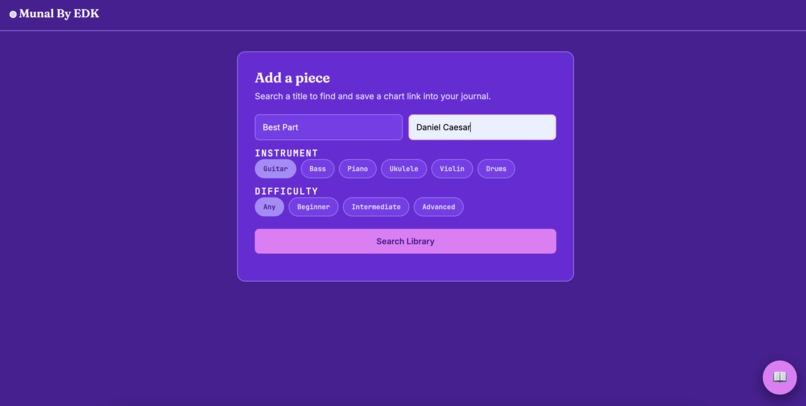
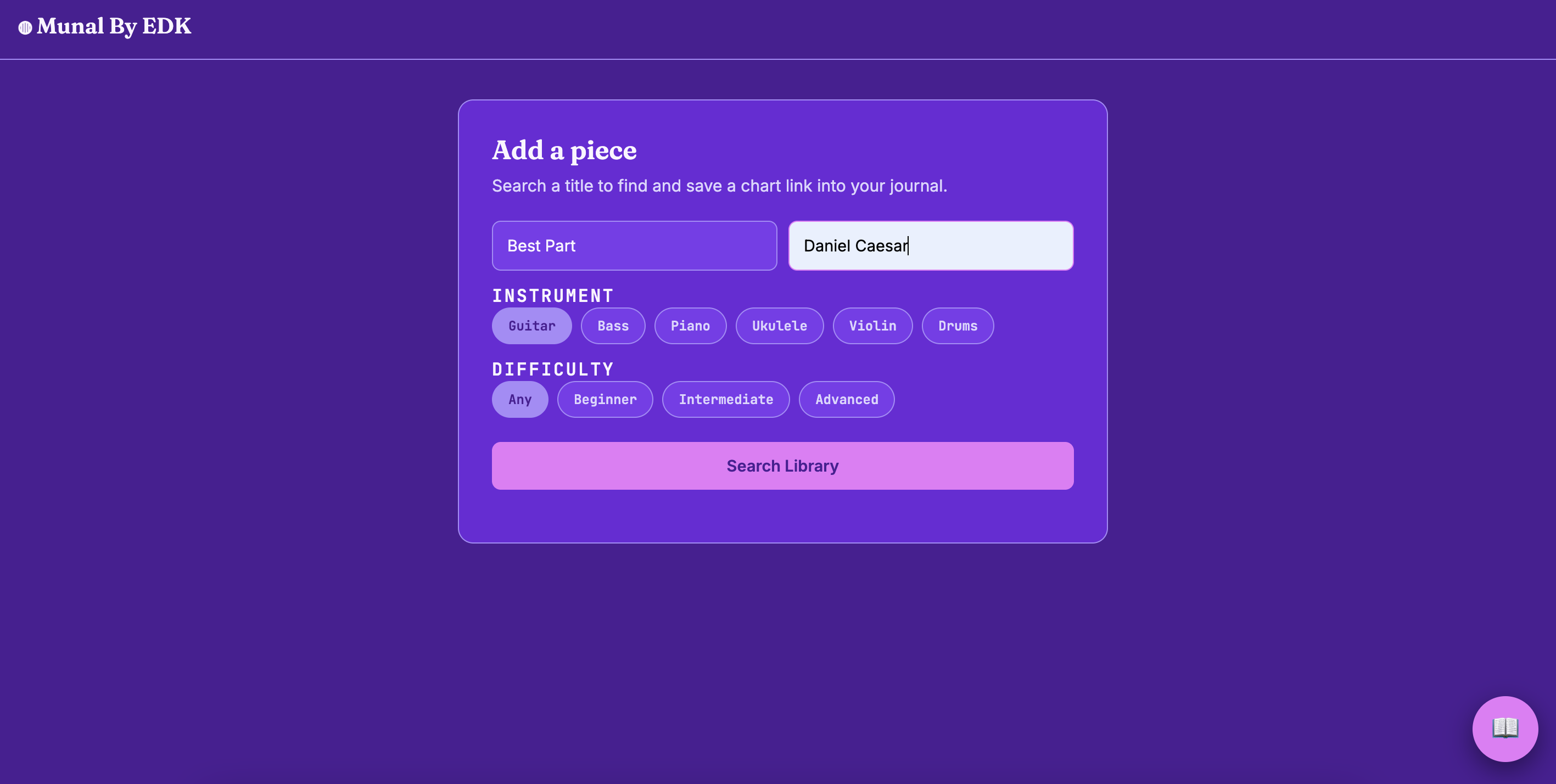
Screen when you add a new song
-
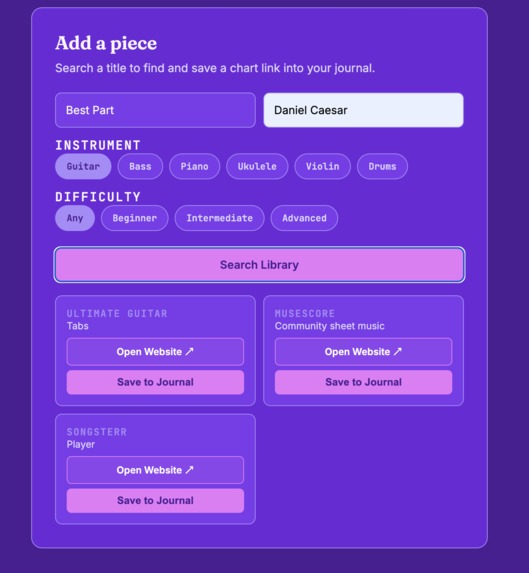
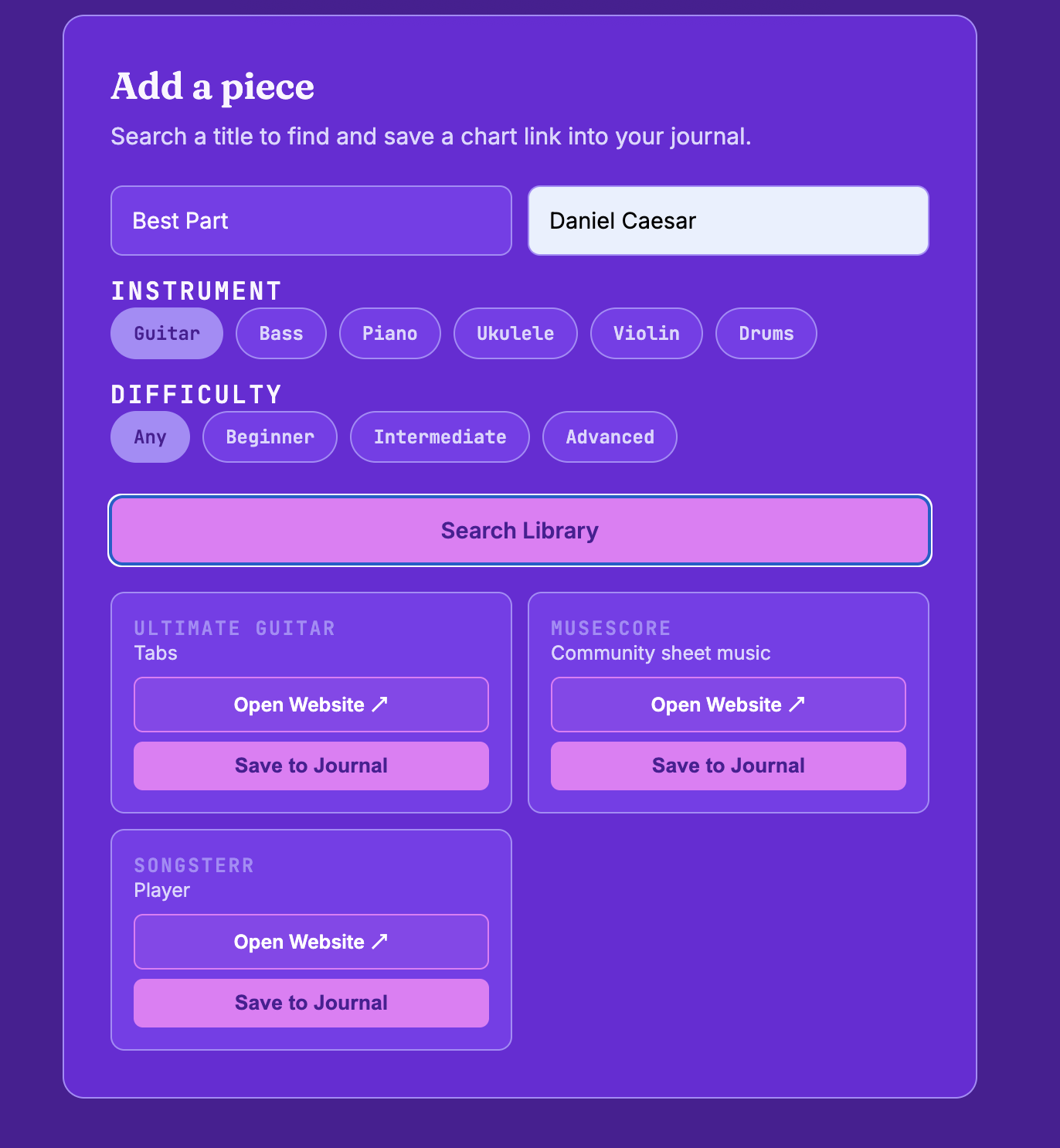
Websites with sheet music
-
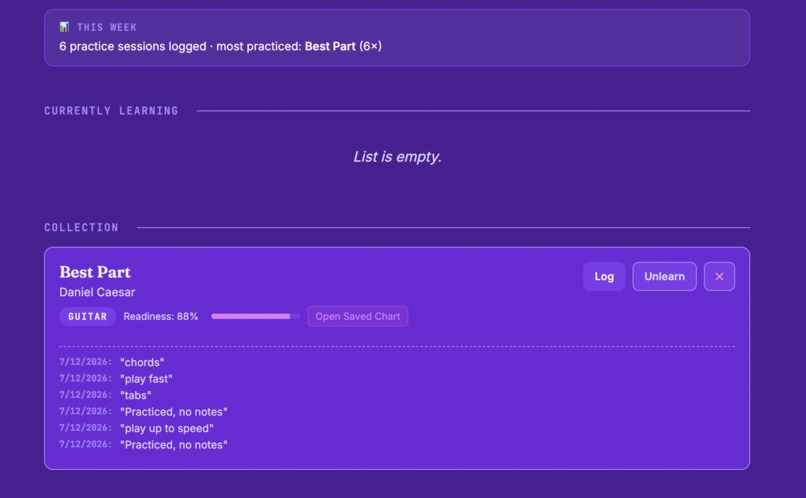
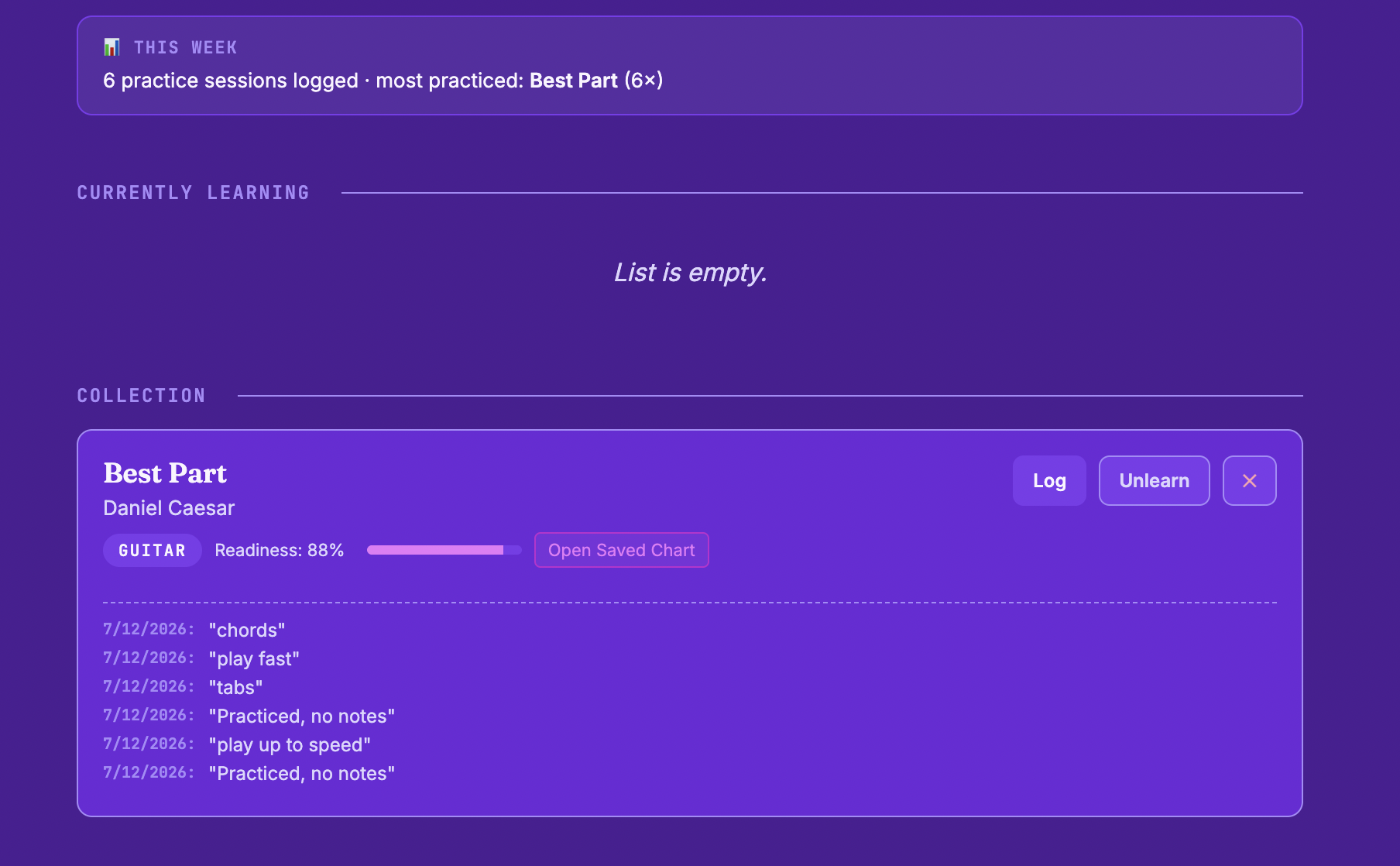
Munal page, song has logs, progress report, and completion
-
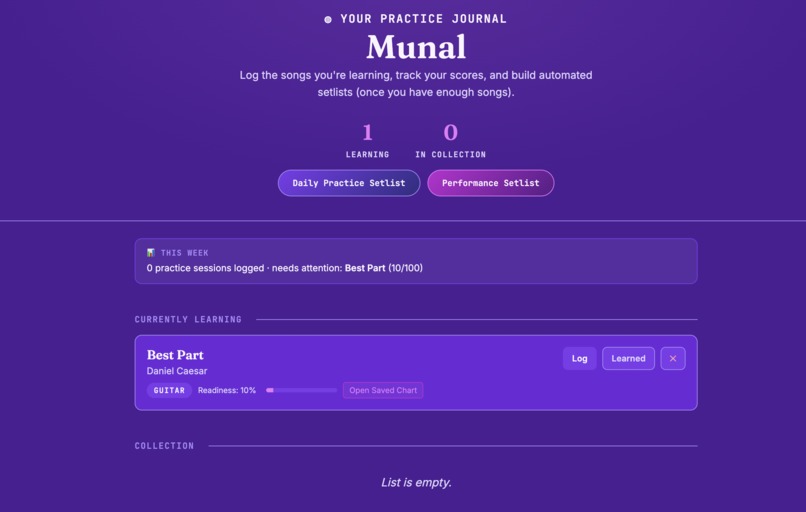
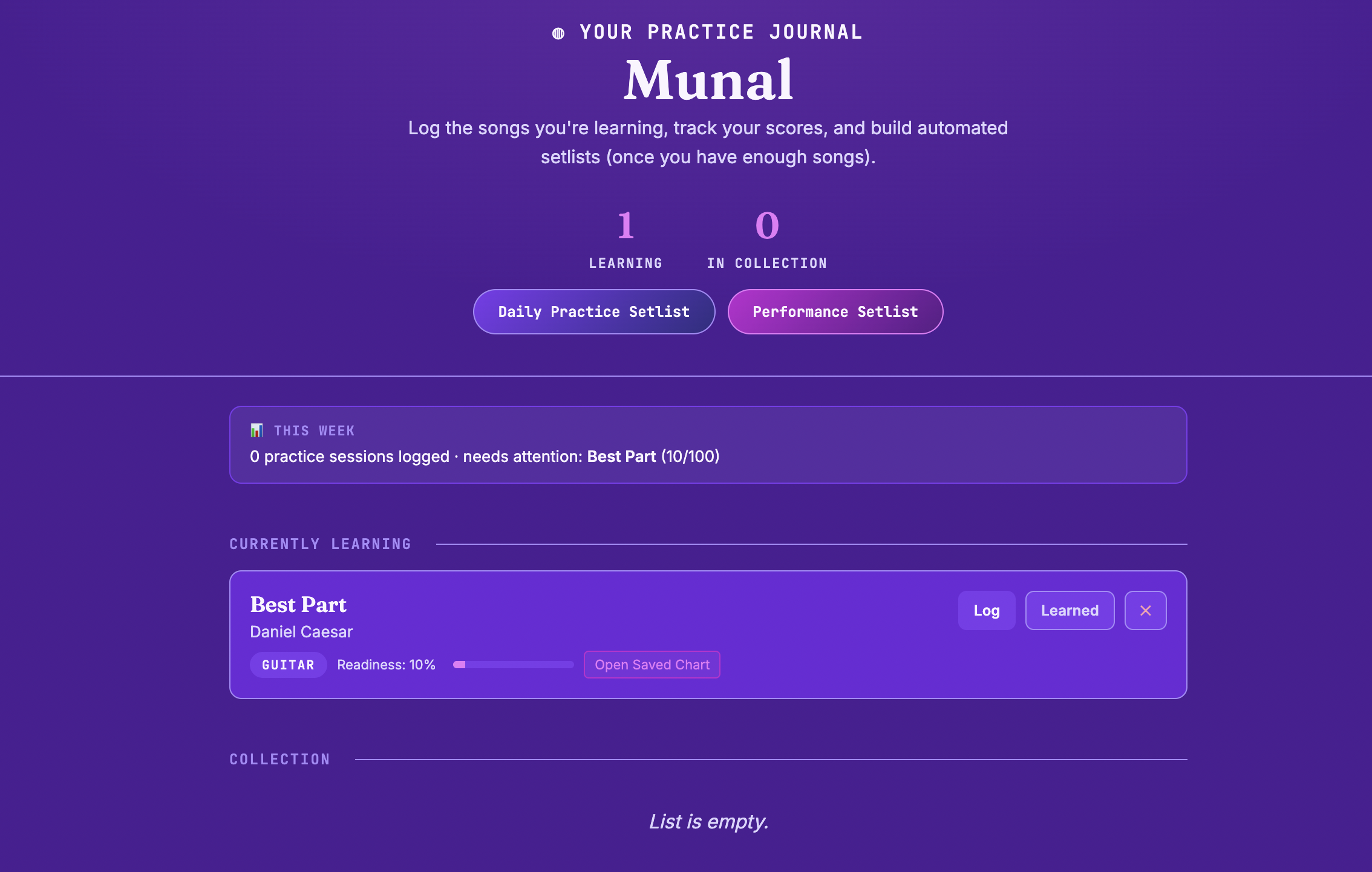
Munal page, song has no logs
Inspiration
We realized that all of our team members play instruments and have tried to learn our favourite songs. However, when we type it into Google or Safari, a variety of websites with different versions pop up; some versions are for different instruments! We wanted to create a website that finds what you are specifically looking for in a neatly organized format.
What it does
Munal asks the user questions: which song they are trying to learn, the artist (optional), the instrument (guitar, bass, violin, ukulele, or drums), and the difficulty (beginner, intermediate, advanced, or any). Once the user inputs all of the information, Munal will provide one or more websites that contain the requested score. There is a preview option that lets users view the website before adding it to their journal. Once the user adds the song(s) to their journal, Munal will save the song and track all progress. The user can add as many songs as they want. There are multiple features that MuNal has: a log button that users can press every time they practice a song, including a note where they can describe how the session went, and Munal will track how many logs were made and count that toward completion of the song (e.g. 50% ready).
Ultimately, this tool helps with gathering sheet music websites for an easier way to get songs to play. It is also automated because the scoring system update themselves without user input. In addition, the neglect detection is through the app watching one's data, which is not requested. And the setlist generation is a one-click algorithm. The user's only real actions are adding and logging; everything else (scoring, alerting, summarizing, setlist-building), happens on its own. This is a system that reacts to one's data.
How we built it
We started with the bare skeleton of the site, which is an HTML, with local storage and two toggleable views. Then we built the "Add a piece" section with instrument/difficulty aspects and a SITES lookup table so pieces could actually get created, followed by the basic journal rendering needed to display them. We then thought of creating a readiness score, with a flat-first version, which ended up being changed into a decay-based formula with neglect-banner logic. With the scoring system in place, we added the automation features of the Daily Practice and Performance setlist buttons.
Challenges we ran into
Our biggest challenge is the fact that we had to find an original idea that fits the hackathon theme of automation. And ultimately, we created a tool that simplifies finding music online. We originally planned to add more features to Munal, but realized there was not enough time to implement all our ideas, which was disheartening. We carried on and simplified it to something doable in a short period. Additionally, coding the project was difficult as two of our members had little coding experience. After many struggles and hours of figuring things out, we were able to split up the work into different skill sets and efficiently complete it.
Accomplishments that we're proud of
We are proud that we participated in our first hackathon, but aside from that, creating a fully functional website in 48 hours.
What we learned
We learned that in a high-pressure environment like a hackathon, all time must be managed wisely, and that communication needs to be present. During this hackathon, we learned and improved on using HTML to design and code a functioning system capable of filtering through the users' preferences to find them a suitable music sheet.
What's next for MuNal - Music Journals
In the future, we hope to fix any small bugs that may have been unnoticed and add more features to improve Munal’s experience.
OUR LINK: https://docs.google.com/document/d/1jYk8JrI3gZwgf9FEg9mNTe_EuNBvQNfI_Rq87PDylCc/edit?usp=sharing
Built With
- html
- visual-studio-code


Log in or sign up for Devpost to join the conversation.