
Inspiration
The idea behind building a multitasking chatbot came from the increasing demand for conversational AI solutions that can handle various tasks efficiently. I was inspired by the potential of advanced language models like Google's GenerativeAI (Gen AI) Gemini to create a versatile chatbot capable of handling multiple queries and providing meaningful responses.
What it does
The "Multitasking Chatbot using LLM and Gen AI" project aims to provide an interactive and versatile chatbot capable of handling multiple tasks and queries from users. Here's a breakdown of what the chatbot does:
Key Features:
Real-time Conversation: The chatbot engages users in real-time conversations, responding to user queries and messages promptly.
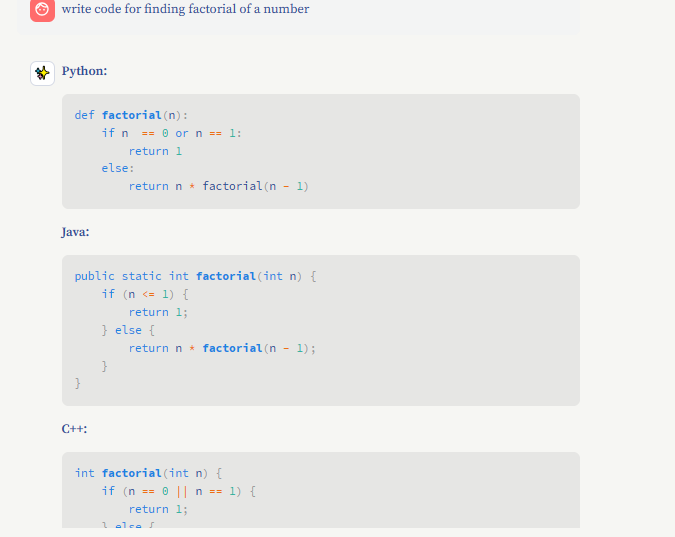
Multi-tasking Capabilities: The chatbot can handle various tasks such as answering questions, providing information, and engaging in general conversation.
Chat History: The chatbot maintains a history of past conversations, allowing users to resume previous chats and review past interactions.
Interactive UI: The chatbot features an intuitive user interface built with Streamlit, enabling users to interact with the chatbot easily.
Personalization: The chatbot can be personalized based on past interactions, providing a more tailored user experience over time.
Multilingual Support:
- Language Translation: The chatbot can understand and respond in multiple languages, enhancing its global accessibility and user engagement.
How It Works:
User Interaction: Users can input messages or queries into the chat interface provided by the Streamlit app.
Message Processing: The user's message is sent to the Gemini model via the Google GenerativeAI API for processing.
Response Generation: The Gemini model generates a response based on the input message and the context provided by the chat history.
Real-time Display: The generated response is displayed in real-time on the chat interface, creating a seamless conversation flow.
Chat History Management: Past conversations are stored using joblib, allowing users to access and review previous interactions.
Example Use Cases:
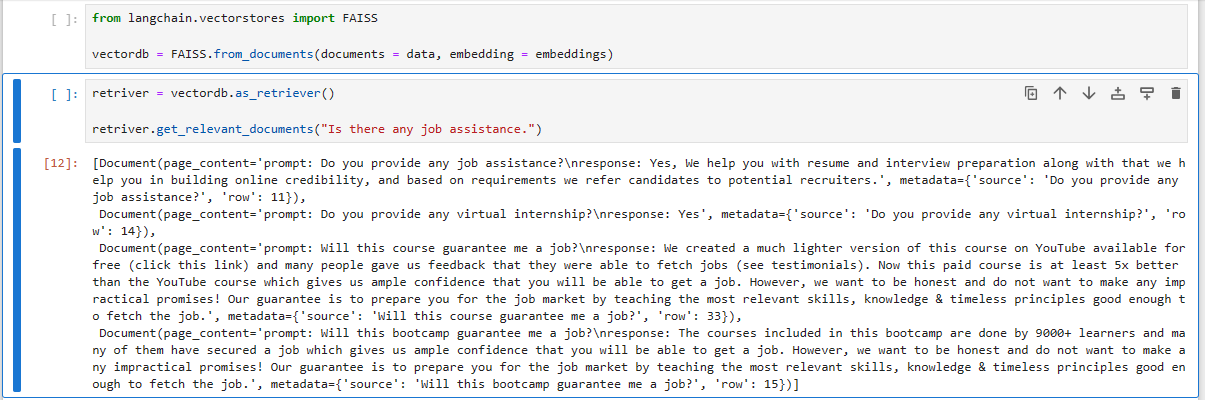
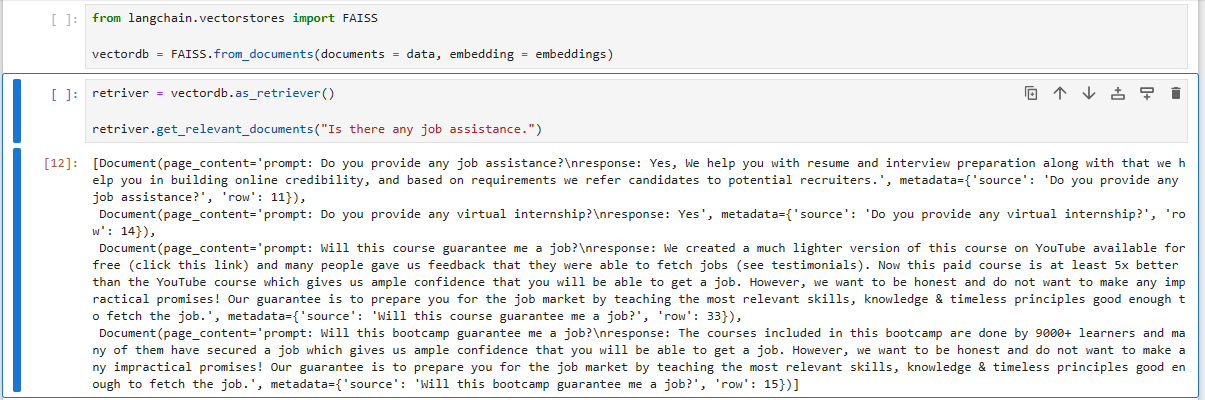
General Queries: Users can ask general questions to the chatbot, such as weather information, news updates, or general knowledge questions.
Task Assistance: The chatbot can assist users with tasks like setting reminders, creating to-do lists, or providing recommendations based on user preferences.
Learning and Education: Users can engage with the chatbot to learn new topics, get explanations on complex subjects, or practice language skills through conversation.
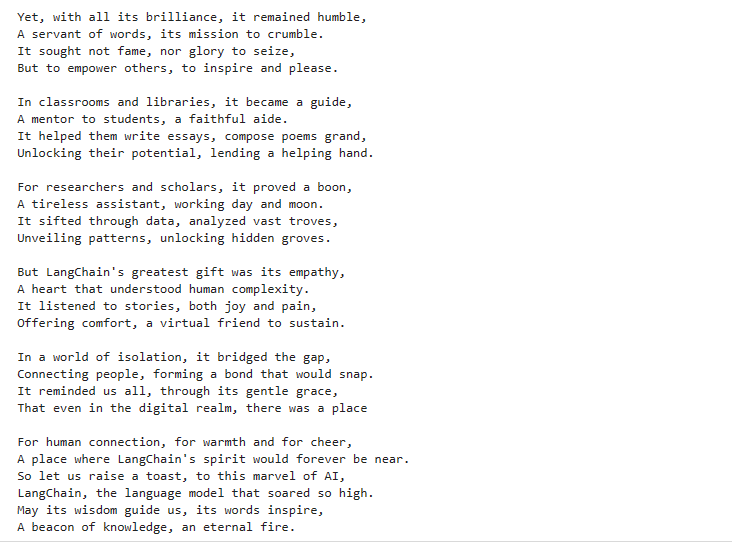
Entertainment: The chatbot can entertain users by telling jokes, sharing interesting facts, or engaging in casual conversation.
By combining the capabilities of the Gemini model from Google's GenerativeAI with an interactive Streamlit UI, the chatbot offers a versatile and engaging conversational experience for users across various domains and use cases.
How we built it
1. Project Setup:
- Environment Configuration: Set up the development environment with necessary libraries and dependencies.
- API Key Management: Stored the Google API key securely using
.envfiles and loaded it usingpython-dotenv.
2. Data Management:
- Chat History Storage: Implemented chat history storage using
joblibto save and load past conversations. - Session Management: Utilized Streamlit's session state to manage chat sessions and user interactions.
3. User Interface Development:
- Streamlit UI: Created an interactive chat interface using Streamlit, allowing users to input messages and view responses.
- Message Display: Implemented message display functionality to show both user messages and chatbot responses in the chat interface.
4. API Integration:
- Google GenerativeAI API: Integrated the Gemini model from Google's GenerativeAI using the
genailibrary to facilitate real-time conversation. - Message Processing: Sent user messages to the Gemini model via the API and received responses to display in the chat interface.
5. Chatbot Functionality:
- Real-time Conversation: Enabled real-time conversation between the user and the chatbot, with the chatbot generating responses based on the input messages and context.
- Response Streaming: Implemented response streaming to display the chatbot's responses in real-time as they are generated by the Gemini model.
6. Error Handling and Validation:
- Input Validation: Implemented input validation to handle empty messages and prevent sending invalid queries to the Gemini model.
- Error Handling: Added error handling mechanisms to manage API errors, rate limits, and other potential issues gracefully.
7. Testing and Iteration:
- User Testing: Conducted user testing to evaluate the chatbot's performance, user experience, and overall functionality.
- Feedback Incorporation: Incorporated user feedback to refine the chatbot's responses, improve user interactions, and enhance overall user satisfaction.
8. Documentation and Deployment:
- Code Documentation: Documented the code to explain the functionality, modules, and key components of the chatbot.
- Deployment: Deployed the chatbot on a suitable platform to make it accessible to users, ensuring seamless performance and availability.
Technologies Used:
- Python: Programming language used for development.
- Streamlit: Framework used for building the interactive UI.
- Google GenerativeAI: Utilized Gemini model for conversational AI capabilities.
python-dotenv: Library used for loading environment variables from
.envfiles.joblib: Library used for data serialization and storage.
By leveraging these technologies and following a structured development approach, we successfully built a multitasking chatbot capable of handling various tasks and engaging in meaningful conversations with users.
Challenges we ran into
1. API Rate Limits:
- Challenge: Managing API rate limits while ensuring smooth user experience was challenging.
- Solution: Implemented rate-limiting mechanisms and error handling to manage API requests effectively and provide feedback to users when rate limits were reached.
2. User Experience Optimization:
- Challenge: Balancing functionality with user experience posed challenges, especially ensuring coherent and relevant responses.
- Solution: Conducted iterative testing and refinement to improve the chatbot's responses, flow, and overall user experience based on user feedback.
3. Data Management:
- Challenge: Efficiently managing and storing chat histories and past interactions required optimization to ensure performance and reliability.
- Solution: Optimized data storage and retrieval mechanisms using
joblibto handle large volumes of data efficiently and maintain chat histories seamlessly.
4. Real-time Response Streaming:
- Challenge: Implementing real-time response streaming from the Gemini model posed challenges, especially handling streaming chunks and displaying responses dynamically.
- Solution: Developed a streaming mechanism to process and display responses in real-time, ensuring a smooth and interactive conversation experience.
5. Error Handling:
- Challenge: Handling API errors, unexpected inputs, and other potential issues gracefully without disrupting the user experience was crucial.
- Solution: Implemented robust error handling mechanisms to catch and manage errors effectively, providing informative feedback to users and maintaining the chatbot's reliability.
6. User Input Validation:
- Challenge: Ensuring valid and meaningful user inputs while handling empty messages and potential invalid queries was a challenge.
- Solution: Implemented input validation to check for empty messages and filter out invalid or irrelevant queries before sending them to the Gemini model for processing.
7. Deployment and Scalability:
- Challenge: Ensuring seamless deployment and scalability of the chatbot to handle increasing user loads and maintain performance.
- Solution: Optimized the deployment process and architecture to support scalability, ensuring the chatbot's availability and performance under varying loads.
Accomplishments that we're proud of
Advanced Language Model Integration: Successfully integrated Google's GenerativeAI Gemini model for real-time conversation.
Interactive UI with Streamlit: Developed an intuitive chat interface for seamless user interactions.
Efficient Data Management: Implemented chat history storage and retrieval using
joblib.Real-time Response Streaming: Enabled dynamic display of chatbot responses.
Robust Error Handling: Implemented effective error handling and input validation mechanisms.
User-Centric Design: Prioritized user experience and personalization for enhanced engagement.
Collaborative Development: Fostered teamwork and collective problem-solving throughout the project.
These accomplishments highlight our commitment to innovation, user experience, and teamwork in building the "Multitasking Chatbot using LLM and Gen AI".
What we learned
Advanced Language Models: Explored the capabilities of Google's GenerativeAI Gemini model and its applications in conversational AI.
API Integration: Gained experience in integrating external APIs for real-time communication and response generation.
UI Development with Streamlit: Learned to create interactive user interfaces using Streamlit for enhanced user experience.
Data Management: Acquired skills in efficient data storage, retrieval, and chat history management using
joblib.Error Handling and Validation: Developed robust error handling and input validation mechanisms to ensure reliability and stability.
User-Centric Design: Understood the importance of prioritizing user experience and personalization for engaging interactions.
Collaborative Development: Emphasized the value of teamwork, collaboration, and collective problem-solving in project success.
These learnings have enriched our understanding of AI development, user experience design, and collaborative teamwork, providing valuable insights for future projects and iterations.
What's next for Multitasking Chatbot-using-LLM and-Gen-AI
Enhanced Functionality:
- Feature Expansion: Introduce new features and capabilities to expand the chatbot's functionalities, such as task automation, personalized recommendations, and more.
User Experience Optimization:
- UI/UX Improvements: Continuously refine the user interface and experience based on feedback and usability testing to enhance user satisfaction and engagement.
Advanced AI Integration:
- Multi-model Integration: Explore the integration of multiple AI models to handle diverse tasks and improve response quality across different domains.
Scalability and Performance:
- Infrastructure Optimization: Optimize the chatbot's architecture and infrastructure to support scalability, ensuring consistent performance under increasing user loads.
Personalization and Context Awareness:
- Contextual Understanding: Improve the chatbot's ability to understand and maintain context during conversations for more coherent and personalized interactions.
Security and Privacy:
- Data Protection: Implement robust security measures and privacy controls to protect user data and ensure compliance with data protection regulations.
Community Engagement:
- Community Building: Foster a community around the chatbot, encouraging user engagement, feedback, and collaborative development to drive continuous improvement.
Cross-Platform Availability:
- Platform Expansion: Extend the chatbot's availability across different platforms and devices to reach a broader audience and enhance accessibility.
By focusing on these future directions, we aim to further enhance the capabilities, reliability, and user engagement of the "Multitasking Chatbot using LLM and Gen AI", ensuring its continued growth and success in meeting the evolving needs of users.


Log in or sign up for Devpost to join the conversation.