-
-
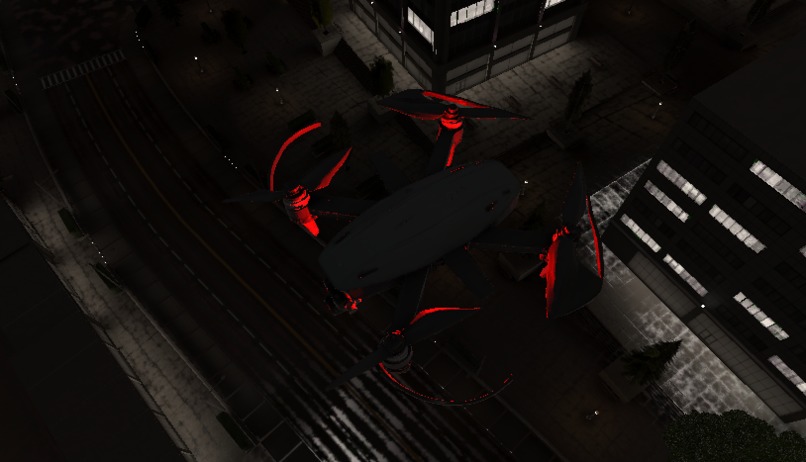
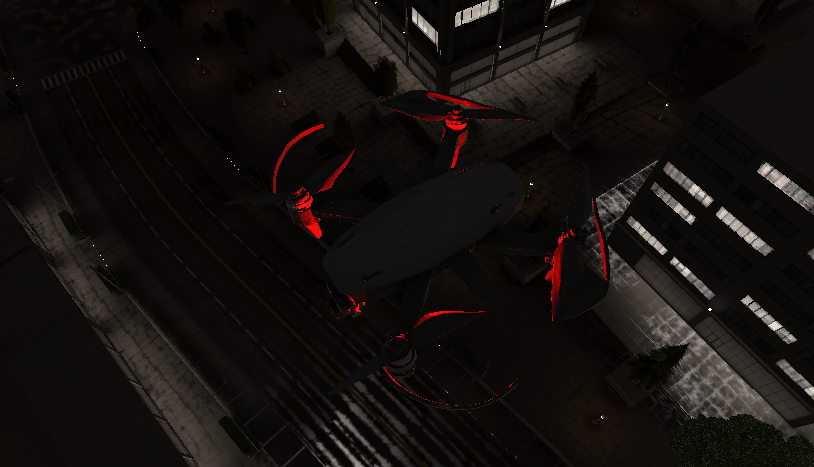
Aerial view from one of our 8 drone agents scanning the city in real time to detect traffic and blocked roads.
-
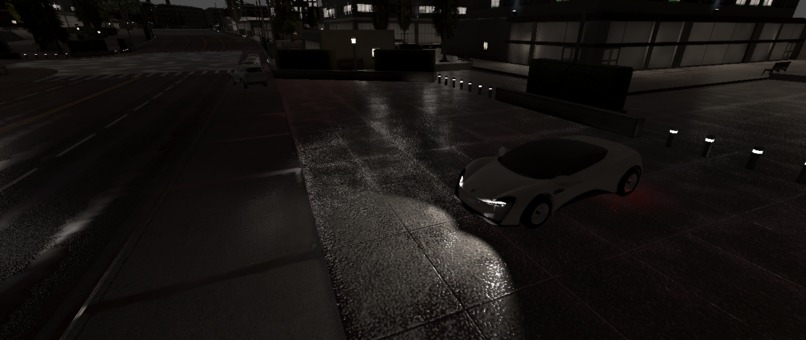
Our AI-powered evacuation vehicle, built in Unity and guided by drones, prepares to navigate the shortest safe route.
-
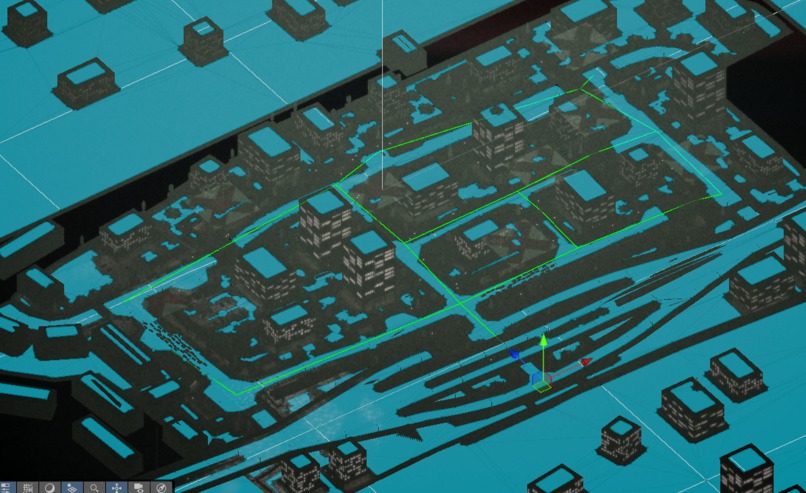
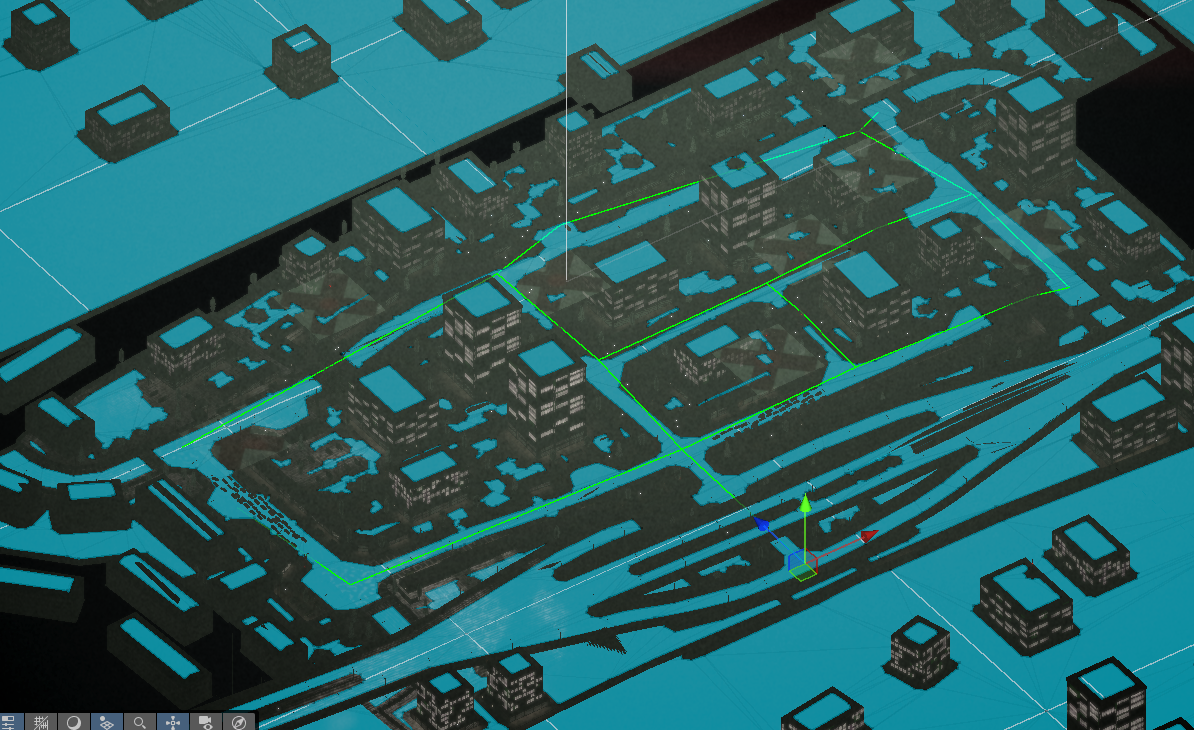
Top-down Unity view showing NavMesh configuration. The city grid forms the logic foundation for agent movement.
-
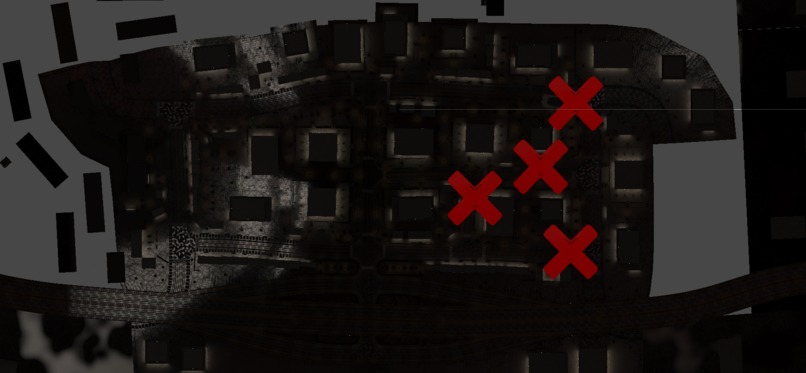
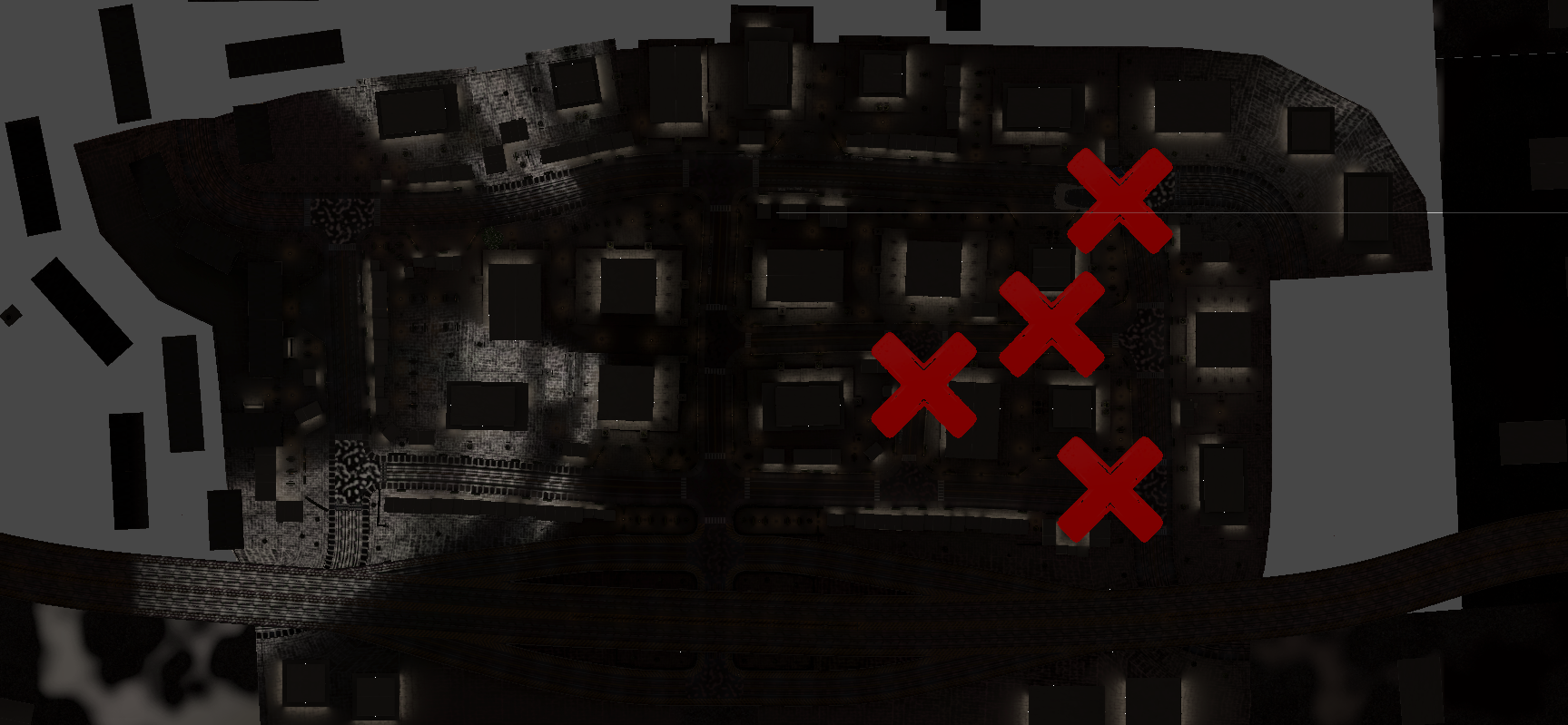
Red Xs = blocked roads. Each simulation starts with randomized conditions, challenging agents to adapt in real time.
-
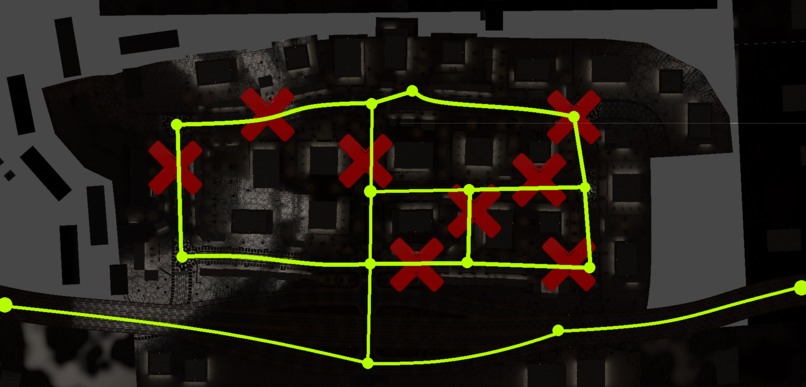
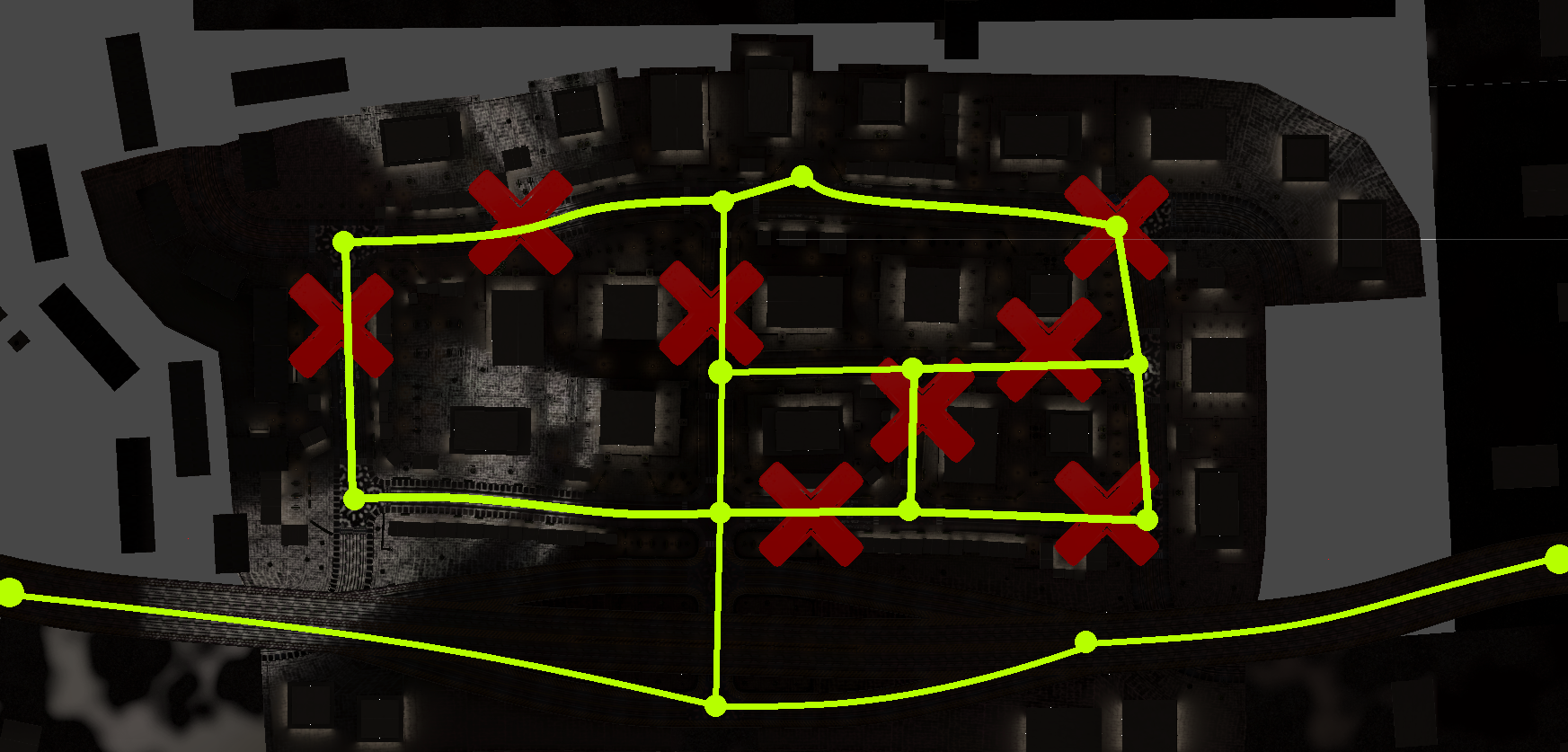
Network science in action: nodes and edges define road connectivity for agent navigation and disaster pathfinding.
-
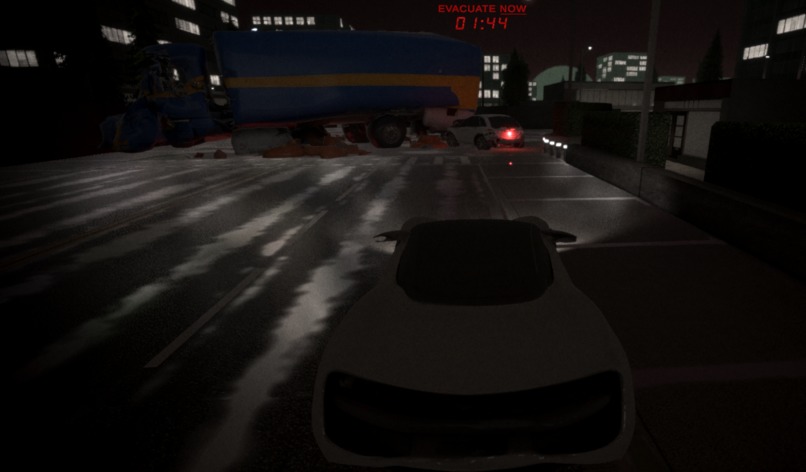
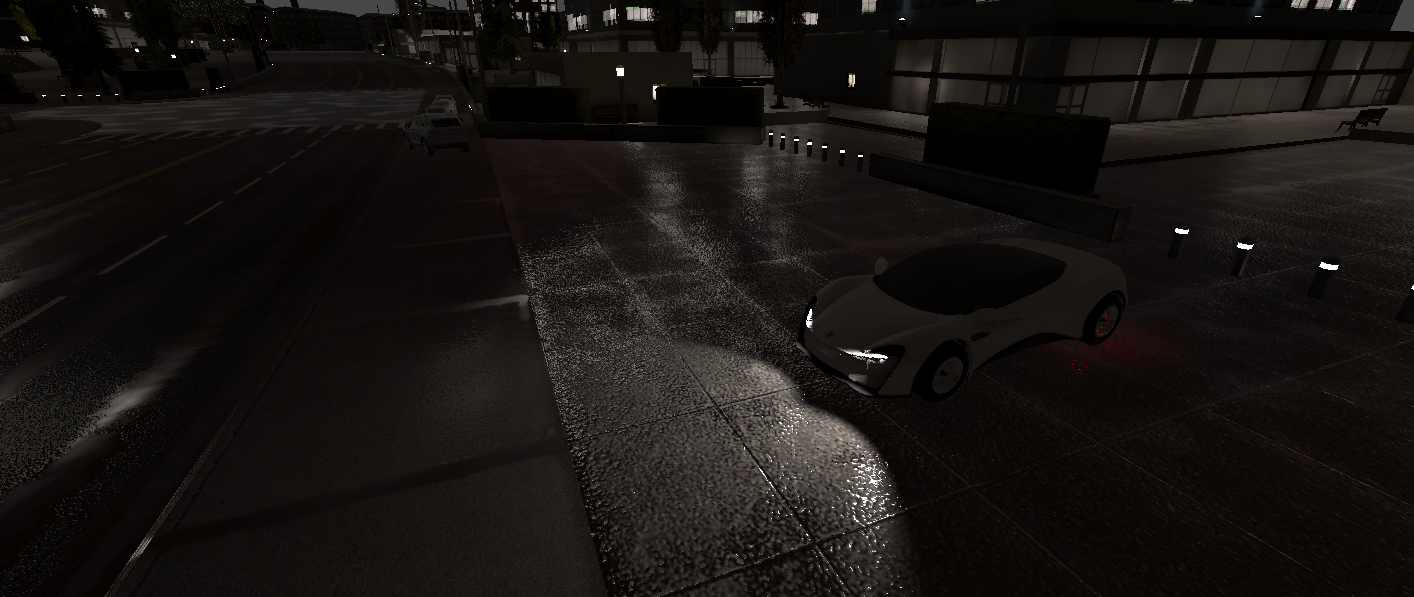
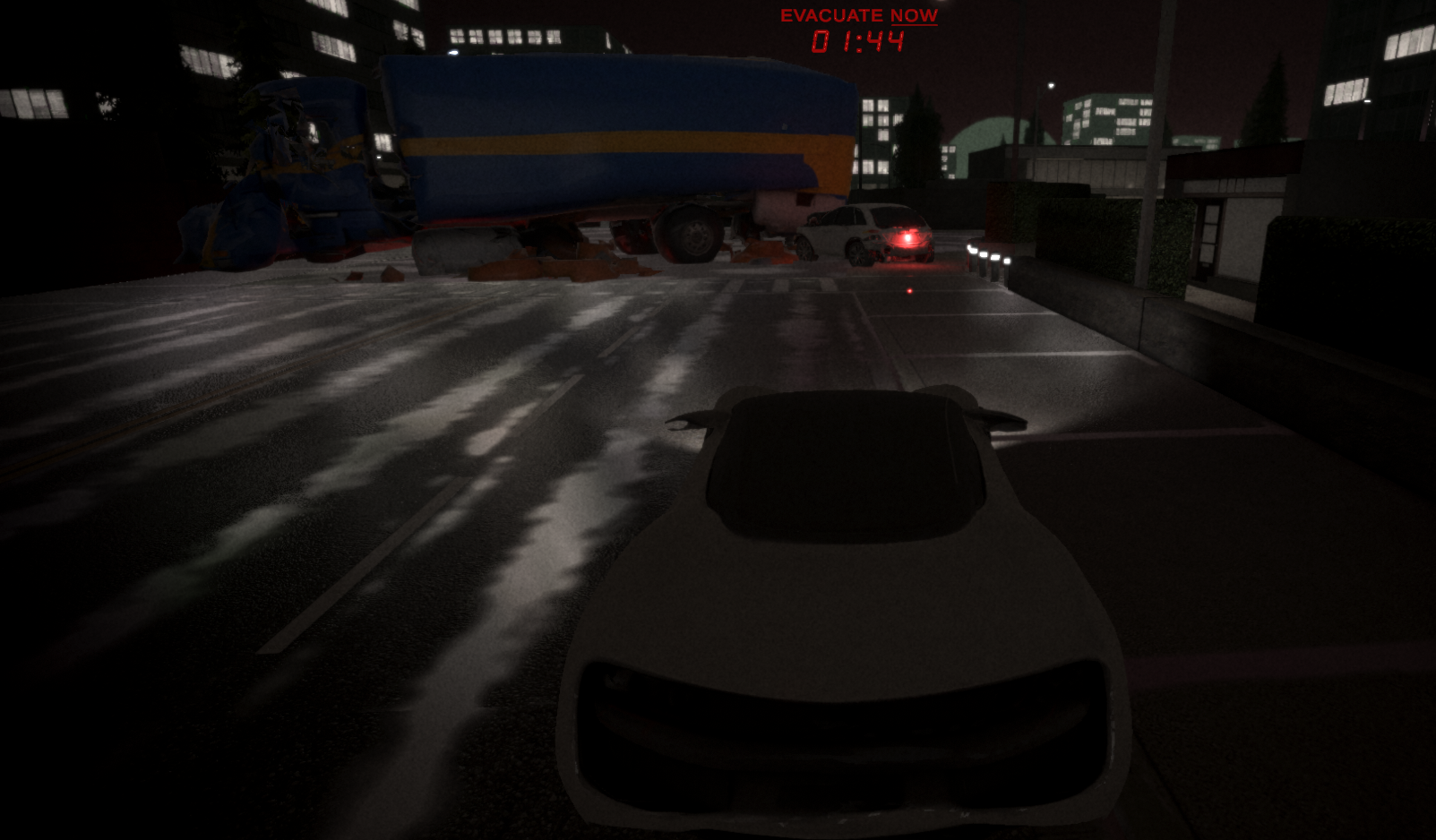
The evacuation begins. POV from our autonomous car agent navigating through disaster with only 2 minutes to save lives.
-
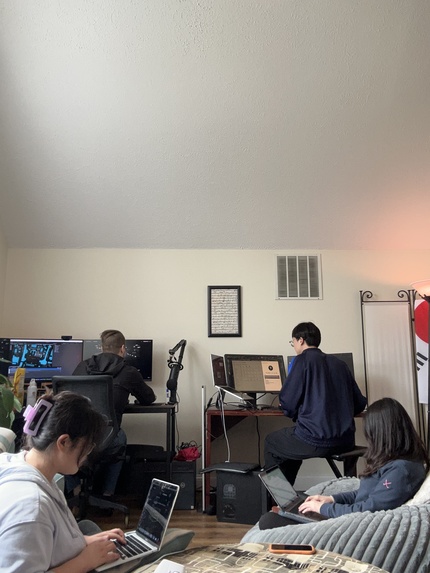
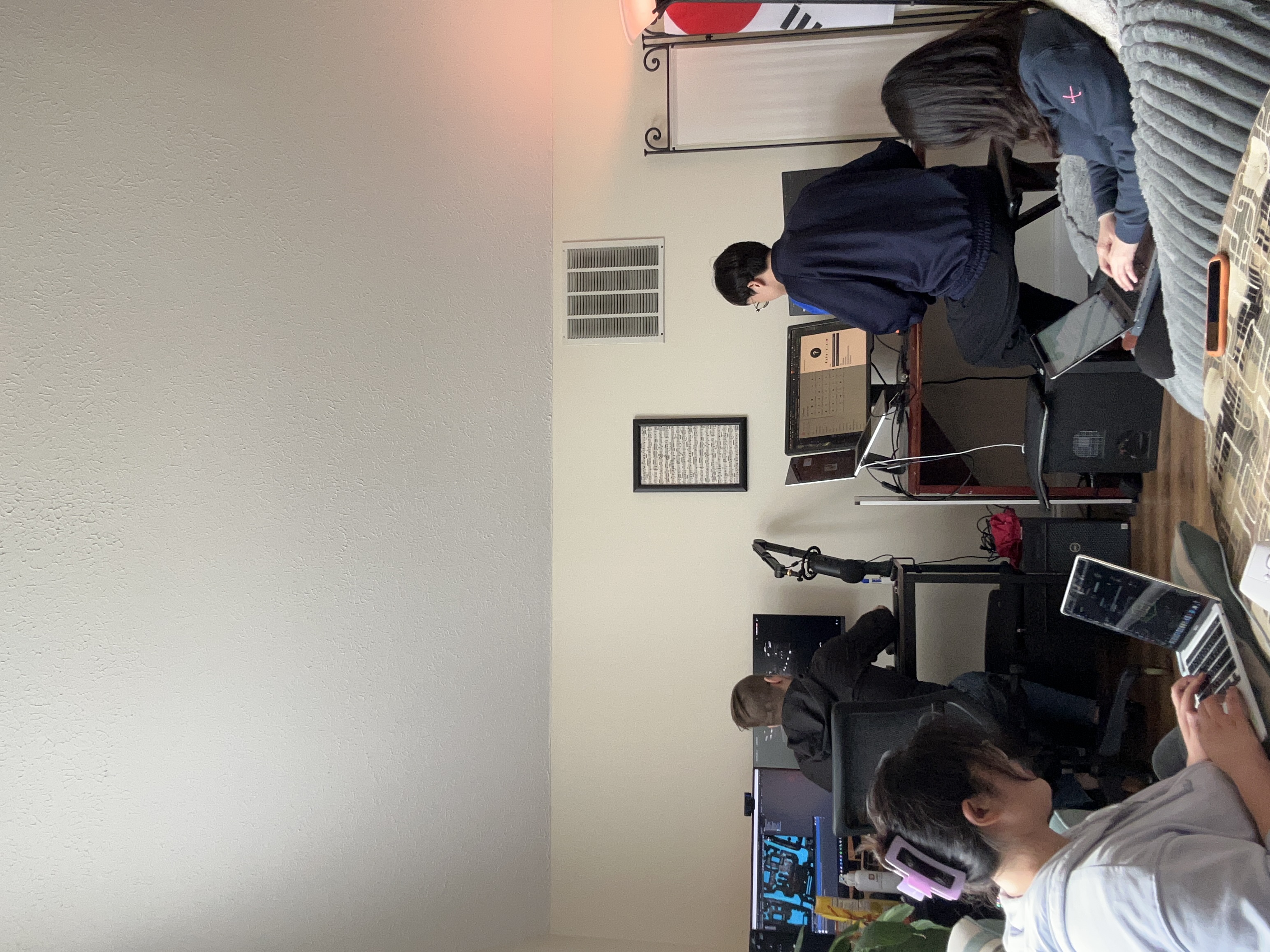
Team Magpie in action! Built with passion, code, and caffeine during an intense hackathon weekend.
EvacSim: Evacuation Simulation using MAS (Multi-Agents System)
▶️ Watch our demonstration video with music
Inspiration
In life-threatening disasters like hurricanes, earthquakes, and nuclear emergencies, every second counts. Delayed response can cost lives, and traditional emergency systems often struggle to keep up—especially under chaotic, fast-changing conditions.
A 2022 study found that average EMS response times are 7–9 minutes in urban areas and up to 13–19 minutes in rural regions, a critical delay when immediate evacuation or medical assistance is needed (Fatma et al., 2022).

Figure 1. Sequence of events comprising the time frame from a received emergency call to emergency medical communication centre (EMCC) until the first of all involved actors—emergency medical services (EMS), fire and rescue services (FRS), and voluntary first responders (VFR)—arrives at the scene.
Meanwhile, research by the American Society of Civil Engineers (ASCE) shows that autonomous vehicles significantly reduce evacuation clearance times, thanks to faster decision-making and real-time route optimization—making them a powerful tool for life-saving operations (ASCE, 2022).
But it’s not just cars—drones are transforming disaster response, too. A 2022 literature review highlights their growing role in mapping damage, identifying blocked roads, and locating survivors faster than human teams can react (Chowdhury et al., 2022).
At the same time, public acceptance of autonomous systems is rising, especially in emergency use cases. Studies show increasing trust in self-driving tech during crises, especially when paired with clear communication and safety protocols (Zhao et al., 2023).
References
Fatma et al., 2022 (EMS Response Times) https://www.sciencedirect.com/science/article/pii/S2666520423001911
ASCE, 2022 (Autonomous Vehicles in Emergency Evacuation) https://ascelibrary.org/doi/10.1061/9780784485514.050
Zhao et al., 2023 (Public Acceptance of Autonomous Vehicles) https://www.sciencedirect.com/science/article/pii/S0386111223000456
Chowdhury et al., 2022 (Drone Use in Disaster Response – Lit Review) https://onlinelibrary.wiley.com/doi/10.1111/itor.13484
What It Does?
EvacSim is a real-time disaster evacuation simulation powered by a Multi-Agent System (MAS) made up of drones and an autonomous evacuation vehicle.
In each simulation round, the system automatically:
Detects road hazards like blocked streets, traffic jams, or fallen objects using 8 individual drone agents flying over the city.
Updates the evacuation map in real time based on drone input—highlighting unsafe routes with red Xs and recalculating paths.
Sends evacuation instructions to a self-driving electric vehicle (AEV), which uses the shortest and safest route to rescue and evacuate citizens within a 2-minute countdown.
Streams live simulation footage to a web interface using WebSocket, allowing viewers to monitor agent behavior in real time—like an emergency control dashboard.
Every run is different. Hazard zones change with each simulation start, meaning agents have to adapt dynamically—just like they would in a real disaster.
EvacSim combines AI-powered autonomy, real-time map intelligence, and agent collaboration to simulate smarter, faster evacuations under pressure.
How We Built?
We built EvacSim in Unity using a custom-designed city map with roads, cars, and obstacles to simulate real-world evacuation challenges. Our system integrates nine autonomous agents—eight drones and one evacuation vehicle—communicating in real time to optimize rescue routes and evacuation performance.
Agent Model Design
Initially, we planned to train custom AI agents using reinforcement learning and export their decision-making logic as .onnx (Open Neural Network Exchange) brain files. However, due to time constraints and unexpected training errors during the hackathon, we pivoted to using Unity’s AI Navigation 2.0 system (NavMesh) to simulate pathfinding.
Even though the NavMesh allowed the evacuation vehicle to find the safest path, we wanted to preserve the multi-agent system requirement (minimum three agents with autonomous communication). To keep our drone agents meaningful, we adapted the system by introducing dynamic path obstacles—making the evacuation car rely on drone input to identify blocked routes and dead ends.

Figure 2. Road Network & Evacuation Map (Top-down)
This image shows the road system modeled using network science principles.
Yellow dots = nodes (intersections)
Yellow lines = edges (roads, all bidirectional)
Red Xs = blocked paths caused by disaster events like fallen trees, traffic jams, or collapsed infrastructure
Each simulation round randomly toggles some red Xs on/off to simulate changing disaster scenarios—so there’s always a viable evacuation route, but the safest path is different every time. The drone agents help identify these hazards in real time.

Figure 3. Evacuation Vehicle POV (Simulation Start)
This is the first-person view from the AEV (autonomous car agent).
You can see the countdown timer at the top, showing how long the car has to evacuate.
The AEV receives the safest evacuation path from the drone agents and starts navigating autonomously using the AI NavMesh system.
The urban environment is fully modeled in Unity, including vehicles, roadblocks, and lighting to reflect a real disaster setting.

Figure 4. Dynamic Map with Red X Toggle (Global View)
This image captures the drone-level city view where red X signs indicate blocked roads.
These obstacles change randomly with every new simulation start.
The drone agents fly over the city and detect blocked nodes in real time.
This information is then shared with the car agent, enabling it to find a dynamic escape route with minimal delay.
Agent Behavior
8 Drone Agents: Individually deployed to scan the area from above (they don’t share a “brain”) and detect hazards like fallen trees or traffic jams. They identify and flag inaccessible roads with red Xs. These obstacles are randomized each simulation round, so the exit route changes dynamically.

Figure 5. Drone agent flying in the city with outline

Figure 6. Drone agent flying in the city
- 1 Car Agent (AEV): Navigates from a safe zone to pick up evacuees based on the safest path calculated from the drone data. It follows NavMesh-based routes, and if a road is blocked, it reroutes using the drone’s updated map.

Figure 7. Our car agent in the city
Live Visualization via Website
We connected Unity with a React-based website using WebSocket:
Unity → React Server → Browser Interface
Unity streams the live evacuation simulation to the browser.
React receives and renders the real-time video, letting users monitor evacuation progress.
Challenges We Ran Into
- Training Agents via Unity Cloud – Access Denied
One of our original goals was to train both the drone agents and evacuation car agent using Unity’s ML-Agents and cloud infrastructure. Even though we verified our student emails and submitted ID documentation, Unity Cloud access was denied, which blocked our ability to run full-scale remote training.
To stay on track, we quickly adapted by splitting our team’s efforts:
One teammate focused on training agents locally
One handled the web dashboard and data streaming
One worked on 3D modeling and simulation environment
One developed the project narrative and interaction design
This distributed approach allowed us to continue making progress, even without cloud access.
- Agent Training Errors + Hardware Failure
Training agents locally turned out to be time-consuming, error-prone, and computationally intense. At one point, one teammate’s GPU overheated and physically failed (it emitted smoke and a burning smell), abruptly halting progress on training.
With limited time left in the hackathon, we had to make a hard call: instead of pursuing unstable .onnx-based agents, we switched to Unity AI Navigation (NavMesh 2.0) for the car agent.
To stay on track, we quickly adapted our workflow and divided the responsibilities across simulation, training, web, and design tasks. By balancing technical development with visual storytelling and system integration, we were able to keep the project moving forward even under pressure. This flexible collaboration helped us stay aligned and responsive despite the technical setbacks.
- Unity-to-Web Real-Time Streaming
Another major hurdle was connecting Unity’s simulation to a web dashboard. We used WebSocket to send real-time data and video streams from Unity to a React-based frontend. However, syncing the visual stream with live simulation status was tricky—especially ensuring consistent performance and minimal lag.
Eventually, we implemented a workaround using Unity screen capture and real-time messaging via the React server, allowing our web interface to display the active simulation like an emergency command center.
Accomplishments That We're Proud Of
In this limited-time hackathon, we poured in our full focus and effort—a project built with real teamwork, persistence, and care. From the beginning, we intentionally chose a more complex and open-ended challenge. We knew it wouldn’t be easy, but we wanted to push ourselves to build something that felt thoughtful, immersive, and meaningful.
There were real difficulties along the way—including one teammate’s GPU burning out during training—but we stayed committed. We kept adapting, learning, and moving forward together. And through that, we created something we’re truly proud of.
We used a Unity Asset Store city template with a dark, cyberpunk “Gotham-like” vibe—which turned out to be a perfect fit for our disaster response theme.
All core visual elements—cars, drones, trees, powerlines, and other props—were AI-generated using Meshy.ai to match the mood and scale of the city.
To take it even further, we used Udio to generate original sound effects and music, carefully aligned with the urban disaster aesthetic. The sound design helped elevate the urgency and cinematic feel of the simulation.
What makes us proud is not just the technical execution—but how much heart we put into every part of the experience. We genuinely cared about building something engaging, dramatic, and meaningful—even when the clock was ticking. Even with all the challenges—technical errors, limited time, and hardware failures—we enjoyed every part of working together. We’re proud that we chose the hard way, not because we had to, but because we believed in the idea and in each other.
What We Learned
This hackathon was a powerful reminder of how far rapid prototyping has come—generative AI tools supercharged our creative process. From Meshy.ai for generating environment assets to Udio for designing immersive soundscapes, we discovered how accessible and exciting it is to bring big ideas to life in a short time.
We also learned how to connect Unity simulations to a live website using React and WebSockets, allowing us to stream real-time POVs from both the evacuation car and the drone agents. Also, we learned how to integrate multiple technologies smoothly—from game engines to web frontends—to simulate a real-time rescue system with multi-agent logic.
Another key takeaway was building intelligent agents with complex, autonomous behaviors is hard—especially under time pressure. Training was resource-intensive (one of our GPUs literally overheated and stopped working), and we had to make critical design pivots to keep going.
Most importantly, this experience reminded us of the true spirit of a hackathon: not giving up. Even when challenges seemed impossible, we kept moving forward as a team—and often found better solutions by staying flexible and working together.
What's Next for Multi-Agent Systems
While we're proud of what we accomplished during this hackathon, we also see exciting opportunities for further development and expansion of our system. Given the intense time and resource constraints, we had to make strategic choices—and we believe the decisions we made were the right ones for this context. But there’s still so much more we’re excited to explore moving forward.
- Scaling Up: More Agents, Greater Efficiency
Our system currently includes eight aerial drone agents and one autonomous ground vehicle—meeting the case requirement of at least three communicating agents. However, in real-world disaster response scenarios, increasing the number of autonomous agents could dramatically improve performance.
Adding more agents would allow for a denser mesh of coverage, accelerating:
Hazard detection
Route discovery
Real-time decision-making
Especially in large-scale evacuations, more agents means more eyes in the sky and more coordination on the ground, reducing human risk and improving outcomes.
We believe future versions of EvacSim could explore swarm-based intelligence to enhance coordination between agents, dynamically adjust roles, and respond even faster to unexpected changes.
- Smarter Agents: Local Training for Complex Behaviors
We originally planned to train custom intelligent agents using Unity ML-Agents and .onnx brain files, but this required computational resources we simply didn’t have. One of our team’s GPUs failed mid-training, and with limited time and energy, we pivoted to using Unity AI Navigation 2.0 (NavMesh).
While NavMesh was the most practical option for the hackathon, we know it’s only the beginning. In the future, with more GPU access, time, and stability, we hope to:
Train and fine-tune agents in a local reinforcement learning environment
Introduce behavioral variance among agents
Enable fully autonomous, data-driven learning and decision-making
We also acknowledge the challenges: local training demands proper tuning, error handling, memory management, and a lot of trial and error. In a hackathon setting, we believe choosing NavMesh was the right call—it allowed us to meet the requirements and still build something functional, immersive, and intelligent.
Development
Checkout the codebase
git clone
Install project dependencies
npm install
Run react
npm run dev
Build compiled css and js
npm run build
Dependencies
framer-motion: An animation library for React combining JavaScript animations and native browser APIsreact-icons: An icon library for Reactreact-lottie: A library for lottie animation view for Reactreact-router-dom: The DOM-specific bindings forreact-router, a library used for declarative routing in React applicationsrecoil: An experimental state management library for Reactstyled-reset: A CSS-reset library forstyled-components
Built With
- c#
- css
- html
- javascript
- lottie
- meshy
- ml-agents
- python
- react.js
- sass
- unity
- vite
- websockets


Log in or sign up for Devpost to join the conversation.