-
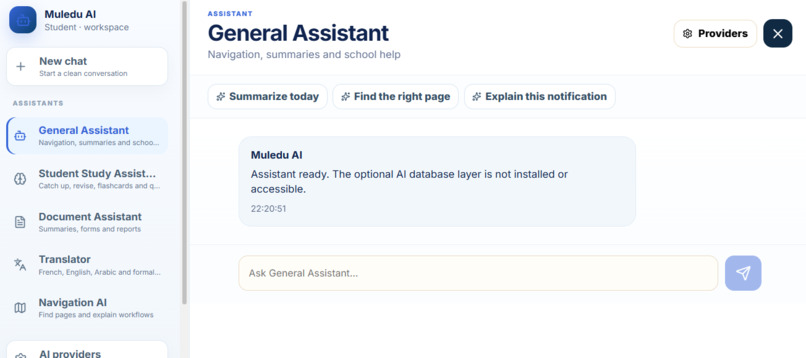
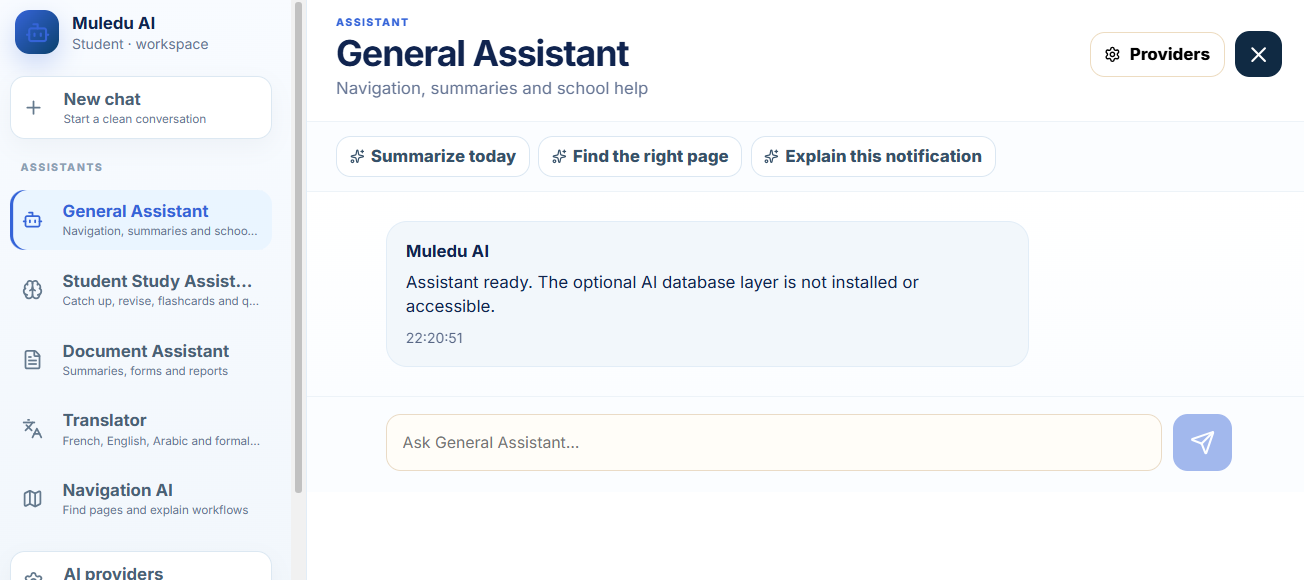
And an Ai interface
-
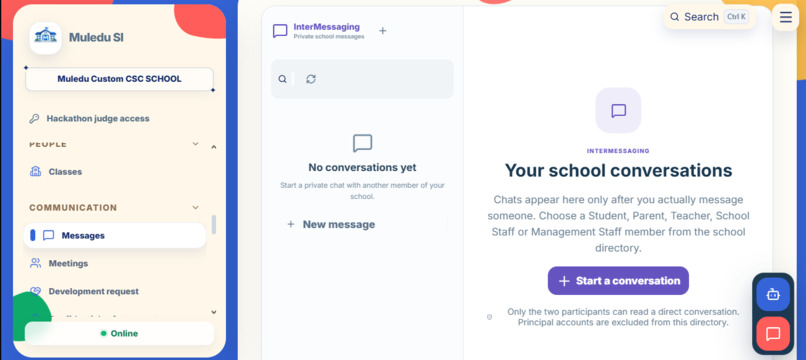
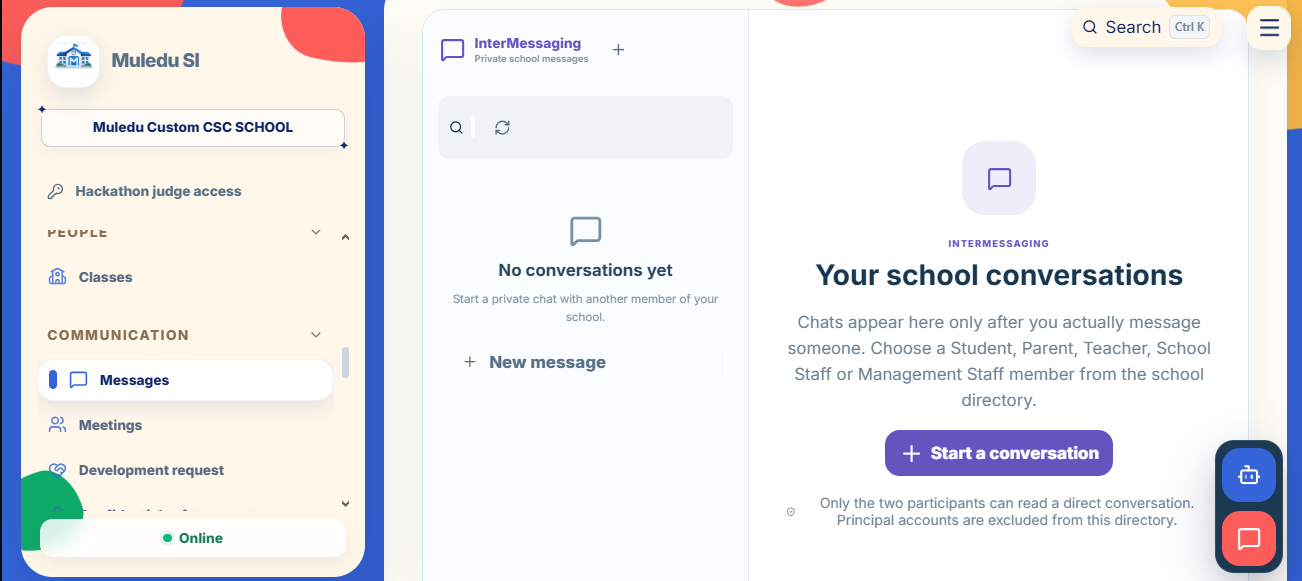
Muledu SI offers a private messaging system across the whole school
-
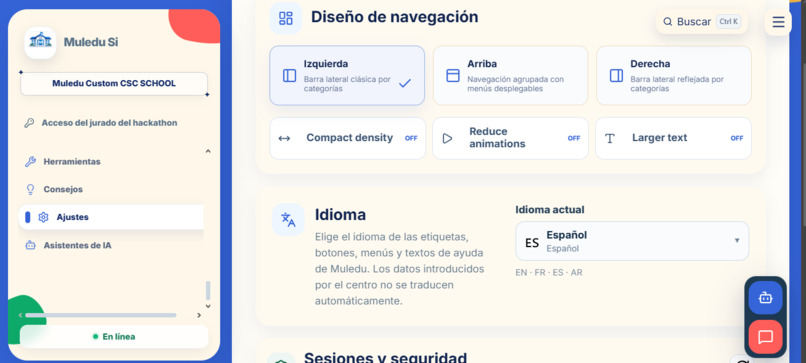
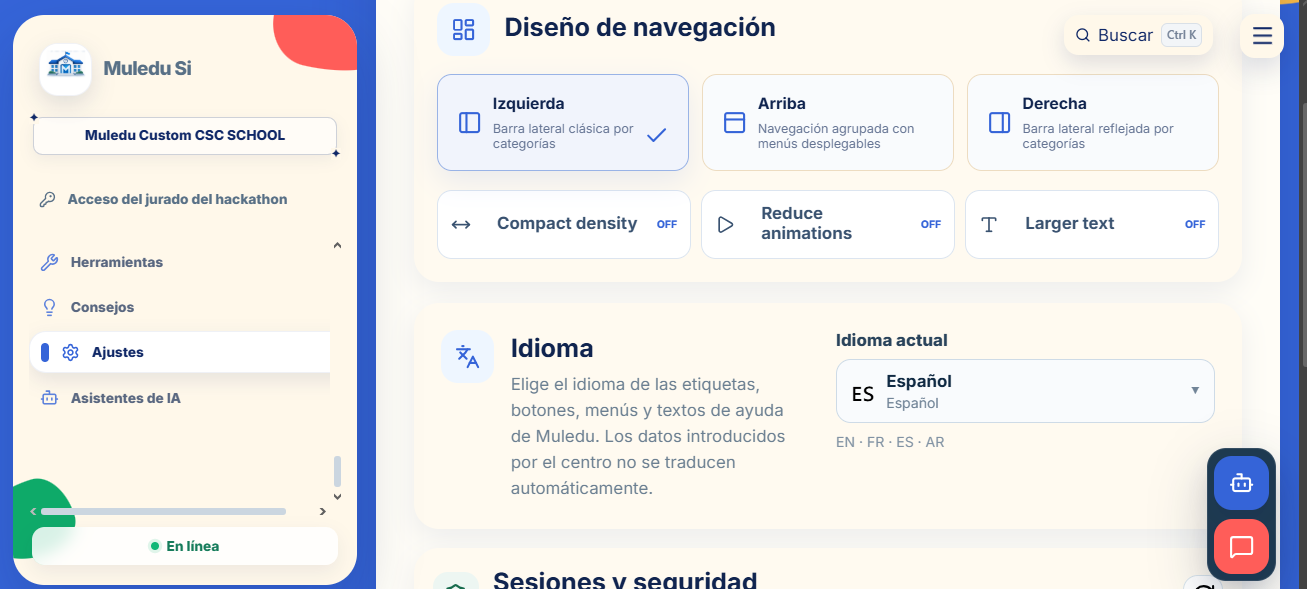
There are settings
-
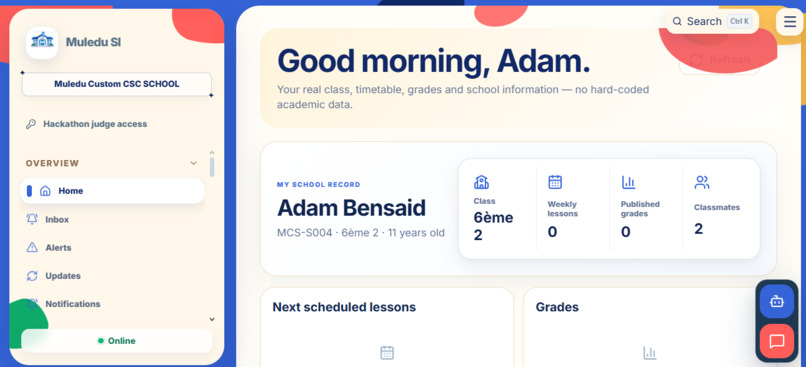
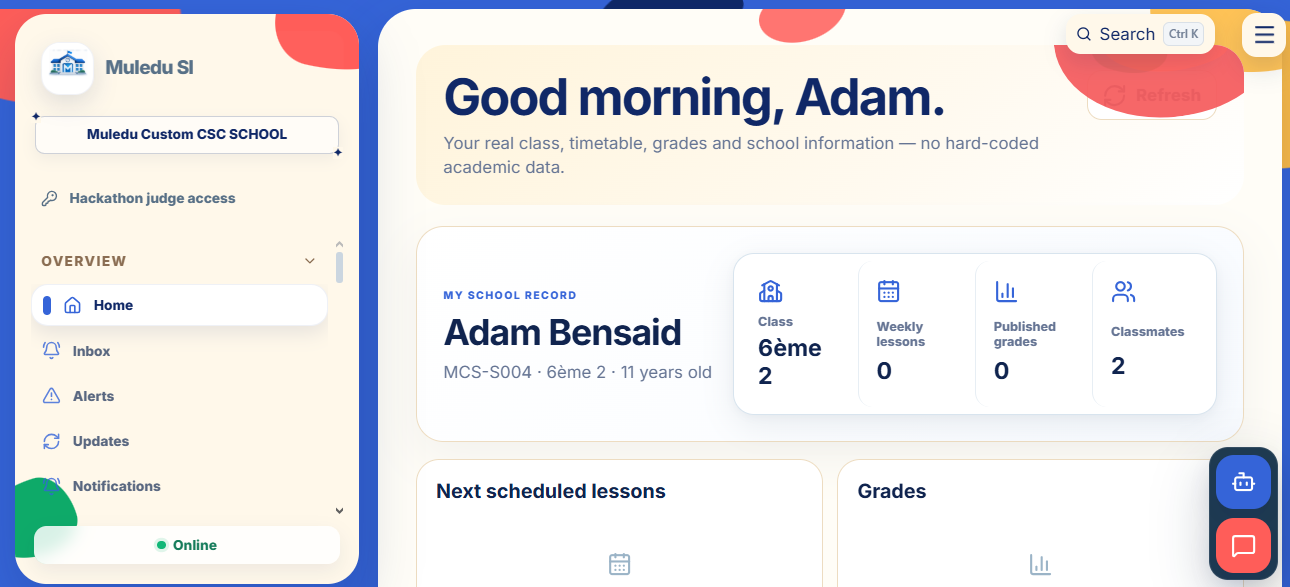
Home Page for a student
-
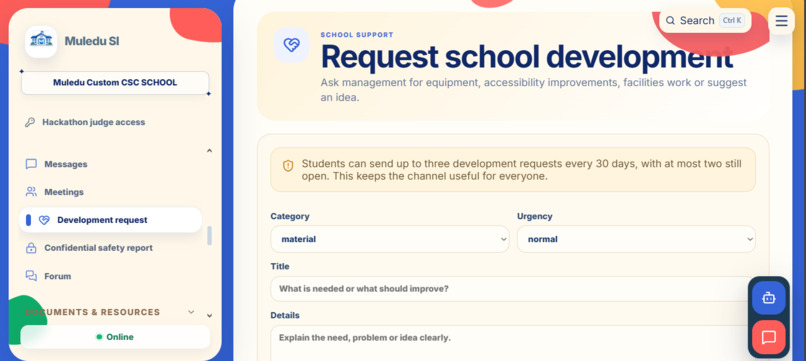
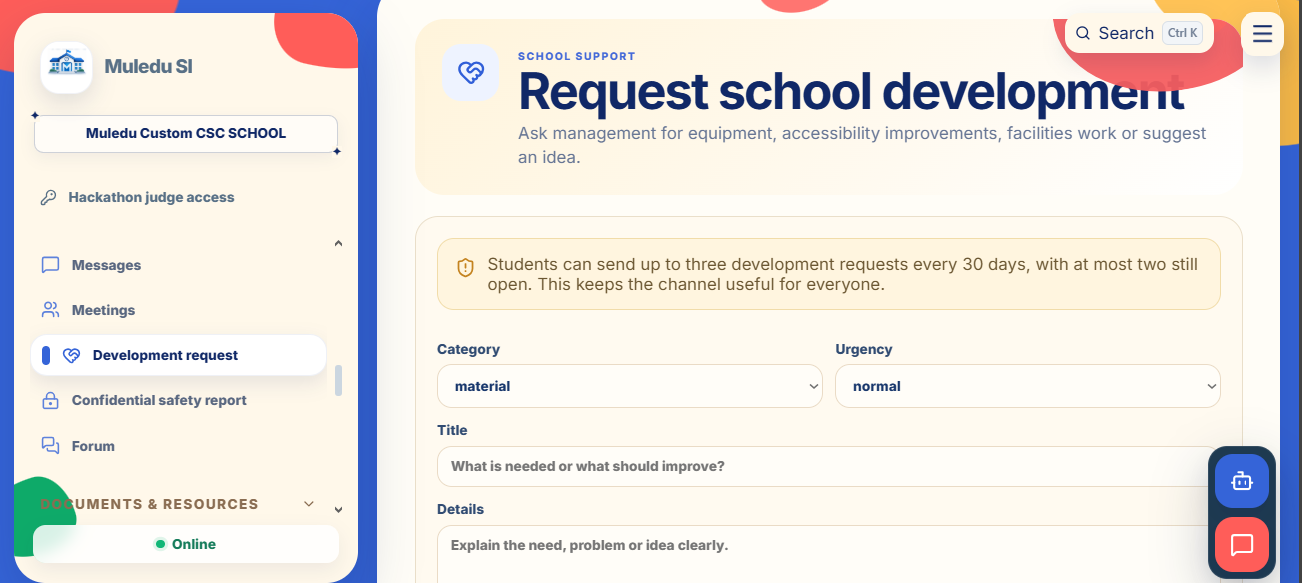
Students or any Staff, can request many things
Inspiration
Muledu SI started from a simple problem: school platforms are often fragmented, outdated, difficult to use, or built around a very limited number of features.
Students may have one place for grades, another place for homework, teachers may use different tools for attendance or planning, parents often have limited visibility, and school management has to handle information across several systems.
I wanted to build one platform where the entire school could work together while still giving every user an interface adapted to their actual role.
That became Muledu SI. The idea was not just to create another school dashboard, but to build something closer to a complete school operating system.
What it does
Muledu SI is a complete school information system designed for students, parents, teachers, school staff, management staff, and principals.
Instead of giving everyone the same dashboard, each role has its own interface, workflows, permissions, and access to information.
Students can access things such as:
- timetable
- homework
- grades
- attendance
- school events
- documents
- report cards
- behaviour or school-life information
- announcements
- other school-related information
Parents have their own interface linked to their children.
They can follow important information related to their children without accessing administrative features they should not have access to.
Teachers can manage teaching-related information such as:
- lessons
- classes
- homework
- assessments
- grades
- attendance
- subjects
- teaching schedules
- class information
Management staff have access to broader school operations, including users, school records, attendance, classes, documents, discipline, parents, teachers, and other administrative areas.
The Principal interface provides the highest level of school management and configuration.
The Principal can access and manage the main operational parts of the school and control how the system is configured.
Muledu SI is also designed as a multi-school platform.
Each school has its own users, data, configuration, branding, modules, and dedicated environment, without mixing information between different schools.
How I built it
Muledu SI was built as a web-based application with a database-backed architecture.
The backend uses Supabase and PostgreSQL for structured school data, authentication, relationships, permissions, and database operations.
A major part of the project was designing the relationships between the different parts of a school.
For example:
- students belong to classes
- parents are linked to their children
- teachers are linked to subjects and classes
- lessons appear in the correct timetables
- assessments and grades belong to the correct students and subjects
- attendance records are connected to the right student and class
- school information is separated between different schools
- users only access the information allowed for their role
The frontend was designed around real school workflows instead of using the same generic page for every feature.
For example, the timetable uses an actual timetable layout instead of a simple record list.
Documents are displayed through a more appropriate document-style interface.
Calendar information is shown through an actual calendar workflow.
Report cards are presented differently from administrative records.
Attendance, appointments, grades, school-life information, and other modules have their own role-specific presentation.
Role-based system
One of the most important parts of Muledu SI is the role-based system.
A school contains many different users who should not all have the same permissions.
For example, a student should not be able to edit school configuration.
A parent should only have access to information related to their own children.
A teacher should be able to manage information related to their classes and subjects.
Management staff should have wider administrative permissions.
The Principal needs the broadest level of access.
Because of this, Muledu SI was designed around separate role-based interfaces rather than a single dashboard with a few hidden buttons.
Multi-school architecture
Muledu SI is designed to support multiple schools.
Each school works as its own environment with its own:
- users
- classes
- subjects
- student records
- teacher assignments
- parents
- timetables
- documents
- attendance
- grades
- school settings
- configuration
- branding
- school data
The goal is to make sure one school cannot access the data of another school.
This was one of the most important architectural parts of the project because the platform is intended to work beyond a single demo school.
AI features
Muledu SI also includes AI-assisted features.
The objective is not to replace teachers or school staff, but to use AI where it can make school information easier to understand or help users work with existing school data.
AI-assisted areas can include things such as student review, study improvement, catch-up assistance, summaries, and support based on actual student or school information.
The project is designed so that AI features should use real data when they are available instead of generating fake school information.
If an AI provider or API is not configured, the platform should show that the feature is unavailable rather than pretending that an AI result exists.
Challenges
One of the biggest challenges was the size of the system.
A school platform has many connected parts.
A change in one module can affect several different interfaces.
For example, creating a lesson is not only a teacher action.
That lesson can affect:
- the teacher timetable
- student timetables
- class information
- subject information
- attendance
- future assessments
- homework
- parent visibility
The same information can also appear differently depending on the role viewing it.
Another major challenge was permissions.
The system needs to make sure users only see what they are supposed to see.
A Principal needs very broad access, while a parent should only see information related to their own children.
Students, teachers, school staff, and management staff all need different levels of access.
Designing these relationships correctly was much more complicated than simply creating separate pages.
Another challenge was keeping the platform visually consistent while still making each feature feel different enough to match its actual purpose.
I did not want every page to become a generic table with an "Add" button.
The goal was for a calendar to feel like a calendar, a timetable to feel like a timetable, documents to feel like documents, and report cards to feel like actual report cards.
What I learned
Building Muledu SI taught me much more than building a simple website or isolated application.
I learned a lot about:
- relational database design
- PostgreSQL
- Supabase
- authentication
- role-based access control
- multi-tenant systems
- frontend architecture
- database migrations
- data relationships
- permissions
- UI/UX design
- debugging complex workflows
- testing interactions between different user roles
- designing software around real-world processes
One of the biggest things I learned is how important data consistency becomes when the same information can be accessed from several different interfaces.
A system can look correct on one page while still being wrong somewhere else if the relationships are not designed properly.
Real-world impact
The goal of Muledu SI is to give schools a modern digital environment without forcing them to depend on many disconnected applications.
A single platform can make communication clearer for students and parents, reduce repetitive administrative work for staff, and give school leadership a better overview of what is happening inside the school.
It can also make information easier to access.
Students can understand what they need to do.
Parents can follow their children more easily.
Teachers can manage their work from one place.
Management can work with real school records instead of disconnected files and tools.
The long-term objective is to create a flexible platform that can adapt to different schools while keeping the same core system.
Hackathon Demo
For the hackathon, I created a dedicated demo school called:
ML Empowerment School
This school is separated from other Muledu SI environments and contains populated demo information so judges can explore the platform without affecting another school.
The demo contains 30 users in total:
- 1 Principal
- 2 Management Staff
- 1 Teacher
- 10 Parents
- 16 Students
The users are connected through classes, parent/student relationships, teacher assignments, subjects, schedules, and school data so the environment can be explored as a real school rather than an empty account.
The following accounts can be used to test the main interfaces.
Principal
Name: Dr. Leila Benyamina
Email: [email protected]
Password: MLDemo!2026
Management Staff
Name: Karim Haddad
Email: [email protected]
Password: MLDemo!2026
Teacher
Name: Sofia Rahal
Email: [email protected]
Password: MLDemo!2026
Parent
Name: Amine Khelifi
Email: [email protected]
Password: MLDemo!2026
Student
Name: Lina Khelifi
Email: [email protected]
Password: MLDemo!2026
These credentials are only for the dedicated hackathon demo environment, if any of the participants try to ruin such project, the invasion could be recorded and reported to the judge for a sanction. it is strictly for the judge.
What makes Muledu SI different
The main difference is that Muledu SI is not built around only one school feature.
It is not only a grade viewer, timetable app, attendance system, or parent portal.
The goal is to connect these systems together.
The same school data is shared across different role-based interfaces while keeping the correct permissions and context.
A teacher can create or update school information, students can see the parts relevant to them, parents can follow their children, and management can supervise the school from the same platform.
This makes Muledu SI more like a school operating system than a single-purpose education app.
What's next
Muledu SI is still being developed.
The next stages include:
- improving existing modules
- expanding AI-assisted features
- strengthening security and access control
- improving responsive and mobile support
- expanding school configuration
- improving multilingual support
- improving performance
- continuing database and permission audits
- improving role-specific workflows
- expanding school customization
- making deployment easier for real schools
The long-term goal is to make Muledu SI a complete, flexible school information system that can be used by different schools with different needs.
Built With
- ai
- api
- backend
- frontend
- javascript
- netlify
- node.js
- react
- supabase
- web

Log in or sign up for Devpost to join the conversation.