-
-
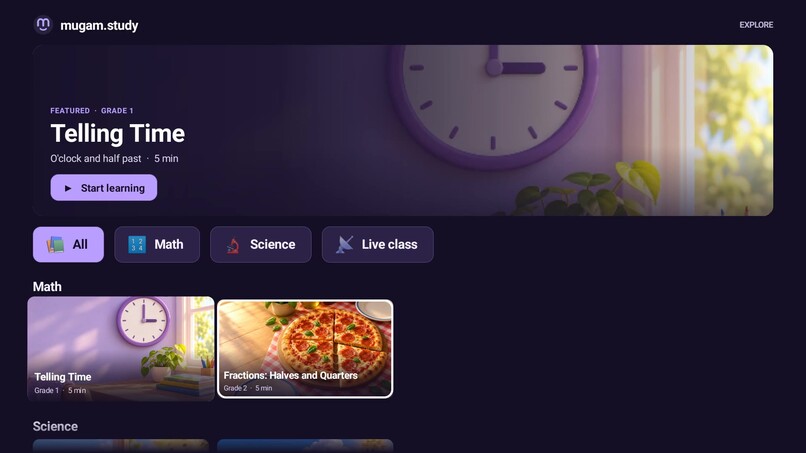
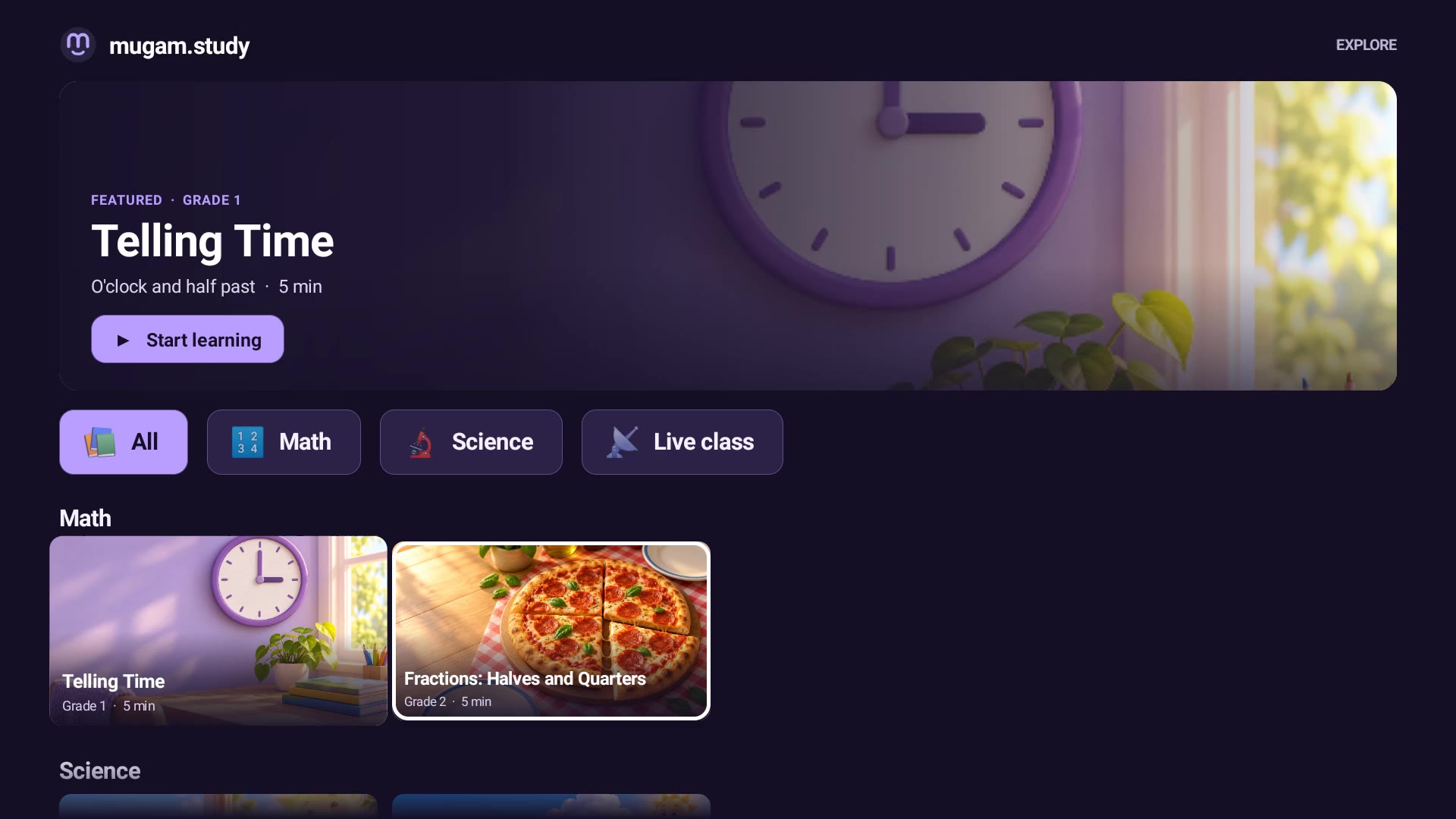
Fire TV catalog: subject chips, course posters and the Live class entry
-
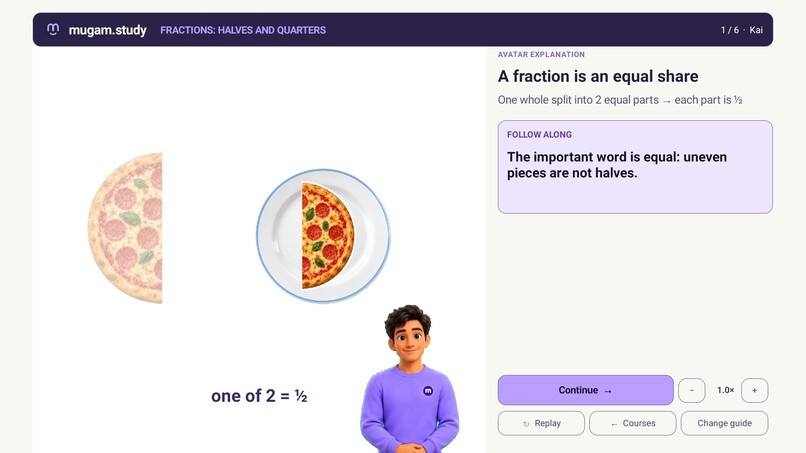
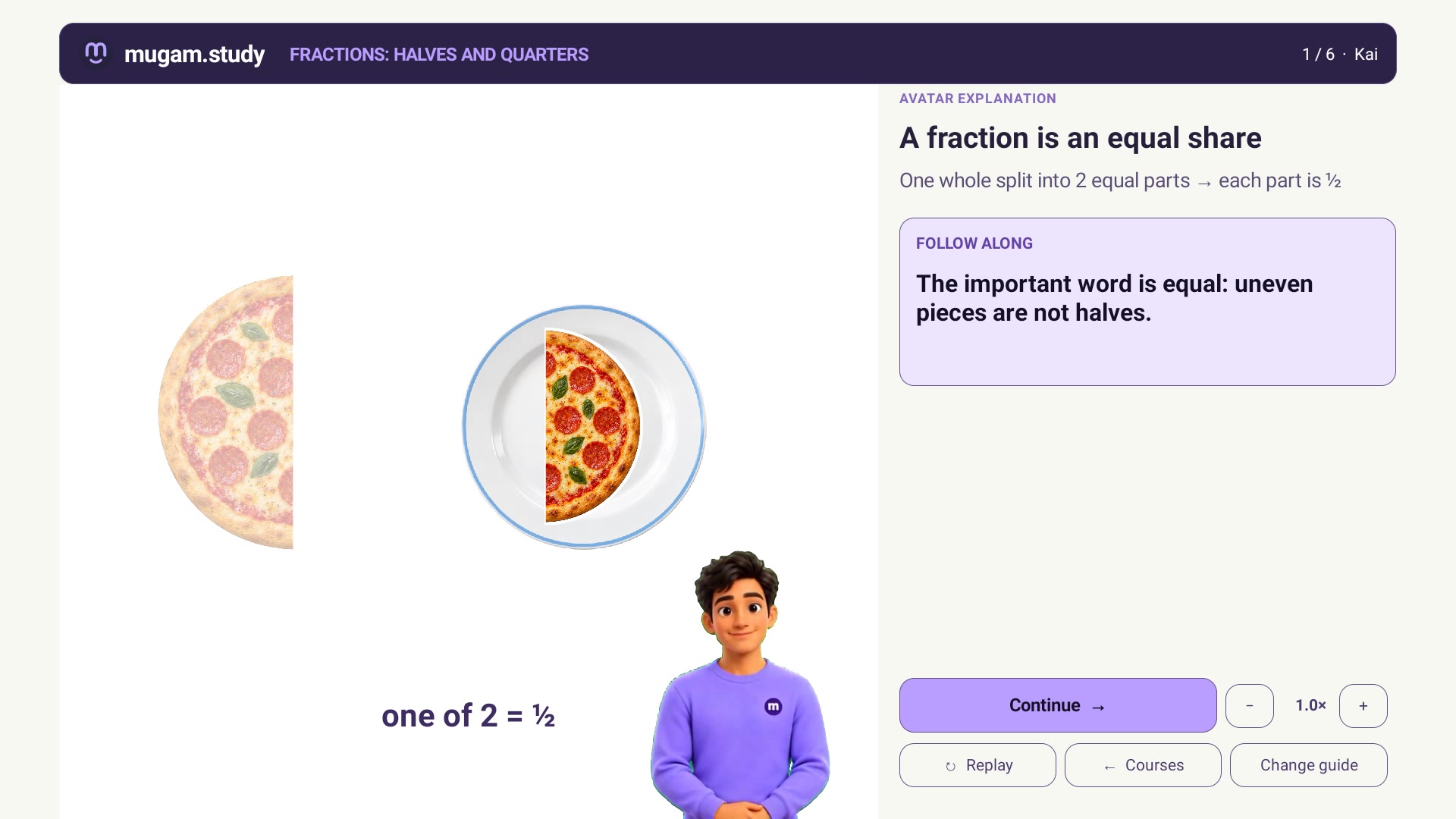
Kai explains halves; the pizza is cut and plated on his words
-
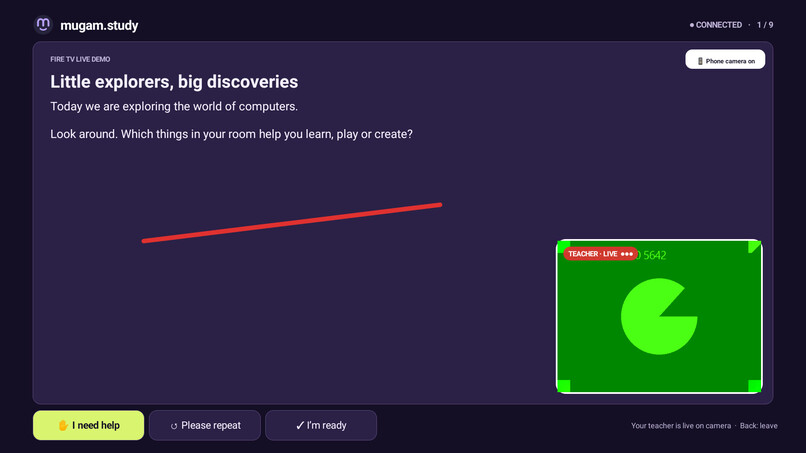
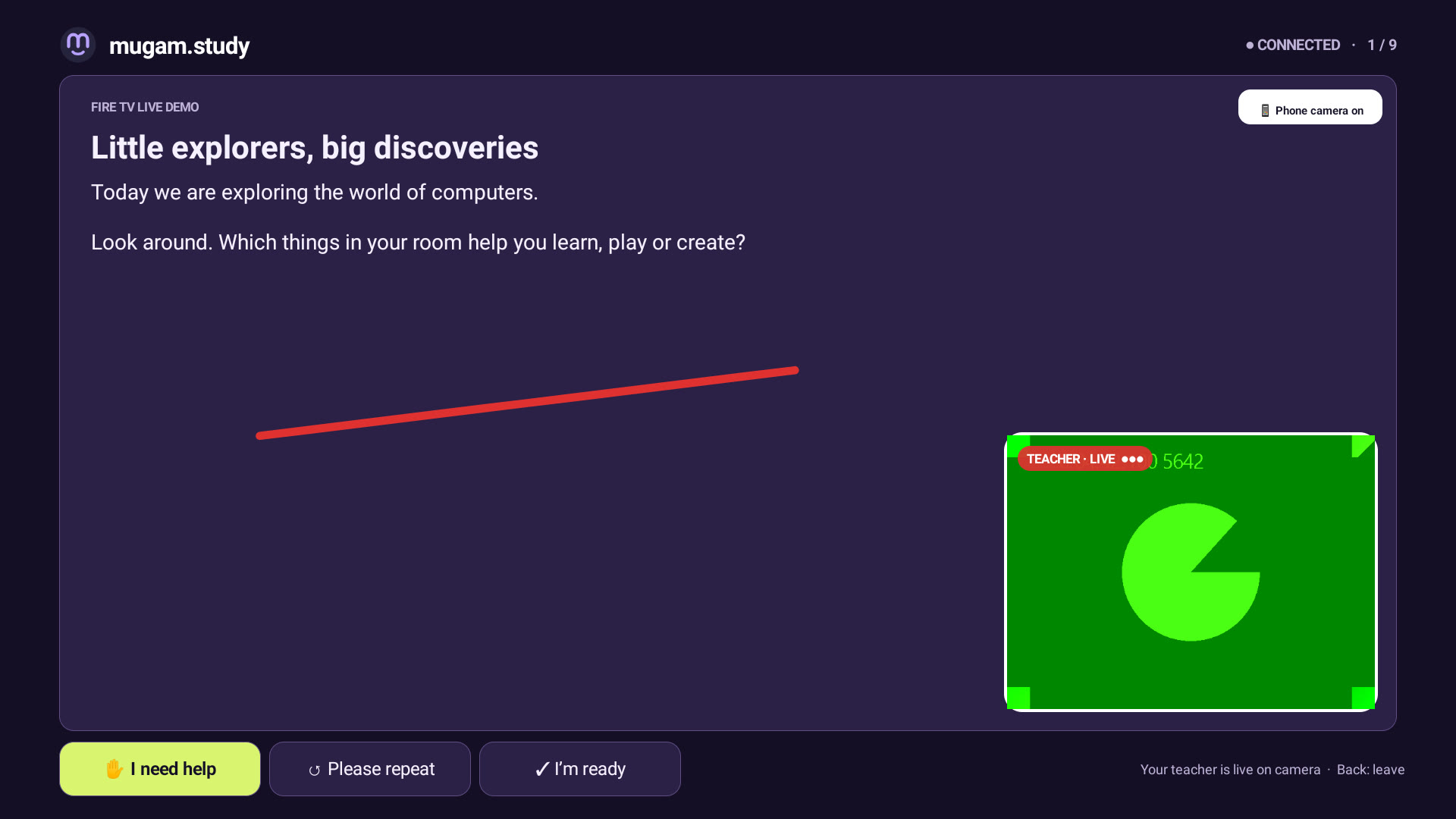
Live class on Fire TV: teacher camera, scribble, phone camera connected
-
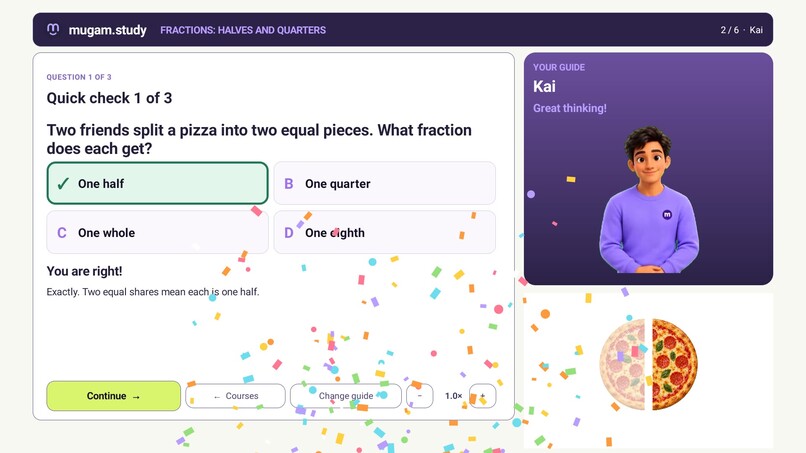
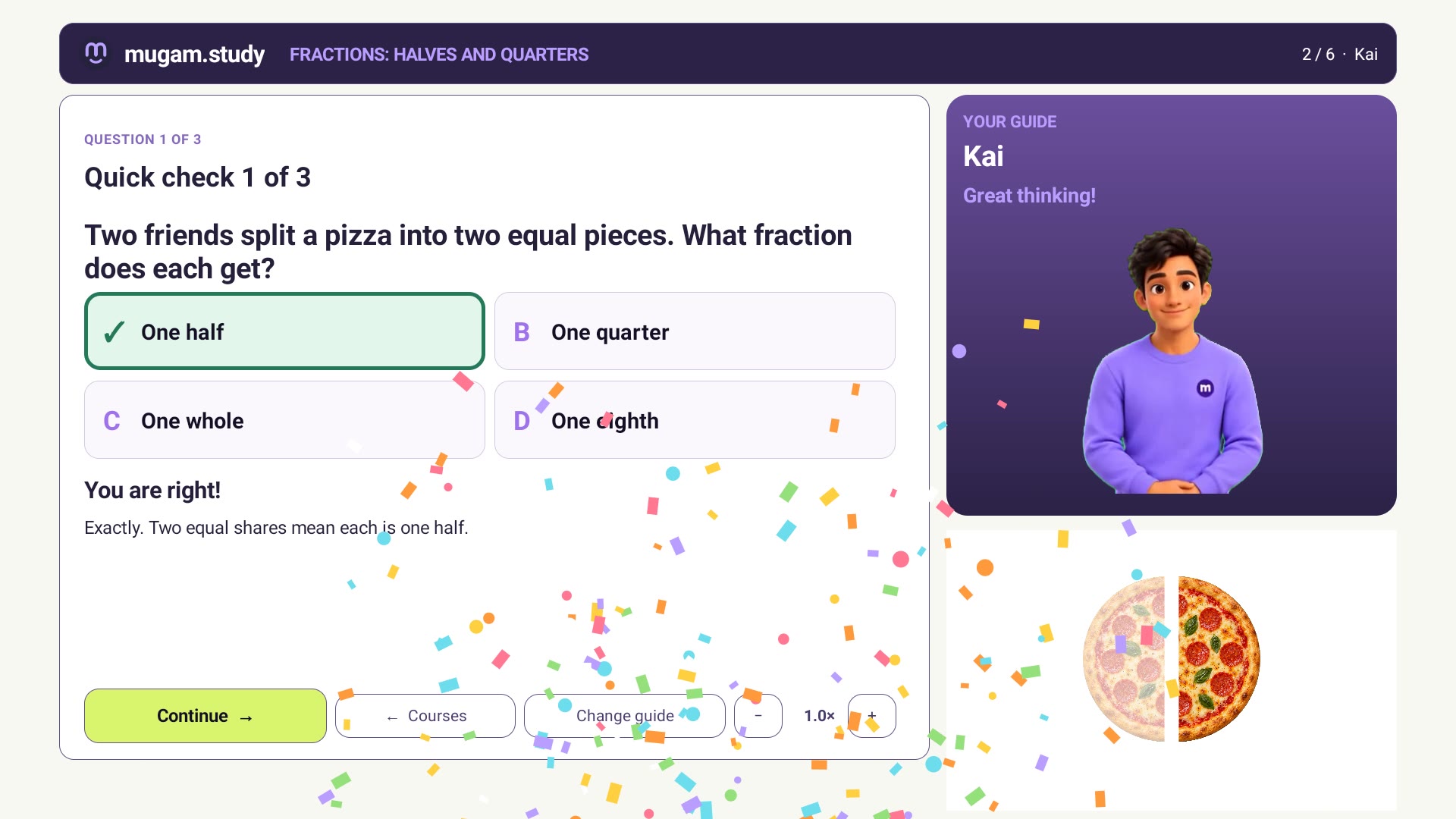
Right on the retry: party poppers over the question screen
-
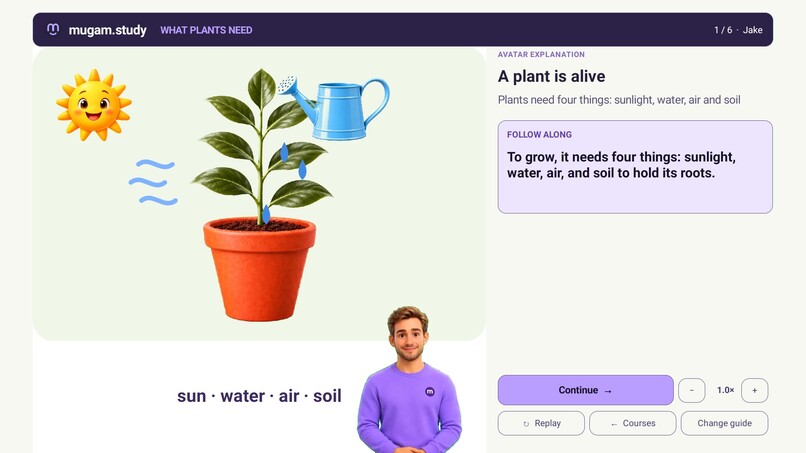
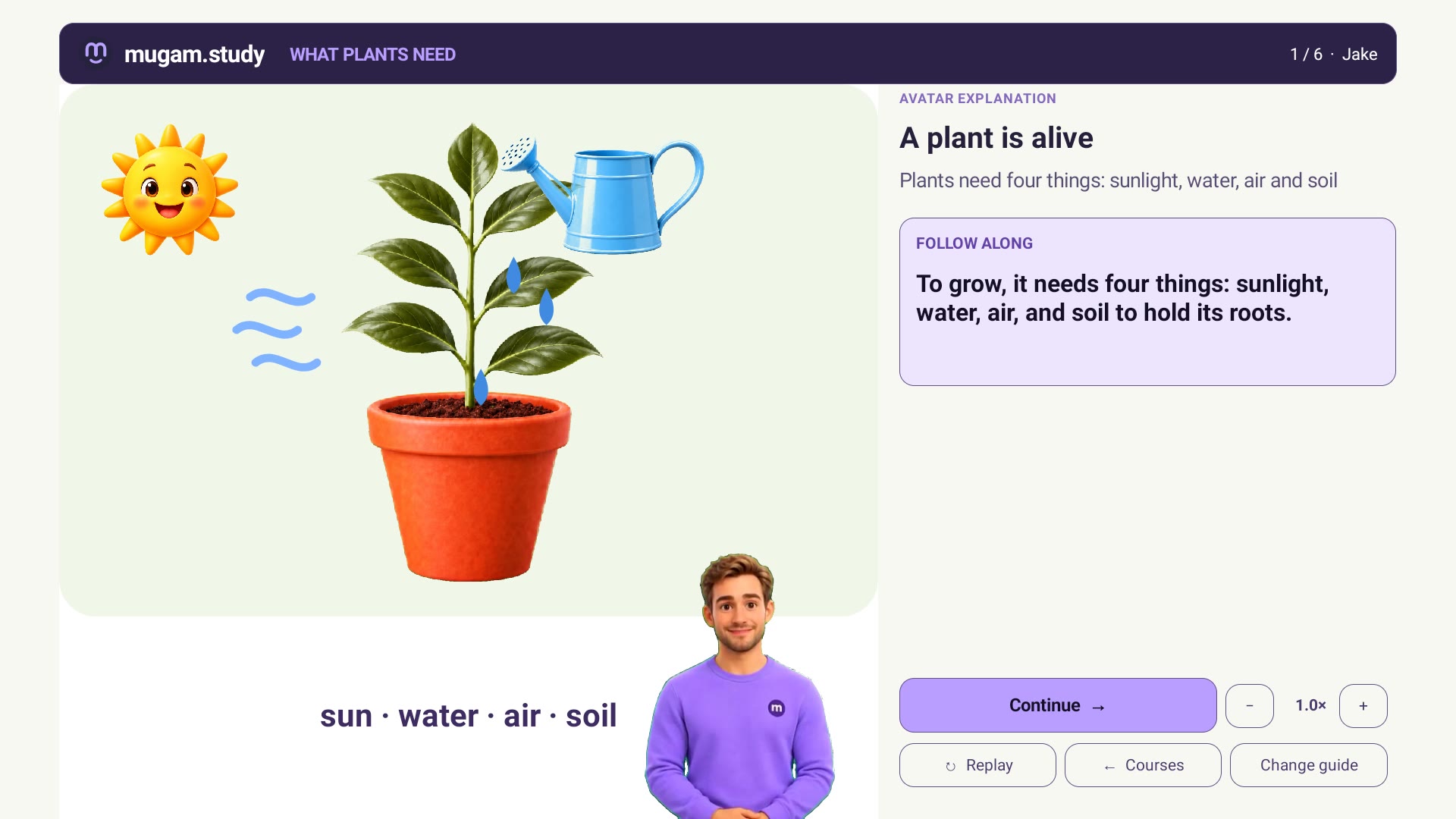
Jake's plant lesson: the plant grows as he names what it needs
-
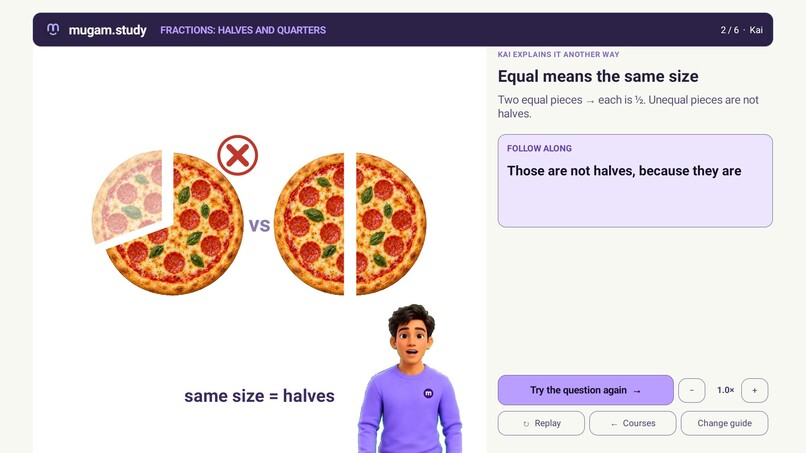
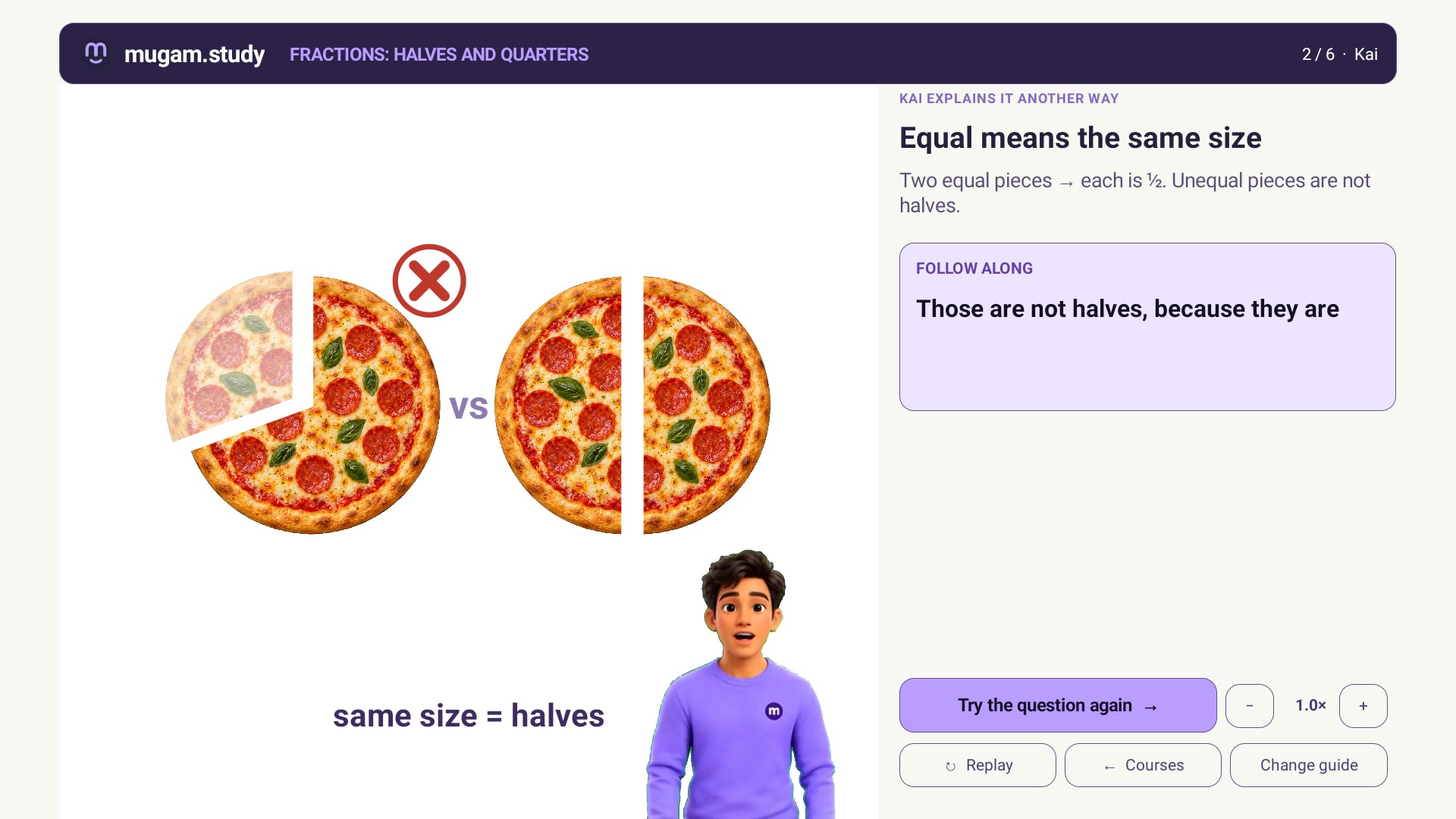
Wrong answer branches to a simpler explanation: unequal vs equal halves
-
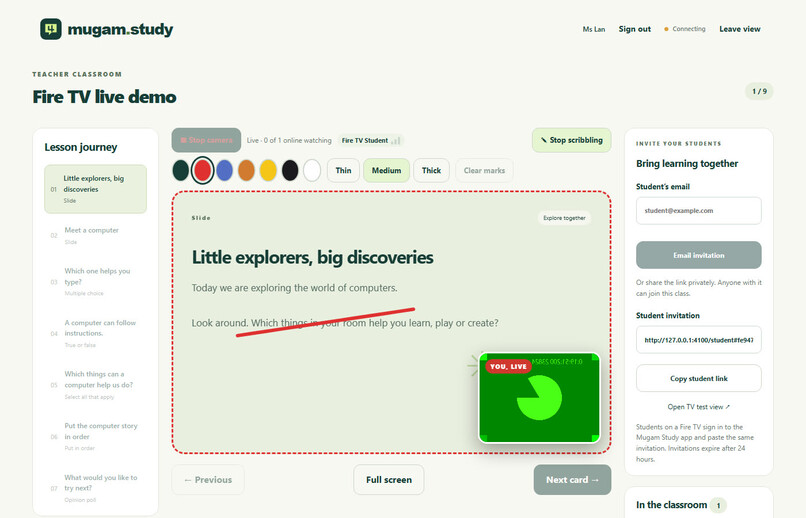
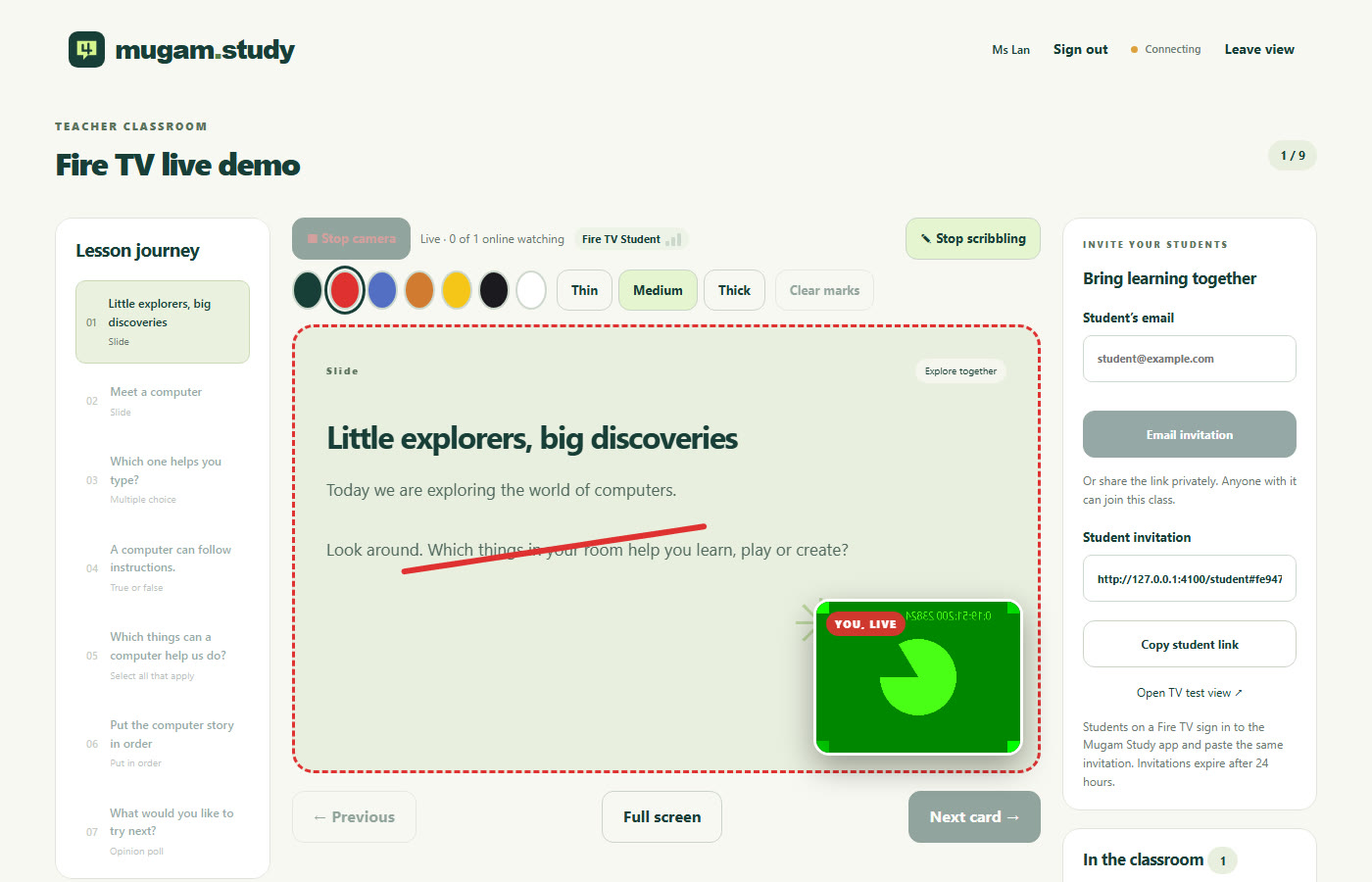
Teacher console on the web: live camera, pens, student phone tile
Inspiration
A child learning at home on a TV gets either passive video or a tablet app built for touch. Mugam Study makes the biggest screen in the house a patient, interactive tutor that a 6-year-old can use with nothing but the Fire TV remote, and that a teacher can also use for a live class.
What it does
Self-paced, branching lessons. A learner picks a subject, a grade and one of six guides (Emma, Jake, Nia, Kai, Leo the Lion and Teddy). The guide explains an idea over a slide that the TV draws itself: a pizza is cut into halves, a clock's hands sweep to the time being spoken, a plant grows leaf by leaf, rain falls into a river. Every motion is timed to the guide's words. Then a question appears and the child answers with the D-pad. A correct answer earns party poppers and moves on. A wrong answer gets an option-specific hint, then branches to a simpler explanation the curator prepared for that mistake, then a retry. After two misses the guided solution appears and the question is listed for review at the end. Narration speed is adjustable from 0.8x to 1.1x.
Four courses are published, one per subject and grade: Telling Time (Math, Grade 1), Fractions: Halves and Quarters (Math, Grade 2), What Plants Need (Science, Grade 1) and The Water Cycle (Science, Grade 2). They hold 147 rendered avatar clips.
Live classes. A teacher signs up on the web (verified by an emailed code), builds a lesson, emails invitations and goes live. Their camera and microphone stream peer to peer over WebRTC to every student, and they scribble over any slide. Students join in a browser or on the Fire TV. On the TV, a QR code lets the student add their phone as a camera and microphone: the phone joins muted, sends video to the teacher and plays nothing. Teacher, TV and phone all show a three-bar connection-quality indicator.
How we built it
- Native Fire TV app (Kotlin, no WebView). Catalog, guide picker, scene player and question screens use Android views with D-pad focus. Slides are declarative specs drawn with Android Canvas from Codex-generated artwork. The guide's clip has a flat green background:
MediaPlayerdecodes it into aSurfaceTexture, and a GLES 2.0 fragment shader on a translucentGLSurfaceViewremoves the green. The guide therefore stands on the lesson without an alpha-video codec. - Everything a child sees is prepared and reviewed in advance. Scripts, hints and remediation scenes are written by the curator. Narration comes from Amazon Polly, with word timings driving the growing captions and the slide animations. Avatar clips are rendered offline with InfiniteTalk (14B) on Amazon SageMaker, then reviewed and published to Amazon S3 behind Amazon CloudFront. At study time the TV downloads only JSON and MP4: there is no model, no API key and no inference on the device.
- Beats, not timers. Each slide declares which spoken word triggers each motion ("cut" slices the pizza, "long hand" sweeps the minute hand). The TV and web players resolve those words to times from the caption cues, so animation stays in sync for every guide's voice.
- Live classroom. A Node.js server handles accounts, classrooms, structured lesson state and WebRTC signalling, with email through MailerSend. TURN credentials are short-lived HMAC pairs, and media never touches the server. On the TV,
stream-webrtc-androidreceives the teacher's stream into aSurfaceViewRenderer. ZXing draws the QR code. - The same course files play in any browser with an SVG and canvas player, so a course is authored once.
Challenges we ran into
Transparent video over native views on a TV; TV display density making a dp-based UI 40% too large; keeping slide motion in sync with six different voices; GPU capacity for the render endpoint; and making D-pad focus predictable on every screen (see the friction log).
Accomplishments that we're proud of
A seven-year-old can complete a branching lesson using four arrow keys and OK. The wrong-answer path feels like a patient tutor, not an error message. The whole content pipeline is reproducible: pinned model revisions, fingerprinted render receipts, and a review gate before anything is published.
What we learned
Prepared content beats live generation for young learners: it is safe, reviewable and instant, and the device needs no model. Fire OS rewards building natively. Standard Android APIs, MediaPlayer, GLES and WebRTC all run unchanged.
What's next
Publishing on the Amazon Appstore (the signed build, listing assets and privacy policy are ready; the developer account's identity verification is under review), synced progress across devices, a curator studio, and more courses per grade.
What we built during the hackathon
The repository was created on 14 October 2026, inside the window (31 August to 23 October). It started from a small live-classroom prototype (teacher and student portals, WebSocket rooms, a TV quiz client). All 44 commits fall between 14 and 20 October. Everything below was built in the window:
- Native Fire TV course player: catalog with illustrated covers, guide picker, scene player, question screens, D-pad focus, celebration, completion and review list.
- Transparent avatar on TV: GLES chroma-key renderer over native slides, with aspect fitting and a resting-portrait fallback.
- Branching course model: option-specific hints, remediation scenes, retry limit and guided solution, on web and TV.
- Four courses and six generated guides, with 147 avatar clips rendered on SageMaker and narrated with Polly (one guide re-voiced with NoizAI).
- Word-timed storyboards: every slide's animation is triggered by the guide's words.
- Narration speed control from 0.8x to 1.1x, on TV and web.
- Live classes: email-verified accounts, emailed invitations, WebRTC teacher camera, scribbles on any slide, phone camera companion through a QR code, and connection-quality indicators. Hosted at classes.mugam.study.
- AWS delivery: the static site, course media and trial APK on S3 and CloudFront, defined in CloudFormation with an ACM certificate.
AWS services used (AWS Builder)
Every service below is part of how Mugam Study is built or runs (region us-east-1).
| Service | What it does in Mugam Study | Where in the repo |
|---|---|---|
| Amazon Polly (neural engine) | Speaks every guide's script: explanations, questions, hints, remediation and feedback, in Joanna, Matthew, Ruth, Stephen, Joey and Kevin. 16 kHz PCM feeds the avatar model. Speech marks (SpeechMarkTypes=["word"]) give word start times that drive the captions on TV and web and trigger the slide animations ("beats"). SSML (with phonemes) was used to test pronunciation fixes for child-facing words. |
tools/render_infinitetalk_course.py, tools/build_math_captions.py, tools/revoice_clip.py, landing/courses/*/caption-cues.json |
| Amazon SageMaker: async inference endpoint | Renders the talking-head clips. InfiniteTalk 14B (BF16, FusionX LoRA, 8 steps, 384x384, 25 fps) runs in our container on ml.g6e.4xlarge (NVIDIA L40S). Requests go through InvokeEndpointAsync with S3 input and output and a one-hour timeout. Created for a render batch and deleted afterwards, so nothing idles. The 147-clip batch took about 23.7 billable hours (about $89); Jake's 29-clip re-voice cost about $11. |
tools/infinitetalk_endpoint.py, tools/render_when_ready.ps1, tools/render_batch.ps1, config/avatar-endpoint.json |
| Amazon SageMaker: training jobs | The first render path and benchmark: one bounded GPU job per clip (CreateTrainingJob, 30-minute cap, private image, pinned weights). Each job archives its inputs and fingerprints. 11 jobs ran on ml.g6e.4xlarge (about 2.1 billable hours). Cold starts made the async endpoint cheaper for batches, so jobs remain the path for one-off re-renders. |
tools/render_infinitetalk_course.py, config/avatar-generation.json |
| Amazon ECR | Private registry for the render container (CUDA, InfiniteTalk at a pinned upstream revision, weights at pinned Hugging Face revisions). Referenced by digest, so every render is reproducible. | config/avatar-endpoint.json, config/avatar-generation.json |
| Amazon S3 | Render inputs and outputs (server-side encrypted). It also serves as the website origin: course JSON, 147 MP4 clips, slide artwork, covers, the web player and the Fire TV APK, each with its own cache-control and content type. | tools/*, landing/courses/deploy.ps1, landing/deploy/upload.ps1 |
| Amazon CloudFront | HTTPS delivery of mugam.study to the Fire TV and browsers: HTTP/2 and HTTP/3, an origin access control (the bucket stays private), a custom cache policy, response-headers policy with security headers, and range requests so MediaPlayer can stream clips. Deploys invalidate changed paths. |
landing/deploy/template.yaml, landing/courses/deploy.ps1 |
| AWS CloudFormation | Defines the whole site stack: S3 bucket and policy, CloudFront distribution, OAC, cache and headers policies, and the ACM certificate. | landing/deploy/template.yaml |
| AWS Certificate Manager | TLS certificate for mugam.study and www.mugam.study on CloudFront, validated through DNS. |
landing/deploy/template.yaml |
| AWS IAM | A least-privilege execution role for SageMaker to read the image and S3 inputs and write outputs. The render tools look it up by name. | tools/infinitetalk_endpoint.py, tools/render_infinitetalk_course.py |
| Amazon CloudWatch Logs | Receives the render container's logs from SageMaker jobs and endpoints automatically. Cost and billable time are read from the SageMaker APIs (BillableTimeInSeconds). |
(automatic, via SageMaker) |
| Kiro Crew | Used as a development tool during the hackathon for parts of the coding, with project agents and settings. | local .kiro/ workspace |
What is not on AWS, for transparency: DNS for mugam.study is on Cloudflare. The CloudFormation template also defines a Route 53 zone, but it is not authoritative. The live-classroom server (Node.js, nginx, coturn) runs on a Thinkelution Ubuntu host. Email is sent through MailerSend, and Jake's voice comes from NoizAI. Guide portraits and slide art were generated with OpenAI Codex.
Links
- Demo video: https://youtu.be/Ysyj6-tU2uY
- Courses in the browser: https://mugam.study/courses/index.html
- Fire TV APK (signed, v0.3.0): https://mugam.study/downloads/mugam.study-firetv-v0.3.0.apk
- Live classes: https://classes.mugam.study
Built With
- amazon-cloudfront
- amazon-ecr
- amazon-polly
- amazon-web-services
- android
- aws-certificate-manager
- aws-cloudformation
- aws-iam
- express.js
- ffmpeg
- fire-os
- fire-tv
- javascript
- kiro
- kotlin
- mailersend
- nginx
- node.js
- opengl-es
- playwright
- python
- react
- sagemaker
- vite
- webrtc

Log in or sign up for Devpost to join the conversation.