-
-
-
-
-
-
-
-
app icon
Inspiration
The idea for MRI Plan came directly from my experience as an MRI technologist and educator.
While teaching MRI students, I repeatedly saw the same problem: many students arrived at their clinical training with very little understanding of scan planning. During their first week, they often had no choice but to watch other technologists because they were not yet prepared to sit at the scanner and practice independently on real patients.
I kept thinking about how helpful it would be if students had a safe and accessible way to practice before entering the clinical environment. I began asking my students whether they would use an application that allowed them to practice planning different MRI examinations and protocols. Their answer was always yes.
Creating this kind of learning tool became a personal goal. At first, I considered hiring developers, but I quickly realized that the project required a deep understanding of MRI workflow, anatomy, slice positioning, angulation, coverage, and field of view. It was difficult to find someone who could translate all of that specialized knowledge into an interactive experience.
Eventually, I made a life-changing decision: I would learn how to build it myself.
I developed MRI Plan over eight months, from February through September, while continuing to work full-time. I often imagined myself in the position of a student and thought about how valuable this kind of tool would have been when I was learning MRI. Existing training solutions can be expensive, complicated, or unavailable as a convenient mobile application. I wanted to create something practical that students could carry with them and use whenever they had time to practice.
What it does
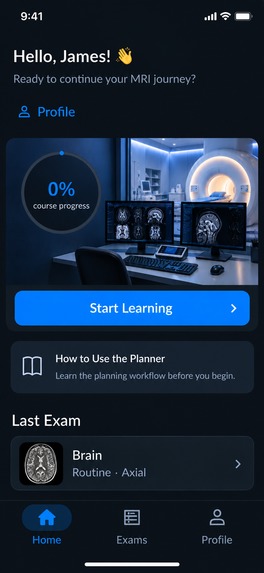
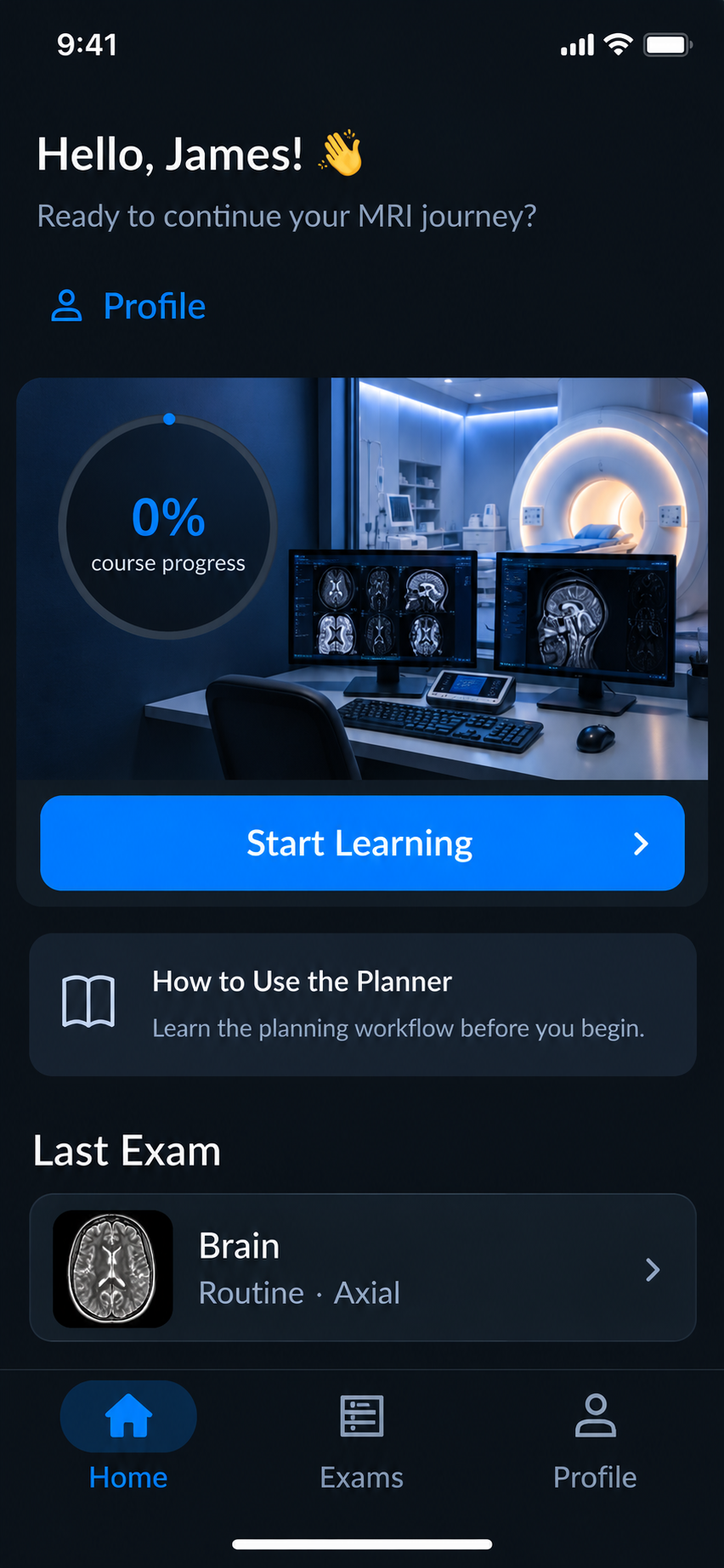
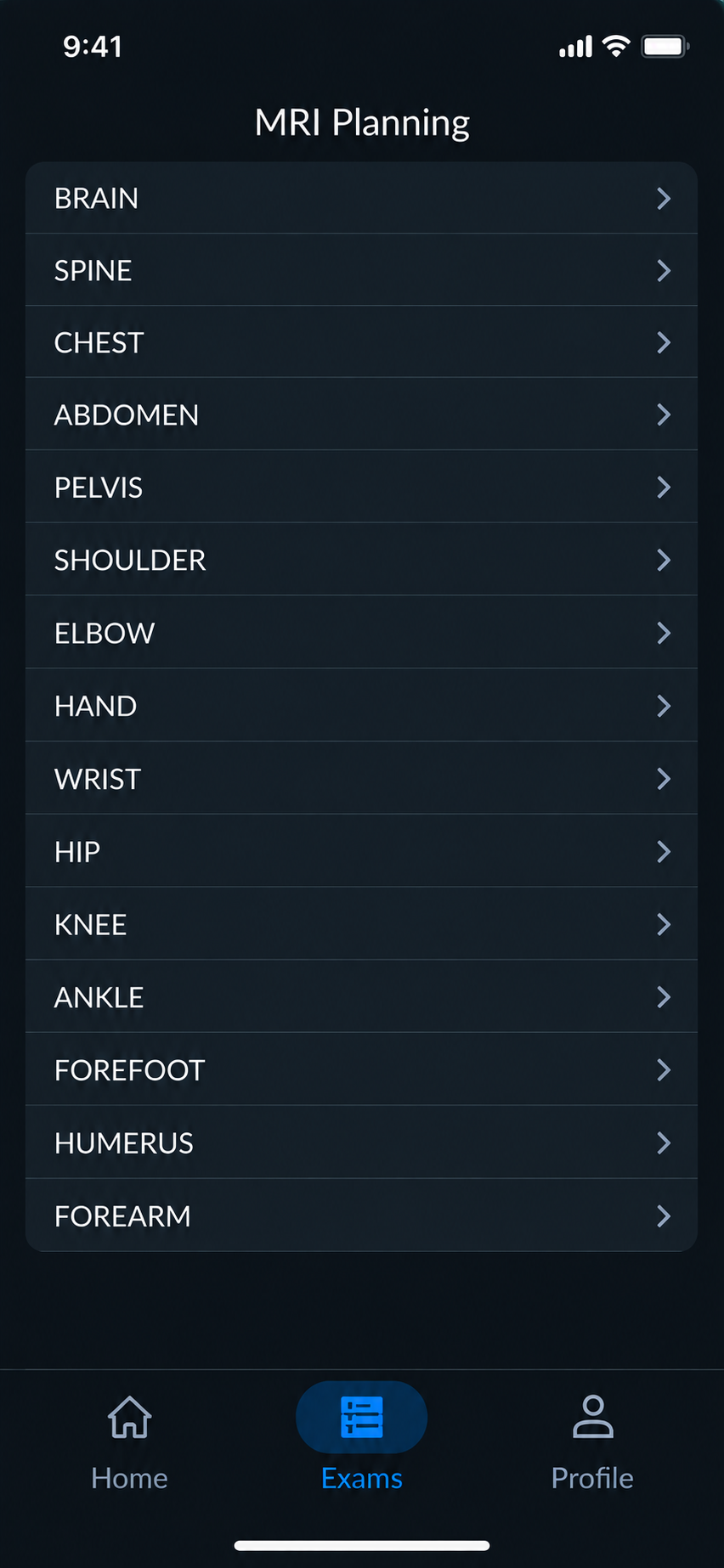
MRI Plan is an interactive MRI scan-planning simulator designed for students and early-career MRI technologists.
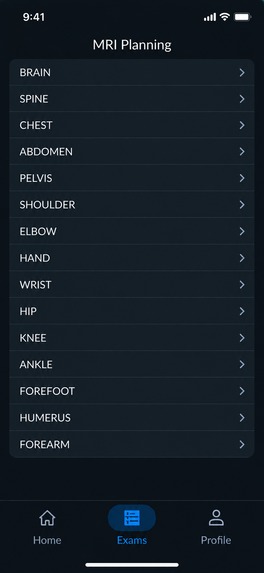
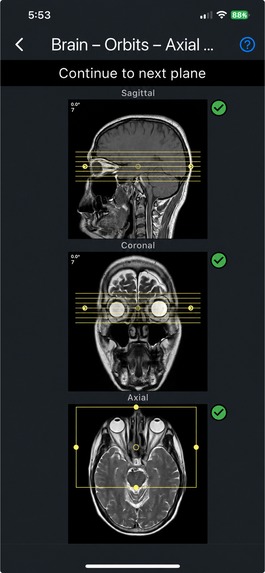
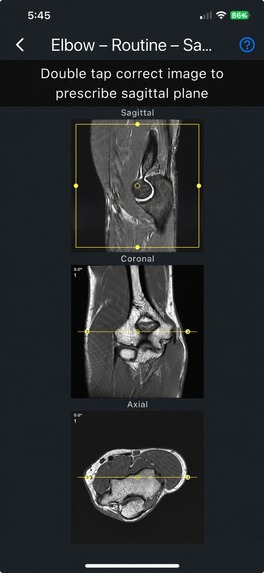
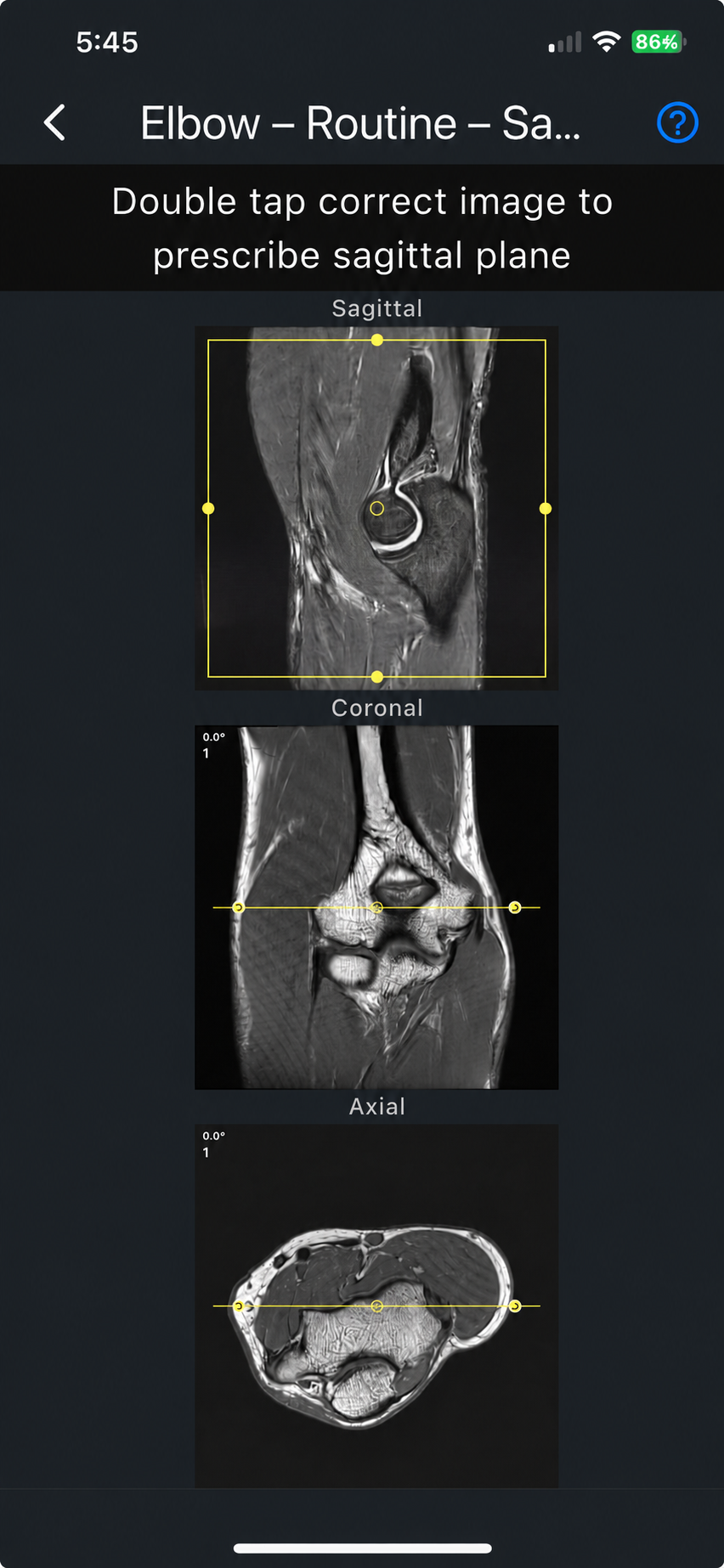
The application currently includes 17 MRI examinations and 31 protocols covering many of the basic studies commonly performed in clinical practice. A learner can choose an examination and protocol, read step-by-step planning guidance, and then practice the procedure interactively.
Before beginning an exercise, the user can review instructions explaining:
- The correct slice orientation and angulation
- The required anatomical coverage
- The appropriate number of slices
- The field of view
- The relationship between axial, sagittal, and coronal planes
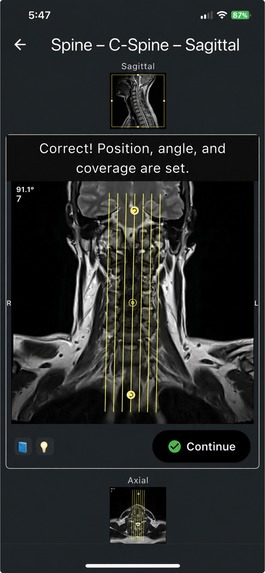
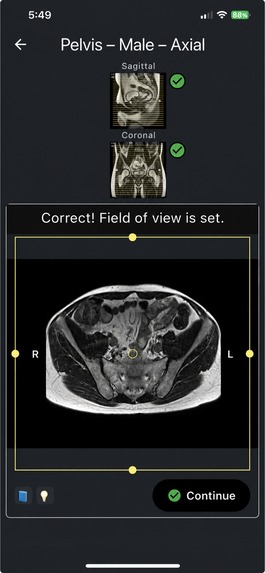
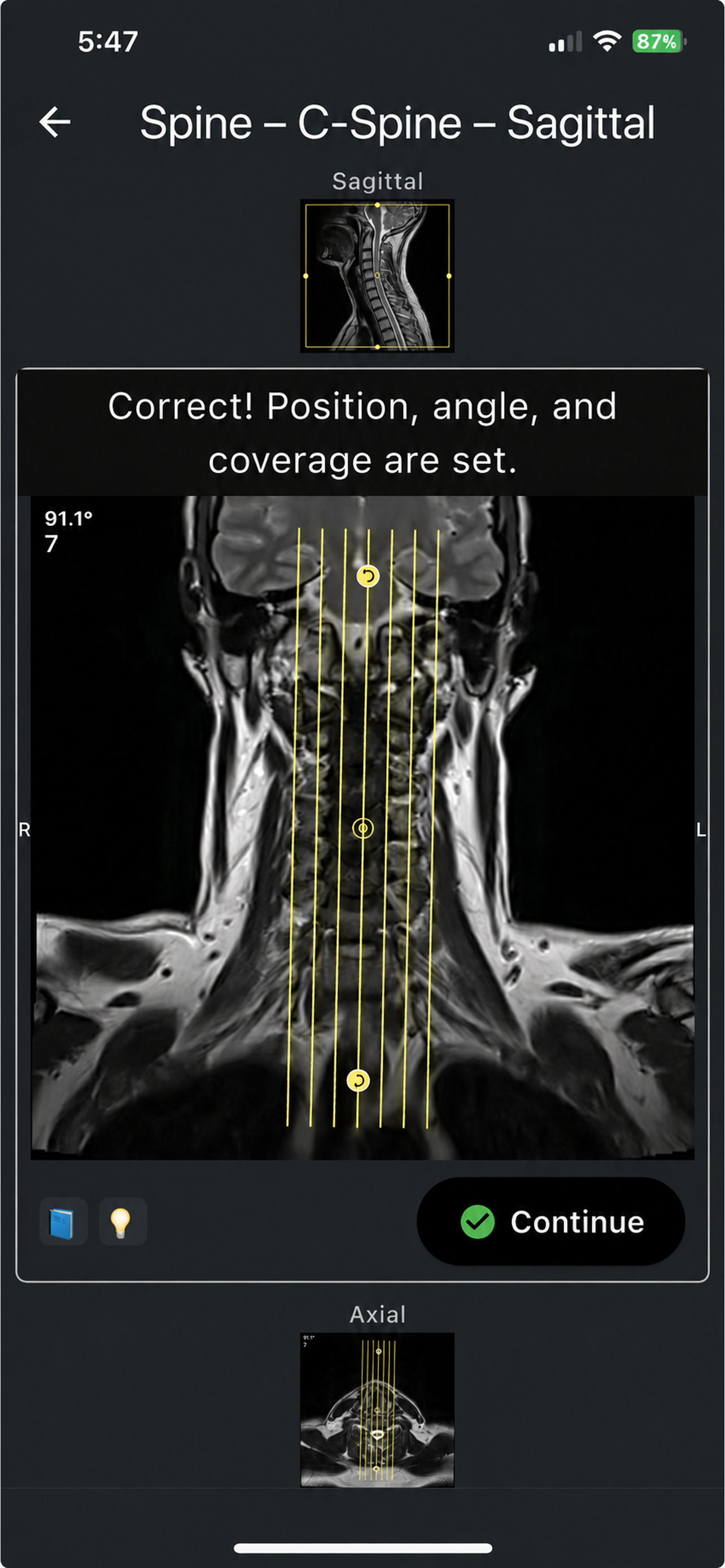
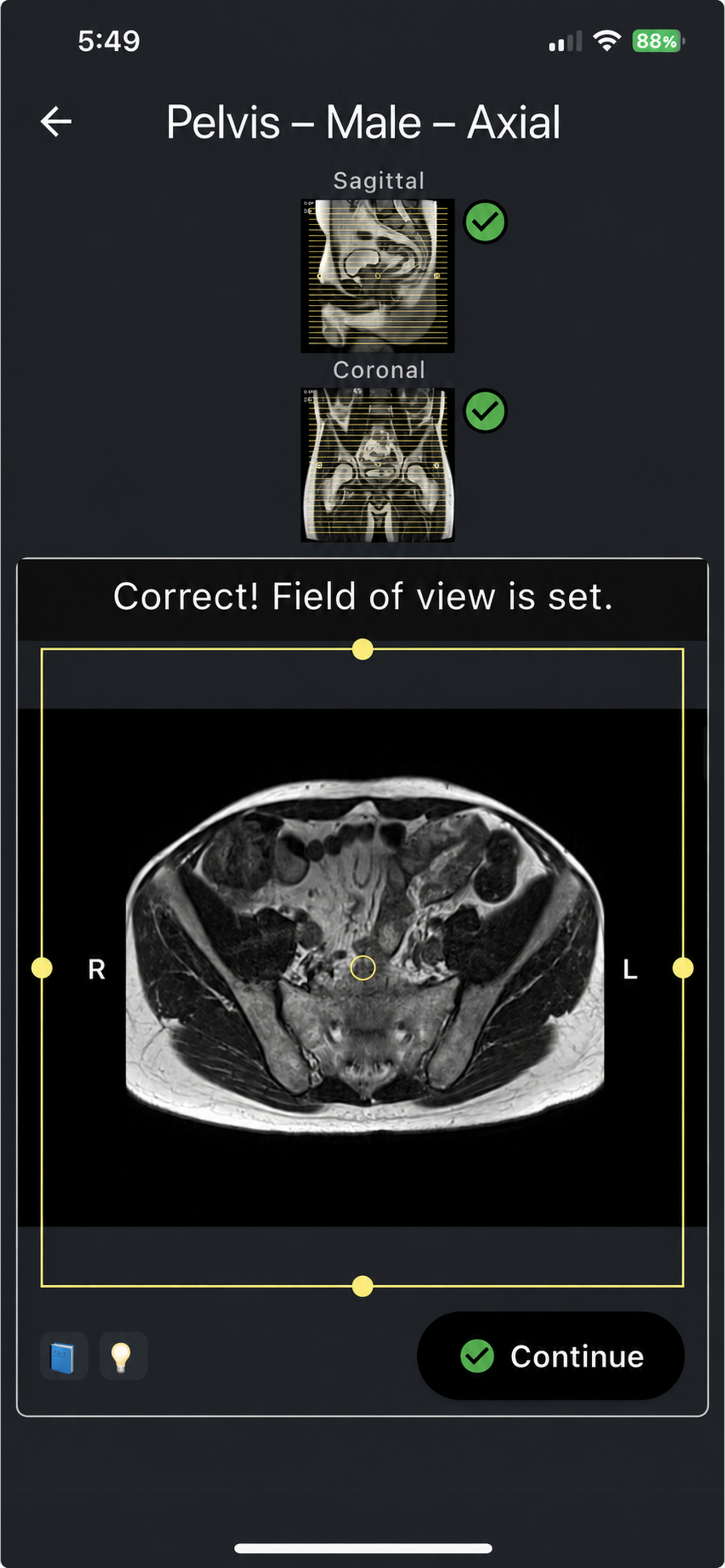
The learner then practices directly on MRI images by positioning slices, adjusting angles, setting coverage, and modifying the field of view.
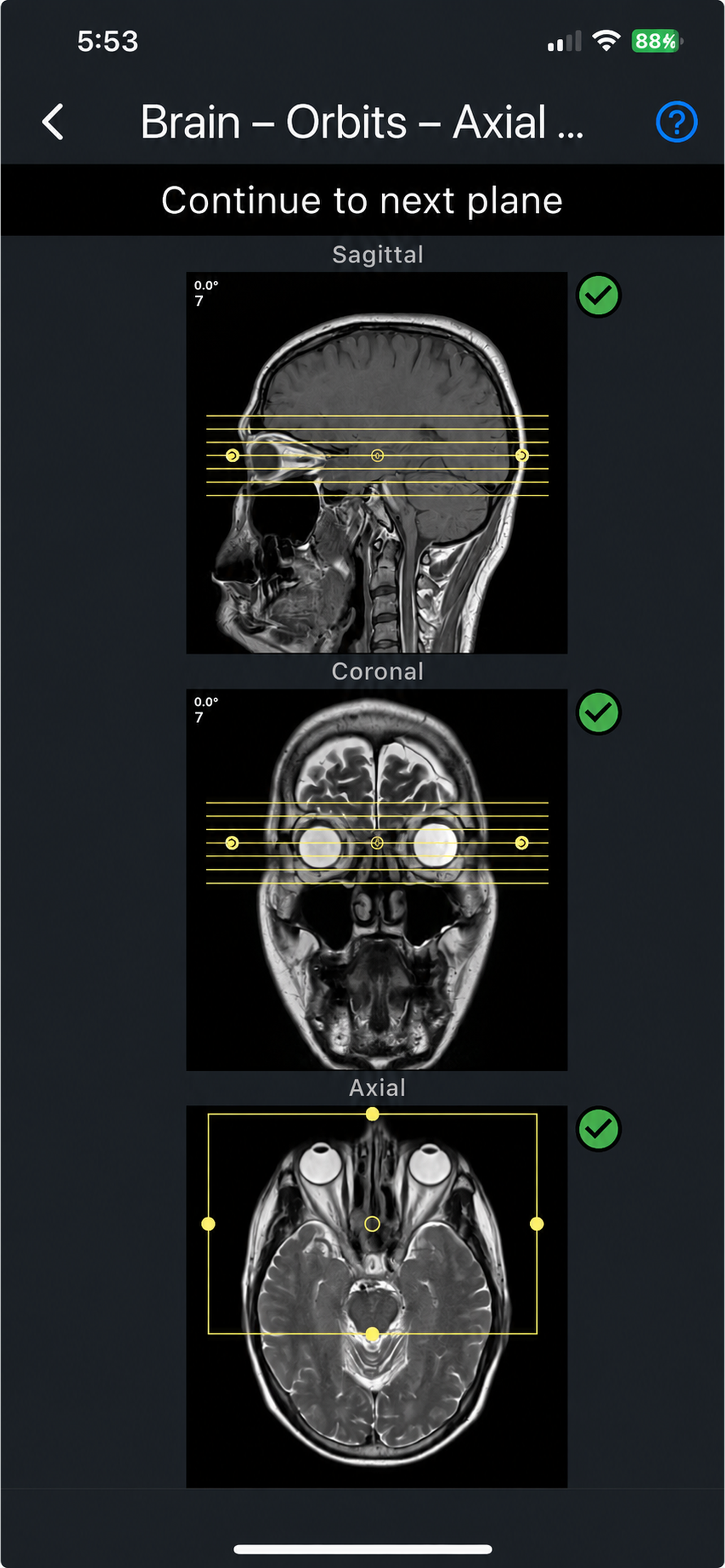
Every examination includes axial, sagittal, and coronal planning stages. The application evaluates the learner’s work at each stage. If the placement or settings are incorrect, MRI Plan provides feedback and explains what needs to be adjusted. The learner must complete the current step correctly before moving forward.
This creates a guided, hands-on learning experience in which students can make mistakes safely, understand why an adjustment is necessary, and repeat the exercise until they are confident.
How I built it
MRI Plan was built as a cross-platform Flutter application using Dart. I used Supabase for backend services, authentication, and user data, and RevenueCat to manage subscriptions and access across mobile platforms.
The educational content and validation rules were created from my professional knowledge and teaching experience as an MRI technologist. Each protocol required its own workflow, planning instructions, anatomical targets, and validation criteria.
I built the application independently while working full-time. This meant learning mobile development while simultaneously designing the educational structure, implementing the interactive planning tools, testing the exercises, preparing the content, and publishing the application.
I also built a complete localization system and made MRI Plan available in seven languages so that more students and technologists can learn in a language that is comfortable for them.
Challenges
One of the most difficult technical challenges was making the slice groups move naturally while maintaining accurate positioning and angulation.
MRI planning is not a collection of independent images. The axial, sagittal, and coronal planes are related to one another, but each plane also has its own orientation and validation requirements. Some properties, such as the number of slices or coverage, must remain consistent, while other properties, such as the angle, must change according to the selected plane.
Creating this behavior required careful coordination between all three planning views. A change in one plane could not accidentally distort or overwrite the correct setup in another plane, yet the views still needed to remain logically connected.
Another major challenge was building a validation system that could evaluate slice position, angle, coverage, and field of view for many different examinations and protocols. The simulator needed to feel smooth and intuitive while also being accurate enough to provide meaningful educational feedback.
Preparing and releasing the Android version also required additional platform-specific work and testing. Throughout the project, I encountered many technical challenges, but each one helped me understand the product more deeply and improve the experience for learners.
Accomplishments that I am proud of
I am especially proud that I transformed an idea from my clinical teaching experience into a functioning application that is now available to real users.
MRI Plan currently contains:
- 17 MRI examinations
- 31 clinical protocols
- Interactive planning in axial, sagittal, and coronal planes
- Guided instructions before each exercise
- Validation of slice positioning, angulation, coverage, and field of view
- Immediate feedback when corrections are needed
- Available in seven languages, making MRI planning practice more accessible to students and technologists from different backgrounds
Completing and publishing the application after eight months of development, while working full-time, has given me an enormous sense of accomplishment. I am also proud that I taught myself the technical skills necessary to build a specialized tool that combines mobile development with real MRI expertise.
Now that the application has been released, I enjoy sharing it with students and technologists who may benefit from having a safe place to practice.
What I learned
Building MRI Plan taught me that professional experience can be transformed into a practical technology product, even when the creator does not begin as a software developer.
I learned mobile development, application architecture, interactive gesture handling, validation logic, backend integration, authentication, subscriptions, testing, and the requirements involved in publishing applications for iOS and Android.
Most importantly, I learned how to translate clinical MRI knowledge into small, understandable, interactive steps that a student can practice independently.
After evaluating different subscription-management solutions, I selected RevenueCat because of its strong reputation, documentation, and ability to support reliable subscription access across mobile platforms.
What’s next for MRI Plan
MRI Plan will continue to grow.
I plan to add more examinations and protocols, including MR angiography and additional advanced planning orientations such as oblique planes. I also want to expand the educational content into other areas of MRI, including common imaging artifacts and practical methods for reducing them.
My long-term goal is to make MRI Plan a comprehensive and accessible learning companion for MRI students and technologists—one that helps them move from observation to hands-on understanding and approach the scanner with greater confidence.
Built With
- android
- dart
- flutter
- git
- ios
- localization
- postgresql
- revenuecat
- supabase

Log in or sign up for Devpost to join the conversation.