Inspiration
Most coding platforms today focus on answers, not understanding. While practicing on platforms like LeetCode and CodeChef, we noticed that students often get stuck not because they lack effort, but because they don’t get context-aware guidance at the right moment.
We were inspired by the idea of a real tutor sitting beside a student, looking at the same screen, understanding the problem being viewed, and guiding the student step by step — without directly giving away solutions. This led us to build an AI tutor that can see what the student sees and teach them how to think.
⸻
What it does
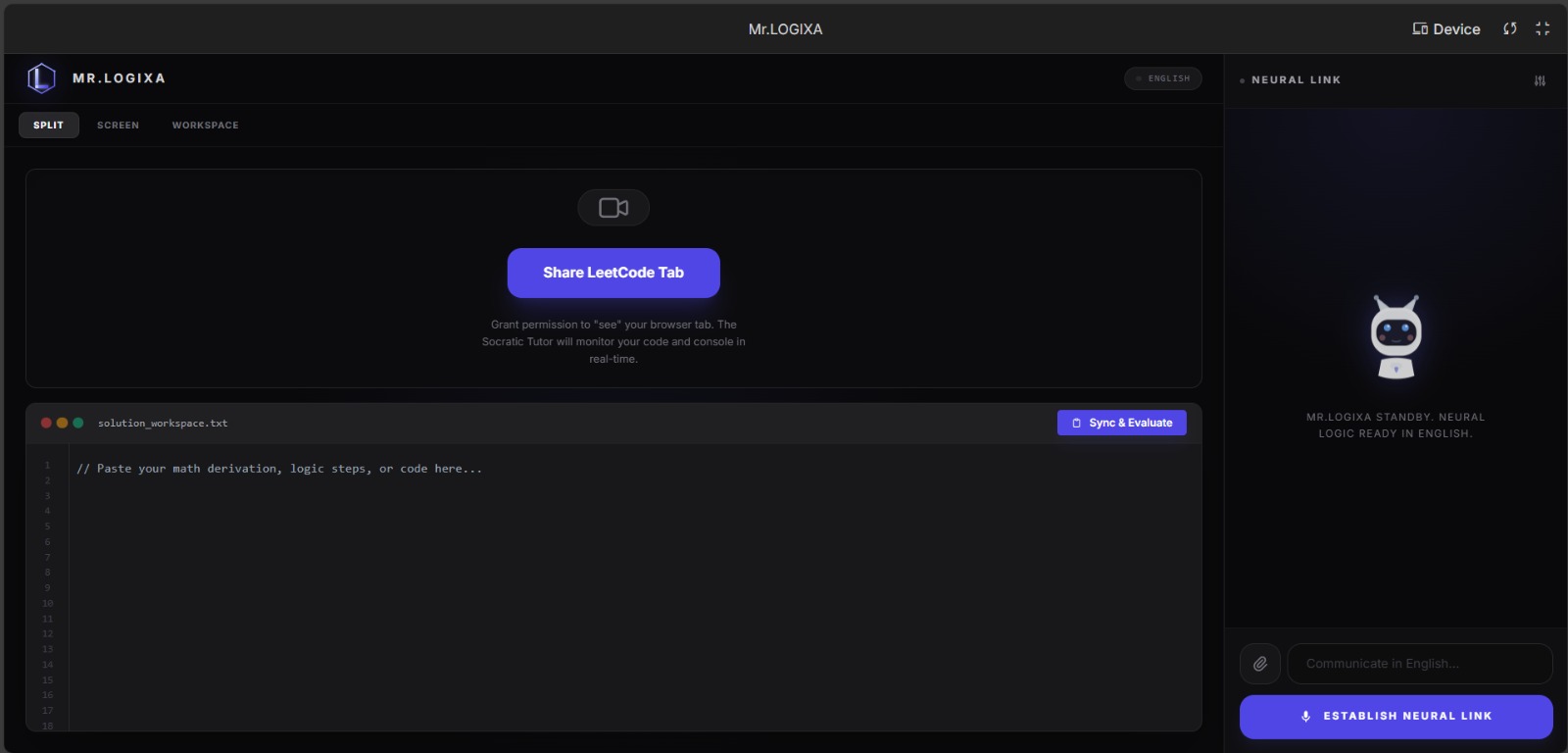
LOGIXA is a screen-aware AI coding tutor designed specifically for LeetCode and CodeChef problems.
Key features: • Real-time screen sharing of coding problems • OCR-based screen reading to understand the full problem displayed • Voice and chat-based interactive tutoring • Explains the entire problem shown on screen, not just highlighted text • Guides students using Socratic questioning instead of giving answers • Evaluates student-written code and gives percentage-based feedback • Supports multiple languages for explanation • Can explain even off-screen content when the student asks about it
The goal is to help students learn data structures and algorithms, not copy solutions.
⸻
How we built it
We built LOGIXA using a web-based architecture: • Frontend: HTML, CSS, JavaScript for UI, screen sharing, and user interaction • Backend: Python with Flask for session handling, chat, evaluation, and summaries • AI & Intelligence: • Google Gemini API for reasoning and tutoring • OCR pipeline to read text from the shared screen • Session memory to maintain conversation context • Rule-based tutoring logic to prevent direct answers • Core Logic: • The AI analyzes the problem statement visible on screen • Student questions are interpreted in the context of that screen • Responses adapt dynamically based on the student’s progress
⸻
Challenges we ran into • Integrating real-time screen sharing with OCR • Preventing the AI from giving direct answers • Ensuring the AI responds differently for different questions • Handling API inconsistencies across different environments • Synchronizing voice, screen input, and chat in real time • Making the system explain off-screen content reliably
⸻
Accomplishments that we’re proud of • Built a working screen-aware AI tutor • Successfully implemented whole-screen OCR • Achieved real-time tutoring without exposing solutions • Created a system that teaches thinking, not answers • Designed a tutor suitable for competitive programming platforms • Enabled multilingual explanations
⸻
What we learned • Building educational AI requires discipline and constraints, not just intelligence • OCR + contextual reasoning is powerful for tutoring applications • Teaching is harder than answering — and more impactful • Real-time systems demand careful coordination between frontend and backend • AI works best when guided by clear pedagogical rules

Log in or sign up for Devpost to join the conversation.