-
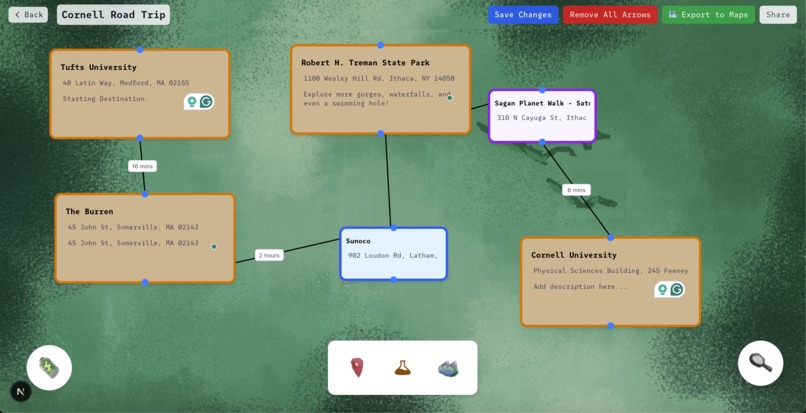
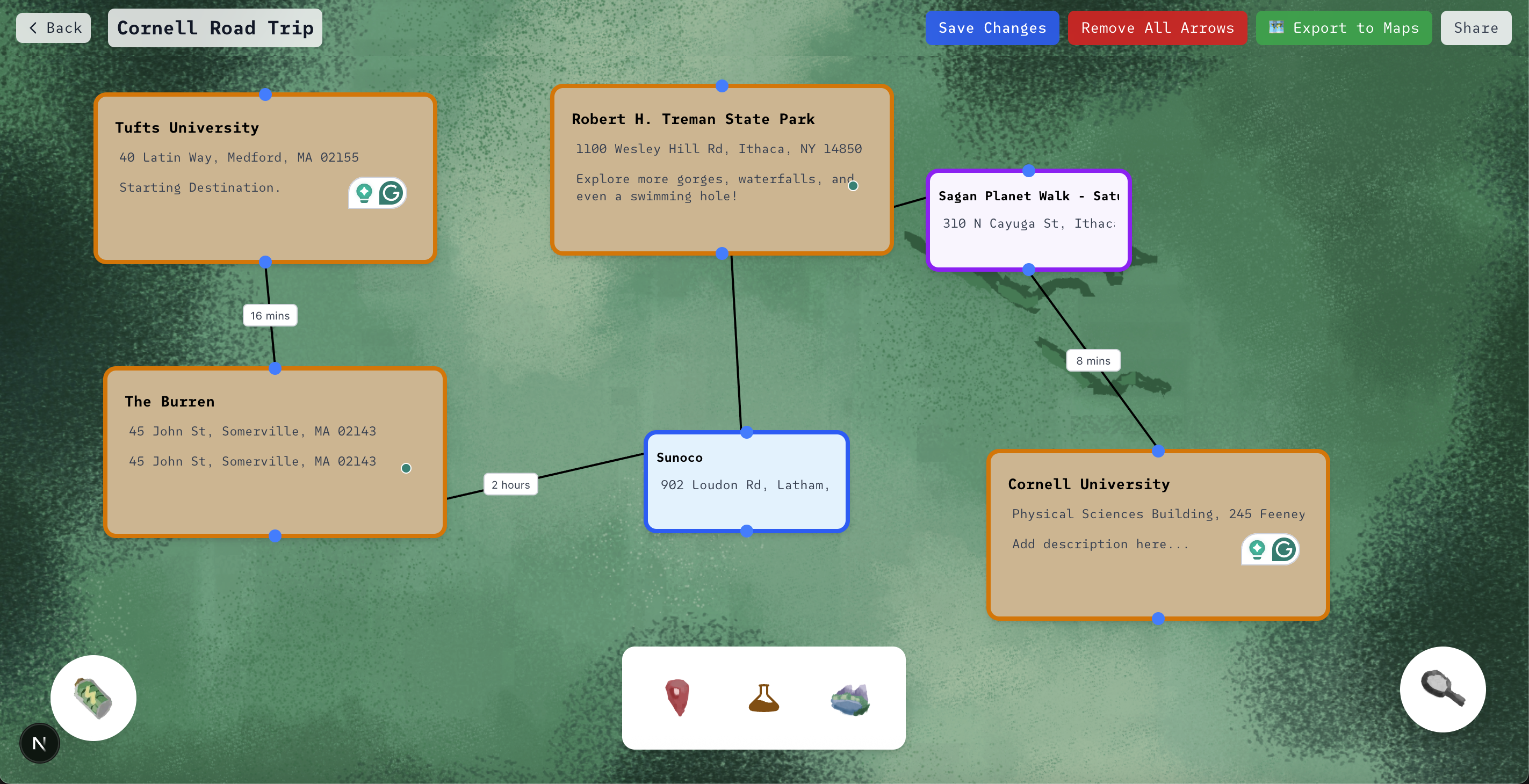
Intelligent Vacation Planning Canvas
-
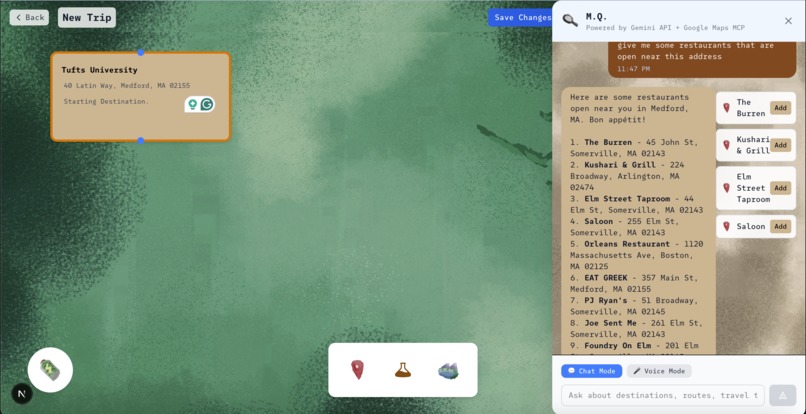
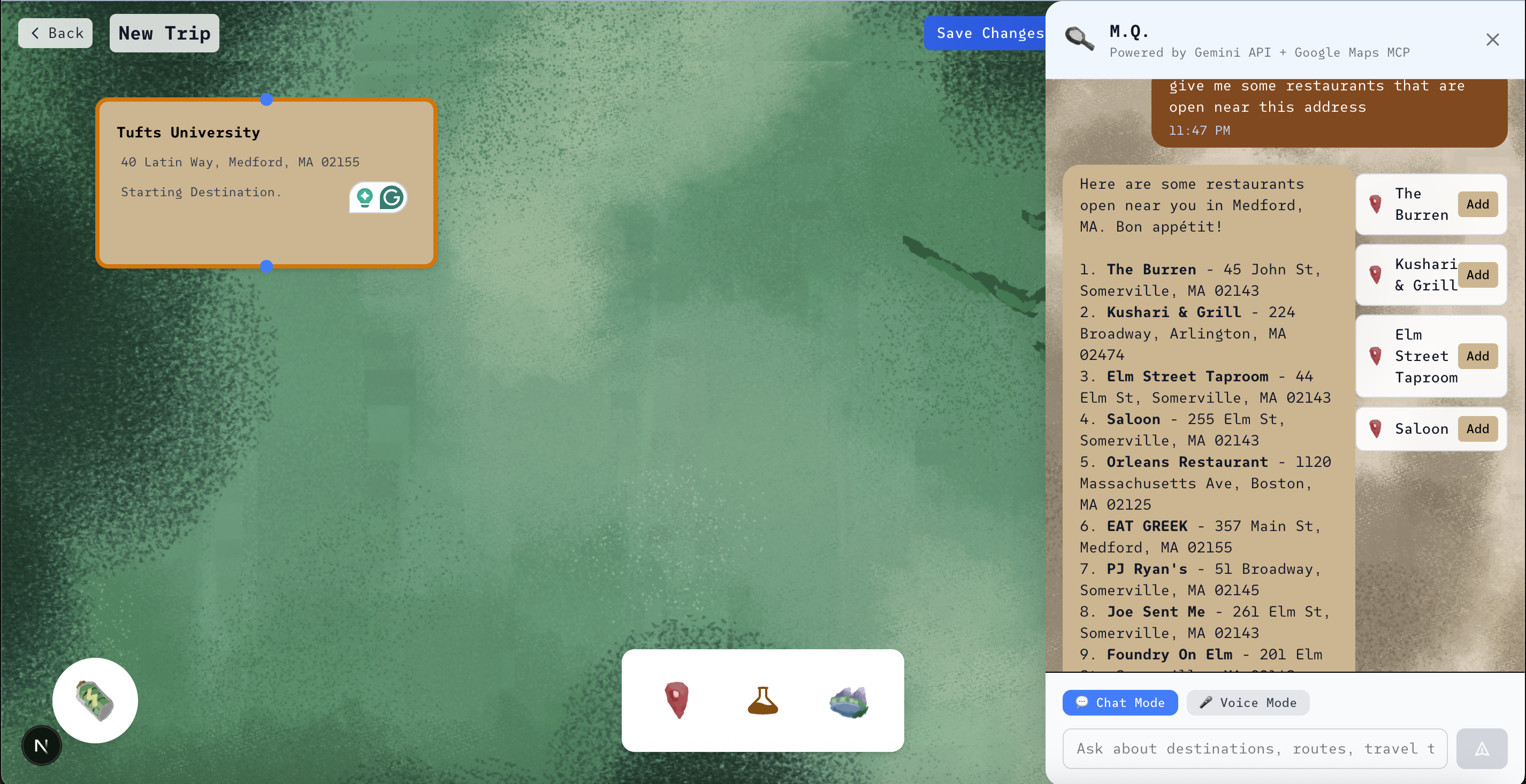
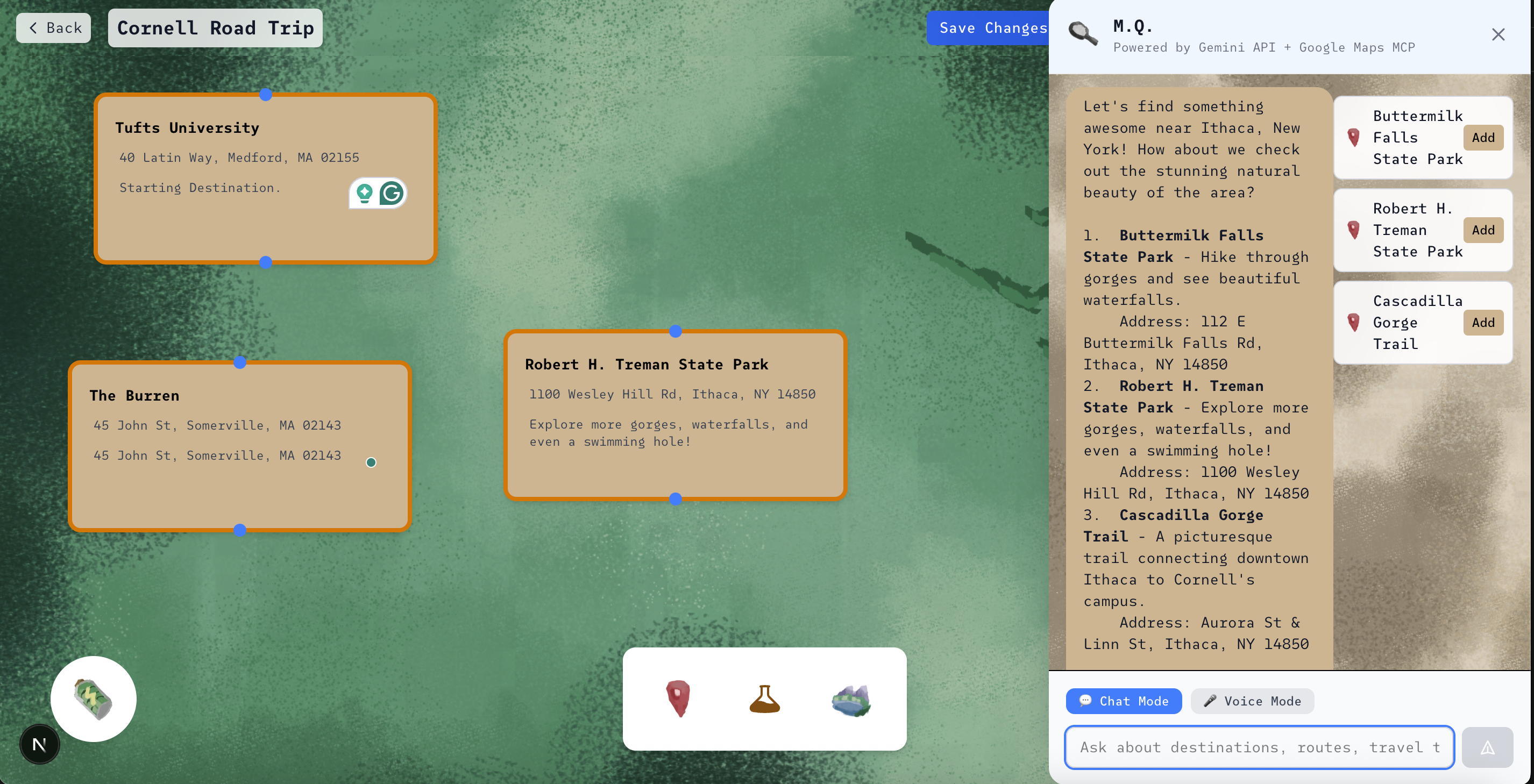
Chatting with MQ
-
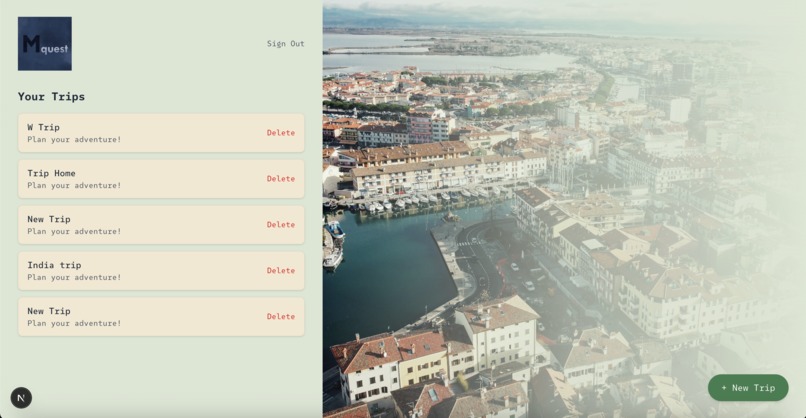
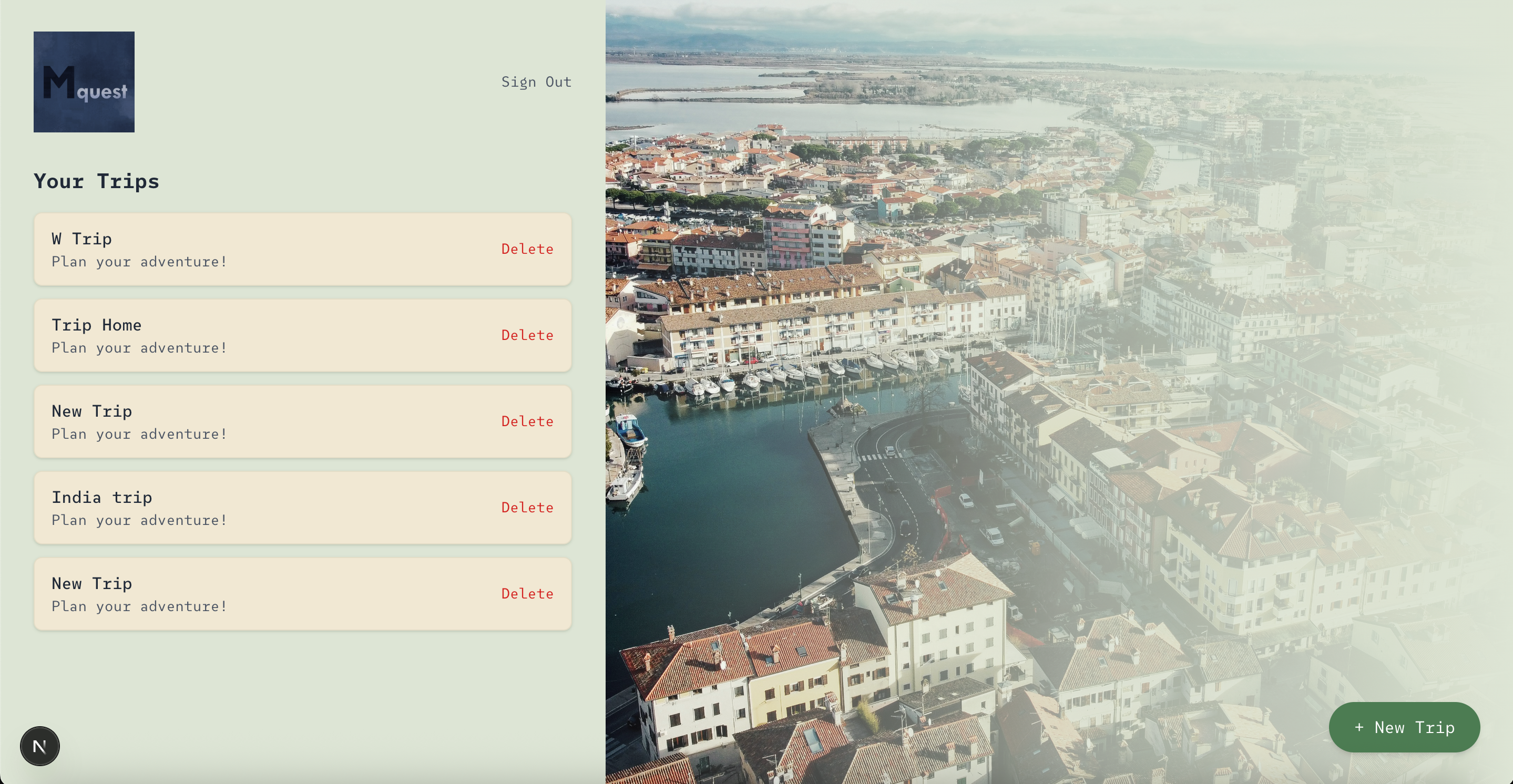
Trips Page
-
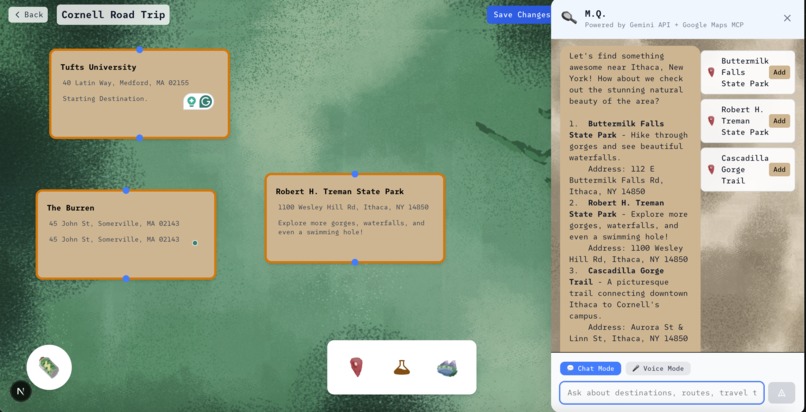
Asking MQ for Landmarks
-
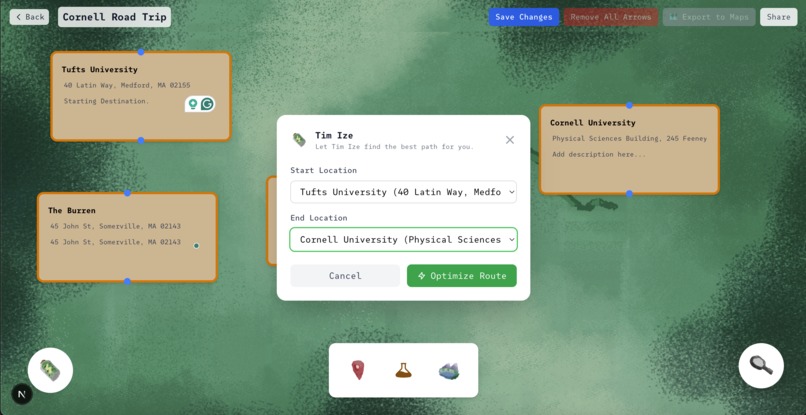
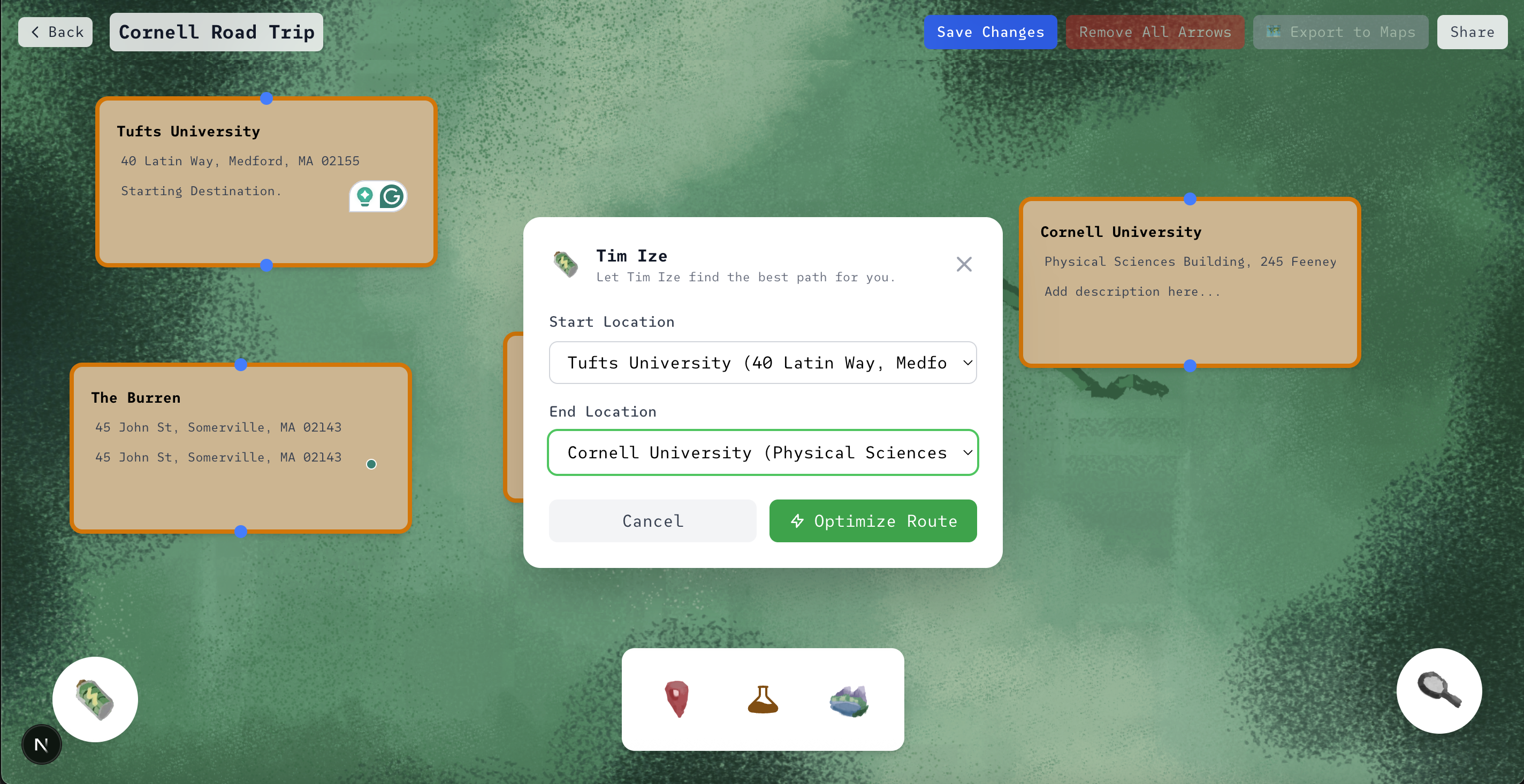
Optimizing Route To Export to Google Maps
-
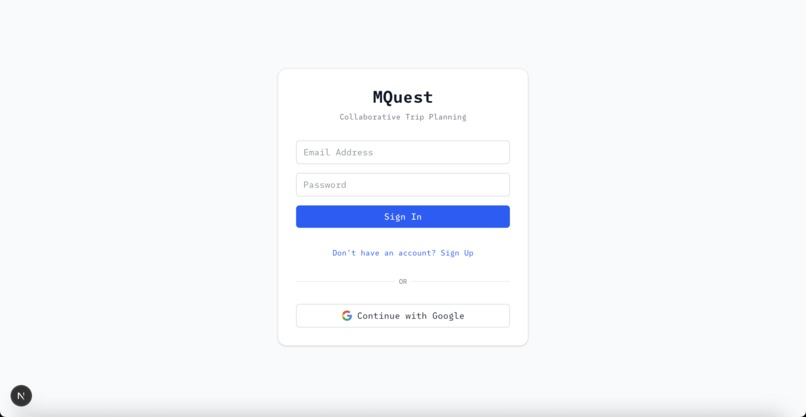
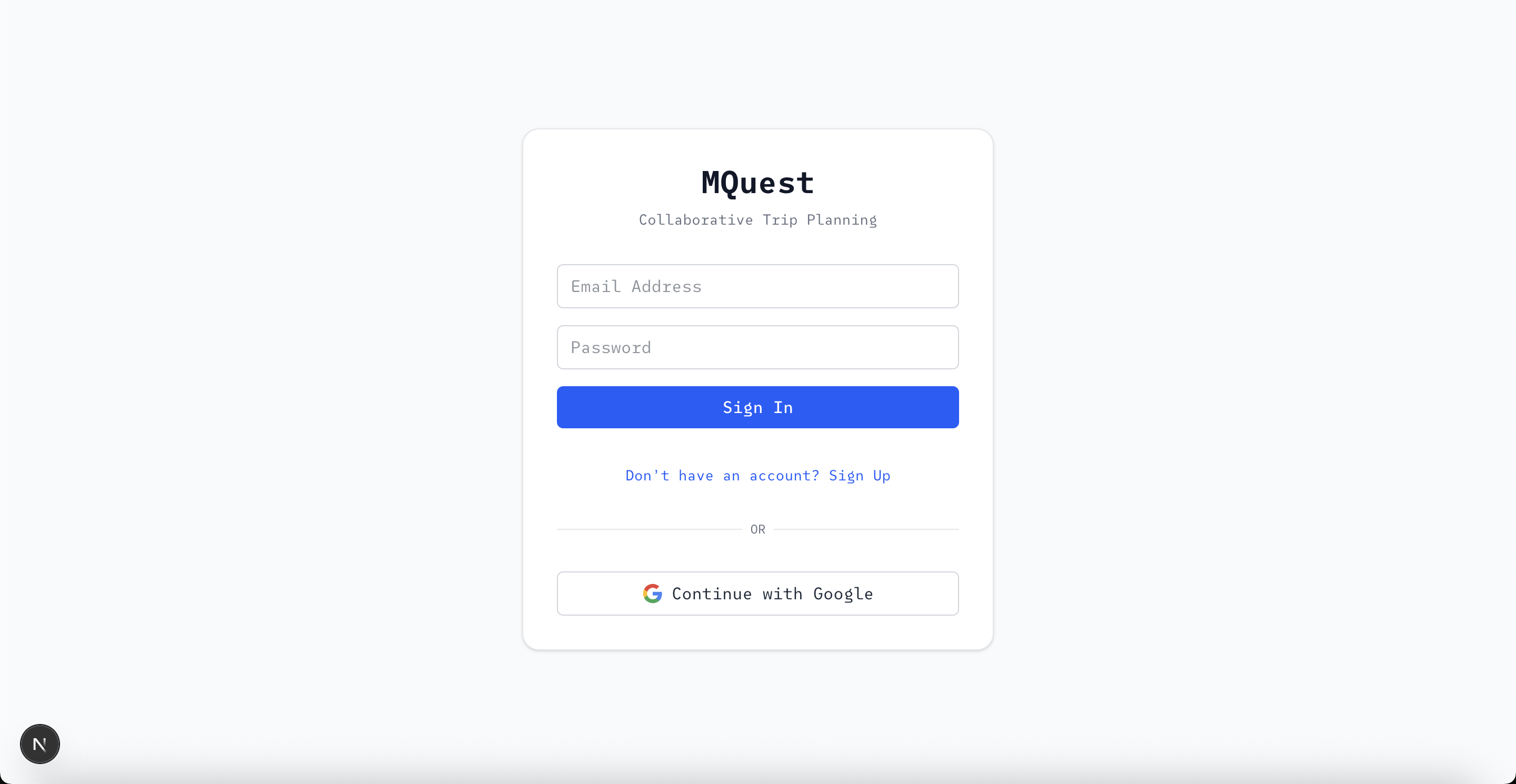
Login With OAuth
Inspiration
Our inspiration for this app was on the way to Big Red Hacks. We had a 6-hour-long road trip and were wondering what could make this tedious drive better. An app to make planning road trips truly a fun experience!
What it does
mQuest is an interactive trip planner that turns travel into a visual journey. Users can drag and drop “location cards” onto a canvas, connect them with arrows, and calculate the exact distance between locations. There is an AI Chatbot powered by Google Gemini and Google Maps MCP Server to give the user tailored suggestions. They may also drag and drop pitstops for gas stations or sightseeing between two location cards, while remaining on an efficient pathway. Lastly, they can export their route to Google Maps. Instead of juggling spreadsheets or group chats, everything lives in one sleek, map-inspired workspace designed for collaboration and creativity.
How we built it
We built using Next.js 14 with TypeScript for the frontend framework, providing a modern and type-safe development experience. The backend leverages Supabase for authentication, real-time database operations, and data persistence, enabling seamless user management and trip data storage. The interactive trip planning canvas was developed using React with custom drag-and-drop functionality, allowing users to visually create and connect destinations with real-time travel time calculations. AI-powered features are integrated through the Gemini API, combined with Google Maps MCP (Model Context Protocol) to provide intelligent location suggestions, gas station recommendations, and landmark discoveries along routes. The application uses Tailwind CSS for responsive styling and implements real-time collaboration features, making it possible for multiple users to plan trips together in a shared workspace.
Challenges we ran into
We ran into difficulties integrating Supabase authentication with Google OAuth, particularly around maintaining persistent sessions across page reloads. Ensuring that user sessions remained stable without unexpected logouts proved tricky. We also faced issues managing the database connections cleanly, making sure they disconnected properly when no longer needed.
Accomplishments that we're proud of
This was our first time using MCP technology to boost a model and create an agent to fetch geographic and route data for us. Creating models is a new frontier of technology that we really hope to explore more in the future!
What's next for mQuest
Real-time collaboration, custom elements, and our own map feature to see the optimized route in one place.
Built With
- gemini
- google-gmail-oauth
- maps
- mcp
- next.js
- supabase
- tailwind
- typescript


Log in or sign up for Devpost to join the conversation.