-
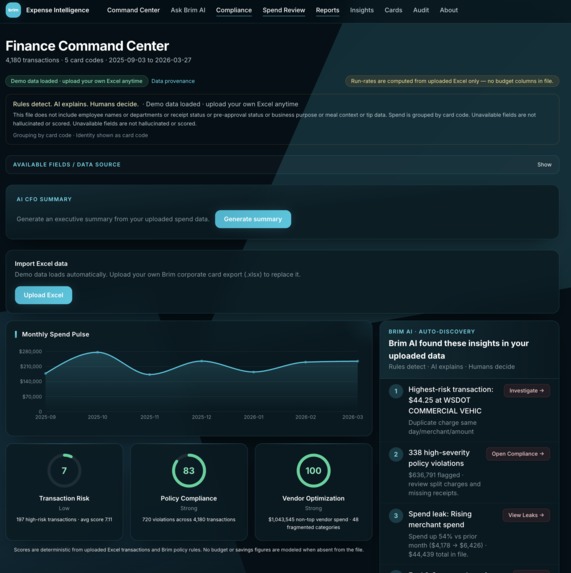
Home Page - open the website here: https://mpc-najib.onrender.com/
-
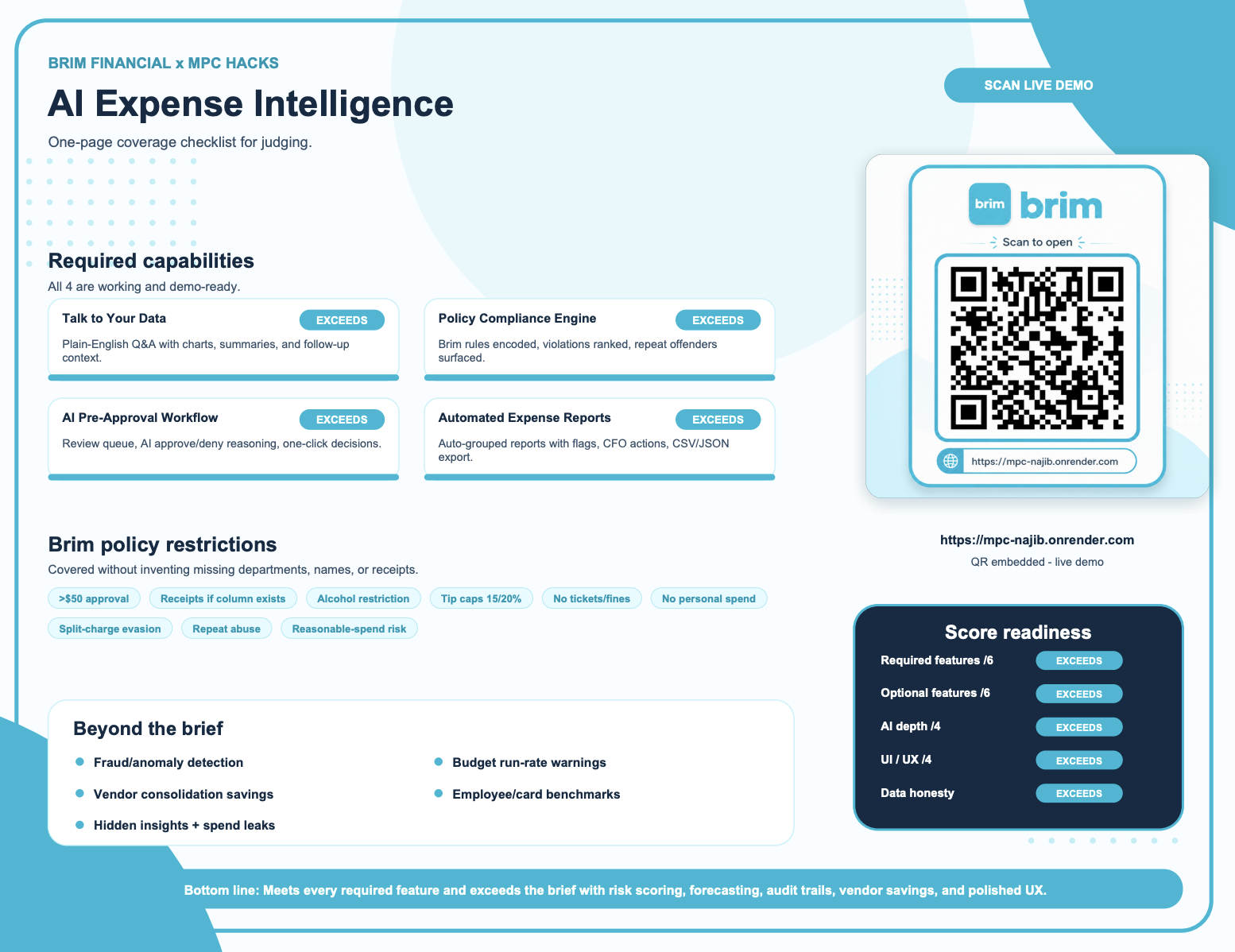
QR Code for the website: https://mpc-najib.onrender.com/
-
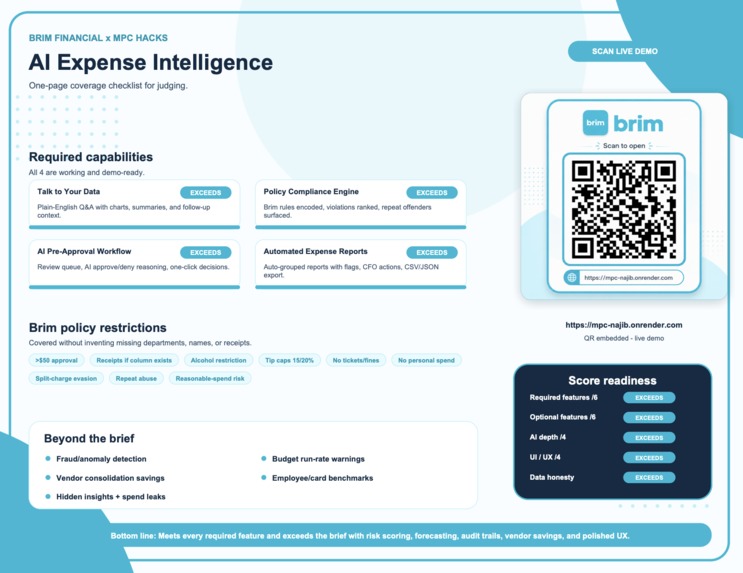
Project Presentation - with qr code for the website

Inspiration
SMBs should not need to suffer through messy Excel files to understand their spending. We built Finance Command Center to make expense data speak clearly, catch problems faster, and help finance teams make smarter decisions 💡
What it does
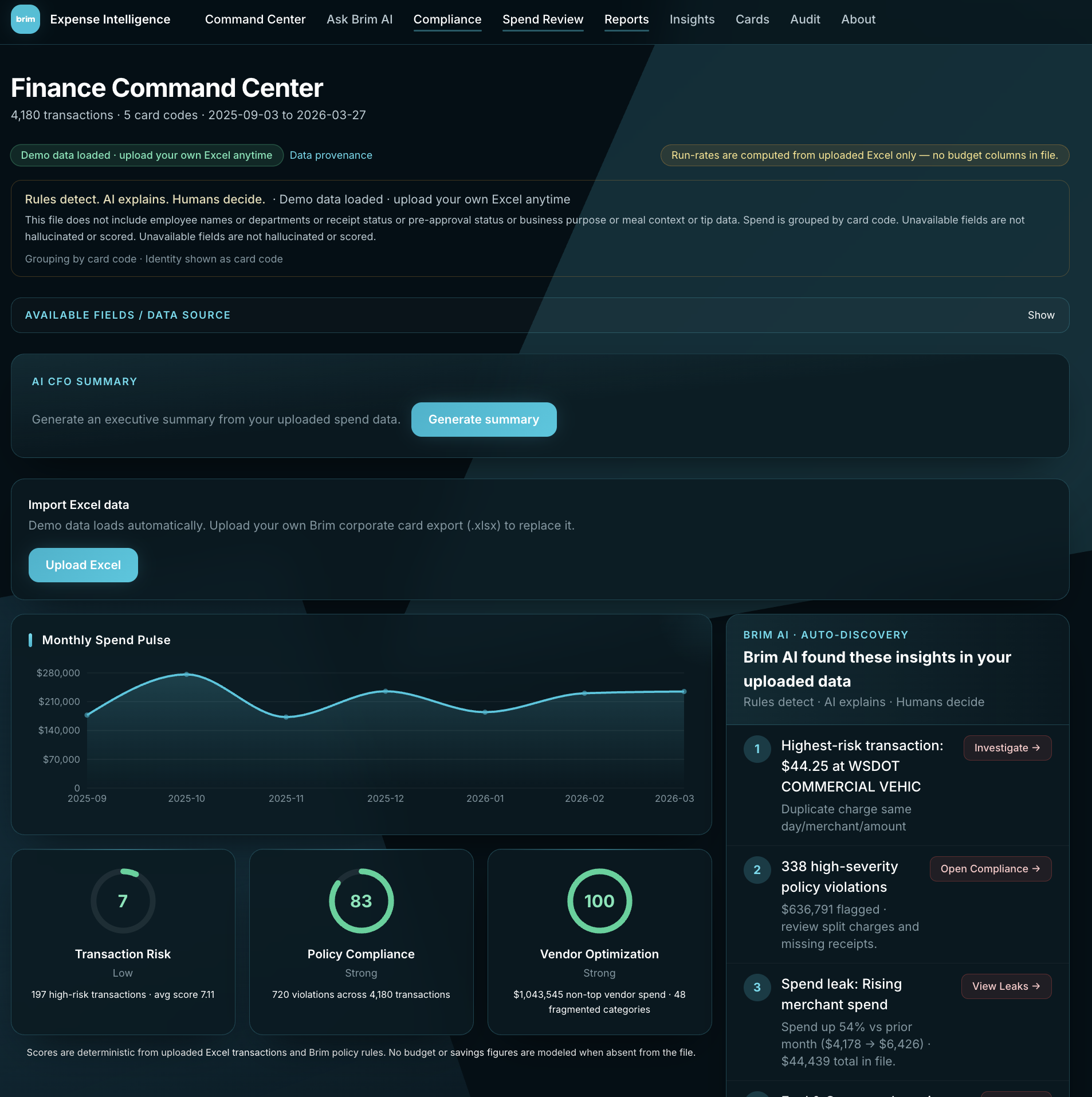
Finance Command Center meets all 4 required features. It lets managers ask spending questions in plain English, checks every transaction against Brim’s policy, sends risky spend to an AI approval queue, and creates clean expense reports automatically 🚀
How we built it
We built it with React, TypeScript, FastAPI, Pandas, and Gemini through OpenRouter. Gemini plans and explains, while Pandas does the real calculations, charts, policy checks, grouping, and exports so the results stay accurate 🛠️
Challenges we ran into
The hardest part was making the app powerful without making fake assumptions. Some Excel files may miss names, receipts, approvals, or departments, so we built data honesty into the system. If a column is missing, the app says so instead of inventing it ⚠️
Accomplishments that we're proud of
We built more than the basic brief. Along with the 4 required features, we added risk scores, fraud patterns, duplicate detection, split-charge detection, vendor insights, spend leaks, peer benchmarks, forecasting, editable policy rules, and a full audit trail 🏆
What we learned
We learned that strong finance AI must be trustworthy. Rules should detect problems, Pandas should calculate the facts, and AI should explain the story. This makes the system useful, clear, and safe for real finance teams 🧠
What's next for Mpc hacks
Next, we want live Brim card data, multi-user accounts, saved reports, real-time alerts, stronger approval workflows, and deeper budget forecasting. The goal is to turn Finance Command Center from a hackathon prototype into a real SMB finance intelligence platform 🔮


Log in or sign up for Devpost to join the conversation.