
Inspiration
Video is now one of the most common ways to share information, but important ideas inside videos are often difficult to search, quote, or revisit. Students, researchers, journalists, content creators, and business professionals may need to review a specific sentence without watching an entire recording again.
MP4Transcript was created to make spoken information more accessible. The goal is simple: help people convert their MP4 files into clear, searchable text that they can review, edit, and reuse.
What it does
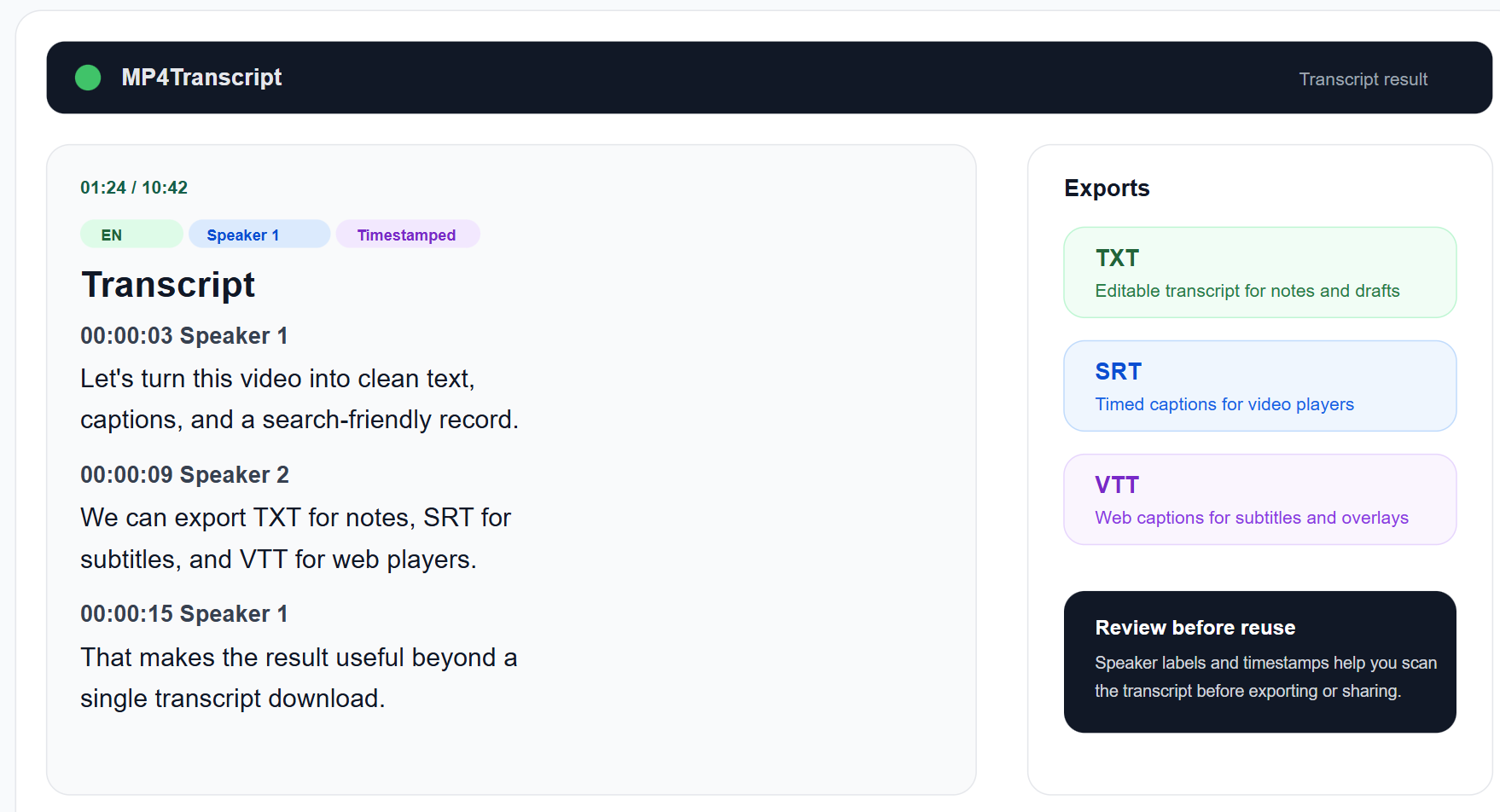
MP4Transcript converts MP4 video files into text transcripts. Users can upload a video and receive a written version of the spoken content without manually typing everything.
The transcript can be useful for:
- Searching for specific words or topics
- Reviewing lectures, interviews, and meetings
- Creating captions and subtitles
- Preparing notes, summaries, and articles
- Extracting quotations from recorded conversations
- Improving accessibility for people who prefer reading
- Reusing video content in blogs, newsletters, and social media
The service is designed to keep the workflow simple and focused: upload a video, generate the transcript, and work with the resulting text.
How we built it
We built MP4Transcript as a web-based processing tool with a straightforward upload and transcription workflow. The application accepts MP4 files, processes the audio track, and uses speech-recognition technology to convert spoken language into written text.
The main parts of the project include:
- A browser-based upload interface
- File validation and processing controls
- Audio extraction from uploaded MP4 files
- Speech-to-text transcription
- Text cleanup and formatting
- A readable transcript output interface
We focused on making the interface easy to understand for both technical and non-technical users. The system is designed to handle real-world recordings that may contain background noise, different speaking styles, pauses, and varying audio quality.
Challenges we ran into
One of the main challenges was dealing with the wide range of MP4 files people use in practice. Videos can vary significantly in resolution, duration, encoding, audio quality, and speech clarity.
Other challenges included:
- Processing larger files without making the interface feel unresponsive
- Handling unclear speech, background noise, and multiple speakers
- Preserving punctuation and paragraph structure
- Avoiding errors in names, technical terms, and specialized vocabulary
- Providing useful feedback during processing
- Balancing transcription quality, processing time, and infrastructure cost
- Designing a workflow that remains simple without hiding important information
Transcription is not only a technical problem. A transcript can be grammatically correct while still containing mistakes in names, numbers, or domain-specific terminology, so we also considered how users could review and correct the final text.
Accomplishments that we're proud of
We are proud to have created a focused tool that solves a practical problem without requiring users to install complicated software or learn a professional video-editing workflow.
The project makes it easier to transform spoken content into a useful text resource. It can support accessibility, research, education, content repurposing, and everyday productivity.
We are also proud of the balance between simplicity and usefulness. MP4Transcript is built around one clear task, while still being flexible enough for many different types of recordings.
What we learned
Building MP4Transcript taught us that a good transcription product requires more than connecting a file upload form to a speech-recognition model.
We learned the importance of:
- Designing around real user workflows
- Providing clear processing states and error messages
- Testing with different accents, speakers, and audio conditions
- Treating privacy and uploaded media carefully
- Preserving readable formatting in long transcripts
- Making the output easy to search, edit, and reuse
- Communicating the limits of automated transcription honestly
We also learned that small details, such as punctuation, paragraph breaks, timestamps, and terminology review, have a major effect on whether a transcript feels useful.
What's next for MP4Transcript
We plan to continue improving MP4Transcript in several areas:
- Better accuracy for accents, noisy recordings, and multiple speakers
- Speaker identification and clearer dialogue formatting
- Timestamped transcripts
- Subtitle exports such as SRT and VTT
- Support for additional video and audio formats
- More language options
- Transcript editing and correction tools
- Search, highlighting, and section navigation
- Optional summaries and keyword extraction
- Stronger privacy controls and automatic file deletion
- API access for creators, educators, and business workflows
Our long-term goal is to make MP4Transcript a reliable bridge between video and written knowledge, helping people access, understand, and reuse the information contained in their recordings.
Built With
- api
- css
- ffmpeg
- next.js
- node.js
- openai
- postgresql
- python
- react
- supabase
- tailwind
- typescript
- whisper

Log in or sign up for Devpost to join the conversation.