-
-
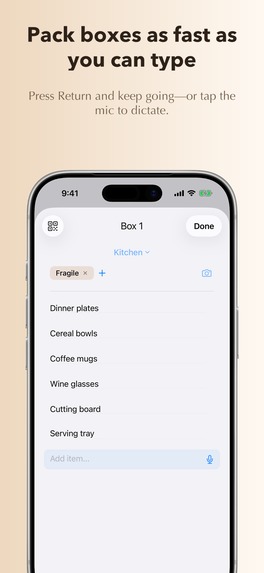
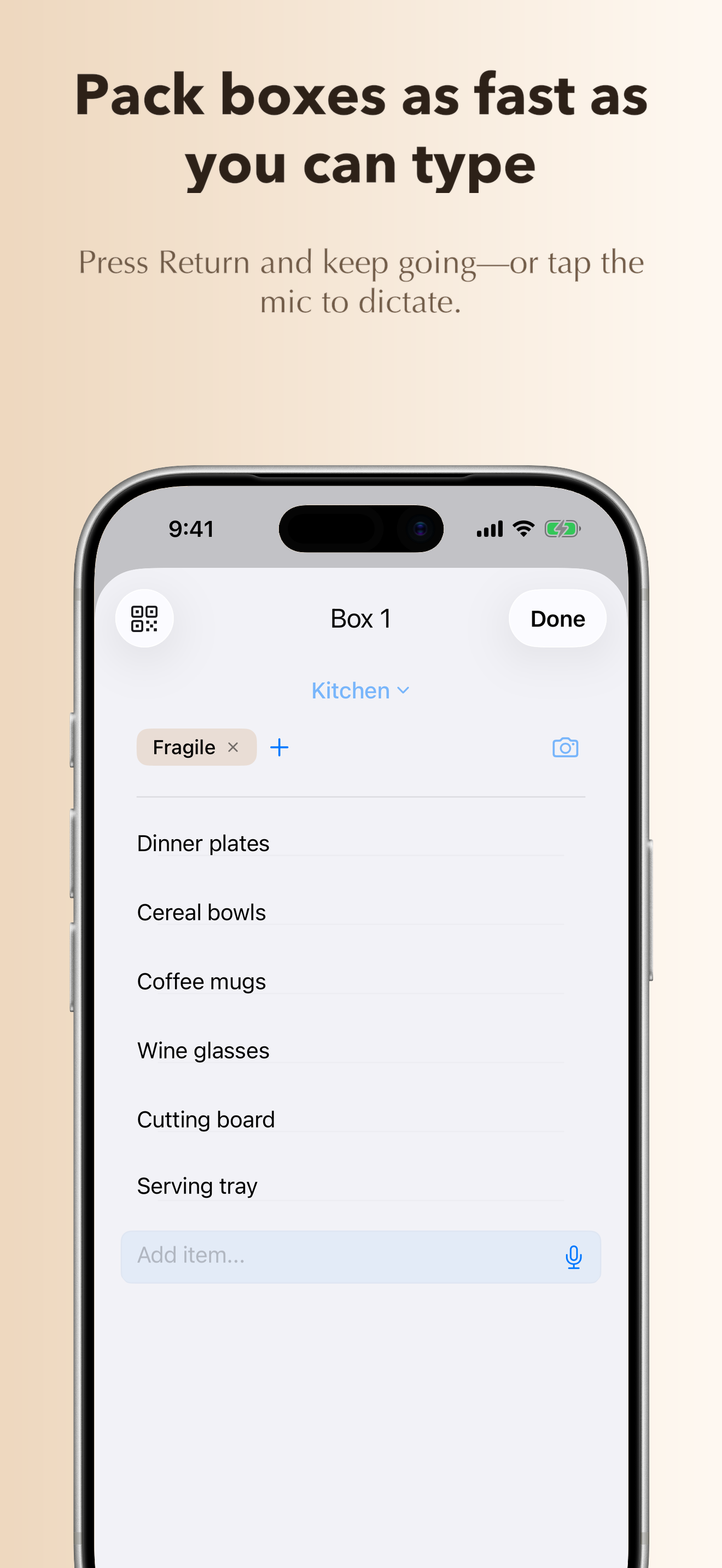
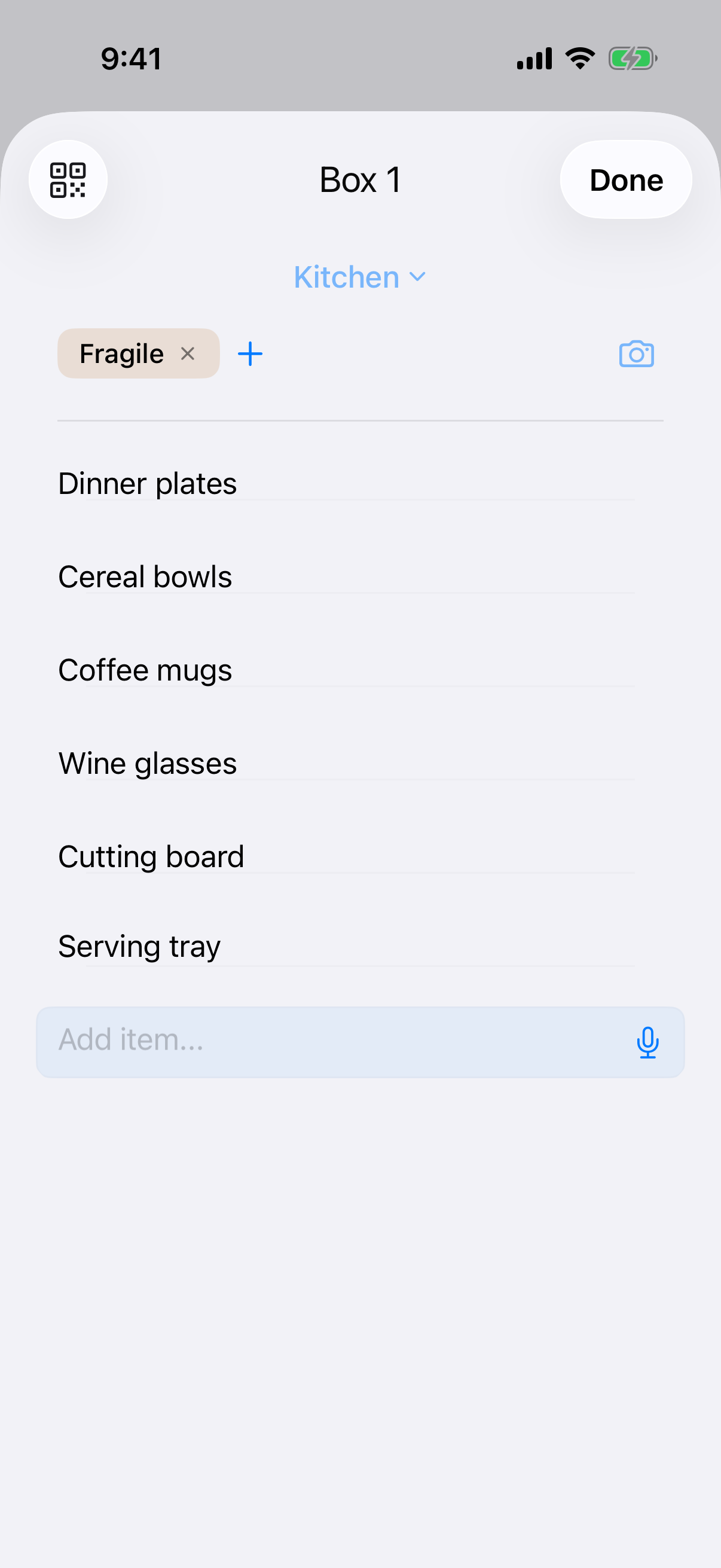
Pack boxes as fast as you can type
-
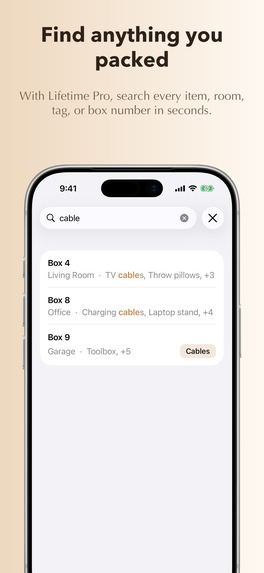
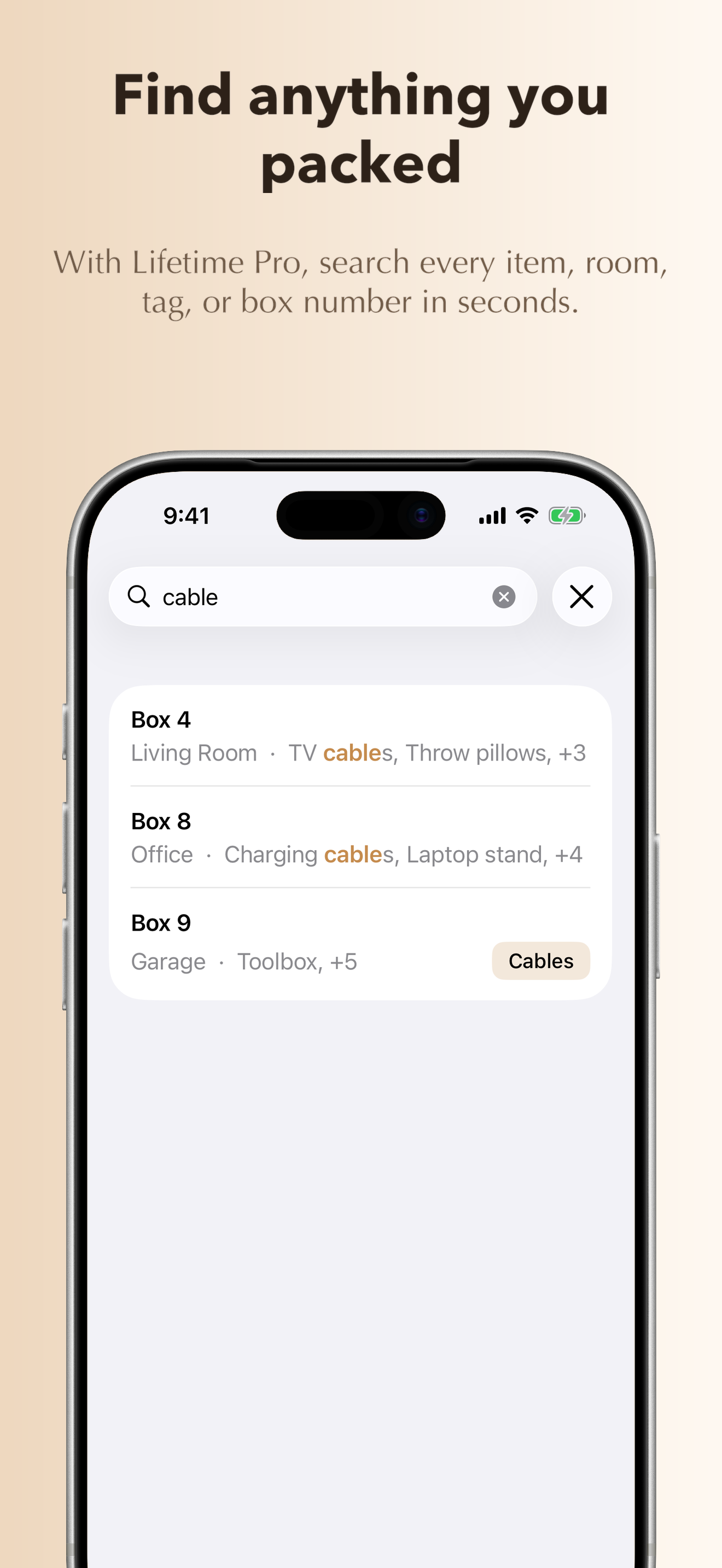
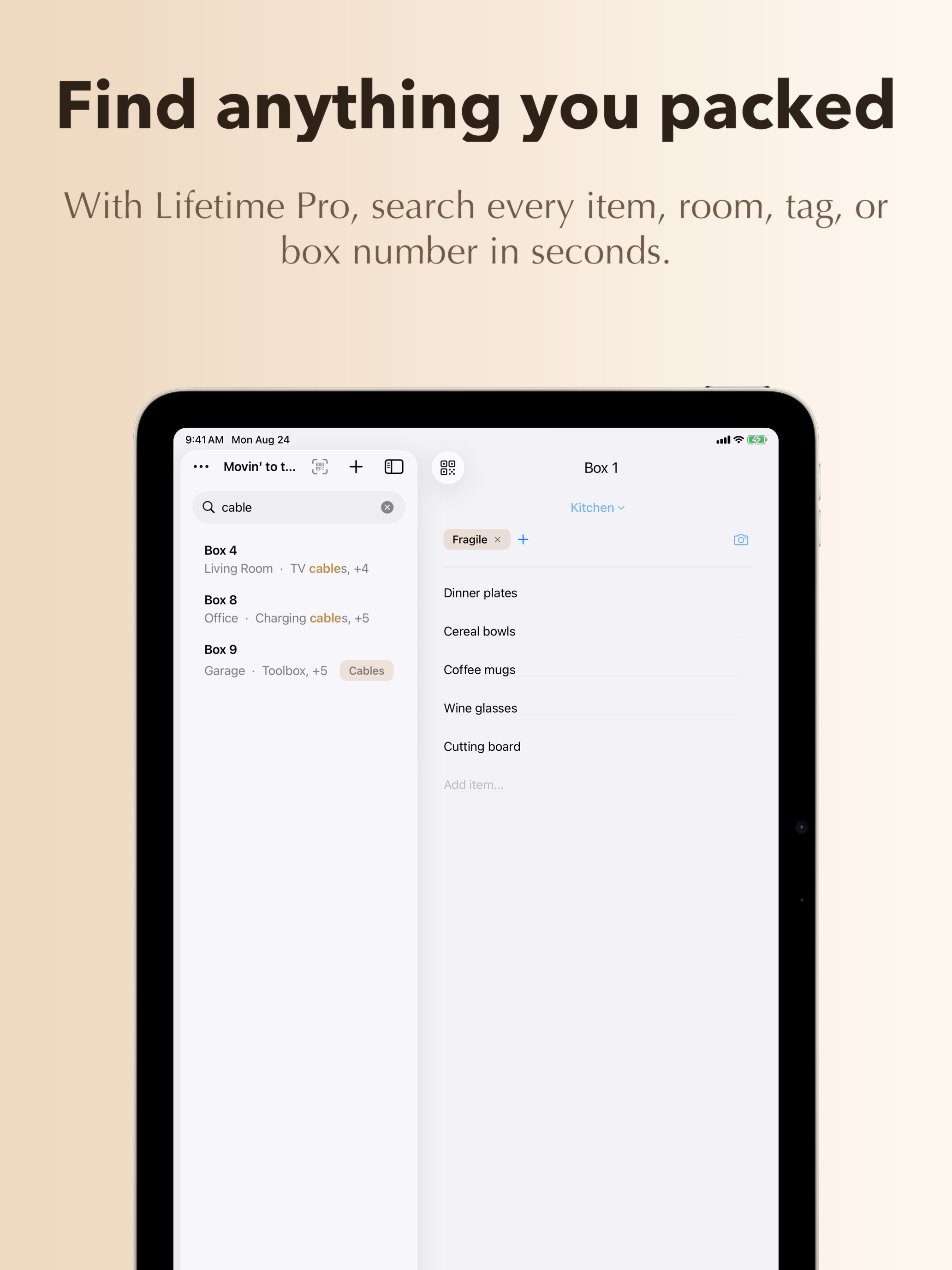
Find anything you packed
-
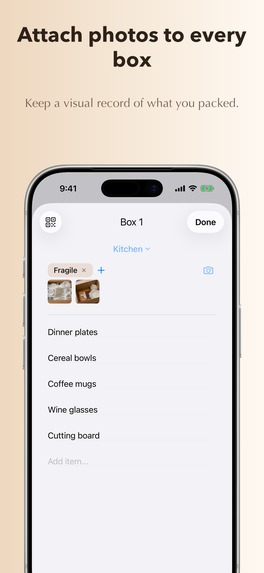
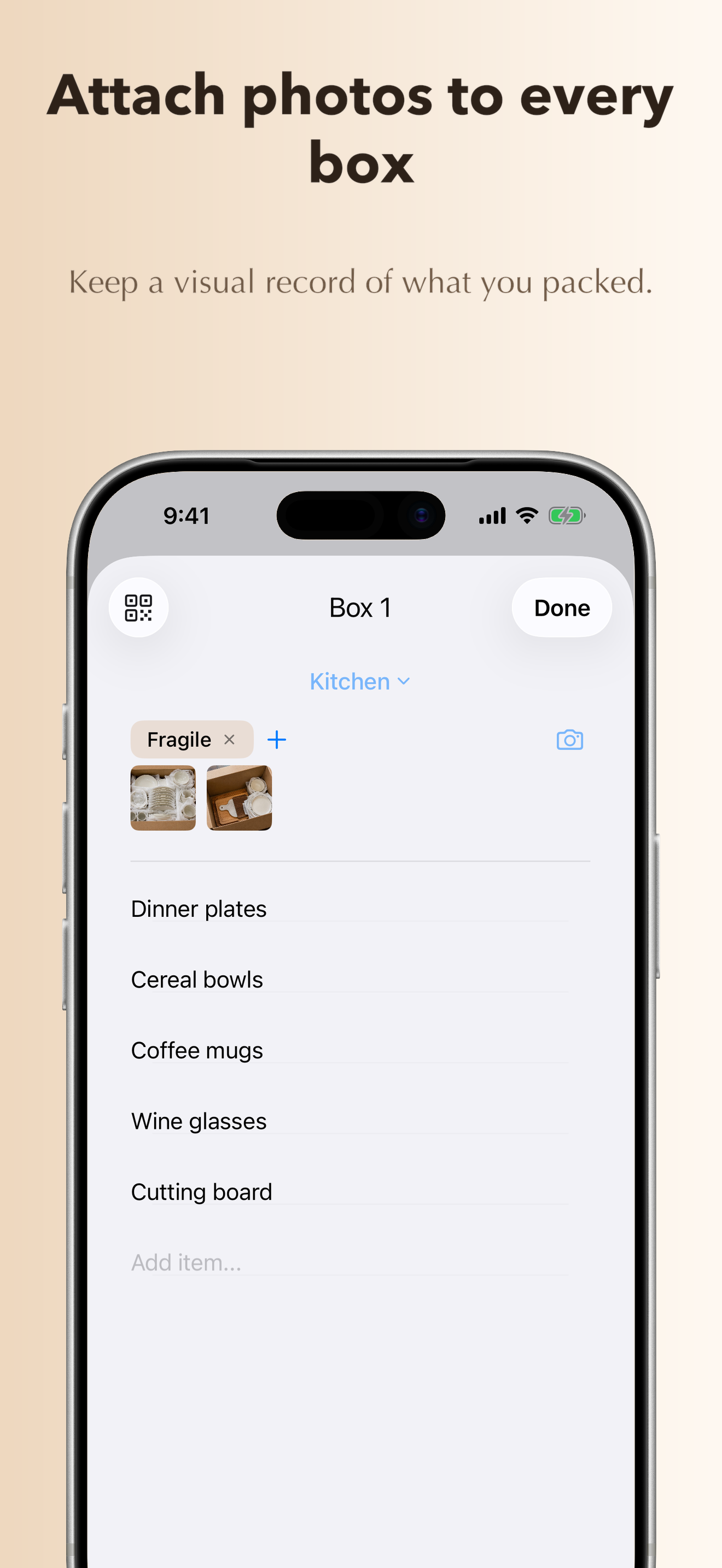
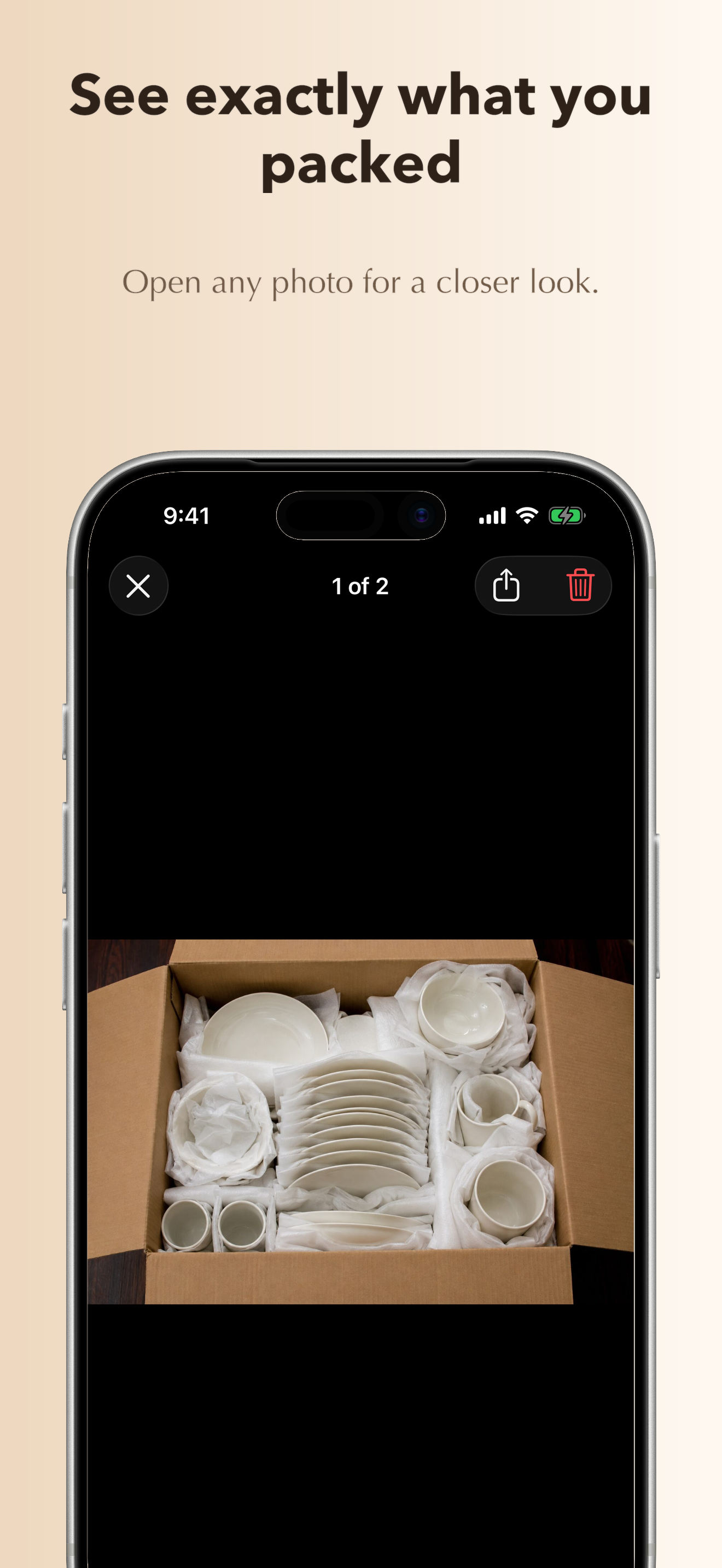
Attach photos
-
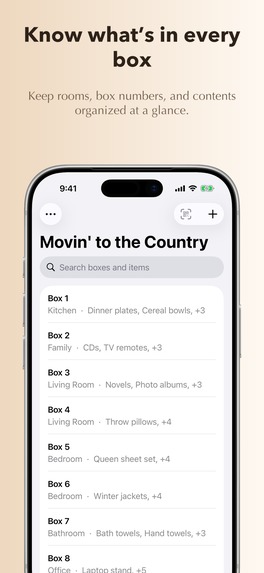
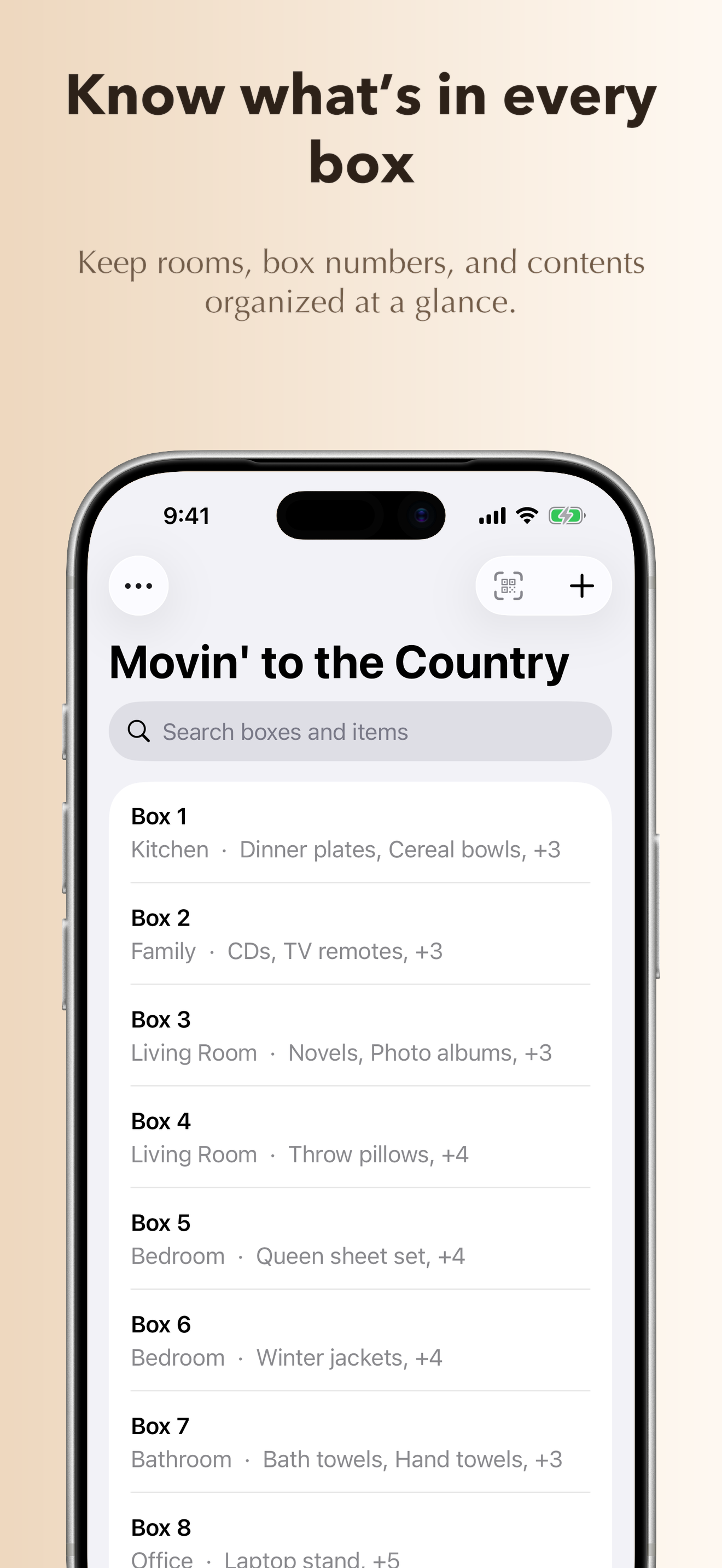
Know what's in every box
-
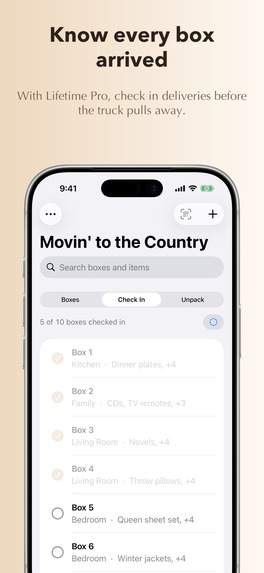
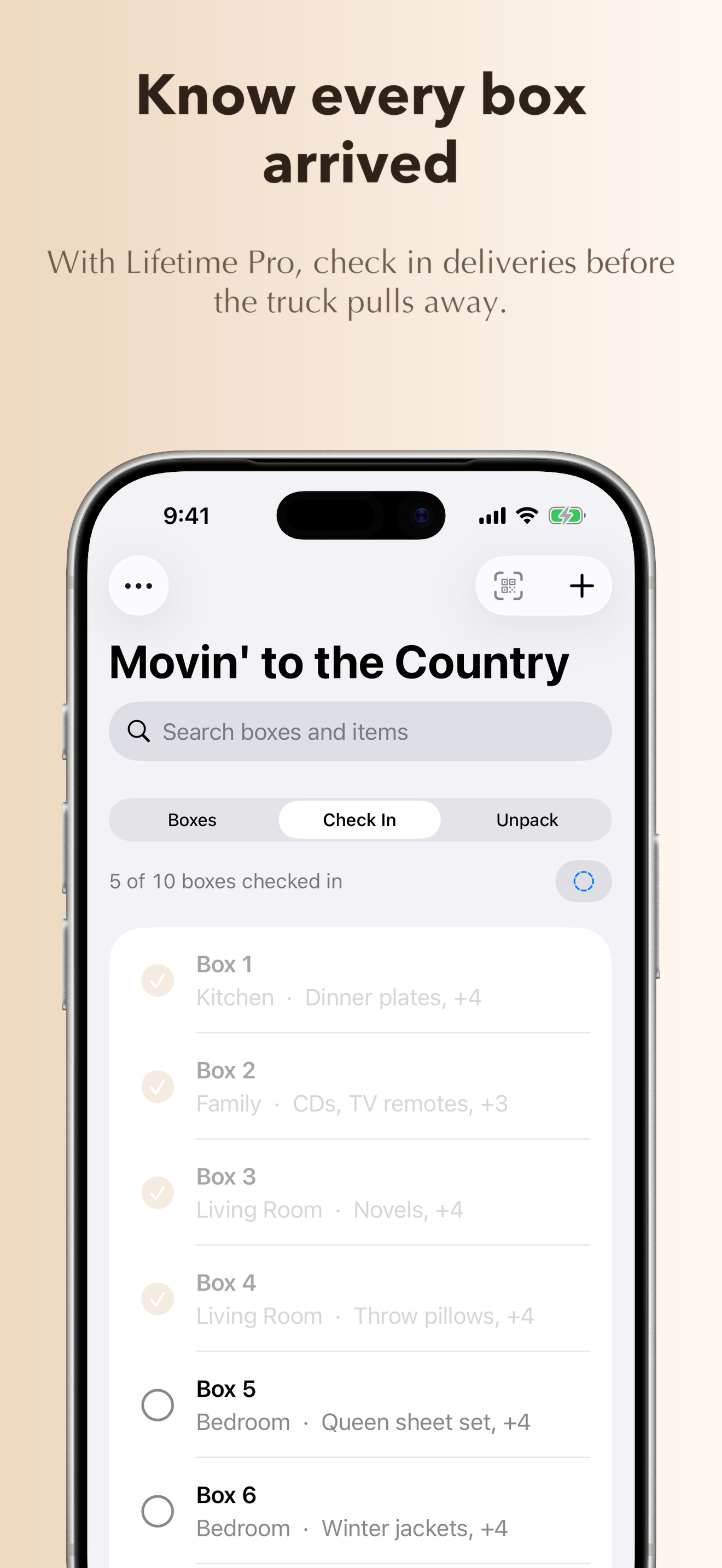
Check off boxes to verify they arrived
-
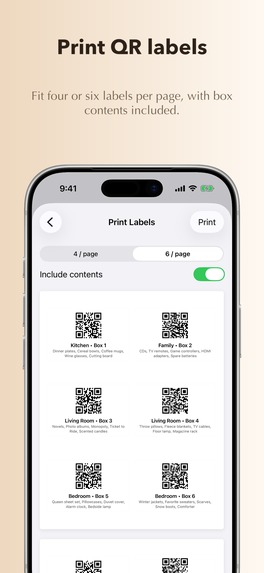
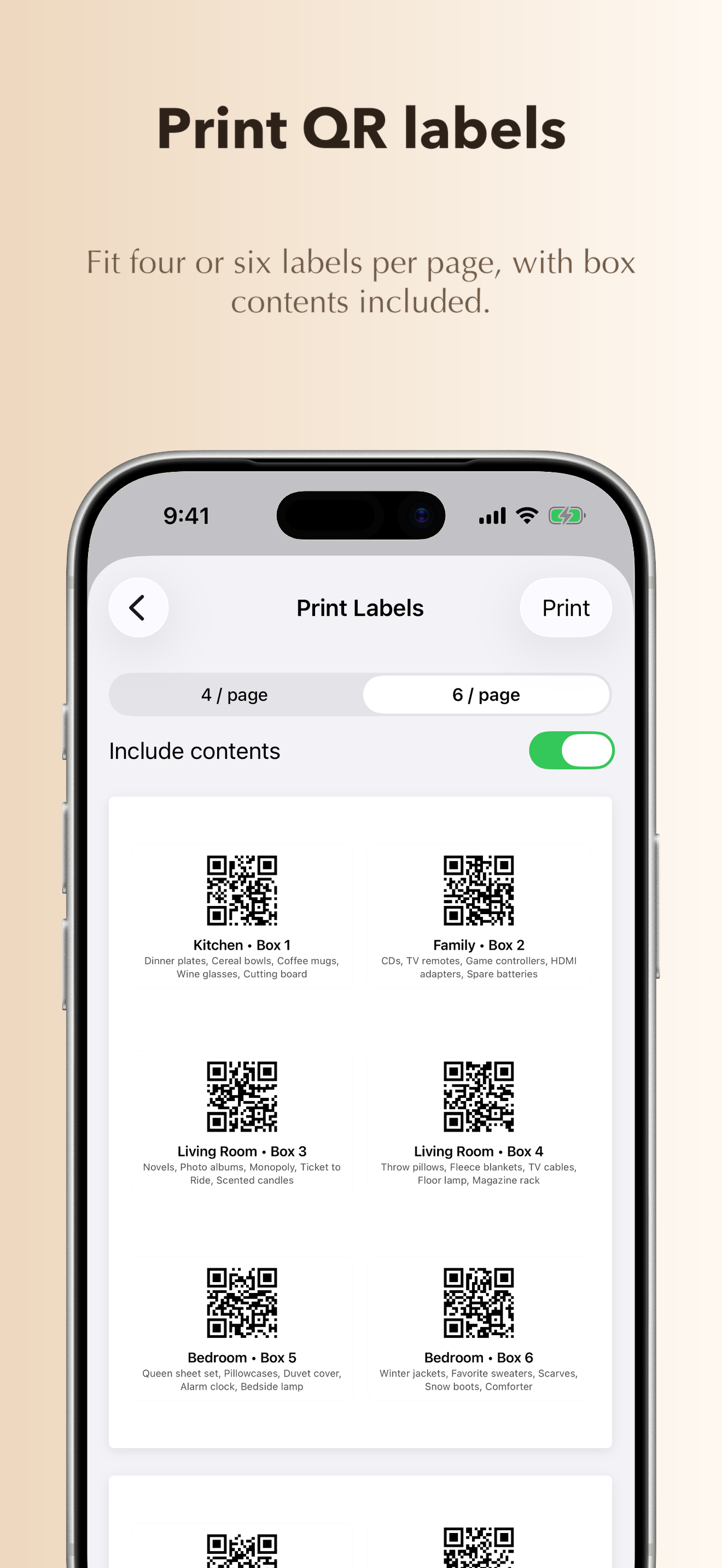
Print sheets of QR labels
-
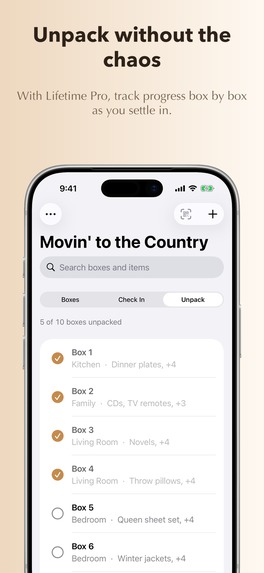
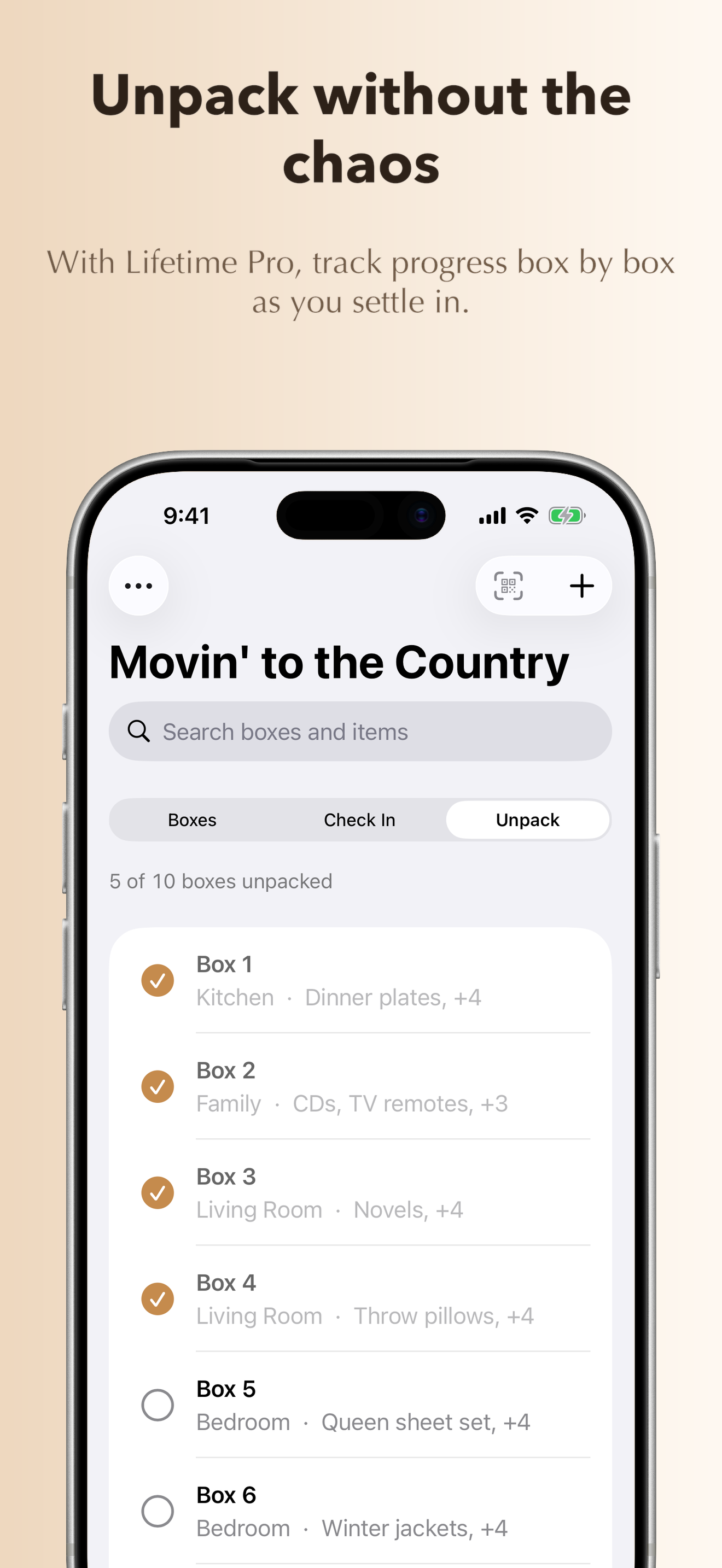
Track your unpacking progress
-
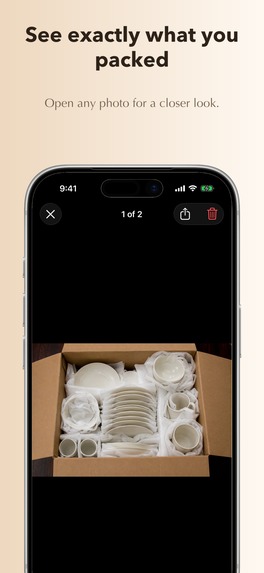
See what you packed with photos
-
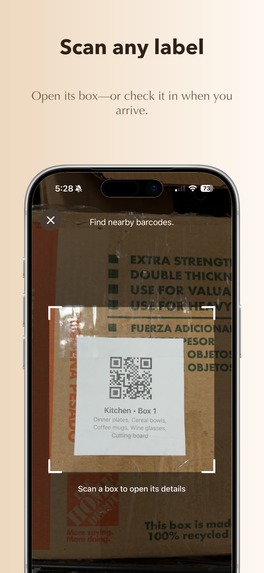
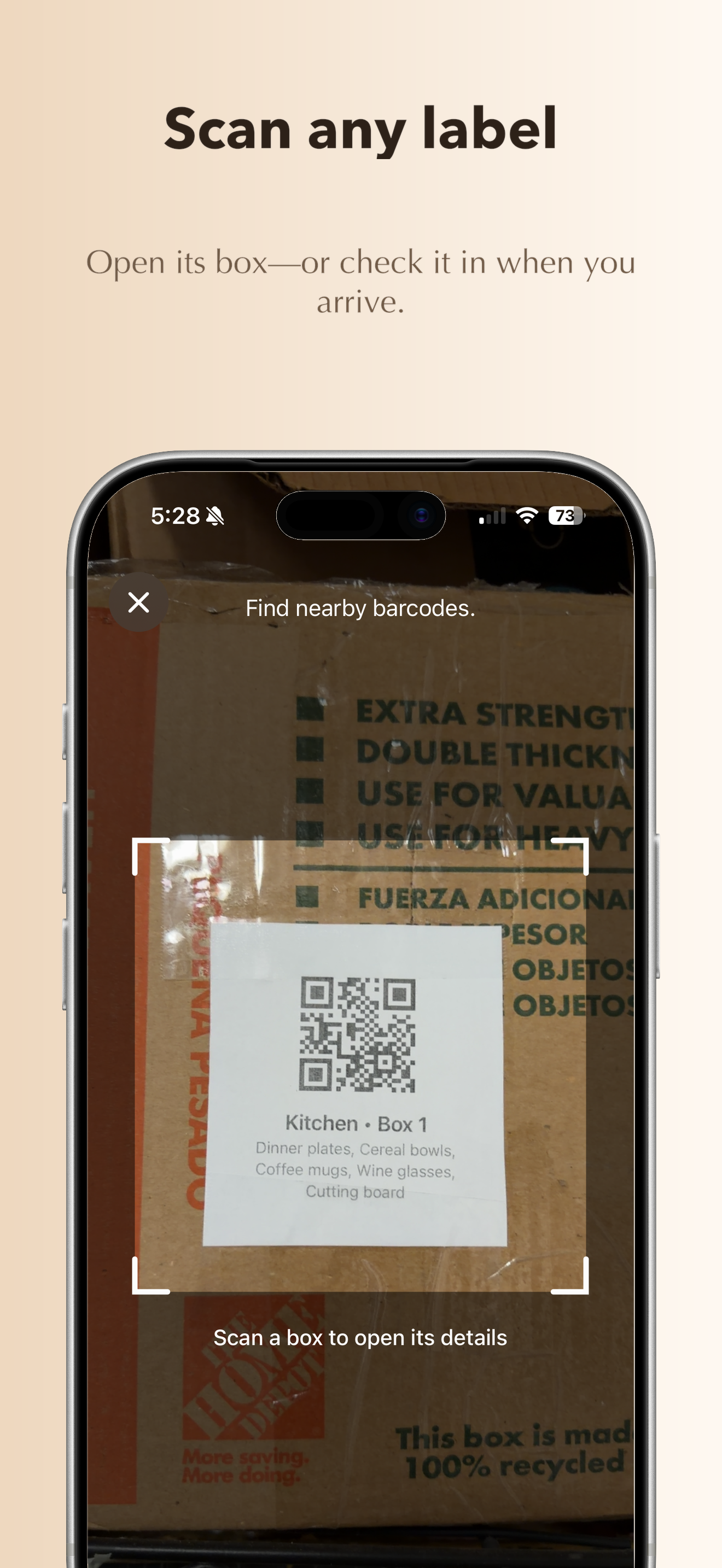
Scan a QR label to view or check in a box
-
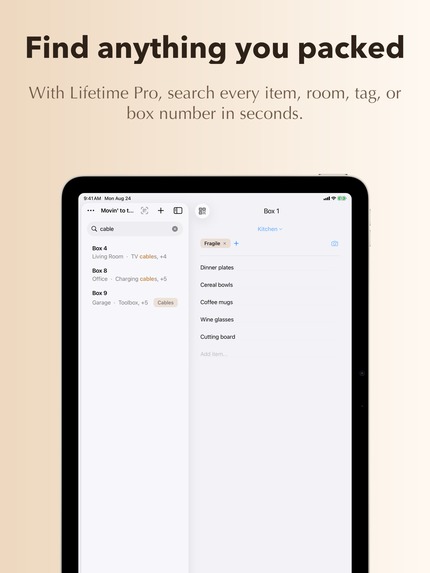
Native iPadOS UI effectively uses the extra space
-
App Icon
-
Scan a printed QR label on a real box
Inspiration
The idea came while I was reading Paul Hudson’s Everything but the Code. One of the things it pushed me to do was stop trying to think of clever app ideas and instead look for problems that are genuinely painful. Moving quickly came to mind.
The last time I moved, I remember being up until around 4 AM the night before, frantically finishing the packing and scribbling notes on boxes. It took me months to fully unpack, and during that time finding something I’d already packed could be surprisingly difficult.
Of course, apps for tracking moving boxes already exist. But when I looked at them, I didn’t find one that matched the experience I had in mind: something fast, simple, native, and focused enough that I’d actually keep using it while packing.
That became the starting point for Moving Box Tracker.
What it does
Moving Box Tracker gives you a searchable inventory of everything you’ve packed.
As you pack a box, you assign it to a room and add the items inside by typing or using your voice. Each box gets its own QR code that can be printed and attached to the box. Later, scanning that label takes you directly to its contents.
When you need something, you can search across your entire move instead of opening boxes until you find it. And once the boxes arrive, Check In and Unpack modes help make sure everything made it to the destination and track what’s left to unpack.
Moves can also be shared privately through iCloud, so multiple people can pack and update the same move together.
The core app is free with unlimited boxes, rooms, items, photos, QR labels, voice entry, and iCloud sharing. A one-time Pro purchase unlocks faster tools such as Instant Lookup, Check In, and Unpack Mode. There are no subscriptions.
How I built it
Moving Box Tracker is a native iOS and iPadOS app built in SwiftUI with persistence in Core Data.
The iPhone experience is optimized for quickly adding and scanning boxes while moving around, while the iPad uses the additional space as more of a workspace for browsing boxes and their contents.
The data model centers around moves, rooms, boxes, and the items inside them. Data is stored and synced through iCloud, and CloudKit sharing allows multiple people to collaborate on the same move without requiring a separate account system or backend.
Each box can be assigned a QR label. Scanning that code links the physical box directly back to its record in the app, so the user can immediately see what’s inside and update its status as it moves through packing, arrival, and unpacking.
RevenueCat handles the Pro entitlement and the one-time in-app purchase. I deliberately kept the core inventory functionality free and used Pro for the workflow features that make a large move faster to manage.
One of my bigger implementation goals was keeping the architecture relatively simple. This is an app people may rely on heavily for a few weeks and then not open again for months or years, so I wanted their data to live in their own iCloud account rather than requiring me to operate a permanent backend service just to preserve someone’s moving inventory.
Challenges I ran into
While I originally hoped my fast-entry options and QR code labeling approach was fairly novel, I quickly discovered it was a well-trodden path. I was still confident I could build a superior product, but differentiating in this category was a challenge.
Much of the competition puts limits on the number of boxes - making the free-tier a limited demo. Rather than relying on a restrictive free tier, I focused on making the core experience genuinely useful at no cost. I then designed the paid upgrade around relieving a specific pain point during the move-in and unpacking phase.
The goal was a pricing model that feels fair: users can get real value from the app before paying, while Pro offers enough practical time- and stress-saving value to justify the purchase.
My pricing model also differs from much of the field, where subscriptions are much more common. The reality is that most users will use a single moving app for a single move - so a single month or year is likely all they'd do. A single unlock feels more solid - you've bought the app and you can use it in the future if you need it.
Accomplishments that I'm proud of
Developing Moving Box Tracker reminded me how difficult it is to make something intuitive and fast. I had two major goals with inventory entry:
- User should be able to hit the ground running by entering in a box with minimal on-boarding
- Creating boxes and entering items should be as fast as possible
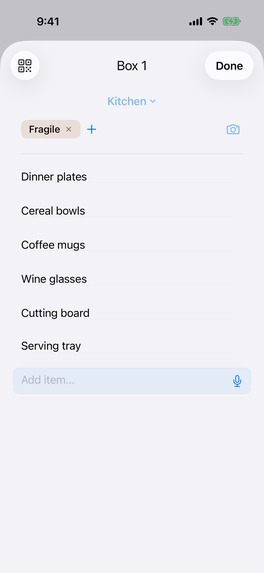
There's a conflict between making UI quickly intuitive and making input efficient. For this app, making input efficient required more information in a smaller space. I wanted to enable tagging, photos, audio input, room selection and item lists in a single surface to avoid time-consuming navigation. Users would mostly be typing item after item and occasionally adding a quick tag or photo - I didn't want to take them out of the flow.
In early iterations this resulted in a pretty cramped box entry page with a lot of tappable items too close together. In the end, I handled this primarily through progressive disclosure. When you land on a new box, the first item immediately gets focus and it's very clear you're entering items into the box. A mic on that same field optionally lets you toggle into voice-input mode. Keeping that UI in the same context clarifies that it's for item-entry, while also saving space in the UI.
Once you've started entering items, it's easier to separate the input section and the meta-data entry at the top. The room is the first that hits your eye, and because it defaults to the last room entered, it'll often be correct already. That just leaves a single line for adding tags and images - both clearly box-wide metadata. They fit nicely on a single line before you enter anything, and after they start displaying actual tags and image thumbnails, you've already learned how to input info there.
Ultimately, the user reports will tell the story better than I can, but I'm very pleased with how I threaded the needle on these competing goals.
What I learned
One thing this project reinforced for me is how it isn't vital for an idea to be novel. I was initially disappointed to discover that some of the ideas I thought would differentiate Moving Box Tracker were already being used by competing apps.
But I came to view this as validation of the problem and a different kind of challenge. An app doesn’t necessarily need to invent a new category to be worthwhile. There’s still plenty of room to differentiate through execution: making common tasks faster, simplifying the experience, deciding what not to build, and finding a business model that fits how people will actually use the product.
Whether I’ve succeeded at that is something I'll learn as the launch progresses.
What's next for Moving Box Tracker
The immediate next step is to gather information from the launch to determine how to proceed. That'll involve App Store analytics, in-app usage analytics, user reviews and direct feedback.
After that, my rough plans are:
- ASO and Marketing: I don't expect an immediate success, but hope to gather enough data to intelligently refine my ASO and possibly launch some ad campaigns- likely on Apple Ads
- Android version: longer term, if the iOS / iPad side gains traction, I'll attempt an Android port
- macOS: Input lends itself to mobile devices, but I think some form of desktop client makes sense for searching inventory.
- UI Refinements: I've got lots of ideas, but want to wait on more user feedback and usage data to prioritize what's next.

Log in or sign up for Devpost to join the conversation.