MovieRecommendationSystem_-_SentimentAnalysis
Content based Movie-Recommendation-System with Sentiment-Analysis on User review
Overview
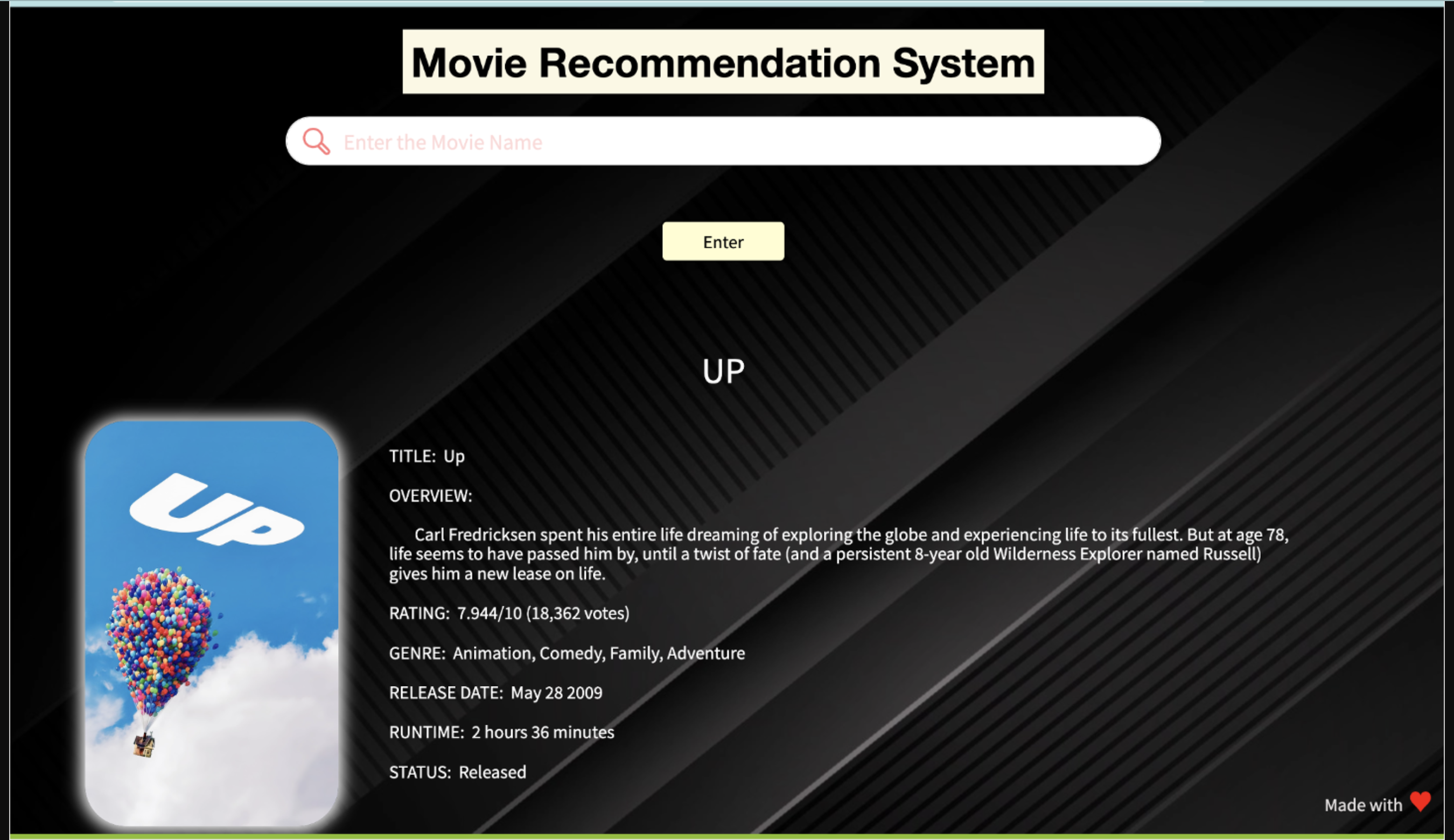
This project involves building a Movie Recommendation System and Sentiment Analysis tool with a user interface. The recommendation system utilizes cosine similarity, while sentiment analysis employs a Naive Bayes machine learning model. The web application is built using Flask API framework.
User Interface
Shown in Image display. You can also check full video link provided below.
Technologies Used
- Programming Language: Python
- Libraries: Numpy, Pandas, Flask, Scikit-Learn, BeautifulSoup, Pickle, Requests, TMDb API
- Machine Learning Models: Cosine Similarity, Naive Bayes
- Web Scraping: BeautifulSoup for IMDb reviews
- Web Framework: Flask
- Frontend: HTML with Jinja templating
- API: TMDb API for movie information
Components
Movie Recommendation System Preprocessing: CountVectorizer for creating a count matrix Similarity Calculation: Cosine Similarity between movies Recommendation Function: rcmd(m)
Sentiment Analysis NLP Model: Naive Bayes model loaded from 'nlp_model.pkl' Vectorizer: TF-IDF Vectorizer loaded from 'tranform.pkl' Prediction Function: Sentiment analysis performed on IMDb reviews
UI and Web Application
Flask Application: Defines routes for home page and recommendation HTML Templates: 'home.html' and 'recommend.html' for rendering pages User Input Handling: Takes user input for movie recommendation TMDb API Integration: Retrieves additional movie information and posters
Utility Functions
Genres and Date Conversion: Functions for processing genres and converting dates Time Conversion: Function for converting movie duration from minutes to hours and minutes Suggestions: Provides a list of movie suggestions
How to get the API key?
Create an account in https://www.themoviedb.org/, click on the API link from the left hand sidebar in your account settings and fill all the details to apply for API key. You will see the API key in your API sidebar once your request is approved.
How to Run the project
Install all the libraries mentioned in the requirements.txt file. Clone this repository in your local system. Replace YOUR_API_KEY in the main.py file. Open the command prompt from your project directory and run the command python main.py. Go to your browser and type http://127.0.0.1:8080 in the address bar. Hurray! That's it.
Sources of the datasets
IMDB 5000 Movie Dataset The Movies Dataset List of movies in 2018 List of movies in 2019 List of movies in 2020 List of movies in 2021
Built With
- cosine-similarity
- machine-learning
- naive-bayesian
- natural-language-processing


Log in or sign up for Devpost to join the conversation.