-
-
Cover
-
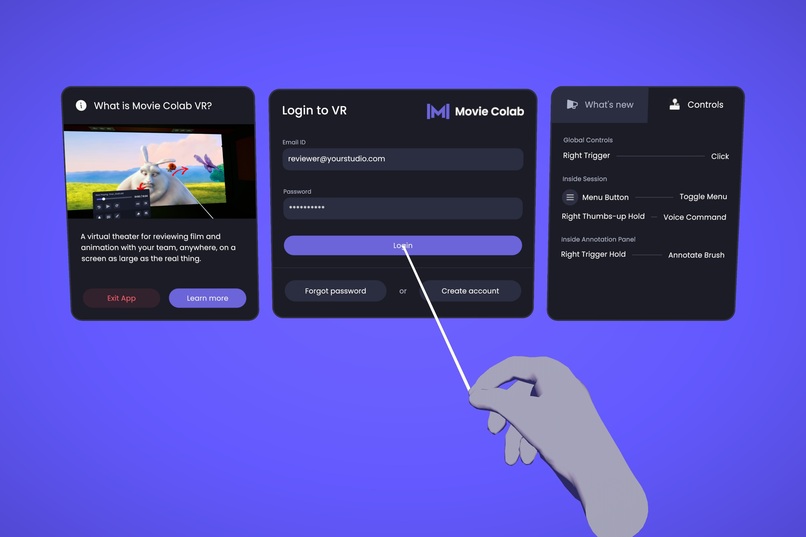
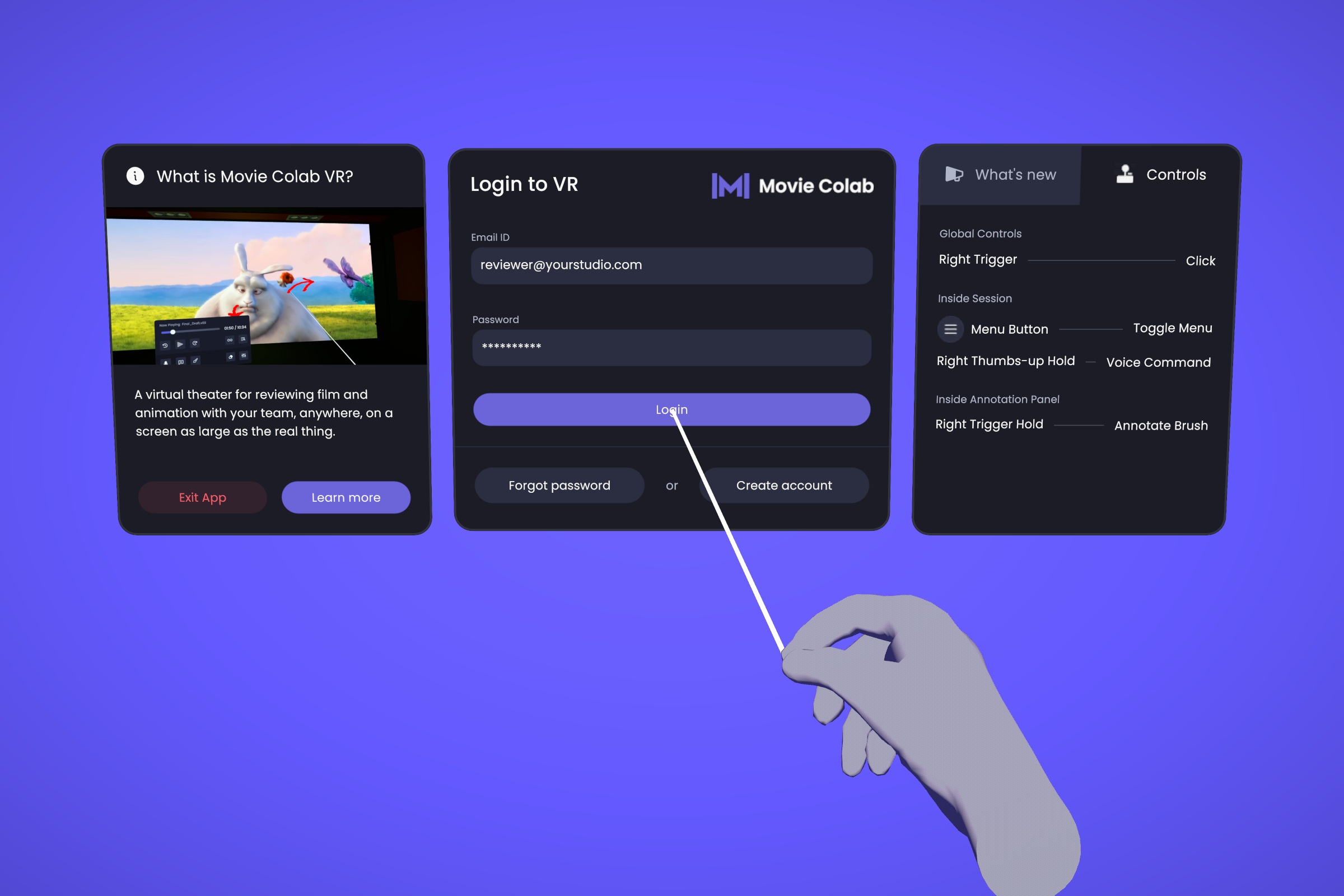
Login with a Movie Colab account
-
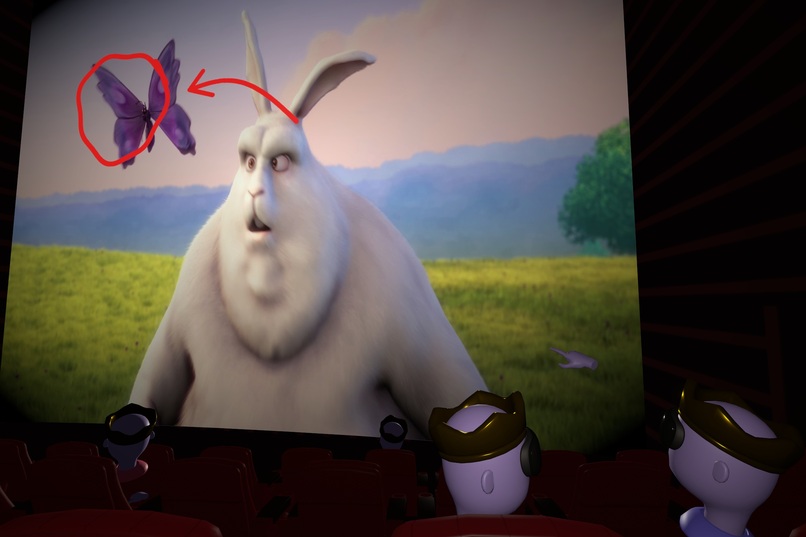
Create a session and collaborate in review
-
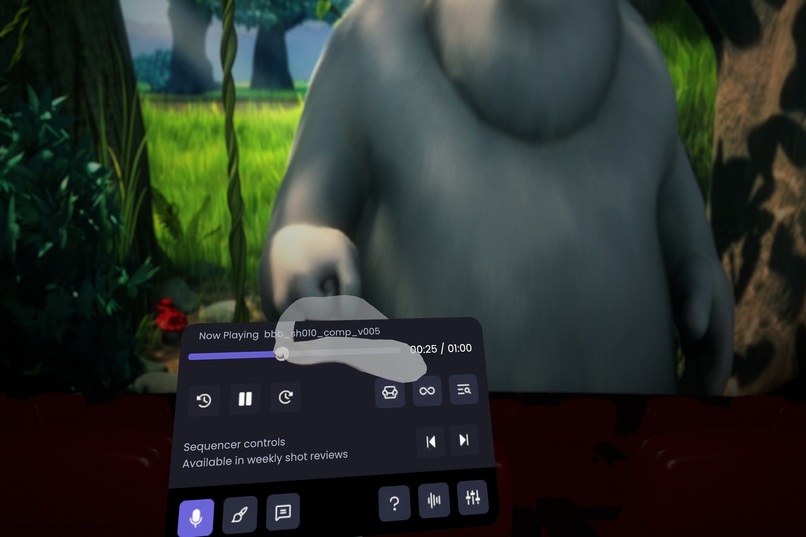
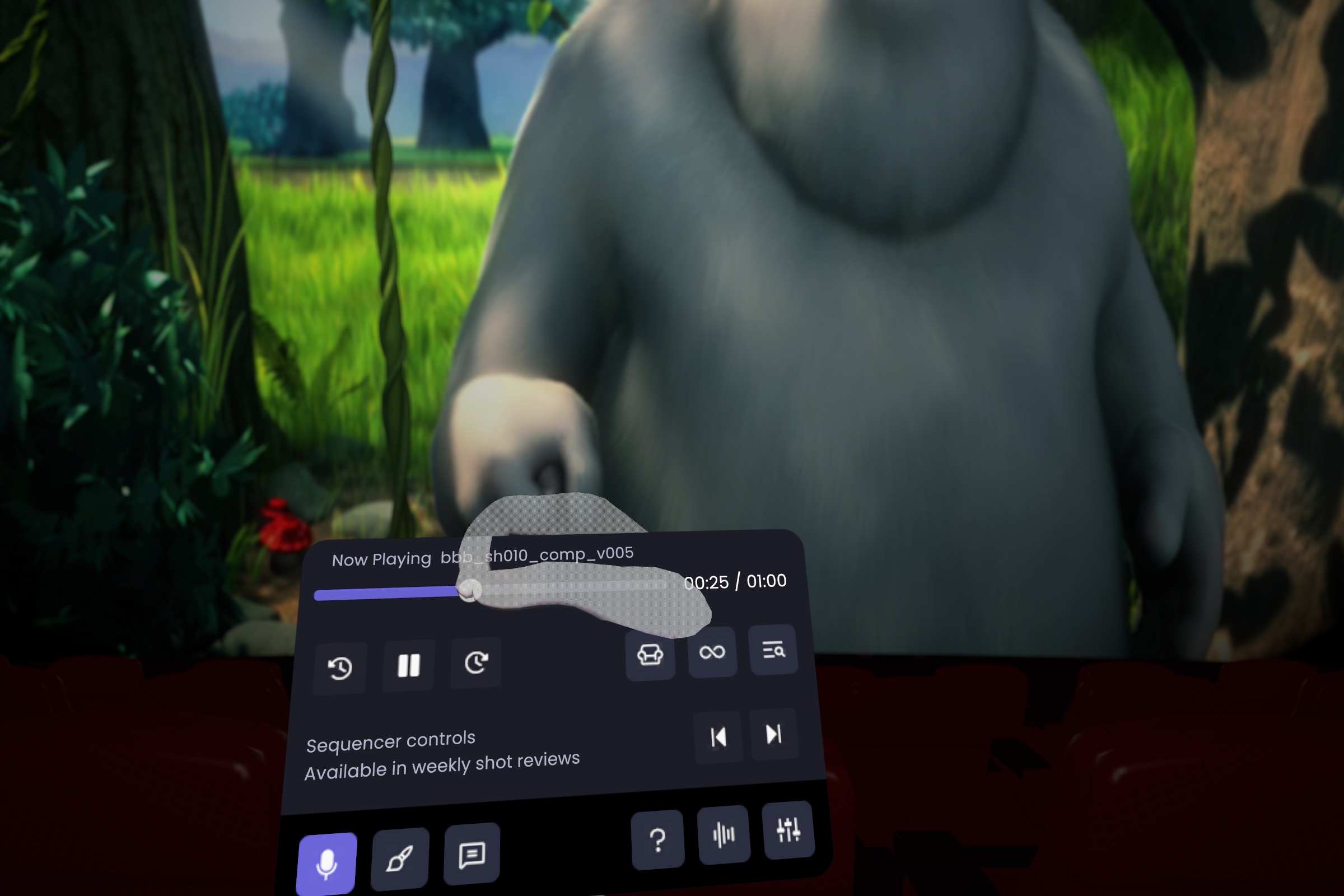
Face the left palm towards the ceiling to view controls
-
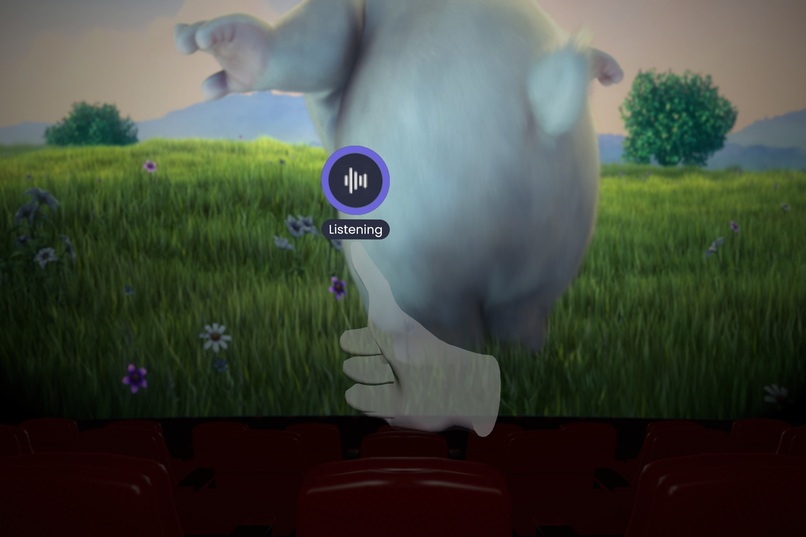
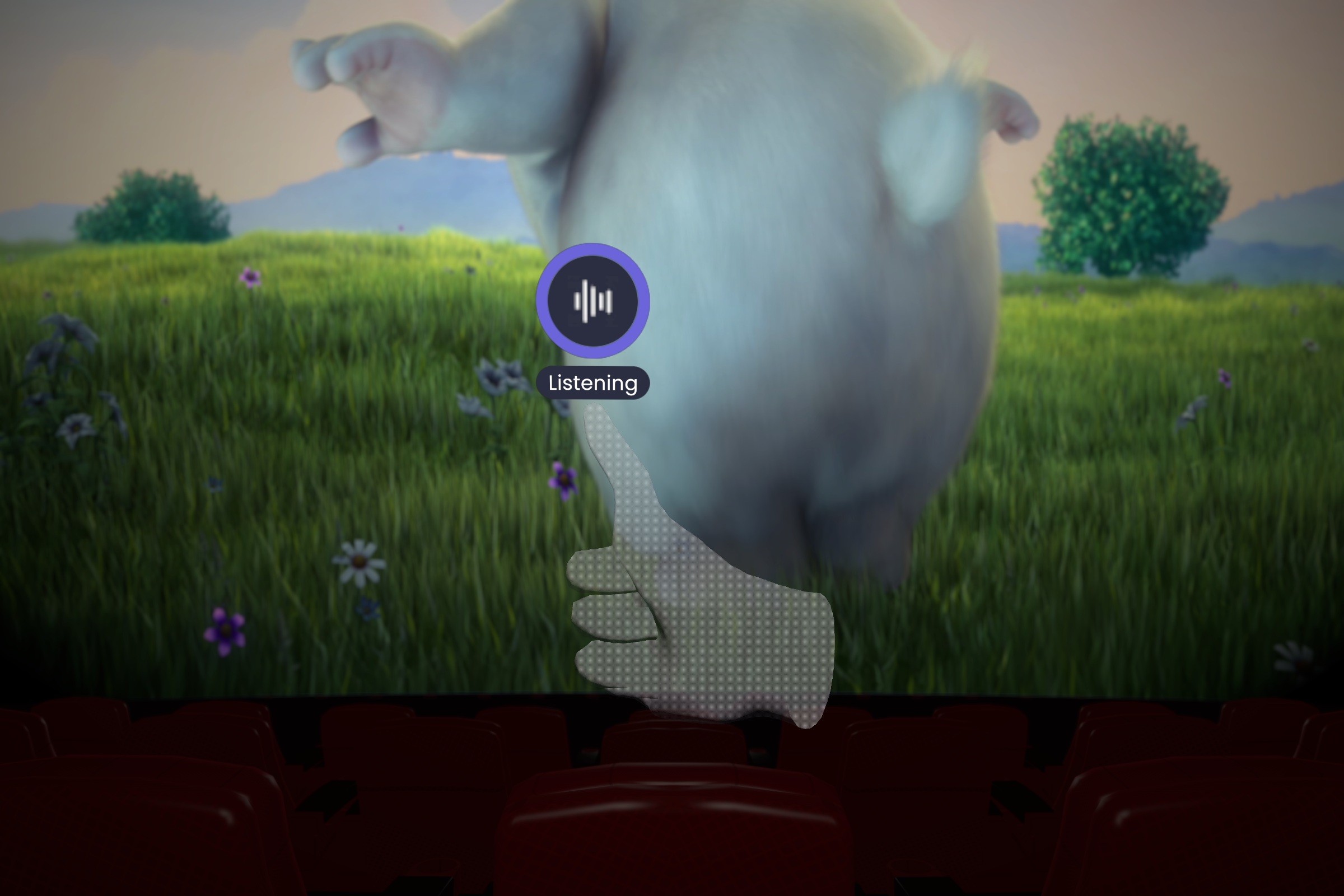
Hold right thumb up for voice controls
-
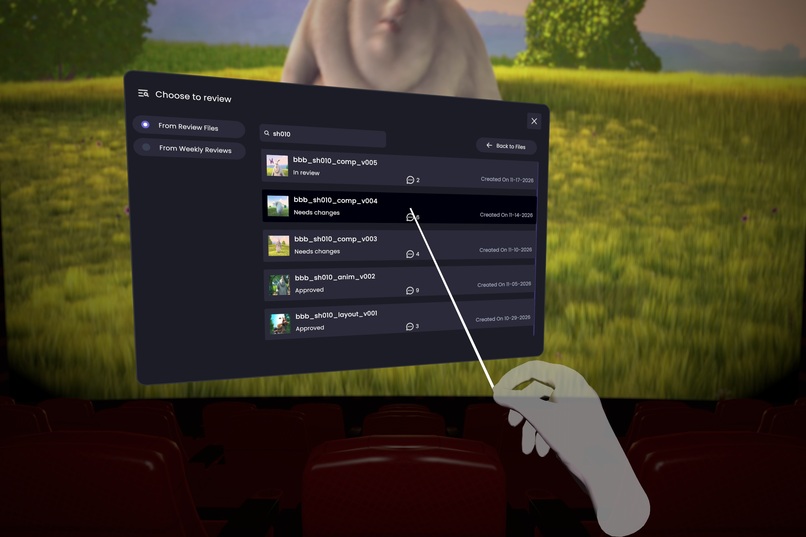
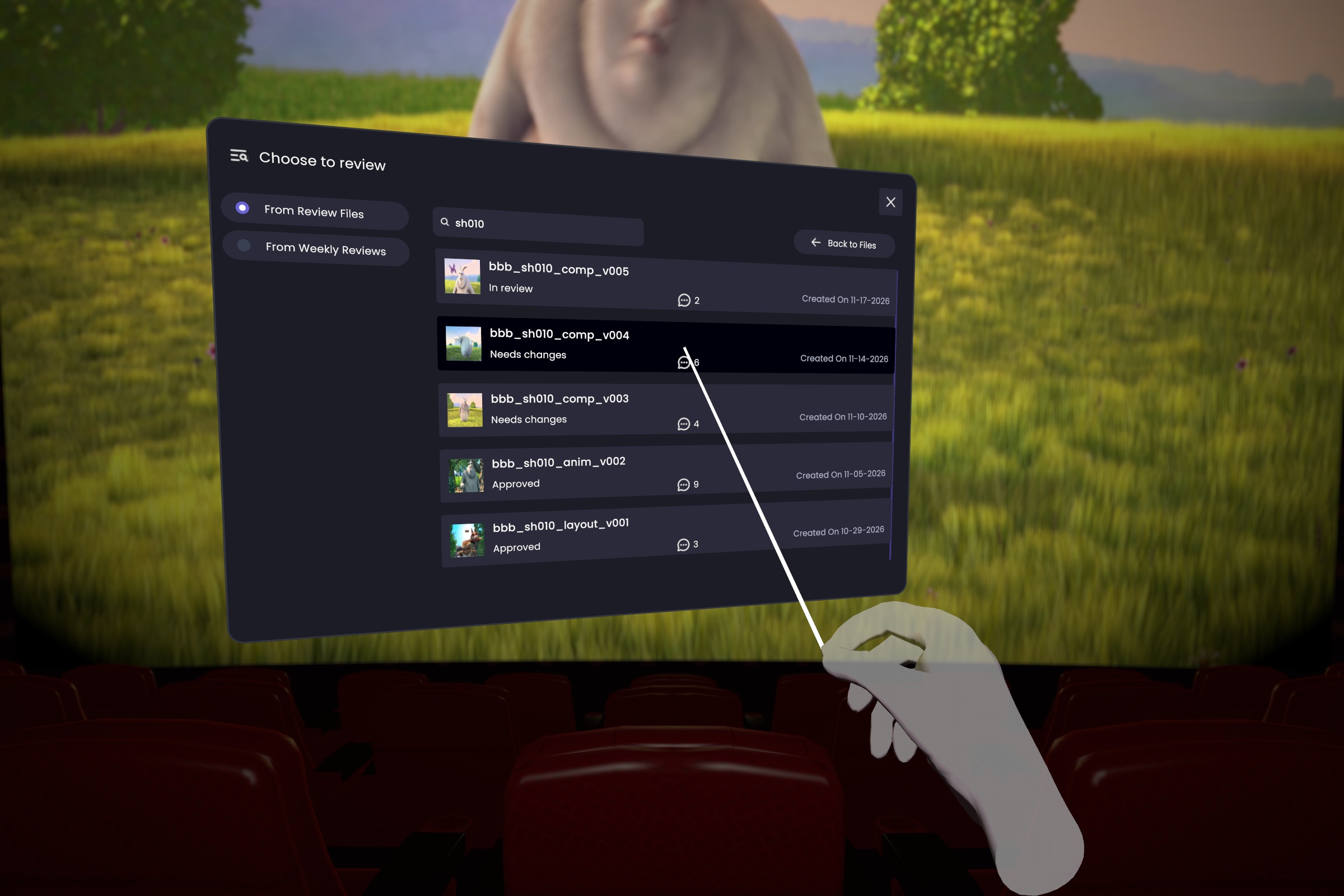
Choose a review file from project
-
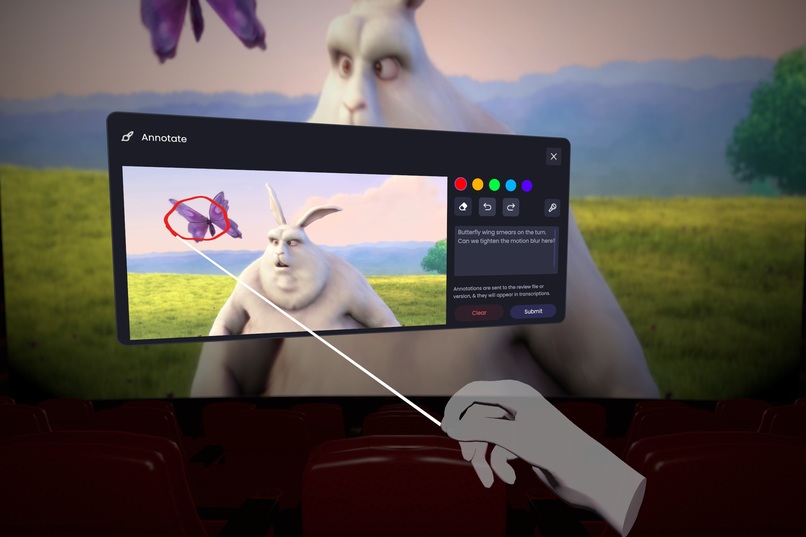
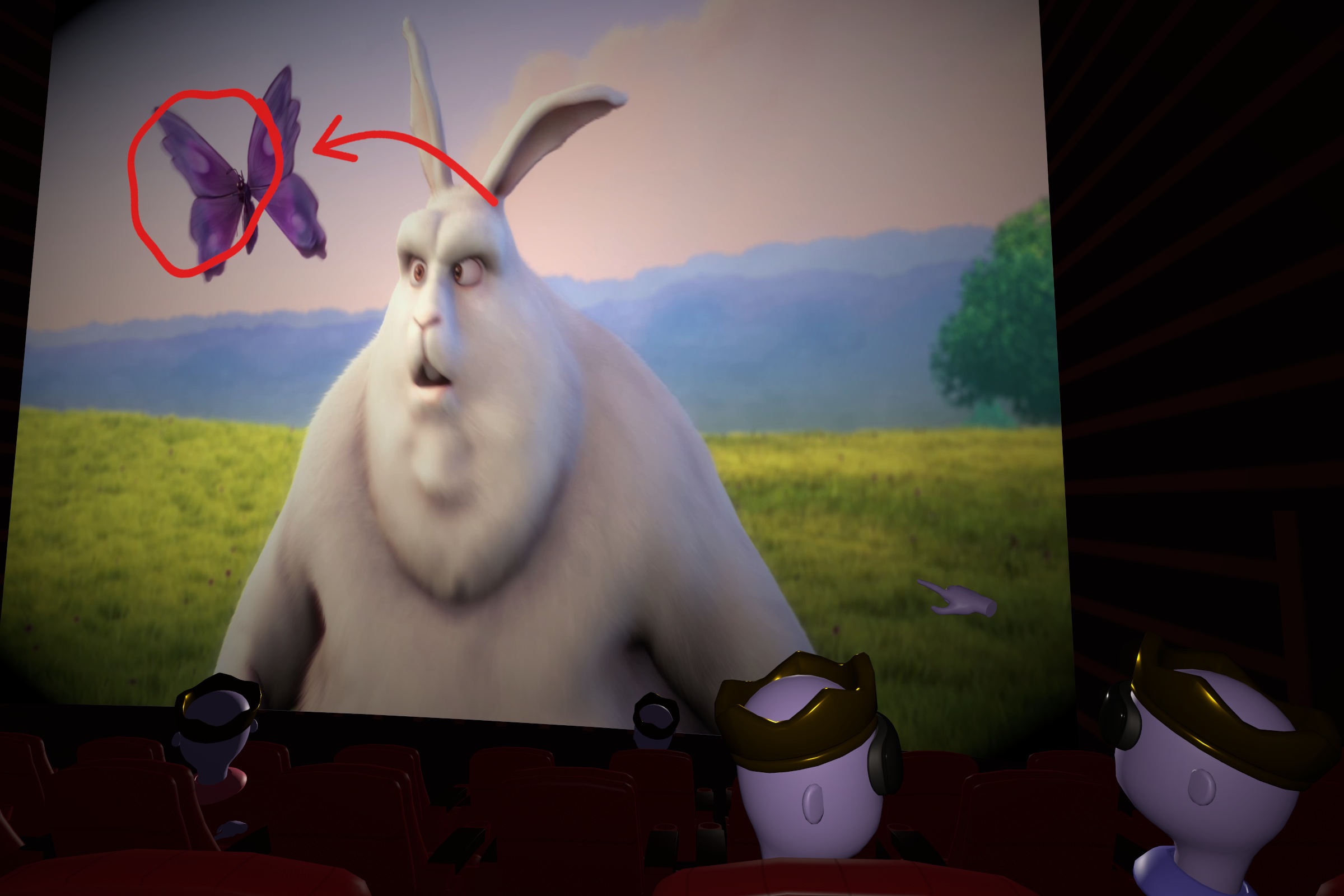
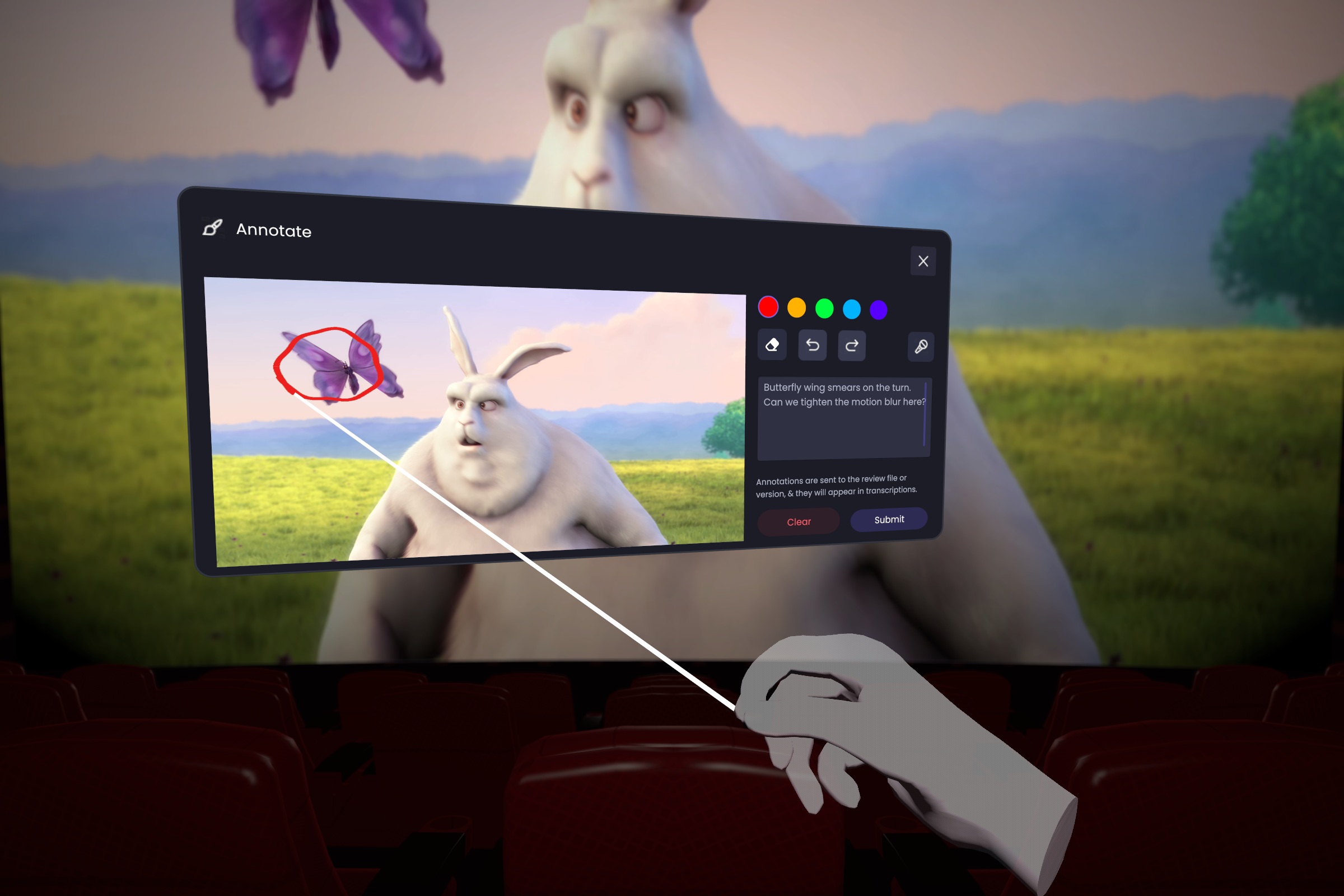
Annotate and comment on frames
Inspiration
Film and VFX teams make decisions in dailies: everyone in one dark room, looking at the same frame, pointing at what needs to change. Remote teams lost that room. Screen-share calls compress the image, lag behind the conversation, and "top left... no, your other left" replaces pointing. We build Movie Colab, a production management platform, and we wanted that room back: the same shot, on a proper screen, with the people who sign it off, wherever they are.
What it does
Sign in with a Movie Colab account, pick a project and open a review session. Everyone joins the same theatre (a cinema, a 3D screen, a giant screen, or a 360° video room) and takes a seat. Shots and versions play straight from the project. Turn the house lights off and the theatre goes fully dark around the screen, the way a grading suite should. Anyone can pause, step frame by frame and draw on the frame, and every stroke appears for everyone. Comments can be dictated instead of typed, and playback answers to voice: hold a thumbs-up, hear the chime, and say "pause" or "next frame". A small badge above your thumb shows it's listening and what it understood. The annotated frame and comments go back to Movie Colab, so notes reach the artist without anyone retyping them. Positional voice chat means the person beside you sounds like they're beside you.
The whole review works with hands alone. Point and pinch to choose, turn your left palm up for the playback controls, pinch on the frame to draw, and hold a right-hand thumbs-up to give a voice command.
How we built it
Unity 6 with URP, OpenXR and the XR Interaction Toolkit; hand tracking through Unity XR Hands and Meta Hand Tracking Aim; Meta Voice SDK for voice commands and dictation. Multiplayer runs on Netcode for GameObjects with dedicated Linux servers in Docker on Google Cloud, started in whichever of nine regions is nearest the host. Vivox carries positional voice. A builder script rebuilds the panels from our Figma designs, so design changes reach the headset without hand-placing UI.
Challenges we ran into
- Quest sleeps the moment you lift the headset, which used to drop you from the session. We now hold your seat for five minutes and recover playback when you return.
- Review files are big and hotel Wi-Fi is not. A stream that drops is retried, and playback recovers after the headset sleeps.
- Voice commands used to need the controller's trigger. Moving them to the hand meant rethinking when the app listens and when your voice goes to the room. A button you have to find on a menu is slower than just pressing play, so we made it a gesture: hold a thumbs-up and speak.
- Voice chat and voice commands fought over the microphone. Once you were in a voice call, commands and dictation heard only silence. They now listen to the same audio the voice chat captures, so both work at once.
What we learned
Hands change the UI more than the input code: bigger targets, closer panels, and a visible alternative to every held button. And a gesture needs feedback where your eyes already are: the badge sits on your thumb, not on a panel.
What's next
- Drawing directly on 360° video, not just on flat screens
- Side-by-side version compare
- A mixed reality mode that puts the screen in your own room
- Full Launch on the Meta Horizon Store
Built With
- addressables
- c#
- docker
- figma
- google-cloud
- meta-quest
- meta-voice-sdk
- meta-xr-sdk
- netcode-for-gameobjects
- openxr
- unity
- unity-gaming-services
- unity-transport
- urp
- vivox
- wit.ai
- xr-hands
- xr-interaction-toolkit
