-
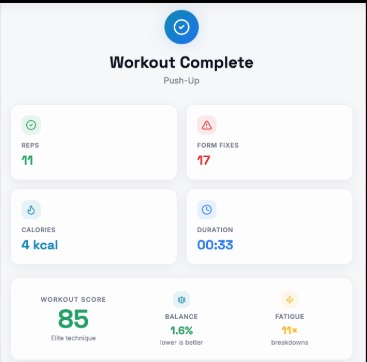
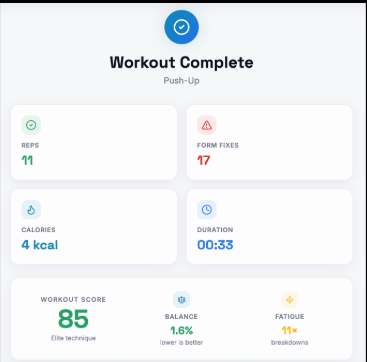
Workout Results
-
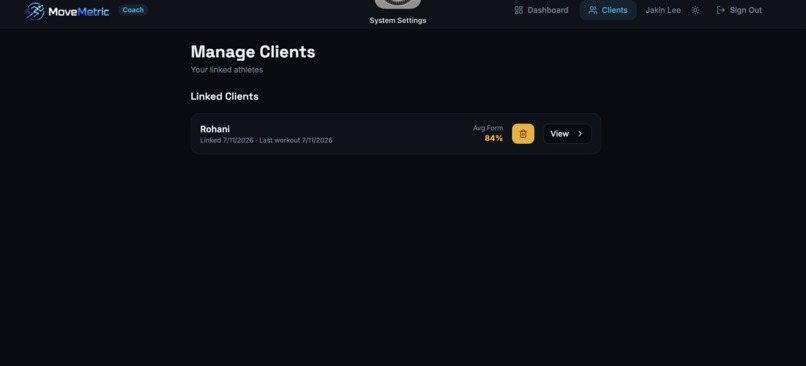
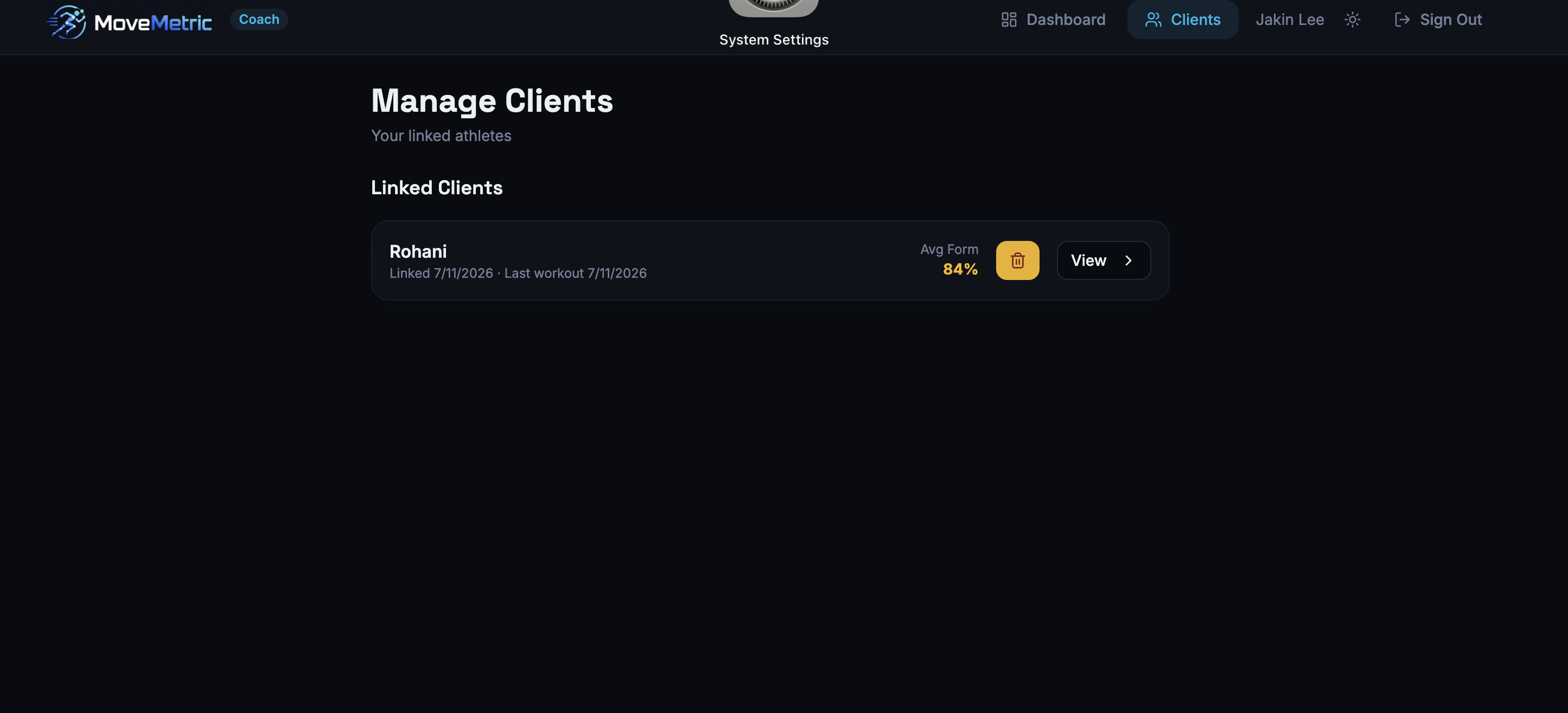
Client Management
-
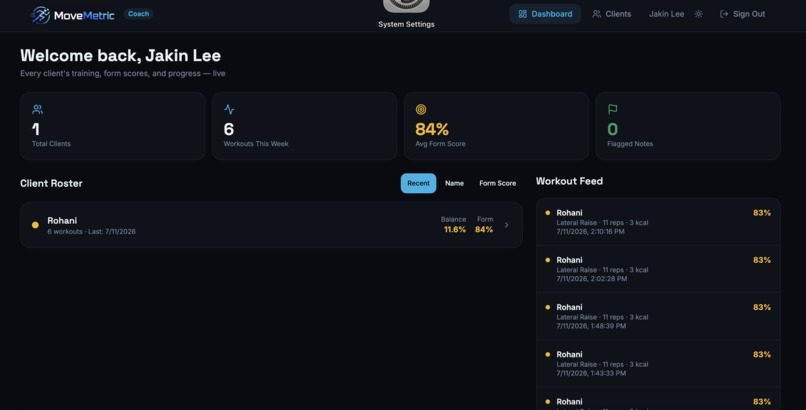
Welcome Screen
-
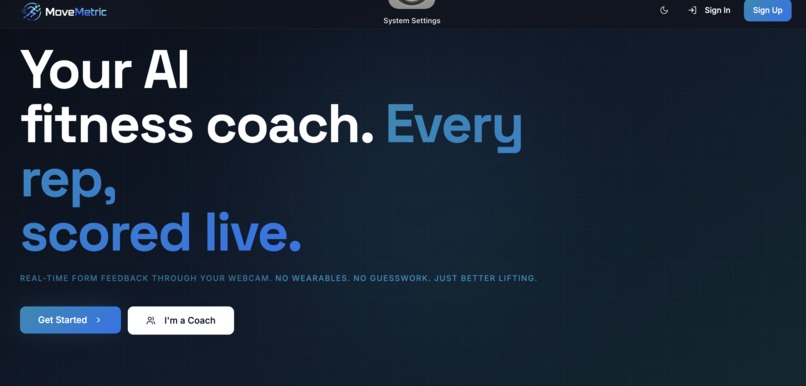
Start Screen
-
Demo
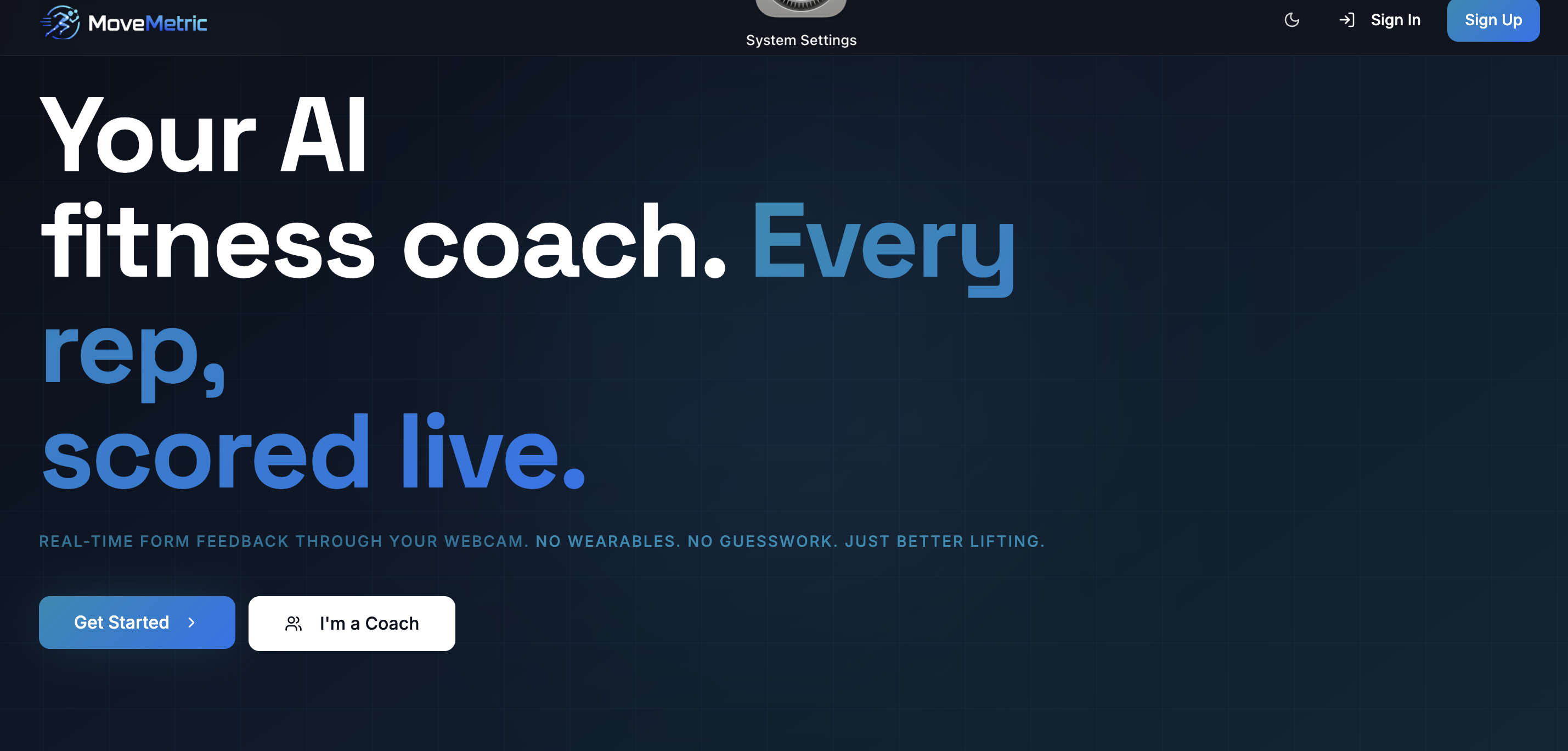
MoveMetric
Your form. Your progress. Your AI coach.
MoveMetric turns an ordinary webcam into a real-time fitness coach. It watches your movement, counts repetitions, detects form problems, creates personalized workouts, and helps you understand how you are improving.
Inspiration
Working out alone can be frustrating.
You may know what an exercise is supposed to look like, but it is difficult to know what your own body is doing while you move. A workout video can demonstrate a squat, but it cannot tell you that your knees are collapsing inward. A workout plan can tell you to complete ten push-ups, but it cannot see that your hips are dropping halfway through the set.
Personal trainers provide that feedback, but regular sessions can be too expensive or inconvenient for many students, beginners, and families.
We created MoveMetric because we believe useful fitness feedback should not depend on how much money someone has or whether another person is available to watch them train.
Our goal was simple:
Turn a device people already own into a coach that can watch every repetition.
What it does
MoveMetric creates a complete training cycle:
Check in → Receive a workout → Train with live feedback → Review your results → Improve over time
Real-time form analysis
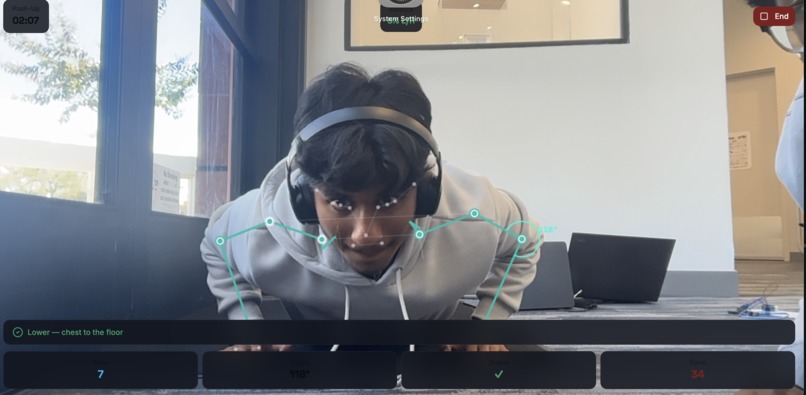
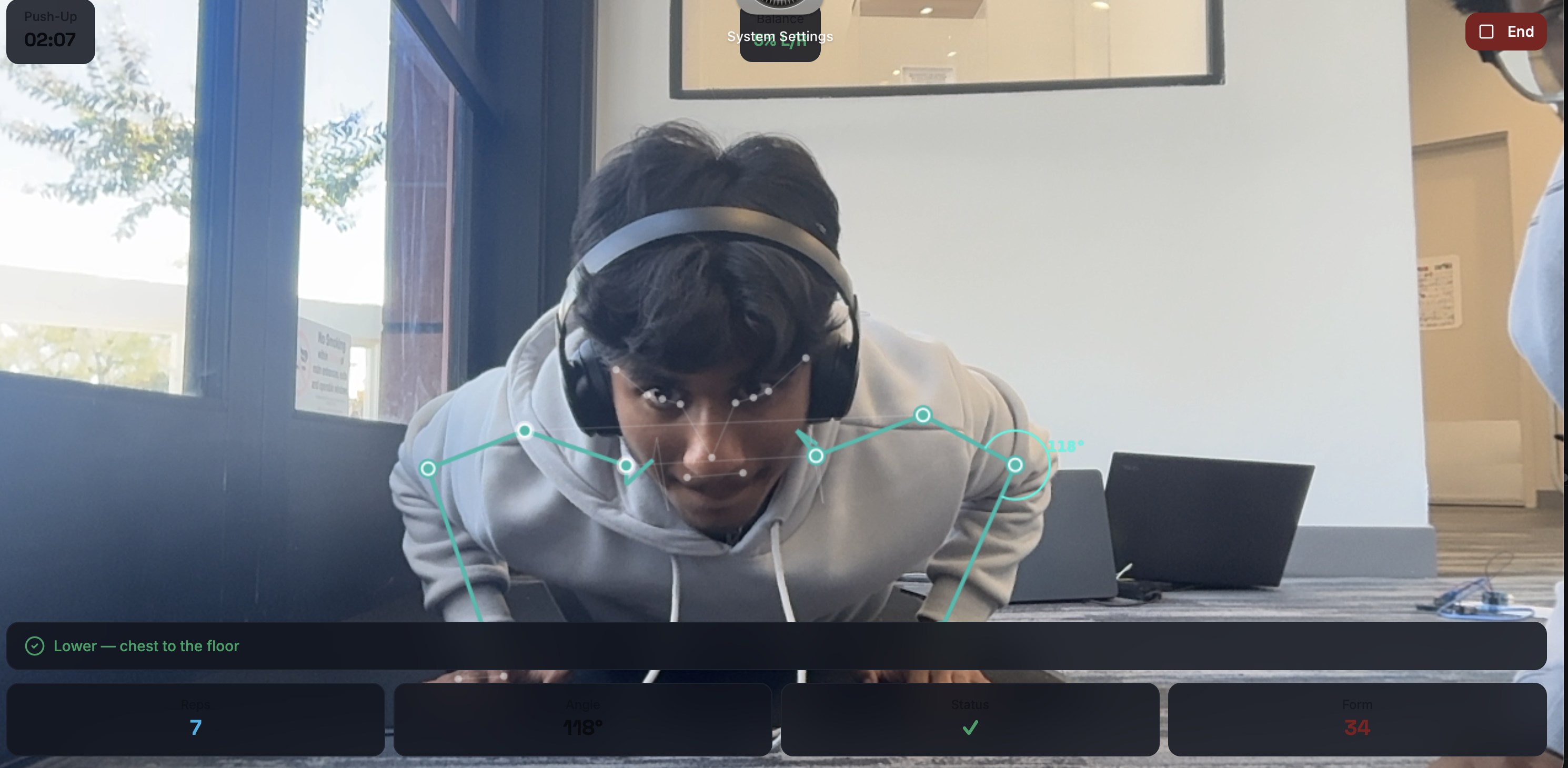
The user chooses an exercise and positions themselves in front of their webcam. MoveMetric then:
- Detects body landmarks
- Draws a live skeleton over the camera
- Calculates important joint angles
- Recognizes each stage of the movement
- Counts completed repetitions
- Measures range of motion
- Detects exercise-specific form problems
- Gives immediate corrective feedback
- Compares the left and right sides of the body
- Saves performance data for later review
Instead of discovering a problem after the workout, the user can correct their very next repetition.
For example, MoveMetric can detect:
- A squat that is too shallow
- Knees collapsing inward
- Hips sagging during a push-up
- Excessive backward lean during a shoulder press
- One arm rising higher than the other
- Momentum being used during a bicep curl
- Incomplete hip extension during a glute bridge
- Poor alignment during a plank
Sixteen supported exercises
MoveMetric currently includes specialized tracking for:
- Squats
- Push-ups
- Bicep curls
- Shoulder presses
- Lateral raises
- Lunges
- Romanian deadlifts
- Glute bridges and hip thrusts
- Calf raises
- Planks
- Jumping jacks
- Mountain climbers
- High knees
- Sit-ups
- Wall sits
- Side planks
Most exercises use repetition tracking. Planks, wall sits, and side planks use form-aware timers.
More than a rep counter
Our first repetition counter used a simple joint-angle threshold. During testing, we noticed that slow movements could be counted more than once and incomplete repetitions could sometimes be accepted.
We replaced this with exercise-specific movement states.
For a squat, the system tracks whether the user is standing, lowering, reaching the bottom position, and returning to the top. A repetition is only counted after the complete movement sequence is finished.
We also use:
- Separate entry and exit thresholds
- Cooldown frames
- Hysteresis zones
- Minimum range-of-motion requirements
- Landmark-confidence filtering
This made the repetition counting much more stable.
Personalized workouts
Before starting, the user completes a short readiness check-in.
MoveMetric considers:
- Energy level
- Hours of sleep
- Muscle soreness
- Available workout time
- Fitness level
- Fitness goal
- Available equipment
- Home or gym access
- Recent workout history
The app then creates a workout that fits the user's current situation.
For example, if someone reports poor sleep, low energy, and major leg soreness, MoveMetric can lower the workout volume and avoid heavily training the same muscles again.
Post-workout results
At the end of a session, MoveMetric creates a clear summary containing:
- Repetitions completed
- Workout duration
- Form score
- Detected form problems
- Movement balance
- Possible fatigue events
- Estimated calories burned
- Muscle groups trained
The user also receives feedback explaining what went well, what needs the most improvement, and what to focus on during the next workout.
Progress tracking
MoveMetric saves workout history so progress is not measured only through body weight.
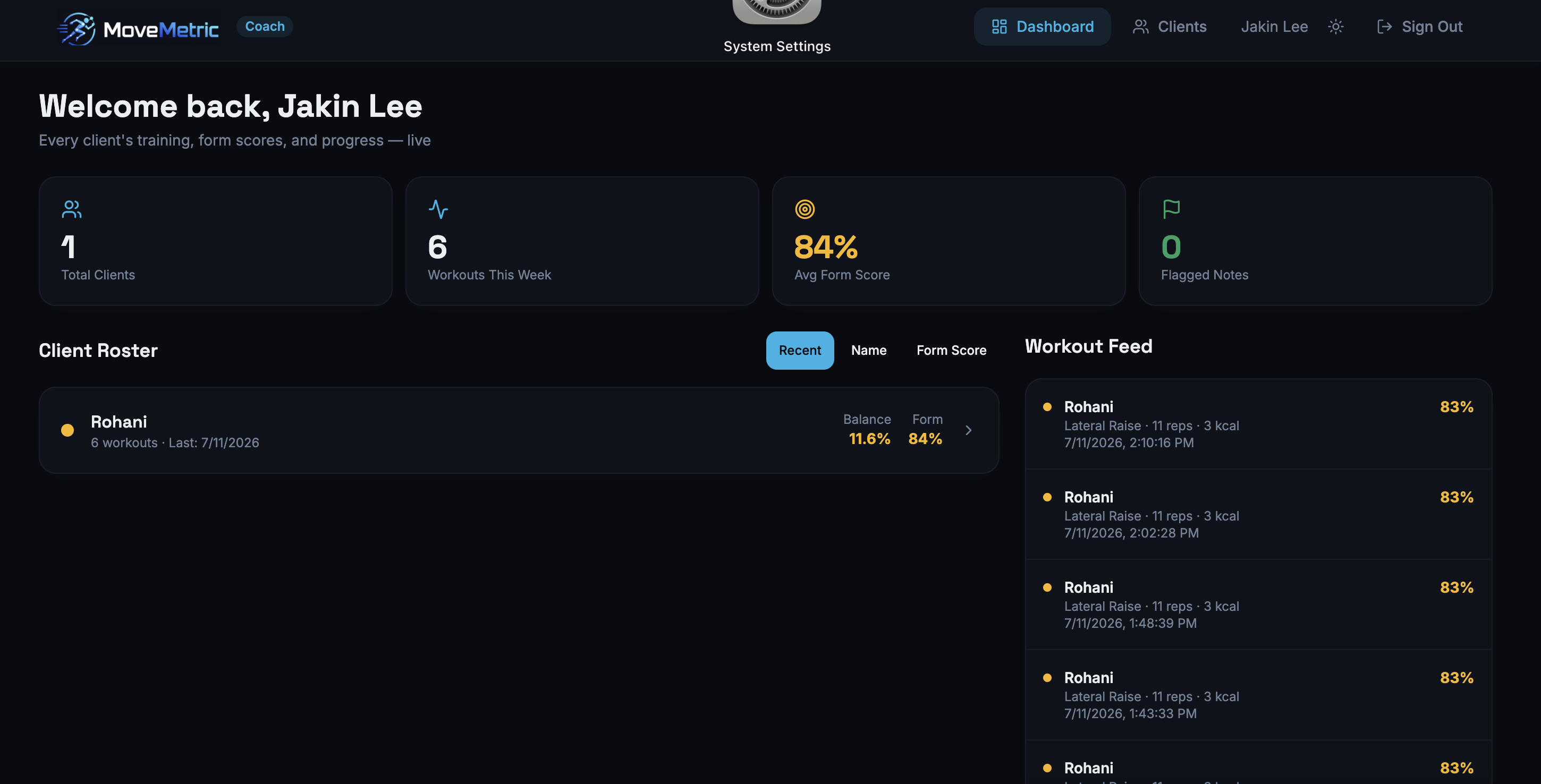
The dashboard can show:
- Workout frequency
- Total repetitions
- Exercise duration
- Average form score
- Estimated calories
- Muscle groups trained
- Body-weight history
- Left-versus-right balance
- Common form mistakes
- Recent fatigue patterns
A user may not see a major physical transformation immediately, but they may already be moving with better control and making fewer mistakes. MoveMetric makes that improvement visible.
Nutrition guidance
MoveMetric also generates estimated nutrition targets based on the user's body information, activity level, and fitness goal.
The nutrition section includes:
- Estimated daily calories
- Protein targets
- Carbohydrate targets
- Fat targets
- Hydration guidance
- Example meals
- Simple explanations
These recommendations are educational estimates and are not intended to replace professional medical or dietary advice.
Human-coach connection
We did not want MoveMetric to separate users from real coaches.
Computer vision can watch every repetition, but a human coach can understand motivation, previous injuries, personal limitations, and long-term goals.
Users can request to connect with a coach. Once accepted, the coach can:
- Review workout results
- View form scores
- Identify repeated mistakes
- Examine progress over time
- Assign workout plans
- Leave personalized notes
This allows people to train independently while still receiving human guidance when needed.
How we built it
Frontend
MoveMetric was built using:
- React 18
- Vite
- TypeScript
- React Router
- TanStack Query
- Tailwind CSS
- shadcn/ui
- Radix UI
- Framer Motion
- Recharts
Computer vision
We used MediaPipe Tasks Vision and PoseLandmarker to detect body landmarks through the webcam.
For each camera frame, MoveMetric:
- Detects the user's body landmarks
- Smooths the landmark positions
- Selects the joints needed for the exercise
- Calculates joint angles
- Determines the current movement phase
- Updates the repetition count or hold timer
- Checks for form problems
- Updates the live feedback
Pose processing happens inside the browser, so the application does not have to continuously upload camera frames to a remote server.
Joint-angle calculation
MoveMetric calculates an angle using three body landmarks:
function calculateAngle(a, b, c) {
  const radians =
    Math.atan2(c.y - b.y, c.x - b.x) -
    Math.atan2(a.y - b.y, a.x - b.x);

  let angle = Math.abs((radians * 180) / Math.PI);

  if (angle > 180) {
    angle = 360 - angle;
  }

  return angle;
}
Built With
- authentication
- canvas
- css
- framer
- mediapipe
- motion
- poselandmarker
- postgresql
- query
- radix
- react
- recharts
- router
- row-level
- security
- shadcn/ui
- supabase
- tailwind
- tanstack
- tasks
- typescript
- ui
- vision
- vite


Log in or sign up for Devpost to join the conversation.