-
-
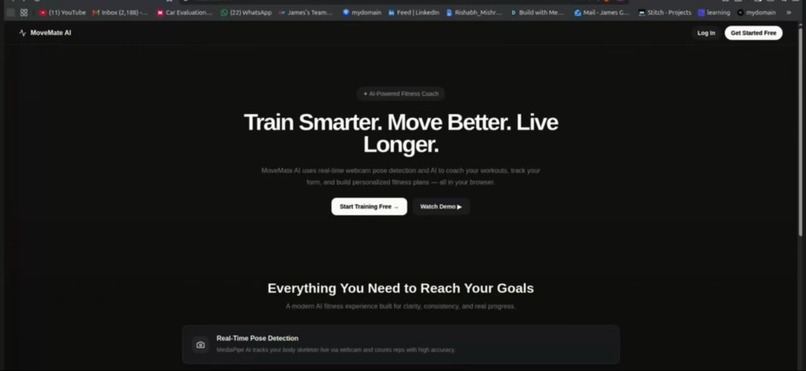
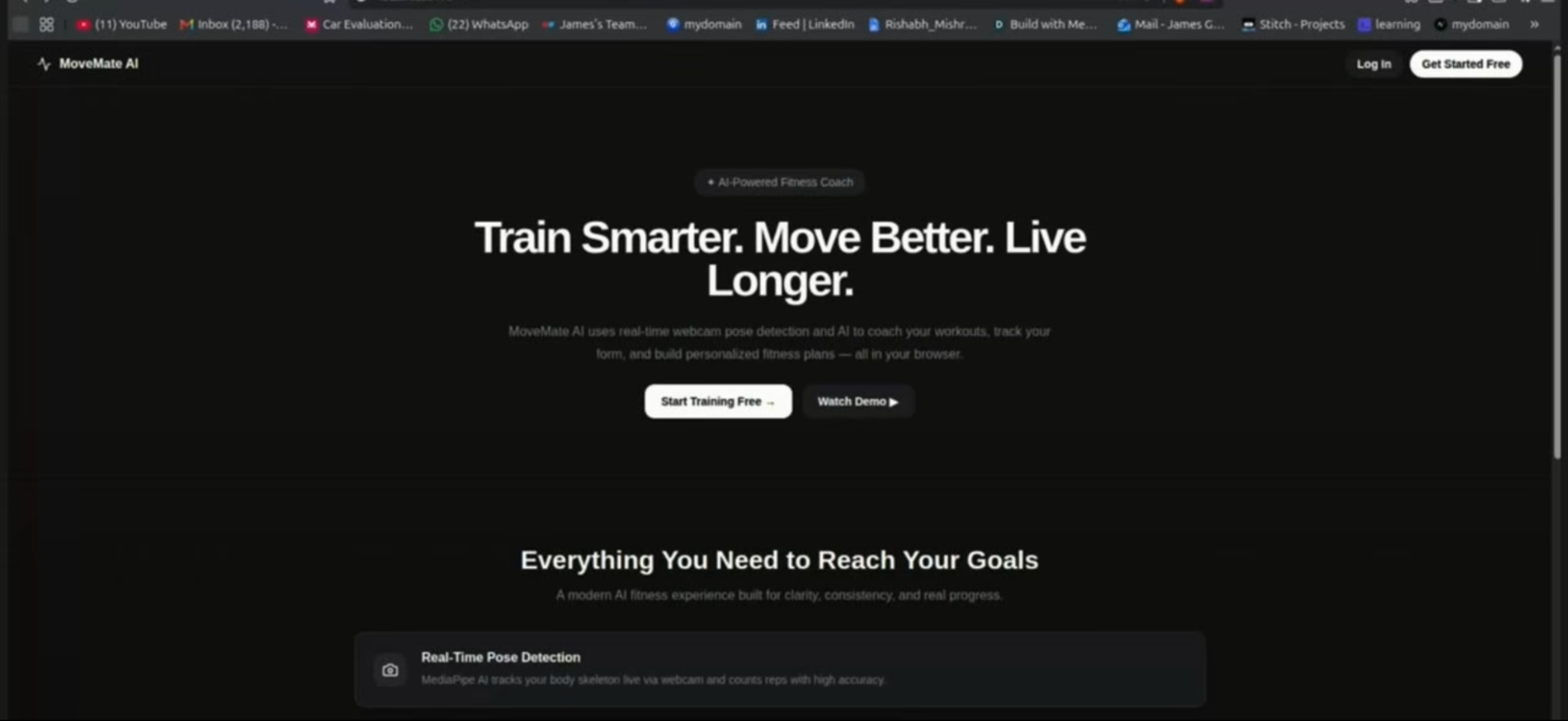
dashboard of my website
-
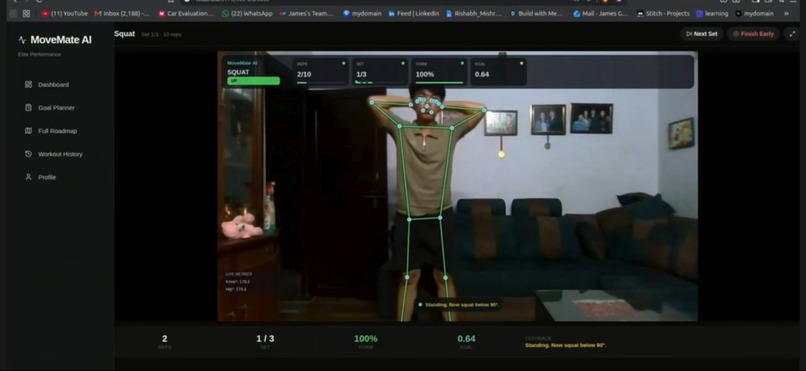
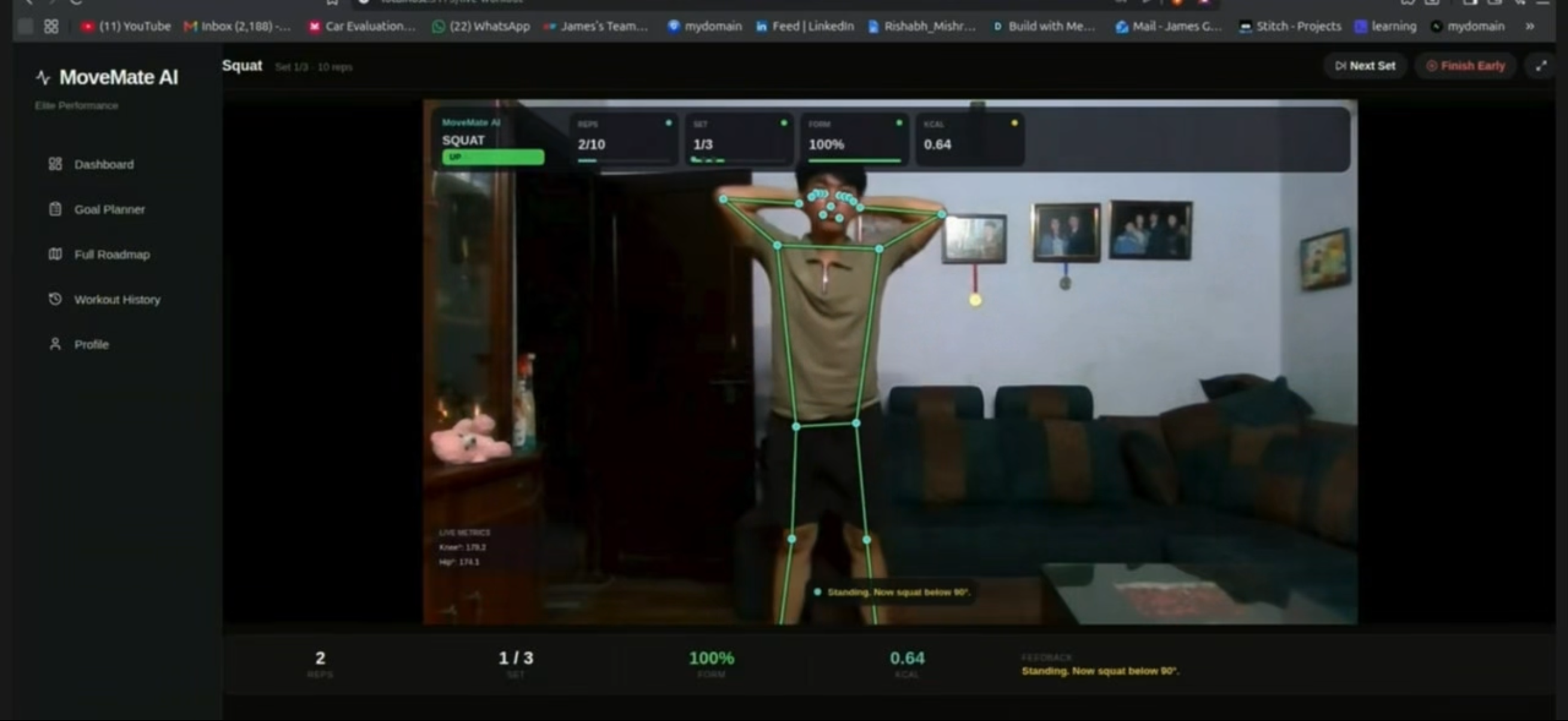
body reading and counting you moves
-
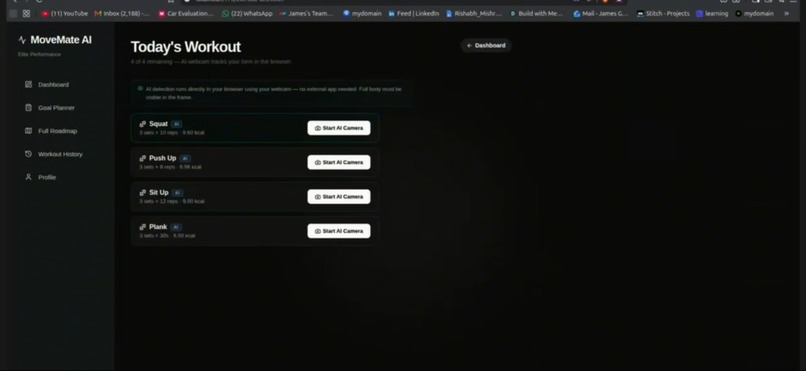
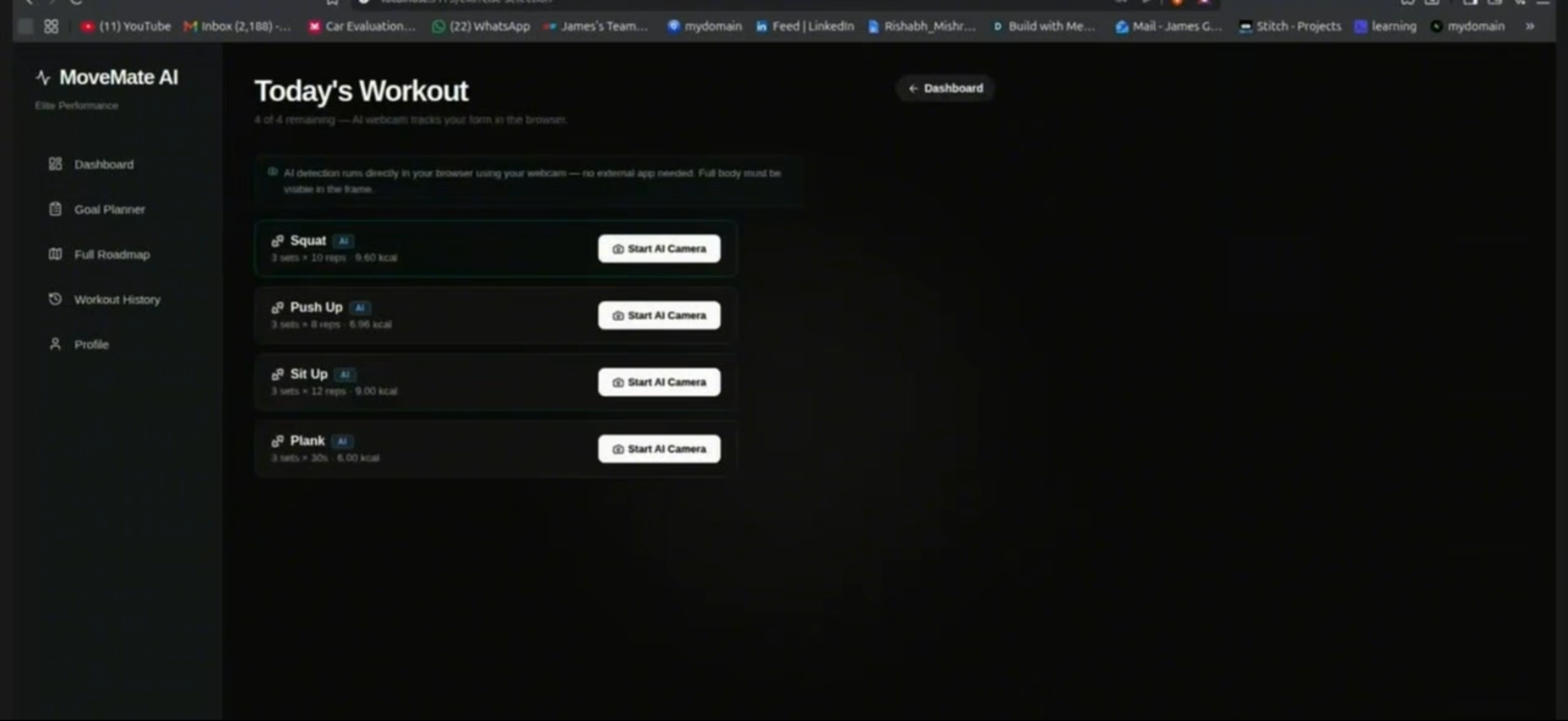
type of exercises
-
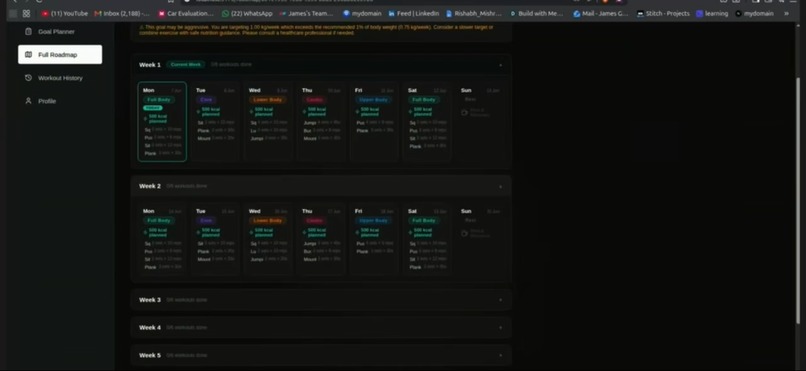
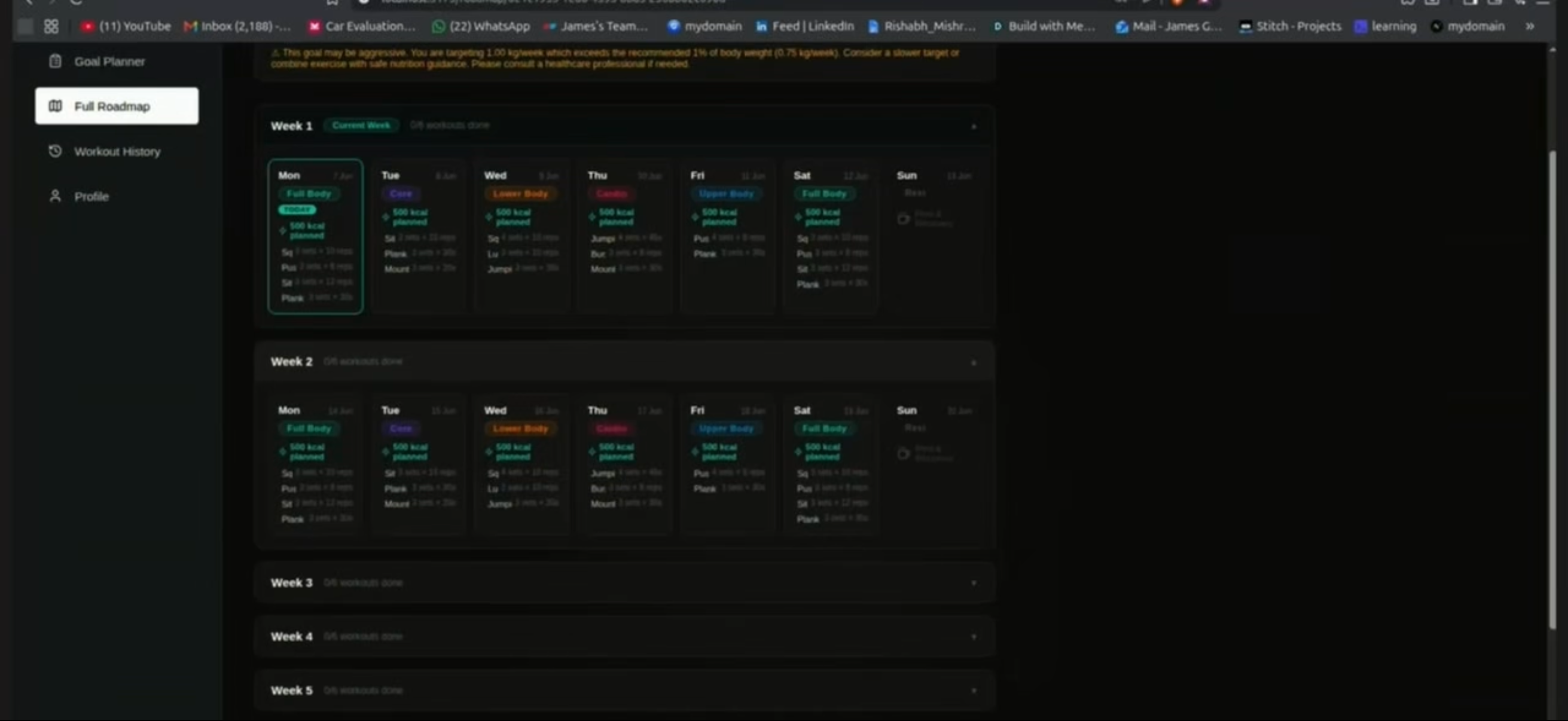
full roadmap with type of exercise and rest days
MoveMate AI
MoveMate AI is a free browser-based AI personal trainer that uses your webcam to watch your workout, count your reps, correct your form in real time, and create a personalized fitness plan based on your body and goals.
I built this because many teenagers want to get fit but cannot afford a gym membership or personal trainer. Most people follow YouTube workouts and guess whether their form is correct. MoveMate AI gives them real-time feedback using only a laptop and webcam.
Judge Quick Review — Demo Timestamps
If you want to quickly see the main features of MoveMate AI, please jump to these parts of the demo video:
- 1:21 — AI generates a personalized workout plan based on the user’s age, weight, height, activity level, and fitness goal.
- 1:37 — Full workout roadmap is shown, including exercises, sets, reps, and daily plan structure.
- 3:06 — Live AI webcam workout begins. MediaPipe tracks the body, shows the skeleton overlay, counts reps, and gives real-time form feedback.
- 3:54 — Workout results page is shown, including completed reps, calories burned, form score, and saved progress.
For the fastest review, I recommend watching 1:21–1:45 for the personalized plan generation, then 3:06–4:05 for the live AI workout and results.
Inspiration
I have always wanted to get fit, but I never had the money for a gym membership or a personal trainer. I would watch YouTube workout videos, try to copy the movements, and have no idea if I was doing them correctly. After doing squats with bad form, I started feeling knee pain. That made me realize something important: the difference between safe training and injury is feedback.
People who can afford coaches get corrected every rep. Everyone else just guesses.
I wanted to build something that gives every teenager access to real-time workout coaching, no matter their income. A laptop and webcam should be enough to help someone exercise safely.
That is what inspired MoveMate AI.
What it does
MoveMate AI turns your webcam into an AI personal trainer.
Users enter their age, weight, height, activity level, and fitness goal. The app then calculates their BMR/TDEE and generates a personalized workout roadmap with exercises, sets, reps, and calorie targets.
During a workout, Google MediaPipe tracks 33 body landmarks in real time. MoveMate AI uses joint-angle math and exercise-specific state machines to count reps accurately. For example, a squat only counts when the knee angle goes below 105° and returns above 160°. A push-up only counts when the elbow angle goes below 95° and the body is in the correct position.
The app gives live feedback like “Go lower,” “Keep chest up,” and “Straighten your body.” After the workout, reps, calories burned, form score, and posture events are saved to the user’s account.
Supported exercises: Squat, Push-up, Sit-up, Jumping Jack, Plank, Lunge, Burpee, and Mountain Climber.
How we built it
MoveMate AI uses Google MediaPipe Pose Landmarker in the browser to track 33 body landmarks from the webcam. The video stays on the user’s device, so the workout is private and does not need a server for AI detection.
I built custom exercise logic on top of MediaPipe using joint angles and state machines. For example, a squat only counts when the knee angle goes below 105° and comes back above 160°. A push-up only counts when the elbow goes below 95° and returns above 155°.
The joint angle is calculated using three body points: A, B, and C, where B is the middle joint. For example, in a squat:
A = hip, B = knee, C = ankle
I calculate the angle like this:
angle1 = atan2(C_y - B_y, C_x - B_x)
angle2 = atan2(A_y - B_y, A_x - B_x)

angle = abs(angle1 - angle2) * 180 / PI

if angle > 180:
    angle = 360 - angle
This gives the joint angle in degrees, which MoveMate AI uses to decide whether a movement is a full rep or just a partial movement.
The app also uses position checks, cooldowns, and form feedback to avoid false reps and help users fix their movement in real time. The skeleton overlay is drawn on a canvas over the mirrored webcam feed, so users can see their body being tracked live.
The frontend was built with React, Vite, JavaScript, and MediaPipe. The backend was built with Django, Django REST Framework, PostgreSQL, and JWT authentication to handle users, workout plans, saved results, and dashboard progress. Docker and Nginx were used for deployment.
Challenges we ran into
The hardest challenge was making rep counting accurate. Early versions counted small movements as reps, so users could accidentally get reps just by walking near the camera. I fixed this by using strict joint-angle thresholds, averaging both sides of the body, adding position gates, requiring minimum movement depth, and filtering out low-confidence landmarks.
Another challenge was making the skeleton overlay line up correctly with the mirrored webcam video. MediaPipe gives raw camera coordinates, but the user sees a flipped video feed, so every landmark had to be mirrored with (1 - lm.x) * canvasWidth.
I also ran into browser issues with speech feedback, webcam permissions, JWT authentication, and MediaPipe security headers. Solving those problems helped make the app feel much more complete and reliable.
Accomplishments that I’m proud of
I am proud that MoveMate AI is more than just a workout planner. It actually watches the user move, counts real reps, gives form feedback, and saves results.
The skeleton overlay is one of my favorite parts because it makes the AI feel real. You can see every joint being tracked as you move.
I am also proud of the full-stack system: authentication, workout history, personalized plans, dashboard stats, PostgreSQL database, and Docker deployment. For a hackathon project, I wanted it to feel like a real product, not just a prototype.
What I learned
I learned how to run machine learning models directly in the browser, how to use MediaPipe landmarks, and how to turn body movement into code using angles and state machines.
I also learned that exercise detection is much harder than it looks. A simple angle check is not enough. Accurate rep counting needs position checks, confidence filtering, cooldowns, and state transitions.
Most importantly, I learned how technology can make fitness more accessible. A webcam, browser, and AI model can give people feedback that normally costs money.
What’s next for MoveMate AI
Next, I want to improve mobile support, add better voice coaching, create leaderboards and challenges, add more exercises like deadlifts and pull-ups, and build better progress charts.
I also want to add accessibility features, including seated exercises and modified movements, so MoveMate AI can help more people exercise safely.

Log in or sign up for Devpost to join the conversation.