-
-
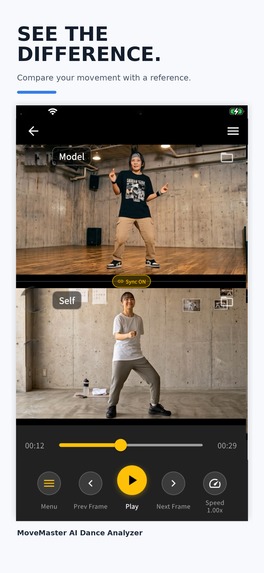
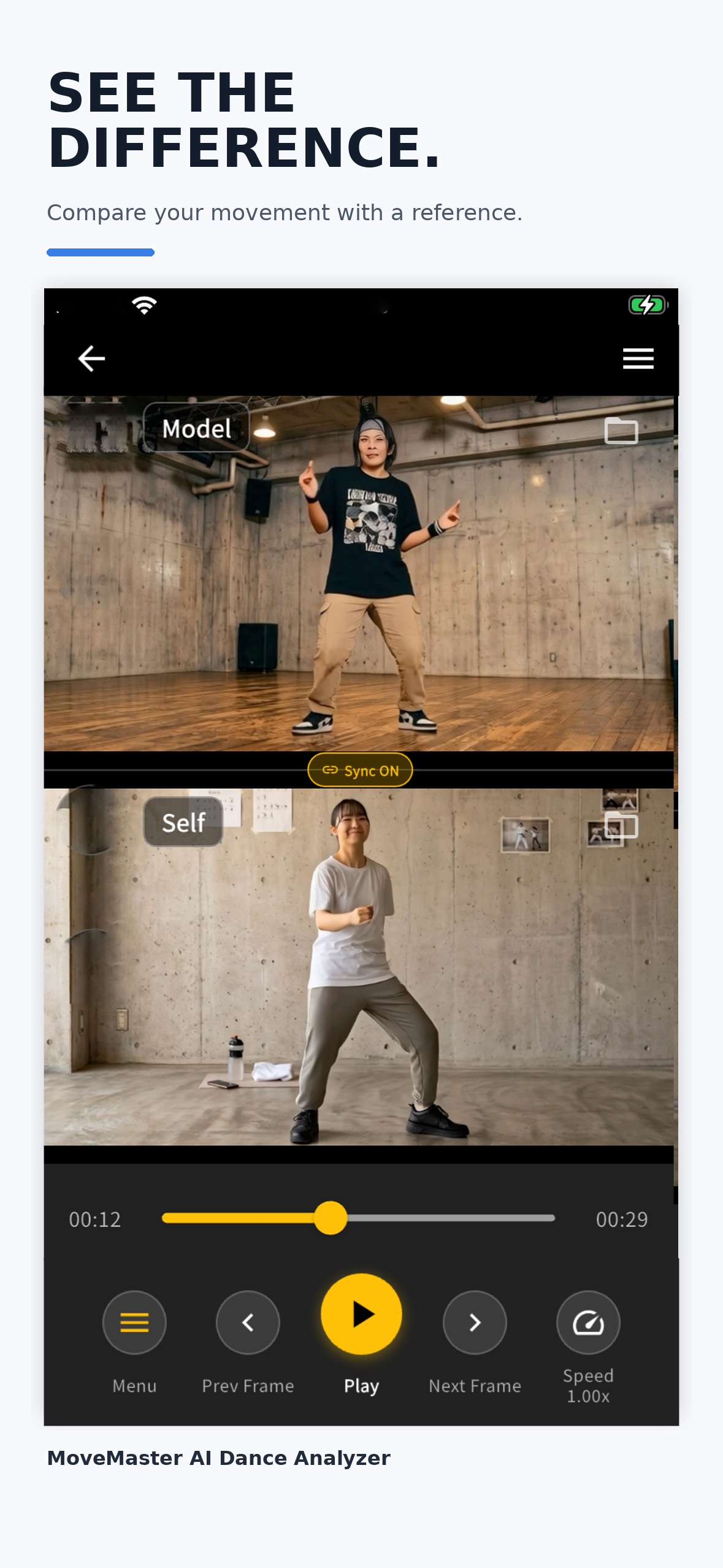
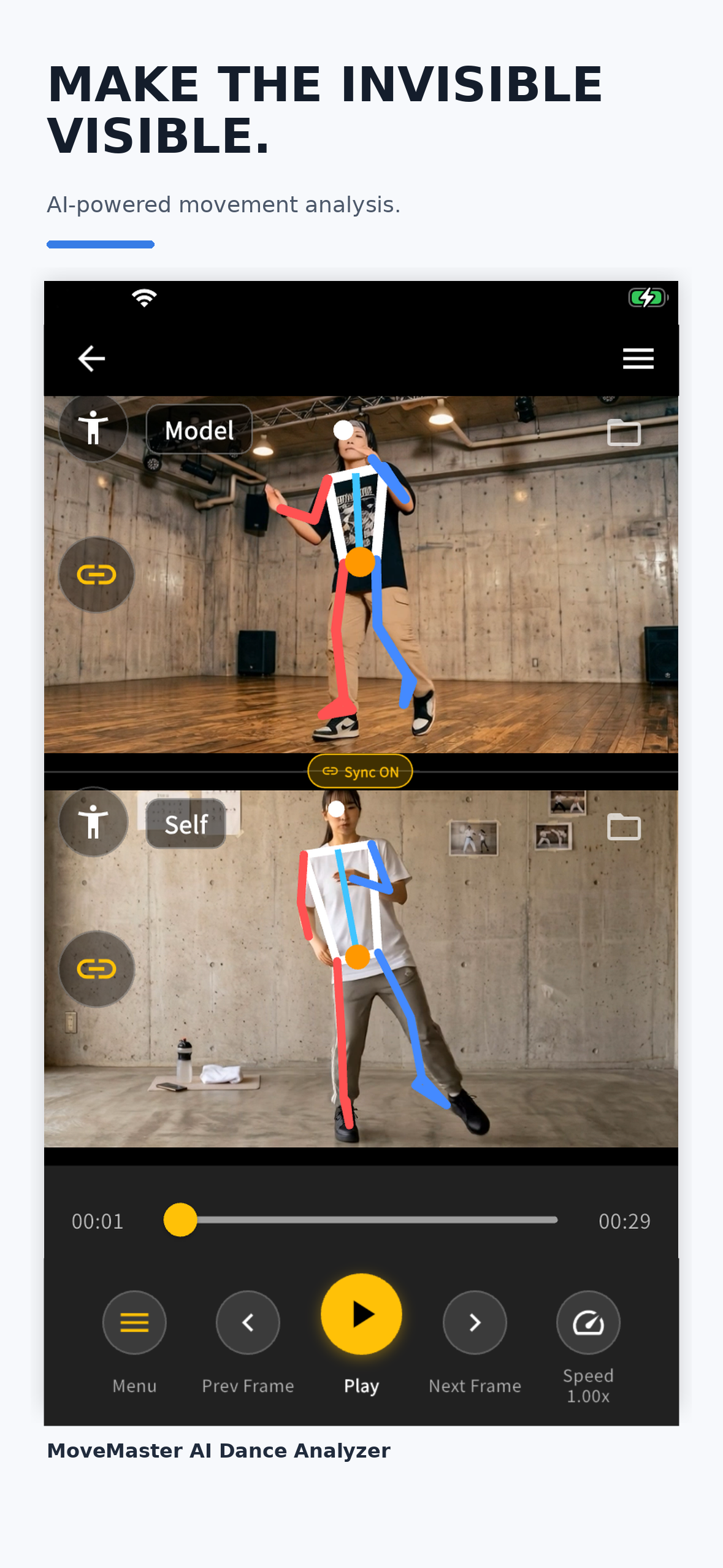
Compare your movement side by side with a reference video.
-
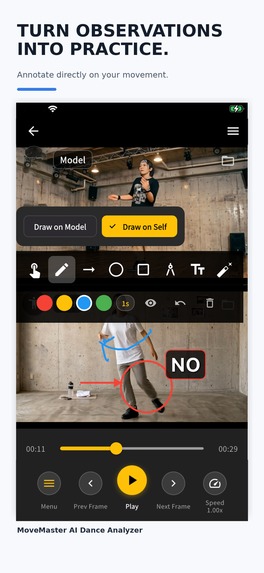
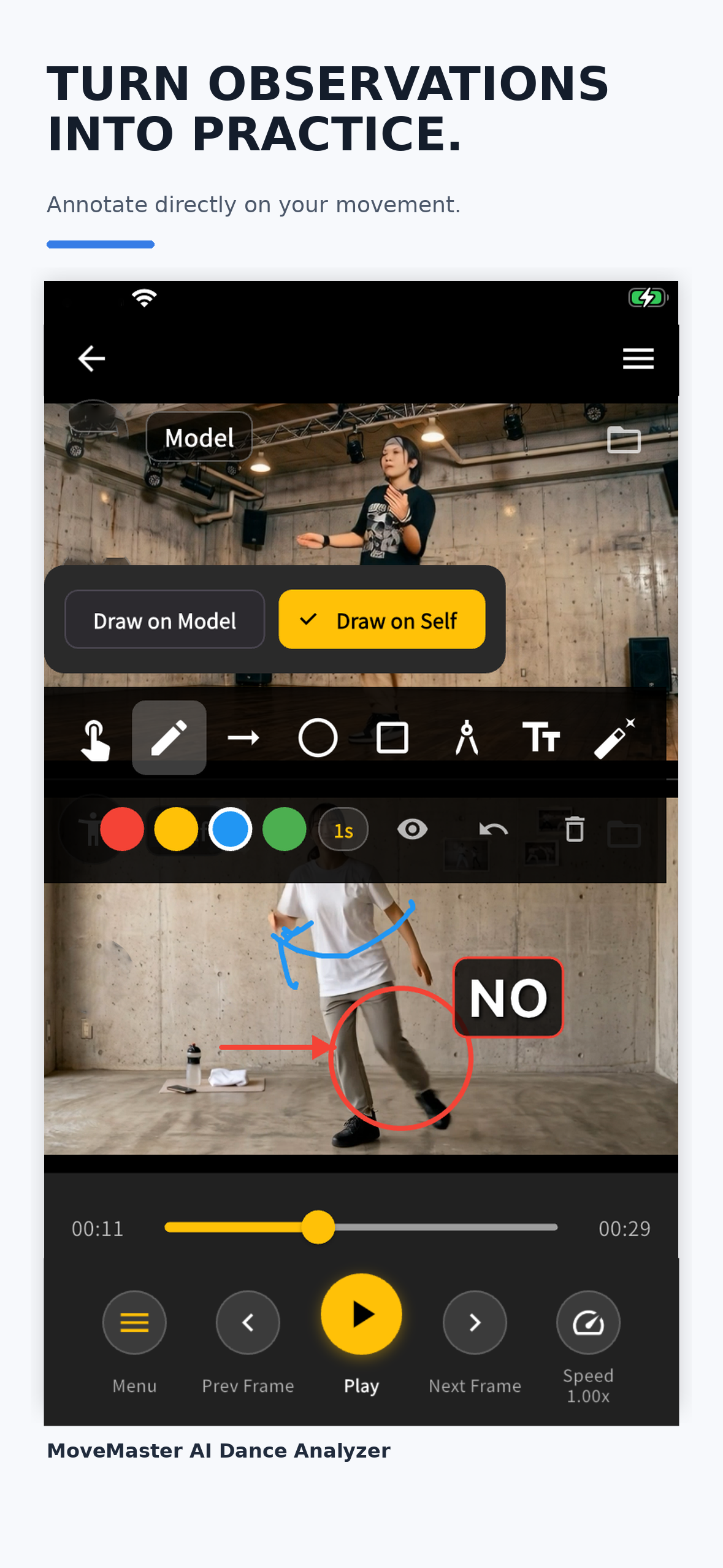
Capture observations directly on the video with text, lines, and arrows.
-
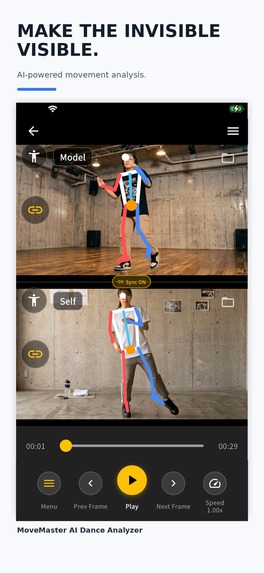
Visualize body structure with AI-powered pose analysis.
-
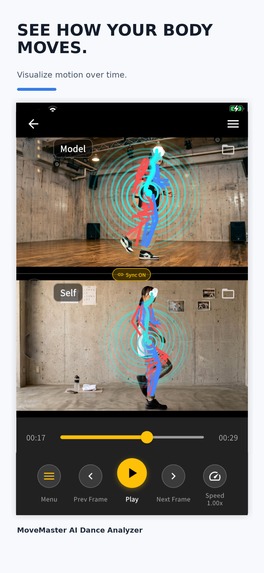
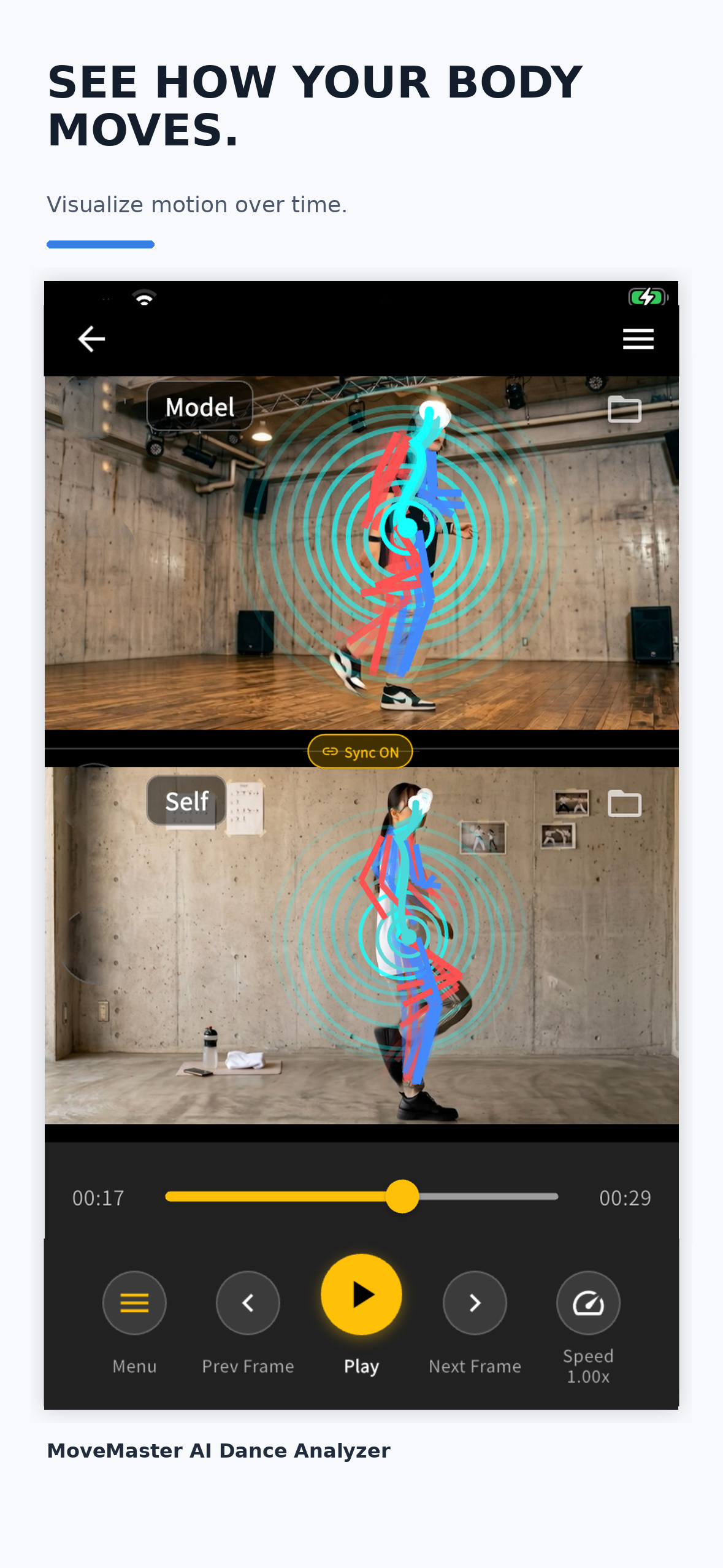
See movement trajectories over time with Motion Trace.
-
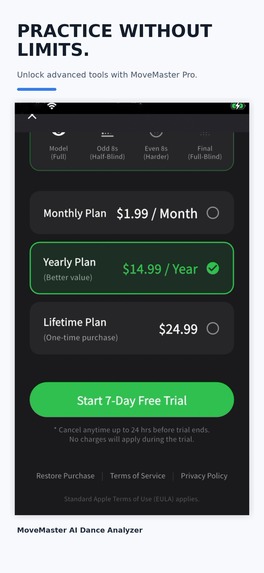
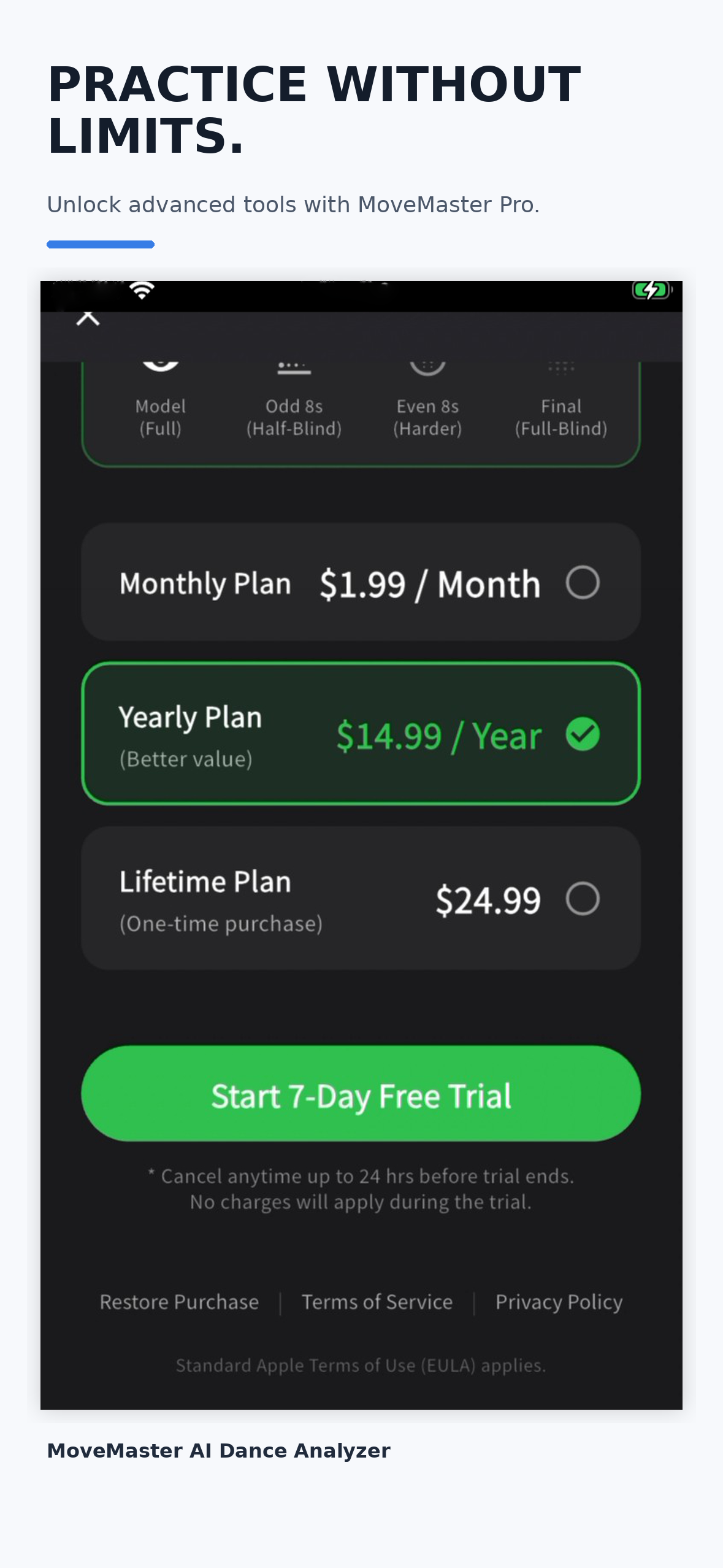
Unlock advanced practice and movement analysis tools with MoveMaster Pro.
-
MoveMaster AI Dance Analyzer — App Icon
Inspiration
Why can two people perform the same movement, yet look completely different?
As someone who has practiced dance, I often experienced a frustrating feeling: I could watch a reference video, practice the same choreography, and still feel that “something is different” — without being able to explain exactly what.
A mirror can show you what you look like, but it does not always help you understand what is happening in your movement.
That question became the starting point for MoveMaster.
I wanted to create a tool that could make the invisible parts of movement easier to see — timing, posture, trajectories, differences from a reference, and the small details that are difficult to notice while moving.
This led me to the idea of making embodied knowledge visible.
MoveMaster is not intended to replace teachers or tell people the “correct” way to move. I see it more as a transparent mirror — a tool that helps people observe, understand, and improve their own movement.
What MoveMaster does
MoveMaster is a movement analysis and practice app for dancers, athletes, and anyone who wants to better understand how their body moves.
Users can compare their own video with a reference side by side, slow the videos down, synchronize them, mirror them, and examine differences in detail.
AI-powered pose visualization makes body structure easier to see.
Motion Trace visualizes how the body moves over time, helping users notice trajectories and changes that may be difficult to perceive in normal playback.
Movement scoring provides another perspective for comparison.
During Shipaton, I added one of the features that has become especially important to the concept: Annotation.
Users can write text, draw lines, and add arrows directly onto their videos. Instead of simply thinking, “Something is different here,” they can record exactly what they noticed and return to it during the next practice session.
Annotation data and practice information can also be exported and imported, making it possible to share observations with other people.
The practice cycle I want MoveMaster to support is simple:
See → Notice → Annotate → Practice → See again
How I built it
MoveMaster was built primarily with Flutter as a solo development project.
The app combines video playback and editing, pose analysis, movement visualization, comparison tools, annotation, music-based practice tools, and in-app purchases.
RevenueCat powers MoveMaster Pro, including subscription and lifetime purchase options.
Privacy was also an important design decision. Movement analysis is processed on the device rather than requiring users to upload their practice videos to an external server.
I also wanted MoveMaster to be usable beyond Japan, so the app now supports 18 languages.
I am not a developer who started this project knowing all the answers. I built it by repeatedly researching problems, testing ideas, learning new technologies, using AI as a development partner, failing, fixing things, and trying again.
That process became part of the project itself.
Challenges
One of the biggest challenges was that video analysis is not a single feature.
Video playback, synchronization, pose estimation, overlays, frame handling, annotations, audio, performance, and user interaction all have to work together without making the app feel overwhelming.
Another challenge was deciding what MoveMaster should actually become.
It would have been easy to keep adding analysis features. But through development, I realized that simply showing users more data was not enough.
The important question became:
How does an observation become better practice?
That realization led to Annotation.
A user might notice a difference while watching a video, but that observation can disappear moments later. By allowing the user to leave a note, arrow, or line directly on the relevant moment, MoveMaster can turn passive video watching into an active learning process.
Designing the app around this idea — rather than around a collection of features — has been one of the most important challenges and lessons of the project.
What I learned
The biggest thing I learned is that building a product is very different from simply implementing features.
A feature only becomes meaningful when it helps someone change what they do next.
I also learned that AI does not have to replace human judgment to be useful.
In MoveMaster, AI helps reveal information, but the user remains the person who observes, interprets, and decides what to improve.
That is why I increasingly think of MoveMaster not as an AI teacher, but as a transparent mirror.
I also learned something personally.
I released the first public version of MoveMaster at the age of 60. I am now 61 and still building, learning, publishing updates, talking with dancers and teachers, and trying ideas I had never attempted before.
Building this app has reminded me that learning does not have an expiration date.
What's next
MoveMaster is still evolving.
I want to continue improving the connection between observation and practice, make movement analysis easier to understand, and explore better ways for dancers, athletes, students, and teachers to share what they notice.
My goal is not to make AI decide how people should move.
My goal is to give people better tools to see their own movement, discover what they could not see before, and develop their own embodied knowledge.
Make embodied knowledge visible — and easier to improve.

Log in or sign up for Devpost to join the conversation.