-
-
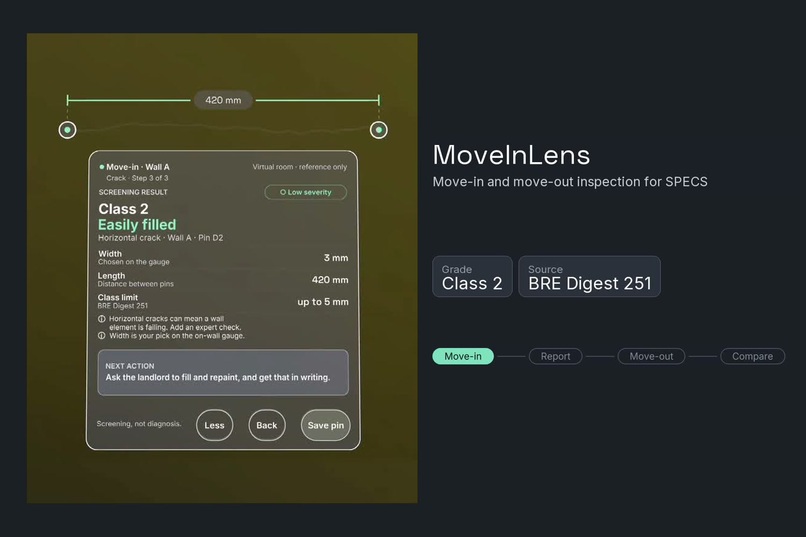
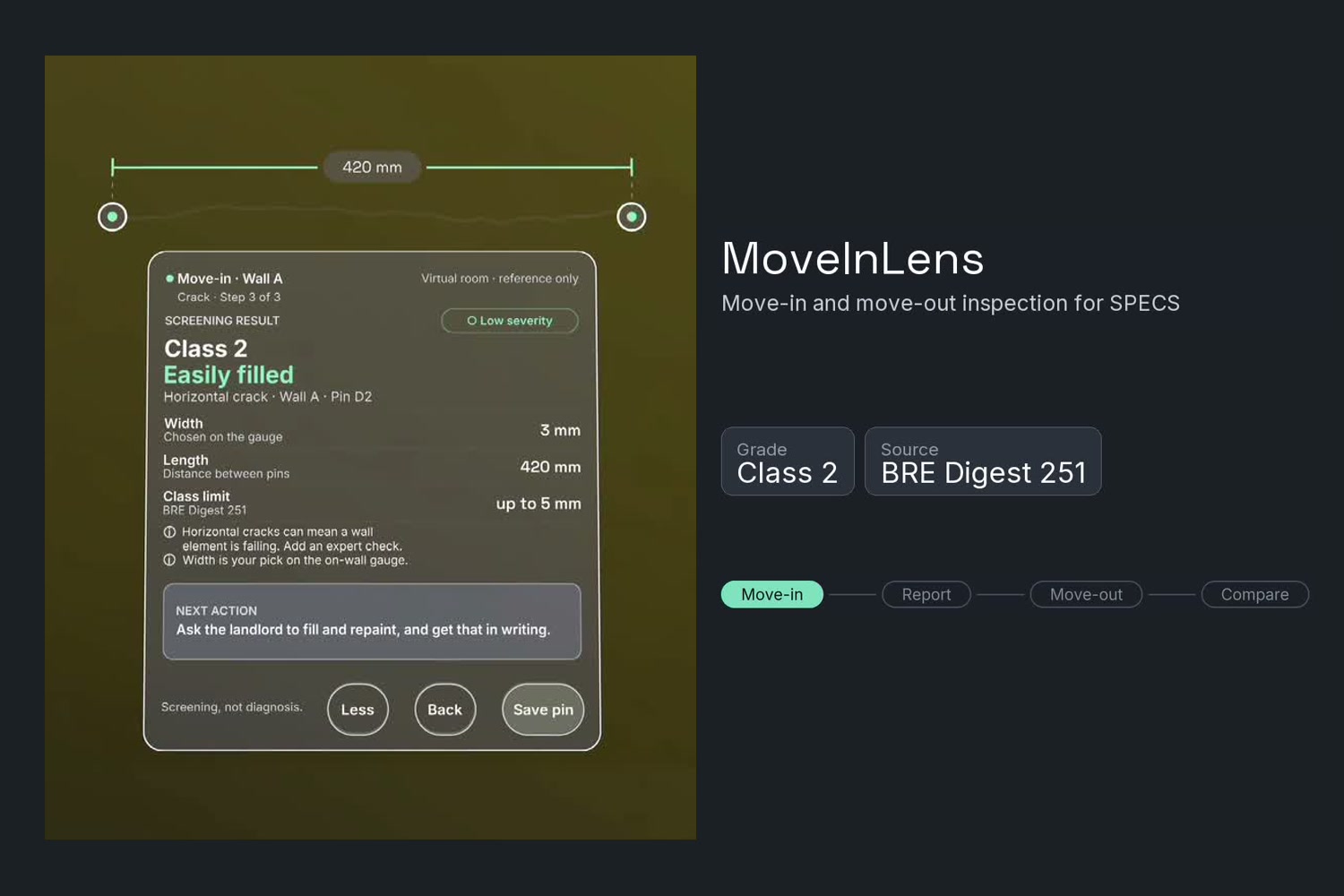
A crack measured at true size: grade, evidence and a next action on a card right below the defect.
-
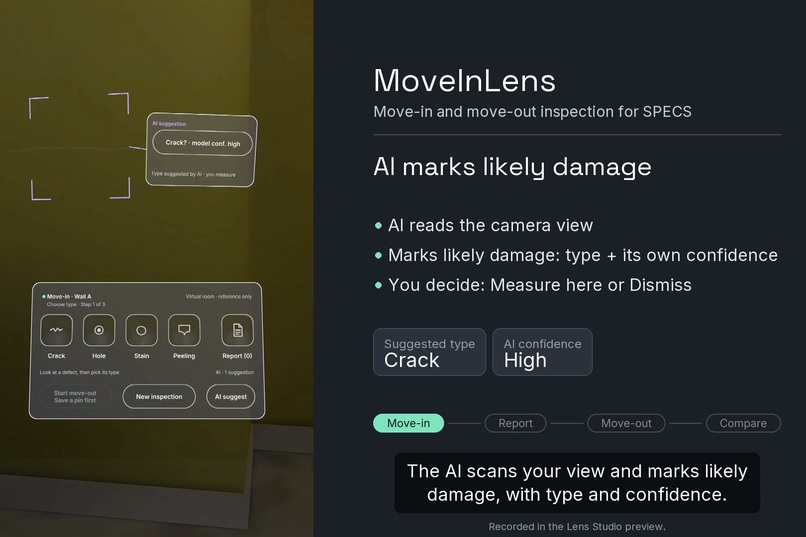
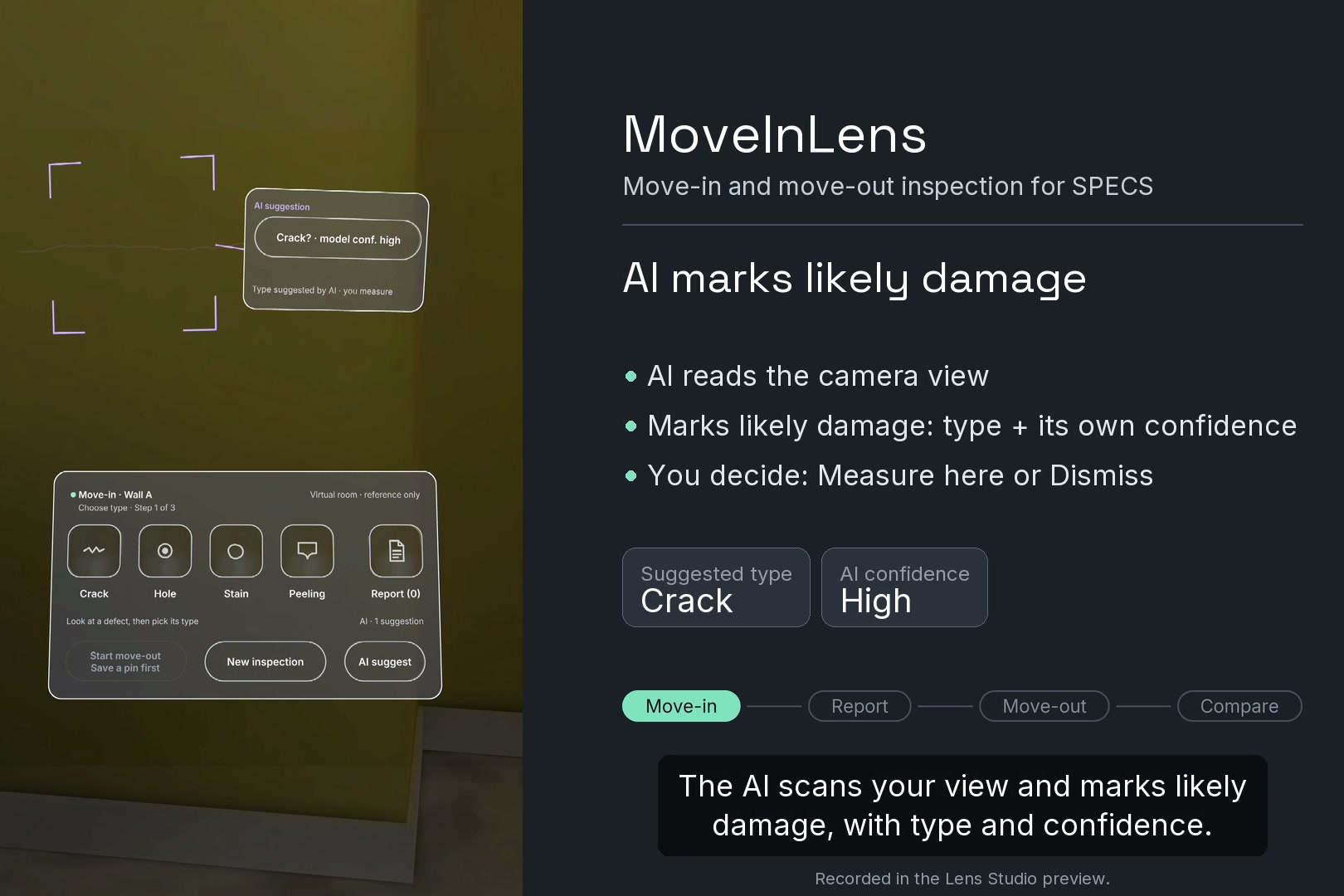
Optional AI marks likely damage with a type and confidence. You choose: Measure here or Dismiss.
-
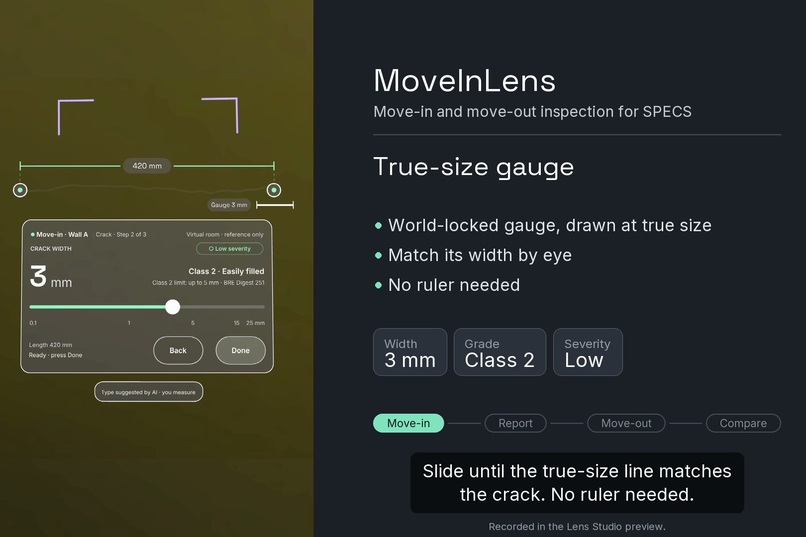
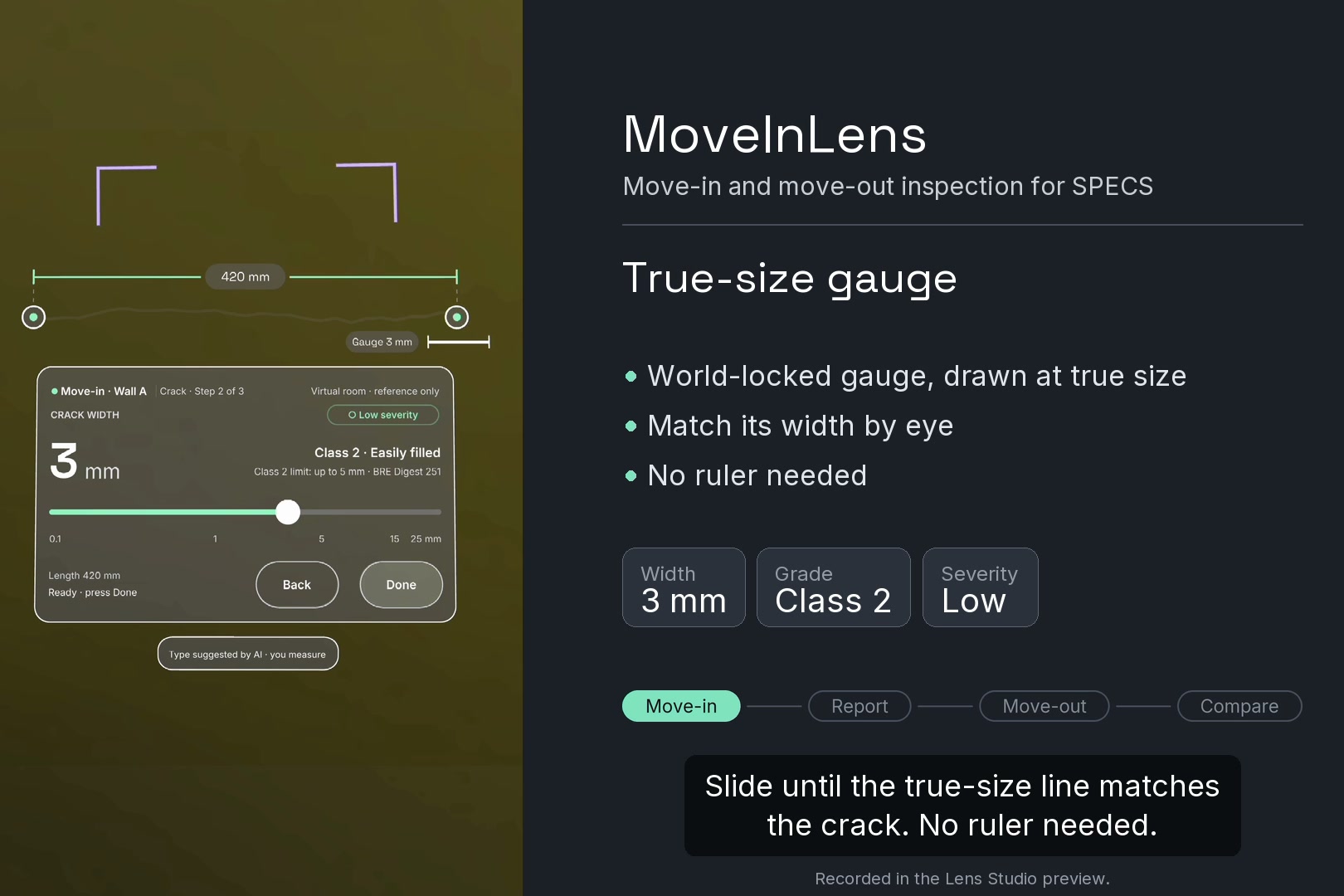
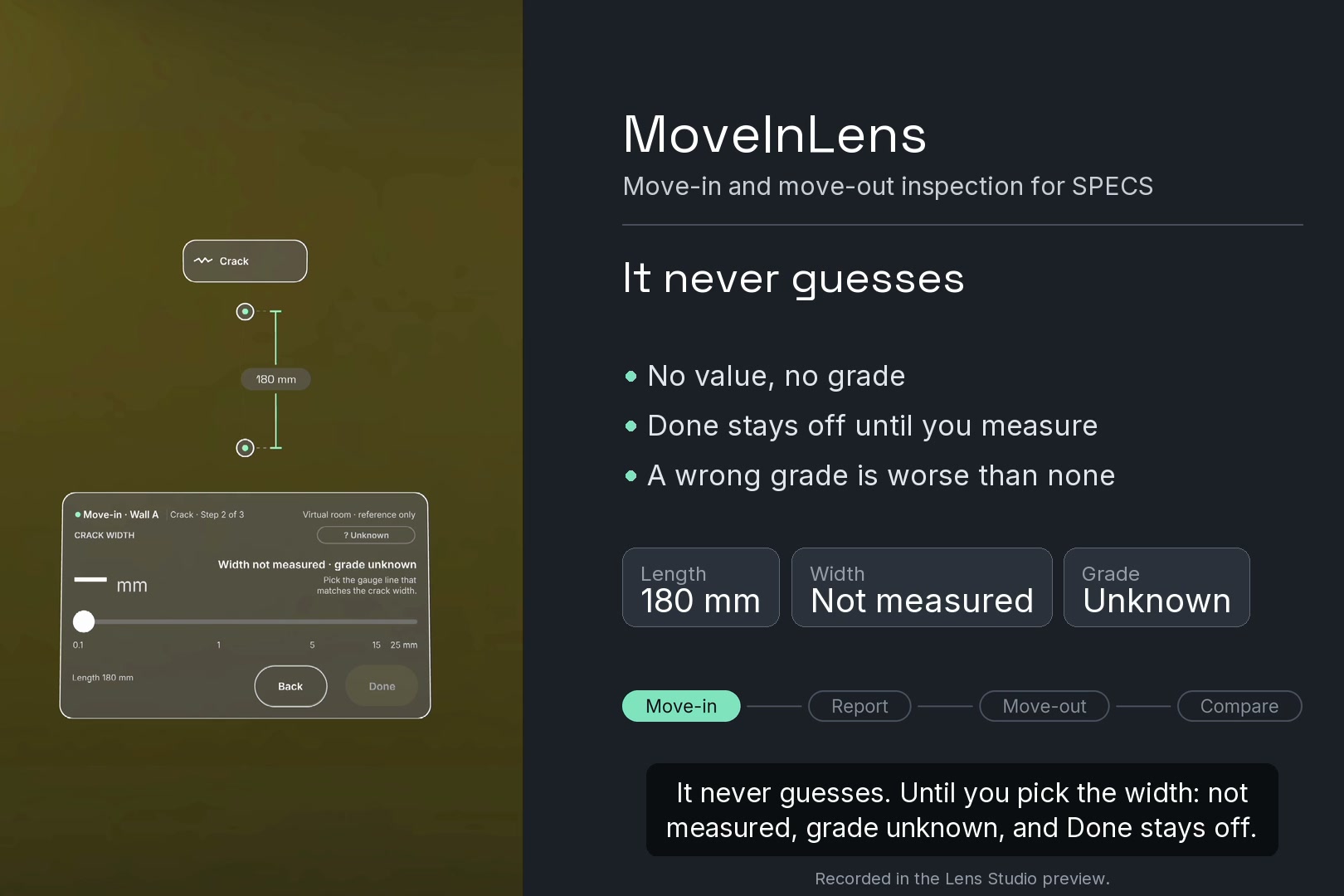
Slide until the true-size gauge line matches the crack. Width and class update live, no ruler.
-
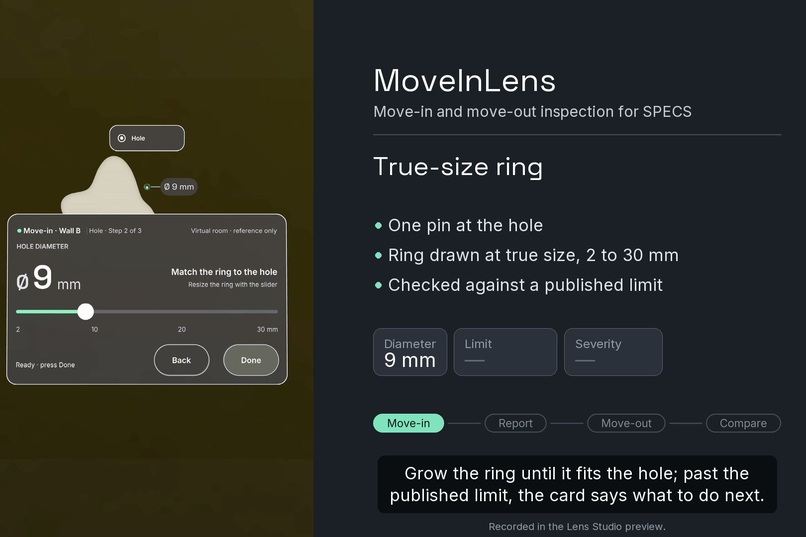
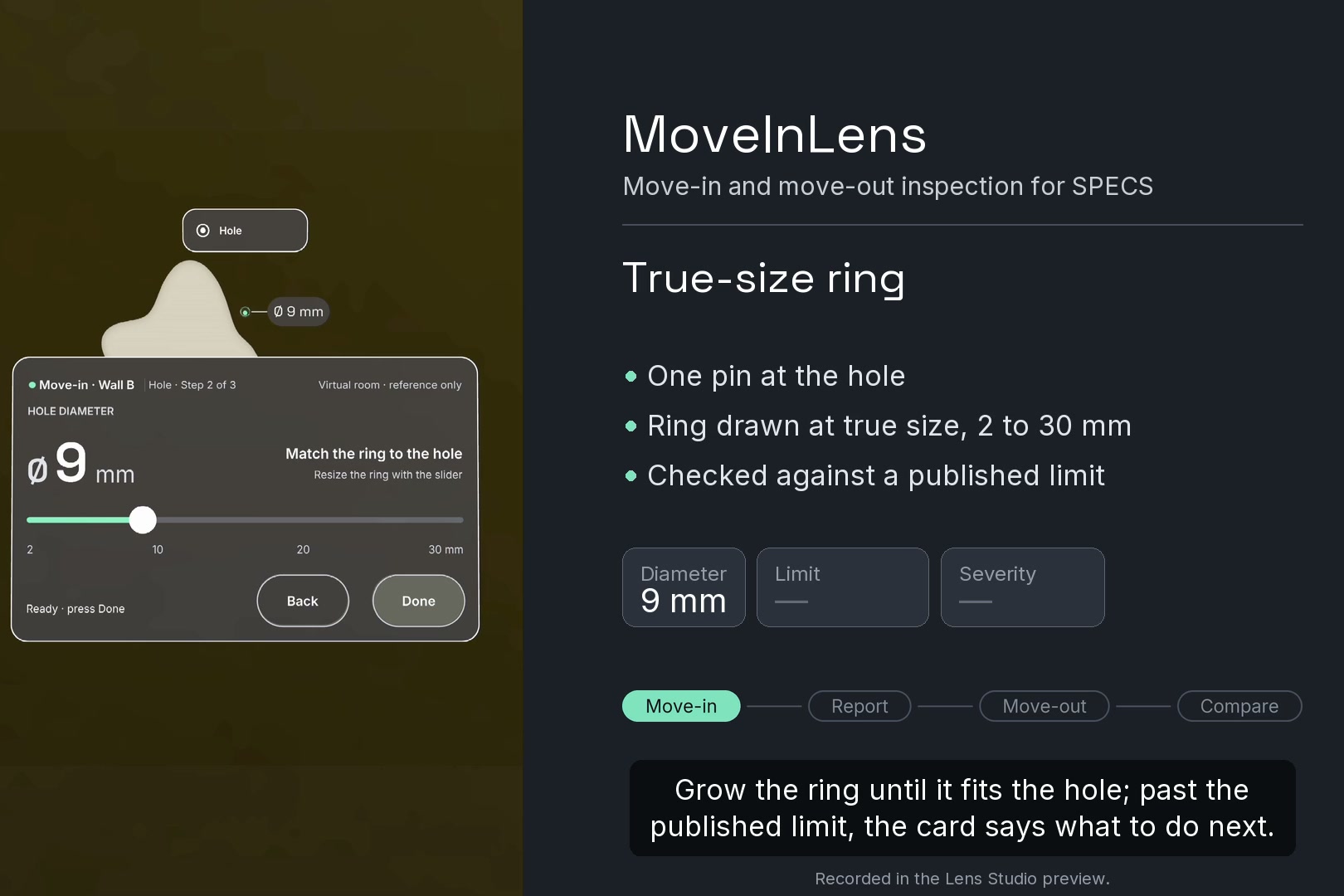
Hole: one pin at the center and a true-size ring you grow until it fits the hole.
-
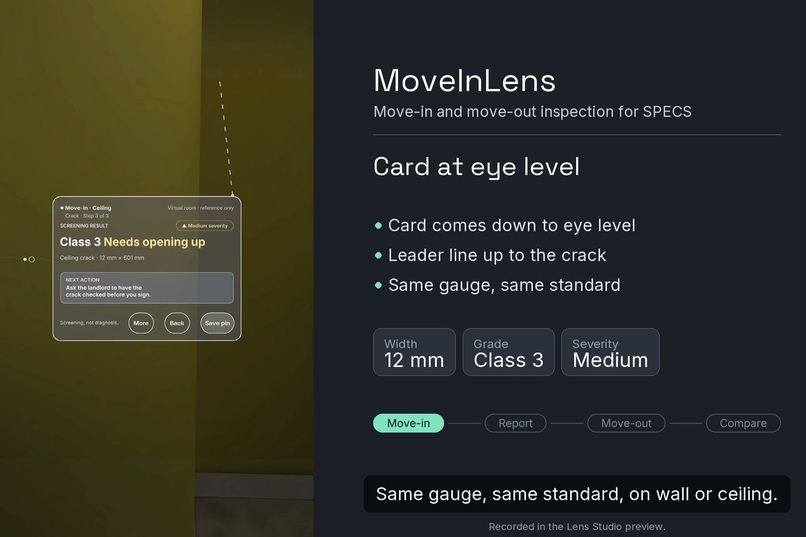
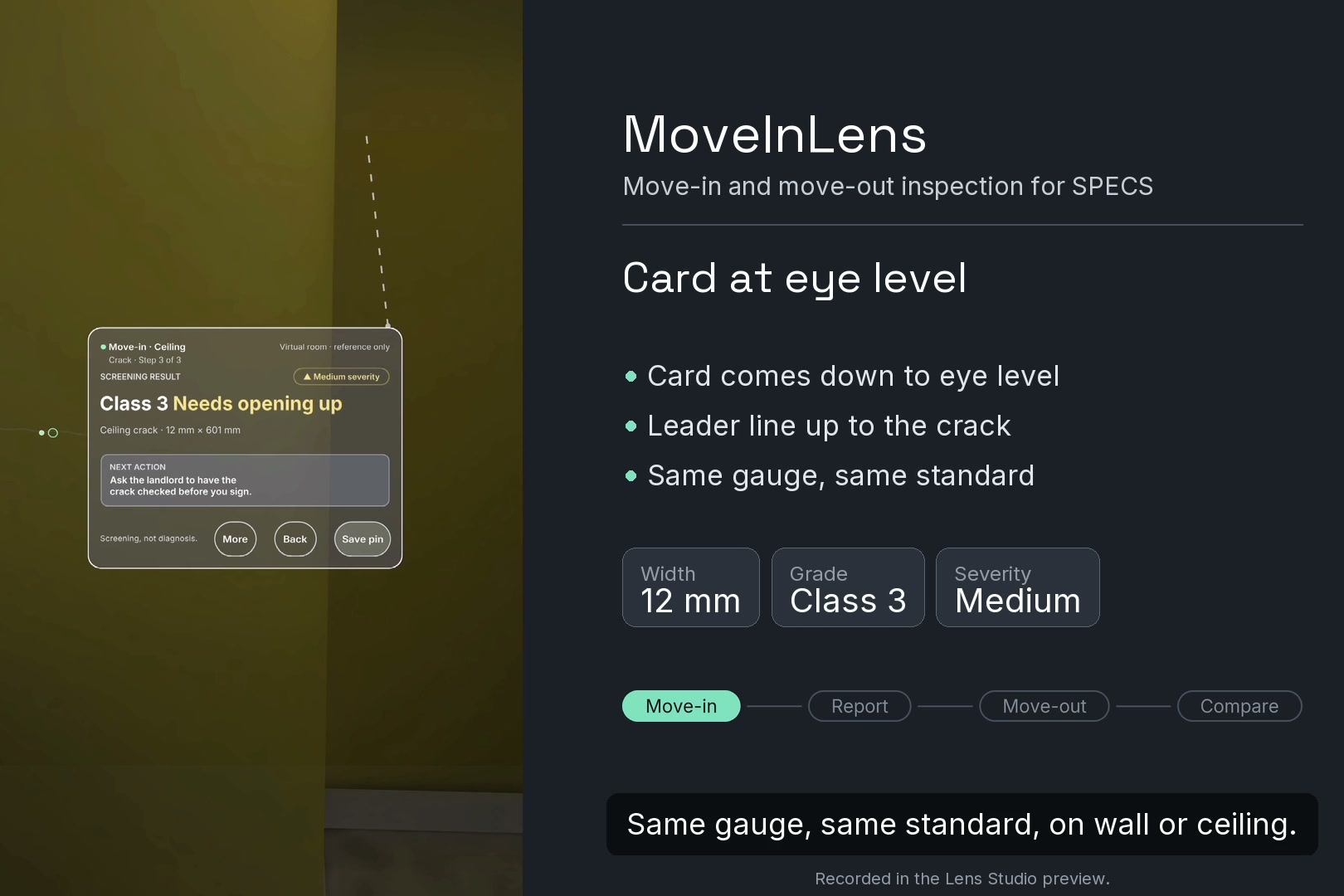
Ceiling crack: the card comes down to eye level, joined to the pin by a leader line.
-
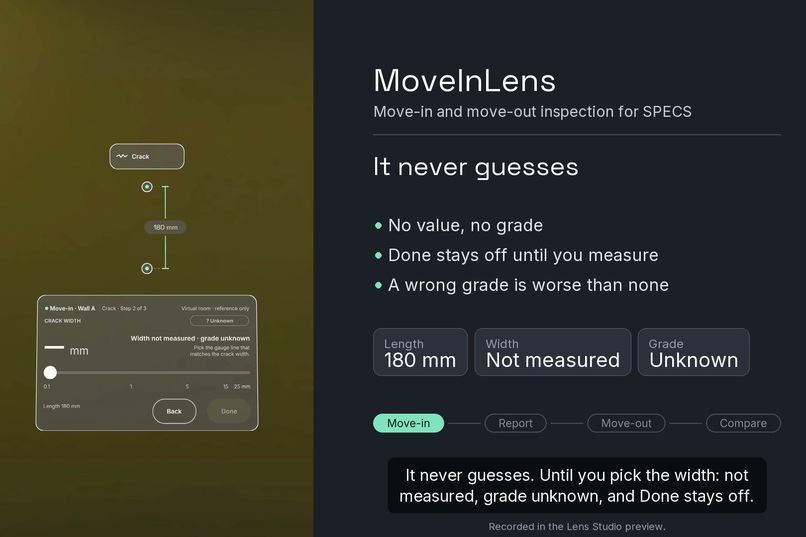
It never guesses: until the width is picked, the grade is unknown and Done stays off.
-
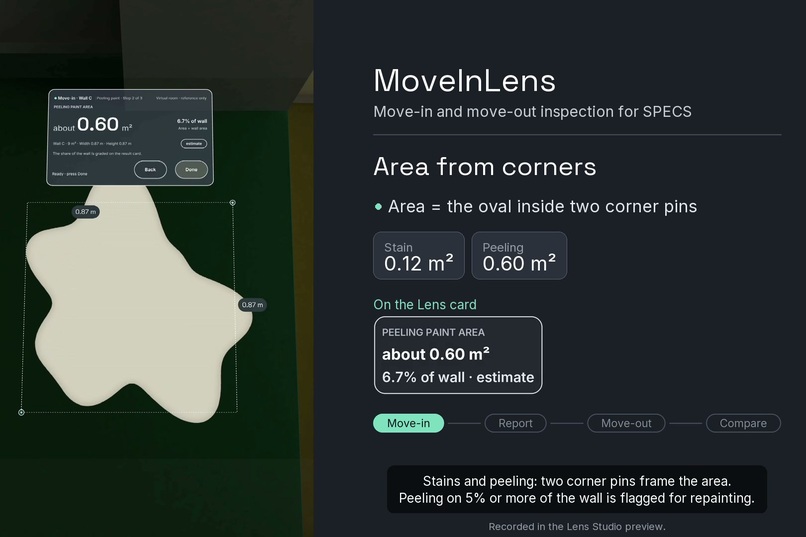
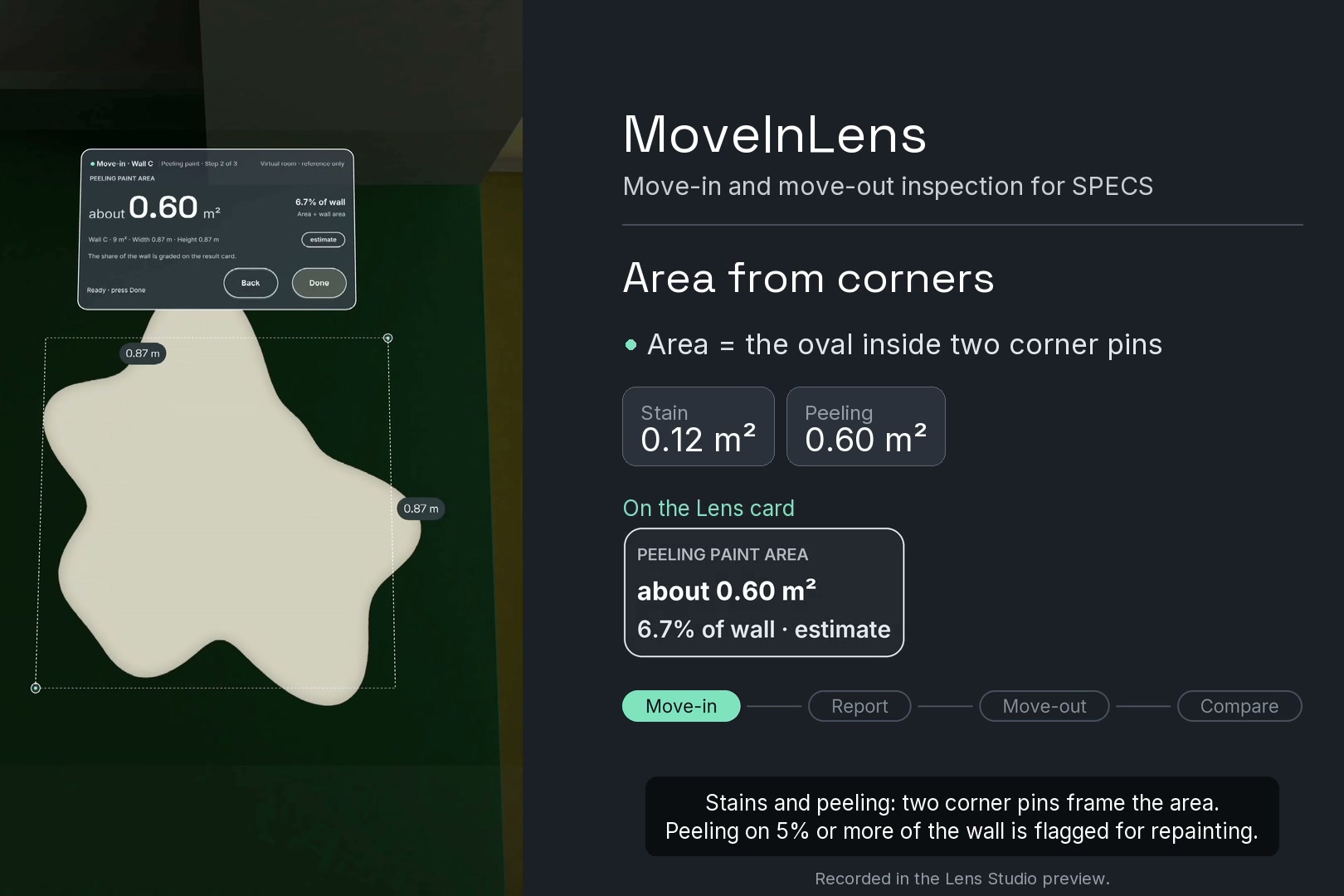
Stain or peeling paint: two corner pins frame the area, shown as an estimate and % of the wall.
-
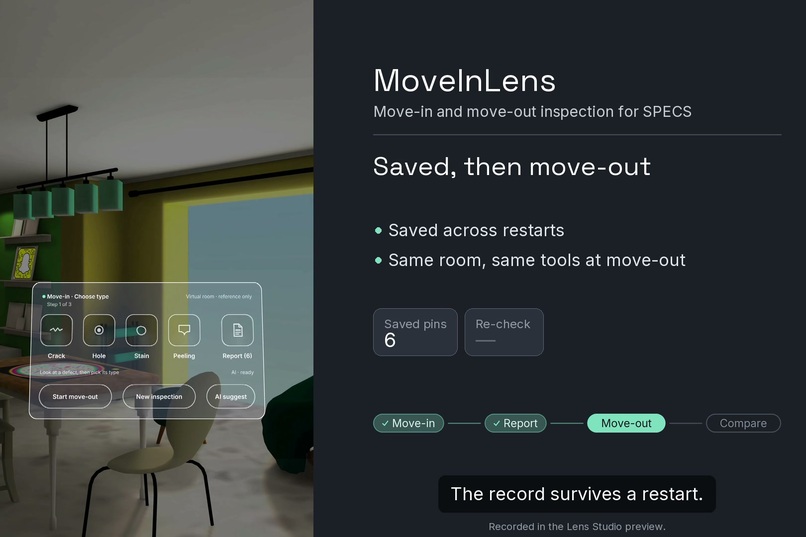
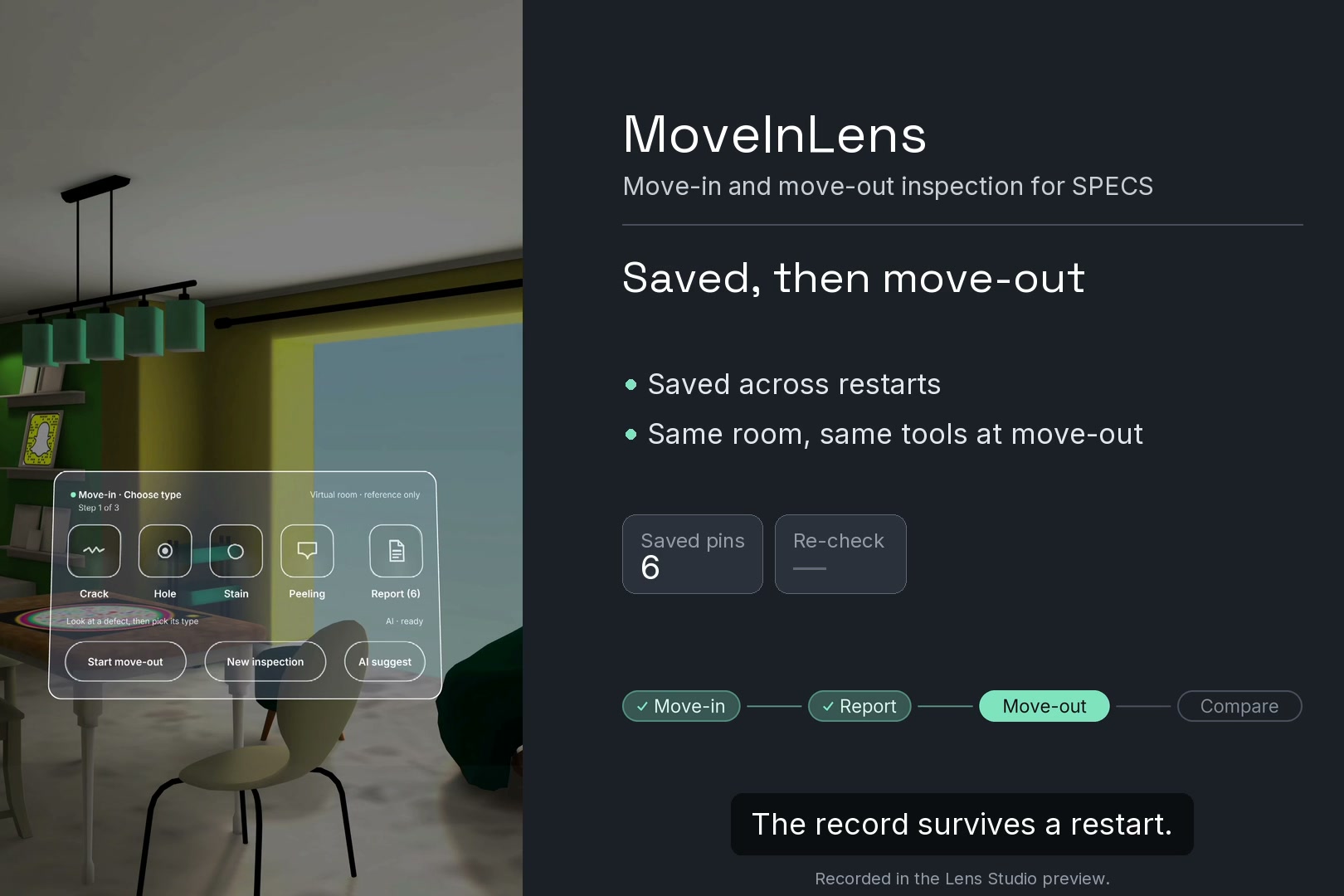
The move-in record survives a restart. At move-out you re-check the same room with the same tools.
-
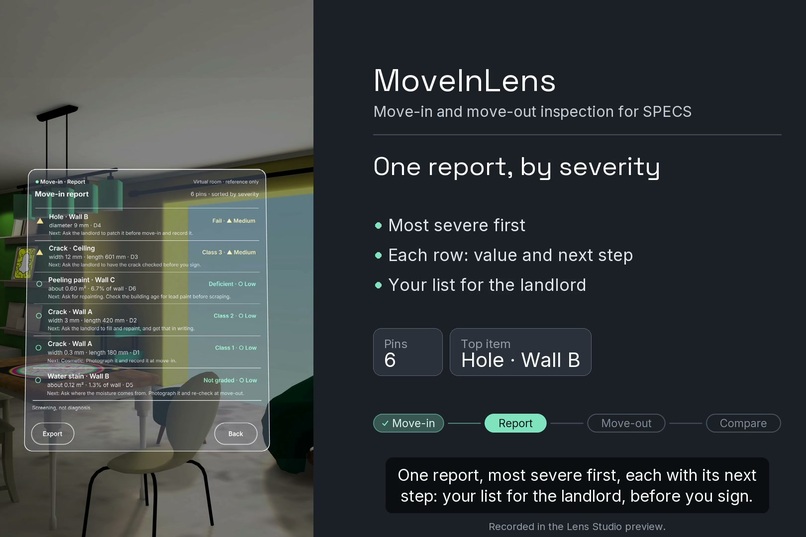
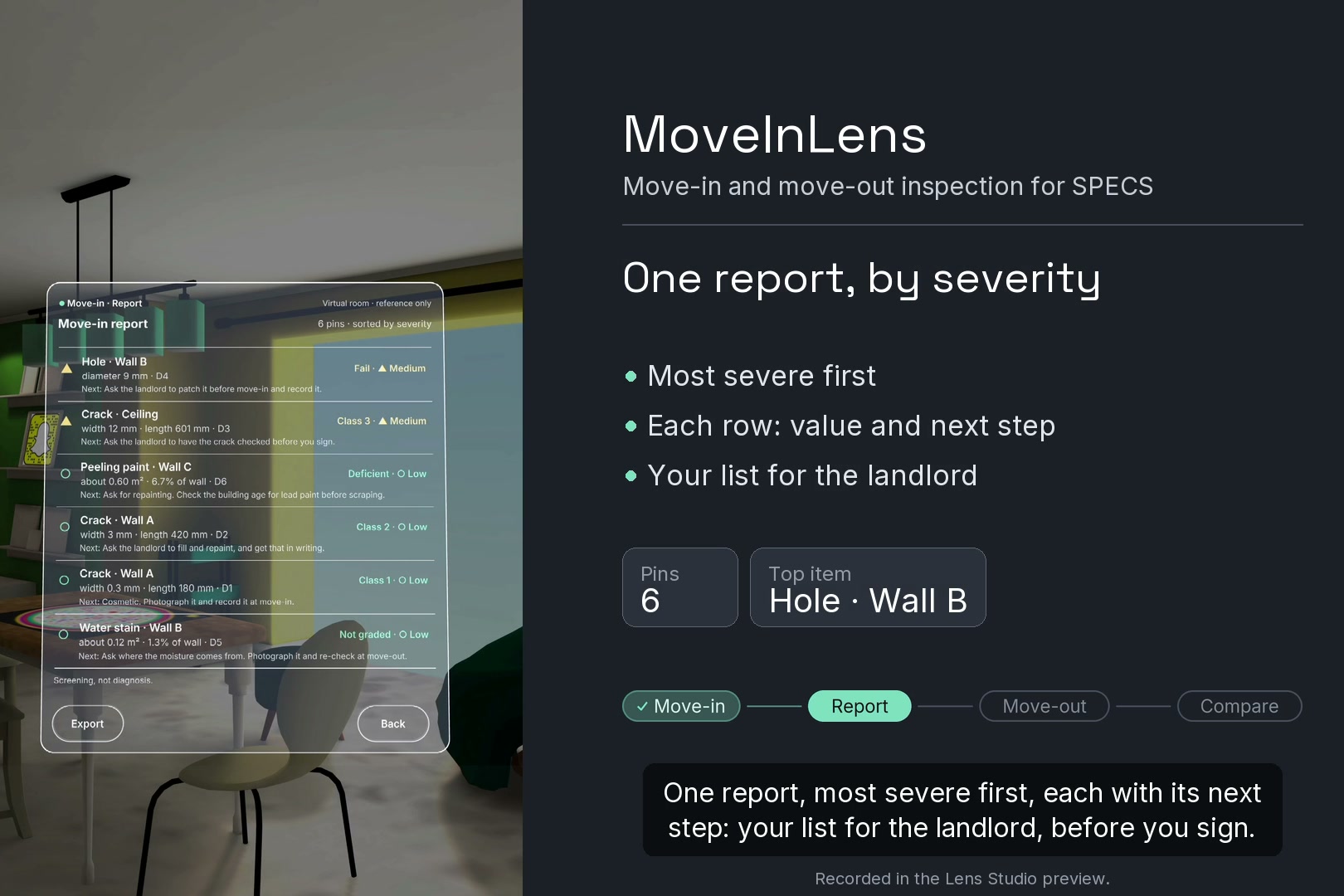
One report, most severe first, each row with its value and next step: a list for the landlord.
-
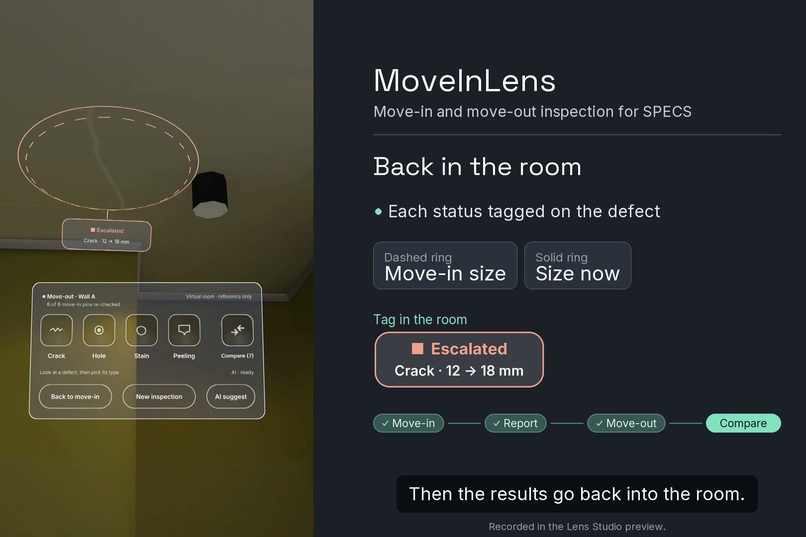
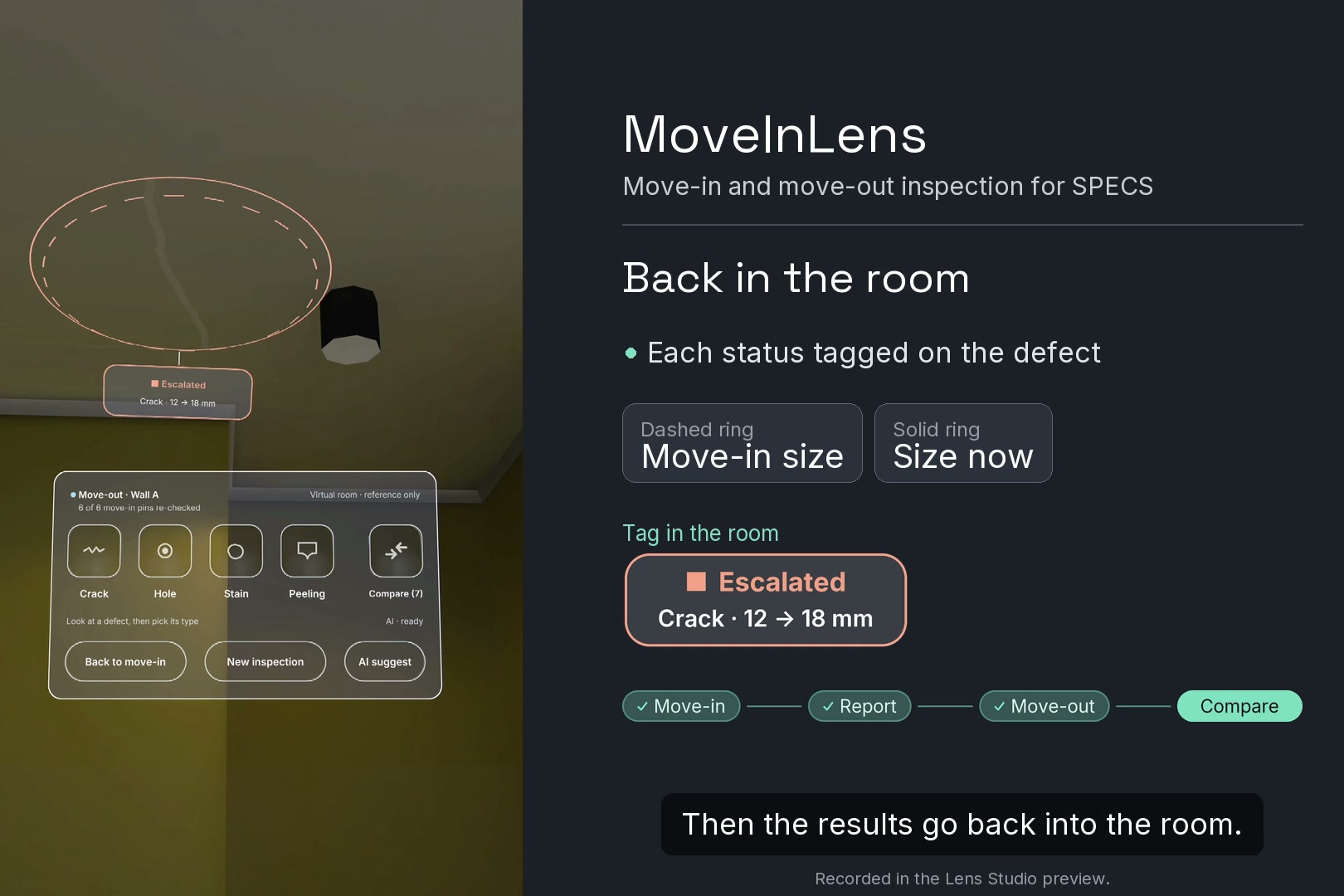
Back in the room: an escalated crack tagged on the wall, move-in size dashed, size now solid.
-
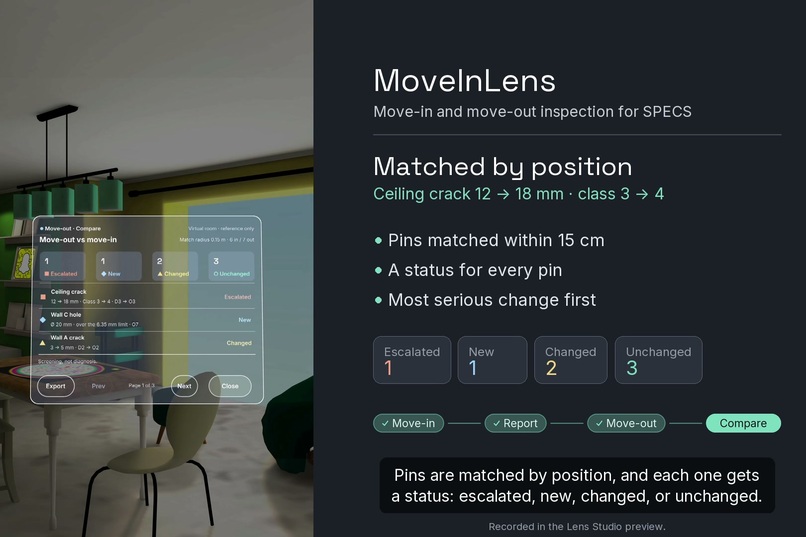
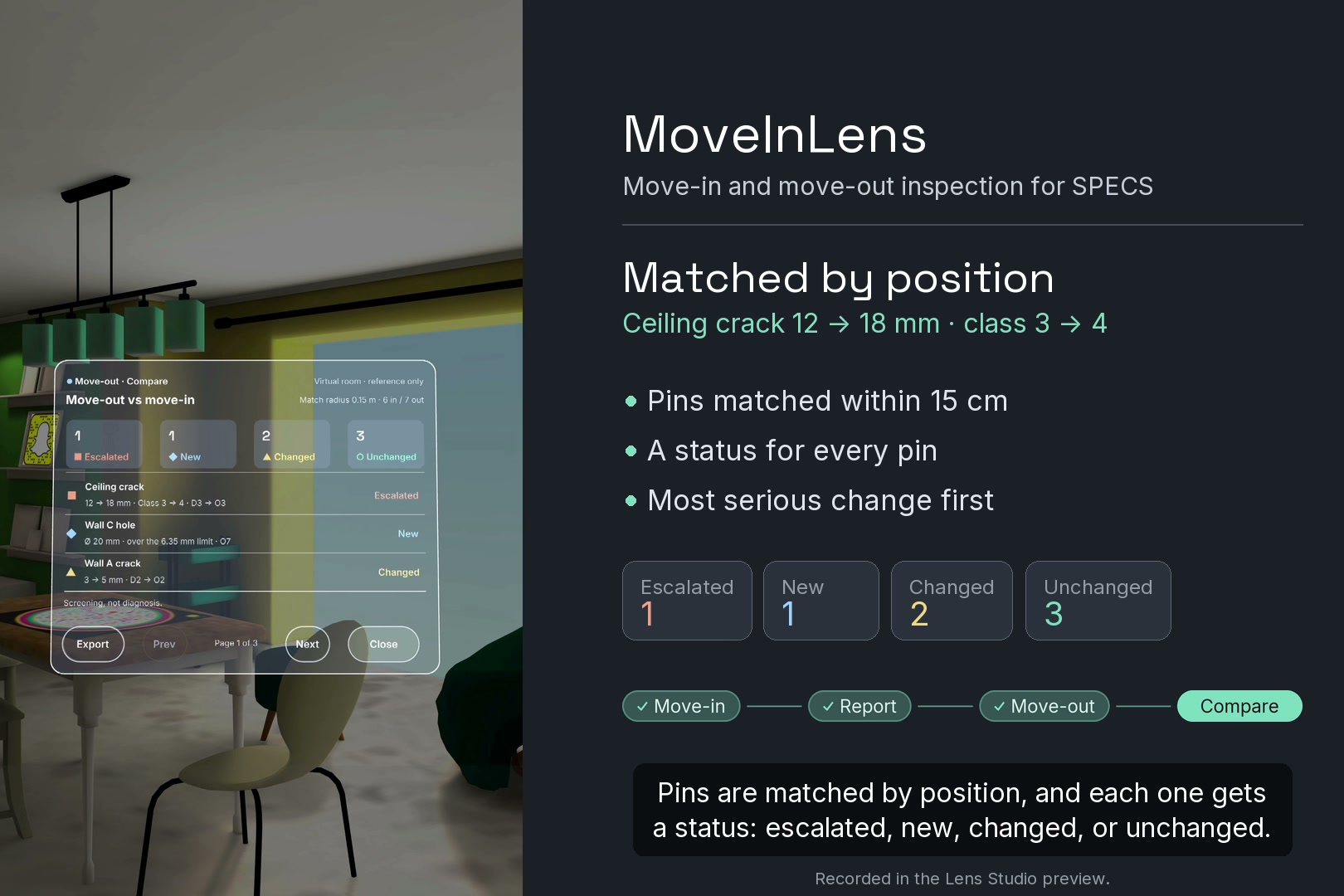
Move-out compare: pins matched by position, each tagged escalated, new, changed or unchanged.
-
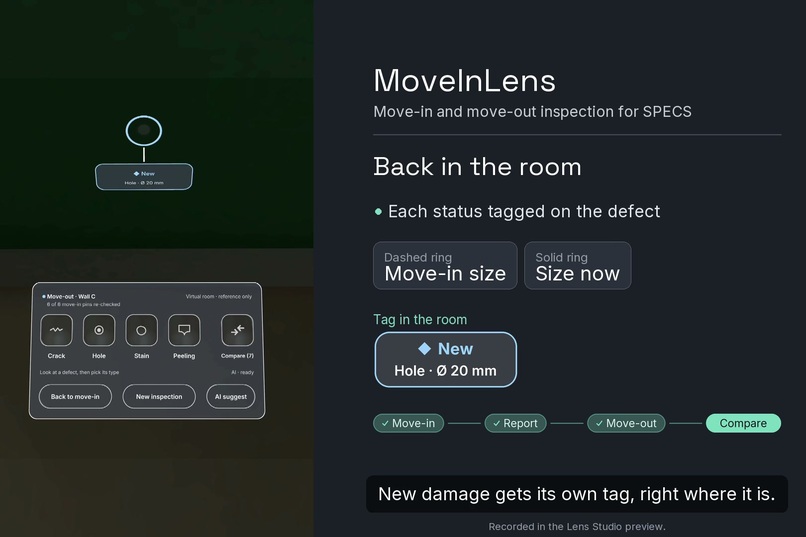
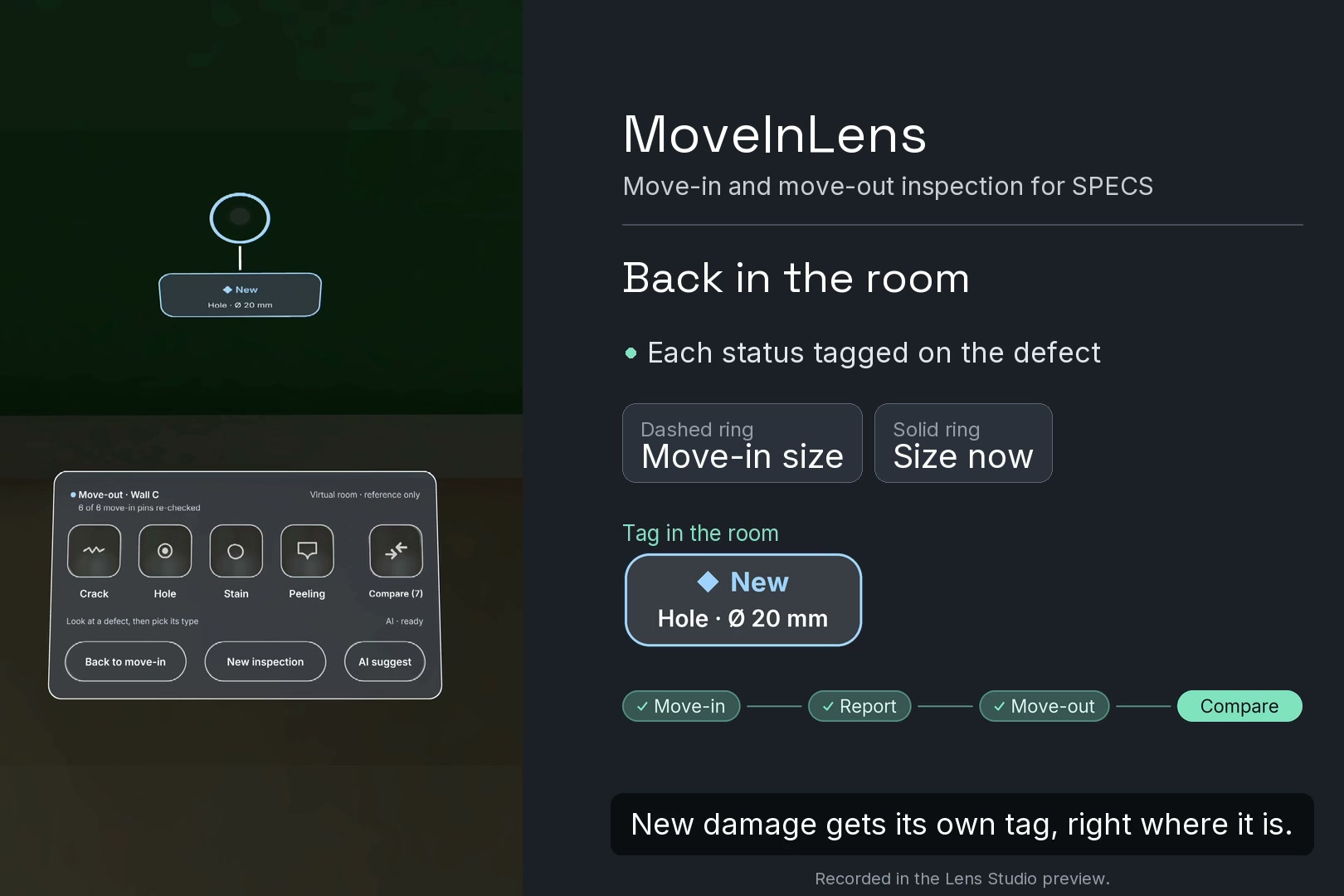
New damage gets its own tag right where it is, ready for the deposit conversation.
Inspiration
When you rent your first place, you sign for a room without really knowing whether that crack by the window matters. Then at move-out you're asked about damage you're sure was already there, and you have nothing to show for it. A phone photo doesn't tell you how wide a crack is or whether anyone should worry about it. On glasses, the measuring tool can sit right on the wall at real size while your hands stay free, so I built that.
What it does
MoveInLens helps you inspect a rental before you move in and again when you move out.
You look at a defect on a wall or ceiling, pin it, and measure it at real size:
- Crack: pin both ends for the length, then slide a true-size gauge line until it matches the crack's width.
- Hole: pin the center and grow a ring until it fits.
- Water stain or peeling paint: pin two corners to frame the area.
A rule-based checker grades each defect and a card appears right under it: the grade, why (your measurement and the rule it was checked against), and what to do next, like "Ask the landlord to fill and repaint, and get that in writing." If you haven't measured something yet, the card says so instead of guessing.
Everything you save goes into one report, most serious first, with a photo of each spot, and you can export it as an HTML file. At move-out you walk the same room again. The lens matches each defect to its move-in pin and tells you what's new, what changed, what stayed the same and what got worse.
Who it's for: students and first-time renters who have to judge a room without any expert knowledge, and who may need to prove later what was already there.
How we built it
- Planning: I started with the Devpost plan-lens skill, which turned my idea into a design brief with 11 numbered done criteria (
devpost/design-brief.md). I sized every panel from Snap's SPECS design docs (a 53 x 77 cm view at 110 cm). - Building: CLAD built the Lens through the Lens Studio MCP in Lens Studio 5.25, starting from the SPECS Base Template. I ran everything in the Lens Studio preview, no glasses. It uses InteractionKit and UI Kit for input and panels, World Query to put pins on real surfaces, and Persistent Storage to keep the move-in record.
- Grading: plain rules, no machine learning. Cracks, holes and peeling paint are checked against published reference thresholds, and water stains are flagged rather than graded by size. Every result names the rule it used.
- Optional AI: if you run a small local relay with your own Anthropic API key (
tools/ai-relay/relay.py), you can pinch "AI suggest" and Claude Opus 5.5 looks at the camera view and points out where a defect might be. You still decide, place the pins and measure, and the checker still does the grading. In 18 test calls in the virtual room it found 16 of the 17 visible defects, never flagged something that wasn't there, and stayed quiet on 3 empty walls. It uses Lens Studio's Experimental APIs, so this build can't be published to the Lens store. - Testing: LEAF scenarios cover every done criterion in the preview, and a node test runs every reference case through both my original checker and the Lens version to make sure they agree.
- Decisions: every decision, and where every file came from, is written down in
devpost/decisions-log.md.
What CLAD built, and what it didn't
The Lens itself, meaning every script and panel in Assets/Scripts, was built by CLAD step agents. A few pieces came from elsewhere, and the rules ask me to list them:
Written by me during the contest, planned in a separate chat and brought in when I created this Lens project on Nov 18:
- The reference checker
src/checker.js(grading and the move-in/move-out comparison), its testtests/run_checker.js, the texture generatortools/gen_assets.py, the rules and demo data indata/, and the defect textures inAssets/textures/. CLAD ported the checker into the Lens. The checker itself was changed twice during the project, once by me (so unmeasured values come back as unknown) and once by CLAD; both changes are logged.
Made with Claude Code, outside CLAD:
- The optional AI relay
tools/ai-relay/and its testtests/run_relay.py. It's Python that runs next to Lens Studio, and CLAD doesn't write Python. Two small project settings let the Lens reach it: the InternetModule assetAssets/AI/MILInternetModule.internetModuleand theEXPERIMENTAL_APIflag. - The tools I used to cut the demo video,
tools/demo/, and the camera path data they generate for the test takes,Assets/Tests/MilM4DemoPathData.ts. - The static SemiBold and Bold font files, the type and Report icons converted from my mockup's SVGs, and the Lens icon.
- Early on, some Lens code was written by regular Claude Code subagents instead of CLAD. I rolled it back and had CLAD rebuild it on Nov 22 ("CLAD redo" in
devpost/decisions-log.md).
Third-party:
- Snap: the SPECS Base Template, InteractionKit, UI Kit, Icons and Motion packages, the Colorful Home preview room, the LEAF testing package and plugin, the Bitmoji 3D package (a LEAF dependency, not used by the Lens), and the AiPreviewAgent Inspect/Interact packages (added by the Lens Studio MCP test tools).
- Fonts: Inter and Space Grotesk (Google Fonts, SIL Open Font License 1.1).
- Icons: Material Symbols (Google, Apache 2.0): bolt, radio_button_checked, water_drop, layers, summarize, compare_arrows.
- Video narration: Kokoro-82M text to speech (hexgrad, Apache 2.0), run offline. No music.
- The Colorful Home room has a framed Snapchat ghost logo on a shelf. It's part of Snap's own preview scene and shows up in a few wide shots of the video.
Challenges we ran into
- Measuring millimetres without a ruler. A depth sensor can't see how wide a crack is, so the Lens draws a true-size gauge on the wall and you match it by eye. The length comes from two pins on the actual surface.
- Fitting everything in a 53 x 77 cm view and keeping it readable. Cards sit just below the defect, slide back into view when they'd fall off the edge, and never cover the pins. A ceiling crack gets its card brought down to eye level with a line back up to the crack.
- Not guessing. My first checker quietly passed a hole nobody had measured. Now every type says exactly what's missing ("Width not measured"), and Done stays off until you measure it.
- Matching move-in and move-out. Defects are matched by position, and the results go back into the room as tags that stay in view and don't pile up on each other.
Accomplishments that we're proud of
- The whole flow, from the first pin at move-in to the comparison at move-out, works in the preview with clicks only, and all 11 done criteria have LEAF tests that pass.
- The grader inside the Lens gives exactly the same results as my original checker on every reference case.
- The optional AI found 16 of 17 visible defects with no false alarms, and it still only suggests: you measure, and the rules grade.
- Every decision and the origin of every file are documented in the open.
What we learned
- Be honest about what the sensor can't do. Depth can't resolve a crack's width in millimetres, so the design gives you a gauge to match by eye instead of pretending.
- Test the risky features first. A few quick spikes showed that World Query hit tests do work with a mouse click in the preview (with filtering off), that Persistent Storage survives a preview restart but is stored per preview panel, and that text to speech doesn't work there, so I went with captions.
- Size the UI from the device, not a mockup. The SPECS view is about 53 cm wide and 77 cm tall at 110 cm. My first layout was far too big and I redid it in centimetres.
- A coding agent needs a clear brief and real tests. Feeding the checker missing values showed it graded an unmeasured hole as passing, so the rule became "unknown, please measure" and tests lock it in. LEAF tests caught a result card getting cut off at the edge of the view, and a parity test keeps the Lens's grader in step with the original.
What's next for MoveInLens
- Try it on real SPECS glasses: how it feels over a full inspection, real hand tracking, and finding the same room again at move-out. So far it has only been built and shown in the Lens Studio preview's virtual room.
- Add more kinds of damage (mould, flooring, broken fittings) and rule sets for different countries. The current thresholds come from UK building guidance and US housing inspection forms and are meant as a reference, and areas measured from two corner pins are estimates.
- Let you send the exported report straight to the landlord from the Lens.
Built With
- anthropic-api
- clad
- claude
- claude-code
- interaction-kit
- leaf
- lens-studio
- mcp
- node.js
- python
- specs
- spectacles
- typescript
- ui-kit
- world-query
