-
-
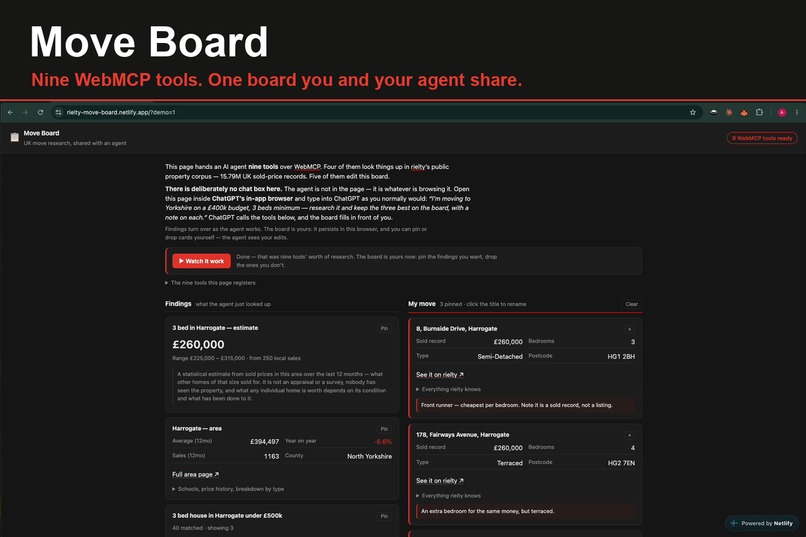
Hero
-
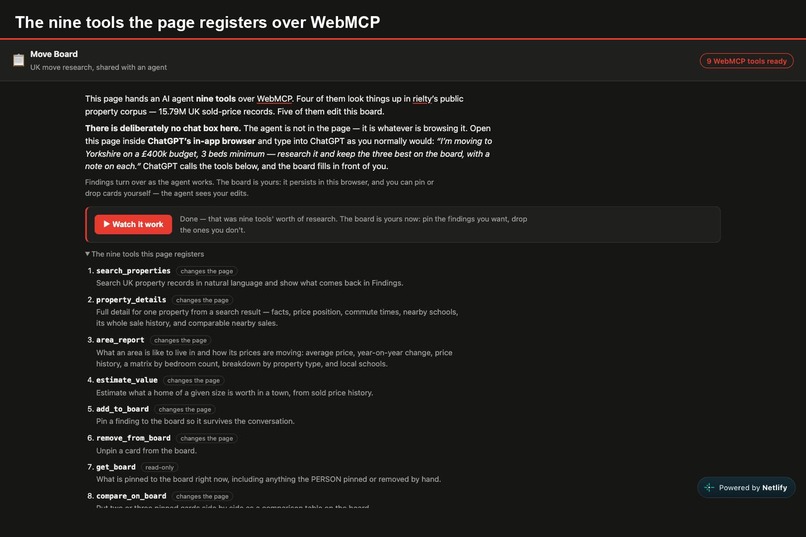
Nine tools
-
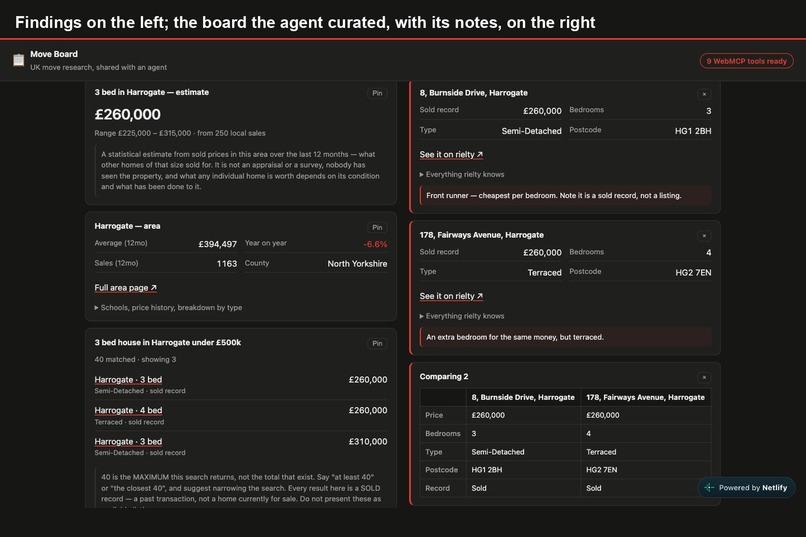
Board
-
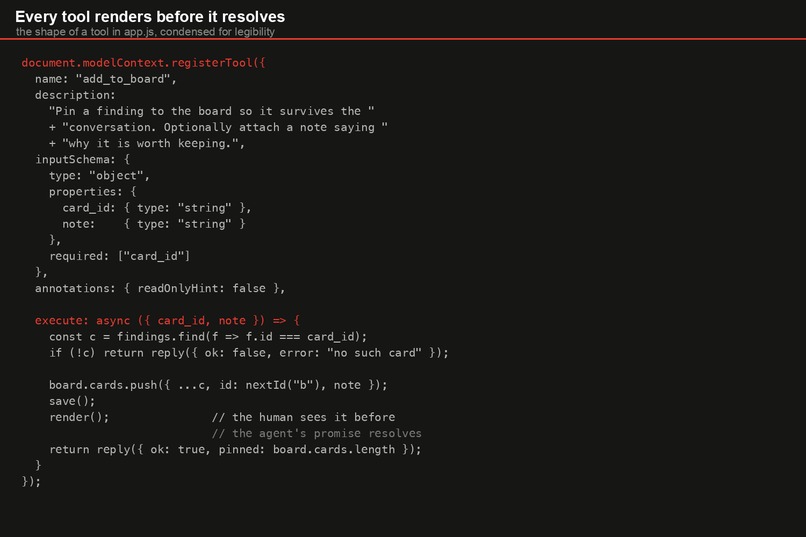
Code
About the project
Inspiration
Deciding where to live in the UK means holding a dozen things in your head at once: what a street actually sold for, whether an area is rising or flattening, what your current place is worth, how far it is from work. The data exists. It is scattered across a dozen tabs and comparable only in a spreadsheet.
An AI agent can do that research today and then hands you back a wall of prose. You cannot sort it, cannot pin two candidates side by side, cannot come back to it tomorrow. The research dies with the conversation.
What it does
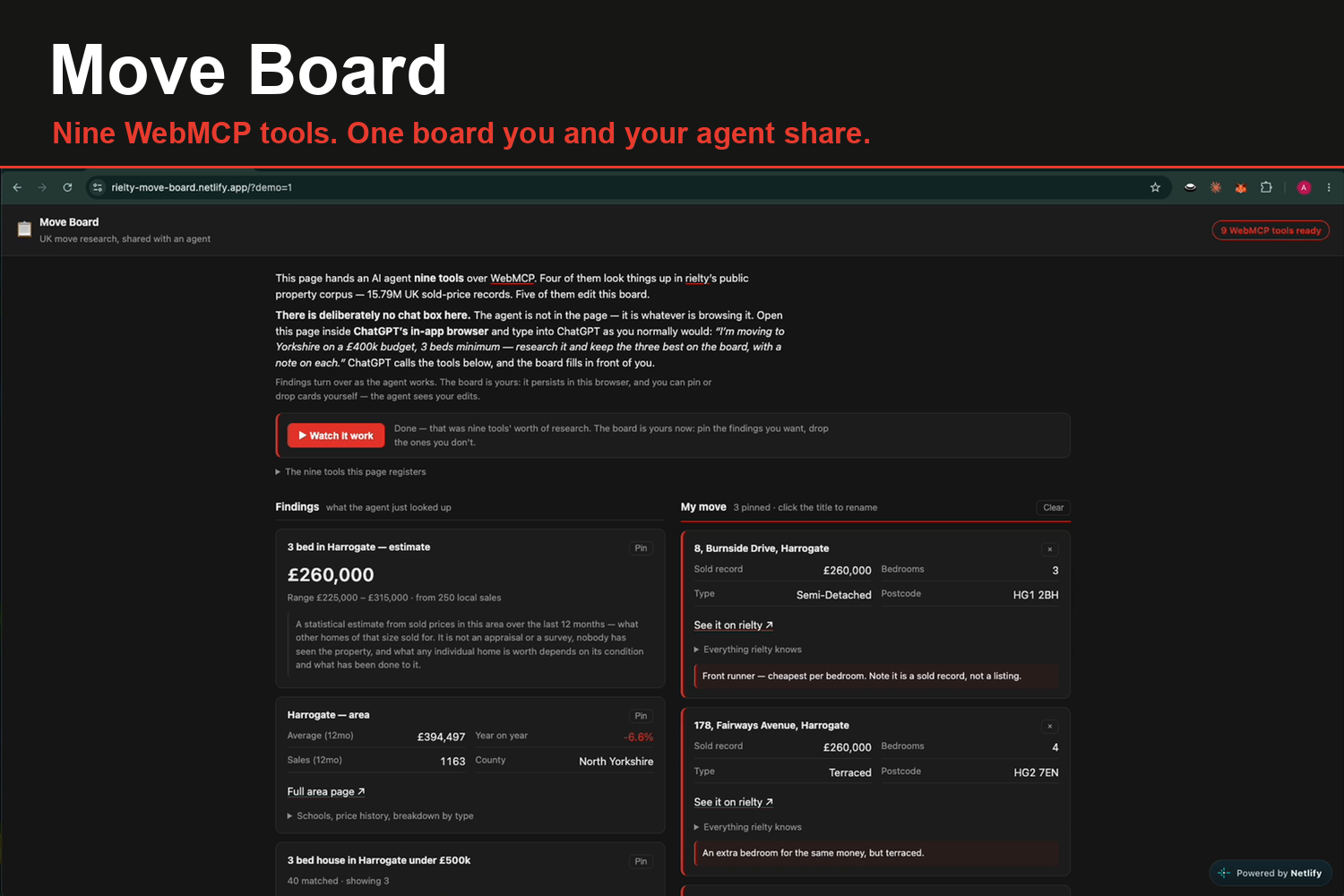
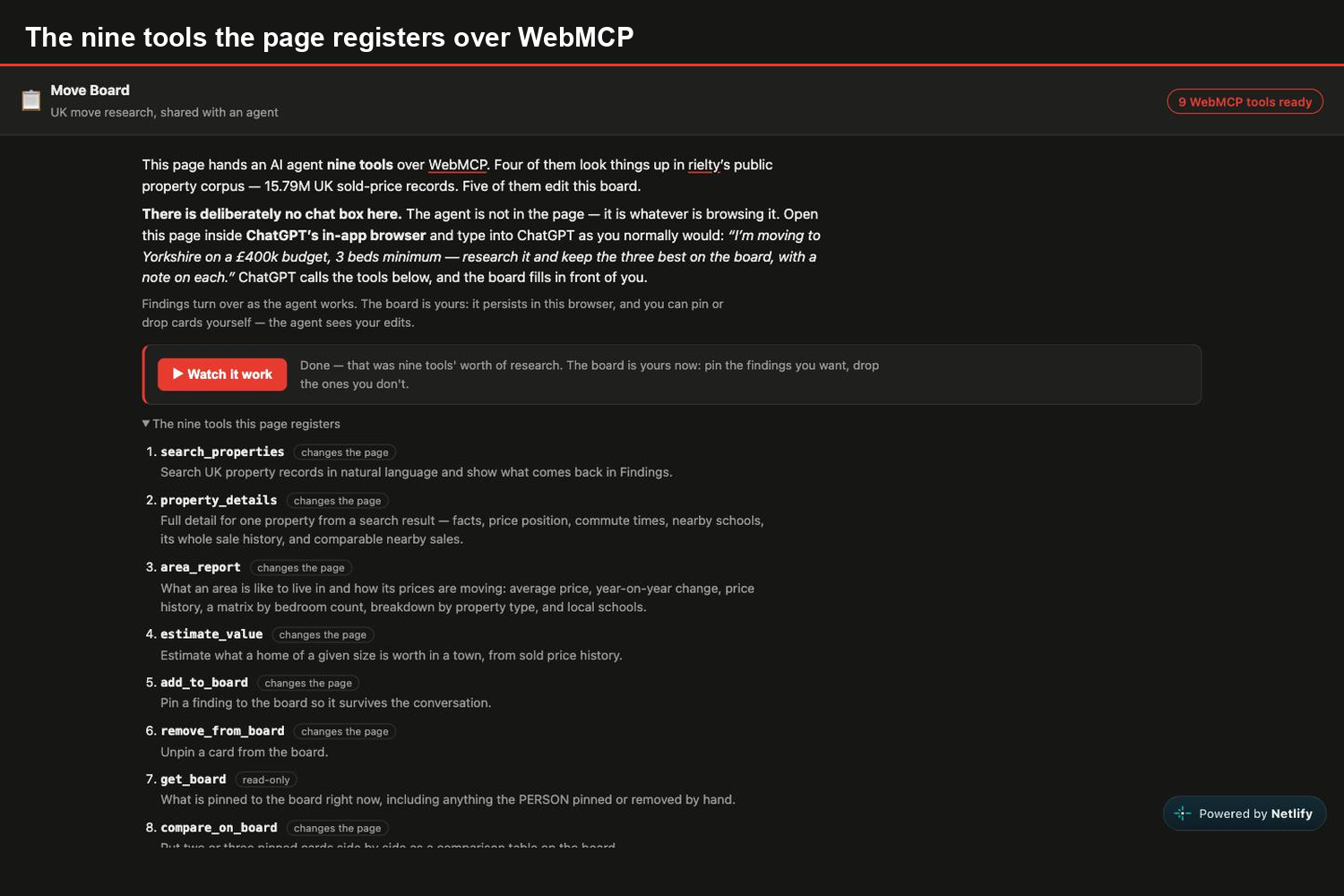
Move Board gives an agent nine tools, and they split into two kinds. That split is the whole idea.
Four tools look things up in rielty's public property corpus is 15.79M UK sold-price records and 1.96M commute journey times: search_properties, property_details, area_report, estimate_value.
Five tools edit the board itself, and have no server behind them at all: add_to_board, remove_from_board, get_board, compare_on_board, annotate_card.
A conventional MCP server could serve the first four. Only WebMCP can serve the other five, because they act on a surface the person is looking at, in their browser, in their session. There is nothing to authenticate and no state to sync.
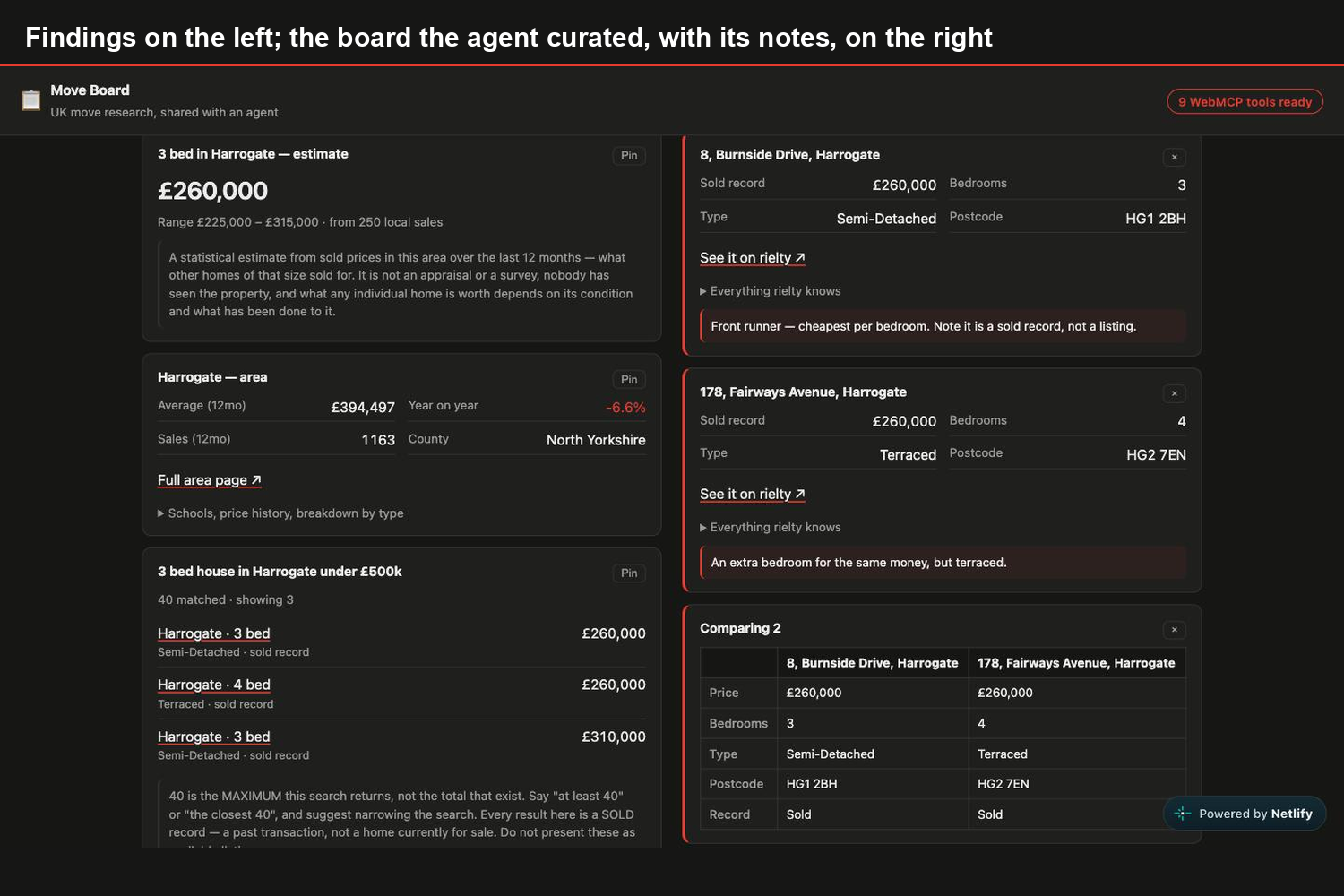
Ask, inside ChatGPT's in-app browser: "I'm moving to Yorkshire on a £400k budget, 3 beds minimum - research it and keep the three best on the board, with a note on each." Findings appear as it searches. Cards land on the board only when it decides they are worth keeping. Notes get written onto them explaining why. When it finishes you will have a board and you can drop the one you never
liked, and the agent sees your edit next time it calls get_board.
How we built it
Deliberately boring. No framework, no build step, no dependencies: index.html, styles.css, app.js and one serverless function.
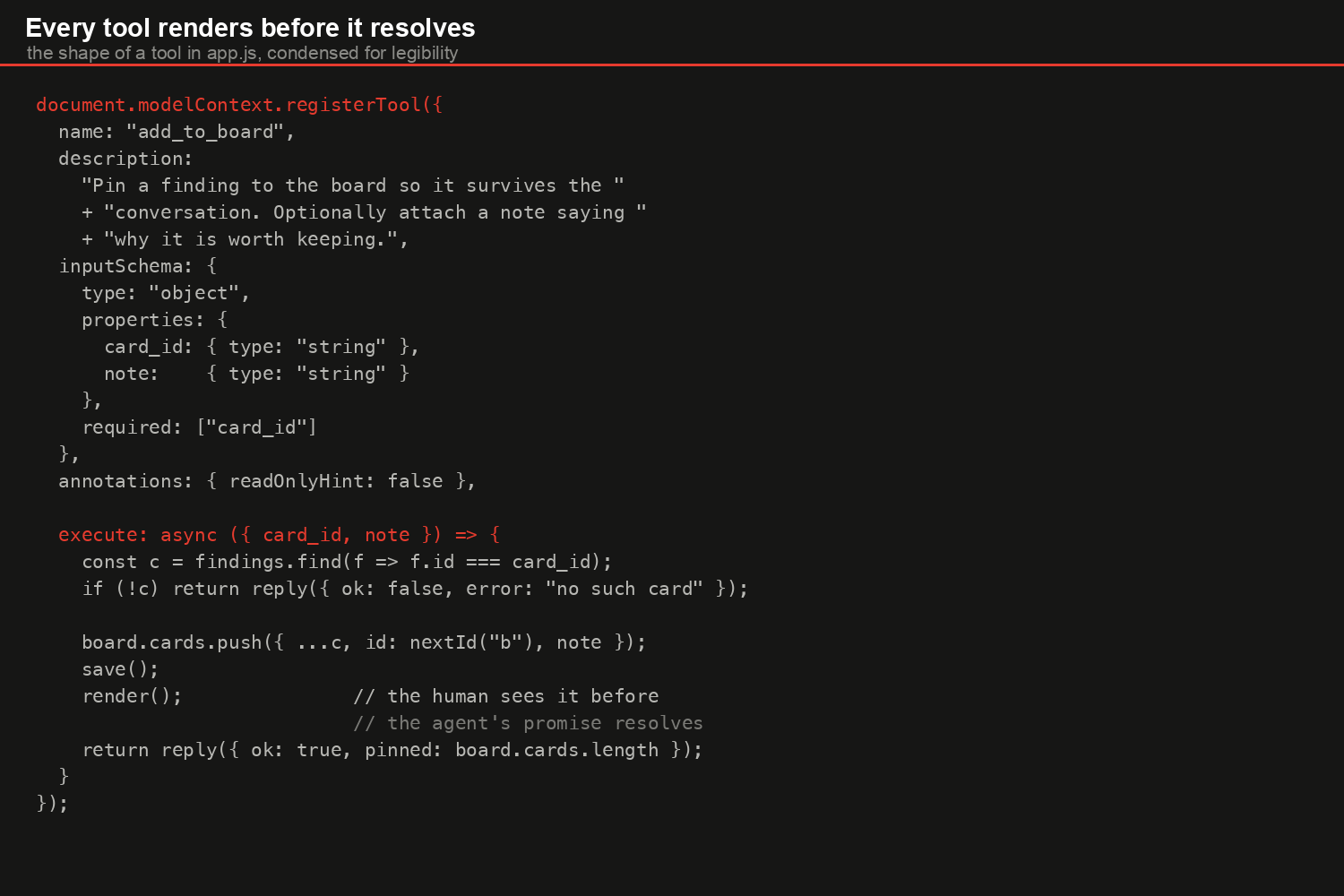
Tools are declared as data and registered in one loop:
document.modelContext.registerTool({
  name: "add_to_board",
  description: "Pin a finding to the board so it survives the conversation…",
  inputSchema: { type: "object", properties: { … }, required: ["card_id"] },
  execute: async (input) => { /* mutate the board, re-render, reply */ }
});
Every execute() mutates state and re-renders before it resolves, so the human sees the result at the same moment the agent receives it. No polling, no websocket.
readOnlyHint is declared per tool rather than inferred from the name - search_properties is not read-only, because it changes what is on screen even though it writes no data.
Challenges we ran into
The browser cannot call an MCP server directly. We assumed a static page could talk to rielty.co.uk/mcp/v1 and found otherwise: it sends no CORS headers, answers OPTIONS with a 405, and does not expose the mcp-session-id header its own handshake depends on. Hence one serverless function that speaks MCP server-side - initialize, notifications/initialized, tools/call. It allows only the four tools rielty publishes, so it cannot be used as an open relay.
A page full of tools looks broken. Our first deploy was correct and felt dead: open it in Safari, or Chrome without the flag, and you get two empty boxes and nothing to click, because there is no agent present. Correct behaviour, indistinguishable from a bug and judges would open it exactly that way. So we added Watch it work and ?demo=1, which run the same nine tools in the order an agent calls them. Nothing is faked; every card is live data.
Saying where the agent actually is. Our copy read "ask your agent something like…" beside a page with no input box. The agent is not in the page - it is whatever is browsing it. That sentence had to be rewritten to teach the model, not just describe the feature.
API details that are easy to get wrong. The spec says document.modelContext; some write-ups say navigator. Chrome 152 has it on document, so we feature-detect both. And executeTool takes the tool
object from getTools() plus a JSON string - passing a name throws not of type 'RegisteredTool', passing an object throws Failed to parse input arguments.
Accomplishments that we're proud of
The honesty survives the trip to the agent. rielty's corpus is predominantly sold history, not homes for sale, so every card is labelled "Sold record", and estimate_value returns no figure at all where there are too few local sales. The tool descriptions tell the agent to check listing_type before calling anything available. It would have been easy to ship something that quietly implies 15.79M homes are for sale.
What we learned
WebMCP changes what a page is for. We started thinking of it as a second transport for an API we already had, and finished thinking of the page as a shared workspace - the agent's tools and the human's hands acting on the same DOM. The moment that clicked was writing get_board: an agent has to be able to ask what the person changed, because they are editing the same thing.
What's next
The same nine tools are already built into rielty's own Phoenix/LiveView app and verified in Chrome, where search_properties runs the page's real typed-search path - so the map pans and the result list repaints as the agent works. That branch is not deployed yet. Beyond it: outbound tools (price
alerts, enquiring with an agent) behind an explicit human confirmation step, since an agent reading a property description is reading attacker-controllable text.
Built With
- css
- elixir
- html
- javascript
- model-context-protocol
- netlify
- netlify-functions
- openai
- phoenix
- webmcp


Log in or sign up for Devpost to join the conversation.