Inspiration
When using a computer, by far the most popular input methods are the keyboard and mouse. This has worked well for much of the history of computing, however much time and effort is still wasted in moving your hand between the keyboard and mouse when switching between typing and pointing tasks. In addition to wasting time, for people with wrist injuries like RSI, repetitive movements like this can actually be dangerous.
For high-frequency computer users, the keyboard-mouse transition takes on average 1.5 seconds. at approximately 300 transitions per day, that's 7.5 minutes daily, or 32.5 hours annually just spent moving your hand between your keyboard and mouse [1]. That's almost a full work week! Some frameworks try to reduce the need for a mouse or keyboard, like VIM which uses the keyboard as much as possible, and visual scripting languages like blueprints which primarily use the mouse for everything.
Our goal was to see if the amount of time required to switch between pointing and typing tasks could be minimized as much as possible, and could do so in a way that was minimally intrusive.
What it does
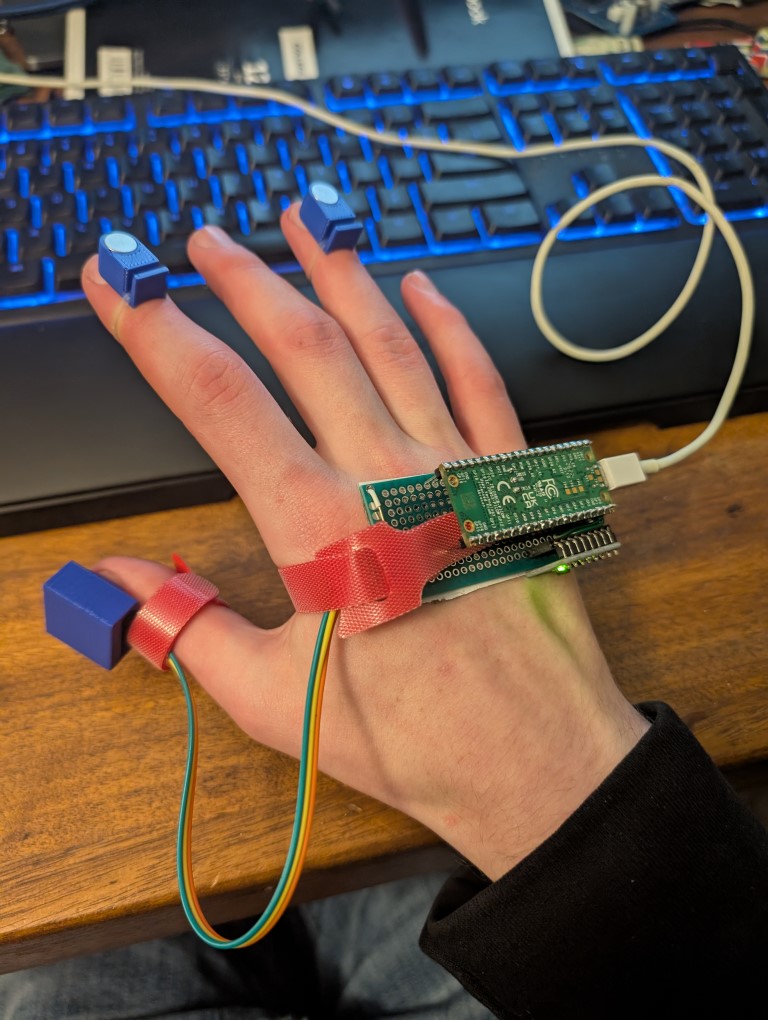
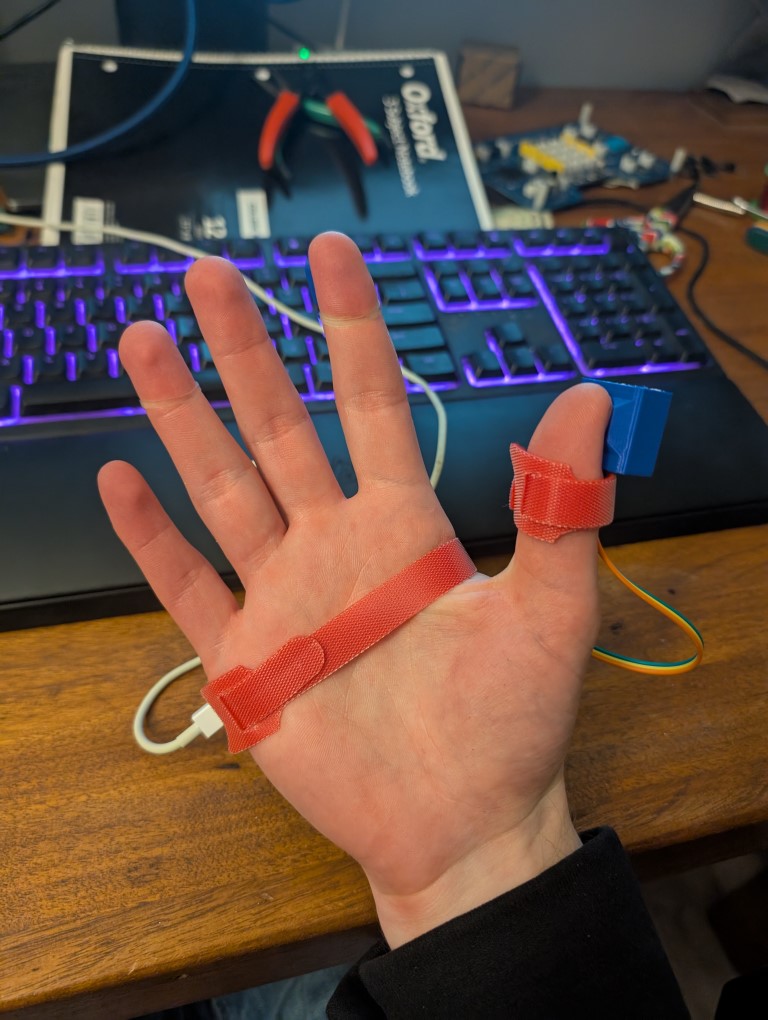
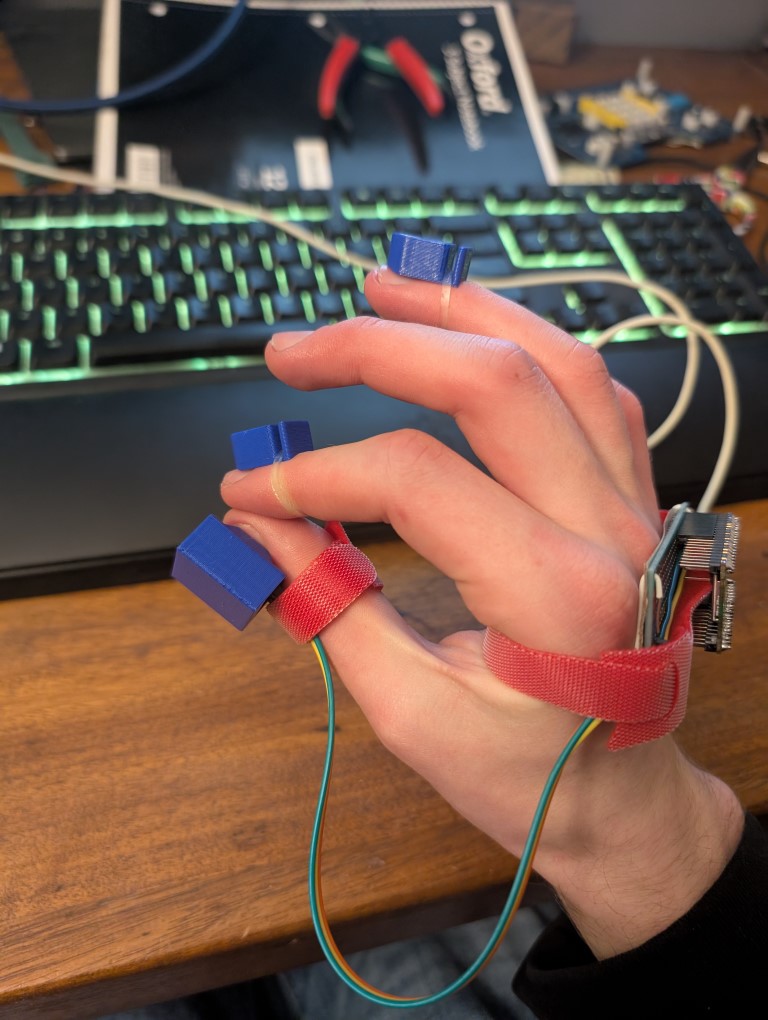
Mouse++ is a computer mouse you can use without taking your hand off the keyboard. All you need to do is touch your pointer finger to your thumb and point your whole hand at where you want to go! Once you're done, you're free to immediately start typing again. The whole motion requires only a few inches of travel compared to the much larger amount a traditional mouse requires.
How we built it
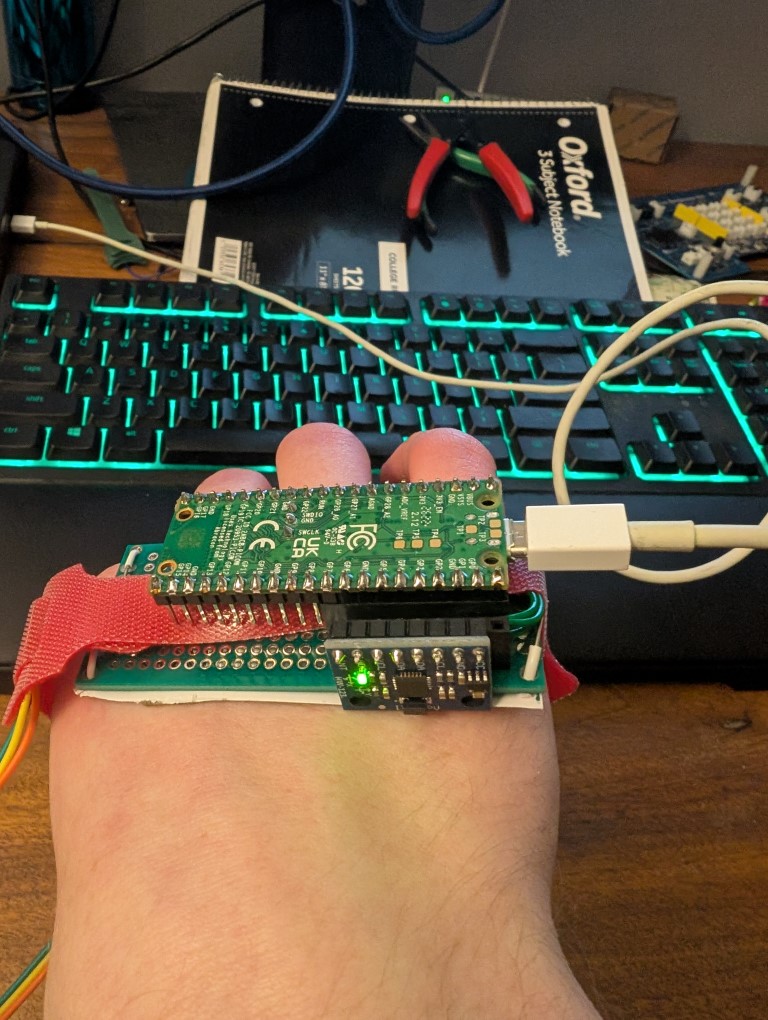
We built the design using a raspberry pi pico w as our microcontroller. It collects data from an IMU mounted to the back of your hand, as well as a magnet sensor mounted to the back of your thumb. Mounts for the magnet sensor, and two mounts for magnets to go on the back of the pointer and ring finger were designed and 3d printed using the 3d printers in the SHED. This data is then streamed back to the computer via either USB or bluetooth, where a driver (currently written in python) takes the incoming data, filters and interprets it, then uses it to control the mouse.
Challenges we ran into
- Tracking down all the hardware needed to build our design
- Figuring out how to detect when two fingers are touching
- Performing numerical integration on the Gyroscope in a high-noise environment
- Setting up reliable, well documented toolchains
- SHED facilities shutting down at 6 PM
- Sleep
- Getting the mouse to feel intuitive and 'nice' to use'
Accomplishments that we're proud of
- Though it isn't perfect, the mouse is genuinely intuitive to use
- Finger-to-thumb detection is very reliable
- We thought we would only be able to get one mouse button in time, but we got 2
- The form factor isn't completely unwieldly despite being made in such a short time
- Works via both a wired and bluetooth connection
- Potentially a real viable product once further developed
What we learned
- When short on time, sometimes the less efficient solution is the only one
- The potential for magnet-based buttons is ripe for exploration
What's next for Mouse++
- Add more buttons
- Add a battery
- Tune sensitivity curves
- Make the design smaller by putting it on a PCB
- Turn it into a real product
[1] https://www.perplexity.ai/search/compile-multiple-sources-to-de-6Vzu5_h_TEa6Ygay_Zluiw#0
Built With
- drivers
- embedded
- linux
- python
- raspberry-pi
- rust


Log in or sign up for Devpost to join the conversation.