-
-
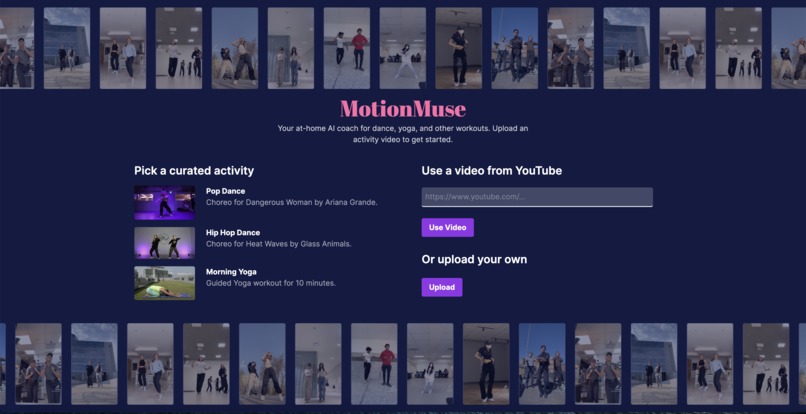
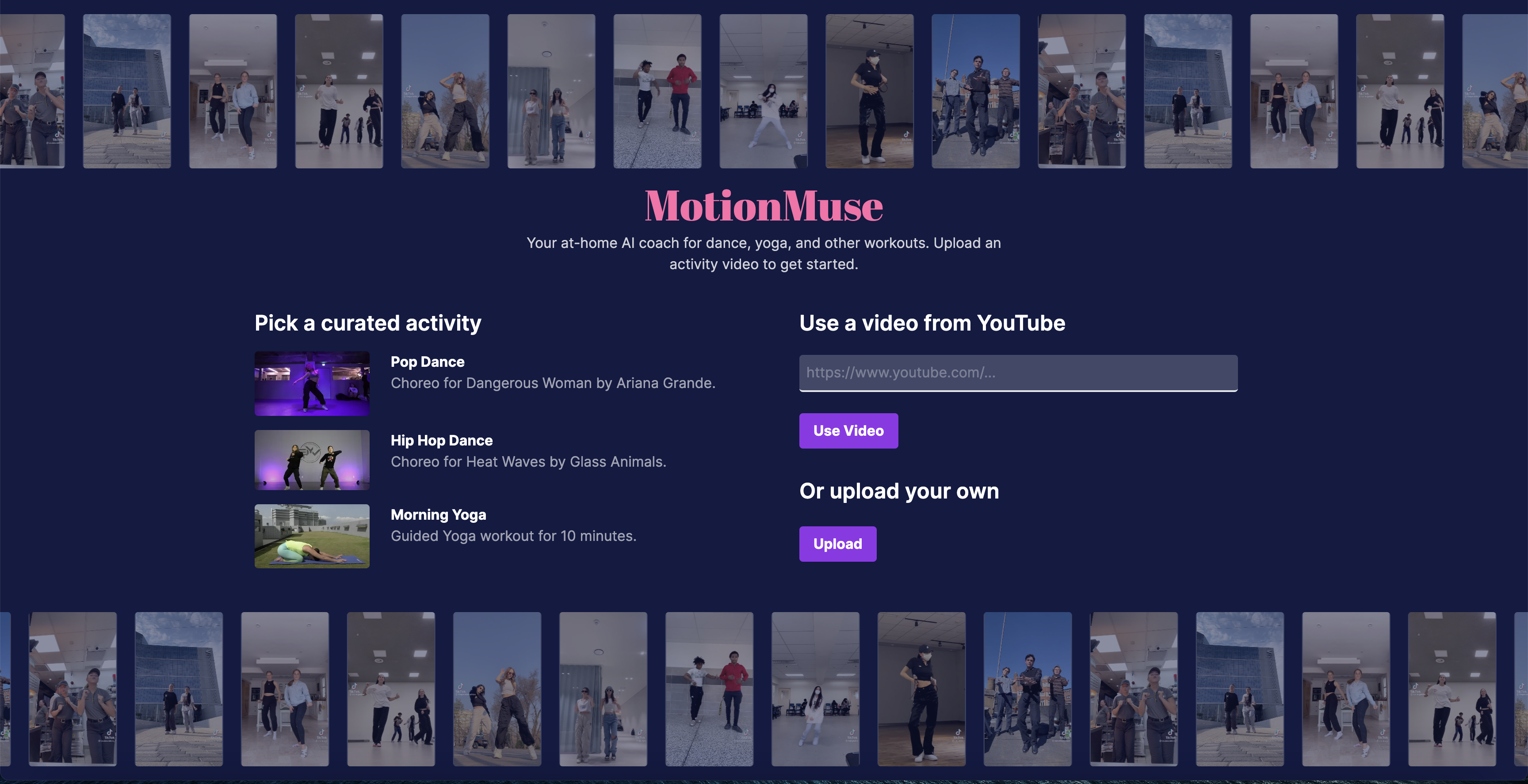
The website homescreen. Users can choose to upload their own video, use a video from YouTube, or use one of our curated exercises.
-
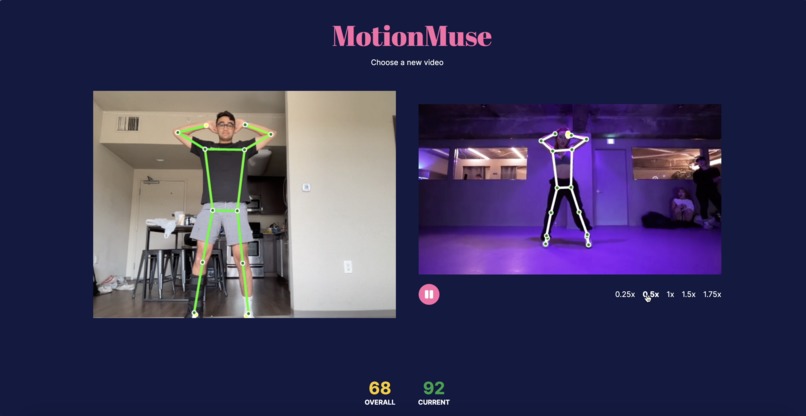
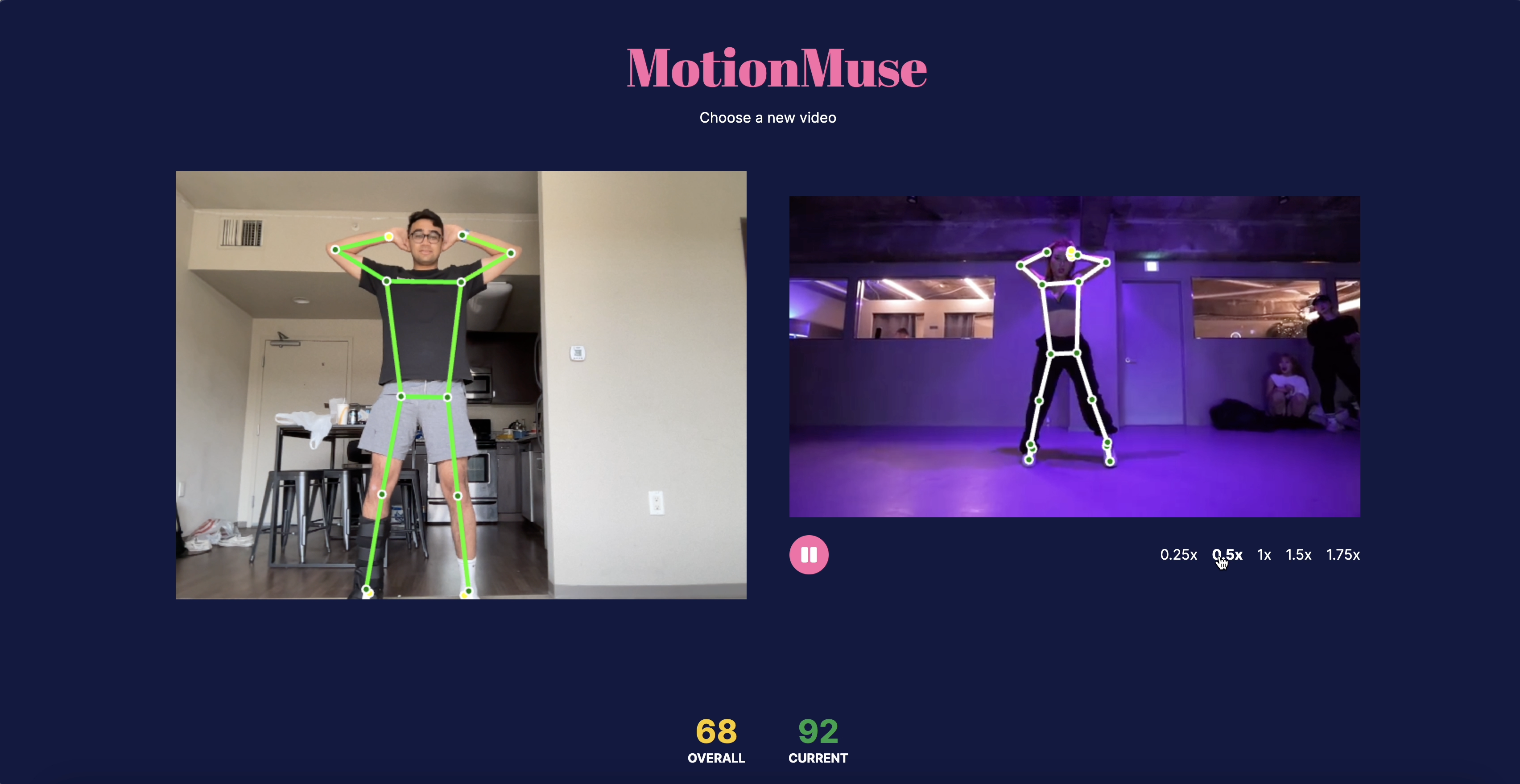
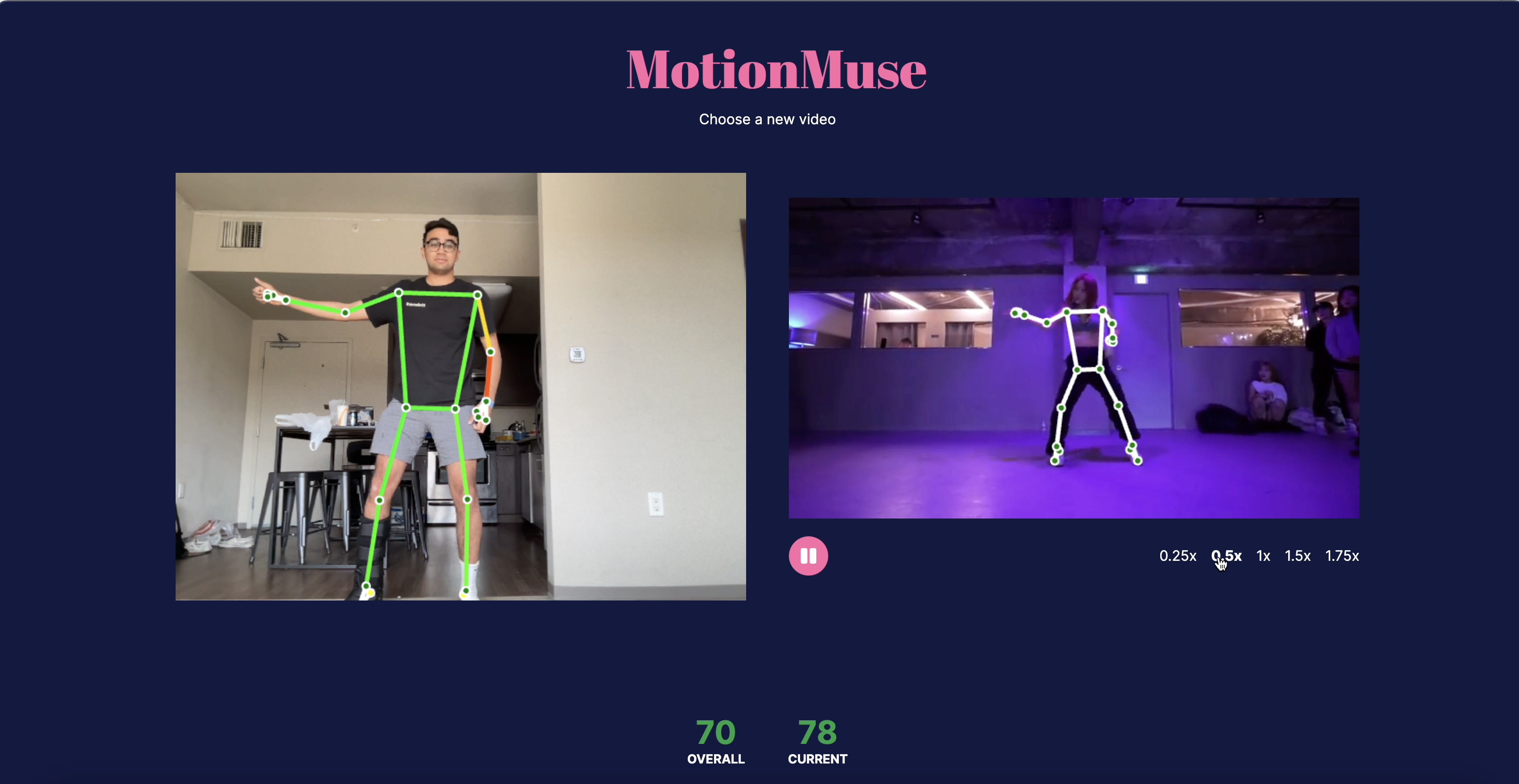
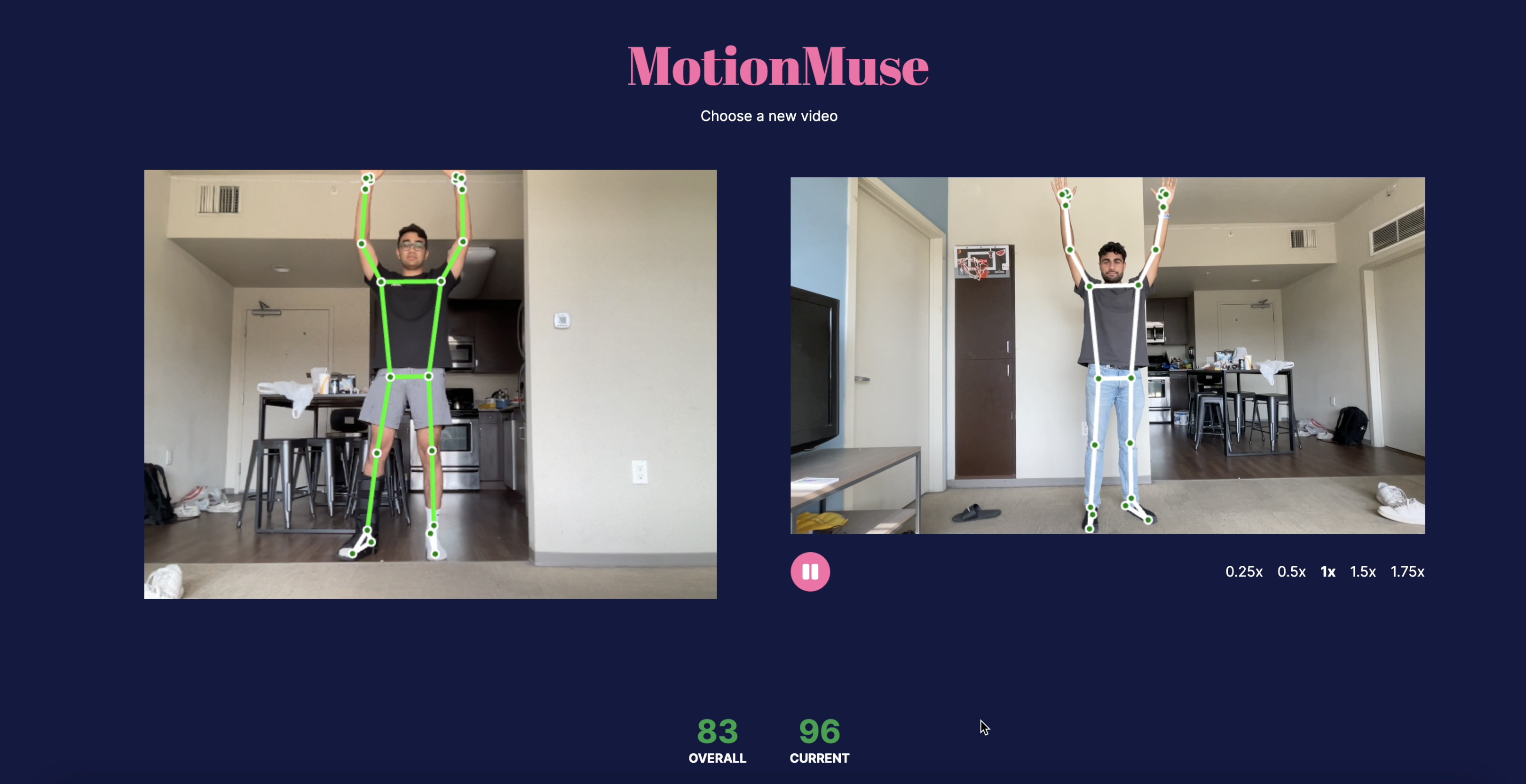
More examples of moments during the workout, with the system providing visual feedback and a numerical score comparing the pose.
-
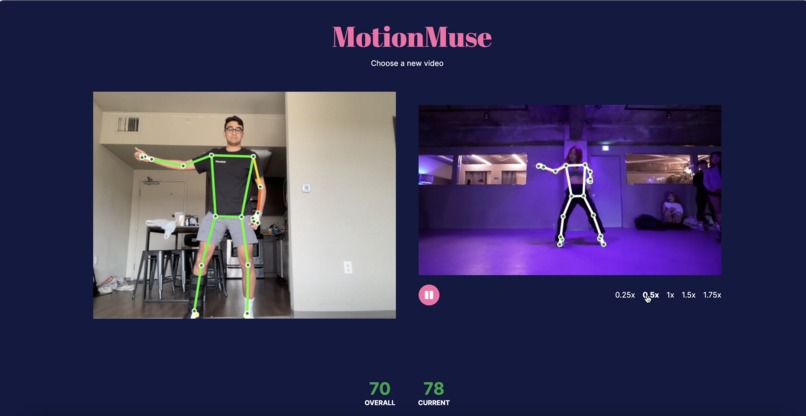
More examples of moments during the workout, with the system providing visual feedback and a numerical score comparing the pose.
-
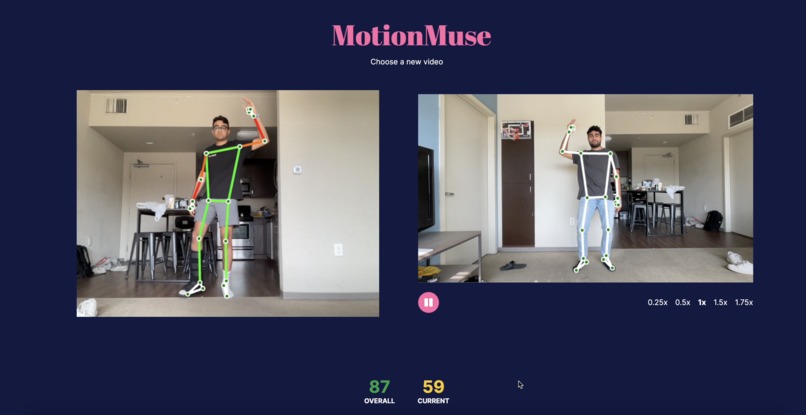
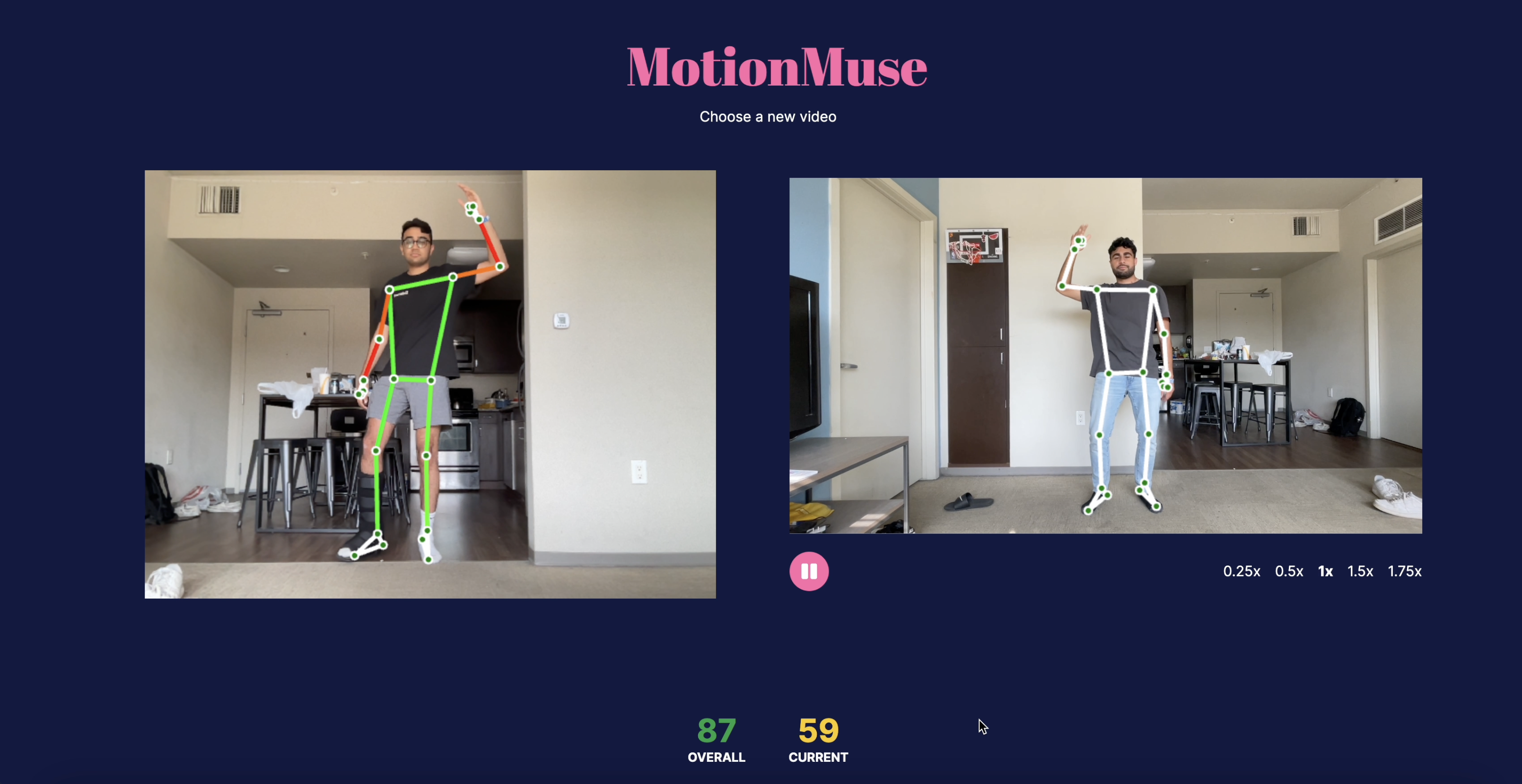
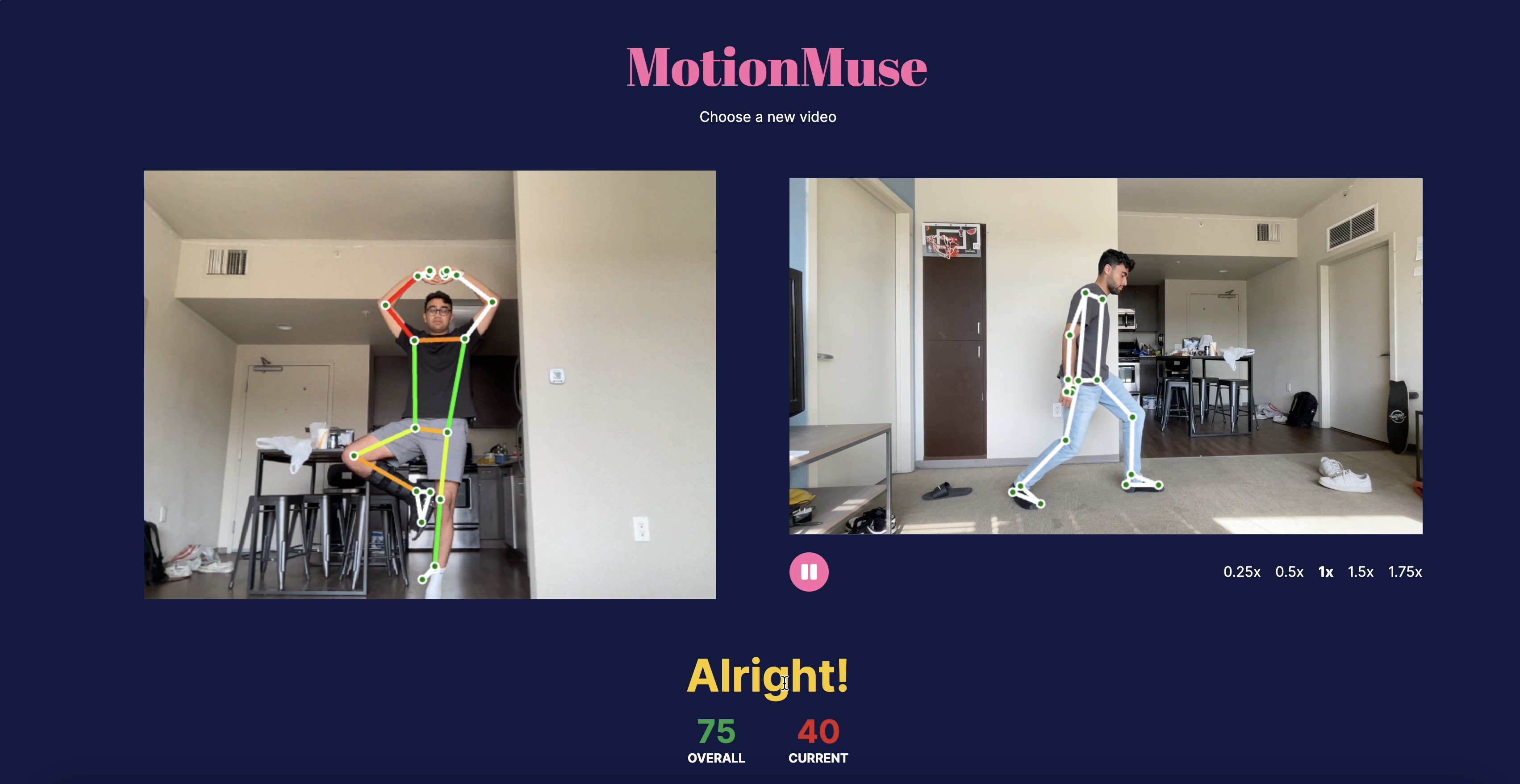
In the exercise, the system will detect what is wrong with your body position compared to the live model, and give visual feedback.
-
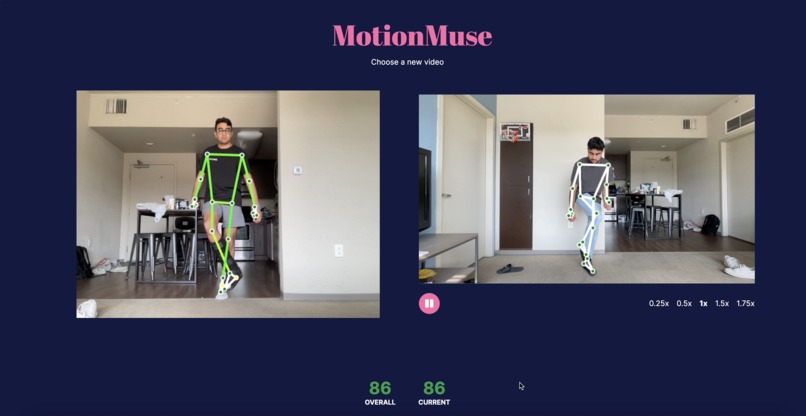
More examples of moments during the workout, with the system providing visual feedback and a numerical score comparing the pose.
-
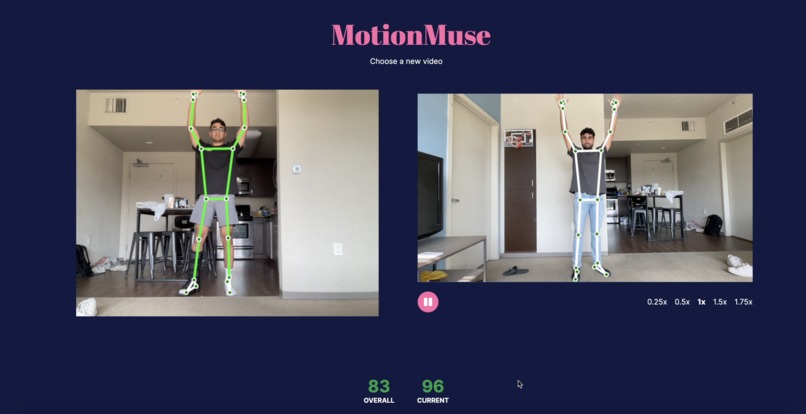
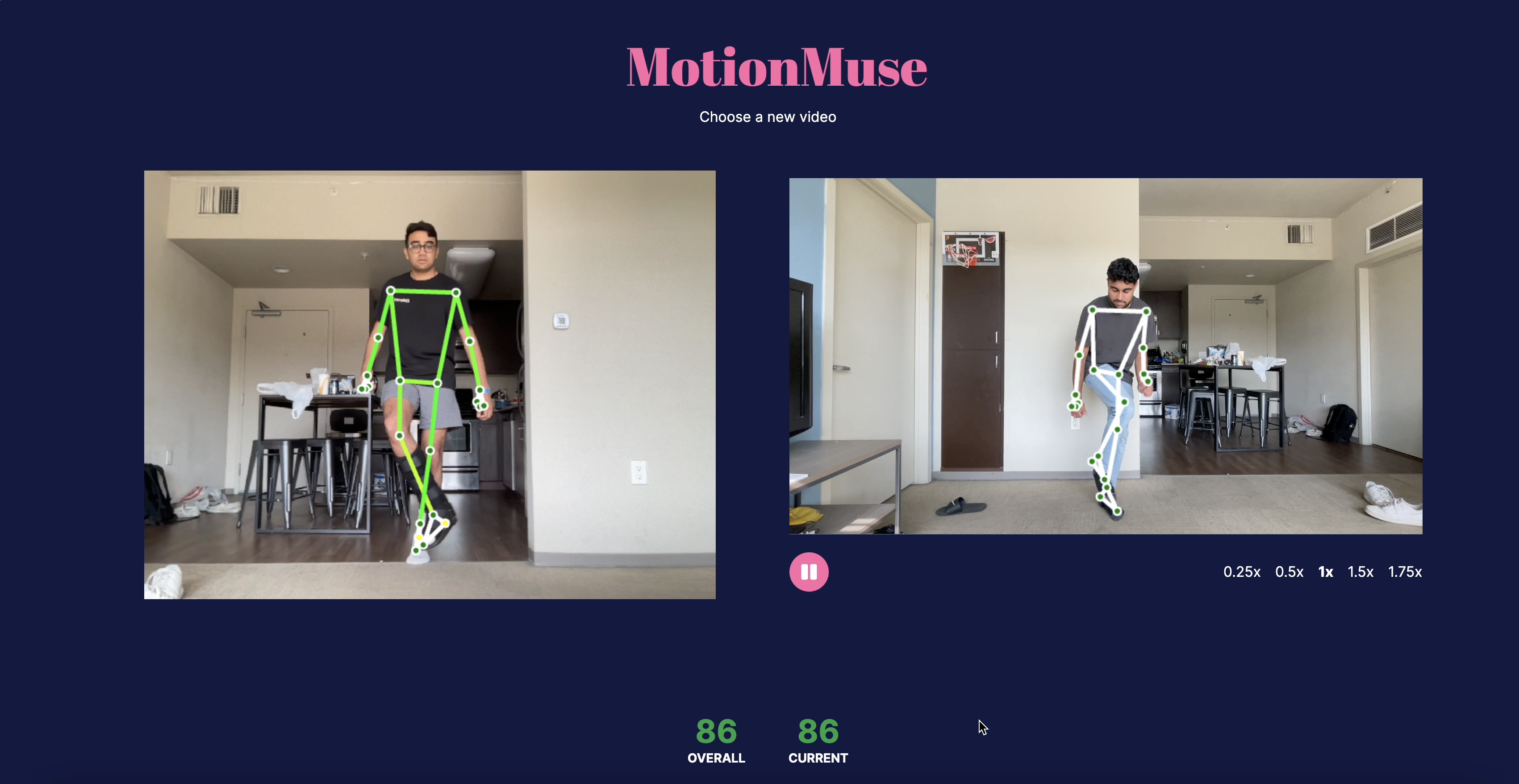
An example of a correct pose, where the body is highlighted green and the score is high.
-
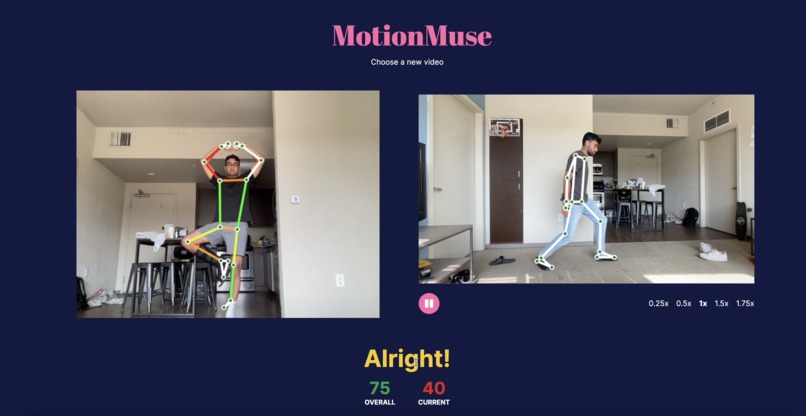
When the bodies are not matched up, the incorrect areas will be highlighted to show how far off they are.
Inspiration
Have you ever tried a dance, a sports move, or a yoga pose and wondered why it just doesn't feel right? Like with just a touch in the right direction, everything would begin to fall in place. MotionMuse was our team’s solution to this common problem in physical and performing education. With all of our team coming from athletic backgrounds, we initially noticed that for many athletes and performing artists there is a disconnect in learning correct form. After thinking of a computer-vision based solution to learn and correct form, we thought of similar problems and realized there was a gold mine of opportunity in dance and physical education. Our solution allows users to pick and learn new skills easily from the comfort of their home, using our AI-based body tracking and form correction features.
What it does
MotionMuse helps users learn how to dance along to their favorite dances, whether a Tik Tok dance or well-defined choreography. First, users can upload or choose a Youtube video of someone doing a dance they want to learn. Then, users are taken to a page with a side by side view of the dance they want to learn and a view of their computer camera. As the choreography plays out, the website uses computer vision and machine learning to analyze the user’s body position in 3D using just the camera feed, while simultaneously analyzing the uploaded reference video. It then highlights parts of the user’s body that do not match the reference video, and indicates how to correct their form. Users can choose the playback speed of the reference video in order to practice slower or faster than the reference. Finally, users are given overall and current pose feedback through our score system and updating feedback text.
How we built it
MotionMuse uses Tensorflow machine learning and computer vision libraries to detect key points on both the user and dancer’s bodies, and constructs a 3D body pose skeleton from the 2D video feed. This 3D representation allows for accurate analysis of every limb on every axis, which goes beyond traditional motion tracking that is not able to judge the depth of a pose, for example leaning your body towards the camera or putting your arms in front of you. From there, we wrote an algorithm to analyze two body poses and analyzed how similar they were on both bodies in order to provide feedback to the user. The algorithm compares the bodies limb-by-limb, in order to show the user specific visual feedback on how to correct their form. The logic and user interface was built using JavaScript and Next.js, with Canvas2D rendering to show the skeleton overlay.
Challenges we ran into
We ran into challenges learning and getting the computer vision libraries to work. It was difficult to fetch and digitize the dancer’s pose. Specifically, there were difficulties in lining up dancer’s key points relative to each other as well as to the learning dancer.
Accomplishments that we're proud of
All of us were brand new to computer vision technologies, so we’re proud of turning our vision that required picking up computer vision into reality so quickly. Snehal is proud of not knowing any javascript before the hackathon, yet picking it up to have significant contributions to the project.
What we learned
We learned how to work with live video streaming, applying computer vision models to live video. Although we are very close friends, it was our first time all working together so we were able to learn each other's strengths and how to work together in order to get significant work done in a short amount of time.
What's next for MotionMuse
MotionMuse currently is applied only to dance education. However, we believe there are many other physical activities that users would benefit from with the software guidance we have. For example, we would want to look into how our software could be used to help with basketball shooting form and football throwing form. For now, we are proud of building an extremely powerful library to compare live physical form to a prerecorded form.
Built With
- javascript
- next.js
- react
- tensorflow


Log in or sign up for Devpost to join the conversation.