-
-
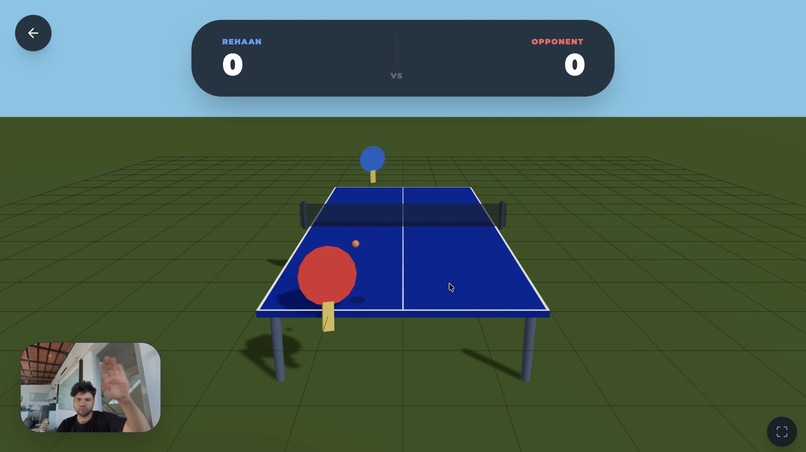
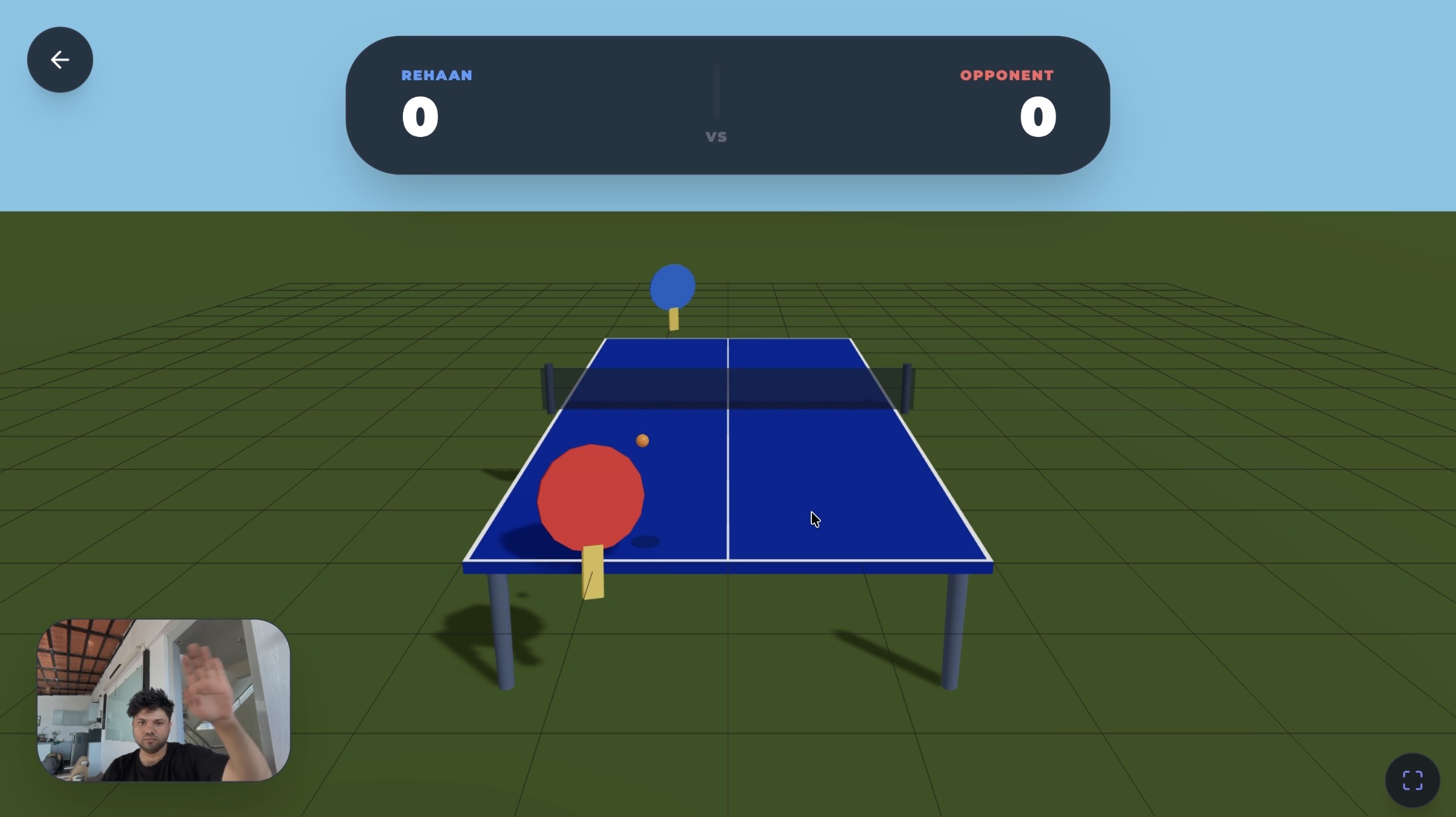
Table Tennis Gameplay
-
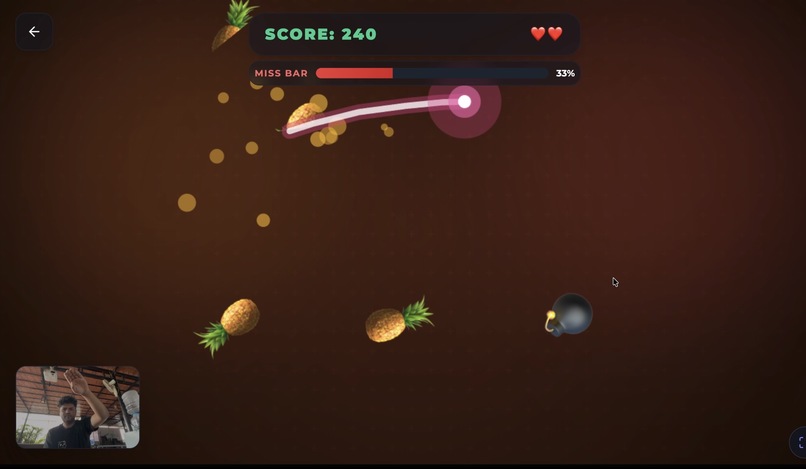
Fruit Slice Gameplay
-
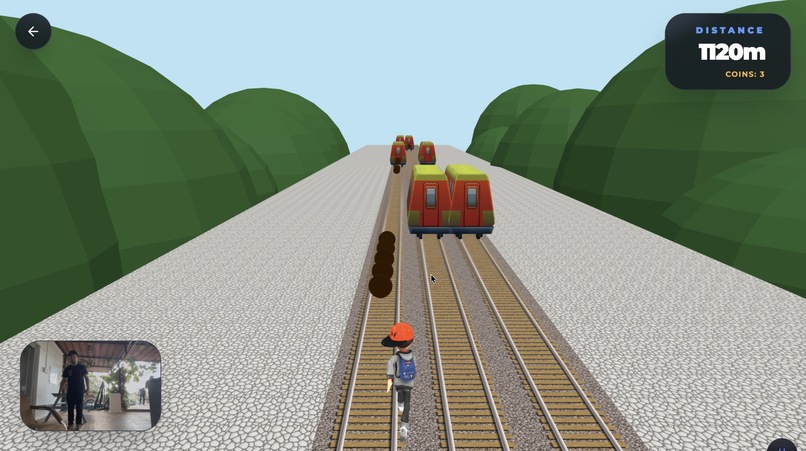
Subway Runner Gameplay
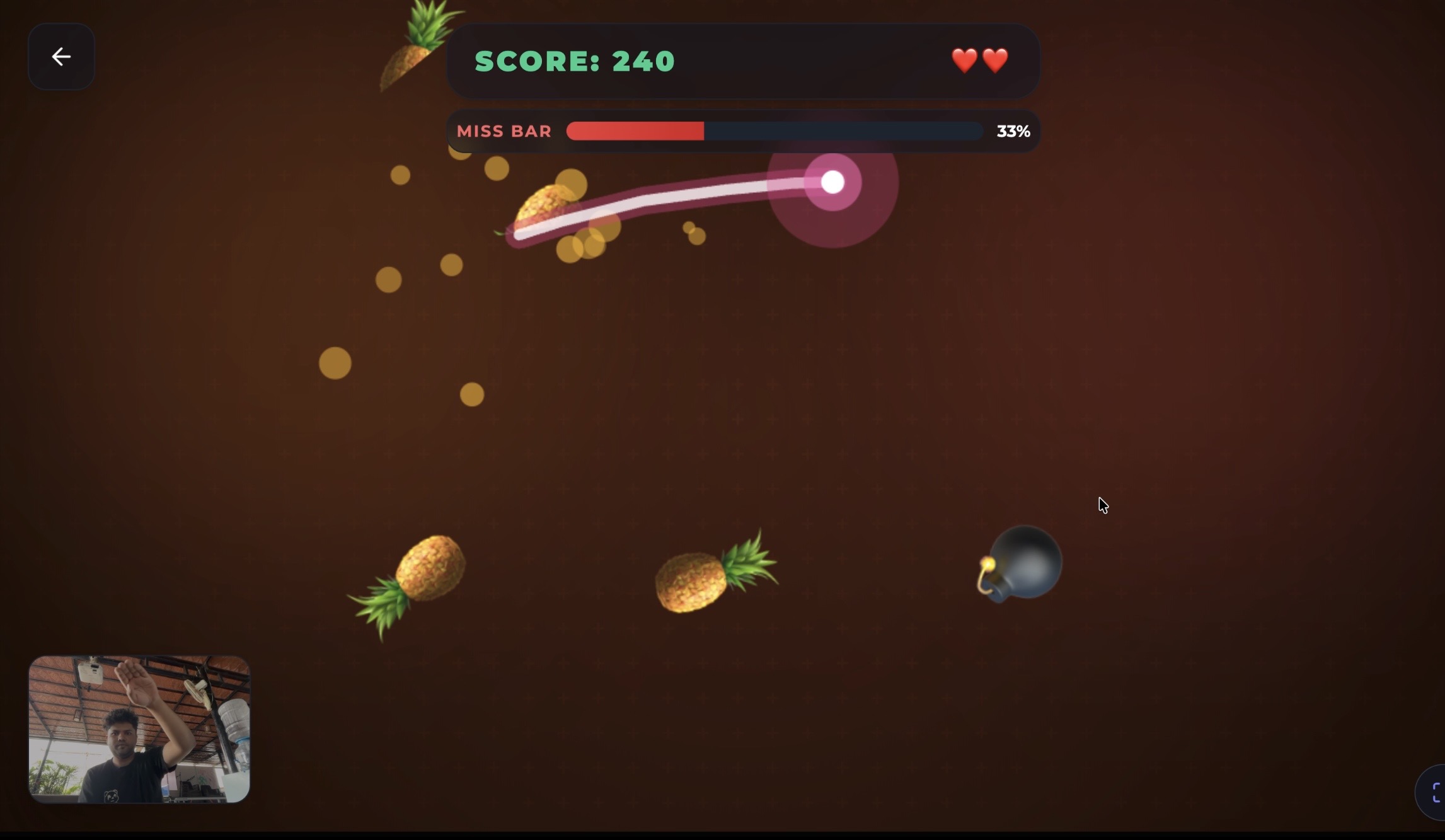
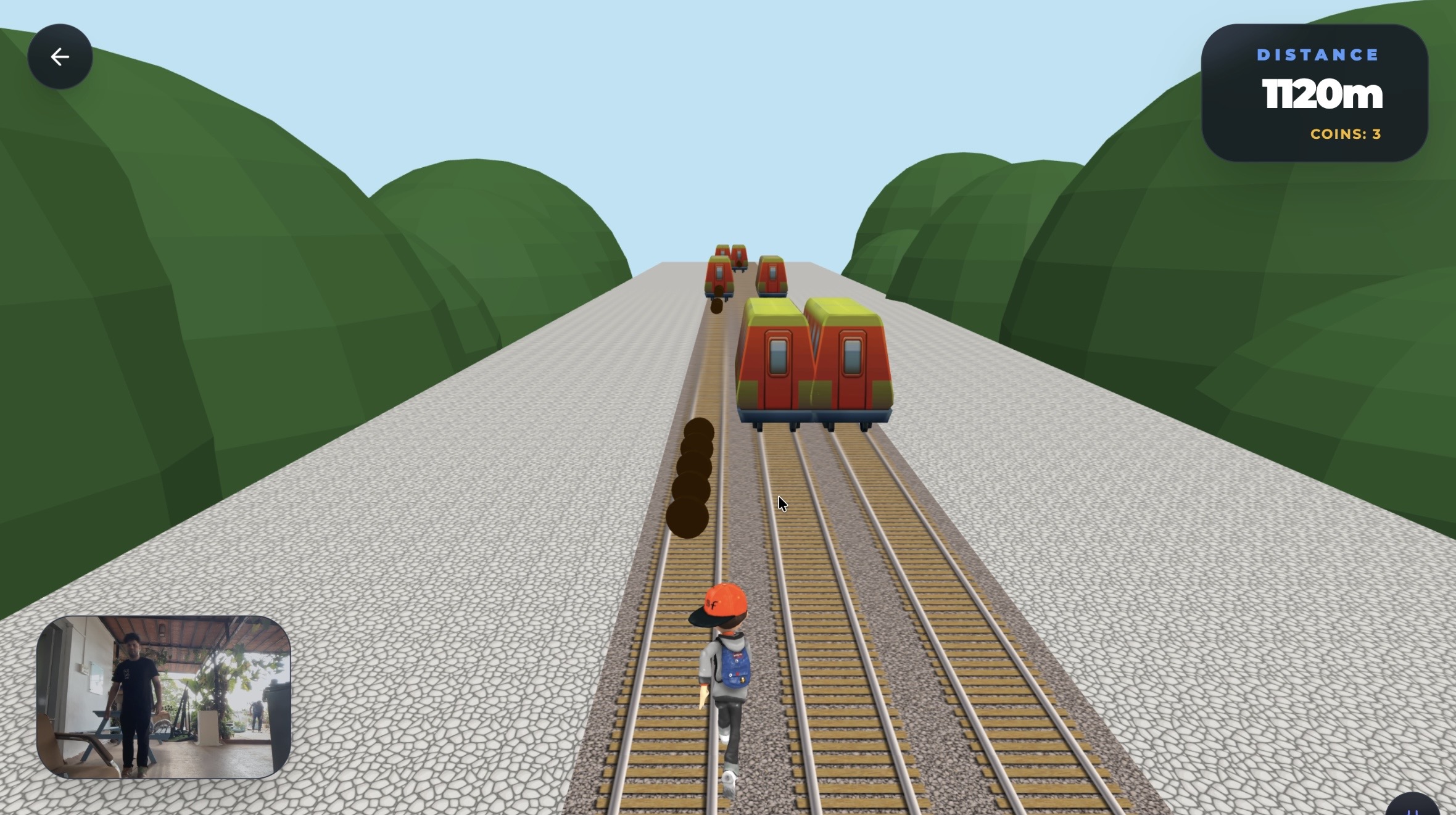
Inspiration
I came across the MeDo Hackathon and the Games & Lifestyle category immediately stood out to me. Gaming is incredibly fun, but it often means spending long periods sitting still. That made me wonder: What if gaming could keep the same excitement while also encouraging physical movement? Most motion-based gaming experiences require expensive hardware like VR headsets, Kinect systems, or dedicated controllers. At the same time, almost every laptop already has something powerful built in — a webcam. That inspired me to create Motion Play Hub: a browser-based motion gaming arcade where people can play using nothing but their body and a webcam. The goal was to combine fun, accessibility, fitness, and privacy into a single experience that perfectly fits both the Lifestyle and Game aspects of the challenge.
What it does
Motion Play Hub is a browser-based motion-controlled mini-game arcade that turns a webcam into a controller. No keyboard, mouse, or special hardware is required. It currently includes three motion-powered games: Fruit Slice Players raise a hand to lock tracking and slash with real arm movements to slice fruit. The game includes combos, bombs, miss detection, particle effects, and a persistent global leaderboard. Subway Runners A 3D endless runner inspired by Subway Surfers where players control movement with their body. Step left or right to switch lanes, jump to avoid obstacles, and crouch to slide underneath barriers. Table Tennis A 3D ping pong simulator with multiplayer support and room creation, where players can create or join rooms and compete in real time. Arm position and swing motion control the paddle, translating real-world movement into gameplay and making matches feel natural and interactive. Players are not pressing buttons — they are physically playing using motion tracked directly through the webcam. The entire experience runs directly in the browser with zero installation and zero extra hardware.
How we built it
Motion Play Hub was built entirely through MeDo as a fully conversational development experience — including both the frontend and backend. Rather than starting with traditional coding workflows, development began with a simple question: Could this idea actually work? For the first few days, the process was mostly experimentation and validation. I kept prompting MeDo with small iterations, testing whether webcam-based motion gaming inside a browser was technically executable and whether the gameplay could feel responsive and fun. Once the core idea proved viable, the final two days became a full sprint. I fully committed to building and rapidly iterating the project, investing additional MeDo credits to push development faster and refine the experience. Through continuous conversational prompting and iteration, MeDo helped build and shape the entire application stack:
Challenges we ran into
One of the biggest challenges was cross-platform performance optimization. Early on, Motion Play Hub worked incredibly well on my MacBook M4, which gave me confidence that the concept was viable. But once I started testing on other devices, I quickly realized the experience was not consistent. Performance on an M1 MacBook was noticeably less smooth, and on Windows machines the gameplay became much choppier than expected. Since the project combines real-time computer vision, rendering, physics, and game logic simultaneously, platform differences had a significant impact on responsiveness and frame rate. This led to multiple rounds of optimization and iteration. Some of the biggest challenges included: Optimizing MediaPipe inference alongside gameplay rendering Handling differences between Mac and Windows GPU behavior Reducing lag and choppiness across lower-powered hardware Tuning movement detection to feel natural and responsive Maintaining stable frame rates while running ML and physics together Ensuring controls remained accurate without introducing latency After several iterations and performance tuning passes, I was able to significantly improve stability across platforms. The final challenge was mobile optimization. Getting motion tracking, rendering, and gameplay to work smoothly on smaller devices required additional refinement, but eventually Motion Play Hub became optimized not only for desktop systems across Mac and Windows, but also for mobile devices — making the experience far more accessible and truly browser-first.
Accomplishments that we're proud of
We are especially proud that Motion Play Hub achieves something usually associated with dedicated gaming hardware — real motion-controlled gameplay directly inside a browser tab. What started as an experiment to see whether webcam gaming was even possible evolved into a complete cross-platform arcade experience. Some accomplishments we are particularly proud of include: True motion gaming with zero hardware Players can jump, swing, crouch, and move using nothing more than a webcam. No VR headset. No Kinect. No controller setup. Just open a browser and play. Three unique motion systems in one platform Rather than using one tracking method repeatedly, Motion Play Hub supports three completely different interaction styles: Hand and wrist tracking for Fruit Ninja Full-body movement for the runner game Single-arm precision tracking for Table Tennis Each game required different logic and tuning to make movement feel intuitive and fun. Multiplayer Table Tennis with room creation We are proud that Table Tennis goes beyond local gameplay and includes multiplayer support with room creation, allowing players to create or join sessions and compete together in real time. This transformed the project from a simple demo into a more social and interactive gaming experience. Cross-platform optimization Another accomplishment we are proud of is successfully optimizing the experience across devices. What initially ran best on a MacBook M4 required several rounds of refinement to work smoothly across M1 Macs, Windows systems, and eventually mobile devices. Achieving responsive gameplay while running vision models, rendering, and physics simultaneously was one of the most rewarding parts of the project. Privacy-first architecture Perhaps the accomplishment we are proudest of is the project's privacy-first design. All webcam processing happens entirely on-device. No body data, video streams, or biometric information are uploaded or stored. The only network communication is for multiplayer sessions and leaderboard functionality. Built end-to-end through MeDo conversations Finally, we are proud that the entire project — frontend, backend, gameplay systems, and deployment — was built through a fully conversational MeDo workflow. What felt especially rewarding was seeing an ambitious idea move from simple prompts and experimentation into a polished, playable platform built entirely through AI-assisted creation. For us, Motion Play Hub became more than just a game project — it became proof that conversational building can bring complex ideas to life remarkably fast.
What we learned
Building Motion Play Hub taught us a lot about browser-based computer vision, motion UX, performance optimization, and AI-assisted development. One of the biggest lessons was that motion controls are not just a technical problem — they are a user experience problem. Even when tracking is technically accurate, gameplay only feels good when movement detection is responsive, forgiving, and intuitive. Small changes in latency or sensitivity had a surprisingly large impact on how fun the games felt. We also learned how challenging cross-platform optimization can be. A project that runs smoothly on one machine may behave very differently on another. Testing across M4 Macs, M1 devices, Windows systems, and mobile hardware taught us the importance of continuous profiling and iteration rather than assuming performance will translate universally. Another major takeaway was how powerful browser-based machine learning has become. We were able to run real-time pose detection, rendering, physics, and gameplay simultaneously while keeping the experience fully browser-based and privacy-preserving. Finally, this project taught us a lot about MeDo itself. What started as simple experimentation quickly became a full conversational development workflow. One of the most surprising parts was realizing how far we could push the platform — not just for UI generation, but for gameplay logic, backend systems, debugging, iteration, and deployment. Rather than switching constantly between tools and workflows, development remained largely conversational, which made rapid experimentation much easier. We learned that MeDo is especially powerful for quickly validating ideas and building ambitious projects faster, allowing us to spend more time refining the experience and less time setting up infrastructure.
What's next for Motion Play Hub
Motion Play Hub started as an experiment in webcam-based gaming, but we see it as the foundation for something much bigger. The next step is expanding from a small arcade into a more complete motion-powered gaming and fitness platform. Some features we want to explore include: More multiplayer experiences The addition of multiplayer Table Tennis showed us how engaging social gameplay can be. We want to expand multiplayer support across more games with: Live matchmaking Private and public rooms Friend challenges Competitive leaderboards Real-time multiplayer experiences More motion-controlled games Motion Play Hub currently includes three games, but there is room to build a much larger library. Future ideas include: Dance and rhythm games Sports simulations Reflex and reaction games Party games Cooperative motion experiences Fitness and movement tracking One exciting direction is blending gaming with wellness more intentionally. We want to explore: Calorie and activity estimation Workout-style challenges Daily movement goals Motion streaks and rewards Fitness-focused game modes The goal is to make physical activity feel less like exercise and more like play. Smarter and more adaptive gameplay Since the platform already understands body movement, future versions could adapt to the player automatically. Possible improvements include: Dynamic difficulty adjustment Personalized movement calibration Accessibility tuning AI-assisted coaching and feedback Better movement recognition and prediction Mobile-first improvements Although Motion Play Hub is now optimized for mobile, we want to push this further with better touch integration, camera calibration, and smoother performance on lower-powered devices. Ultimately, we want Motion Play Hub to become more than just a collection of games. Our long-term vision is a browser-native movement platform where anyone with a webcam can play, compete, and stay active — without expensive hardware or complicated setup.
Built With
- medo


Log in or sign up for Devpost to join the conversation.