-
-
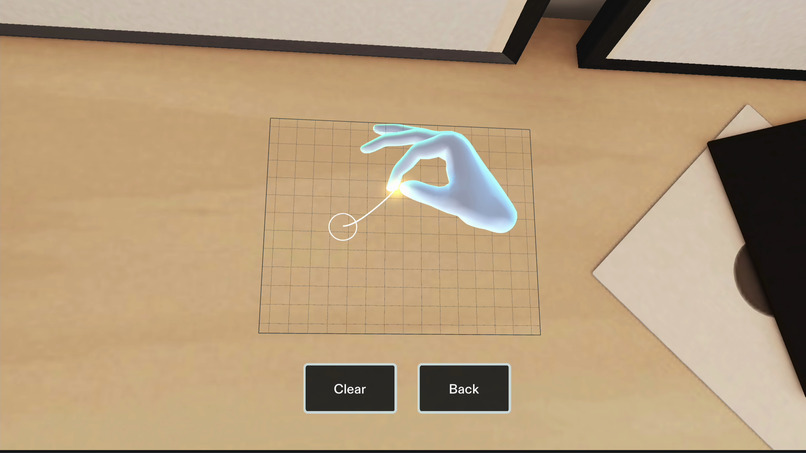
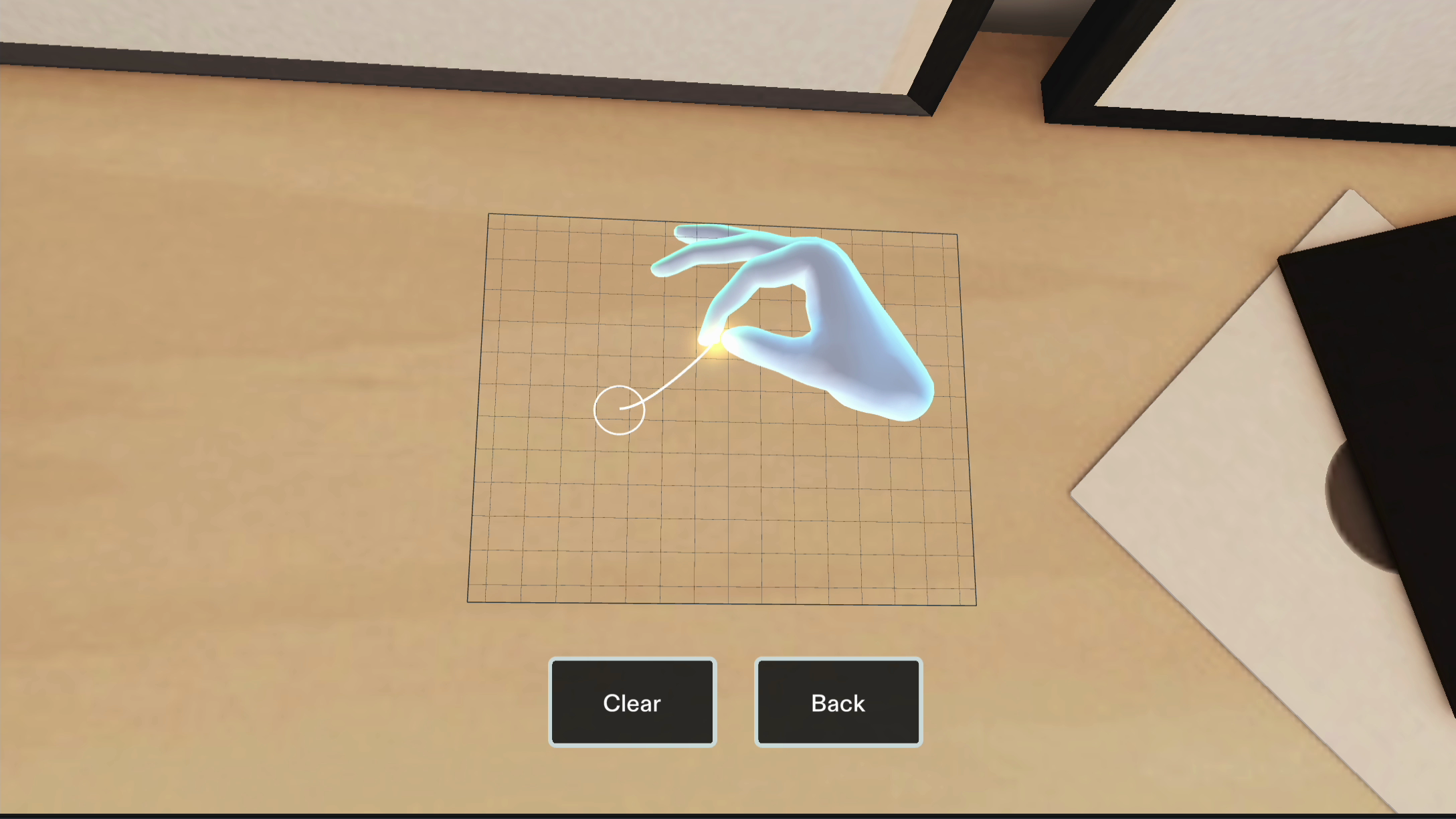
Drawing by pinch: the nib follows the hand and the captured loop becomes the next request.
-
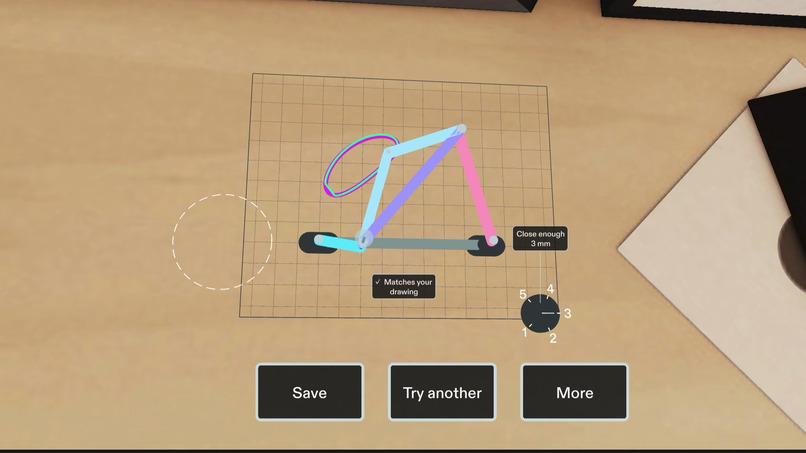
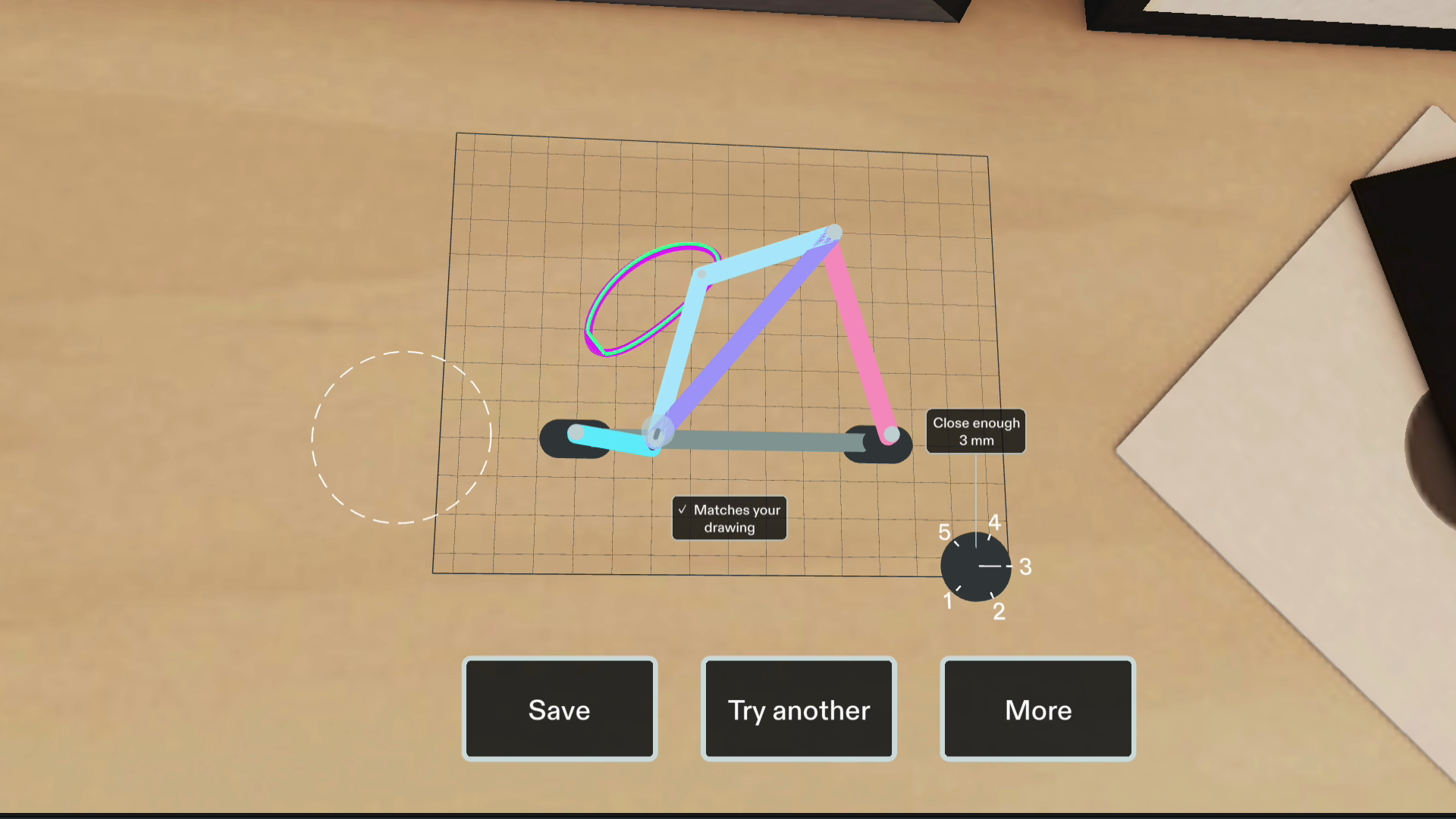
A sketch becomes a hand-cranked linkage. Mint marks the portions matched by the moving pen in Lens Studio Preview.
-
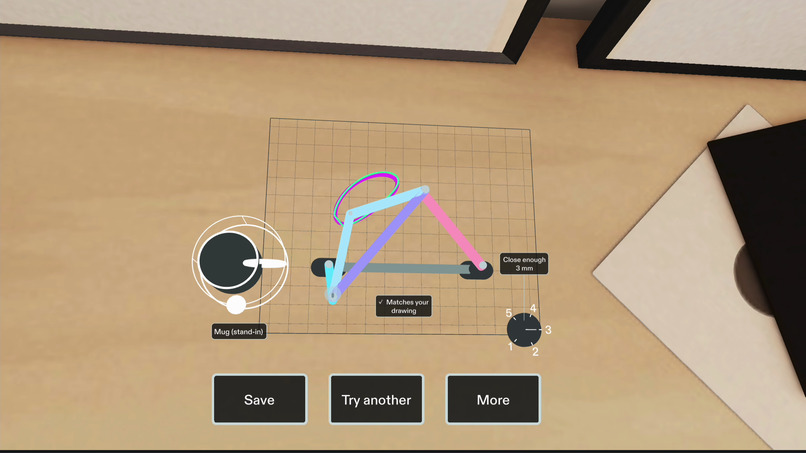
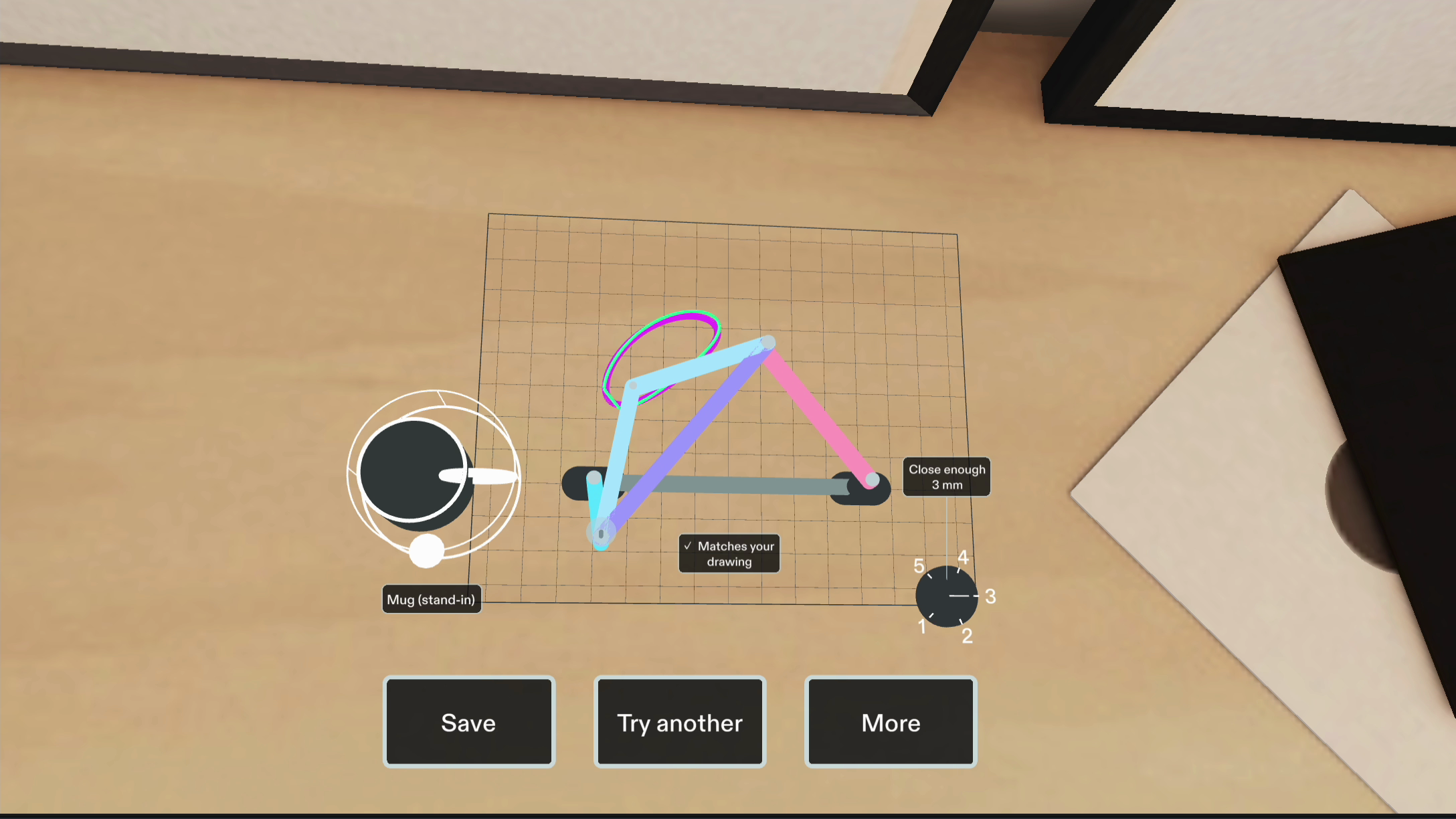
A different linkage clears the manually sized mug while preserving the same drawing, mounts and fitting limit.
-
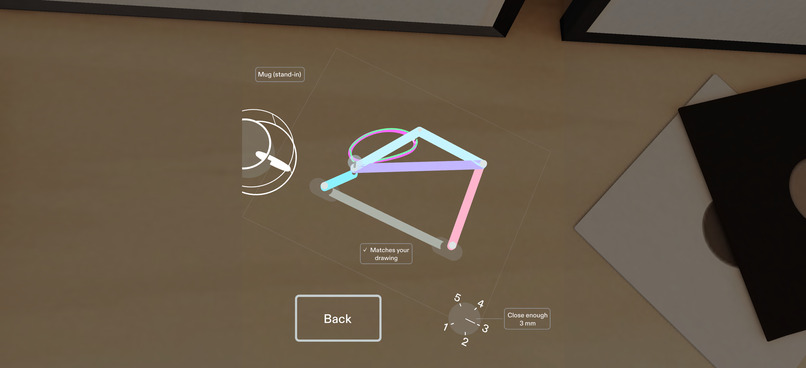
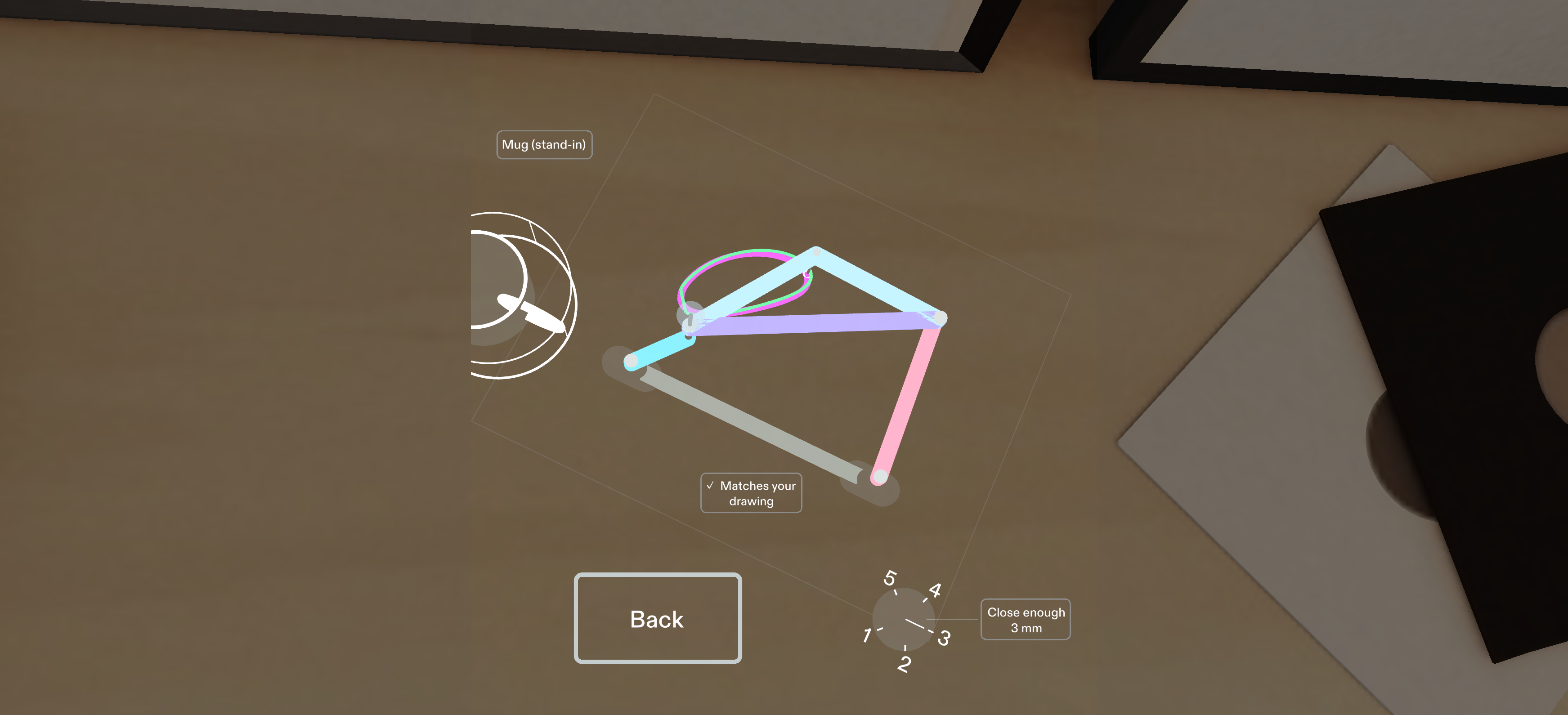
The same mechanism and earned trace in the SPECS Center simulation.
Inspiration
Knowing the motion you want is easier than knowing which parts can create it. A moving sculpture might begin with a simple loop on paper, but making a machine trace that loop means choosing rods, pivots and an attachment that work together.
I built Motion Foundry around a plain request: “I want a machine to draw this shape.” I wanted kinetic makers to explore that idea on the bench where they would build, with their hands free to turn the mechanism, inspect a gap and move around it.
What it does
Motion Foundry is a SPECS Lens that turns a closed sketch into a mechanism you can crank by hand. Draw on the tabletop board, set the allowed fitting error with a dial, and choose Make it. A numerical search finds a linkage, then a separate checker evaluates it before it appears.
Turn the crank and the pen leaves bold ink over the dashed sketch. The rods determine every pen position. The sketch never supplies the animation. Matching sections accumulate in mint and stay visible after release, so you can read what the machine actually achieved.
Then add and size a mug stand-in. If a rod meets it, the contact appears on that rod. Avoid mug searches again while preserving the same drawing, mounts, fitting limit and obstacle. Save the result and open its QR link in the companion to inspect the same design and download JSON or a dimensioned SVG.
How I built it
I used the Devpost Learn skill pack’s plan-lens framework to develop the design brief. It helped me replace an early floating mechanism and large control rack with a surface-based workbench. Information moved onto the thing it describes: millimetres beside the dial, lengths beside rods, and fitting gaps beside the drawing.
I built the native experience with CLAD in Lens Studio, using Lens Studio MCP for scene integration and Preview inspection. Spectacles Interaction Kit provides the normal hover, pinch, drag and release paths. UIKit supplies the small contextual dock, and WorldQuery supports table placement. LEAF scenarios exercise those genuine input paths rather than directly calling product actions.
The TypeScript numerical core searches four-bar linkages and a fixed pen attachment. It preserves the order of a closed curve, checks a complete crank turn, and evaluates fit and contact at many positions using separate geometry calculations. The Next.js companion shares that core and checks exported designs again. A bounded search can return no result; it keeps the previous machine instead of pretending the requested motion is solved.
Challenges
The hardest challenge was making correctness visible. An early mechanism could pass its checks while the hand covered the pen, the trace looked faint, or a label sat behind a rod. A passing log did not make a good spatial experience.
I reduced the visible grip and nib, kept generous interaction targets, strengthened the ink and made the earned match persistent. I also separated writing and cranking hand approaches in the Preview tests, then inspected the actual frames for a visible touch and response.
Recovery mattered just as much. Changing a mount must invalidate the old result. Undo must restore the drawing, mechanism and checks together. Late responses must not overwrite newer work.
Accomplishments
I am proudest of the complete cause-and-effect journey: a new drawing becomes a working mechanism, a real crank turn earns its trace, a mug obstructs that same design, and a fresh search finds different geometry without moving the obstacle or loosening the request.
The demonstration includes a continuous 90.5-second native sequence at normal speed. The final source checks passed 99 tests plus three shipping-scene tests. The last exported design was checked at 720 positions and stayed within its 3 mm fitting limit.
The design also became simpler: at most three dock targets, direct object controls, persistent Undo and more detail when leaning closer.
What I learned
Spatial design is partly the work of subtraction. A smaller knob can reveal more of the result. A nearby fitting ring can explain more than a distant report. A mint line that remains after the hand leaves can communicate an accomplishment without another panel.
I also learned to separate what the model proves from what it merely suggests. Finite checks do not rule out contact between checked positions or establish that a mechanism can be fabricated.
What’s next
The current demonstration and interaction tests run in Lens Studio Preview with simulated SIK hands. Physical Spectacles tracking, comfort and performance remain untested. The mug is manually sized; it is not recognized or scanned.
My next step is testing reach, placement and readability on glasses, followed by a fuller mechanical model for joints, bearings and construction. The goal is to help a maker move from an interesting motion toward a build they understand.
Built With
- clad
- devpost-learn
- leaf
- lens
- lens-studio
- lens-studio-mcp
- nextjs
- plan-lens
- react
- spectacles-interaction-kit
- spectacles-uikit
- three.js
- typescript
- vercel
