Inspiration
What it does
How I built it
Challenges I ran into
Accomplishments that I'm proud of
What I learned
What's next for Motion Control AI
Inspiration
Creating controllable character animation usually requires motion-capture hardware, a rigged 3D model, or days of manual keyframing. Text-to-video tools are faster, but they are often difficult to direct and can lose a character's identity from frame to frame. I built Motion Control AI to make performance-driven animation accessible to any creator: a character image becomes the actor, and an ordinary video becomes the performance.
What it does
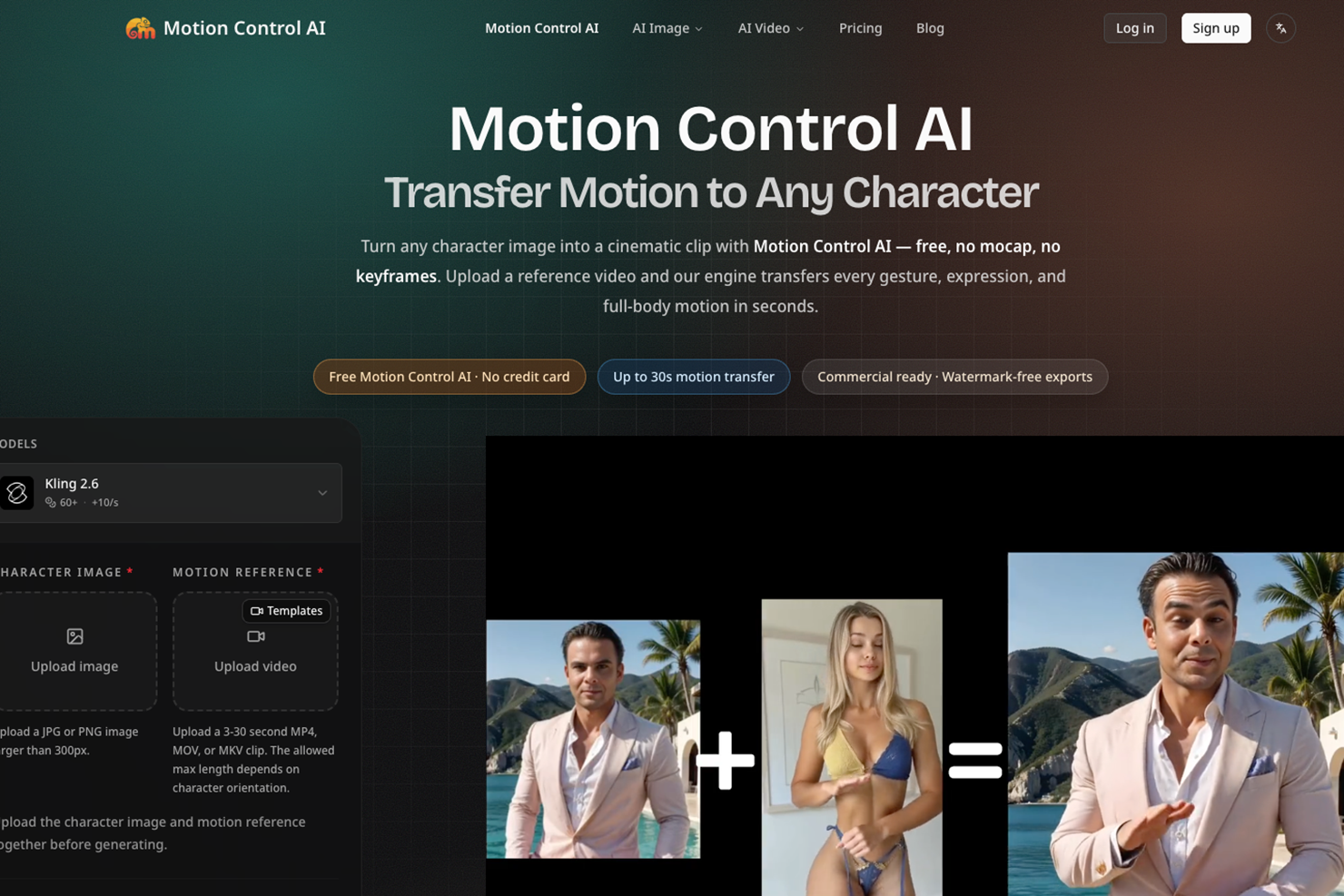
Motion Control AI transfers full-body movement, hand gestures, facial expressions, timing, and camera motion from a reference video to a character image. A creator can:
- Upload a portrait, full-body photo, mascot, avatar, or illustrated character
- Choose or upload a reference video up to 30 seconds
- Generate with Kling 2.6 or Kling 3.0 Motion Control
- Create 9:16, 16:9, or 1:1 output at 720p or 1080p
- Download a clean MP4 for social content, ads, product pages, and storyboards
The whole workflow runs in the browser, with no mocap suit, character rig, keyframes, plugins, or local GPU setup.
How I built it
The product is built with Next.js, React, TypeScript, and Tailwind CSS. Better Auth handles sign-in, next-intl powers localization, and Zod validates user input. Cloudflare provides the edge runtime, D1 database, and R2-compatible object storage, while Drizzle ORM manages application data.
The generation pipeline connects the web studio to Kling 2.6 and Kling 3.0 Motion Control through the KIE AI API. Signed uploads keep large image and video files out of the application server. After submission, the app creates an asynchronous generation job, tracks progress, records credit usage, and returns the finished video to the user's history. FFmpeg WebAssembly supports browser-side media inspection and preparation.
Challenges I ran into
The hardest challenge was turning an asynchronous AI model API into a workflow that feels simple and dependable. Image and video inputs have different aspect ratios, codecs, durations, camera angles, and body proportions. I added validation and clear guidance before submission, normalized model-specific parameters, and designed job states that survive slow renders or provider errors.
Another challenge was motion quality. The best results depend on the source character and reference performance being compatible. I learned to guide users toward clear, full-body footage and similar camera perspectives instead of hiding those constraints.
Accomplishments that I'm proud of
- A three-step workflow that takes creators from two uploads to a finished animation
- Accurate transfer of full-body motion, gestures, and facial performance
- Support for both Kling 2.6 and Kling 3.0 in one consistent interface
- Reusable reference-video templates for dance, speaking, running, and action
- Responsive, localized UI with project history and downloadable outputs
What I learned
I learned that a successful generative-media product needs more than a model endpoint. Input guardrails, upload reliability, honest progress feedback, useful defaults, and actionable error messages have as much impact on the experience as model quality. I also learned how strongly pose, framing, and body proportion influence motion-transfer fidelity.
What's next for Motion Control AI
Next I want to add finer motion-strength controls, automatic compatibility scoring for input pairs, side-by-side model comparison, batch generation, and a creator API for repeatable production workflows.
Built With
- cloudflare
- drizzle
- ffmpeg
- javascript
- kie
- kling
- next.js
- radix
- react
- tailwind
- typescript
- zod

Log in or sign up for Devpost to join the conversation.