-
-
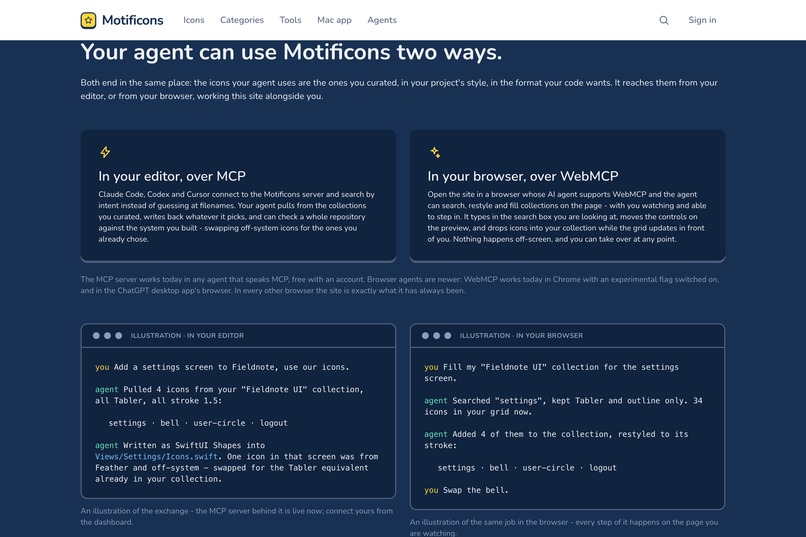
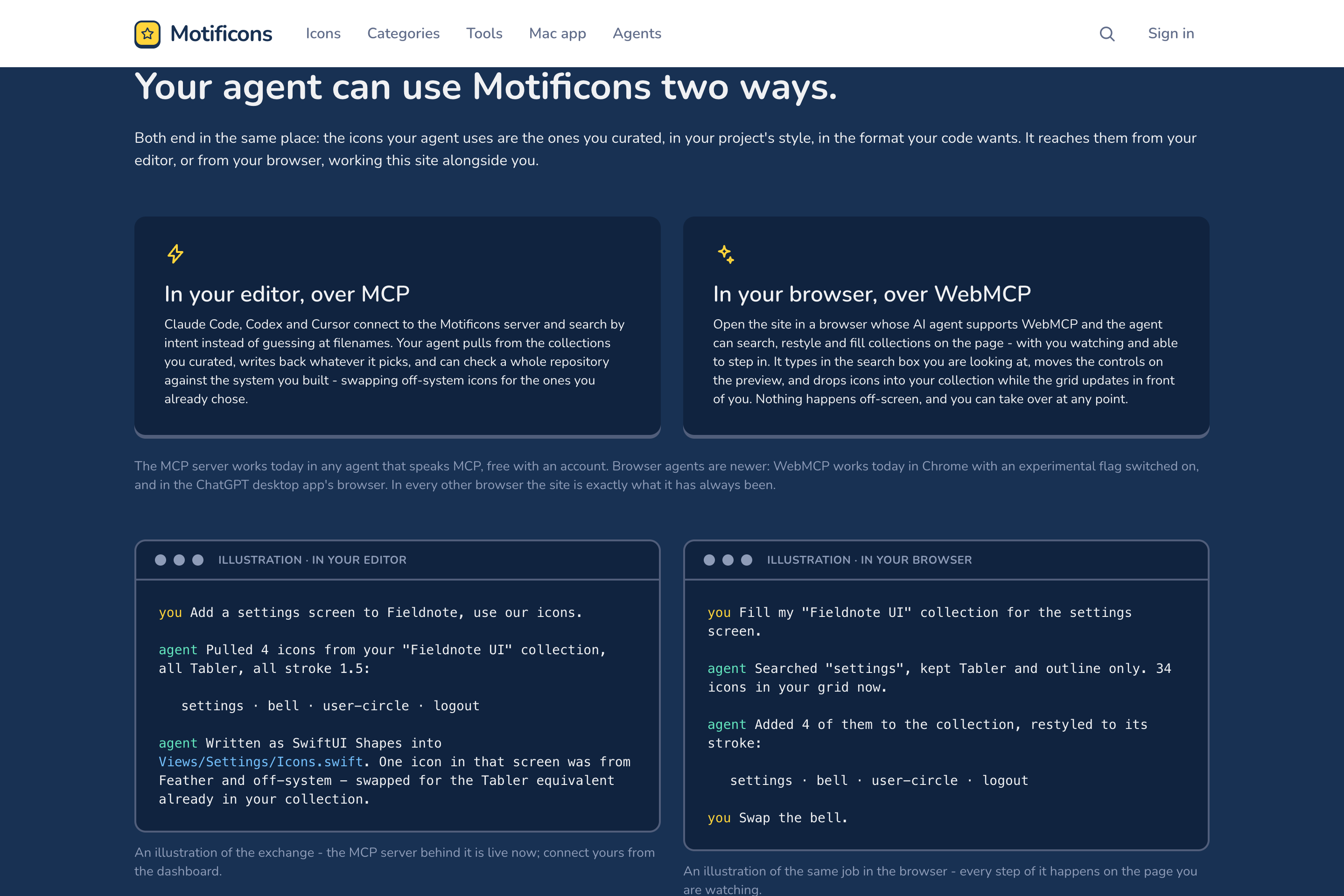
One library, two doors for agents: the MCP server from your editor, and WebMCP tools on the site itself.
-
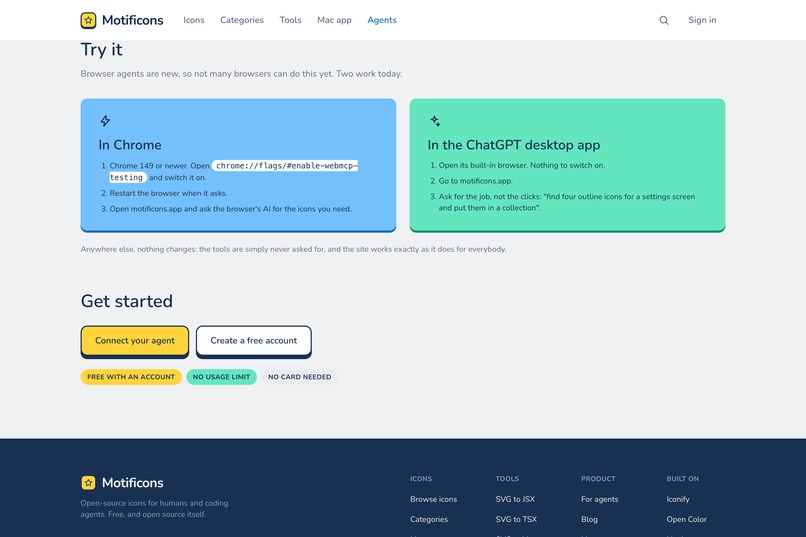
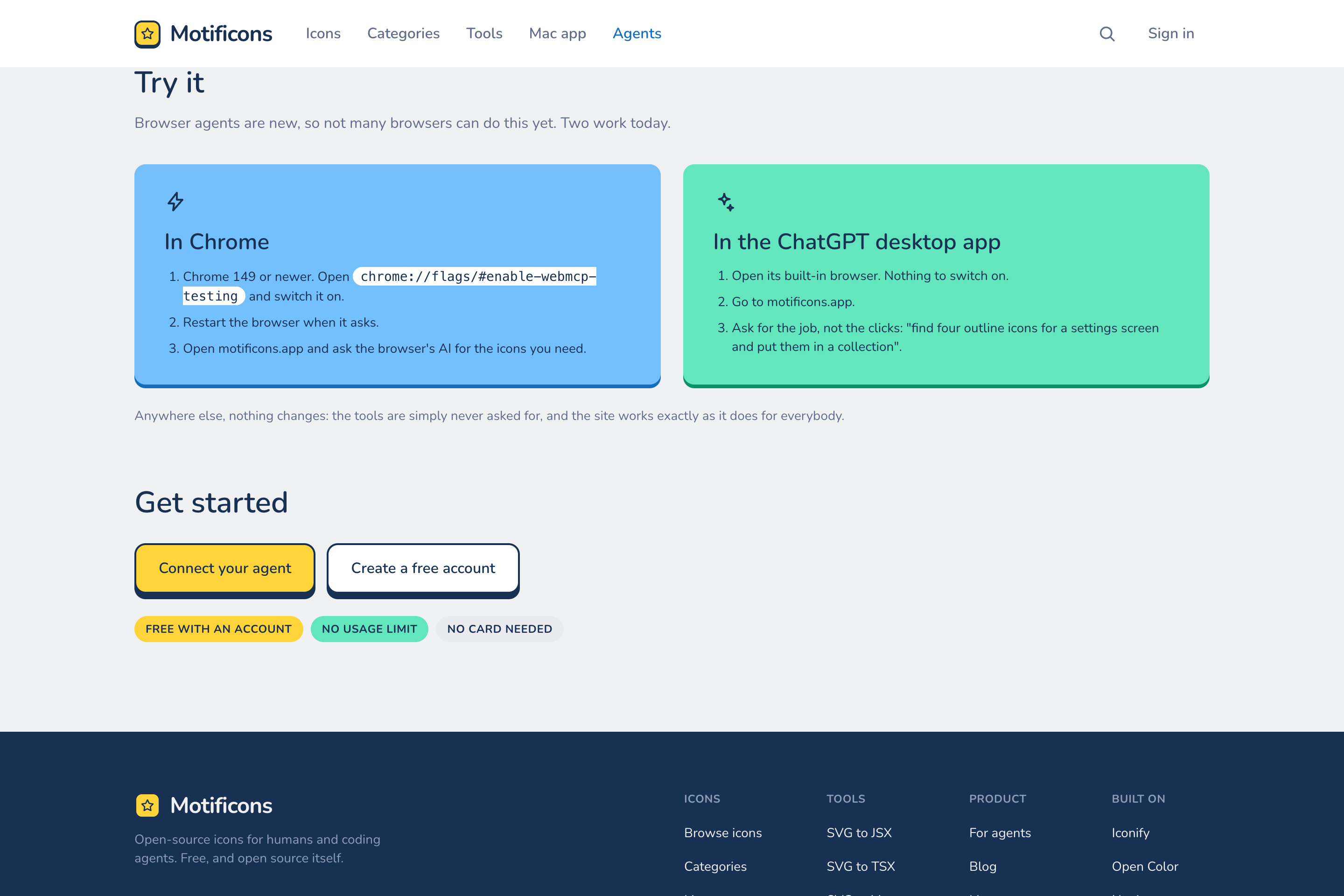
How to try it today: Chrome 149+ with the WebMCP flag, or the ChatGPT desktop app's browser. Nothing to install.
-
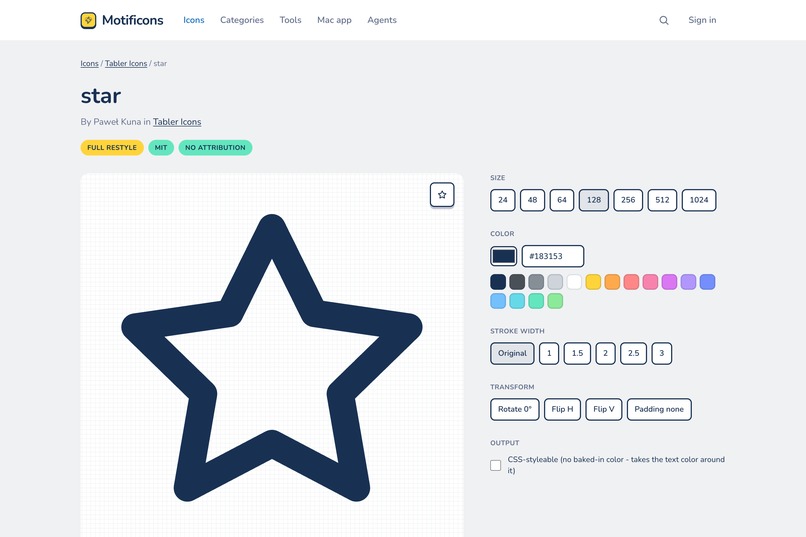
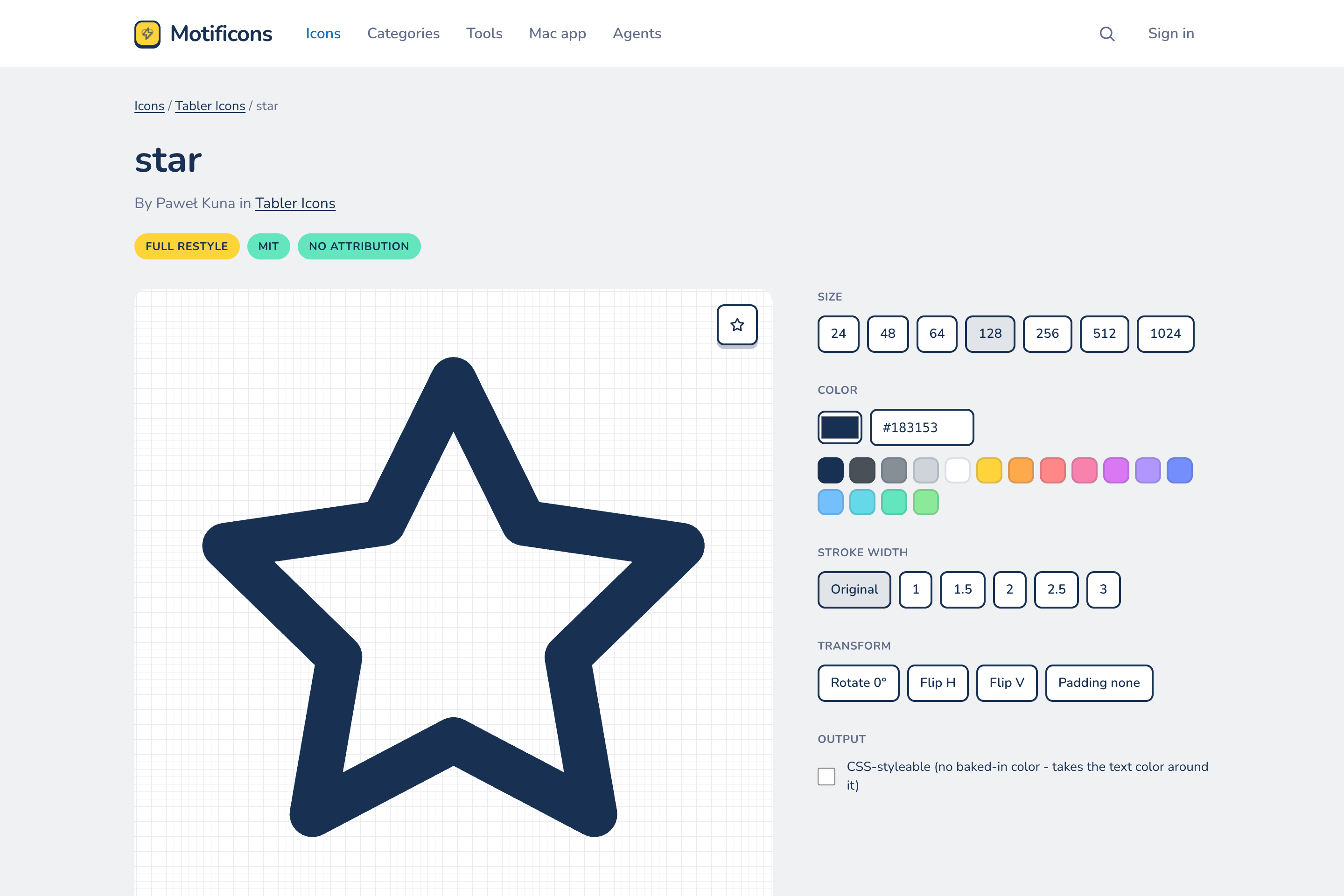
The icon page. The agent presses these same controls: size, color, stroke, transform. The preview changes in front of you.
-
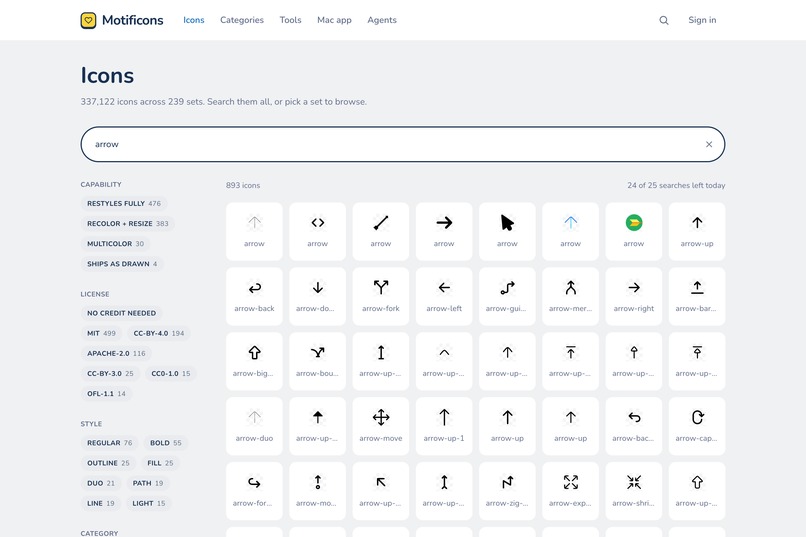
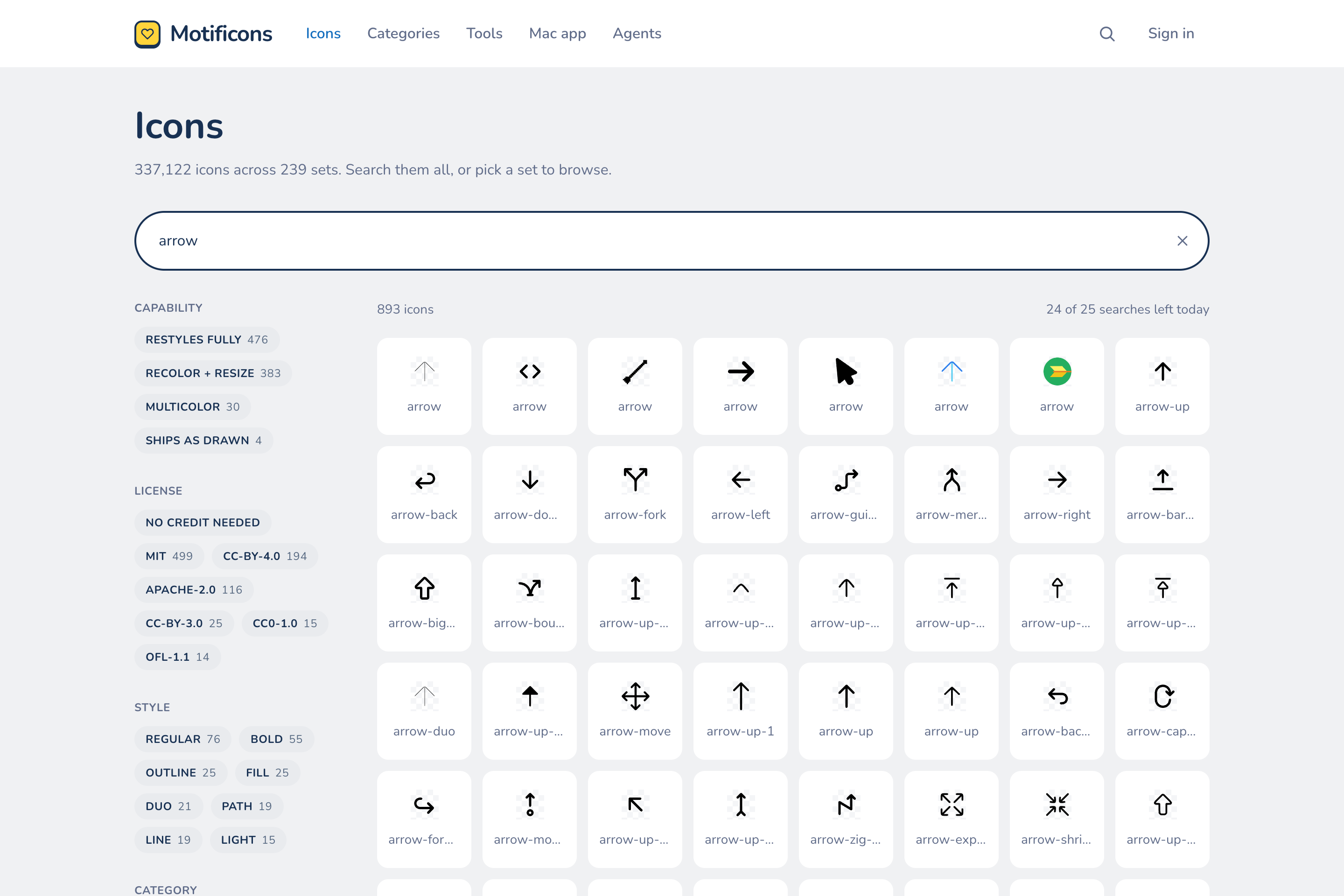
Search with the agent's rules shown: 893 results, real filters, and the same daily allowance a person gets.
Inspiration
I ship apps, and every app needs icons. When I ask an AI agent to add icons, it does a bad job. It makes up SVGs. It pastes old code. It mixes icons that don't look like each other. The funny part is that everything the agent needs already exists on icon websites. It just can't use them, because those sites are built for eyes and mouse clicks.
Motificons is my icon site. I launched it in mid-August. I was in the middle of making it free and open source when I saw this challenge. WebMCP solves exactly the problem above, so it became the main feature of the release.
What it does
Motificons has 337,000+ open-source icons from 239 sets. You can search them, restyle them, and export them as SVG, React, Vue, Svelte, SwiftUI, Xcode asset catalogs or PNG. All free.
With WebMCP, each page tells the agent in your browser what it can do there. There are 16 tools. On the search page the agent can search and filter. On an icon page it can change the size, color and stroke, read the code, and download it. On your collection it can add and remove icons and style the whole set. On the dashboard it can create collections.
The important part: the agent uses the same page you are looking at. When it searches, you see the search box fill. When it restyles an icon, you see the preview change. When it adds an icon to your collection, you see it land in the grid. Nothing happens behind your back, and you can take over at any time.
My favorite example is what it can do with one sentence on the dashboard: "Create a collection called New webapp, add user, settings, bell, lock, logout and moon from Tabler, and style everything to a 2px stroke in #748ffc." The agent does all of it while you watch. You only step in when you don't like a pick. There is even a tool made just for that handoff: the agent opens the icon picker, runs a search, and lets you choose.
There is also a normal MCP server for coding agents in your editor, and a free Mac app that syncs the same collections.
How we built it
A small script on each page registers the tools with document.modelContext. Each tool presses the page's real controls instead of calling a private API. The tools are plain functions with unit tests - 456 of them pass. The agent gets exactly what a person gets: same login, same limits, same refusals. The daily search allowance applies to the agent too. If an icon cannot be recolored, the agent is told the same thing the page tells a person. Everything runs on Cloudflare: Workers, R2, D1 and KV.
Challenges we ran into
- Chrome's WebMCP works a little differently than the spec text says, and you only find out by testing. getTools() returns a Promise. executeTool wants a JSON string. The input schema comes back as a string.
- Chrome does not check required fields, so every tool checks its own input. If part of a request is wrong, nothing is applied.
- Downloads in the ChatGPT browser kept dying. It turned out we were deleting the in-memory file right after the save click. Fast browsers won that race, slow ones lost it. We keep the file alive for a minute now.
- Style names are exact in our search engine ("Bold", not "bold"), and agents type lowercase. The tools now check the real names first, and when they cannot check yet, they run the search before applying the filter.
Accomplishments that we're proud of
- The one-sentence flow. Watching a collection build itself on your own screen does not get old.
- The agent cannot do anything you cannot. No back doors, no hidden calls.
- This is a live product, not a demo. Open source, MIT.
- The tool descriptions changed how agents behave. During testing, an agent ended with "the search is left filtered to Tabler arrow icons". Nobody coded that. It read the descriptions and understood a person was watching.
What we learned
- Writing tool descriptions is writing UI copy. The agent behaves the way you describe the room.
- Agents plan from responses. Every response should say what to do next.
- One product can serve both worlds: an MCP server for the editor, WebMCP for the browser.
What's next for Motificons
Zips built on the server, so downloads work in every browser. Tools on more pages. Google sign-in. More sets that restyle fully. Everything stays free and open source.
Built With
- astro
- cloudflare-kv
- cloudflare-r2
- cloudflare-workers
- mcp
- react
- typescript
- vitest
- webmcp

Log in or sign up for Devpost to join the conversation.