Inspiration
Think about the last time you picked a lipstick or a hair color. It took a second. For many people living with ALS, spinal cord injuries or cerebral palsy, even that means asking someone else to do it for them. Accessibility technology usually helps people get through the day. We wanted to build something for the part of life that’s about how you look and who you are.
What it does
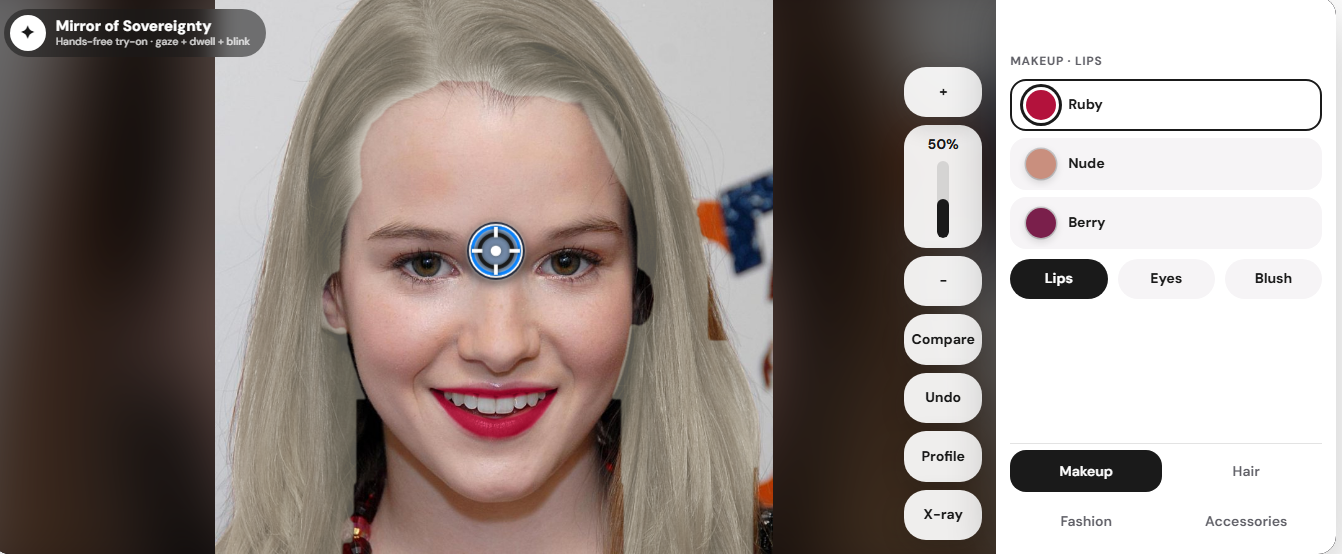
Mirror of Sovereignty (MOS) is a hands-free virtual try-on mirror, controlled entirely by the eyes.
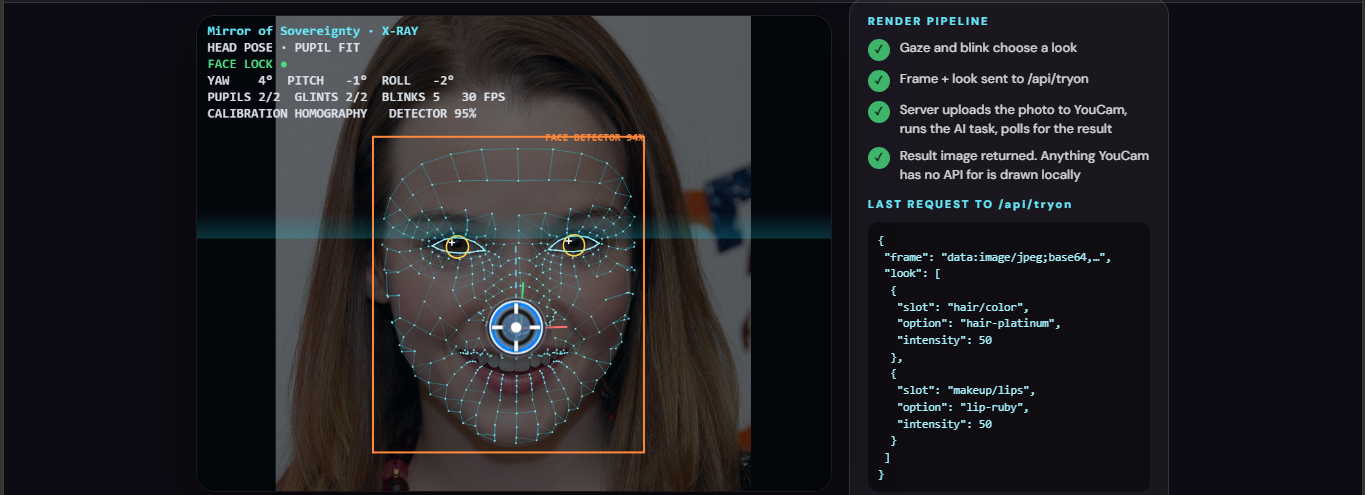
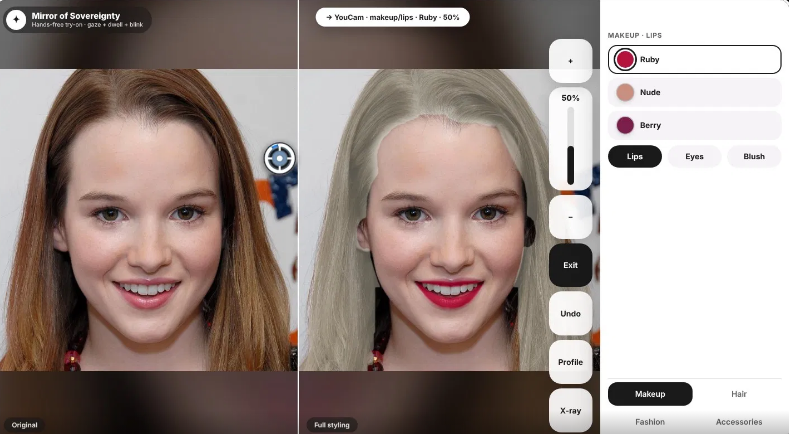
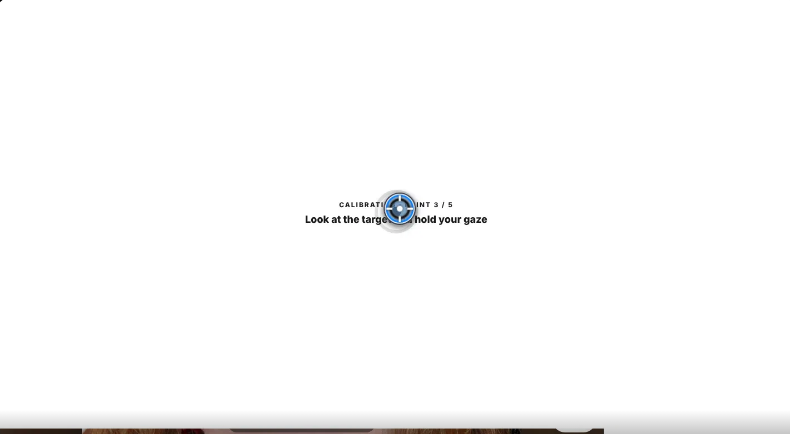
Calibration: a 5-point calibration learns how your eyes move, because no two people’s eyes move the same way. Gaze, dwell and blink: you look at an option, hold your gaze for 800 ms to select it, and blink to confirm. Nothing happens by accident, and nobody has to hurry. The look: you can change hair color, lips, eyes and blush on your own photo, tune the intensity, undo, and compare with where you started. X-ray view: it shows what the machine sees. That includes the face mesh, pupil tracking, head pose and the render pipeline.
How we built it
Mirror of Sovereignty is a Next.js, React, and TypeScript app with gaze interaction in the browser and try-on handled server-side. MediaPipe FaceLandmarker runs on webcam video, and we estimate gaze from eye and iris landmarks, then calibrate and smooth it, using OpenCV.js homography calibration and 1-Euro smoothing when available The controls adapt to the user instead of assuming a steady gaze. Our motor profiler measures gaze dispersion, blink rate, and reach from edge glances, then sets dwell time, target scale, blink selection, and a safe zone For rendering, /api/tryon uploads the frame through YouCam's File API, runs tasks in sequence, and polls for results. Hair color uses hair-color, makeup combines into one makeup-vto task, clothing uses cloth-v4, and each output feeds the next. Items with no remote render are composed locally, and Preview mode runs without a YouCam key
Challenges we ran into
Making gaze feel human: early cursor motion was too fast and jumpy. We rebuilt it with smooth acceleration, a capped speed and gentle drift, so every selection looks slow and intentional. Avoiding accidental selection: gaze interfaces suffer from the “Midas touch” problem, where everything you look at gets triggered. The dwell time and blink confirmation address that. Clean hair recolouring: the first mask spilled onto the forehead and background. We rebuilt it by hand, using colour cues and the face landmarks. Making the AI visible: a try-on result looks like magic unless you can see how it works. The X-ray view had to show the pipeline clearly without cluttering the demo.
Accomplishments that we're proud of
A complete hands-free flow, from calibration to choosing a look to comparing it, with no touch input at all. An X-ray view that makes the pipeline understandable to non-technical viewers. A interface designed around dignity: slow, calm, no pressure, and nothing triggered by accident.
What we learned
Large targets, clear feedback and generous dwell times matter more than extra features. Explaining what a system sees builds more confidence than hiding it.
What's next for MOS
Test with real eye trackers and, above all, with people who have ALS, spinal cord injuries and cerebral palsy, and let their feedback shape the design. Add more categories, such as fashion and accessories. Add per-user calibration profiles that are saved, plus adjustable dwell times for different needs. Add live video try-on, and work with care teams and accessibility organisations.
Built With
- mediapipe
- python
- youcam

Log in or sign up for Devpost to join the conversation.