-
-
Tap action
-
Morse code_comma
-
Learn Morse code in VR
-
Challenges
-
Morse code_comma
-
Settings
-
Main gameplay preview
Inspiration
Movies first sparked my curiosity about Morse code. Whenever I saw actors or characters communicating through taps, beeps or flashes of light, I wondered how someone could learn to understand those patterns and use them to communicate.
What excites me about VR is its ability to give people access to devices and experiences that might be difficult to encounter in real life. A telegraph key is something many people have seen on screen but never had the opportunity to operate.
What it does
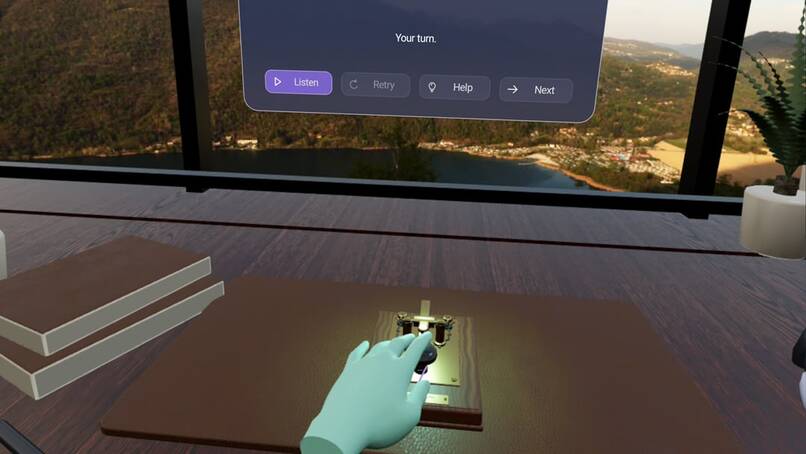
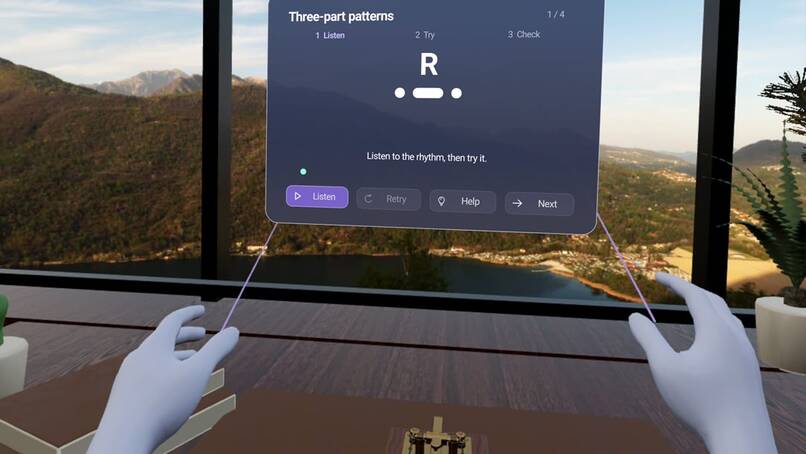
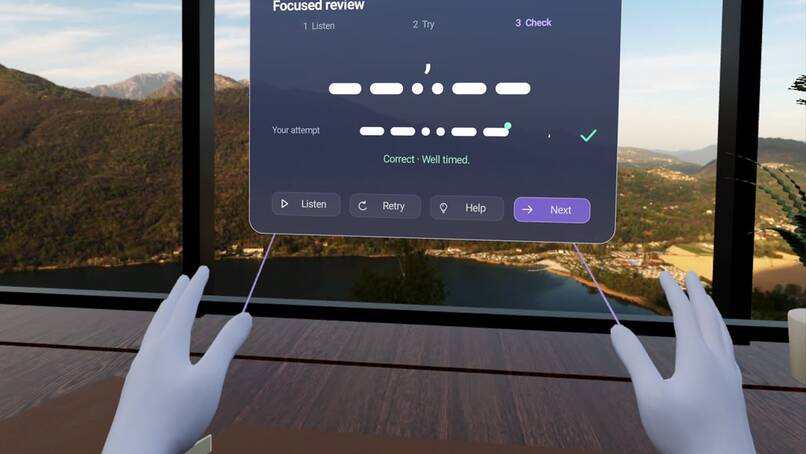
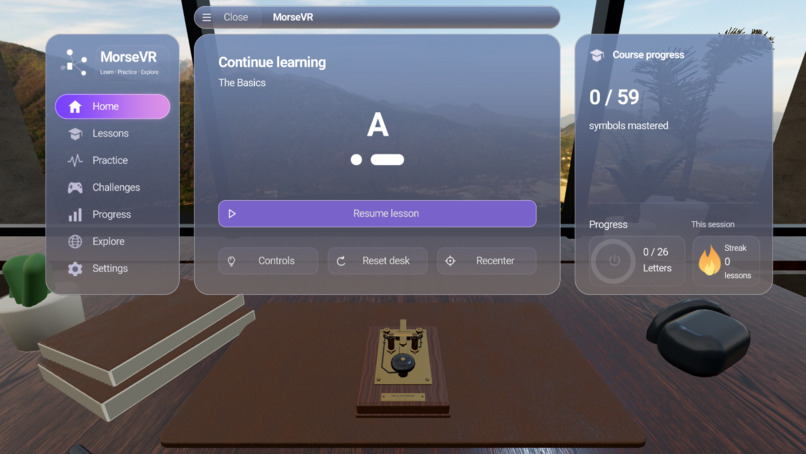
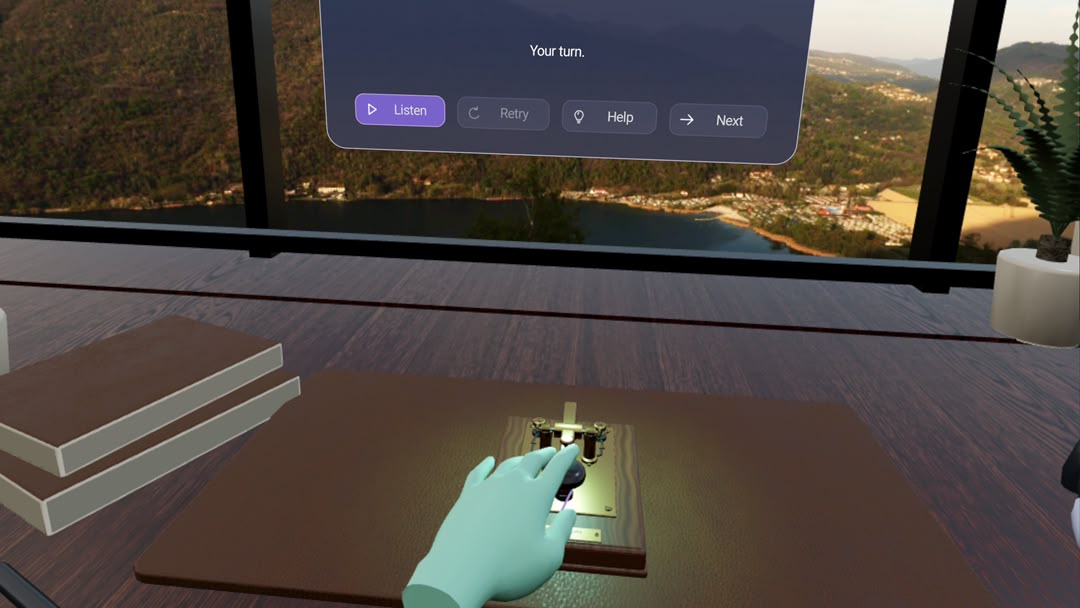
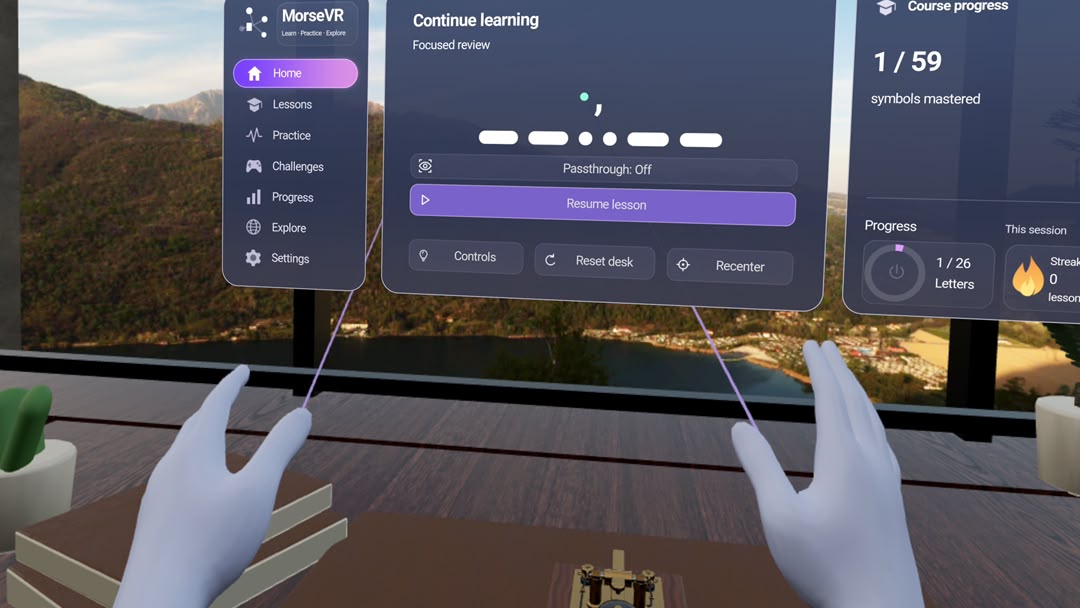
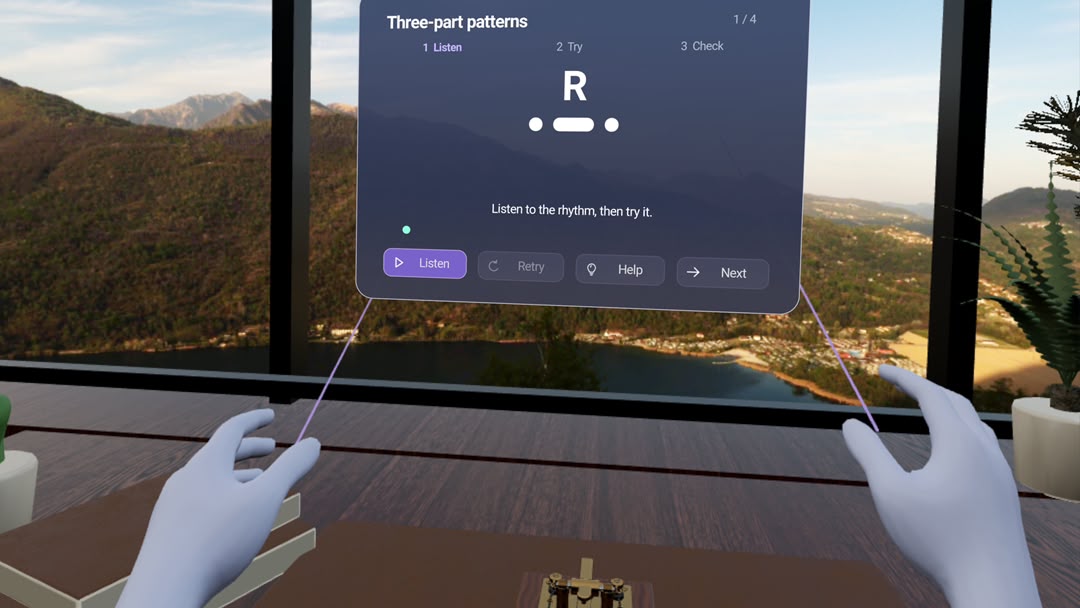
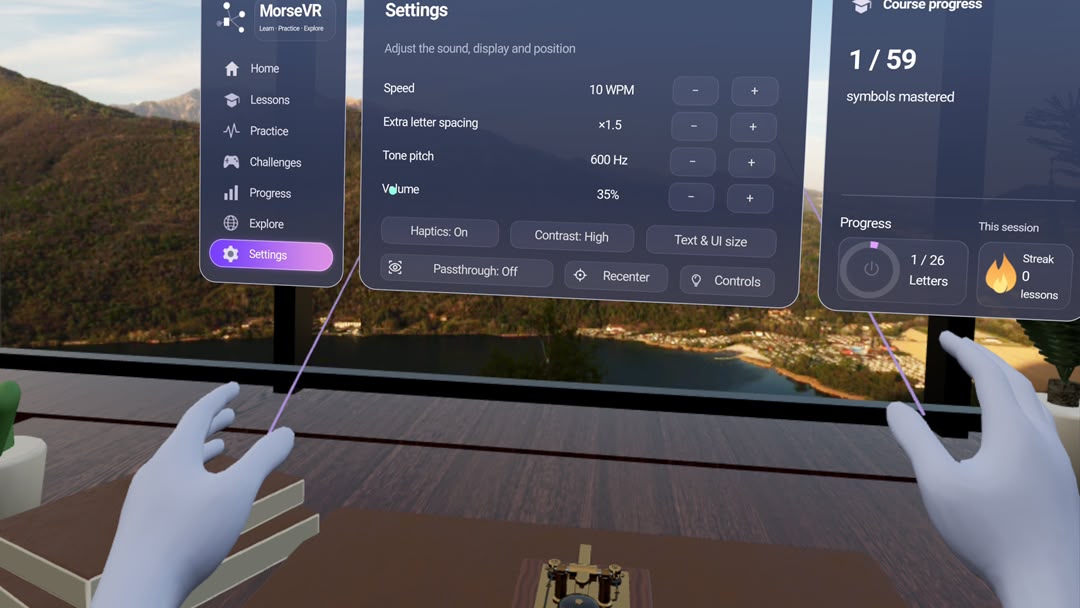
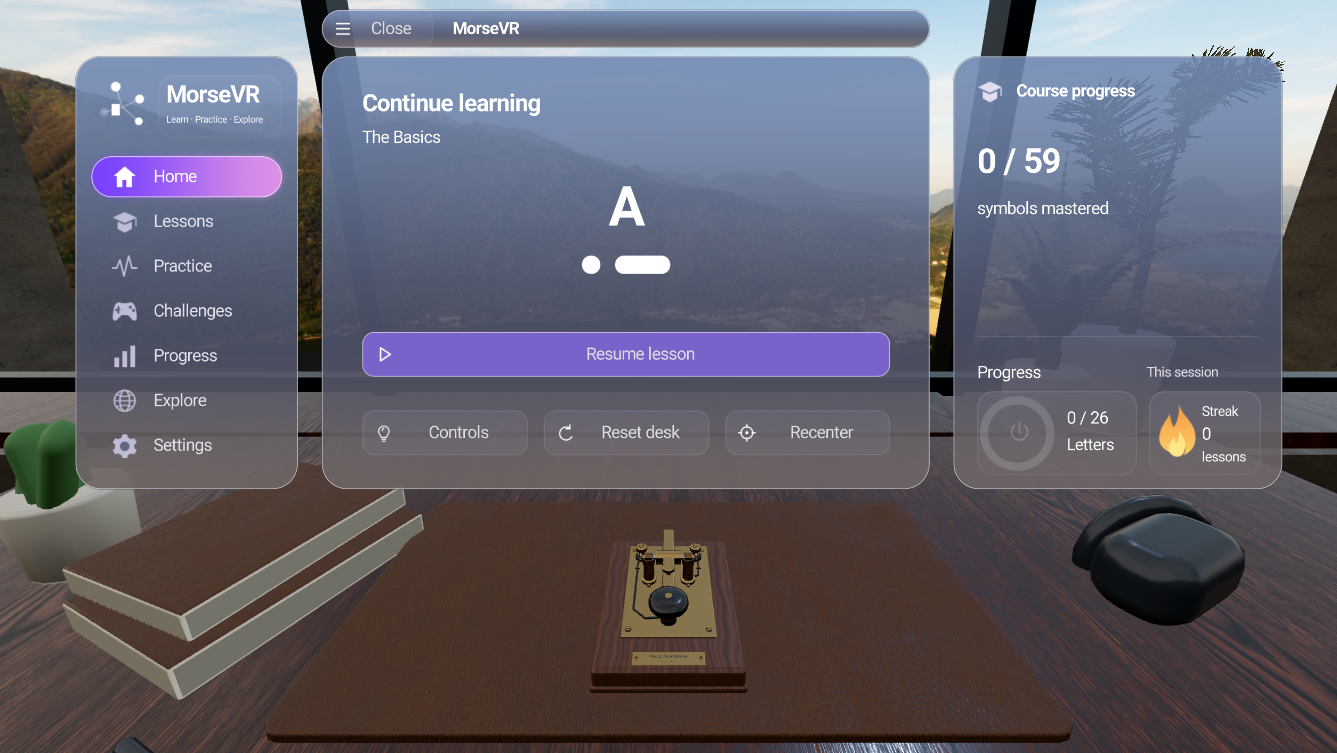
MorseVR is an interactive Morse code learning experience for Meta Quest 3. Learners operate a detailed virtual telegraph using hand tracking or controllers, listen to signals and practise sending their own dots and dashes.
The experience includes:
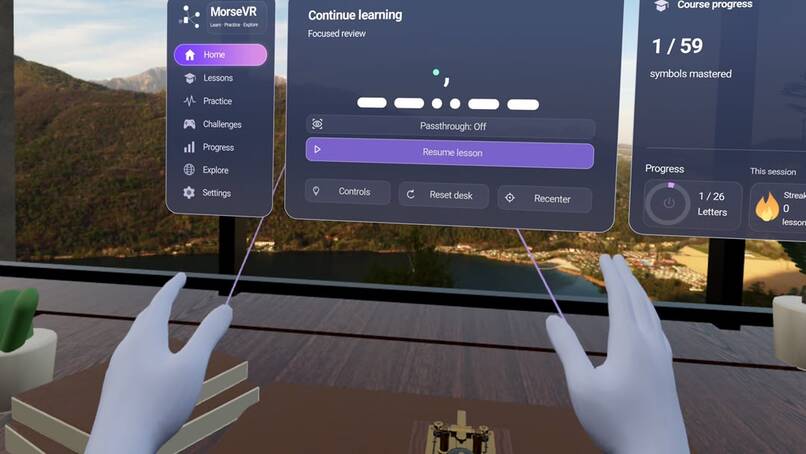
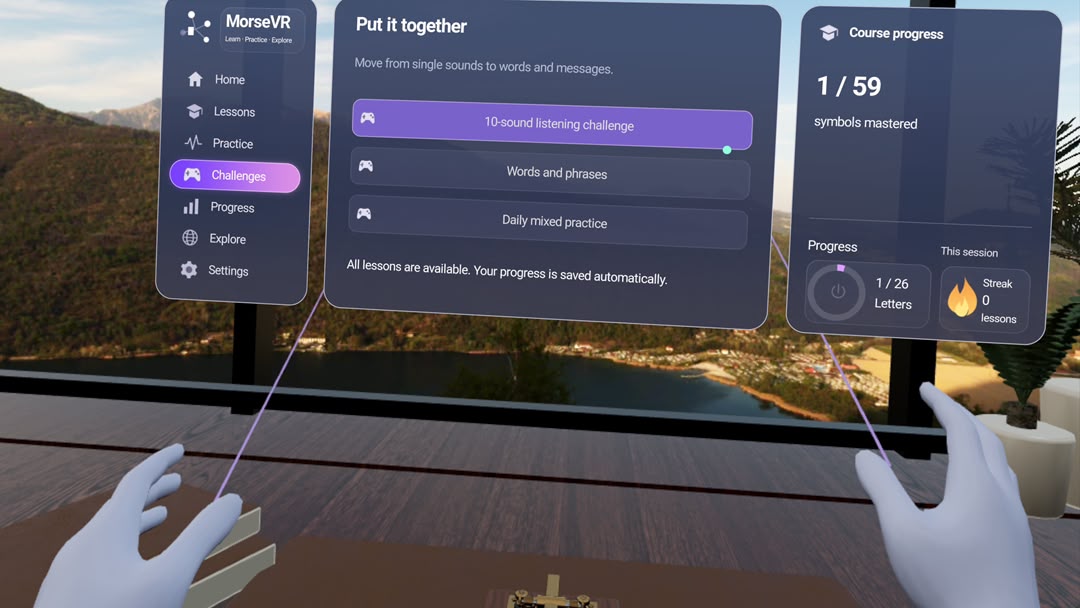
15 lessons covering 59 Morse symbols, including letters, numbers, punctuation and procedural signals.
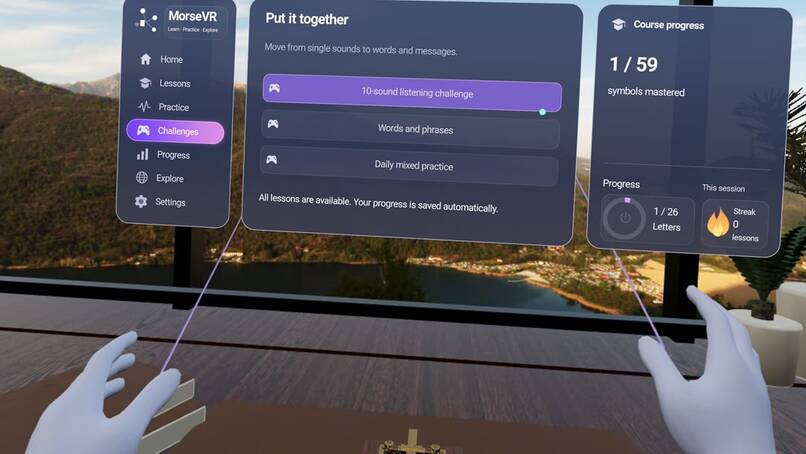
Listening exercises, word and phrase challenges, and free practice.
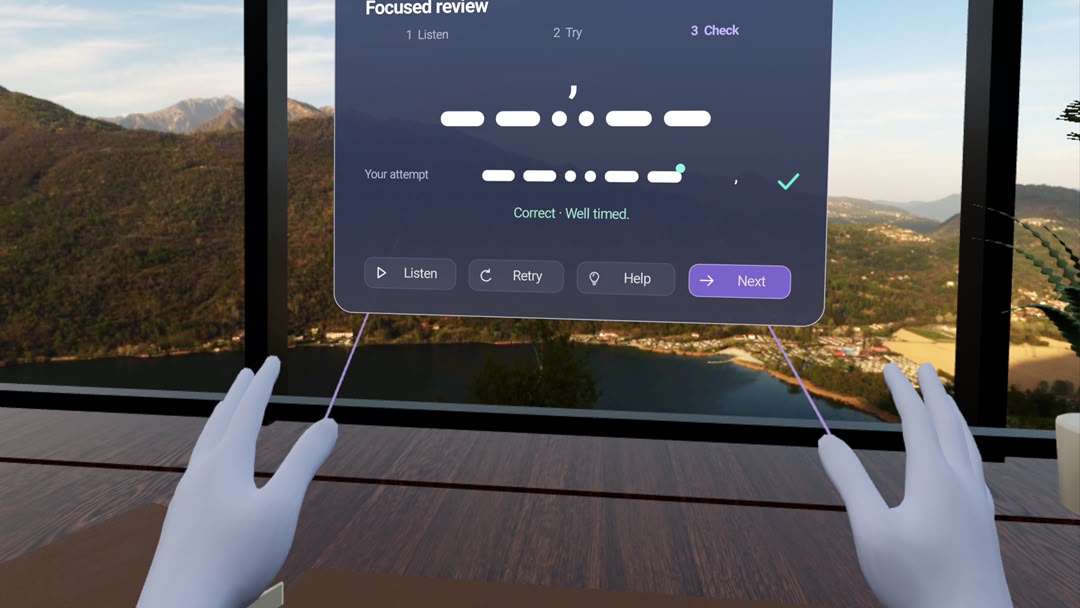
Immediate feedback on signal patterns and timing.
Saved learning progress and a session streak based on completed lessons.
A virtual study and a passthrough mode that brings the learning desk into the user’s physical room.
Learners can also pick up objects on the desk. Releasing them returns them to their original positions, keeping the workspace organized.
How it was built
The application was built in Godot Engine using GDScript and the Godot OpenXR Vendors plugin for Quest support. Blender was used for the telegraph asset, while Figma helped establish the visual direction of the interface.
The telegraph has separate mechanical components, including an animated lever and spring that respond to user input. A Morse encoder and decoder connect press duration and pauses to audio, character recognition and learning feedback.
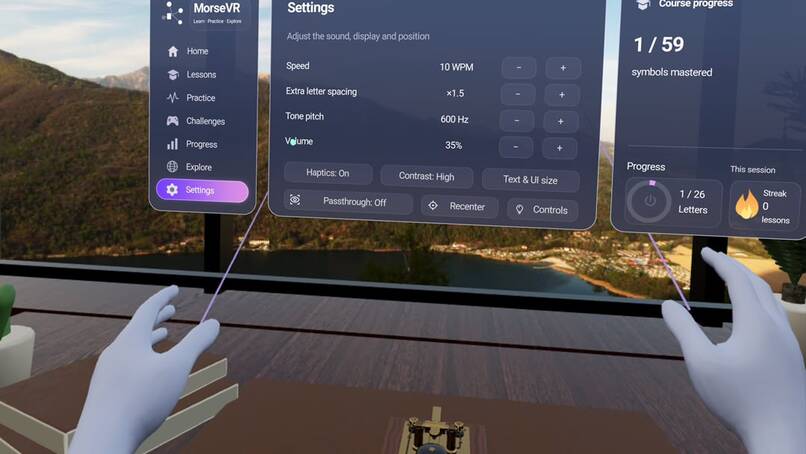
The interface uses spatial glass panels, scalable text and icons. Passthrough replaces the surrounding virtual environment with the user’s physical room while keeping the learning tools available. Progress and preferences are stored locally.
Challenges faced
Readability was one of the biggest challenges. Early interface versions felt crowded inside the headset, even when they looked reasonable on a monitor. Testing led to smaller, better-spaced text, shorter instructions, more iconography and a focused lesson layout.
Detailed outdoor foliage also produced blurry or shimmering edges. Replacing it with a high-resolution photographic panorama created a clearer, steadier backdrop.
Hand interaction required careful iteration. The pointing ray needed to match the actual selection direction, objects needed reliable pickup and return behaviour, and menus or tracking interruptions needed to release the telegraph without accidentally sending a signal.
Accomplishments
MorseVR has grown into a working native Quest 3 application with a structured learning course, interactive telegraph, hand and controller support, and both virtual and passthrough environments.
The panels, controls, object interactions and switching between environments have been tested directly on the headset. Automated checks also cover lesson logic, progress tracking, interface flows and interaction behaviour.
A particularly rewarding achievement is seeing the telegraph remain usable in passthrough: a device that would otherwise be difficult to access becomes part of the learner’s own space.
Lessons learned
Building MorseVR showed how much spatial design depends on testing inside the headset. Text size, panel placement, visual detail and interaction distance all feel different in VR than they do on a desktop screen.
The project also reinforced the importance of clear learning feedback. Learners need to understand what they sent, how it compared with the target and what to try next.
Separating lesson completion from long-term mastery helped make progress more meaningful: finishing a lesson provides encouragement, while repeated sending and listening practice builds mastery.
What's next for MorseVR
The next step is to test MorseVR with more learners and use their feedback to refine lesson pacing, onboarding and instructions.
Future improvements could include more personalised practice based on common mistakes, additional accessibility options and richer communication challenges that move beyond individual characters. The plan is to also add multiplayer in-game quests allowing multiple users to communicate and solve problems with morse code.
The goal is to develop MorseVR into a polished educational gaming experience that makes learning Morse code approachable, engaging and accessible through spatial computing.


