Inspiration
We've all had study days where the timer says four hours, but we know a good chunk of that went to our phones, a "quick" YouTube video, or just staring at nothing. Most study apps count hours and checked-off tasks. They can't tell you what those hours actually looked like, and that was the part we cared about.
A few things kept bothering us. Sitting in front of a screen doesn't mean you're using study materials. Looking down could mean you're on your phone, or that you're working a problem on paper. YouTube can be a lecture or the reason you lost an hour. And planners that only sort by deadline ignore the fact that some people think best at 9 AM and others really don't.
So we started from a simple question: how do I learn best? MorrowLab tries to answer it with evidence from your own study sessions instead of generic advice.
What it does
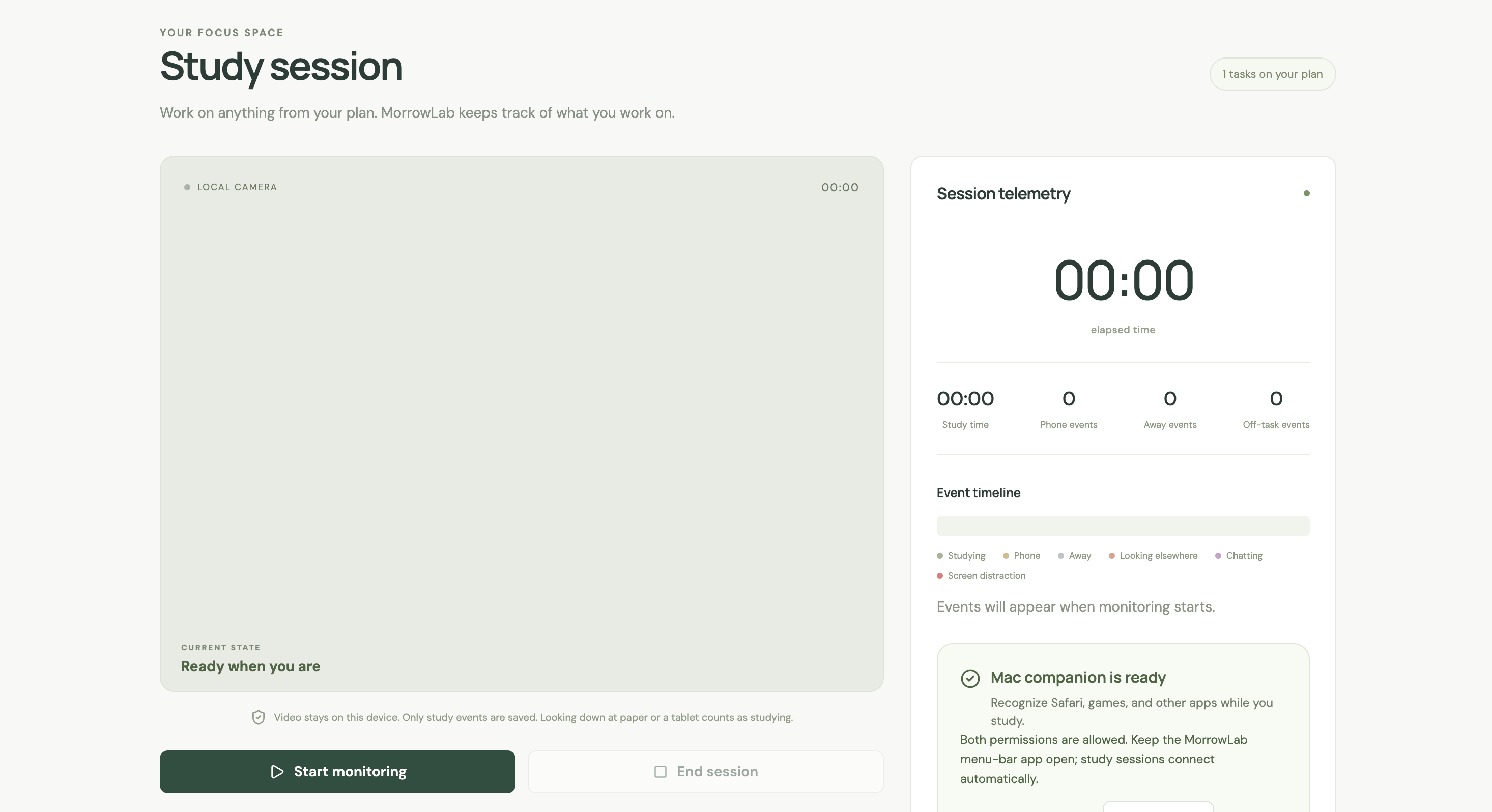
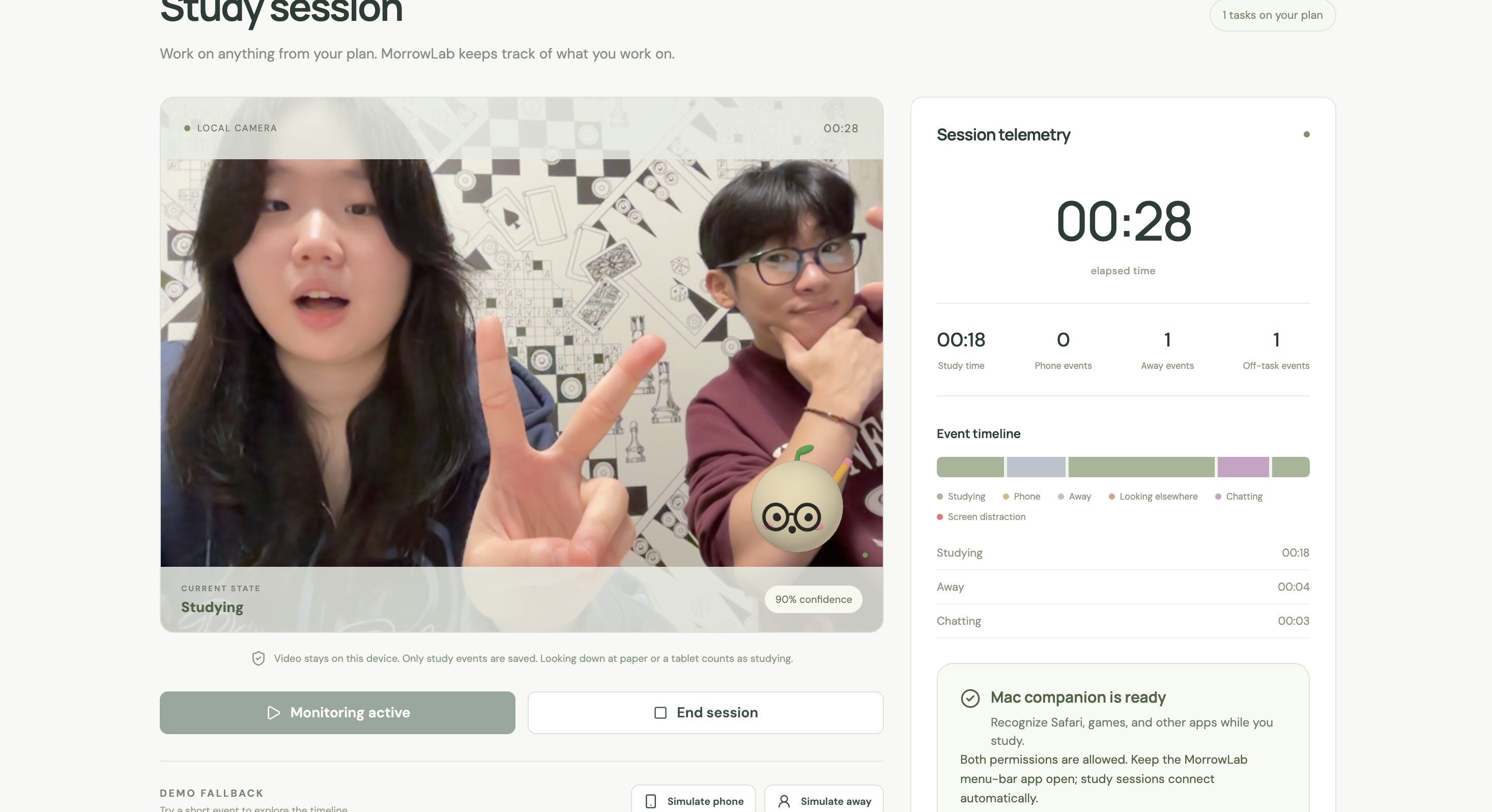
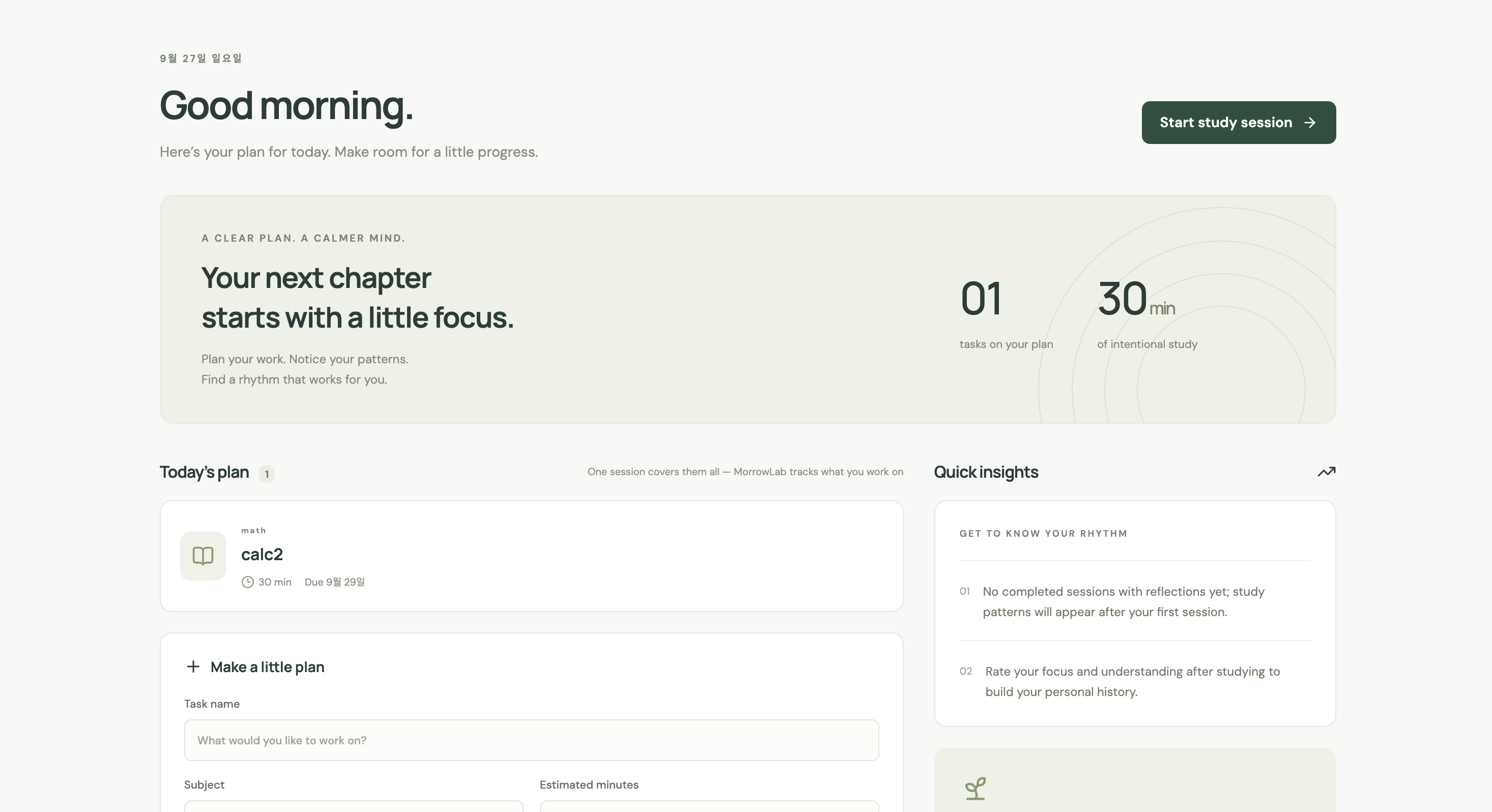
You add your tasks for the day and start one session. While you work, MorrowLab uses your webcam, plus an optional browser extension or desktop companion, to build a timeline of the session: studying, on your phone, away from the desk, looking elsewhere, chatting, or distracted by something on screen. A small 3D mascot follows your head movement, blinks, and mouth as you go.
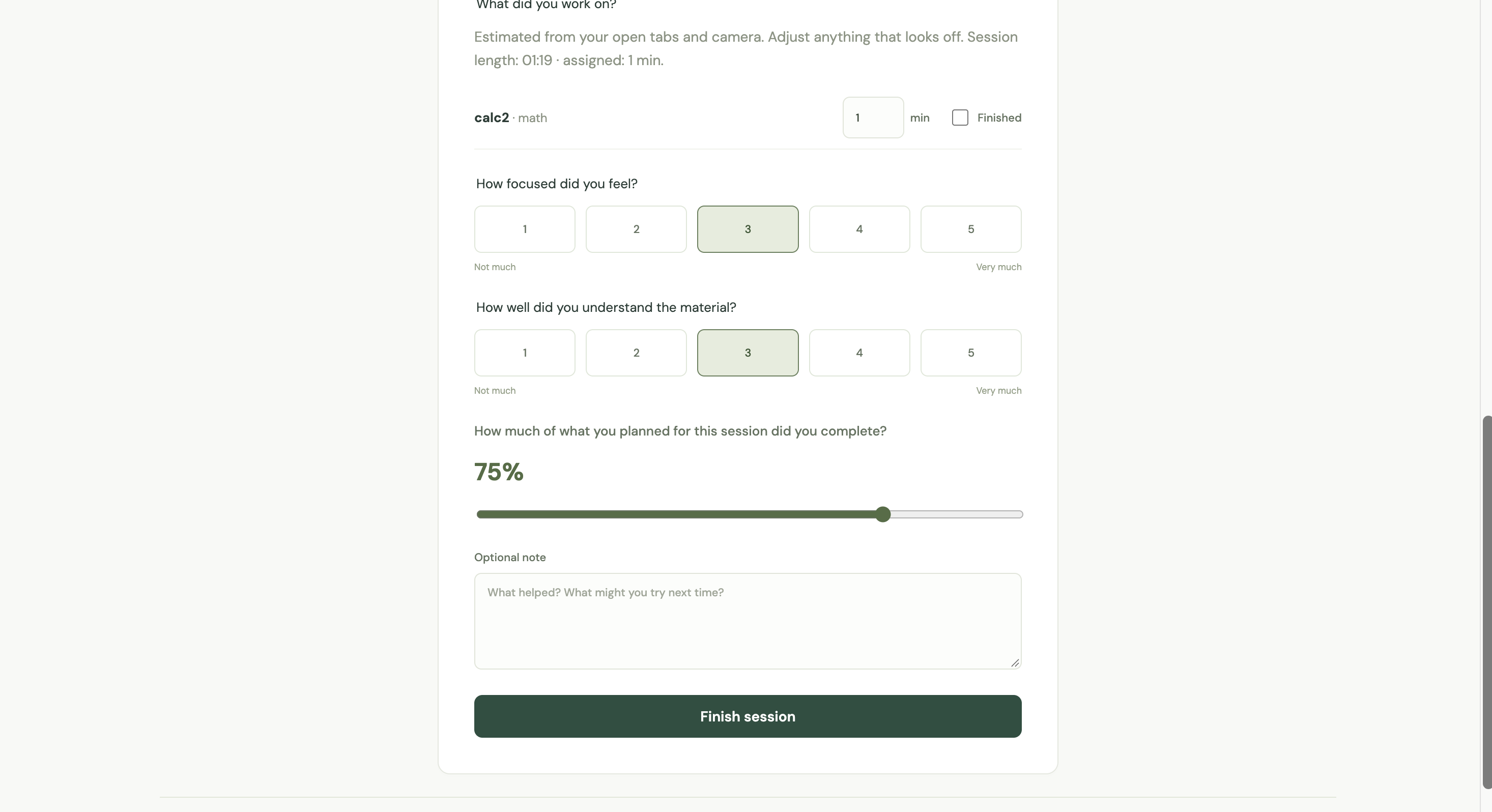
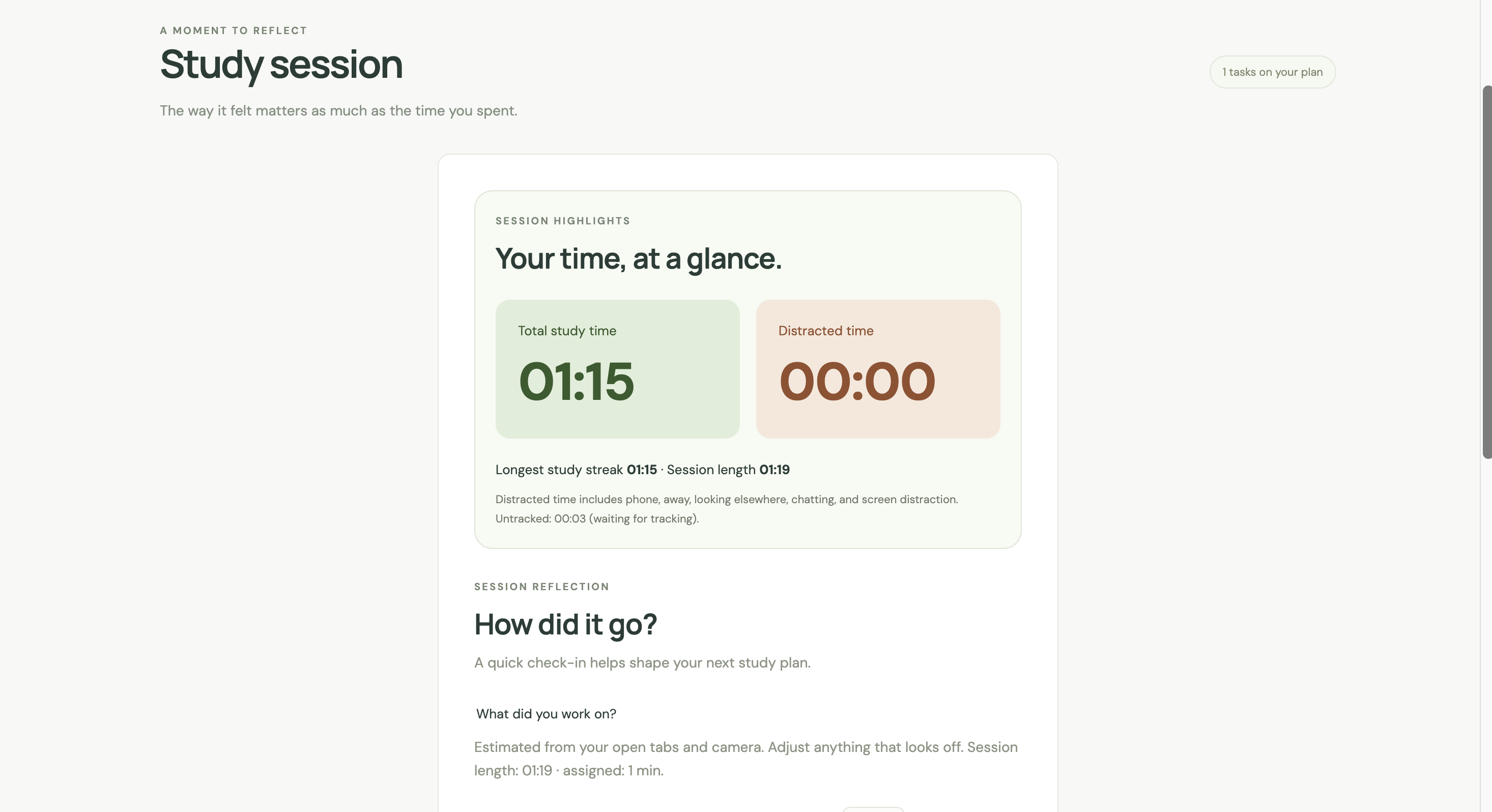
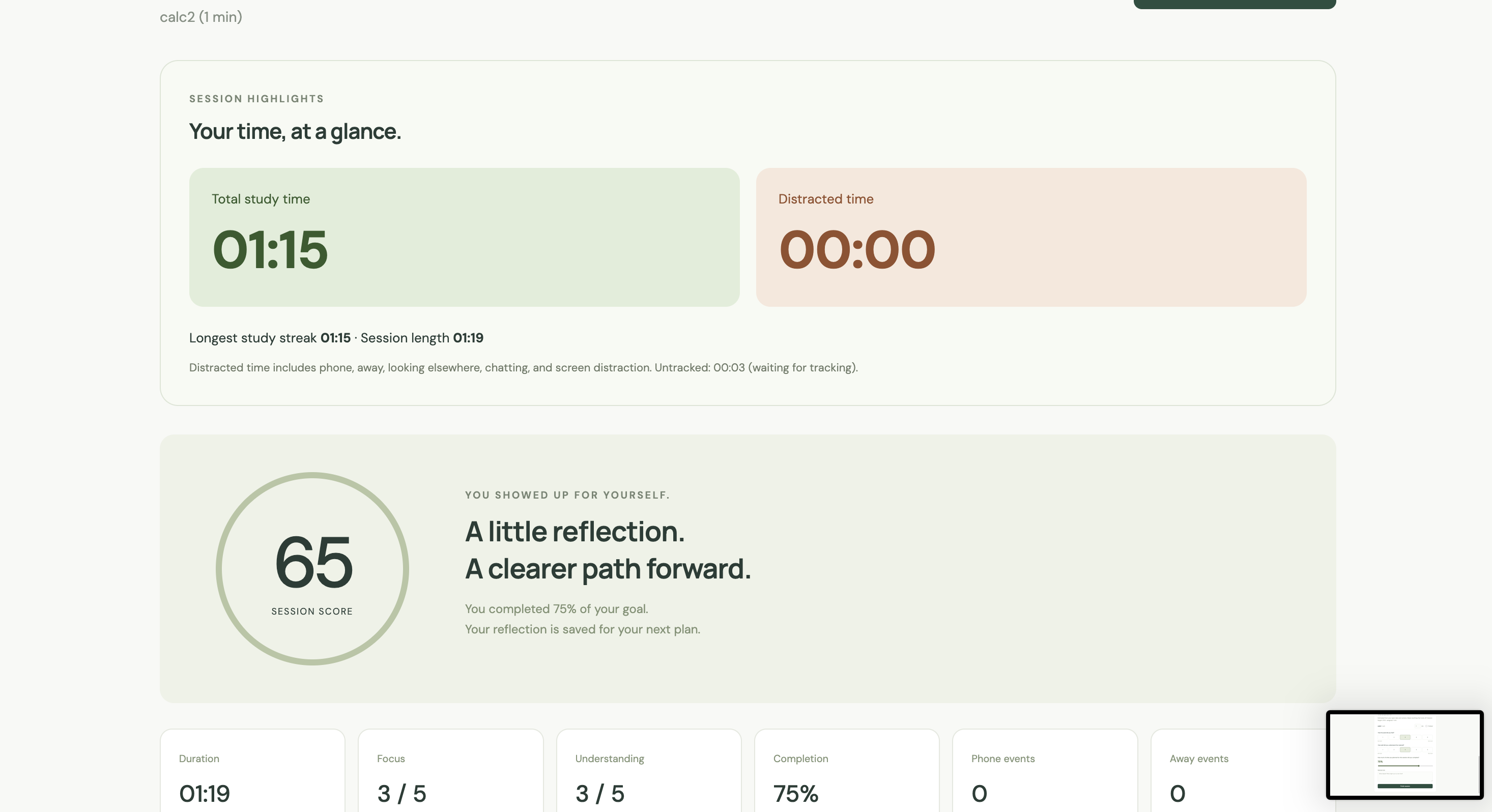
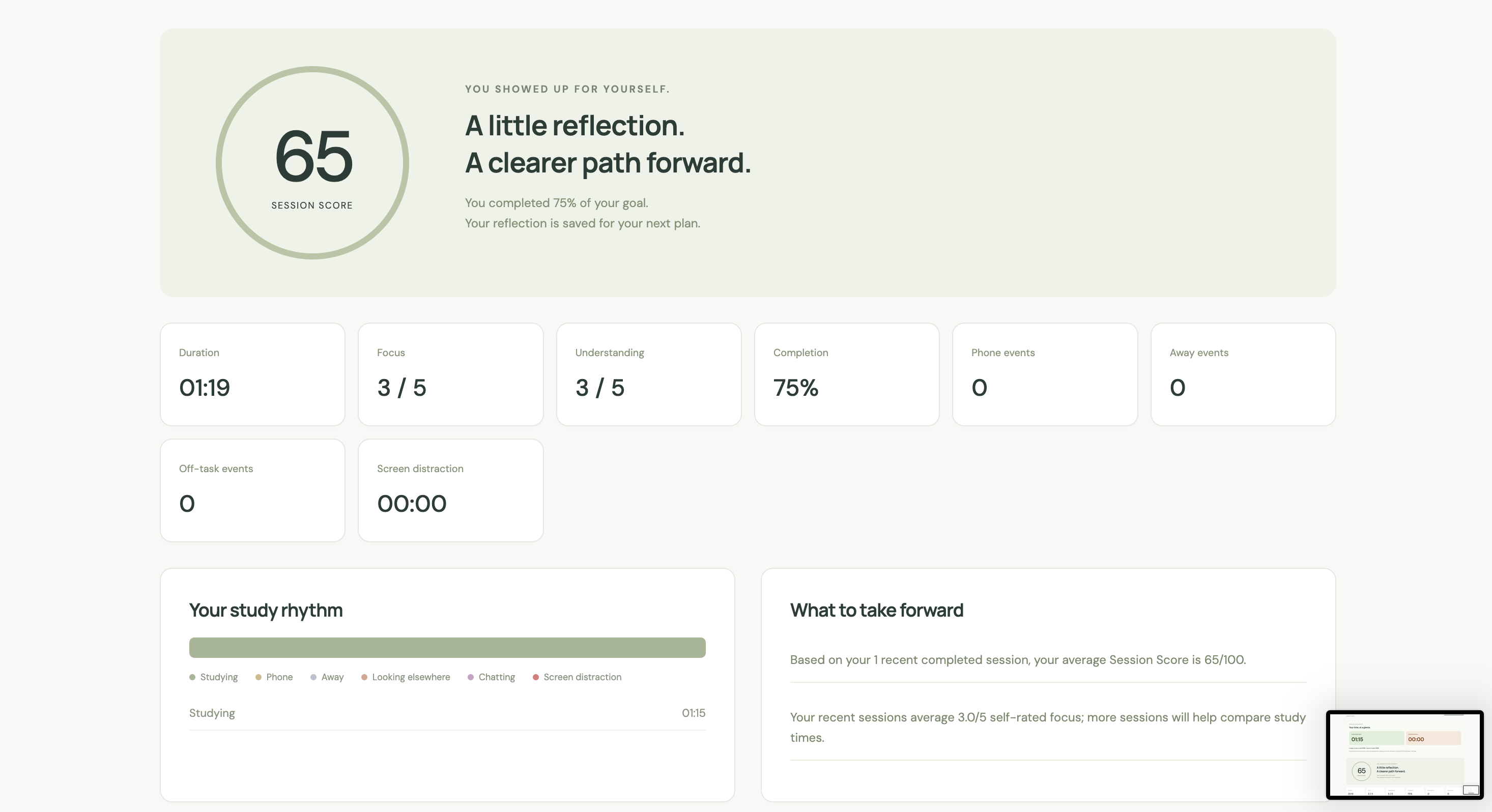
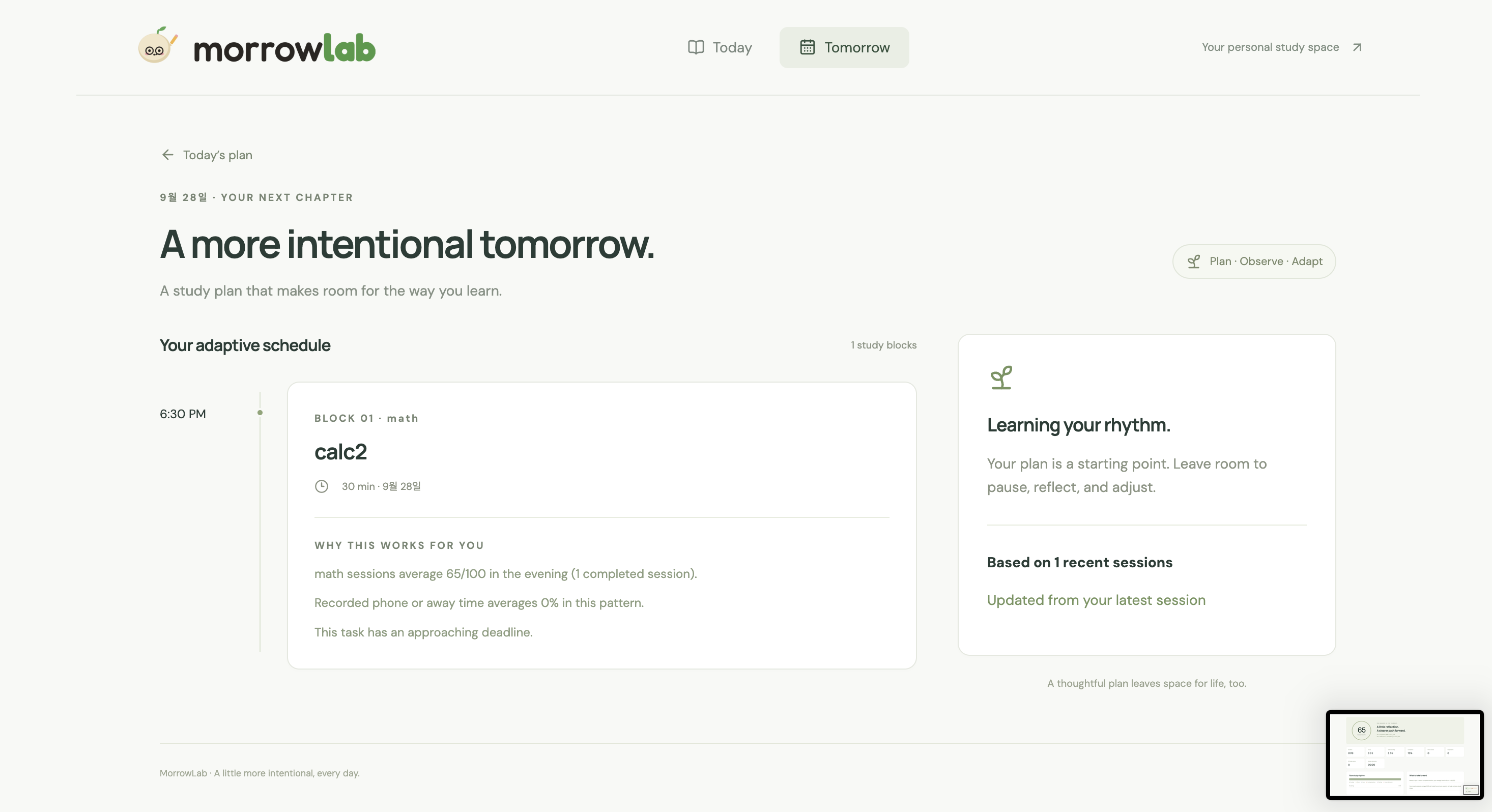
When you finish, you check how the time was split across your tasks, fix anything that's off, and rate your focus, understanding, and how much you got done. That becomes a Session Score. The Tomorrow page then uses your past sessions and upcoming deadlines to suggest when to study each task the next day, with the reasoning shown for every block.
How we built it
MorrowLab is a local-first web app built with React, TypeScript, and Vite. There's no account or backend for the core workflow. Tasks and session history are stored in the browser's IndexedDB through Dexie.
Camera. We run MediaPipe's EfficientDet-Lite2 (phones and people) and Face Landmarker (head pose and facial movement) directly in the browser. The models are pretrained. What we wrote is everything on top of them: calibration, the state rules, smoothing, and recovery. Classification runs about twice a second, and a state has to hold across several consecutive samples before it becomes an event (two for a phone, eight for looking elsewhere). A phone sitting on the desk doesn't count; it has to be detected while you're looking down or turned away. Looking down without a phone is treated as studying, since that's usually paper or a tablet. Camera frames are analyzed on your device and never saved.
Screen context. A Manifest V3 extension (Chrome, Edge, Whale) and a desktop companion (a Swift menu-bar app on macOS, with a Node fallback for Windows) send the current tab or app title to the web app over a local connection. Rules sort it into Study, Distraction, or Neutral, in both English and Korean. When the rules can't decide, a multilingual sentence-embedding model (MiniLM via Transformers.js) runs in a Web Worker, compares the title against example phrases, and only picks a category when one clearly wins. YouTube got its own logic: regular videos are scored by keywords and task matches, Shorts count as distraction, and playlists get an explicit study override.
Combining signals. Camera and screen results merge into one timeline with a fixed order of precedence. If you're facing the screen with Netflix open, that's a screen distraction. If you're already on your phone at the same time, it isn't counted twice.
Scoring and planning. The Session Score is a transparent weighted mix. Your own ratings of focus, understanding, and completion carry most of the weight, and camera behavior and screen activity add a smaller share. For tomorrow's plan, each candidate time slot gets a fit score based on how your past sessions at that time of day went, and that's combined with how close each deadline is (65% fit, 35% urgency). It's a heuristic, not a trained model, which means every recommendation can be explained.
The mascot is written in raw WebGL and GLSL, without Three.js.
Challenges we ran into
Computer vision and real-time inference in the browser were new to us, and our first attempts were noisy. Frame-by-frame predictions jumped around: a phone would show up for a single frame and disappear. Calibration and the consecutive-sample rule fixed most of that.
The harder problem was that productive and distracting behavior often look the same from a single signal. Looking down could be notes or a phone. Facing the screen could be a lecture or a show. Someone sitting in front of the laptop isn't necessarily studying. That's why we moved from domains alone to page titles plus domains, added desktop app activity, and stopped treating "person detected" as "studying."
Keeping the camera pipeline alive was its own project. We added GPU-to-CPU fallback, automatic reconnects, and limits on retries, and we wrote a test that simulates the laptop going to sleep for an hour in the middle of a session.
Scope was the last fight. We had more ideas than time, including calendar sync, a classifier trained on our own data, and syncing across devices. We cut them and focused on getting one loop working end to end: plan, study, reflect, and get a better plan for tomorrow.
What we learned
For the Art of the Break challenge, we stress-tested MorrowLab in four scenarios with hand-assigned labels: solving problems on an iPad, watching an educational YouTube video, using a partly visible phone, and watching entertainment. It classified 26 of 30 trials correctly (86.7%). The misses came when signals were incomplete or contradicted each other.
The line we kept coming back to was "presence is not focus, and posture is not intent." Reliable tracking needs several signals over time, and it needs to be allowed to say "unknown." That's why the app has an "activity unknown" state instead of guessing.
We also learned that the pretrained model was the easy part. Most of our time went into the thresholds, calibration, and failure handling around it.
What's next
MorrowLab measures behavior and how you rate your own sessions. It doesn't measure what you actually retained, and the Session Score hasn't been validated. Next, we want to test the camera rules across more people, lighting, and camera positions, let users customize what counts as study or distraction, add optional recall quizzes, and plan around real availability instead of fixed time slots.
Built With
- coco-ssd
- computer-vision
- css
- dexie.js
- indexeddb
- machine-learning
- react
- tailwind
- tensorflow.js
- typescript
- vite
- webrtc


Log in or sign up for Devpost to join the conversation.